-
-
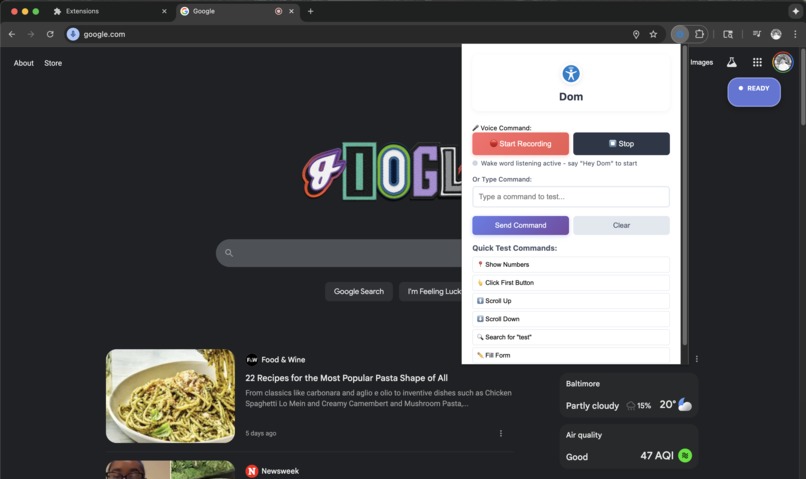
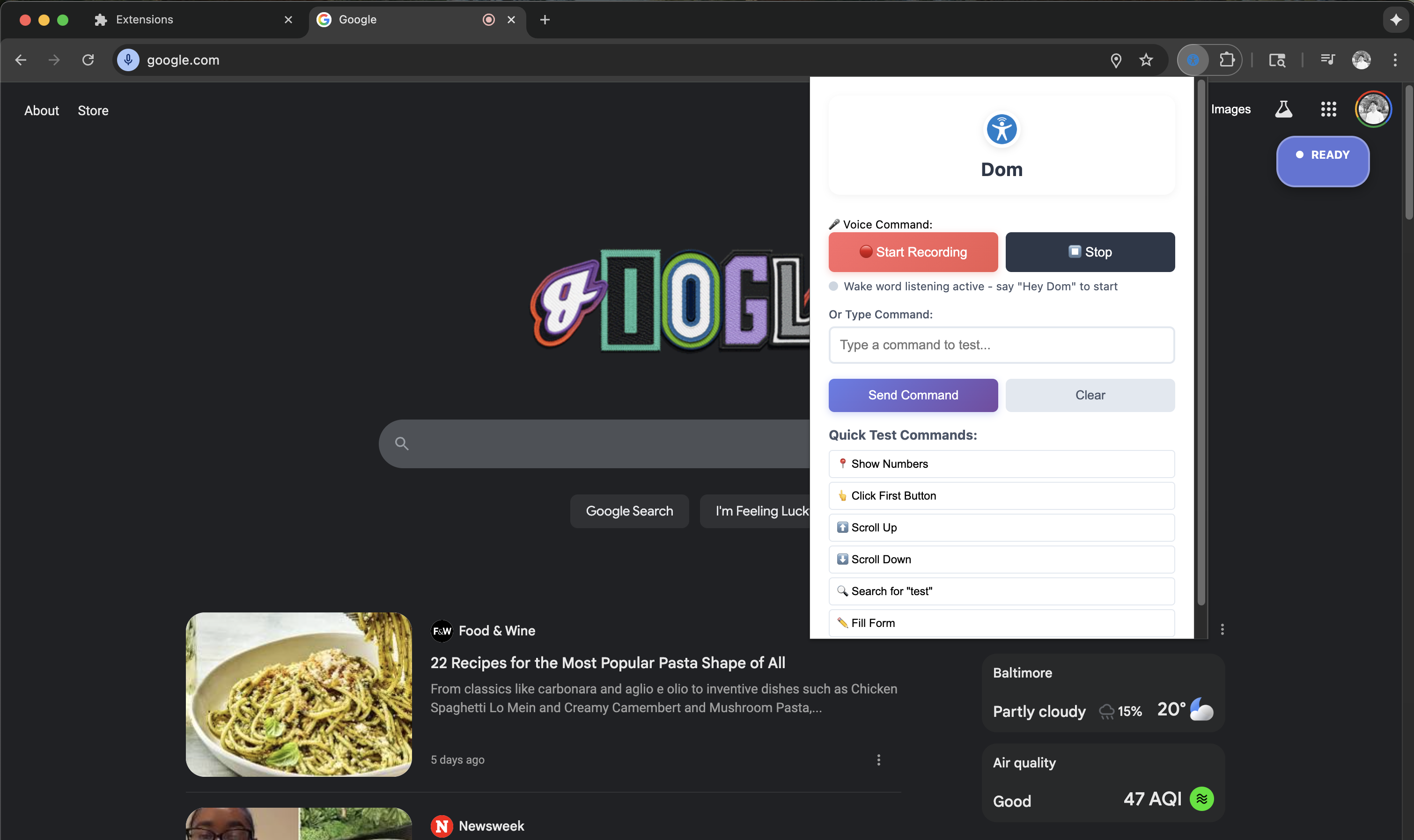
Dom Interface
-
Dom Logo
-
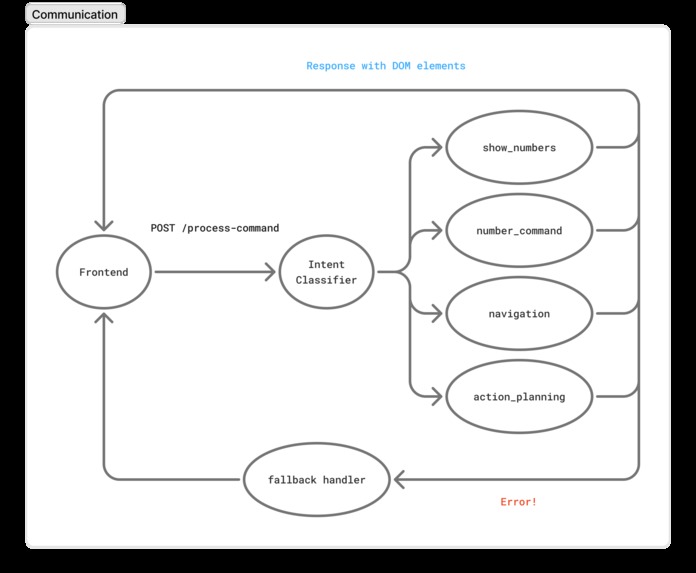
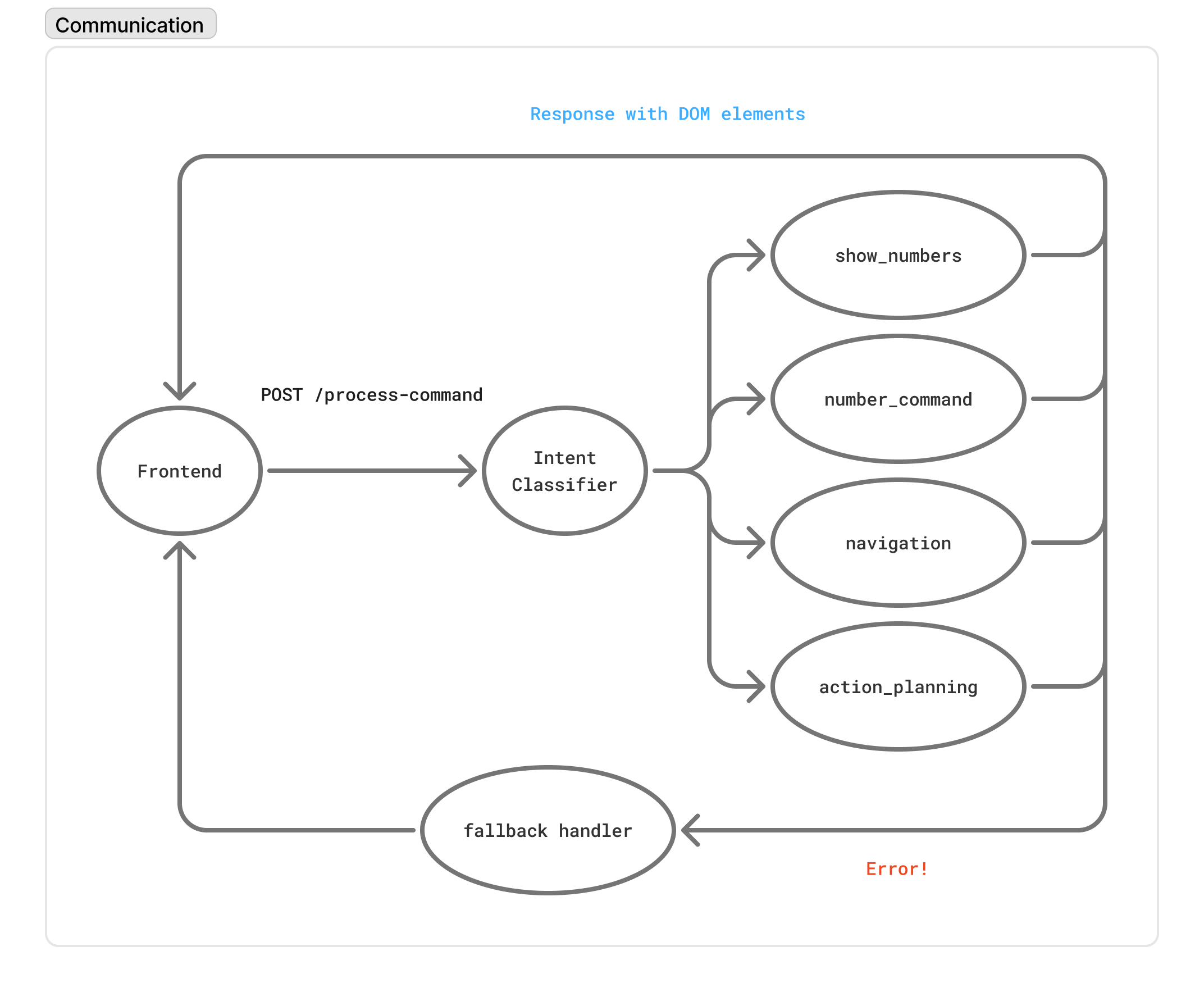
Dom Architecture Diagram
-
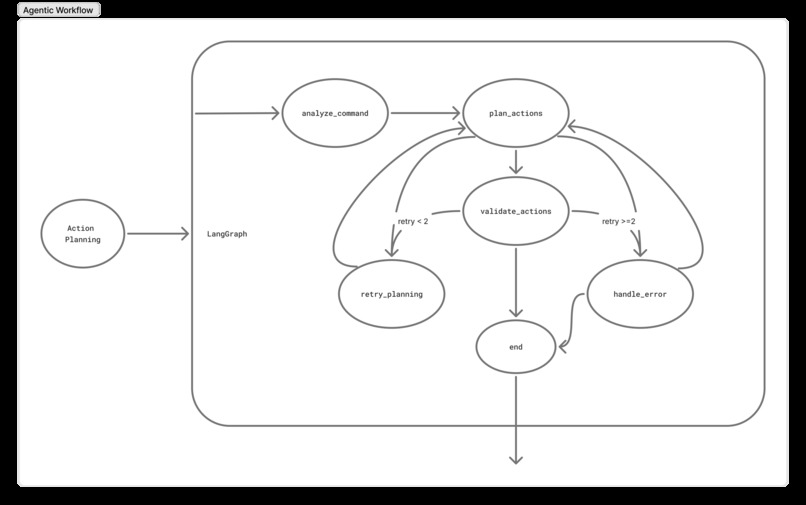
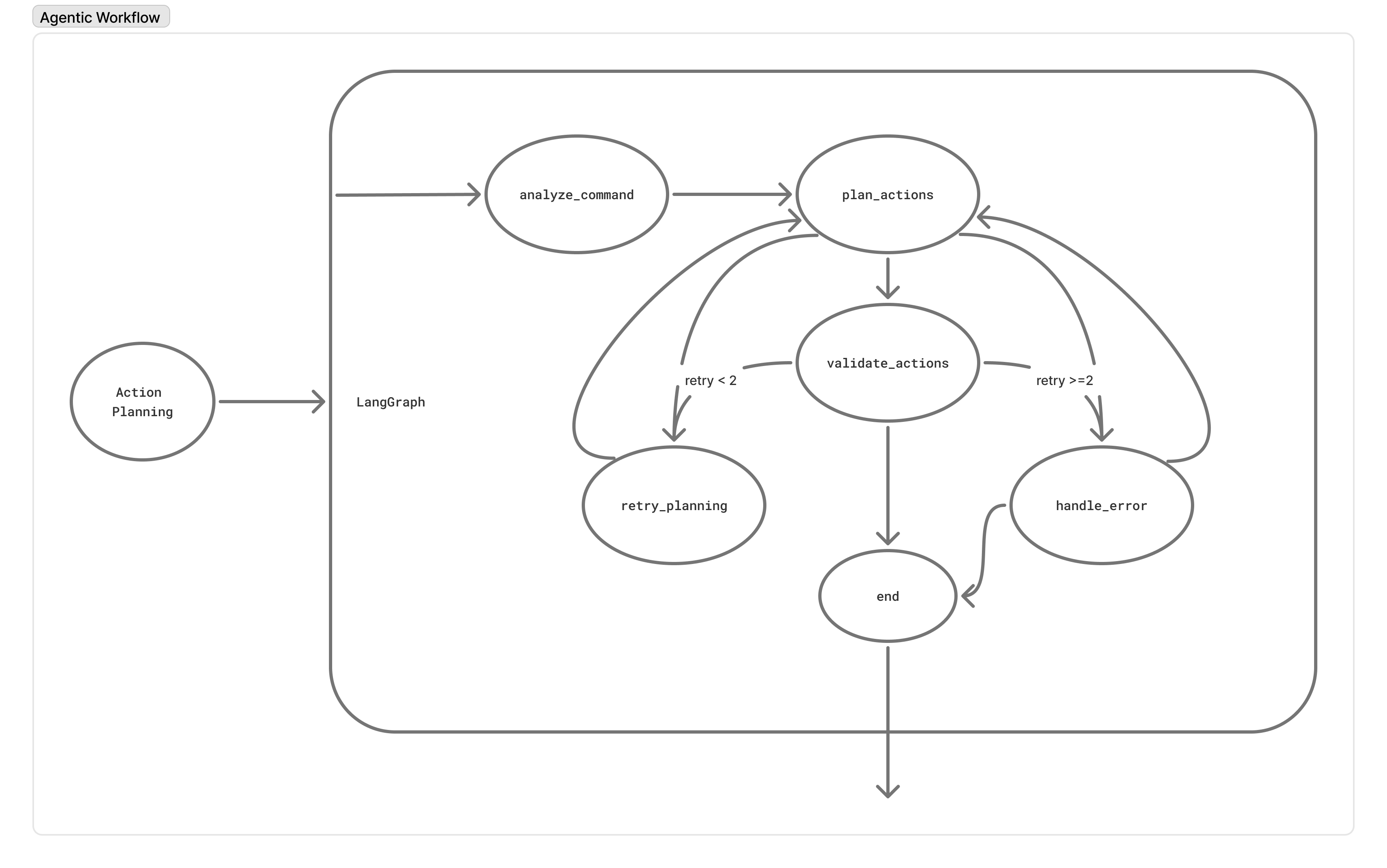
Dom Agentic Workflow Diagram
Inspiration
The moment of realization came during a late-night coding session. We were munching on messy cheese puffs when we needed to search for documentation online. Staring at our orange-dusted fingers and clean keyboards, we thought: What if we could just talk to our browser instead?
That simple frustration sparked a bigger realization: if we were struggling with web navigation because our hands were occupied, what about people who face these challenges every day? People with motor disabilities, visual impairments, or injuries who can't easily use traditional interfaces deserve the same seamless web experience.
Dom was born from this inspiration—from our immediate need for hands-free browsing and the understanding that accessibility isn't just a feature, it's a fundamental right. We built an AI-powered voice agent that understands user intent, making the web navigable for everyone—whether they're eating a sandwich, have limited mobility, or simply prefer voice interaction.
How We Built It
We built Dom using a full-stack architecture centered around AI-powered voice processing:
- Backend: Python FastAPI with Google Gemini 2.0 Flash for natural language understanding and action planning.
- Workflow engine: LangGraph to create complex decision workflows that analyze user commands, classify intent, and generate precise web actions.
- Frontend: Chrome Extension API for DOM context capture, with real-time WebSocket communication to the backend.
- Smart element detection: Identifies clickable items, form fields, and navigation elements, then overlays numbered labels for voice-guided interaction.
Key technologies: Python FastAPI, Chrome Extension API, Google Gemini AI, LangGraph, WebSockets, DOM manipulation APIs, custom voice recognition integration.
Challenges We Ran Into
- Context understanding – The same command like "click the first result" means different things on Google versus Amazon.
- Real-time DOM synchronization – Keeping accurate element numbering and action targeting as users navigate dynamic pages.
- Voice command ambiguity – Users often say "click over there" or "go to that thing". We had to design robust fallback systems and contextual interpretation.
- Performance optimization – Latency is an accessibility issue. We tuned our pipeline to respond in under 1 second without sacrificing accuracy.
Accomplishments We're Proud Of
- Built a functional voice navigation system that converts natural language commands into real web actions.
- Developed a context-aware approach that interprets commands differently based on page type and state.
- Created an intuitive numbered element system so users can say "click number 5" to interact with any webpage.
What We Learned
- Accessibility is not a checkbox – Every detail, from API latency to error handling, impacts usability.
- Context is everything in AI – Words mean different things depending on website, user history, and visible content.
- Voice interfaces demand new UX patterns – We had to rethink information architecture, error handling, and feedback loops.
- Performance is an accessibility feature – Slow responses aren’t just inconvenient; they can exclude users with cognitive or attention challenges.
What’s Next for Dom
- Mobile accessibility – Extending Dom to mobile browsers and native apps, making voice navigation available everywhere.
- Personalization engine – Learning individual user patterns and preferences for more tailored, accurate responses.
- Interactive feedback loop – If Dom is uncertain (e.g., multiple buttons with the same label), it will ask the user to clarify.
- Developer SDK – Providing tools for websites to easily integrate Dom, making the web accessible by default.
- Global language support – Expanding beyond English with native-language voice commands and cultural context awareness.
Built With
- gemini
- google-gemini-api
- google-web-speech-api
- javascript
- langchain
- python


Log in or sign up for Devpost to join the conversation.