-
-
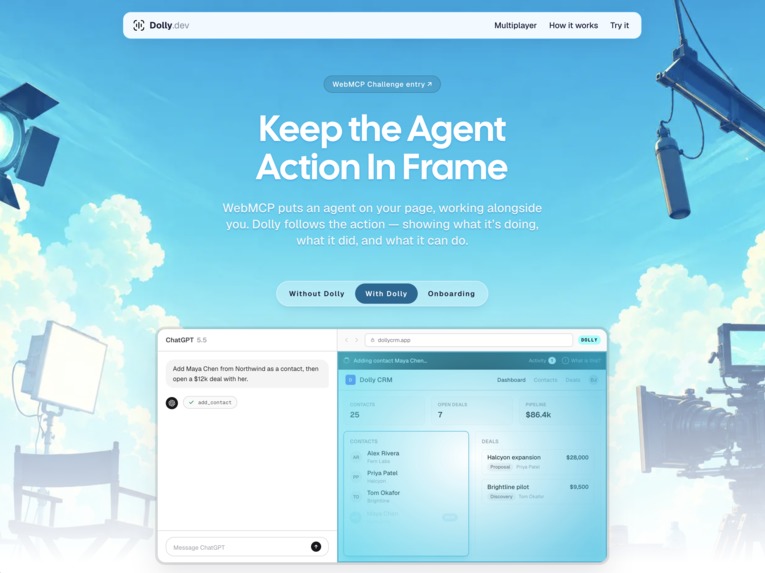
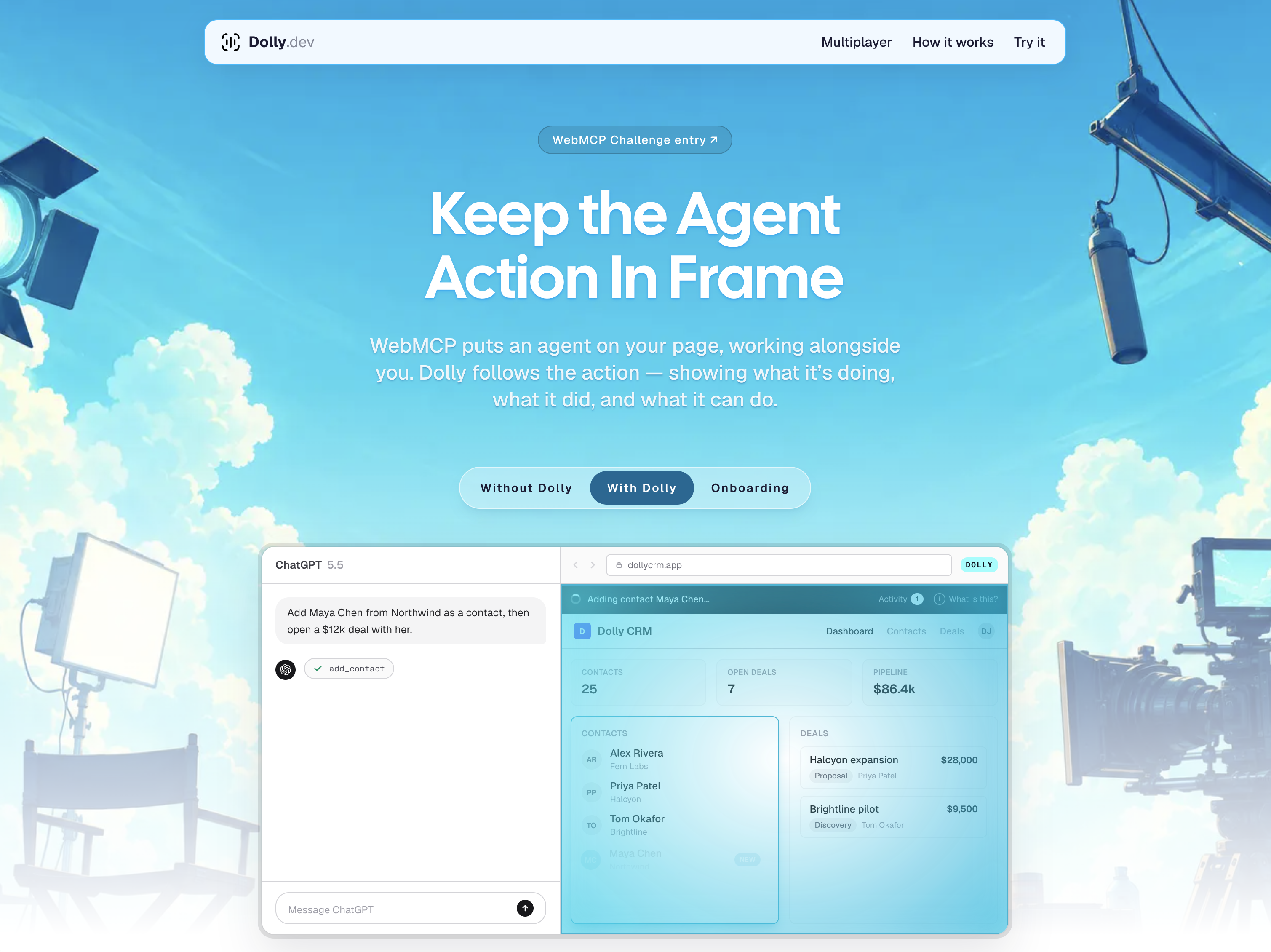
Keep The Agent Action In Frame
-
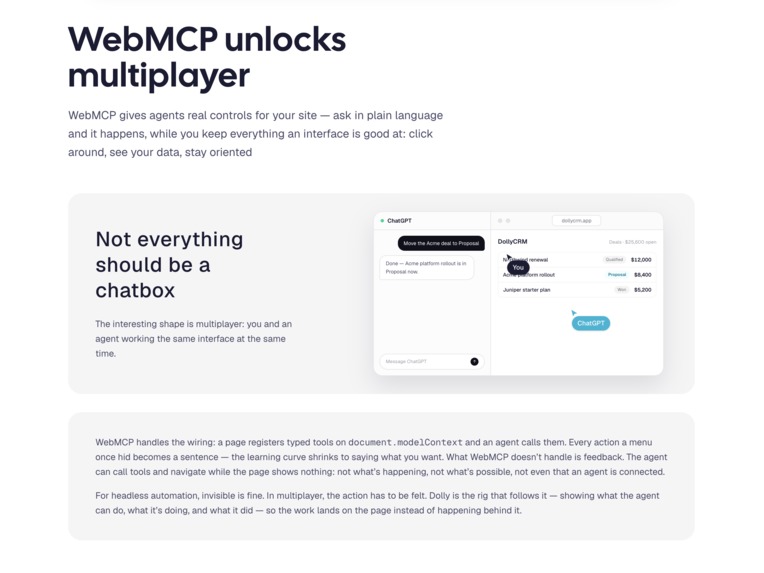
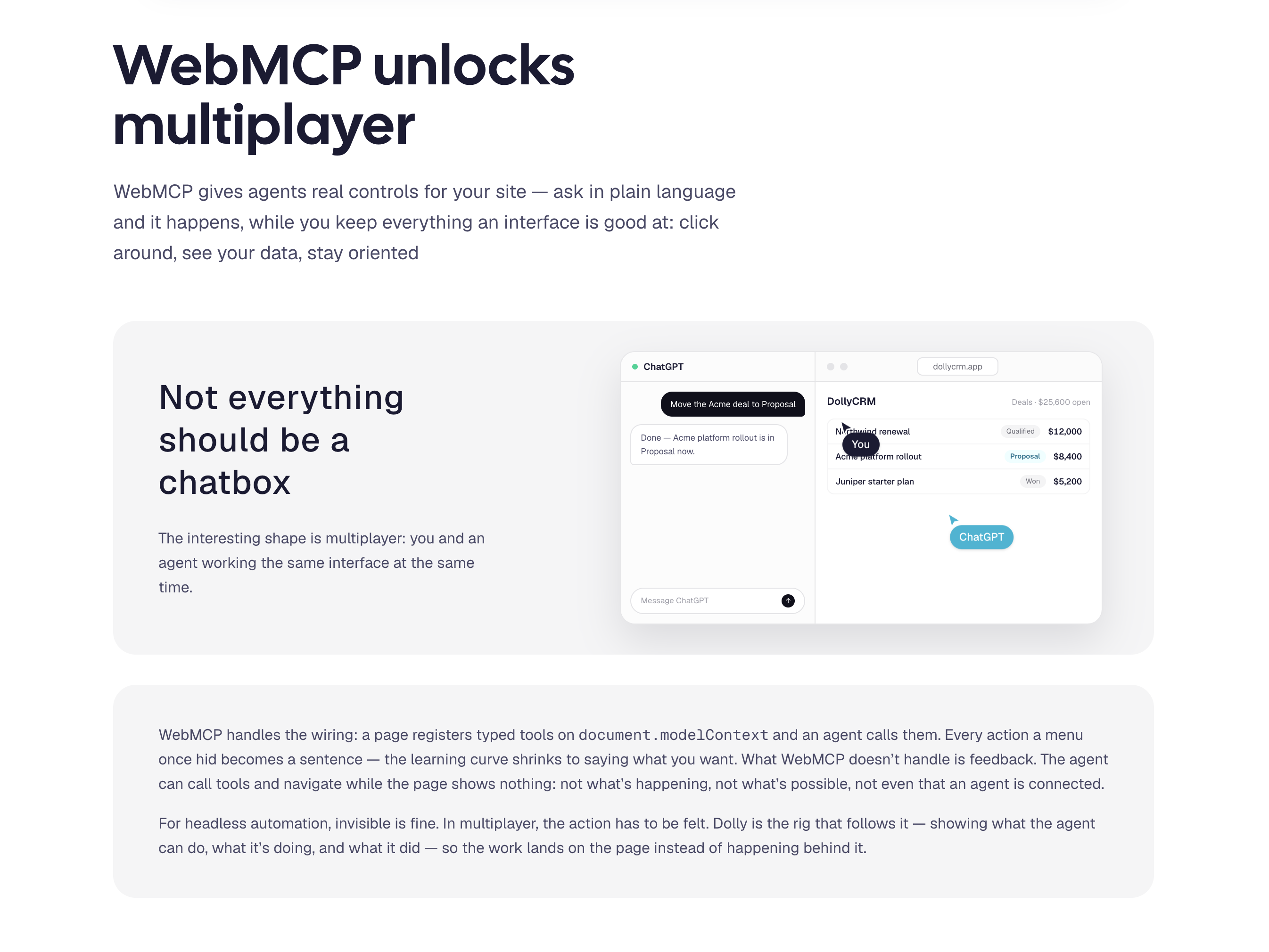
WebMCP unlocks multiplayer
-
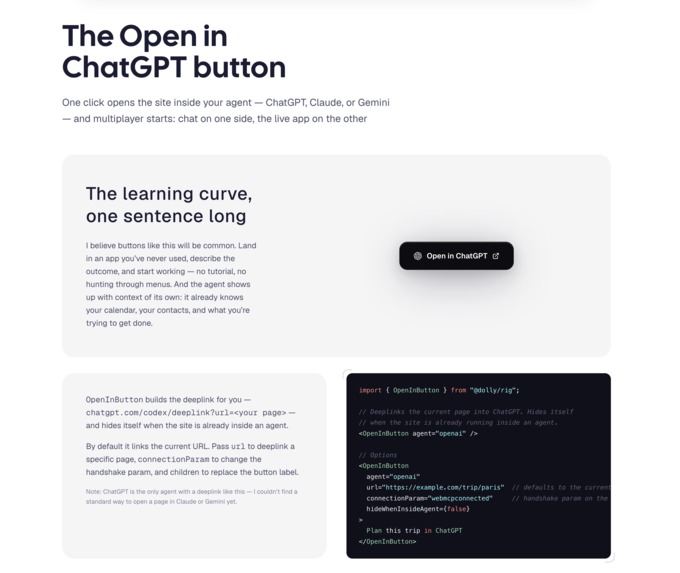
The Open in ChatGPT button
-
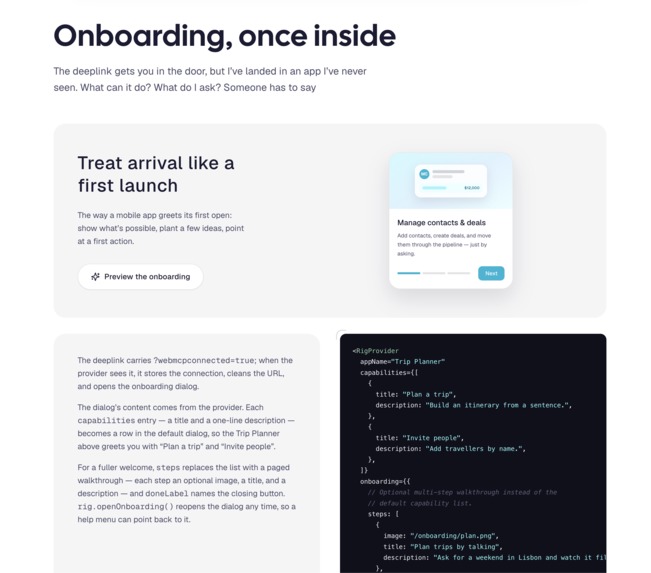
Onboarding, once inside
-
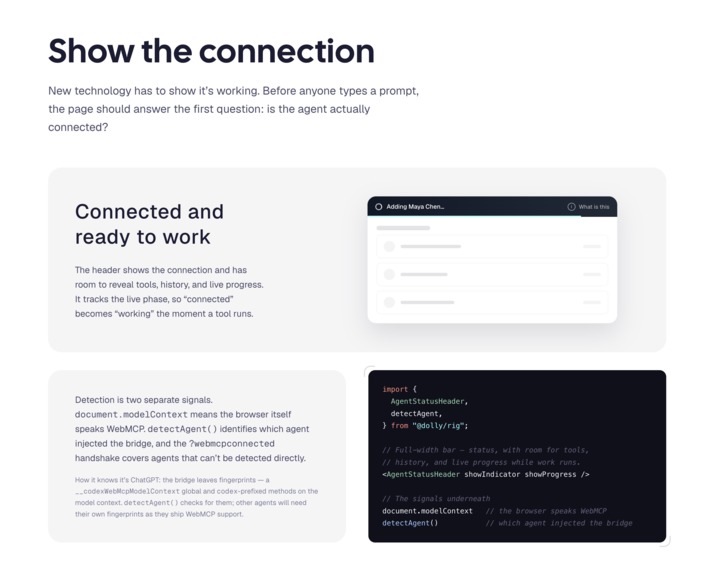
Show the connection
-
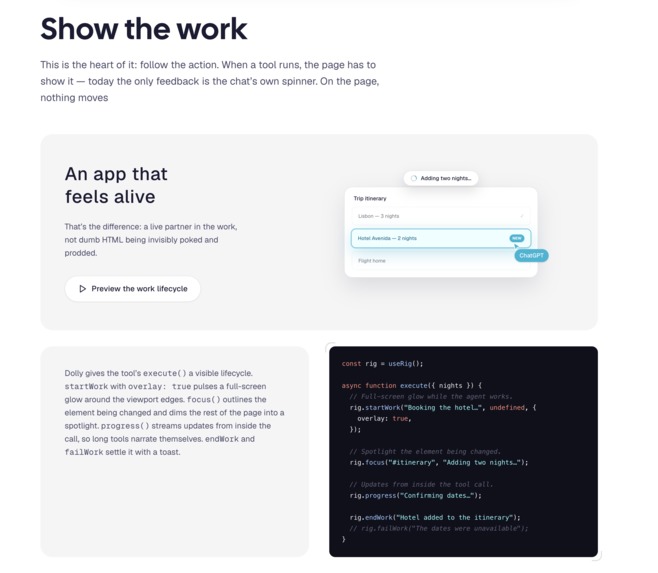
Show the work
-
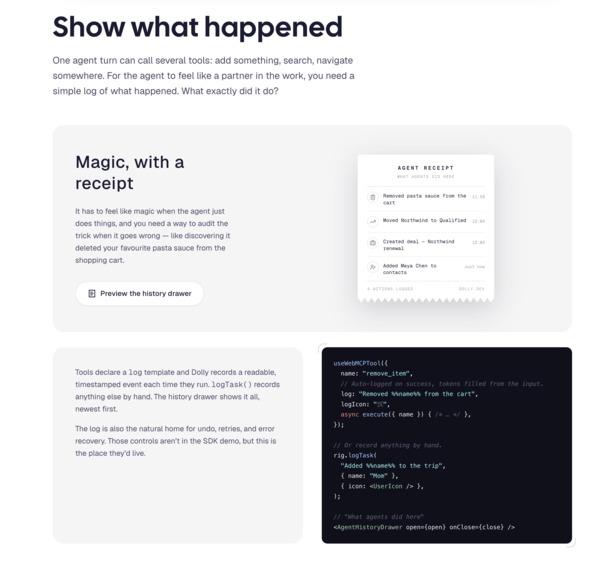
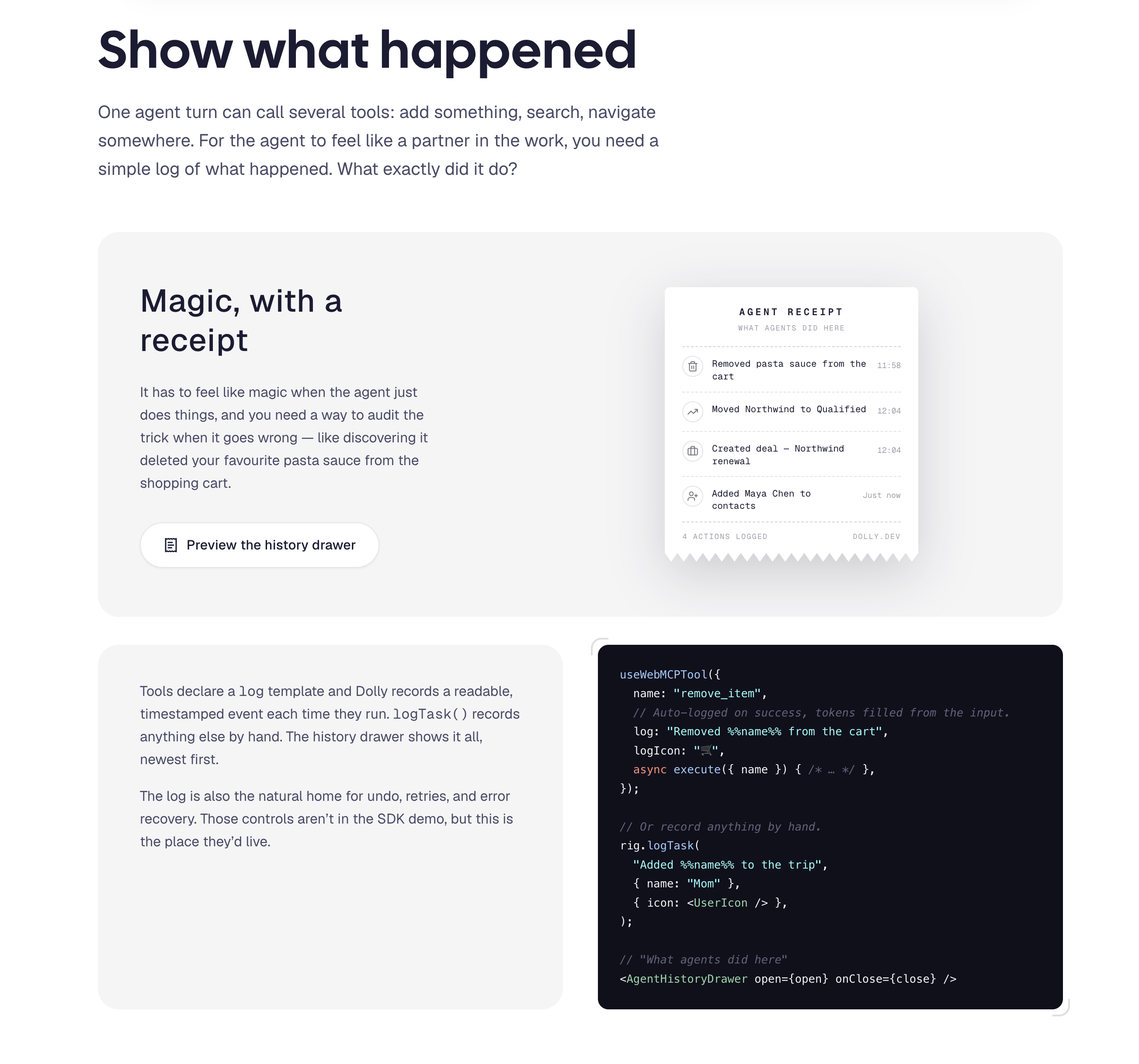
Show what happened
-
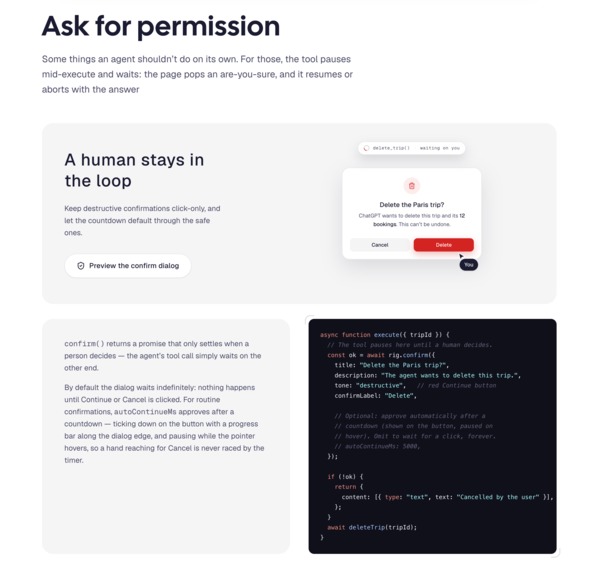
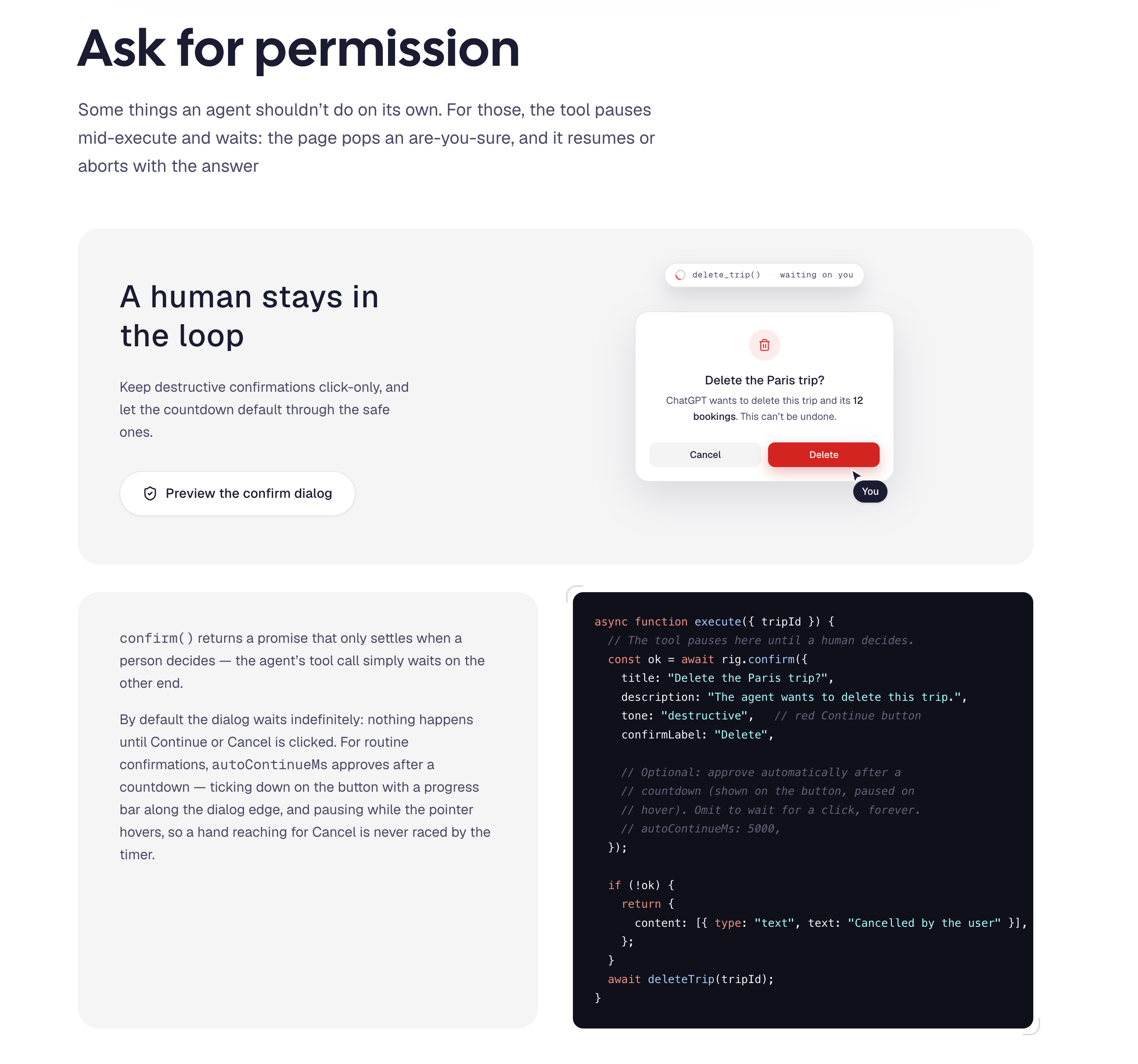
Ask for permission
-
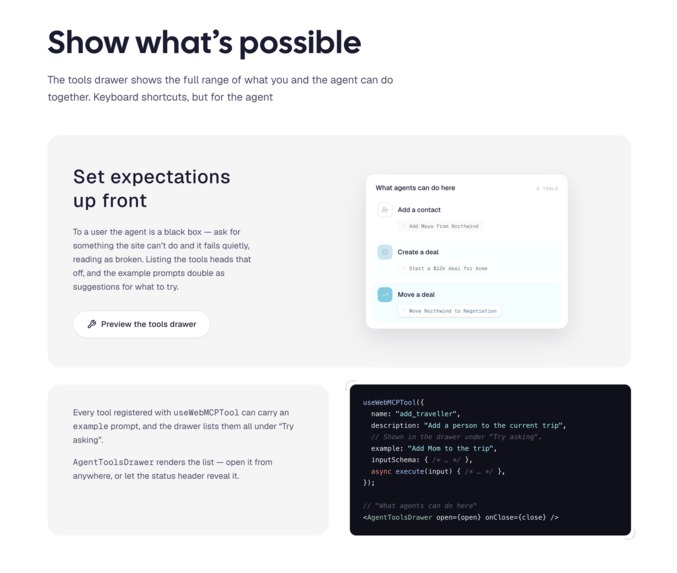
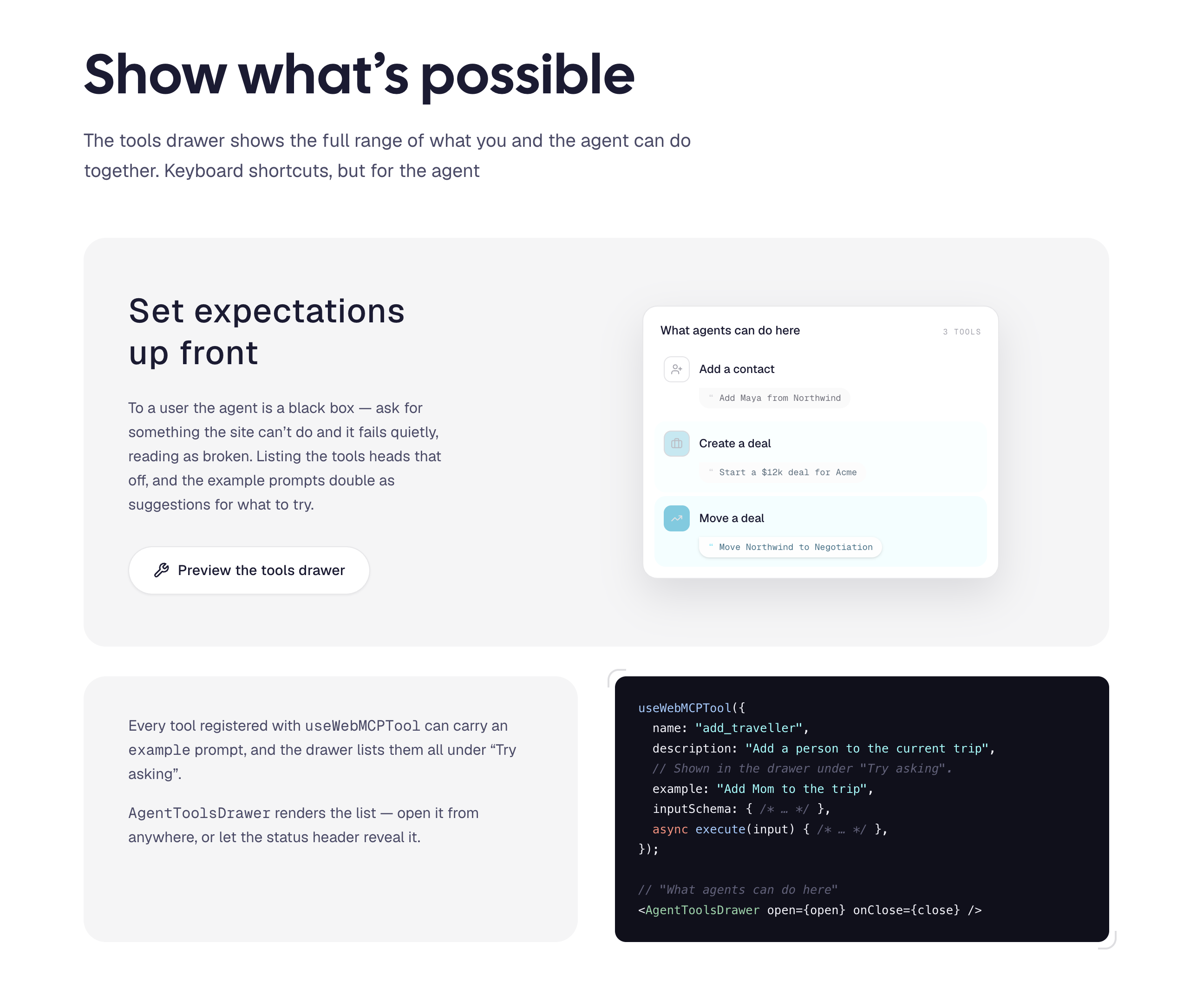
Show what’s possible
-
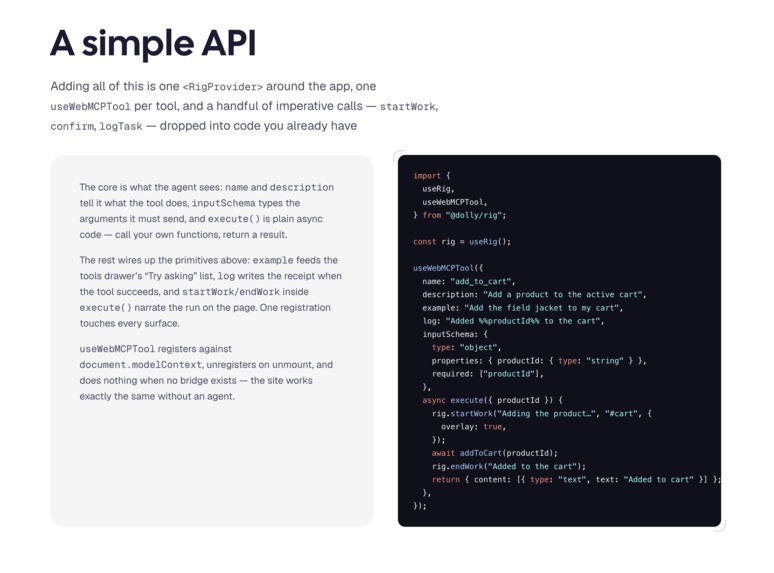
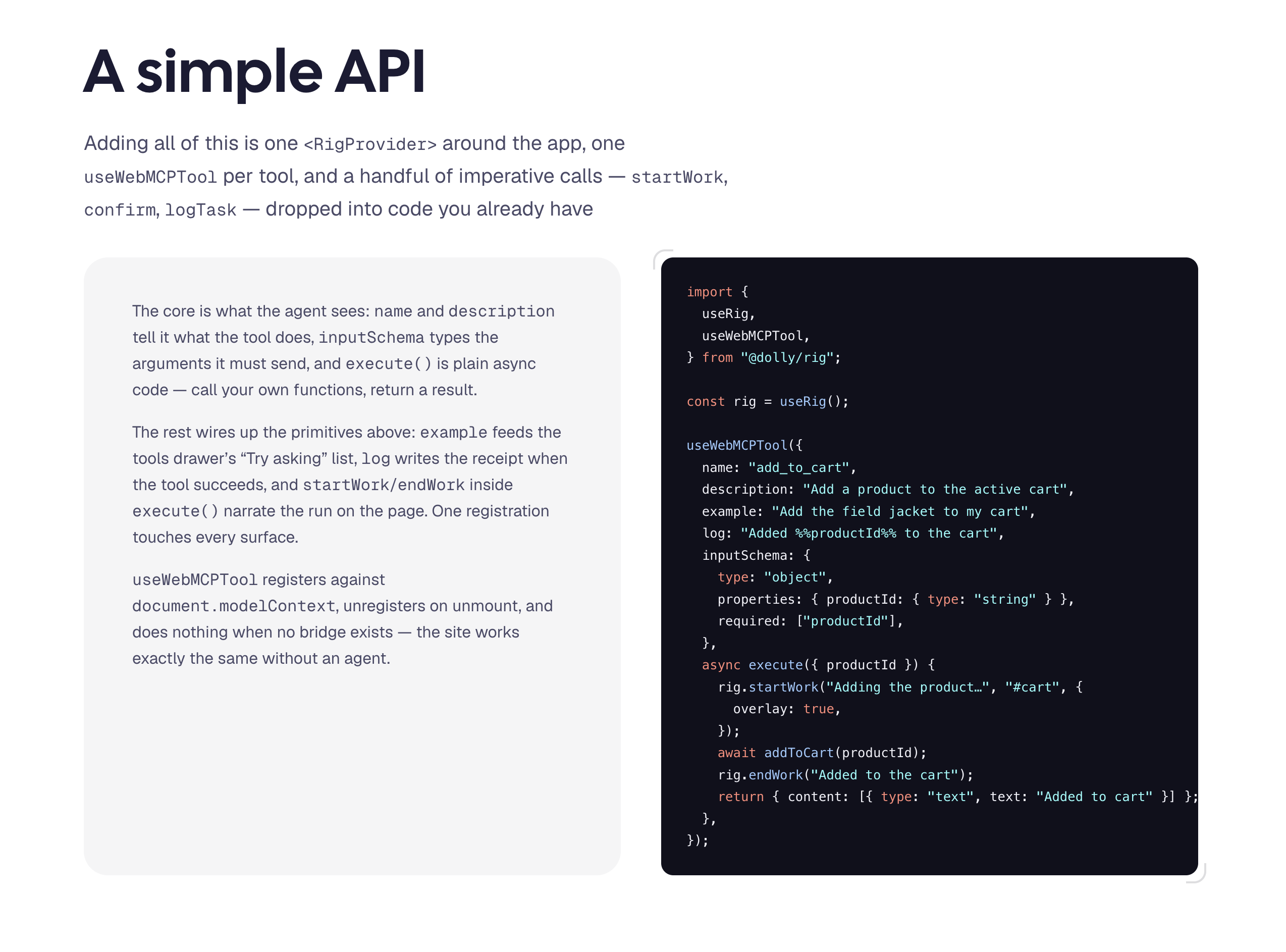
A Simple SDK API
Inspiration
I've been a product designer for 20+ years, and I've spent a lot of that time lately thinking about the UX of agent and human together in a product. I see this as the next iteration of the web — the way the iPhone forced mobile responsive, agents are going to force something new.
Some people think the internet will be distilled down to a chatbox. I don't. But natural language does open up a great UX for just doing the thing without having to know how to do the thing. WebMCP opens the door to co-op multiplayer with your agent — and the agent arrives with all your context: memory, projects, what you're trying to get done. It's becoming a personal operating system.
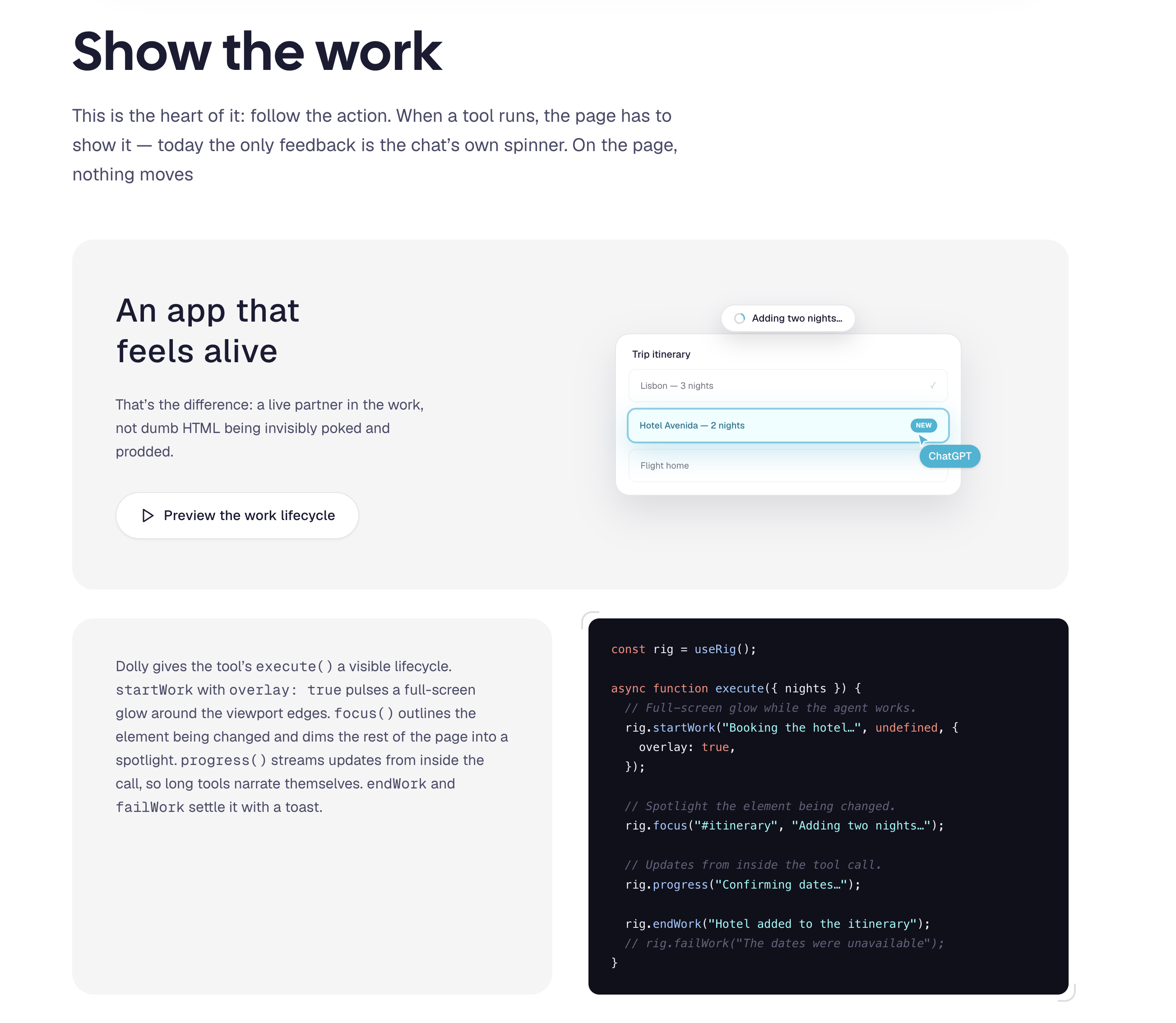
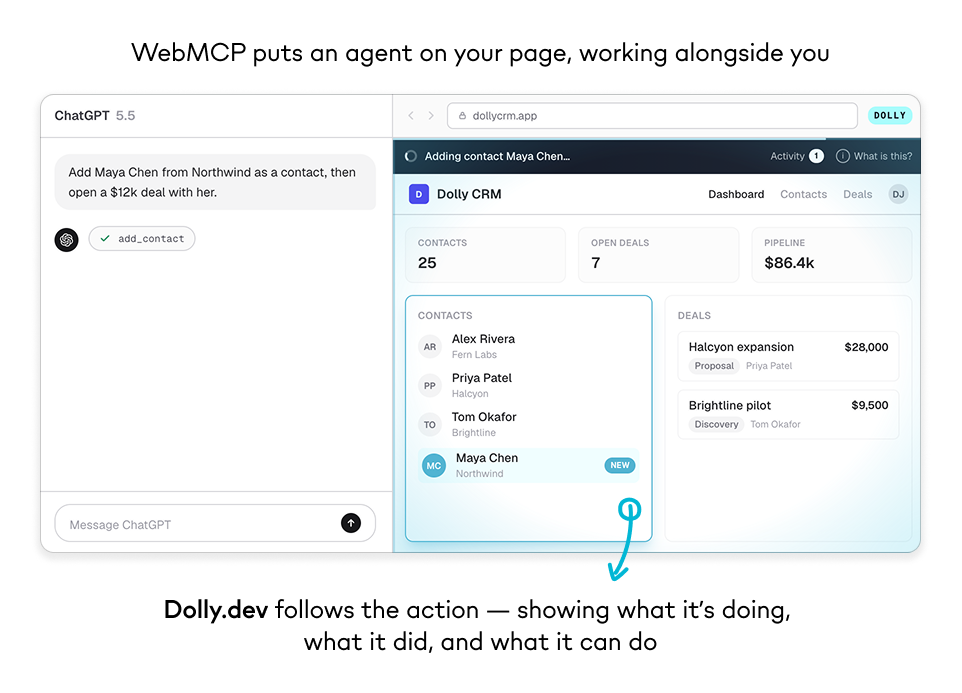
But right now, WebMCP calls tools invisibly. Nothing shows what's happening, whether anything is happening, or what happened. That's fine for headless automation. In multiplayer, the action has to be felt. The UI needs to feel multiplayer.
Dolly is my exploration of that idea.
What it does
Dolly, like the camera rig, follows the action of the agent and keeps it in frame. I built it as an SDK — @dolly/rig — so I can drop it into any project. It covers the full arc of a multiplayer session:
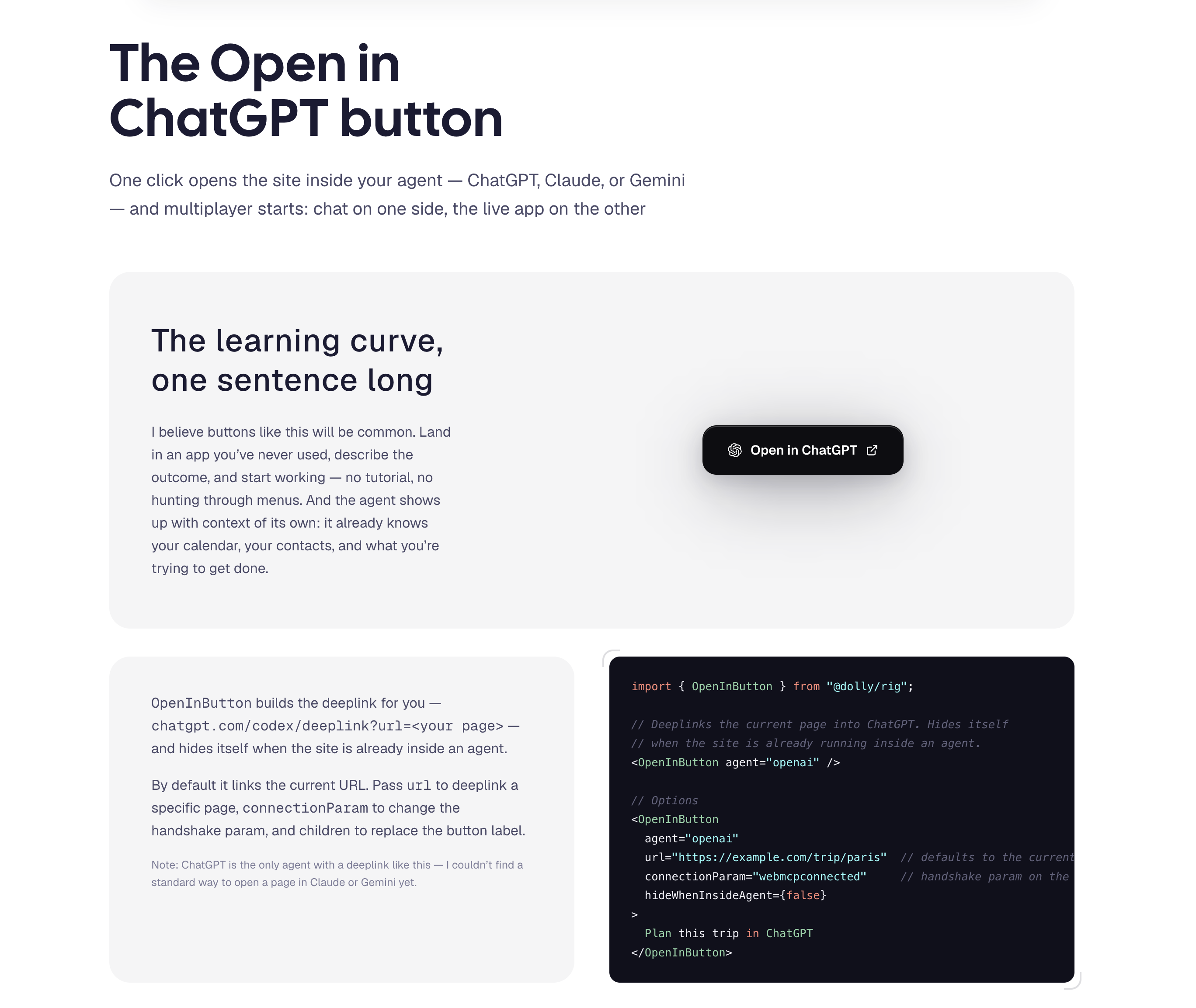
- Open in ChatGPT button — one click deeplinks the site into the agent, and multiplayer starts: chat on one side, the live app on the other.
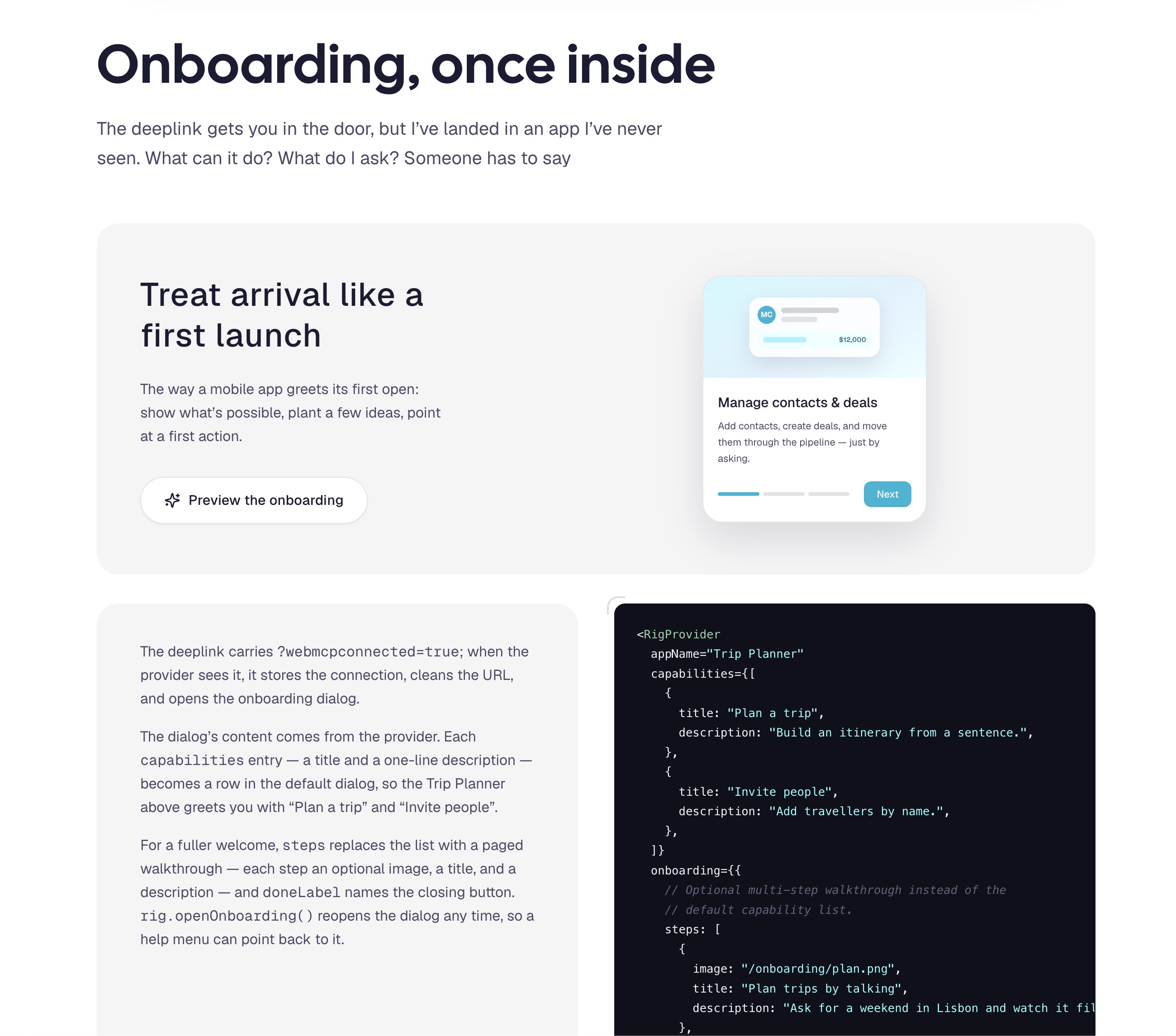
- Onboarding on arrival — the deeplink gets you in the door, but you've landed in an app you've never seen. A first-launch dialog shows what's possible and plants a few ideas to try.
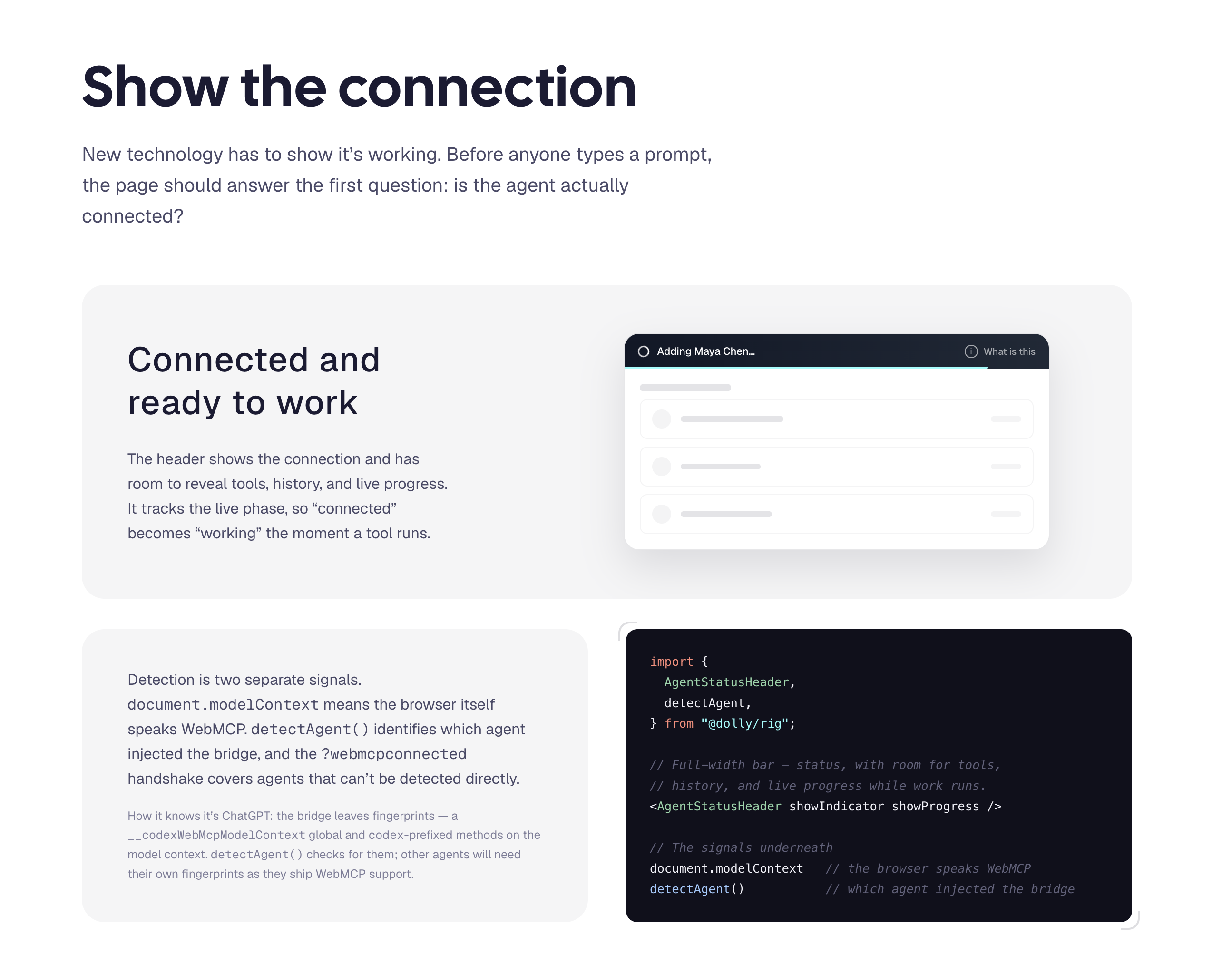
- Show the connection — a status header that answers the first question: is the agent actually connected?
- Show the work — a visible lifecycle for every tool call: a full-screen glow while the agent works, a spotlight on the element being changed, progress narrated from inside the call.
- Show what happened — an auto-logged history of everything the agent did. Magic, with a receipt.
- Ask for permission — tools can pause mid-execute and wait for a human to click Continue, with an optional countdown for the safe ones and click-only for the destructive ones.
- Show what's possible — a tools drawer listing everything you and the agent can do together. Keyboard shortcuts, but for the agent.
How I built it
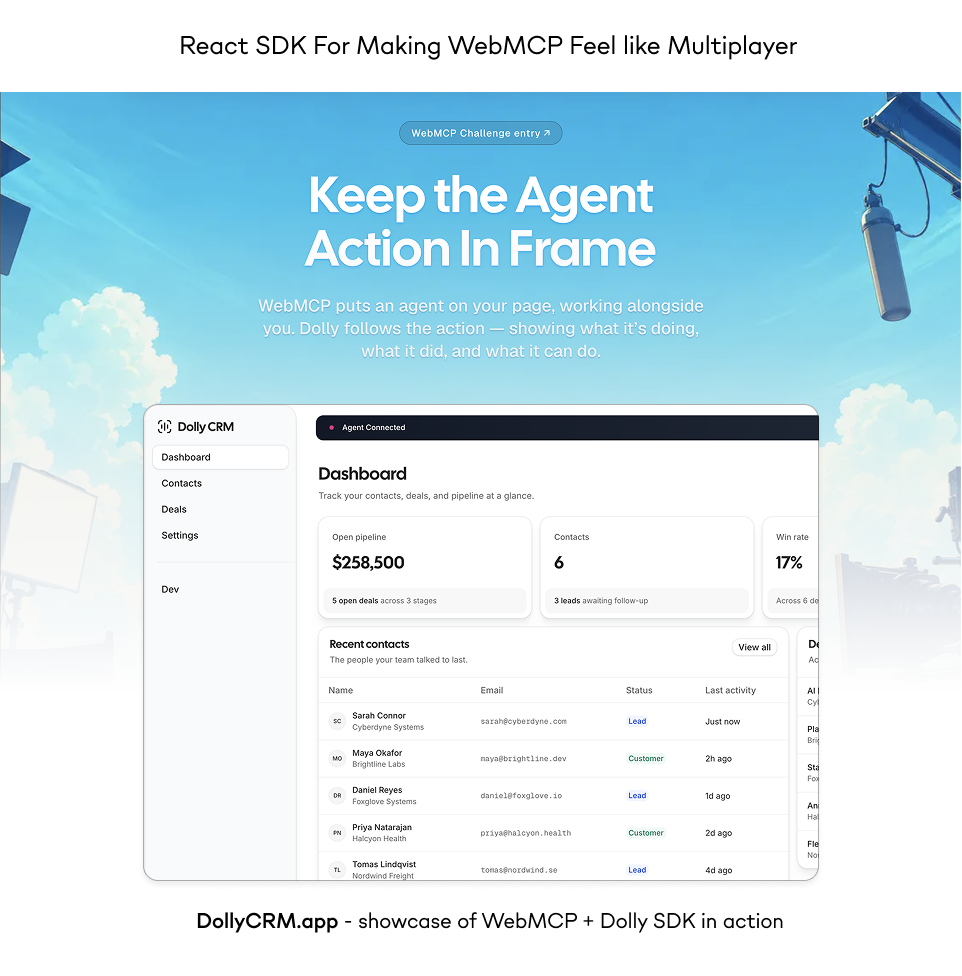
It's a pnpm monorepo with three parts: the React SDK (packages/rig), the marketing site at dolly.dev, and a demo CRM at dollycrm.app built entirely with the rig so you can test the experience end to end. The API is deliberately small — one <RigProvider> around the app, one useWebMCPTool per tool, and a handful of imperative calls (startWork, confirm, logTask) dropped into code you already have. One registration touches every surface.
The marketing site runs the SDK it describes — every demo button on the page drives the real provider, and the same actions are registered as WebMCP tools an agent can call.
Challenges I ran into
The big one: how do you tell your page is running inside ChatGPT? There's no official signal, but I found one — the bridge leaves fingerprints, a __codexWebMcpModelContext global and codex-prefixed methods on the model context. detectAgent() checks for them.
The other direction was getting into the agent. ChatGPT has a deeplink (chatgpt.com/codex/deeplink?url=...), so I built OpenInButton around it, with a ?webmcpconnected=true handshake param that triggers onboarding on arrival. I couldn't find an equivalent for Claude or Gemini — they should ship one.
Accomplishments that I am proud of
The Open in ChatGPT button is the UX I keep coming back to. Land in an app you've never used and normally you have to explore, figure it out, hunt through menus. With WebMCP, the agent already knows what the site can do — you just state your goal and it starts. The learning curve shrinks to one sentence. I believe buttons like this will be common, and I think they'll move usage and conversions for the sites that add them.
And the whole thing works today, end to end: click the button, land in the CRM, ask for something, and watch the page follow the action.
What I learned
WebMCP handles the wiring; it doesn't handle the feedback. That gap is a design problem, not a protocol problem — and it's solvable with a fairly small set of primitives. Connection, onboarding, work states, history, permission, and a tools list turned out to be enough to make an agent feel like a live partner in the work instead of dumb HTML being invisibly poked and prodded.
What's next for Dolly.dev
Publish @dolly/rig to npm, and add the controls that naturally live in the history log — undo, retries, error recovery. Add fingerprints and deeplinks for Claude and Gemini as they ship WebMCP support.
Two bigger ideas for how WebMCP itself could evolve: agent responsive design — like a CSS media query for when an agent is present, so designers can make a site feel native beside a chat box — and suggested prompt triggers, an API to drop a ready-to-send prompt straight into the agent's chat box.
Built With
- chatgpt
- claude
- nextjs
- vercel
- webmcp


Log in or sign up for Devpost to join the conversation.