-
-
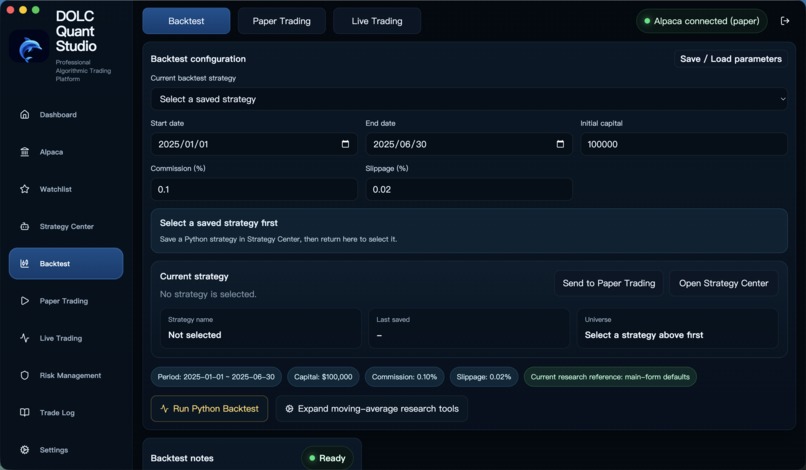
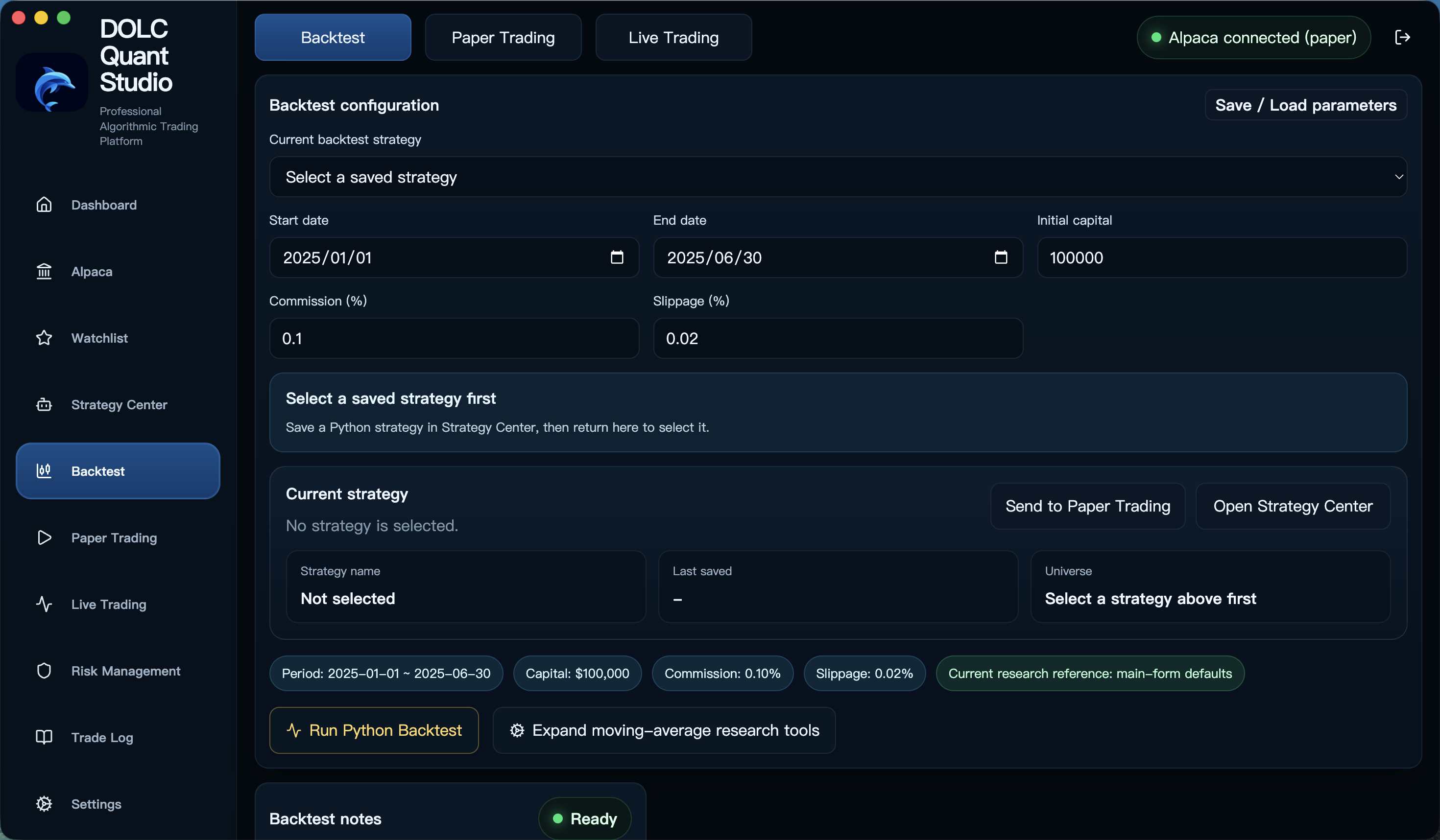
Historical backtesting and performance analysis
-
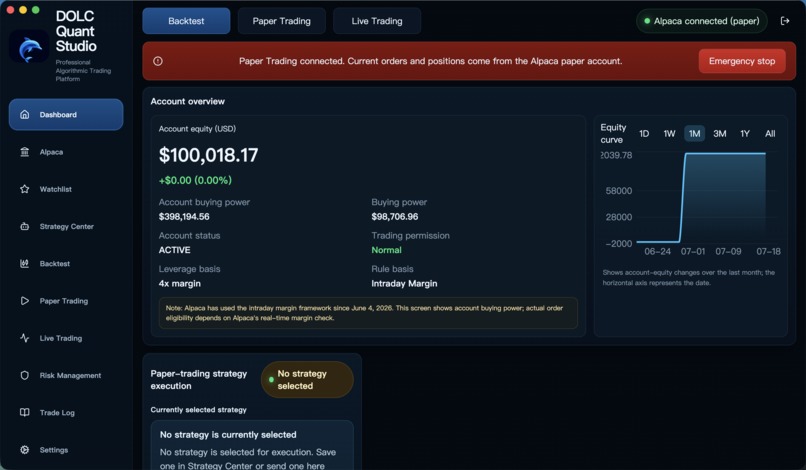
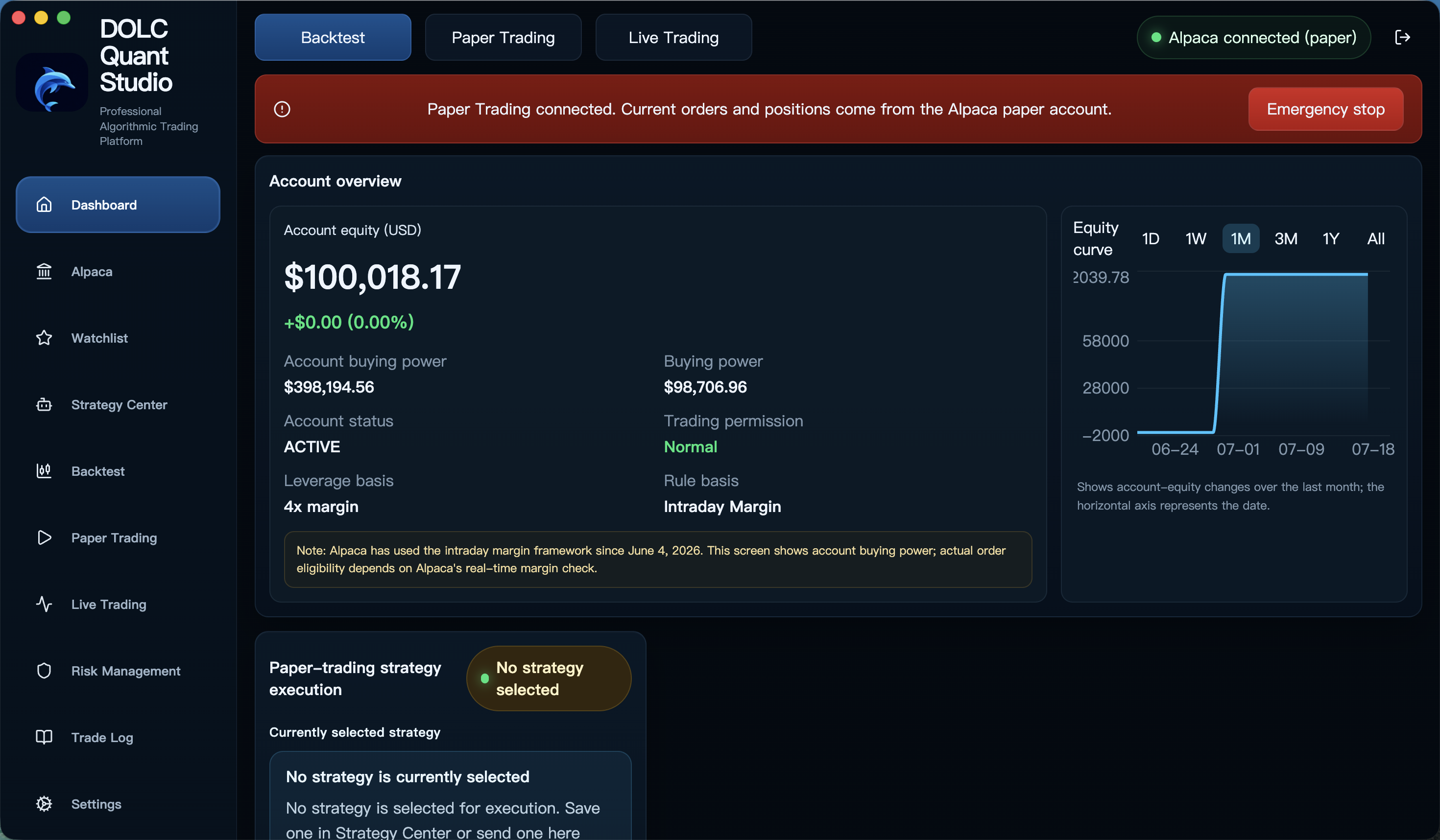
Unified dashboard with Alpaca paper trading
-
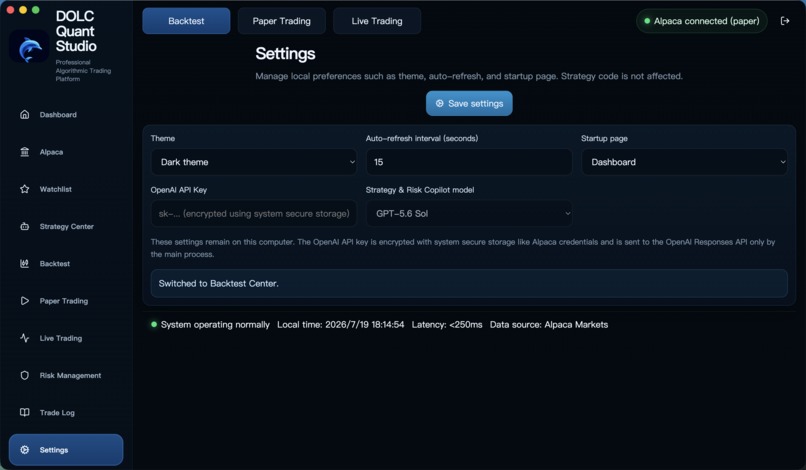
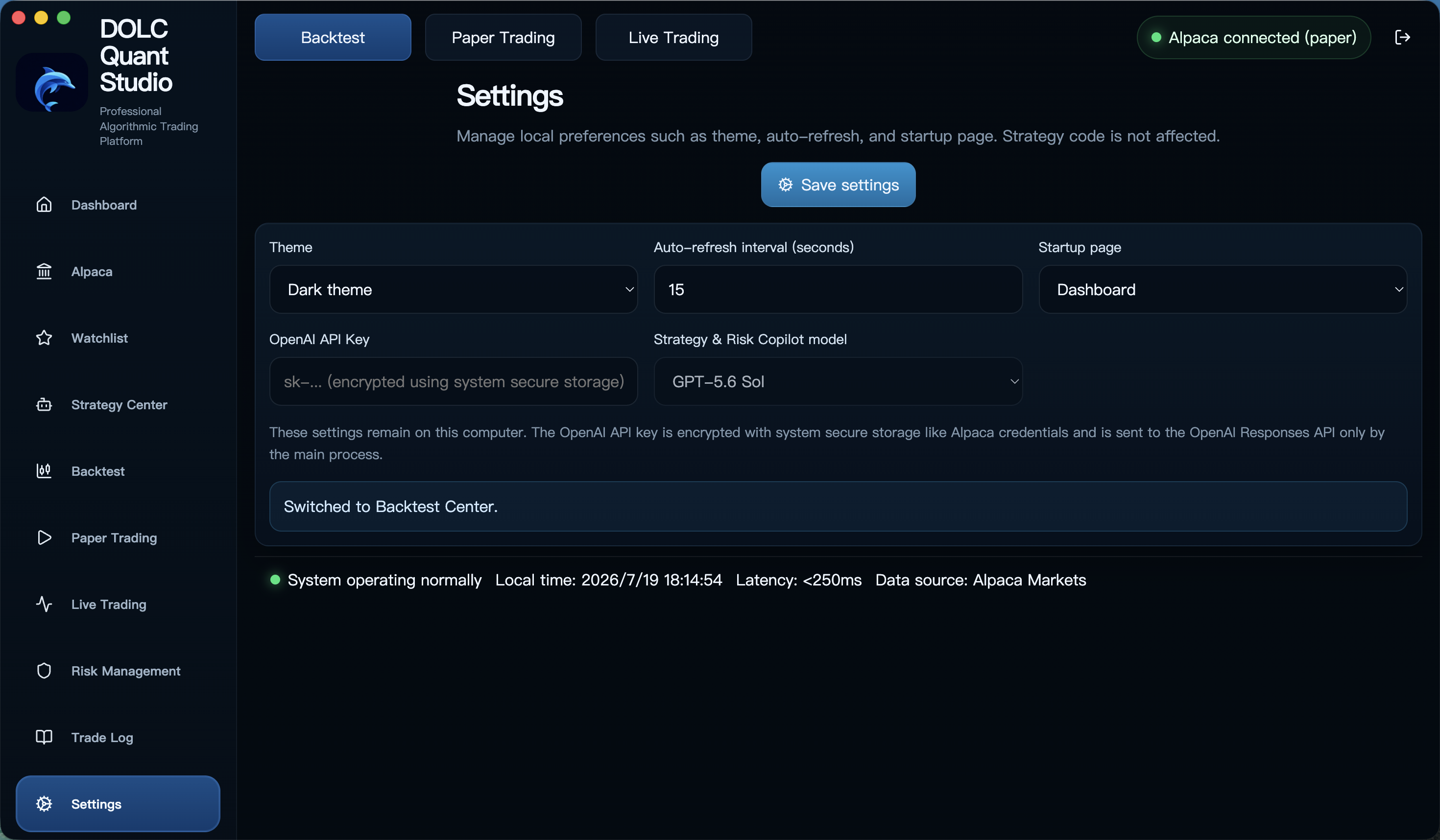
Encrypted OpenAI settings and GPT-5.6 model selection
-
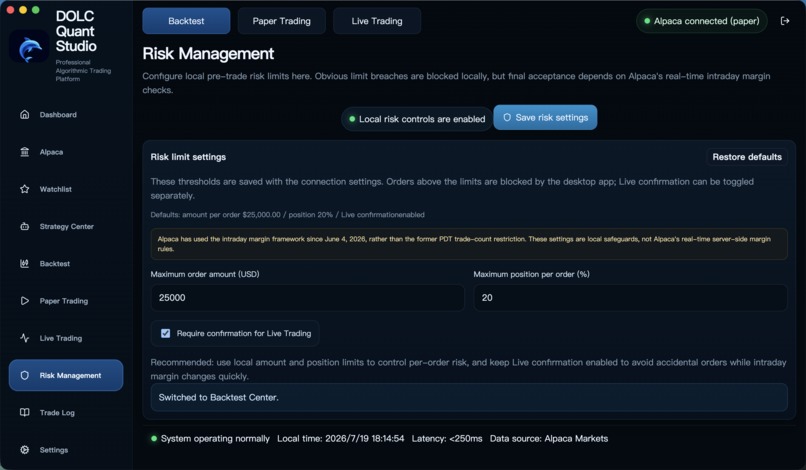
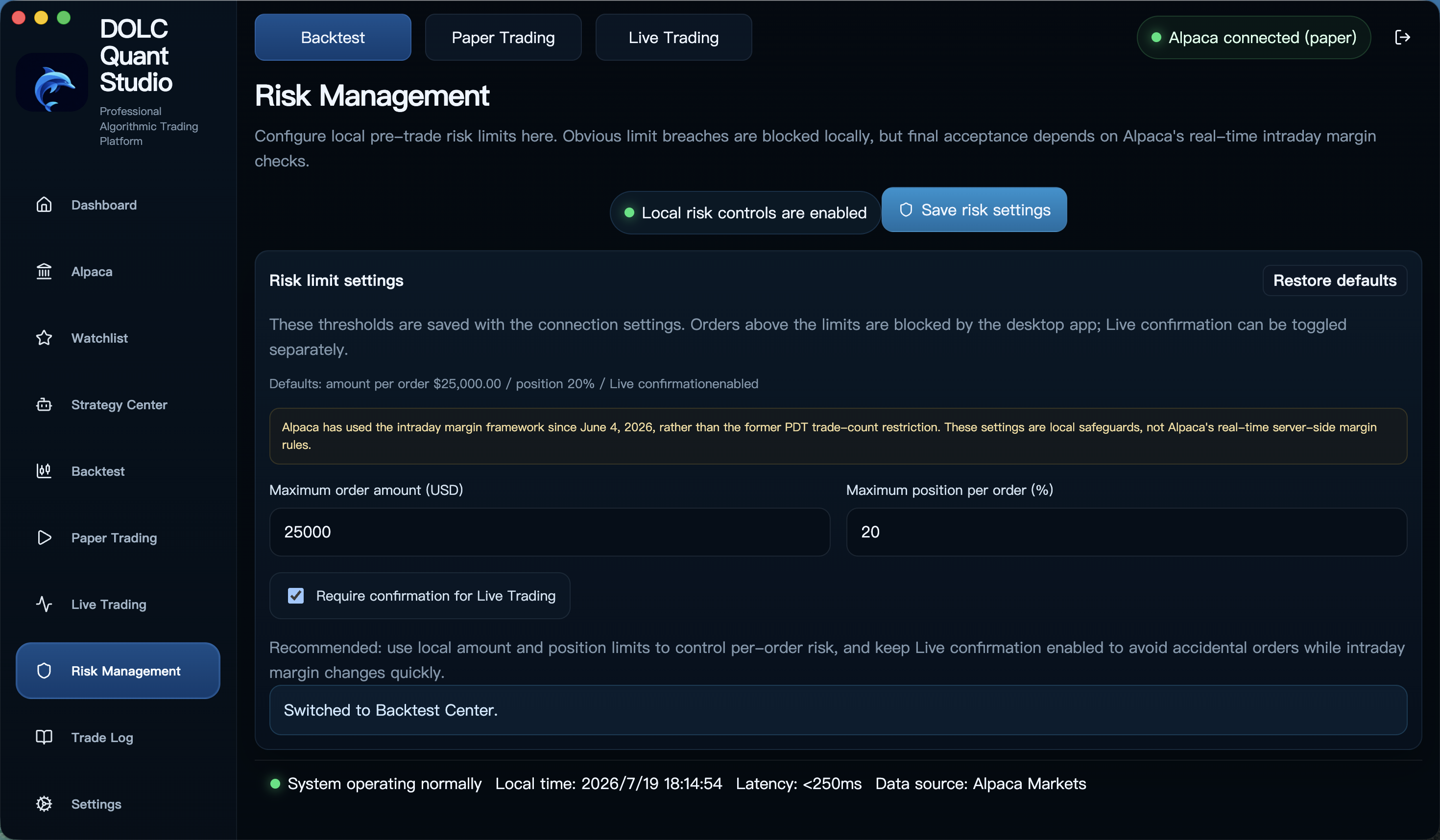
Local pre-trade risk controls
-
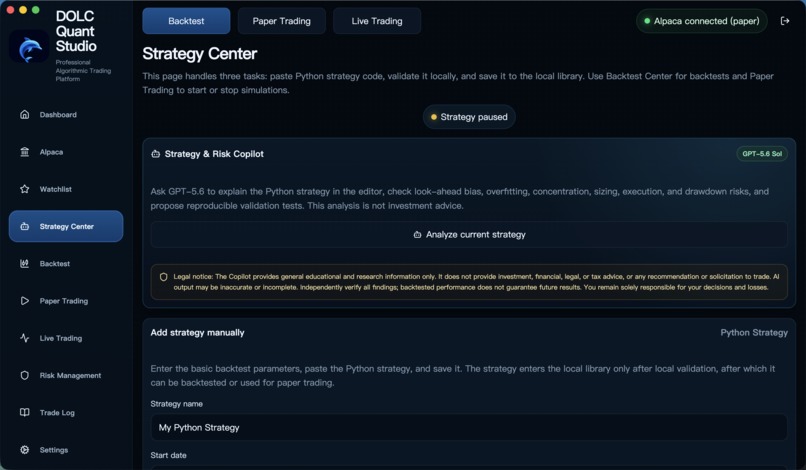
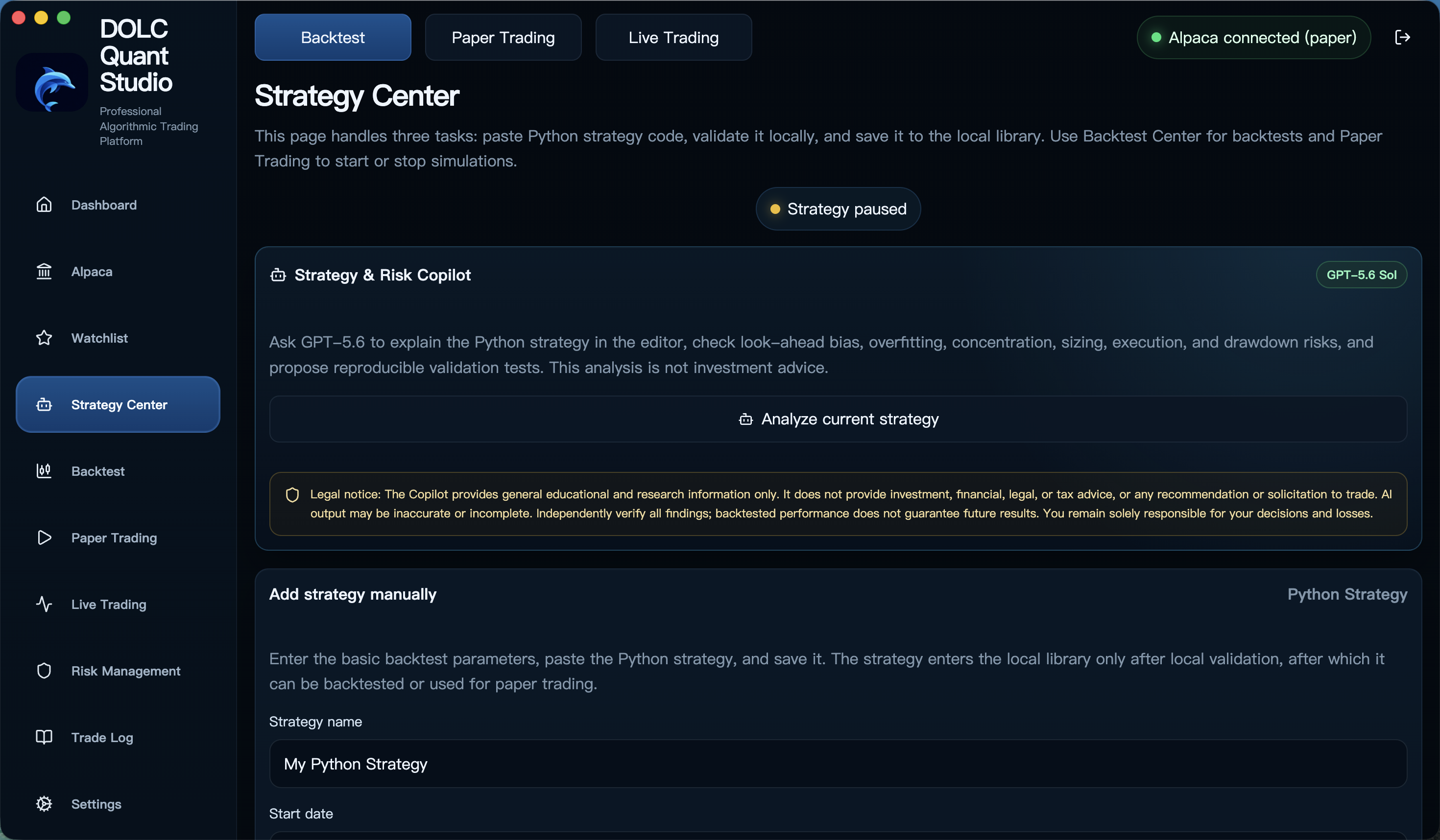
GPT-5.6 Strategy & Risk Copilot
Inspiration
DOLC Quant Studio is an end-to-end AI-assisted software project developed through continuous collaboration with Codex and ChatGPT. From product ideation and architecture to implementation, debugging, security review, multilingual UX, cross-platform packaging, Apple signing, and notarization, Codex and ChatGPT have been part of the complete development workflow rather than being used for a single isolated feature.
We provided the product vision, quantitative-trading requirements, risk boundaries, and final engineering decisions. Codex and ChatGPT helped turn those decisions into working, reviewed, and verified software.
The project was inspired by a practical problem: retail traders often have to choose between overly simple trading apps and professional platforms that are difficult to understand. Strategy research, backtesting, risk controls, paper trading, and live execution are usually fragmented across different tools. We built DOLC Quant Studio to demonstrate how a small team working closely with AI can create a production-ready quantitative trading desktop application that makes research more understandable, reproducible, and safer.
What it does
DOLC Quant Studio is a cross-platform desktop workspace for researching and operating systematic trading strategies with Alpaca. Users can:
- Connect Alpaca paper and live trading accounts
- Create and manage Python trading strategies
- Run historical backtests with realistic commissions and slippage
- Scan strategy parameters and perform walk-forward analysis
- Compare returns, drawdowns, Sharpe ratios, win rates, and trade history
- Monitor positions, orders, watchlists, alerts, and account equity
- Apply order-size and portfolio risk controls before execution
- Switch between Chinese, English, and German interfaces
- Use a complete demo mode without exposing brokerage credentials
- Analyze Python strategies with a GPT-5.6-powered Strategy & Risk Copilot
The product is designed to make the path from an investment idea to a tested and risk-aware decision visible and explainable.
How we built it
The application is built with Electron, React, TypeScript, Vite, Recharts, and Python. Alpaca APIs provide market data, account information, paper trading, and live execution.
The Strategy & Risk Copilot uses the OpenAI Responses API with GPT-5.6 and Structured Outputs. It sends the user-selected strategy and backtest configuration only after an explicit analysis request, then returns an audit-friendly report covering mechanics, strengths, risk severity, and recommended validation tests. OpenAI credentials are encrypted with Electron safeStorage and remain isolated in the main process.
The Electron main process securely separates brokerage credentials and native capabilities from the renderer. Python strategies run through a dedicated validation and execution service, while the React interface presents backtest results, risk metrics, charts, and trading controls.
Codex with GPT-5.6 was used as an active engineering collaborator throughout Build Week. It helped us inspect and understand the existing architecture, implement multilingual support, improve the native application menu, validate TypeScript and production builds, generate Windows and macOS installers, and complete Developer ID signing and Apple notarization.
We retained the important product and engineering decisions ourselves, including the security boundaries, trading-risk workflow, user experience, release strategy, and how AI-generated changes were reviewed and verified.
Challenges we ran into
One major challenge was creating a consistent workflow across research, paper trading, and live execution without making dangerous actions feel routine. We added explicit mode separation, credential isolation, order confirmation, position limits, and clear risk feedback.
Cross-platform distribution was another challenge. The project required separate Windows x64, Windows ARM64, macOS Apple Silicon, and macOS Intel builds. The macOS releases were signed with Developer ID, submitted to Apple notarization, stapled, and verified with Gatekeeper.
We also had to introduce multilingual support across a large existing interface while preserving dynamic trading messages and avoiding visual conflicts with account status indicators.
Accomplishments that we're proud of
- A working, installable desktop application rather than a static prototype
- Four native release builds covering Windows and macOS architectures
- Apple-notarized macOS distributions
- A complete backtesting and walk-forward research workflow
- Clear separation between demo, paper, and live trading
- Multilingual support for Chinese, English, and German
- Reproducible builds and documented release verification
- A GPT-5.6-powered Strategy & Risk Copilot with structured, audit-friendly findings
- A practical example of Codex accelerating a real production application
What we learned
Codex is most effective when it participates in the complete engineering loop: understanding an unfamiliar codebase, making scoped changes, running builds, diagnosing platform-specific failures, and verifying the final artifact.
We also learned that AI-assisted development still benefits from explicit product judgment. The strongest results came from combining Codex's implementation speed with careful decisions about financial risk, security, user experience, and release quality.
What's next for DOLC Quant Studio
Next, we plan to connect Copilot findings directly to reproducible backtest experiments, expand portfolio-level analysis, add research report exports, and strengthen sandboxing for user-authored Python strategies.
Build Week scope
During the OpenAI Build Week submission period, we used Codex with GPT-5.6 to meaningfully extend DOLC Quant Studio from an existing quantitative trading foundation into a more accessible, production-ready, and internationally usable desktop product.
The Build Week work includes:
- A GPT-5.6-powered Strategy & Risk Copilot using the OpenAI Responses API and Structured Outputs
- Secure API-key isolation and encryption through the Electron main process and safeStorage
- A multilingual interface supporting Chinese, English, and German
- Native language controls integrated into the desktop application menu
- Improvements to the product experience across research, risk management, and trading workflows
- Reproducible Windows x64, Windows ARM64, macOS Apple Silicon, and macOS Intel releases
- Developer ID signing, Apple notarization, ticket stapling, and Gatekeeper verification
- Build validation and release-quality checks completed collaboratively with Codex
- Documentation that distinguishes pre-existing functionality from work completed during the submission period
The repository history and Codex session records provide evidence of the work completed during Build Week.
How to try it
Download the latest 0.1.7 build from the "Try it out" Google Drive folder.
- Windows x64:
DOLC Quant Studio-0.1.7-win-x64-setup.exe - Windows ARM64:
DOLC Quant Studio-0.1.7-win-arm64-setup.exe - macOS Intel:
DOLC Quant Studio-0.1.7-mac-x64.dmg - macOS Apple Silicon:
DOLC Quant Studio-0.1.7-mac-arm64.dmg
The Windows EXE test builds are currently unsigned and may display a Microsoft SmartScreen warning. The macOS builds are Developer ID signed, notarized by Apple, and stapled. Python strategy validation requires Python 3.10 or later. Demo mode can be used without Alpaca credentials.
Disclaimer
DOLC Quant Studio is provided for research, education, and software demonstration purposes only. It does not provide investment, financial, legal, or tax advice. Strategy analyses, backtests, signals, and AI-generated reports do not guarantee future results. Trading involves risk, including possible loss of principal. Users remain solely responsible for validating strategies, configuring risk limits, protecting credentials, and reviewing every order before submission.


Log in or sign up for Devpost to join the conversation.