-
-
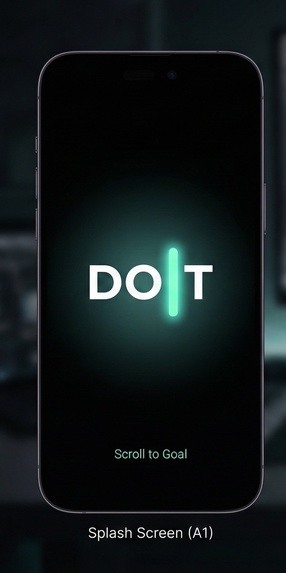
Mobile App Splash screen
-
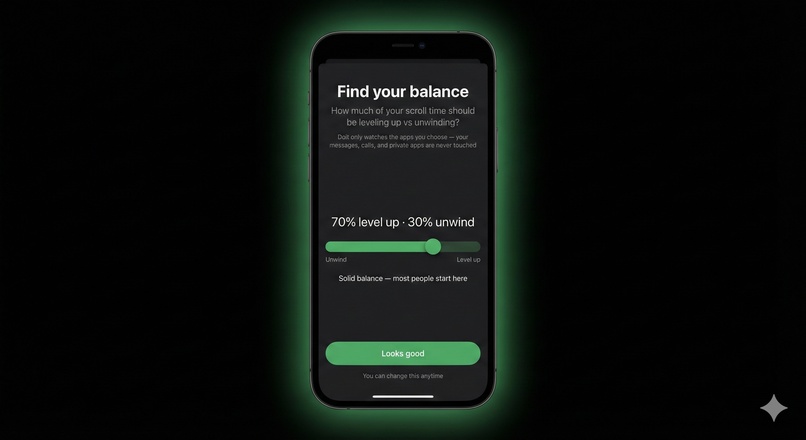
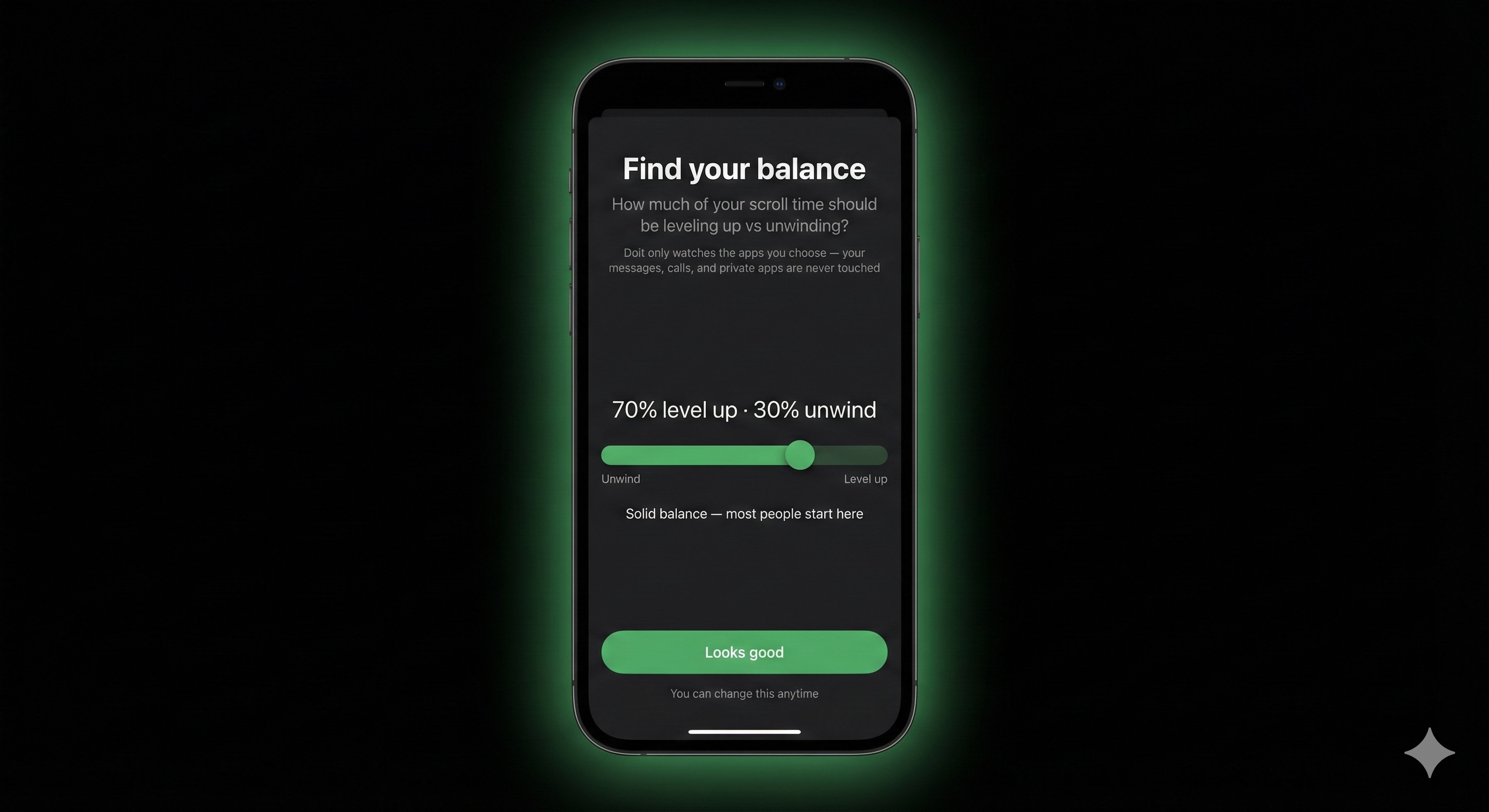
Flexibility to choose time spent in alignment with goals vs. relaxation
-
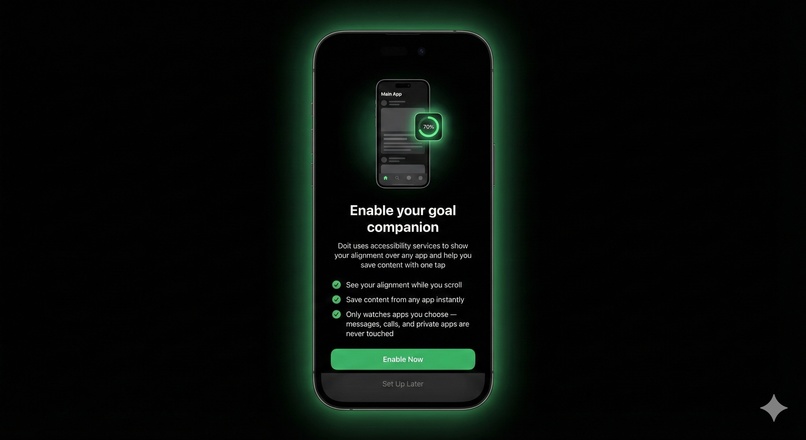
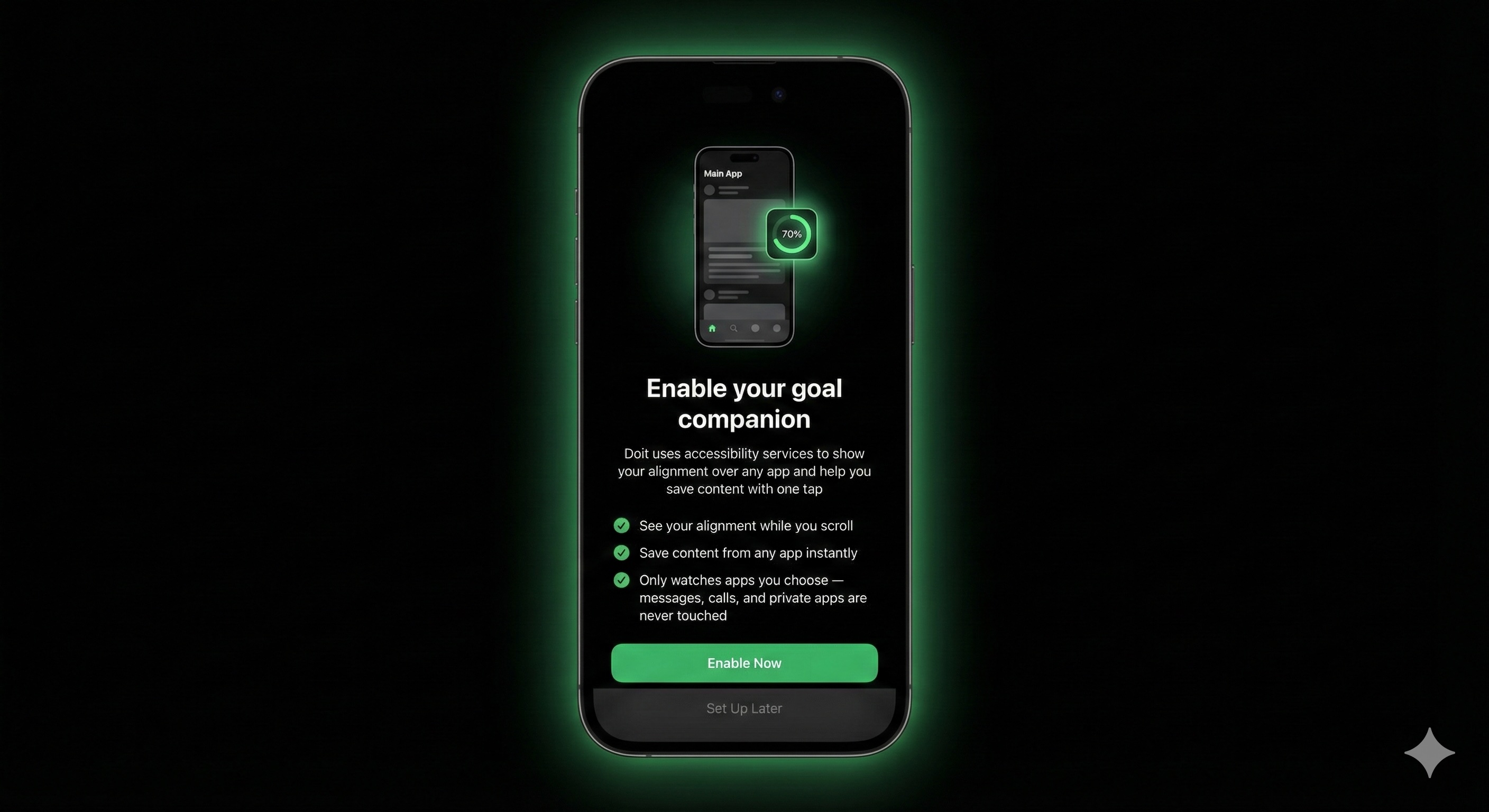
Permission enablement screen
-
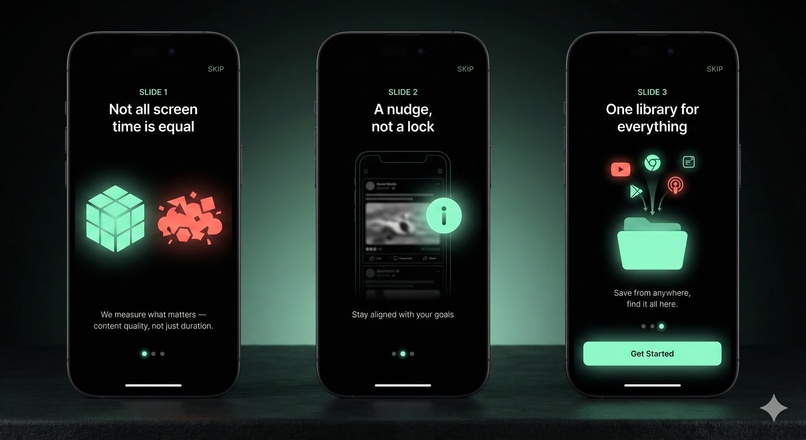
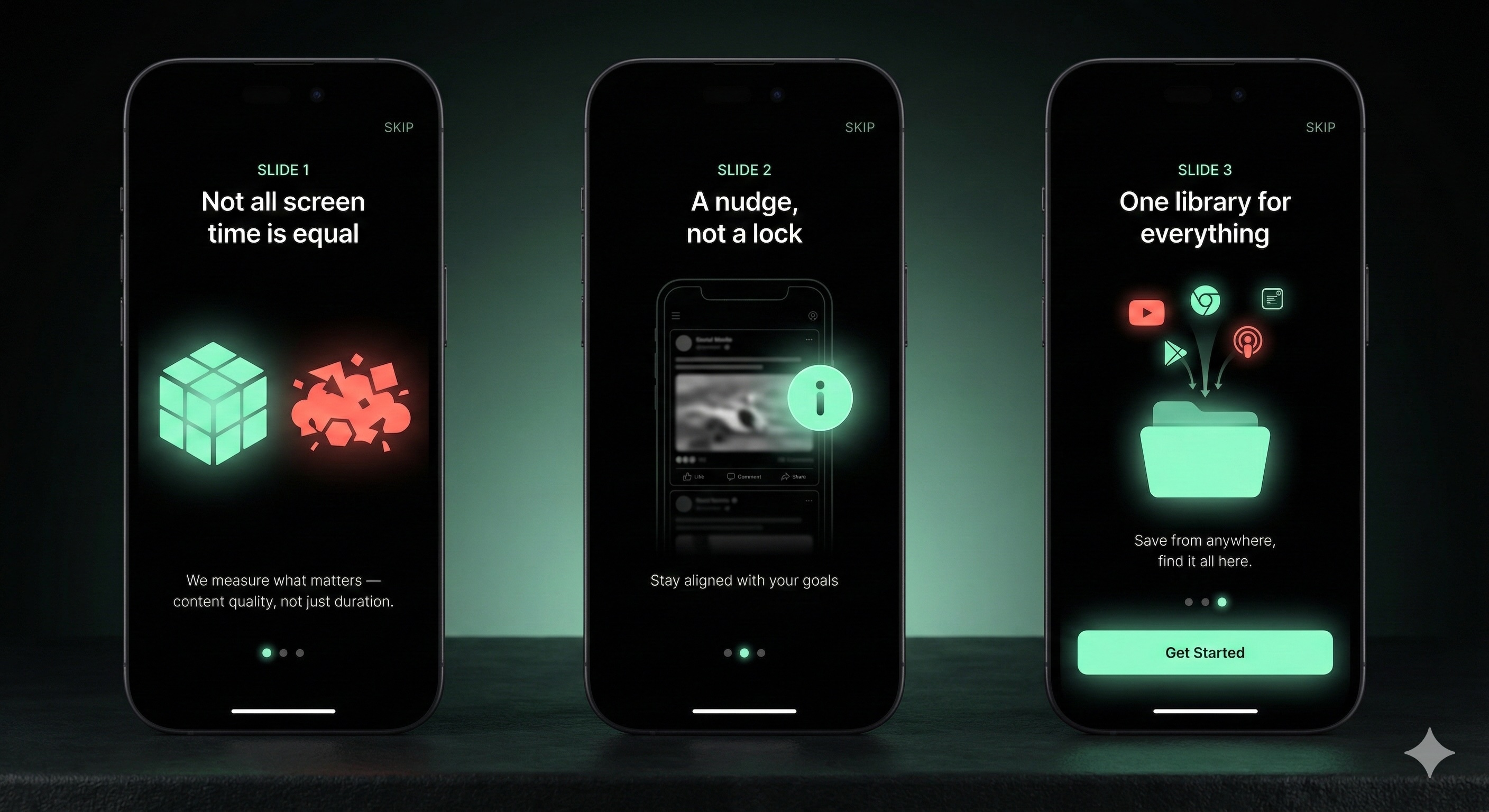
Welcome screens
-
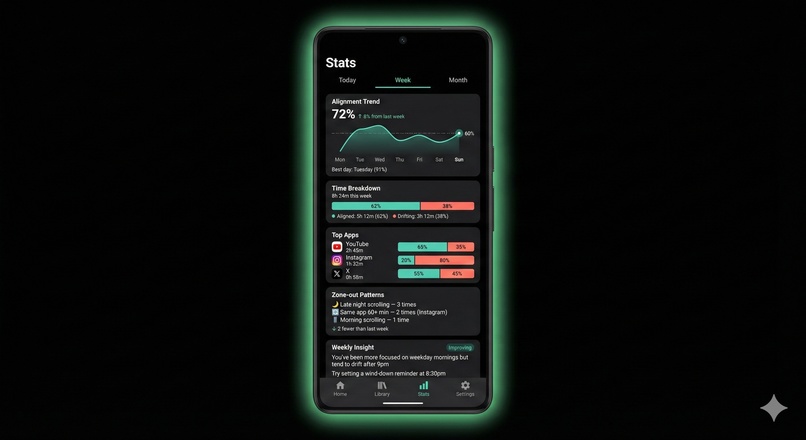
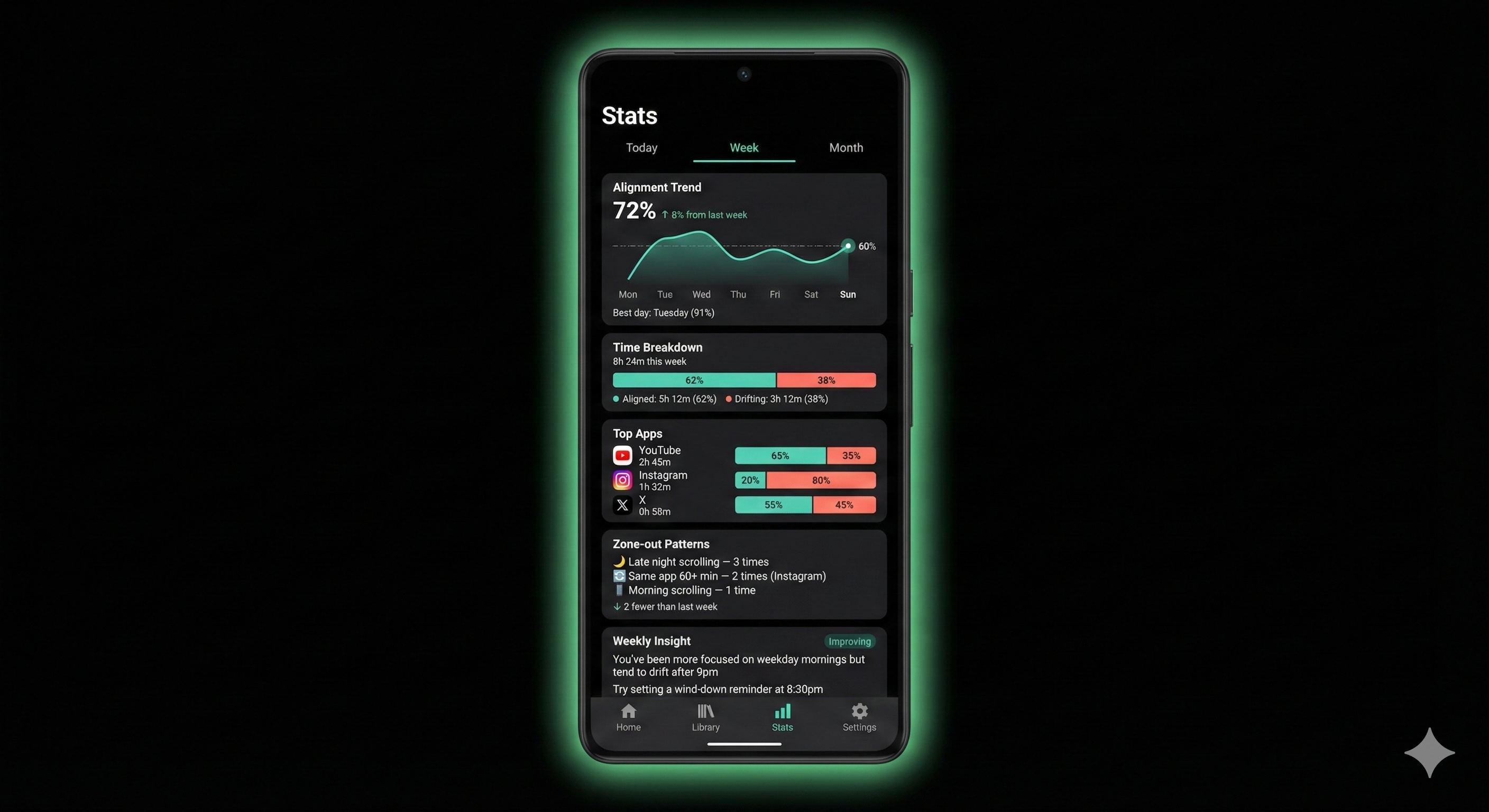
Stats screen that helps view all metrics being tracked on different timelines
-
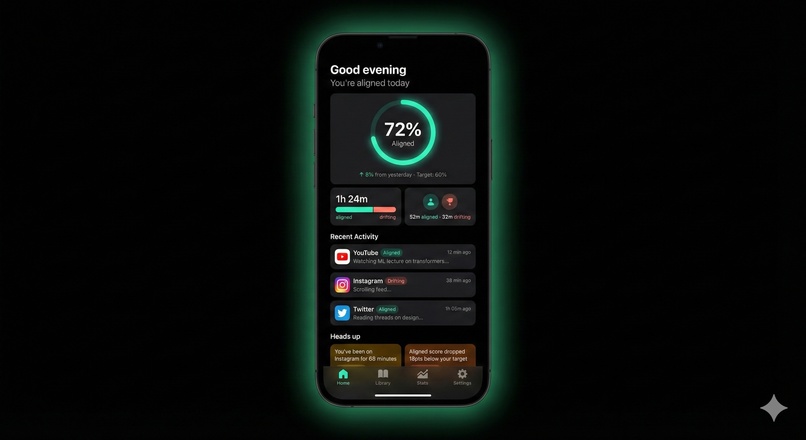
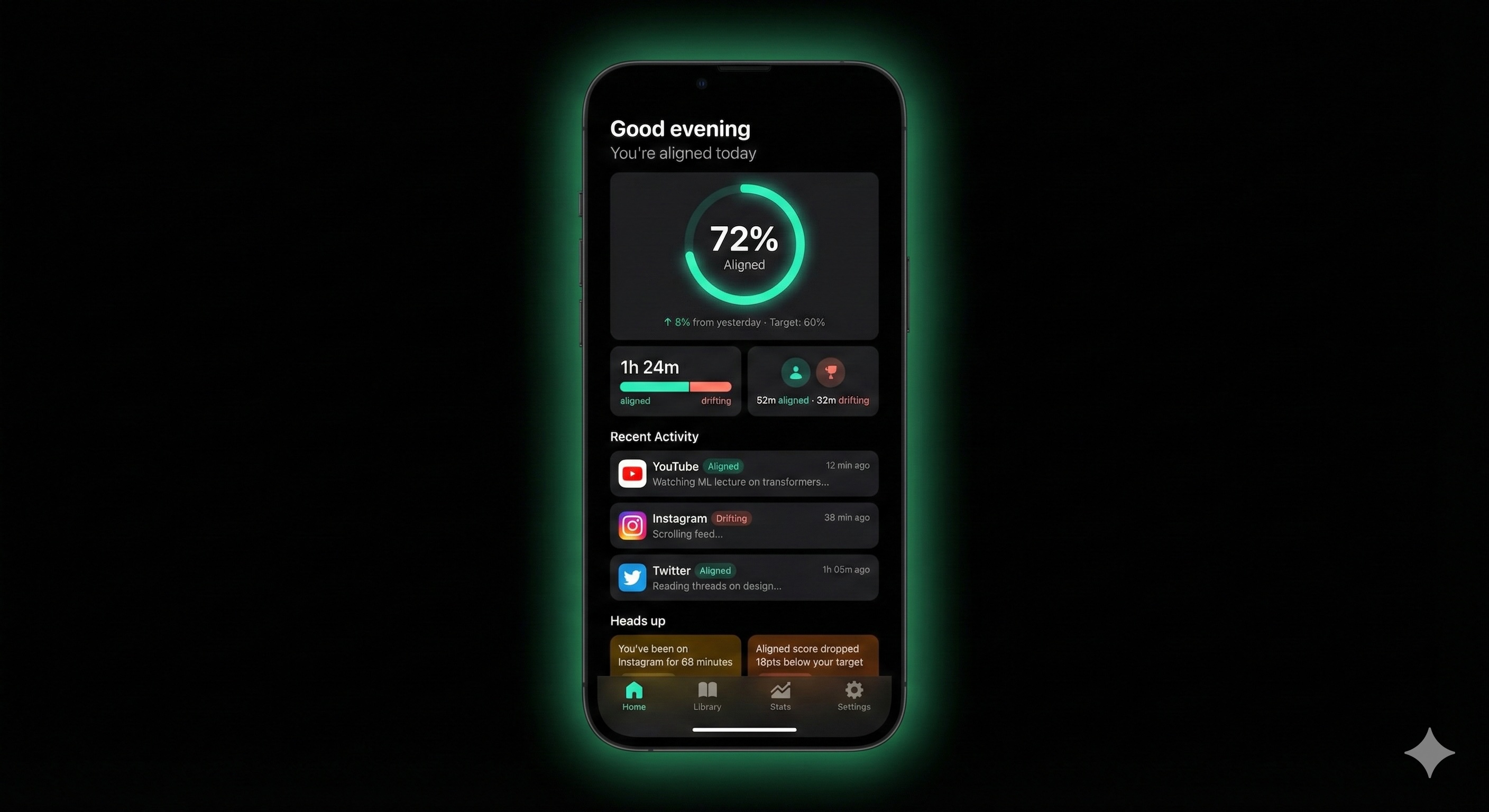
This is the dashboard screen that shows how you have been performing at a content consumption level.
-
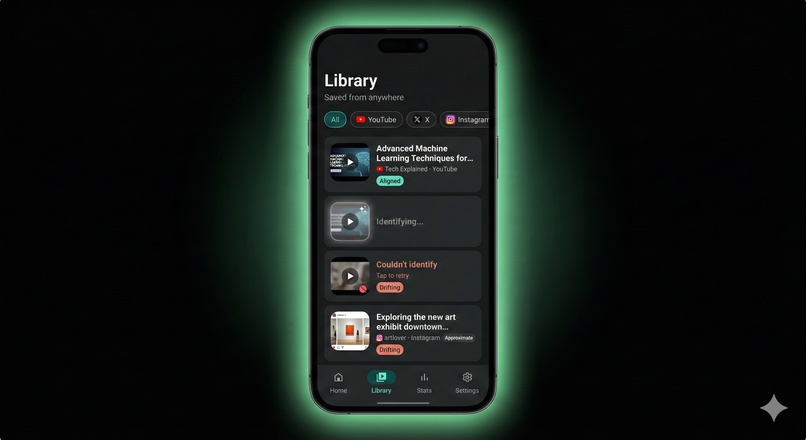
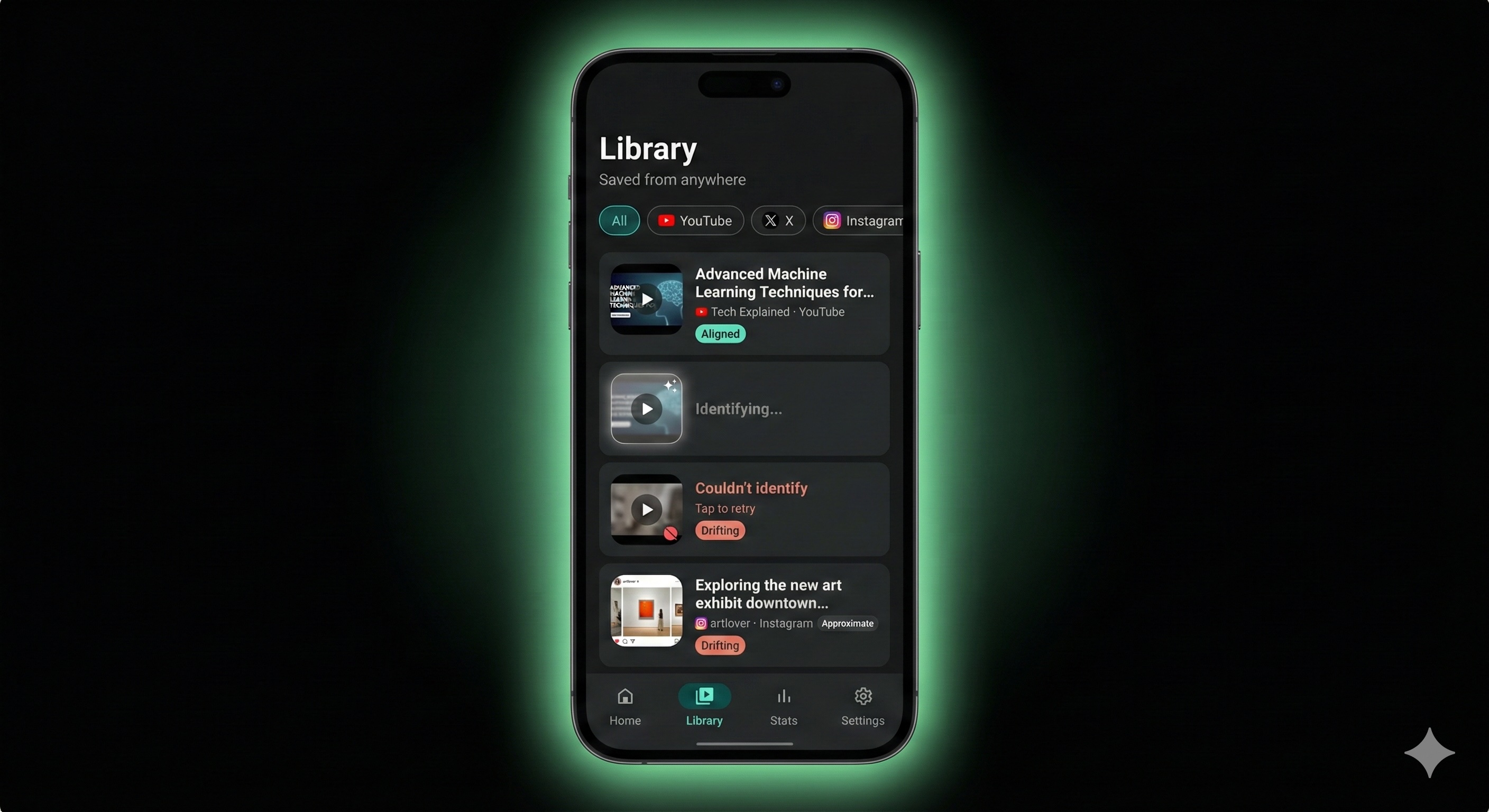
The Library, a one stop shop for content across all your applications.
Doit — Scroll to Goal
Inspiration
We live on our phones — learning, working, connecting. But somewhere between the morning news and midnight scrolling, hours vanish and important content slips away. Every screen time app on our phones measures the same thing: duration. But time isn't the problem — content is.
Three hours on YouTube could be a Stanford lecture series or a rabbit hole of reaction videos. Your Screen Time widget doesn't know the difference. We wanted to build something that does.
The insight was simple: what if AI could understand not just how long you scroll, but what you're actually consuming — and whether it's building the person you want to become?
What it does
Doit is a Gemini 3 -powered Android companion that turns mindless scrolling into intentional screen time. Currently available for Android 11+.
Passive Analysis: When you pause on content for 3+ seconds, Doit captures what's on screen and sends it to Gemini 3 API. It categorizes your content as "aligned" (growth, learning, creation) or "drifting" (entertainment, distraction) — based on your personal goals.
One-Tap Save: A floating widget sits over any app. Tap it to bookmark content instantly. Gemini 3 auto-identifies the title, creator, and URL — building a personal library of everything worth keeping. Currently supports YouTube, X (Twitter), and Instagram.
Alignment Dashboard: See your running alignment score, time breakdown by app, and recent activity with Gemini 3 -generated descriptions. Not a guilt trip — just clarity.
Zone-Out Detection: The app learns your personal drift patterns. Late-night scrolling. The same app for 60+ minutes. Content categories you zone out on. It notices, so you can too.
Weekly Review: Gemini 3 analyzes your week and surfaces what's emerging, what's persistent, and what you've resolved. Actionable insights, not just charts.
Local Profile: Your account lives on your device. Set your interests, goals, and zone-out flags — all stored locally. No cloud accounts, no sync, no data harvesting.
How we built it
Android App (Kotlin, Android 11+):
- AccessibilityService captures screenshots (WebP, 720px, 50% quality) and extracts on-screen text from the accessibility tree
- Dwell detection triggers auto-capture after 3 seconds of inactivity, with saturation logic to prevent runaway captures
- Floating overlay widget (SYSTEM_ALERT_WINDOW) provides one-tap save from any app
- Room database stores user profile, sessions, activities, time blocks, deflection events, bookmarks, and weekly reviews — all locally
- WorkManager handles reliable background uploads with retry logic
Backend (Python, Firebase Cloud Functions):
- Gemini 3 & 2.0 Flash analyzes screenshots + accessibility metadata
- Two pipelines: session analysis (batch, returns alignment split + feedback) and bookmark identification (single capture, returns title/creator/URL)
- YouTube Data API v3 for high-confidence video URL resolution
- Cloud Tasks decouple triggers from workers for long-running analysis
- Privacy-first: all source files permanently deleted after processing
URL Resolution Strategy:
- YouTube: Direct URL → Video ID → API search with title similarity scoring
- X/Twitter: Search URL constructed from @handle + post text
- Instagram: Profile URL from username (exact post URLs not available)
Challenges we ran into
The Instagram problem: Accessibility tree data varies wildly by platform. Twitter gives us full tweet text, engagement metrics, everything. Instagram gives us truncated captions and usernames — not enough for confident categorization. Solution: send both the structured accessibility data AND the screenshot to Gemini 3, letting it combine metadata with visual understanding.
Real-time vs batch: We wanted the widget to feel responsive, but full session analysis takes time. We solved this by separating the pipelines — quick bookmark identification for saves, batch analysis for session summaries. The widget shows your running score from the last completed session, which updates as you use the app.
Not being creepy: An app that watches your screen could easily feel invasive. We obsessed over the privacy architecture: screenshots analyzed and immediately deleted, no cloud storage of what you view, local-first profile with no account sync. The tone had to feel like a coach, not a surveillant.
Zone-out detection that's useful, not annoying: Early versions flagged too much. We tuned the thresholds (60+ minutes on same app, not 30) and focused on patterns the user self-identifies as problems, not judgments we impose.
Accomplishments that we're proud of
It actually works. Gemini 3 correctly categorizes a Khan Academy video as aligned and a celebrity gossip reel as drifting. The alignment score feels meaningful.
Bookmark identification is magic. Tap the widget on any YouTube video or tweet, and within seconds you have the title, creator, and a working link in your library. No manual entry.
The privacy architecture is real. We're not just claiming privacy — screenshots genuinely don't persist. The 1-day GCS lifecycle policy is a safety net, not the primary mechanism. We delete immediately after processing.
Local-first by design. Your profile, preferences, and history live on your device — not in our cloud. Login exists for personalization, not data collection. We turned a constraint into a statement: personal AI should be personal and private.
Zone-out detection feels helpful, not judgmental. When the app notices you've been on Instagram for 68 minutes, it's a gentle "heads up" — not a red alert.
What we learned
Accessibility services are powerful but inconsistent. Each app structures its view hierarchy differently. Building robust extraction required handling edge cases per platform.
Gemini 3 is genuinely good at this. We were skeptical that vision + text analysis would reliably categorize content. It does. The descriptions it generates ("Watching ML lecture on transformer architecture") are surprisingly accurate.
Privacy and utility can coexist. We assumed we'd have to sacrifice features for privacy. Instead, the constraint pushed us toward better architecture: analyze in real-time, keep only the insights, delete the raw data.
Screen time is emotional. Users don't want to feel graded. The entire design language — "aligned" not "productive," coral not red, "heads up" not "warning" — exists because how you frame the data matters as much as the data itself.
What's next for Doit
On-device processing: When Gemini Nano matures, we want all analysis to happen locally. No cloud calls, no data leaving the phone. True privacy.
Open source: We believe this should be a public utility, not a proprietary product. Planning to open-source the Android app and backend.
Expanded bookmark support: TikTok, Reddit, Snapchat, and more platforms as we keep progressing. Better Instagram resolution if Meta ever opens up their content graph.
Smarter nudges: Real-time widget state changes as you drift — the I morphing to N as your alignment drops. Gentle, ambient awareness without interruption.
Cross-device: Extending to desktop browsers. Your screen time is fragmented across devices; your awareness shouldn't be.


Log in or sign up for Devpost to join the conversation.