-
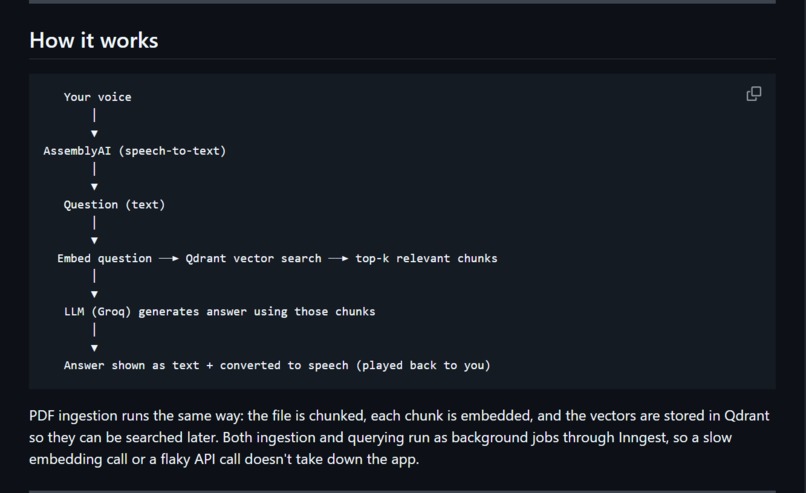
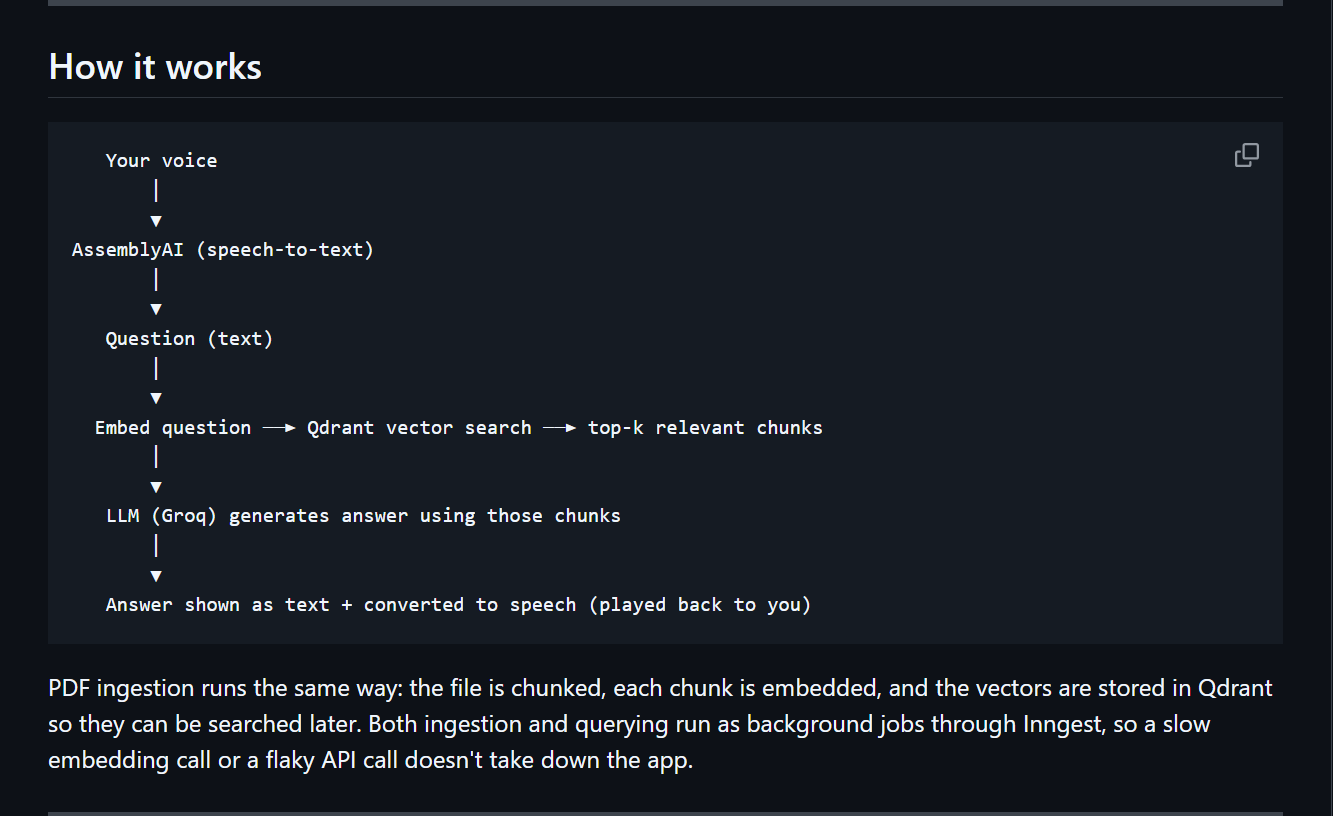
pipeline
-
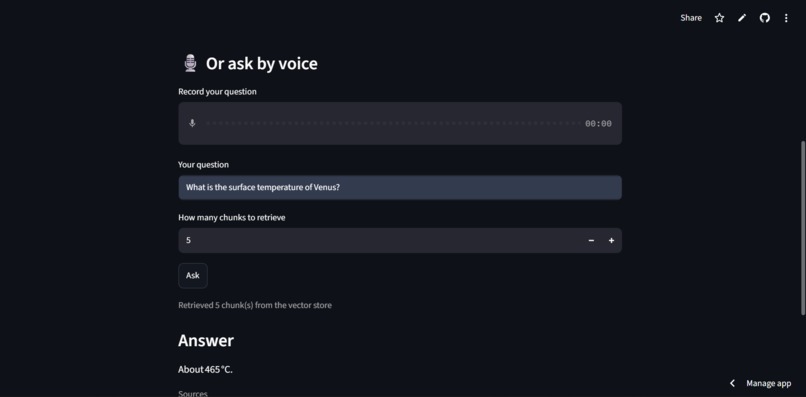
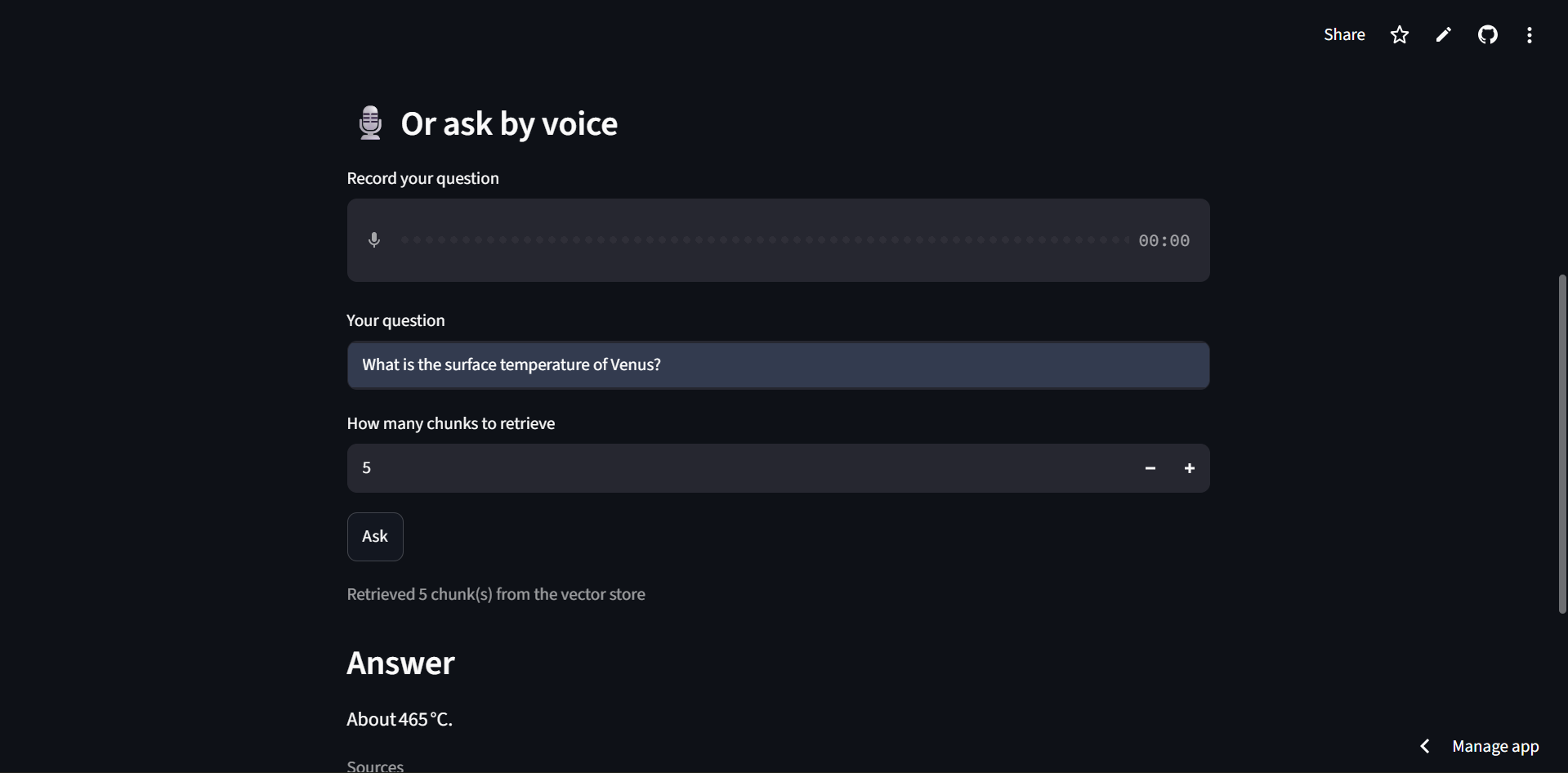
Answer section
-
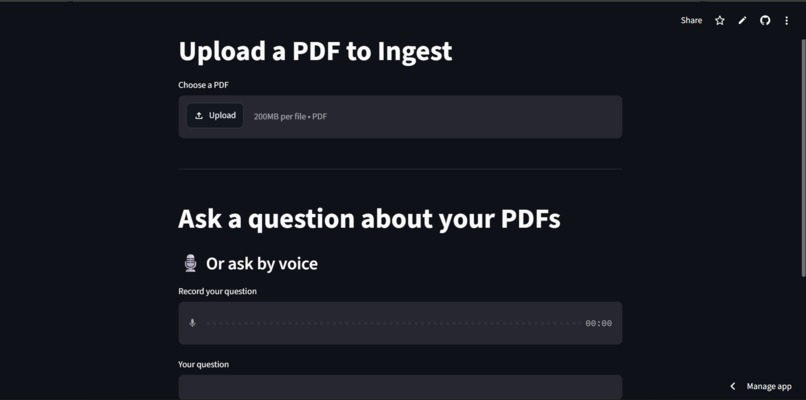
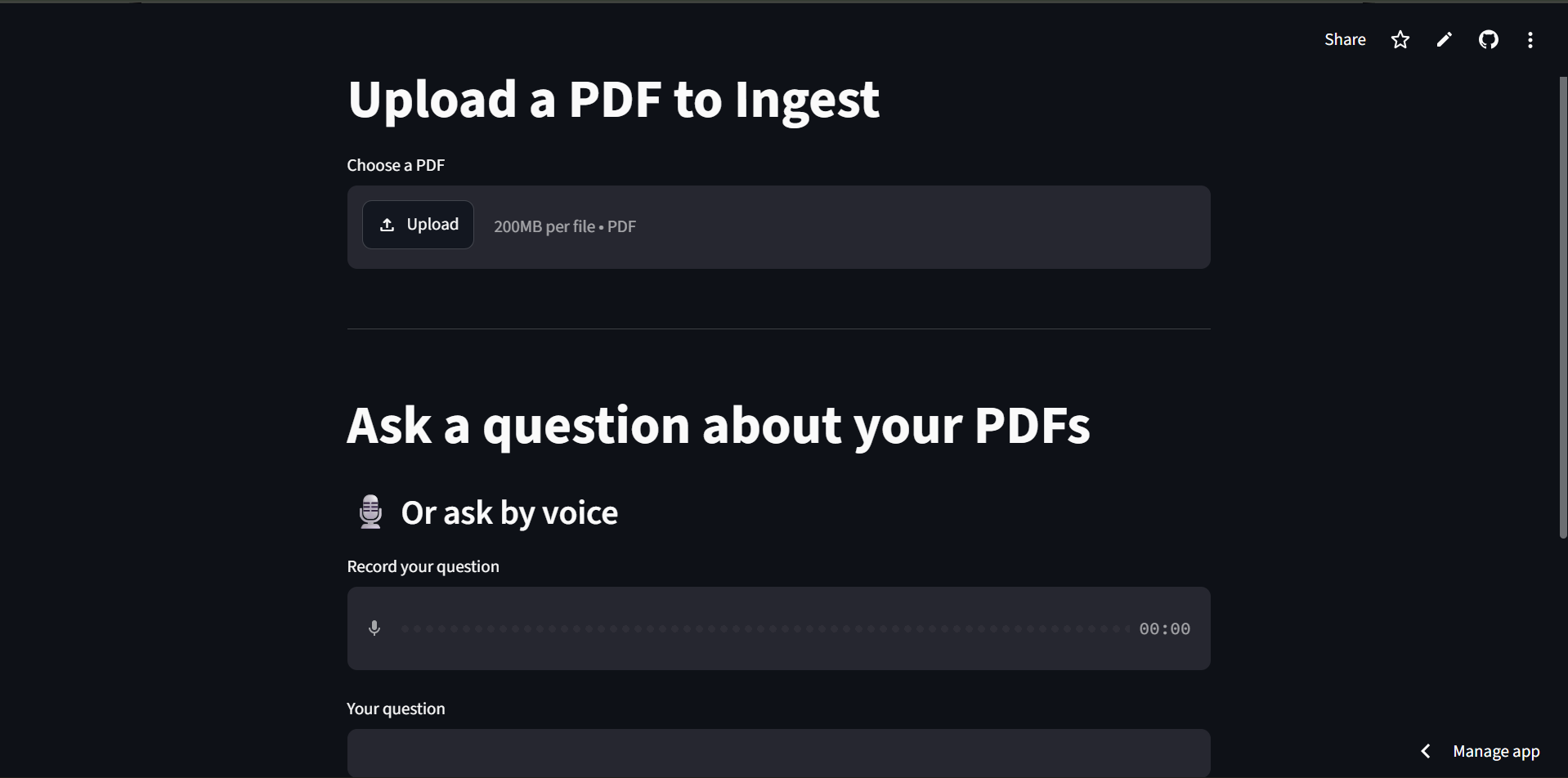
PDF upload and question section
Inspiration
We wanted to make document-based AI feel more natural than a traditional chatbot. Most PDF question-answering tools require users to read, type a question, and then read the response. We thought it would be more convenient if people could simply talk to their documents and receive an answer both as text and as speech.
That idea led us to build DocuVoice-RAG, a voice-powered document assistant that combines speech recognition, Retrieval-Augmented Generation, vector search, and text-to-speech in one workflow.
What it does
DocuVoice-RAG allows users to upload a PDF and ask questions about its content using either voice or text.
For voice interaction, the user records a question, which is transcribed using AssemblyAI. The question is then processed through our RAG pipeline, where relevant information is retrieved from the uploaded document using vector search. The retrieved context is passed to a Groq-powered LLM to generate an answer.
The final response is displayed as text and also converted into speech, allowing the user to interact with their documents without continuously typing.
The system follows this flow:
PDF → Chunking → Embeddings → Qdrant → Retrieval → Groq LLM → Text + Voice Response
How we built it
We built DocuVoice-RAG primarily with Python and Streamlit, using several services together to create the complete pipeline.
- AssemblyAI for speech-to-text
- Qdrant for vector storage and semantic retrieval
- Groq for LLM-powered answer generation
- Inngest for handling background processing
- Streamlit for the web interface
- FastAPI for the backend API
When a PDF is uploaded, its content is processed into smaller chunks. The chunks are embedded and stored in Qdrant so that relevant information can be retrieved when a user asks a question.
For voice queries, AssemblyAI converts the user's speech into text. That text is used to search the document for relevant context. The retrieved context is then passed to the LLM, which generates the final response.
We kept the system modular so that document processing, retrieval, AI generation, voice input, and the user interface could work as separate components.
Challenges we ran into
One of the main challenges was connecting several different services into a single reliable workflow. Speech recognition, document processing, vector search, LLM generation, and text-to-speech all depend on different components, so keeping the entire pipeline responsive required careful integration.
We also had to deal with the difference between local development and cloud deployment. Qdrant, Inngest, the backend, and the Streamlit frontend need to communicate correctly in both environments.
Another challenge was handling asynchronous operations. Document ingestion and embedding can take time, and we did not want these operations to block the application. Using Inngest for background jobs helped us separate these tasks from the main user interaction.
We also had to think about retrieval quality. The quality of the final answer depends on how the document is divided into chunks and how relevant information is retrieved from the vector database.
Accomplishments that we're proud of
We are proud that we turned the idea of a voice-based document assistant into a working end-to-end application.
The project combines several technologies that normally work as separate components into one flow:
Voice Input → Speech-to-Text → RAG → Vector Search → LLM → Text-to-Speech
We also made the application available as a live web demo, so users can upload a document and interact with it without setting up the entire system locally.
Another accomplishment was making the application support both voice and text input. Users who prefer speaking can use the voice interface, while users who prefer typing can still interact with the same document through text.
What we learned
This project taught us that building an AI application is not only about connecting an LLM API. The surrounding system is equally important.
We learned how speech recognition can be combined with RAG, how vector databases can be used to retrieve relevant document information, and how asynchronous processing can make an application more practical.
We also learned about the challenges of deploying an application that depends on multiple external services. Moving from local development to a working cloud deployment required us to understand environment variables, API integrations, backend services, databases, and frontend deployment.
Most importantly, we learned how the quality of a RAG application depends on the entire pipeline rather than just the language model.
What's next for DocuVoice-RAG
Our next goal is to make DocuVoice-RAG more reliable and useful for larger and more complex documents.
We would like to improve retrieval quality for technical and image-heavy documents, support more document formats, and make the voice interaction faster and more natural.
We also want to add features such as better source references, improved conversation history, authentication, and stronger production infrastructure.
In the long term, we want DocuVoice-RAG to become a more flexible way to interact with personal and professional documents through natural voice conversations.

Log in or sign up for Devpost to join the conversation.