-
-
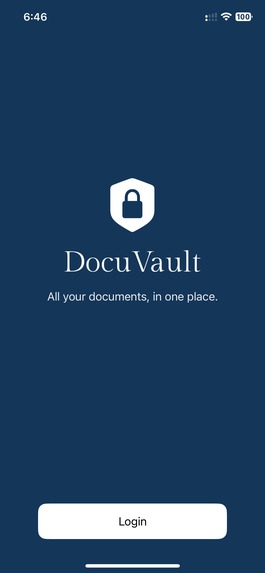
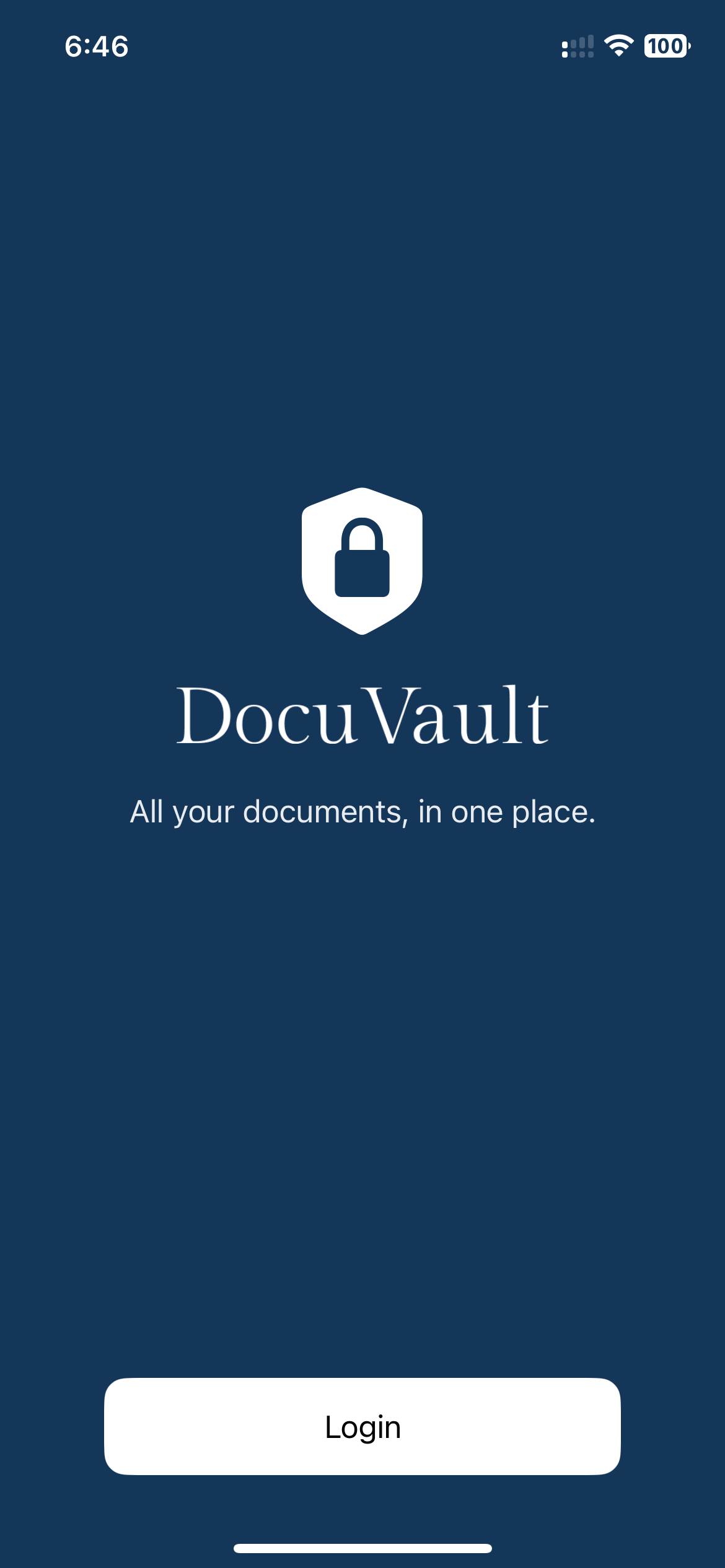
Login screen using Auth0
-
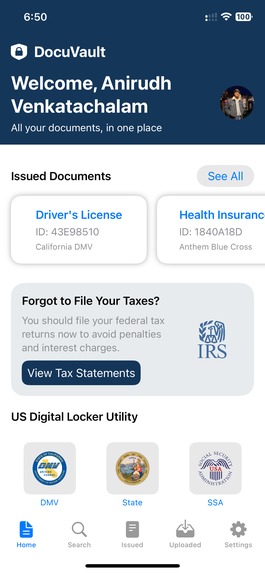
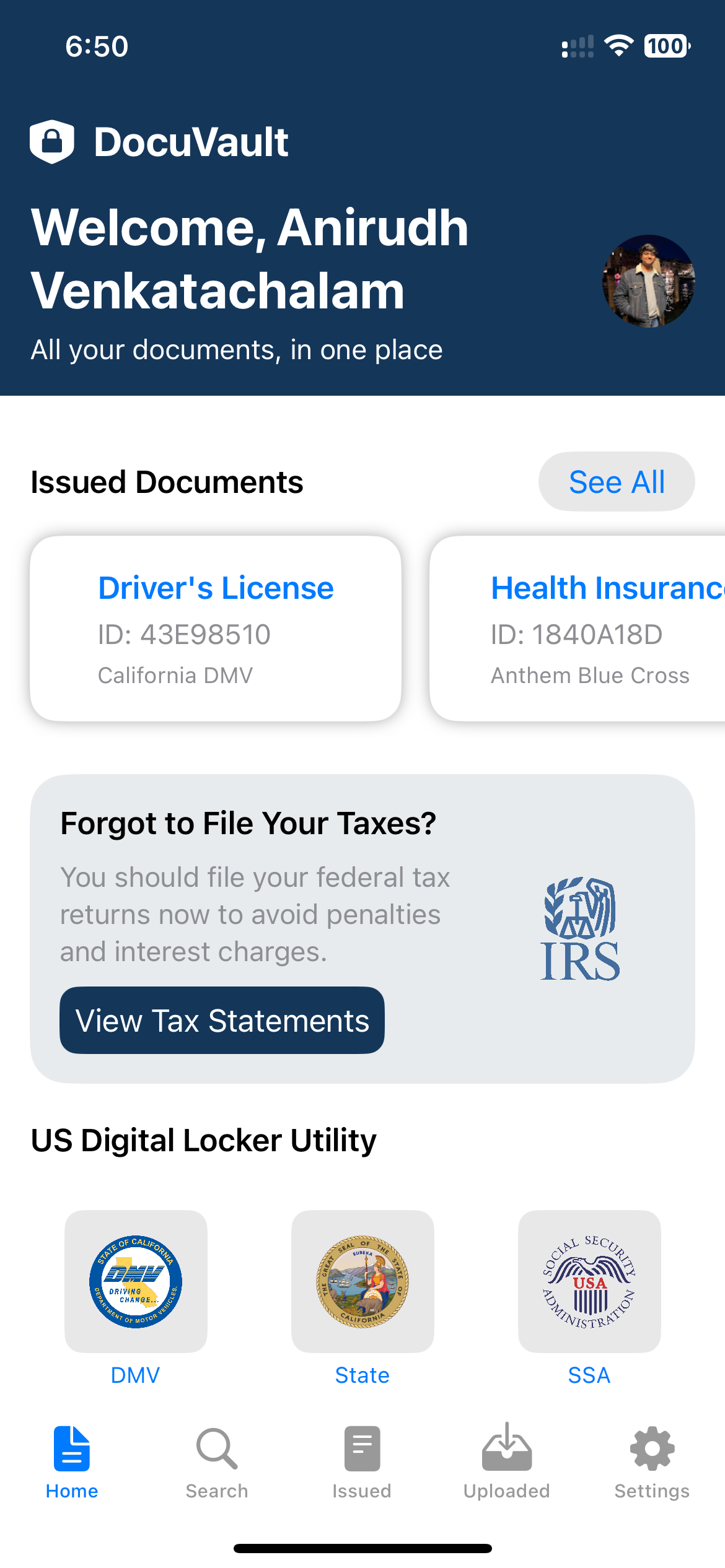
Home page with all the issued documents
-
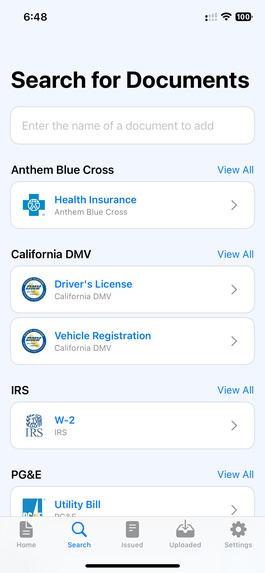
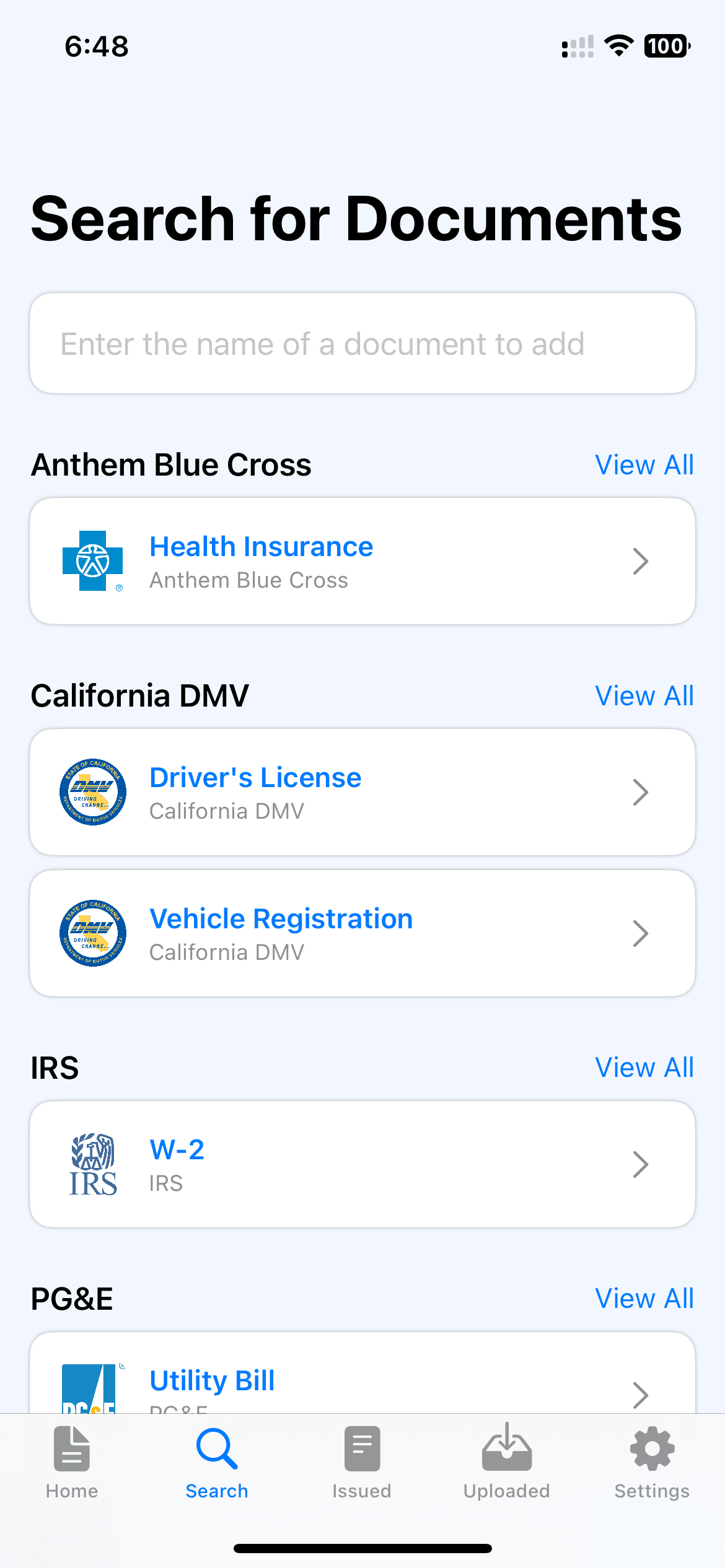
Search feature for looking through different government documents
-
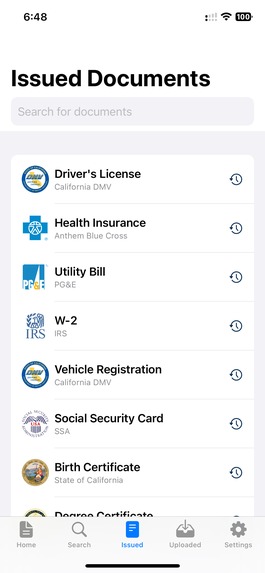
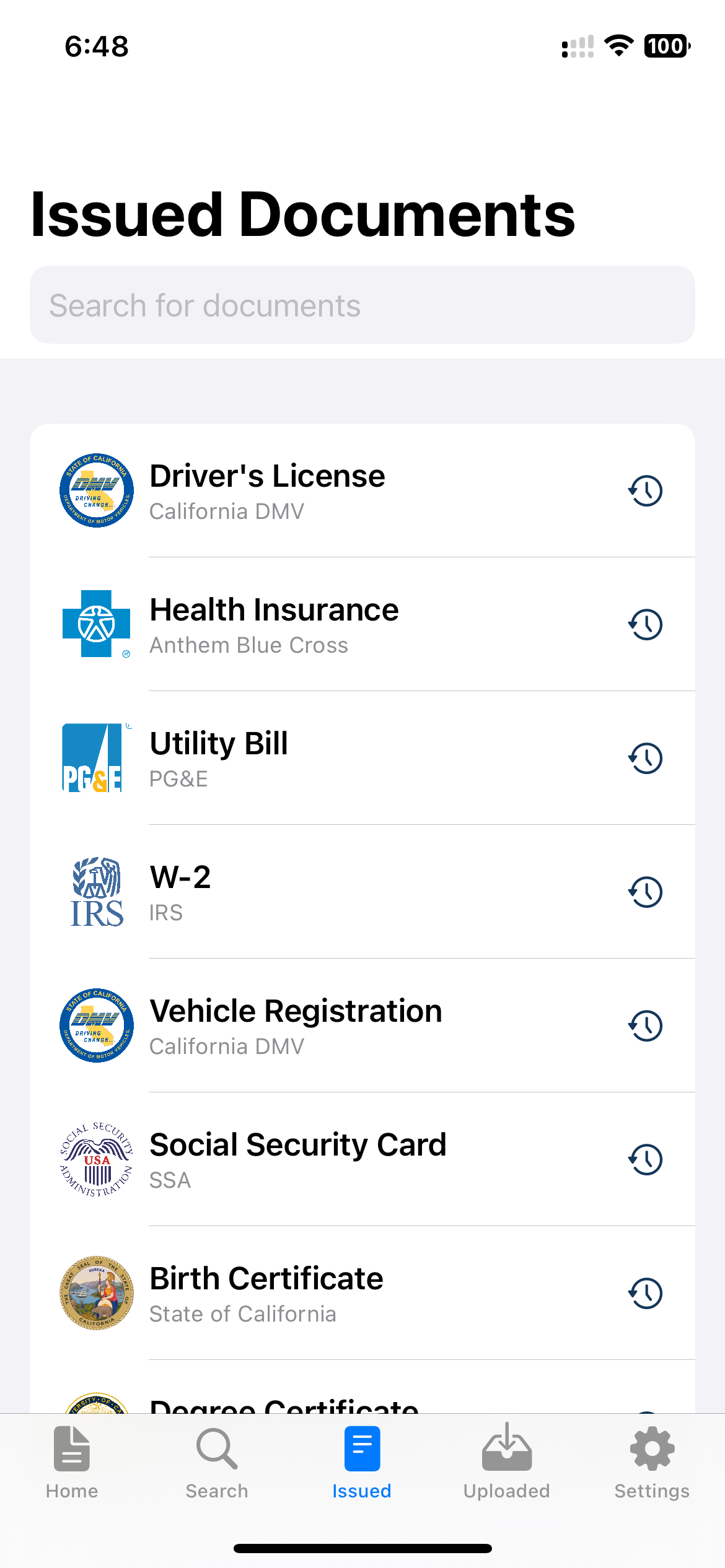
List of all the issued documents
-
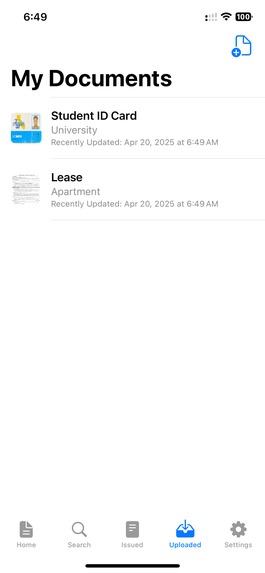
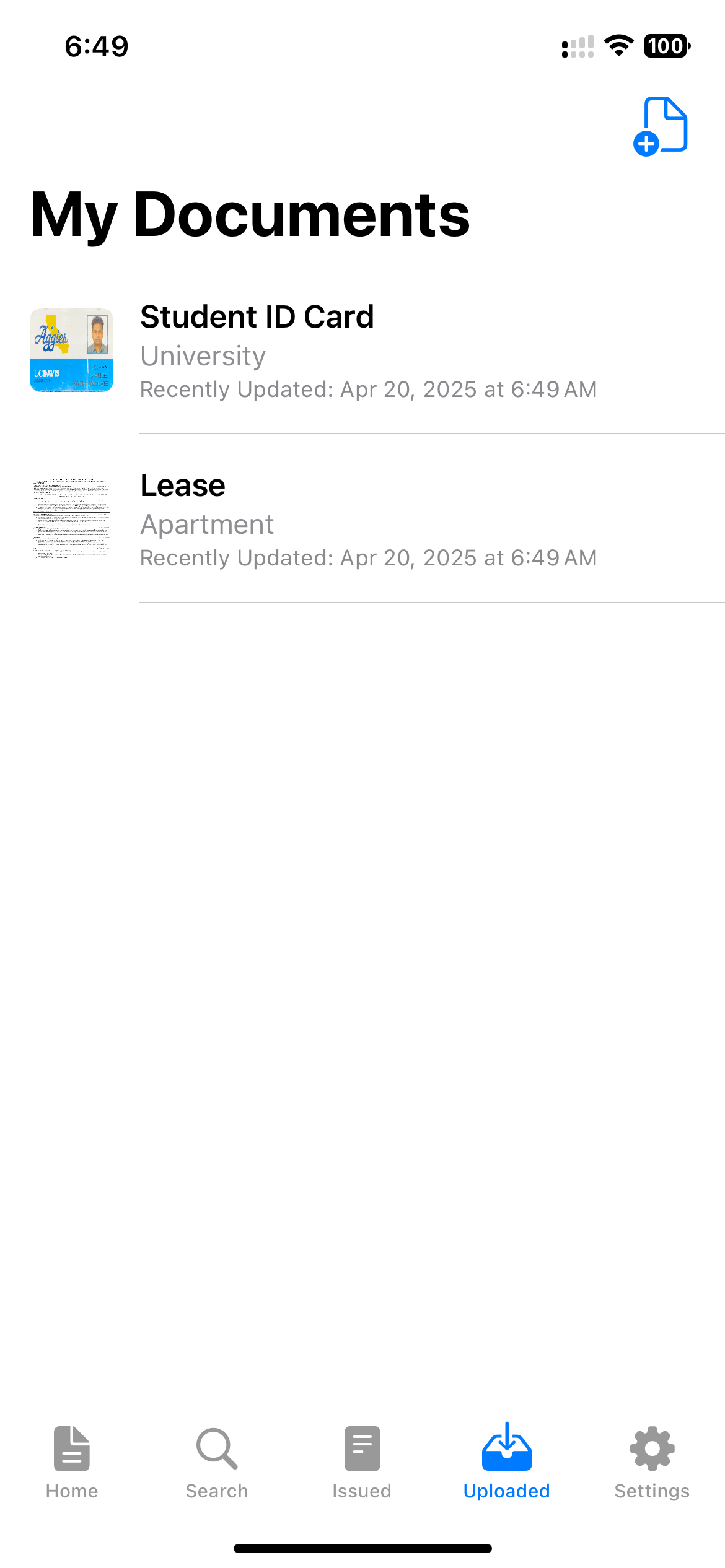
File upload feature
-
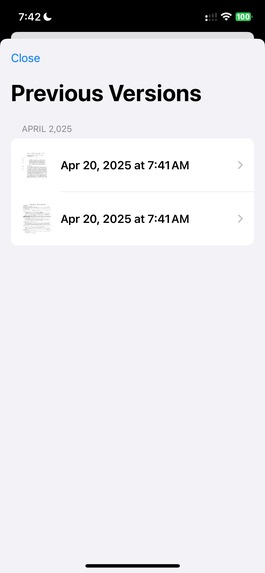
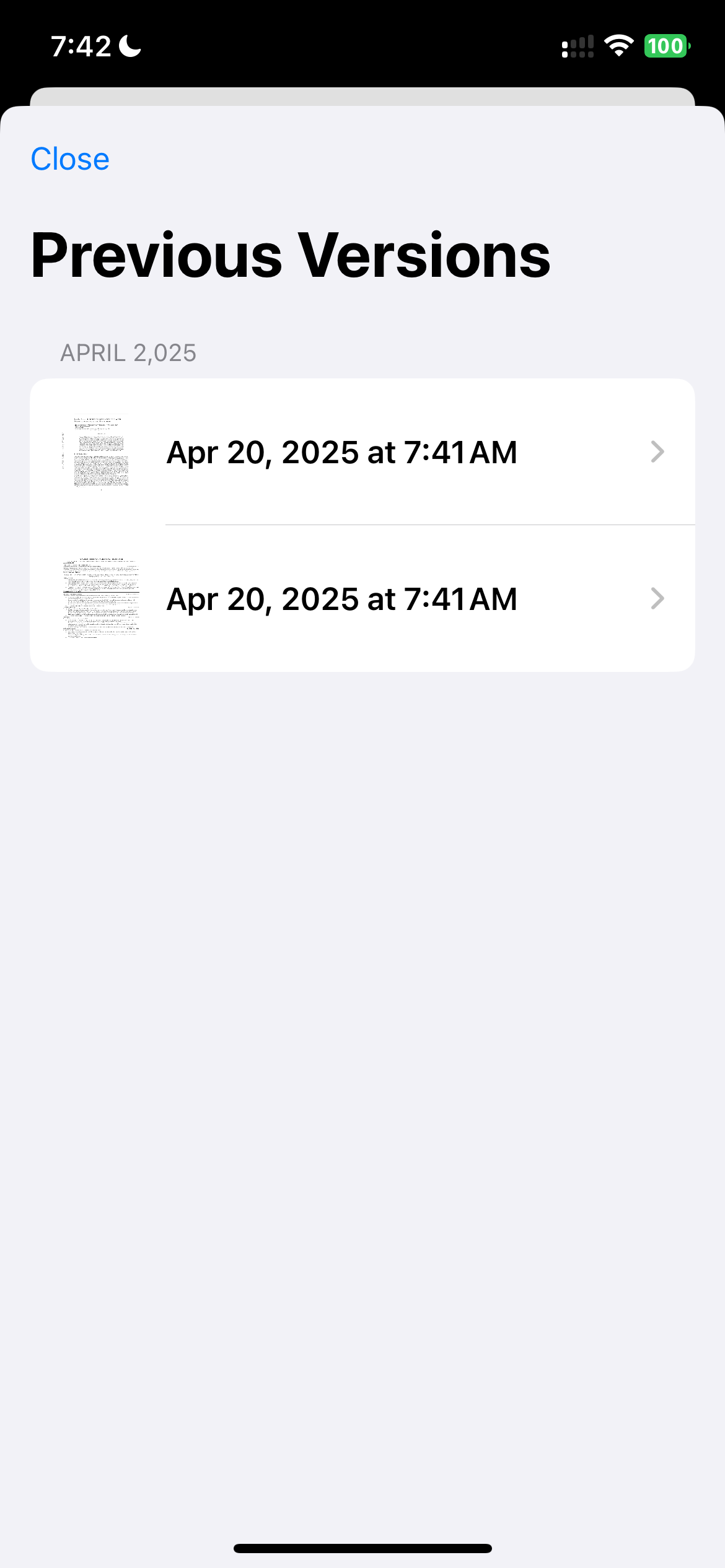
Version History of a document
DocuVault
Inspiration
As 21-22-year-olds, we have been pushed right into the deep end of adulthood. All of a sudden, things got real. From doing our taxes, renewing insurance, paying bills, and registering vehicles, we have realized one brutal truth: important documents are scattered everywhere, and we are never able to find them when we need to. Some arrive in the mail, others live on portals you magically forget the password to, and some…..just vanish (believe us).
After spending hours hunting down W-2s, DMV registrations, and insurance forms, we thought, what if there was a single, clean, mobile-first place for ALL of it?
That’s how DocuVault was born
What it does
DocuVault is a secure and user-friendly iOS app that allows people to:
- Log in with identity verification using Auth0
- View upcoming reminders like tax deadlines or utility bill payments
- Search for and request official documents from departments like DMV, IRS, SSA, and more
- Upload and scan personal documents
- Utilize a comprehensive version-controlled history of all issued and uploaded documents
- Customize their profile with a name and picture
It serves as a centralized digital vault for every important document you need.
How we built it
We built DocuVault using:
- Swift and SwiftUI for building the iOS app interface
- UIKit for features like document scanning and PDF preview (via VisionKit and PDFKit)
- Auth0 and JWTDecode for secure login and identity management
- UserDefaults and JSONEncoder/Decoder for local document storage and persistence
- PhotosUI for profile image selection and QuickLook for PDF previews
Challenges we ran into
Building DocuVault came with several challenges:
- Integrating SwiftUI with UIKit was tricky, especially when using document scanners and preview controllers.
- Managing version history for uploaded documents took time to get right—we had to build a custom system for tracking, grouping, and displaying versions cleanly.
- Securing the authentication flow with Auth0 required careful handling of tokens, user data, and state across sessions.
- Navigation and state syncing between complex nested views was challenging, particularly when sharing data like scanned documents or form input.
Despite these hurdles, we worked through each challenge as a team and made consistent progress.
Accomplishments that we're proud of
- Built a fully functional and visually clean app that combines scanning, PDF rendering, authentication, and profile customization
- Designed an intuitive home screen that adjusts based on time-sensitive needs like tax season or utility payments
- Created a smart search experience that groups documents by issuer and lets users request them with just a few details
- Successfully implemented document versioning and previewing for uploaded documents
What we learned
- How to effectively integrate SwiftUI and UIKit, combining modern declarative UI with powerful legacy components like VisionKit and PDFKit
- The importance of secure authentication flows and how to safely manage user identity using Auth0 and JWT decoding
- Techniques for building version-controlled data systems in mobile apps to manage and track document changes over time
- Best practices for creating clean, responsive UI/UX that adapts to real-world use cases like deadlines, reminders, and quick document access
What's next for DocuVault
We plan to:
- Add real-time document syncing using CloudKit or Firebase
- Integrate APIs from government departments (where available) to fetch live document data
- Include notifications and reminders for document renewals (e.g., license expiration)
- Allow document sharing with external entities (e.g., jobs, schools, banks) securely via QR or email
- Expand beyond iOS to make DocuVault available on Android and web platforms
Team:
- Anirudh Venkatachalam
- Rohan Malige
- Nandhana Selvam
- Manasvini Narayanan
Built With
- audiotoolbox
- auth0
- jsonencoder/decode
- jwtdecode
- pdfkit
- photosui
- quicklook
- swift
- swiftui
- visionkit


Log in or sign up for Devpost to join the conversation.