💡 Inspiration
While working with long PDFs such as technical documentation, research papers, and reports, I noticed a recurring pain point: extracting precise answers is slow and inefficient. Keyword search often fails to capture meaning, and copying content into chat tools breaks focus and context.
This project leverages Google Gemini 3 via Google AI Studio as a core AI component within a production-grade Retrieval-Augmented Generation (RAG) system.
This motivated me to build DocuMind AI — a system where users can upload a PDF and chat with it naturally, receiving answers grounded strictly in the document. The aim was not to create a demo, but a reliable, production-grade GenAI application that solves a real problem.
🤖 What it Does
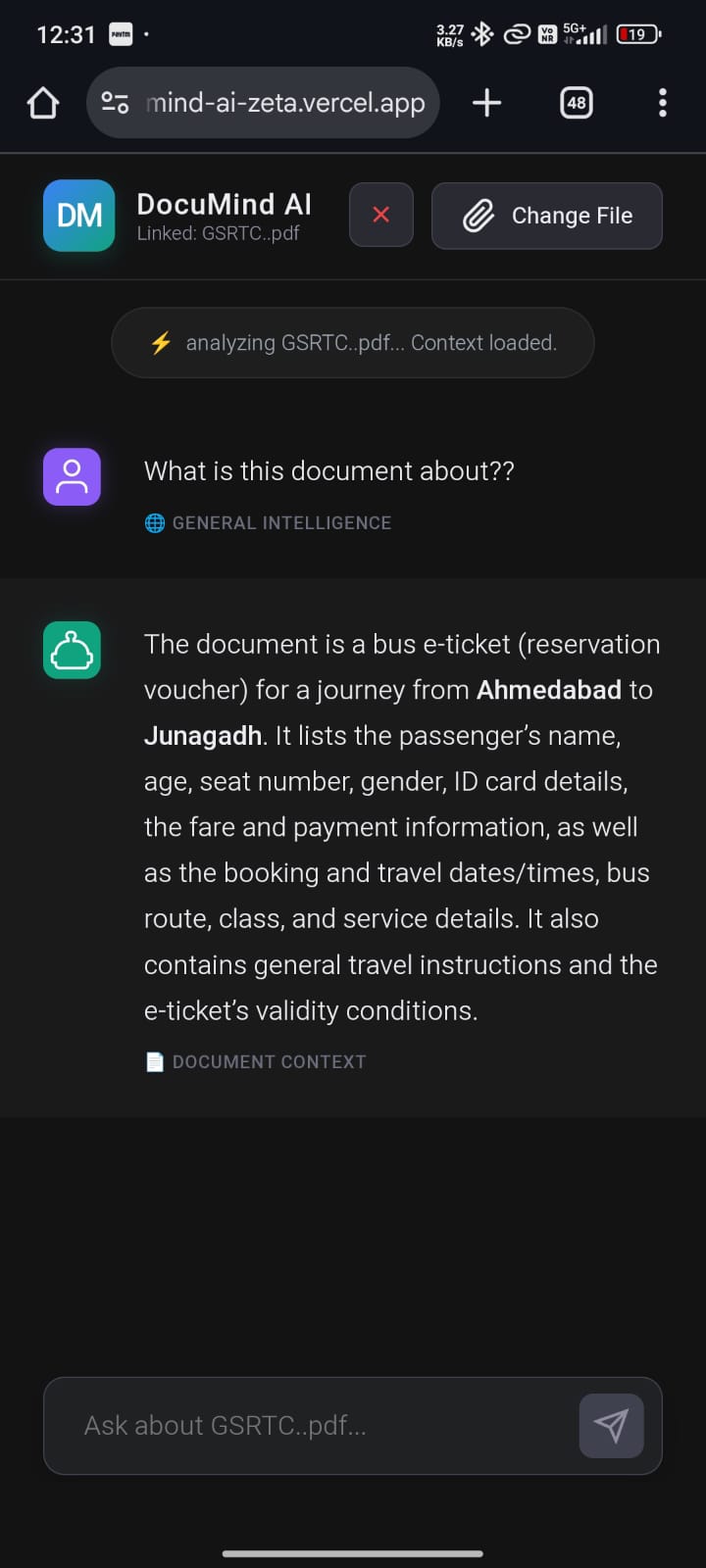
DocuMind AI is a RAG-powered PDF & Knowledge Assistant that:
- Allows users to upload PDF documents and ask questions about them
- Retrieves only the most relevant document content using semantic search
- Generates accurate, context-aware answers using an LLM
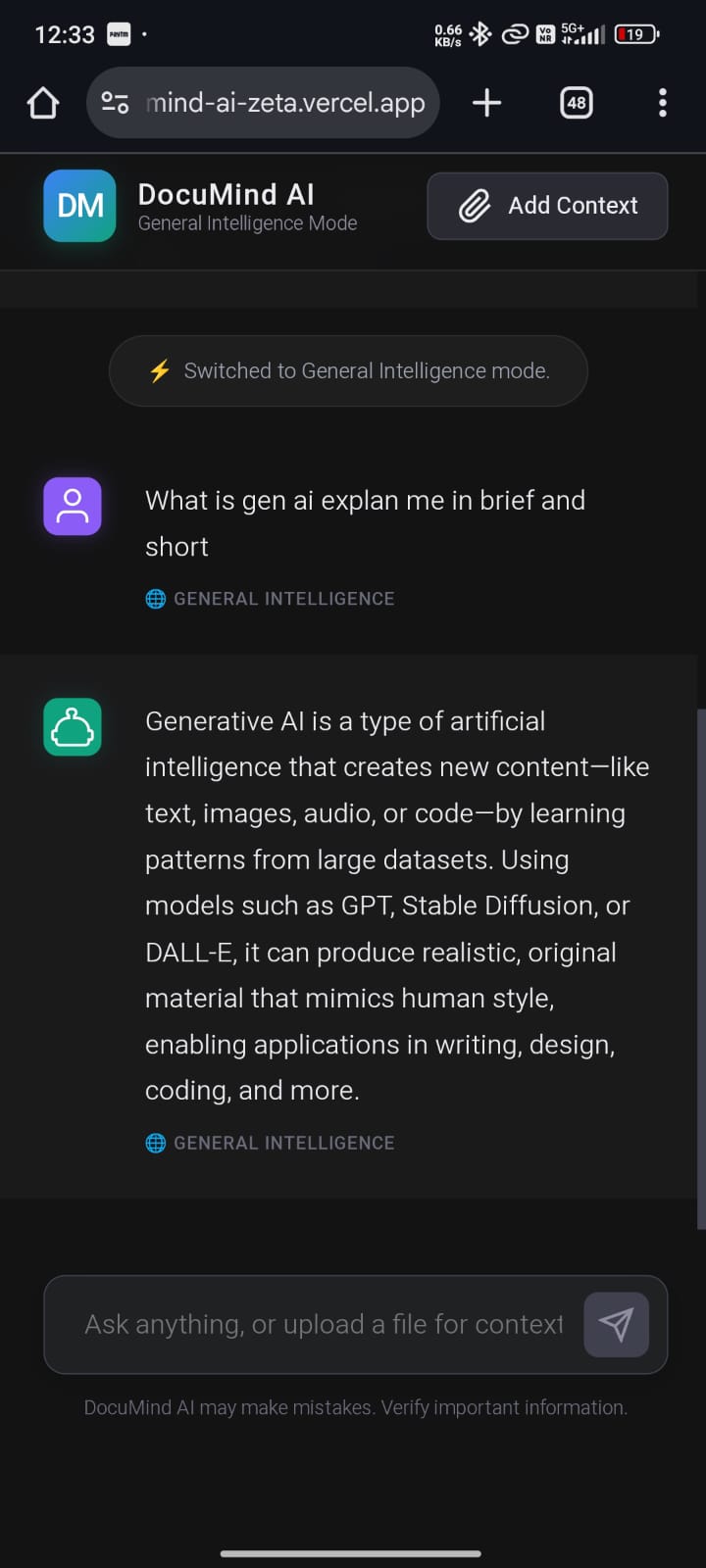
- Seamlessly falls back to general AI chat when no document is selected or context is insufficient
- Maintains conversational memory for natural follow-up questions
🏗️ How We Built It
The system is built using a Retrieval-Augmented Generation (RAG) pipeline.
Document Processing
- User uploads a PDF
- The backend stores it temporarily
- Content is parsed and split into overlapping chunks
- Each chunk is converted into vector embeddings
- Vectors are stored in Pinecone under a unique namespace
🧠 AI Model Usage (Google Gemini 3)
DocuMind AI integrates Google Gemini 3 via the Google AI Studio Gemini API as a core component of its Retrieval-Augmented Generation (RAG) pipeline.
Gemini 3 is used for:
- Generating semantic vector embeddings for PDF document chunks
- Powering similarity-based retrieval in the vector database
- Enabling accurate context selection for downstream answer generation
The Gemini model is accessed using the official Google AI Studio SDK and API
endpoints and is configured securely using the GOOGLE_API_KEY
environment variable.
For response generation, the system integrates a secondary LLM (Groq) as an inference engine. Gemini remains an essential part of the document intelligence and retrieval workflow.
Query Flow
- If a PDF is active → semantic search retrieves top-(k) chunks
- Retrieved context is injected into the LLM prompt
- If relevance is low → system falls back to general chat
Stack Overview
- Frontend: React (Vite)
- Backend: Bun, Node.js, Express
- AI Layer:
- Embedding Model: Google Gemini 3 (Google AI Studio)
- LLM (Inference): Groq
- Framework: LangChain
- Vector DB: Pinecone
- Deployment: Vercel (frontend), Render (backend)
🚧 Challenges We Ran Into
- PDF Parsing Stability: Many parsers fail on real-world PDFs. I prioritized stable, proven loaders over experimental approaches.
- Hallucinations: Early versions answered confidently even with weak context. This was fixed using strict relevance checks and fallback logic.
- Cloud Constraints: Render’s ephemeral storage required careful file handling and cleanup.
- Latency & Token Limits: Optimizing chunk size, retrieval count, and prompt length was critical for performance.
🏆 Accomplishments That We're Proud Of
- Built a production-ready RAG system, not a prototype
- Implemented dual-mode chat (document-aware + general AI)
- Achieved accurate, grounded responses while minimizing hallucinations
- Successfully deployed a scalable full-stack GenAI application
- Designed a clean, intuitive ChatGPT-style user interface
🌍 Real-World Use Cases
DocuMind AI is designed to solve practical, real-world problems where large documents are difficult to navigate and manual searching is inefficient.
📄 Technical & Product Documentation
Engineers and developers can upload API docs, SDK guides, or internal technical manuals and instantly query specific implementation details without scanning hundreds of pages.
📑 Research & Academic Work
Students and researchers can analyze research papers, theses, and reports by asking contextual questions, enabling faster literature reviews and knowledge extraction.
🏢 Enterprise Knowledge Bases
Organizations can use DocuMind AI to query internal policies, onboarding documents, SOPs, and compliance manuals, reducing dependency on human support teams.
⚖️ Legal & Compliance Documents
Legal professionals can upload contracts, agreements, or regulatory documents and retrieve clause-specific information while ensuring answers stay grounded in the source material..
📚 What We Learned
- Why RAG is essential for factual correctness in LLM applications
- How semantic search outperforms keyword-based approaches
- The importance of fallback logic in AI systems
- Real-world deployment challenges for GenAI apps
- That engineering discipline matters more than model hype
🚀 What's Next for DocuMind AI
- User authentication (JWT / OAuth)
- Persistent chat history with a database
- Streaming responses for better UX
- PDF management dashboard
- Usage analytics and rate limiting
DocuMind AI represents my shift from experimenting with GenAI to engineering reliable AI systems built for real-world use.
Built With
- bun
- express.js
- gemin-flash
- gemini
- gemini3
- groq
- javascript
- langchain
- multer
- node.js
- pinecone
- react
- render
- vectordb
- vercel


Log in or sign up for Devpost to join the conversation.