-
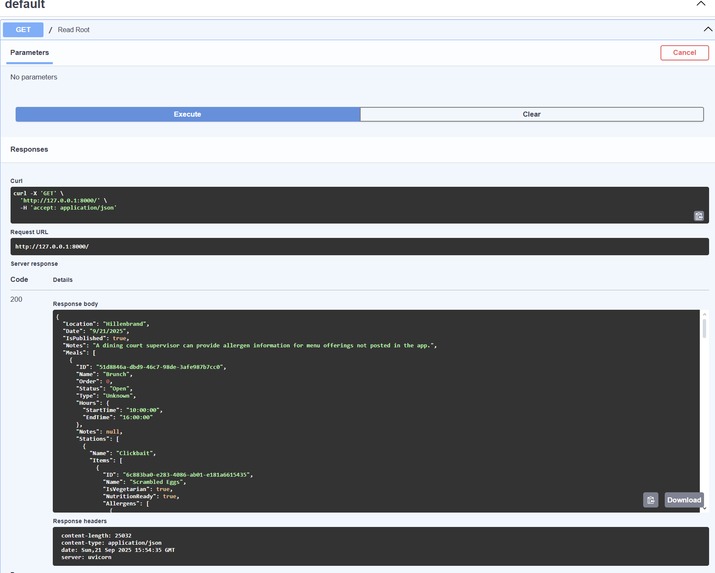
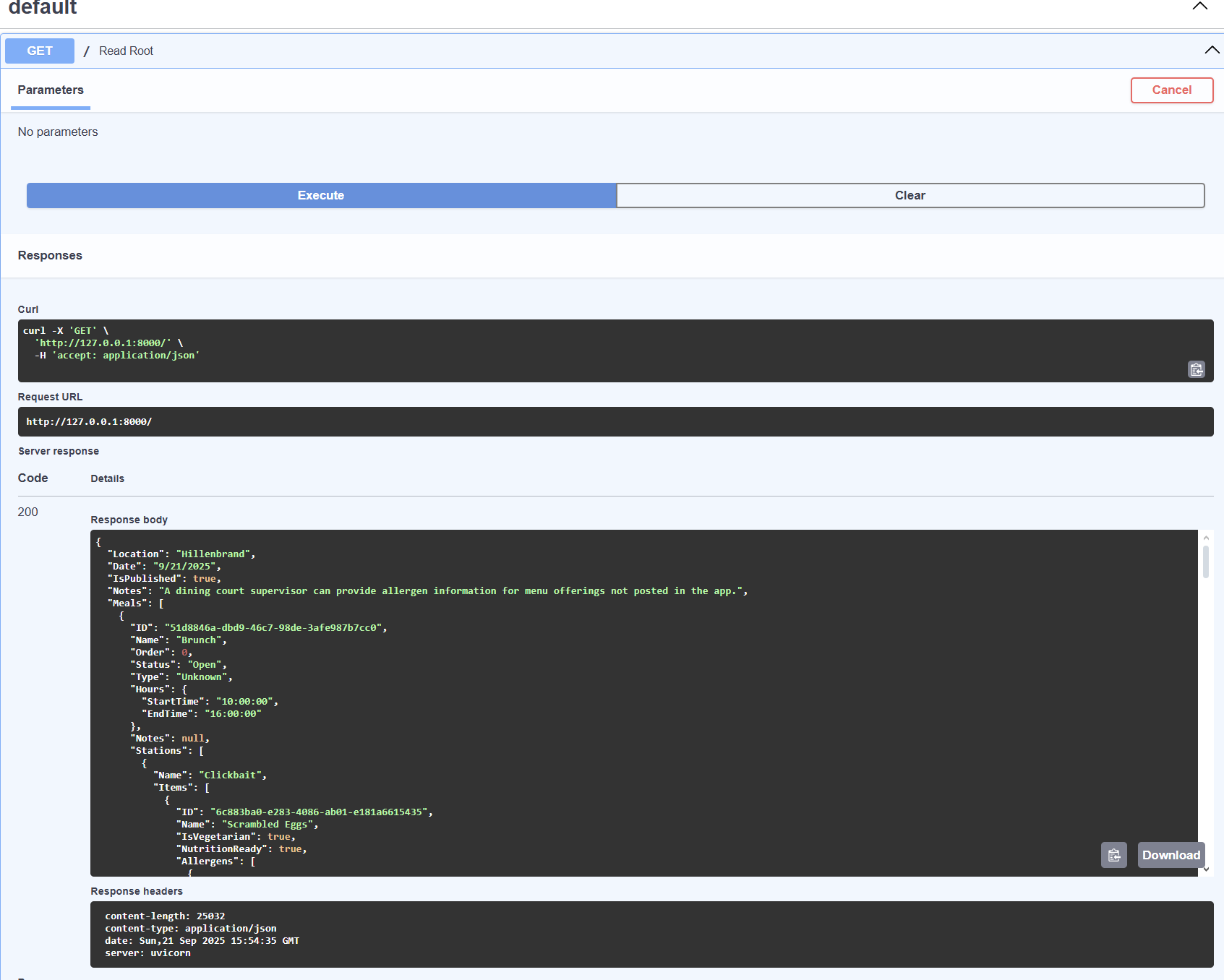
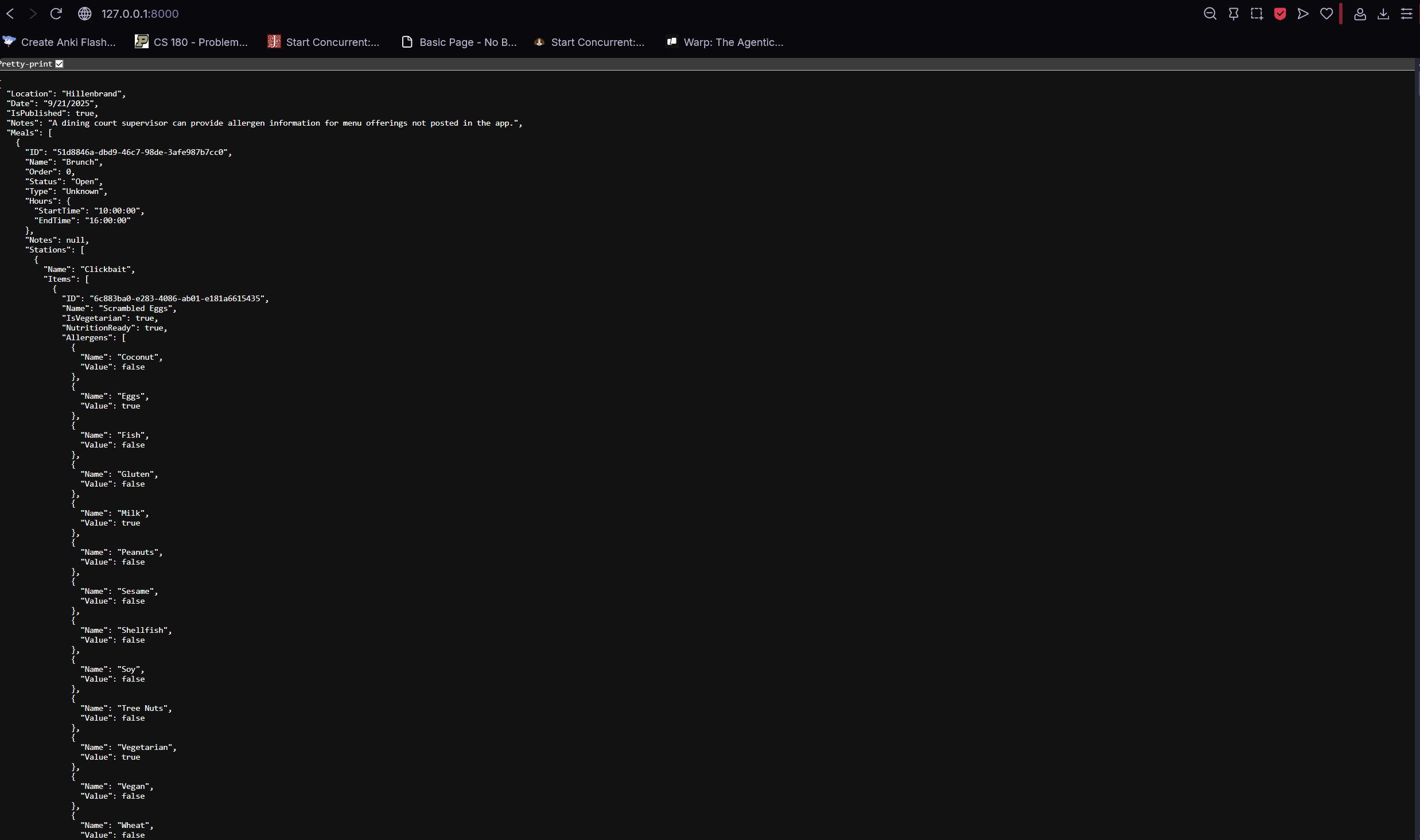
Default, displays sample menu of Hillenbrand on 9/21/2025 in JSON format
-
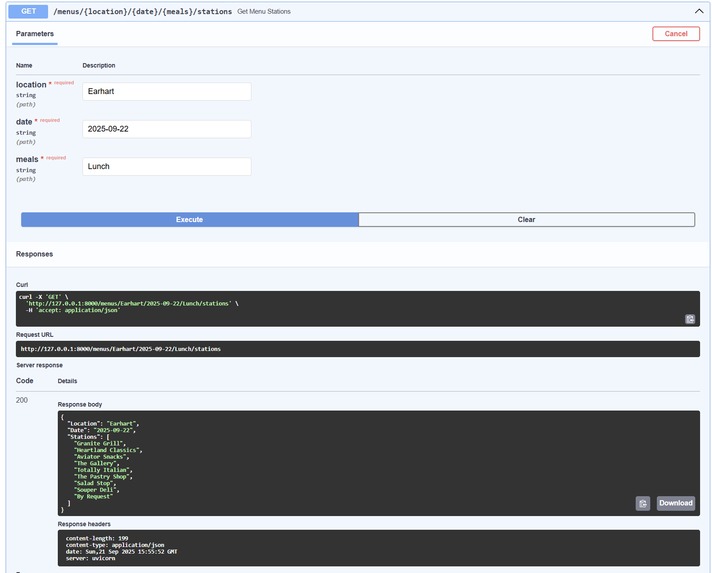
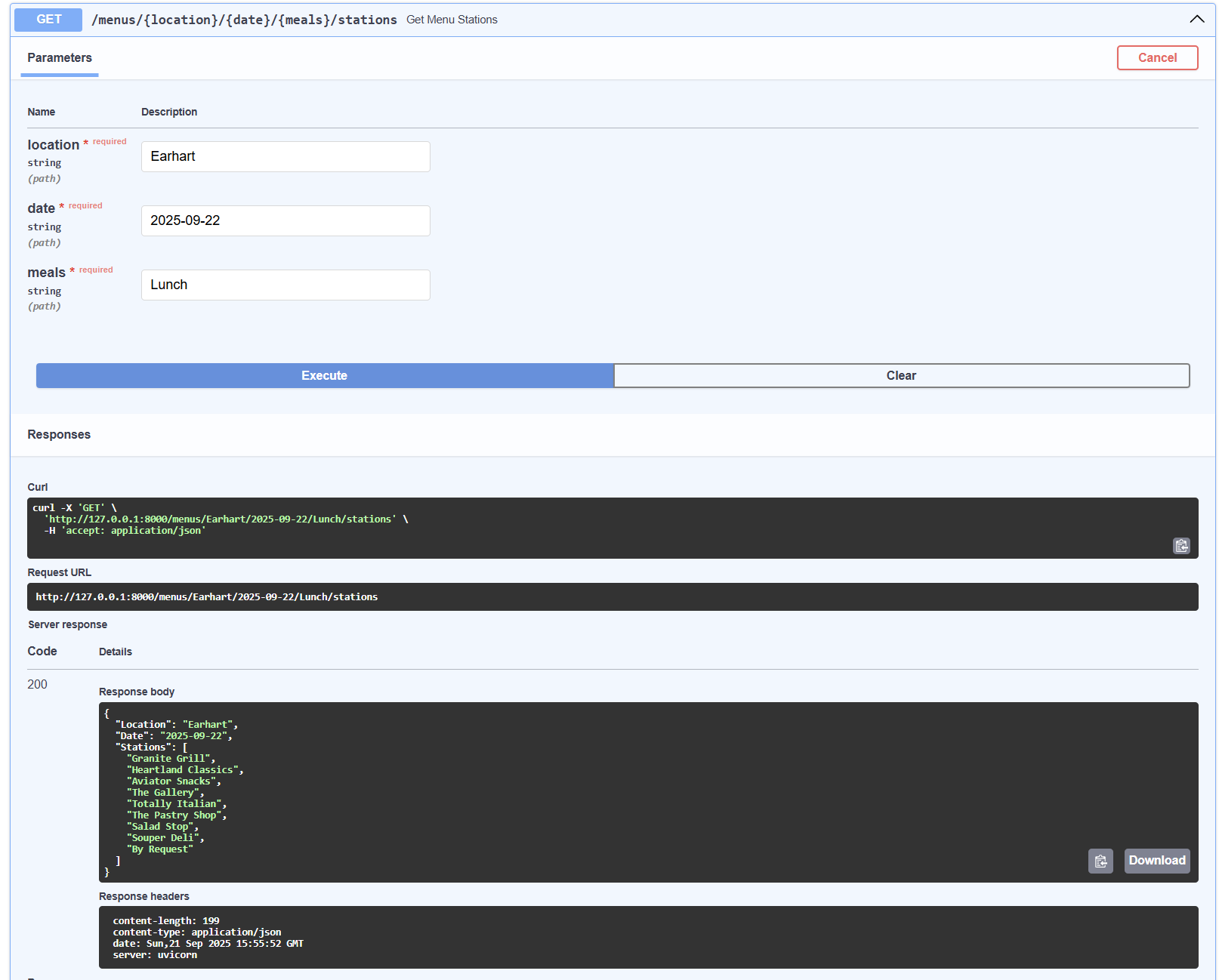
Stations, Displays stations for given meal period for given dining hall on given date in JSON format
-
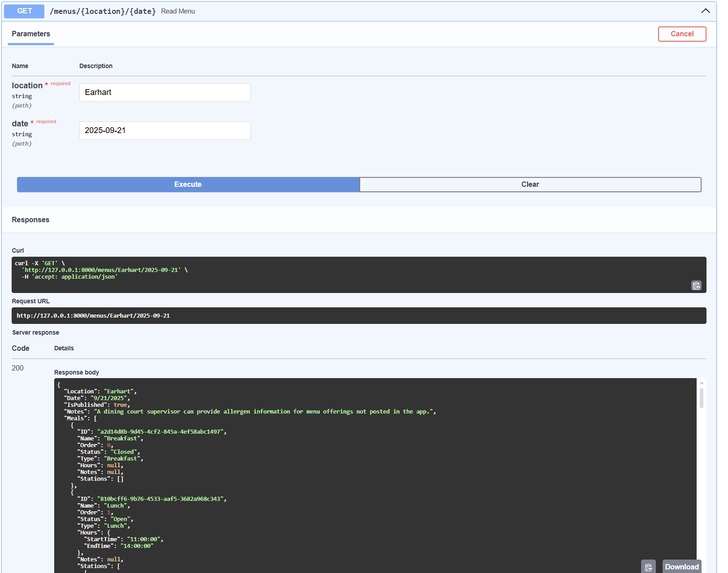
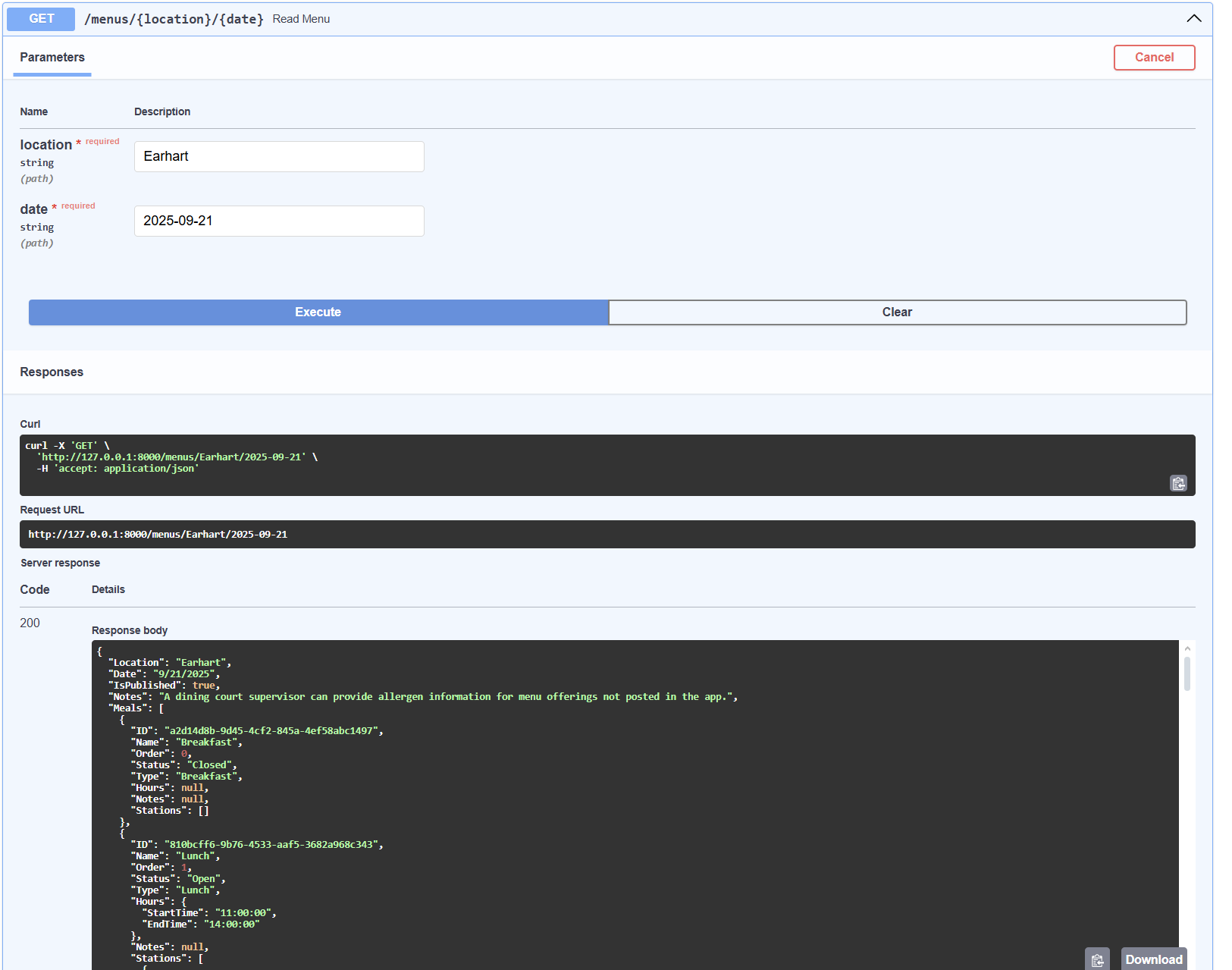
Menu, Displays menu for given dining hall on given date in JSON format
-
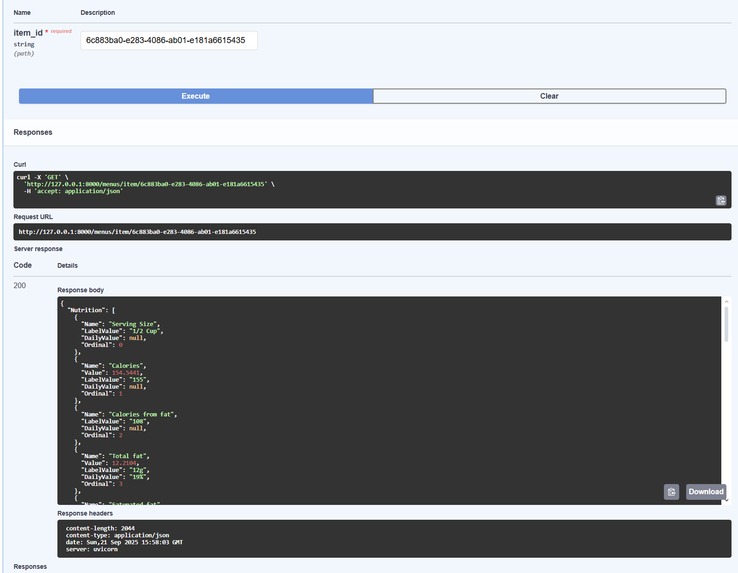
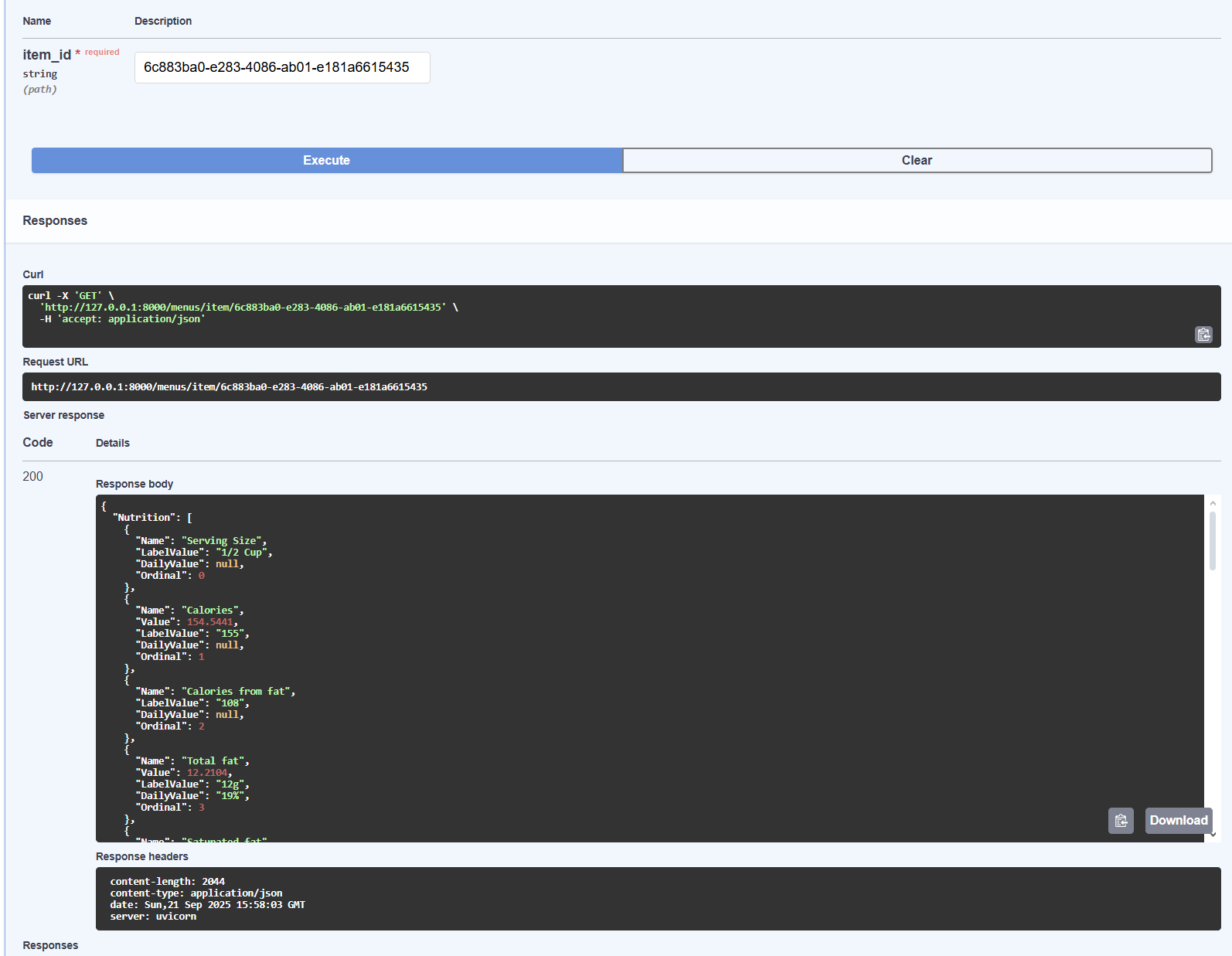
Item, Displays detailed item information for given item UUID in JSON format
-
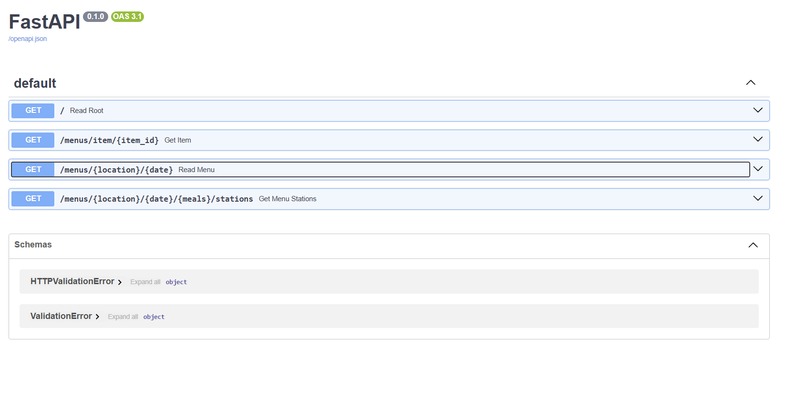
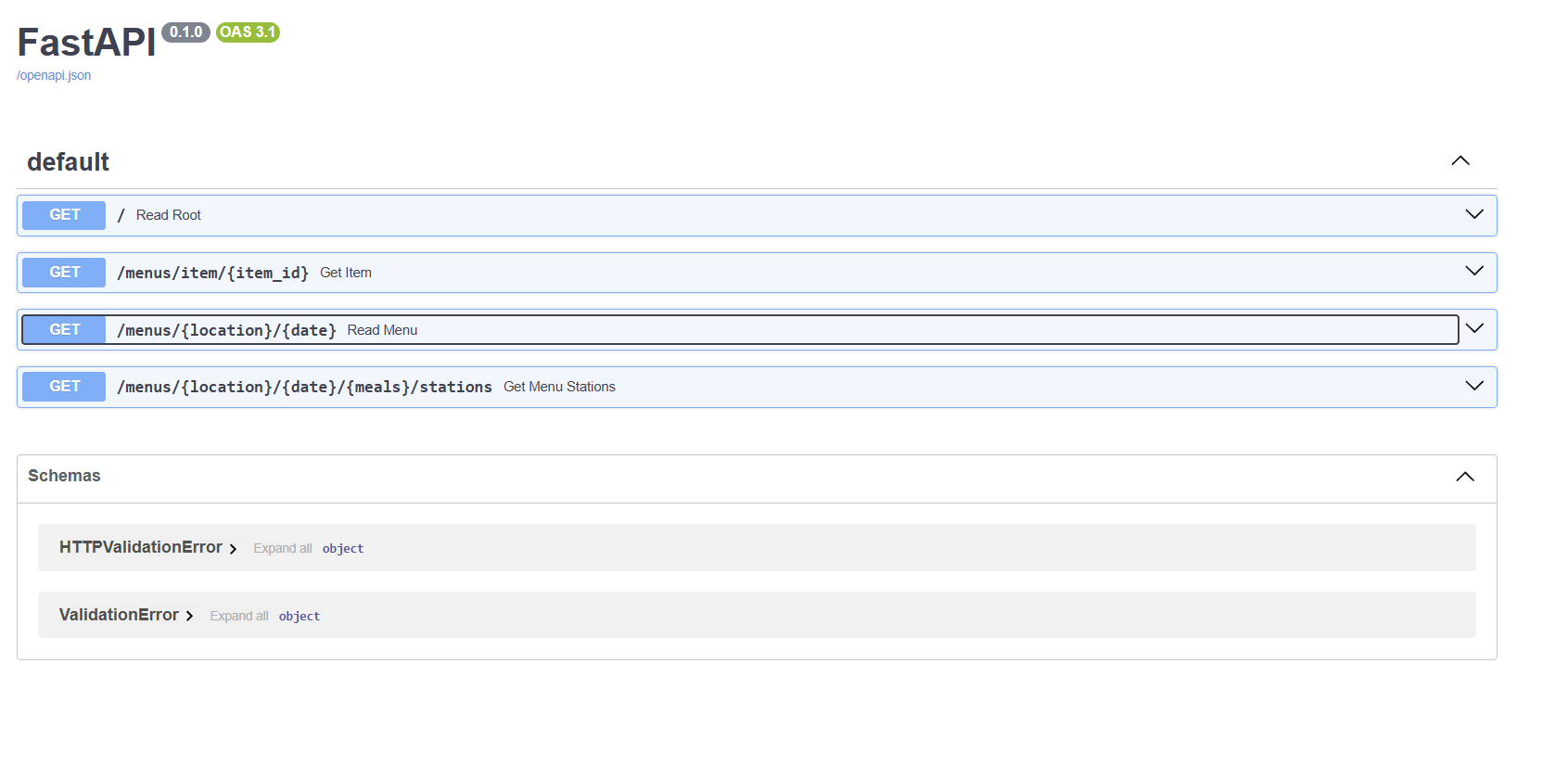
SwaggerUI Documentation page, with expandable categories displaying documentation and allowing testing
-
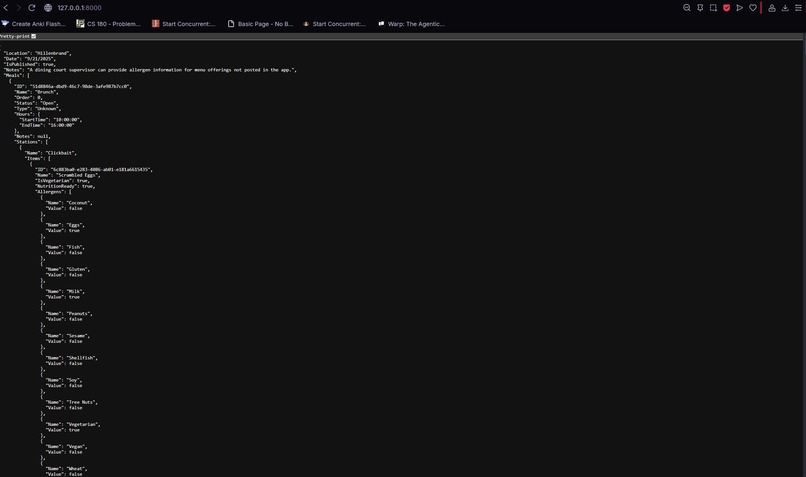
Sample endpoint, Hillenbrand on 09/21/2025
Inspiration
While attempting to create a meal planning map for Purdue students that integrated real-time menu information for Purdue University's Housing & Food Services' (HFS) dining halls, we encountered an unexpected issue: lack of documented, public API support for Purdue Menus.
While researching this issue, we discovered the API used by Purdue HFS, however this brought its own issue. The API was in XML format, which while useful is less developer friendly than JSON, and would introduce unneeded complexities for projects involving the API.
This led to our current project idea, a wrapper API that functions as a proxy API service, where it obtains information from the existing Purdue API, converts it to developer friendly JSON, and then provides documented endpoints for easy use.
What it does
Our API functions as an API proxy service, allowing users to call our JSON-based endpoints instead of simply receiving a raw XML output. This wrapper currently allows users to retrieve the full menu for any dining court on any specific day, retrieve a list of all stations for any dining court during a specific meal, and receive detailed item information for any specific item, including information such as nutritional data or allergens. FastAPI also automatically documents this API using SwaggerUI, allowing for easy implementation into future projects by developers.
How we built it
To build the project, we completed four main steps; 1.) Locating Purdue API: We first located the Purdue HFS API which would be used to obtain the data for our API, and analyzed it to determine additional endpoints (such as stations or specific items). 2.) JSON Converter: We wrote a helper python file that fetches the XML output for a given URL, parses it, and converts it to JSON. 3.) FastAPI Proxy Service: Using fastAPI, we created an API server with new endpoints that forwards requests to the Purdue HFS API, uses the helper Python file to convert it to JSON, and then returns JSON Outcomes through fastAPI endpoints. 4.) SwaggerUI Documentation: FastAPI's built in SwaggerUI documentation allows new endpoints to be
Challenges we ran into
The primary challenge that our group faces was primarily the lack of experience of the majority of our team members, meaning most of us had to learn how APIs worked, how to code in Python, etc during the event. This also posed other challenges, such as inexperience with the VS Code environment leading to difficulties with using a virtual environment or testing the API with Uvicorn servers.
Additionally, we faced challenges relating to the APIs themselves. For example, the XML output of the Purdue API, which required the data to be parsed and converted to JSON. The Purdue API also uses UUIDs over int IDs, leading to additional complexity for working with items.
Accomplishments that we're proud of
- We successfully made a proxy API that converts Purdue's XML based API to a more developer-friendly JSON one.
- This API included multiple endpoints for entire menus, stations, and specific items
- Using SwaggerUI to have new endpoints self-document themselves, making it more developer friendly
- For less experienced members: being able to learn how APIs work and heling develop one ## What we learned
- How to analyze the behavior of undocumented APIs to expose new endpoints, allowing for increased functionality for our API
- Basic Python coding, working in a virtual environment, and using GitHub for a team project
- How to use FastAPI, including features such as async functions, OpenAPI integration, and SwaggerUI
- How to work with XML versus JSON files
What's next for Documented API wrapper for Purdue Dining Menus API
- Deployment - Hosting the API publicly so other can use it
- Additional Endpoints - Create additional endpoints for more specific data, filtering by dietary restrictions, etc
- User authentication - This would increase security and allow personalization per user
- Frontend Integration - Pair this API with a web app to allow students to easily plan meals
Built With
- fastapi
- python


Log in or sign up for Devpost to join the conversation.