-
-
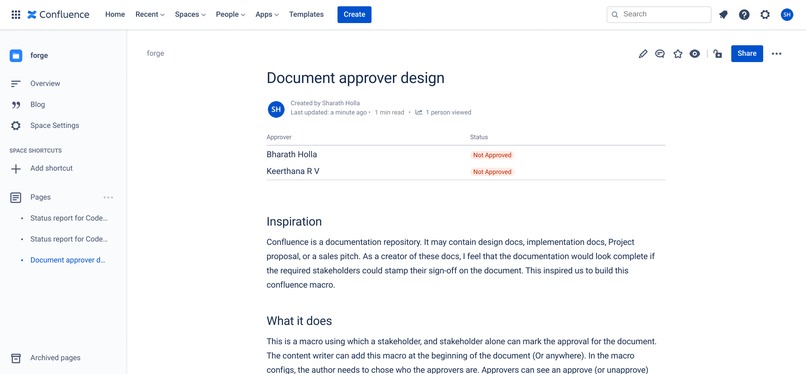
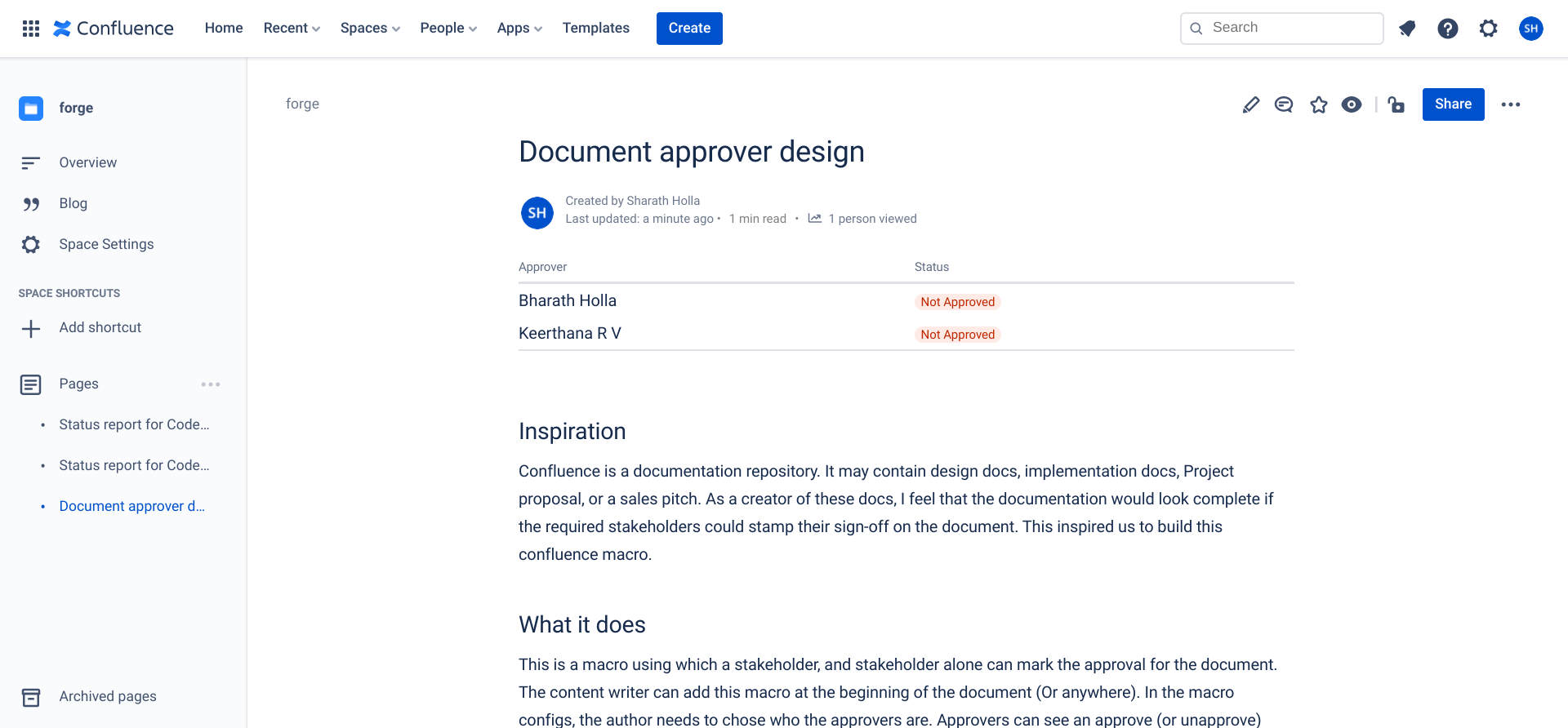
Author view
-
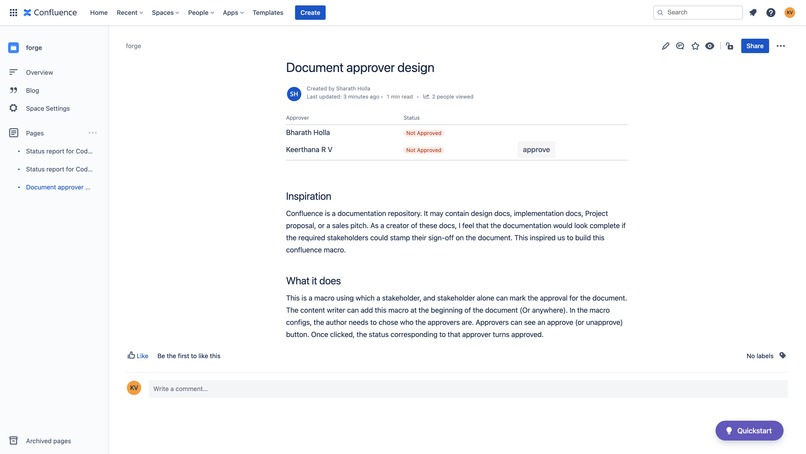
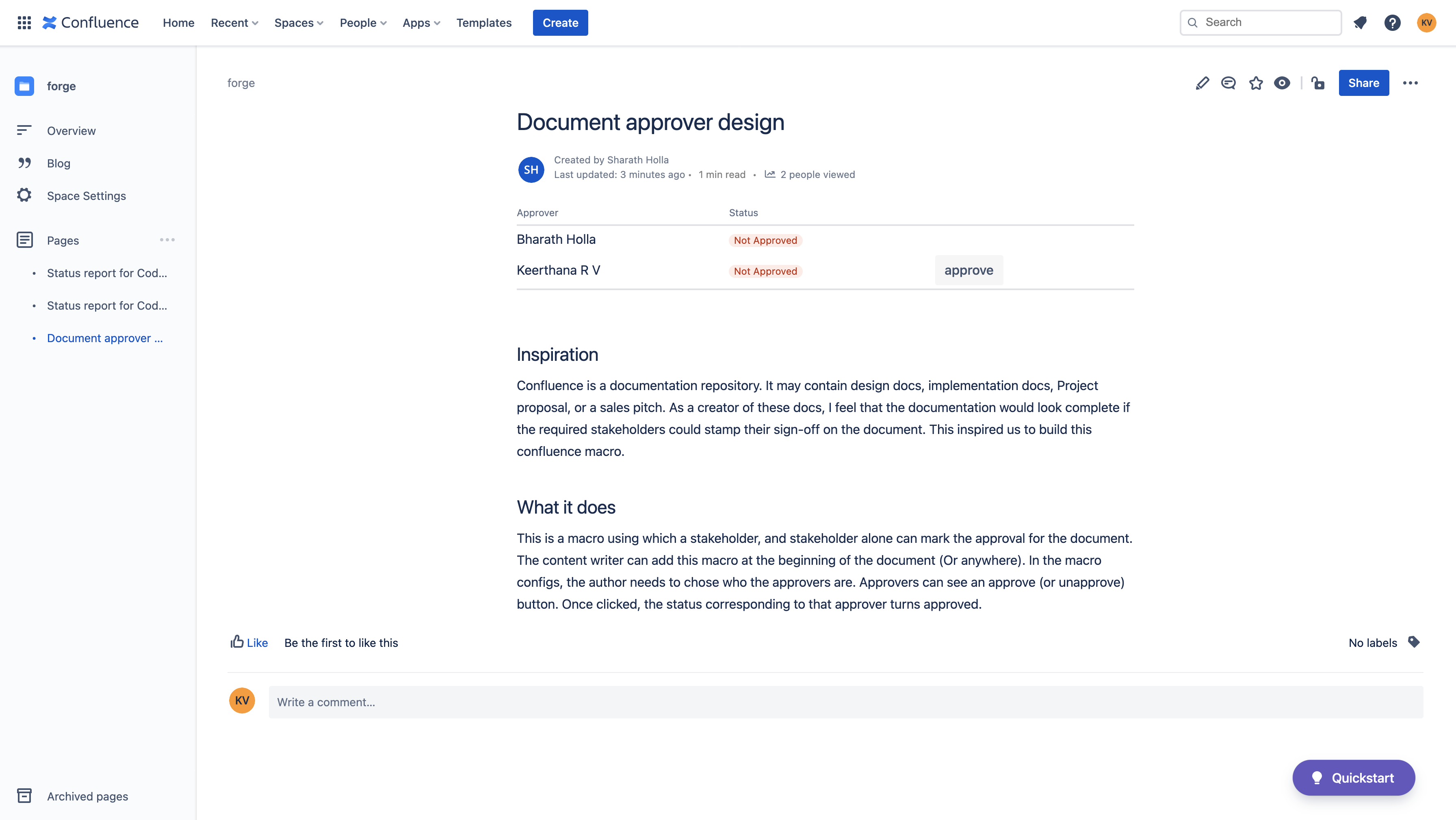
Approver's View
-
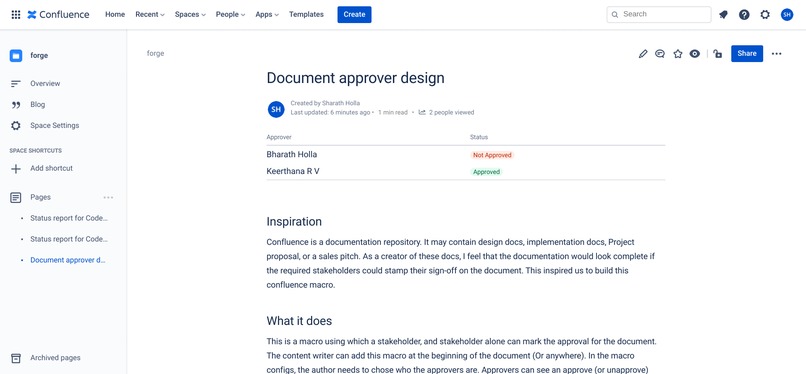
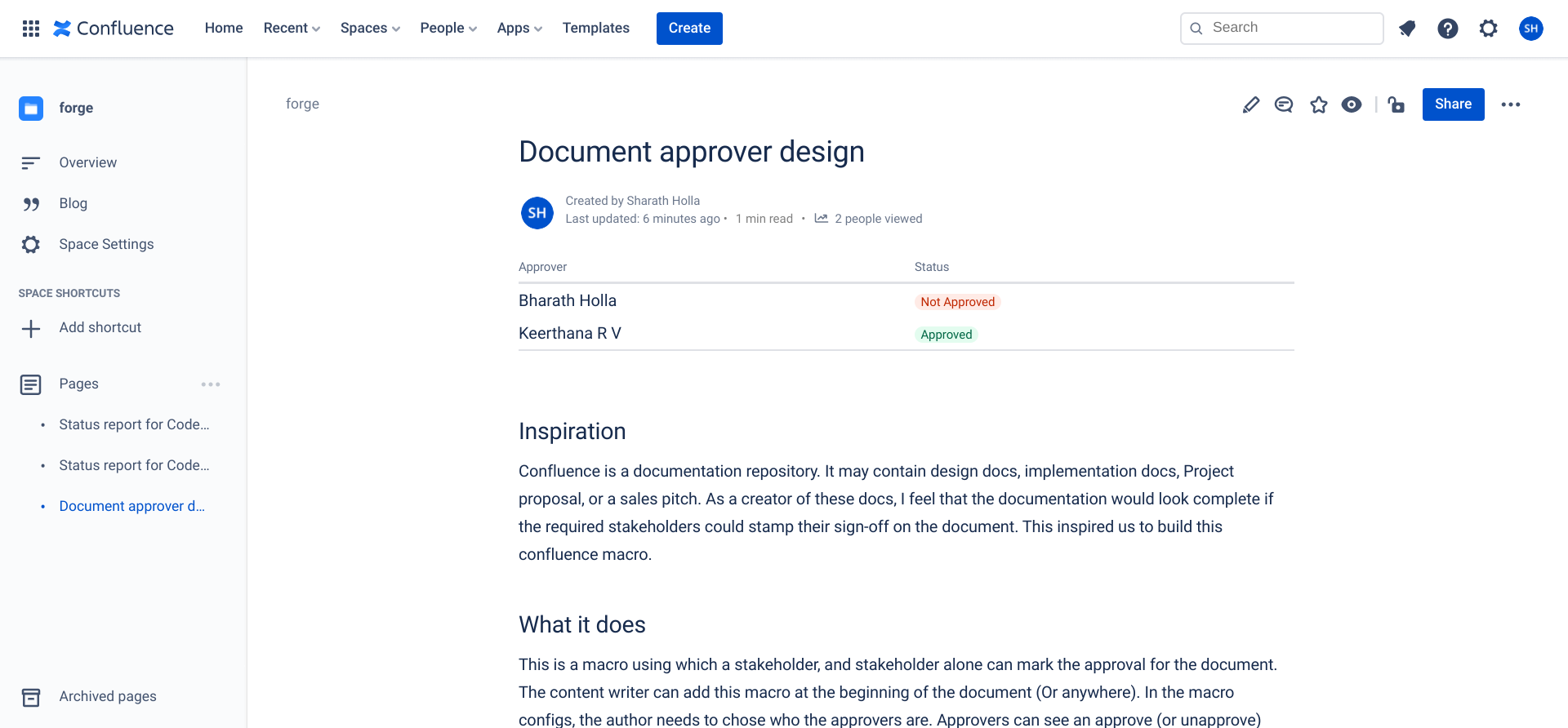
After Approval
-
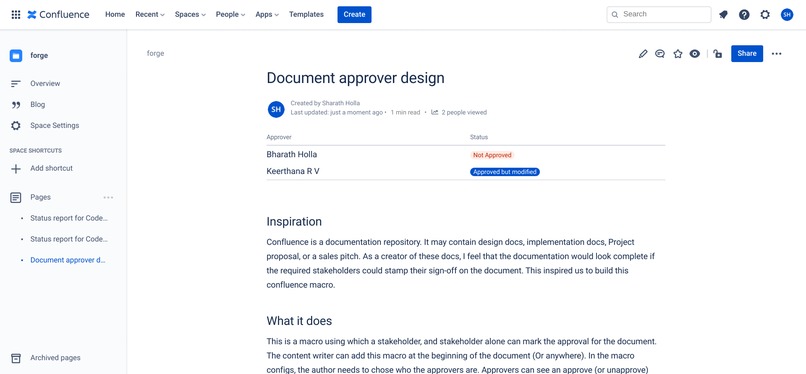
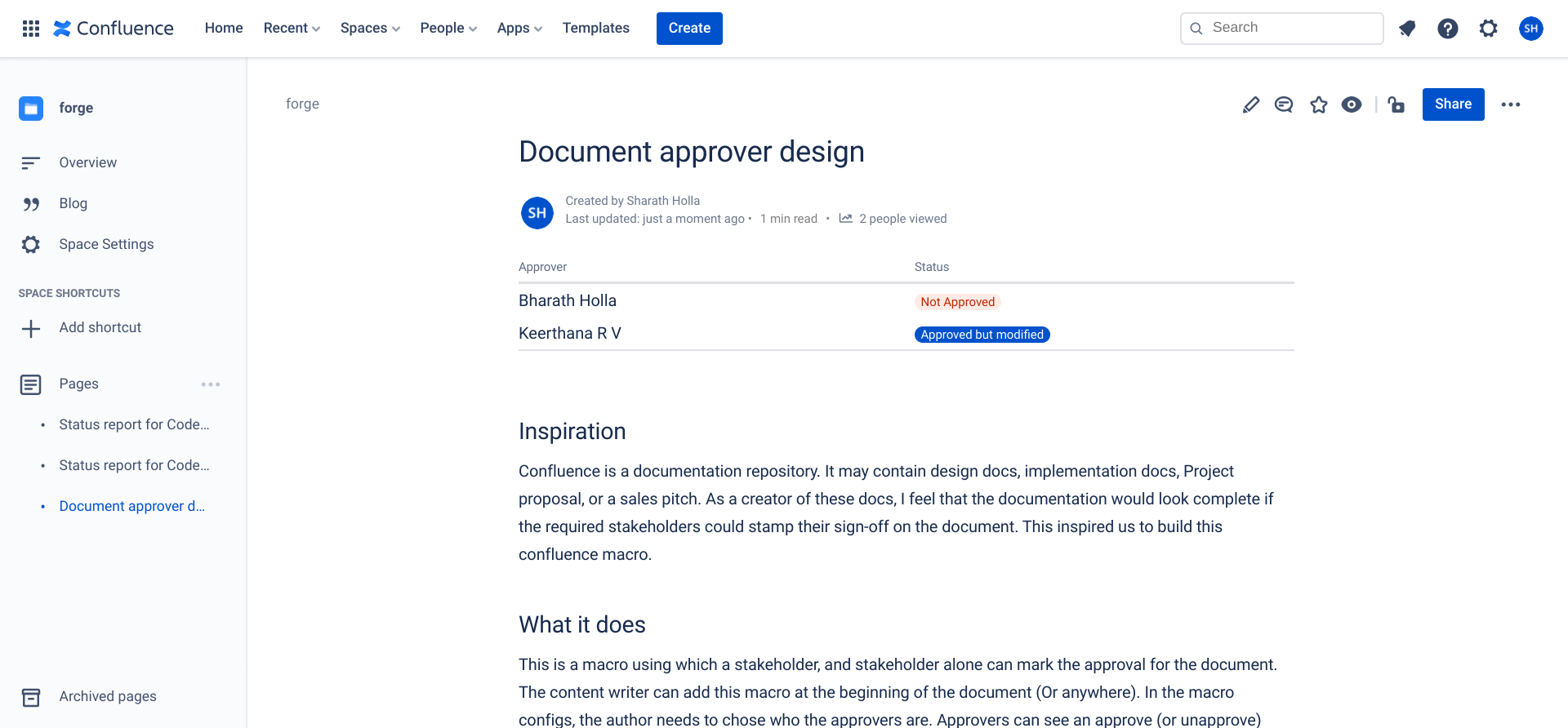
After content modification post approval
Inspiration
Confluence is a documentation repository. It may contain design docs, implementation docs, Project proposal, or a sales pitch. As a creator of these docs, I feel that the documentation would look complete if the required stakeholders could stamp their sign-off on the document. This inspired us to build this confluence macro.
What it does
This is a macro using which a stakeholder, and stakeholder alone can mark the approval for the document. The content writer can add this macro at the beginning of the document (Or anywhere). In the macro configs, the author needs to chose who the approvers are. Approvers can see an approve (or unapprove) button. Once clicked, the status corresponding to that approver turns approved.
If the document is changed after the approver approves, the status turns to "approved but modified". This denotes that the doc has changed. The approver can re-approve the doc again.
How we built it
We used Forge UI and Forge confluence APIs to build this.
Accomplishments that we're proud of
When we use Word or Google docs, we add a table of approvers, where an approver or anyone can add a text of approval. With this macro, a ready made table is created. Only approver can sign off.
What's next for Document approver
Productionizing this app and publish to store

Log in or sign up for Devpost to join the conversation.