-
-
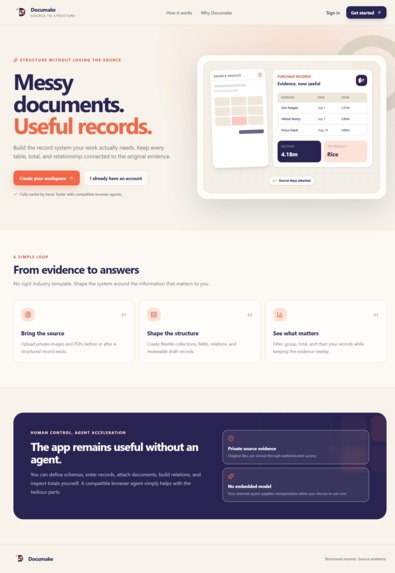
Home
-
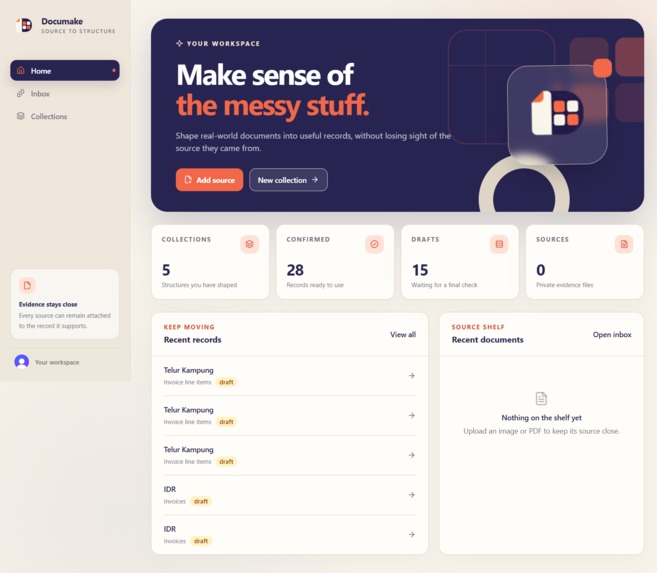
Dashboard
-
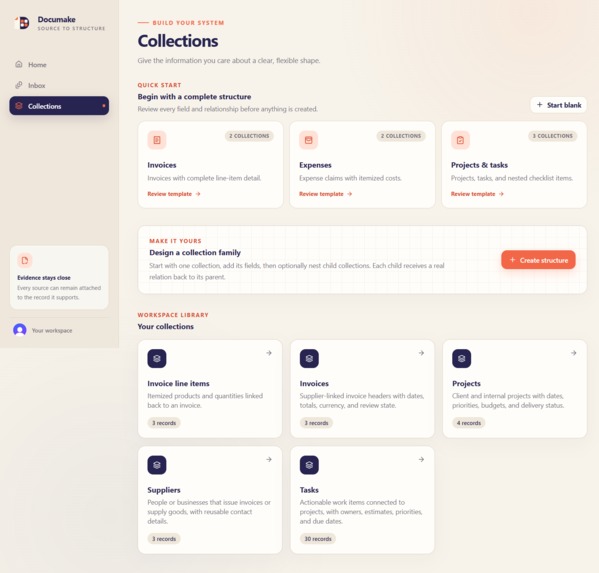
Collections
-
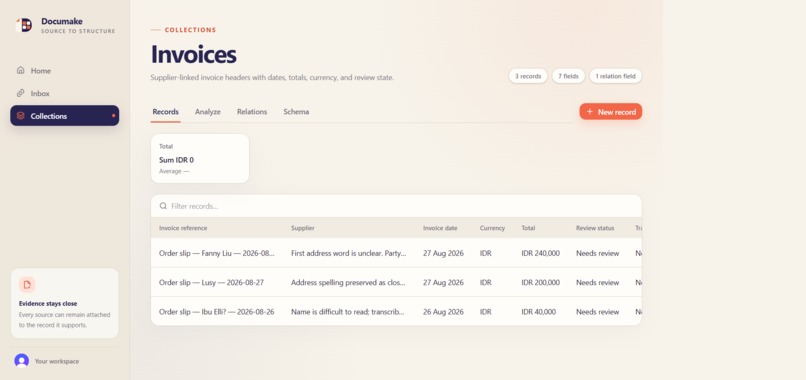
Collection Details
-
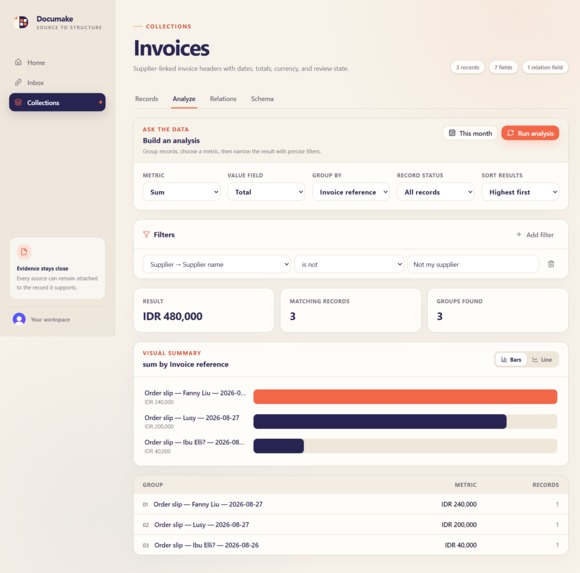
Collection Analysis
-
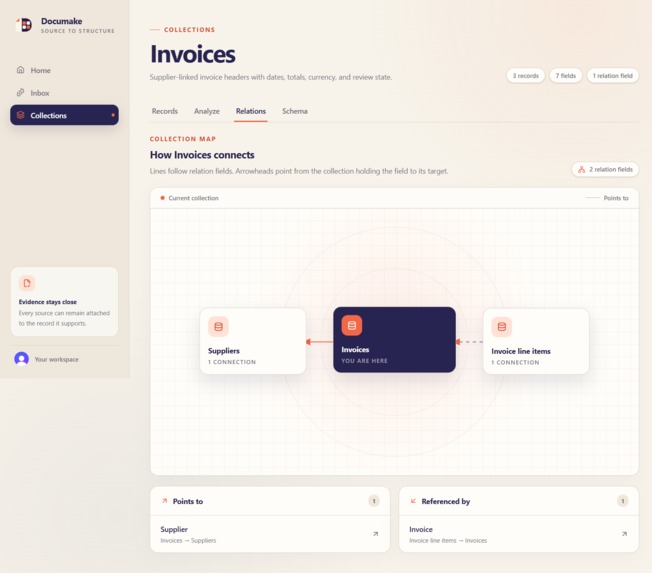
Collection Relations
-
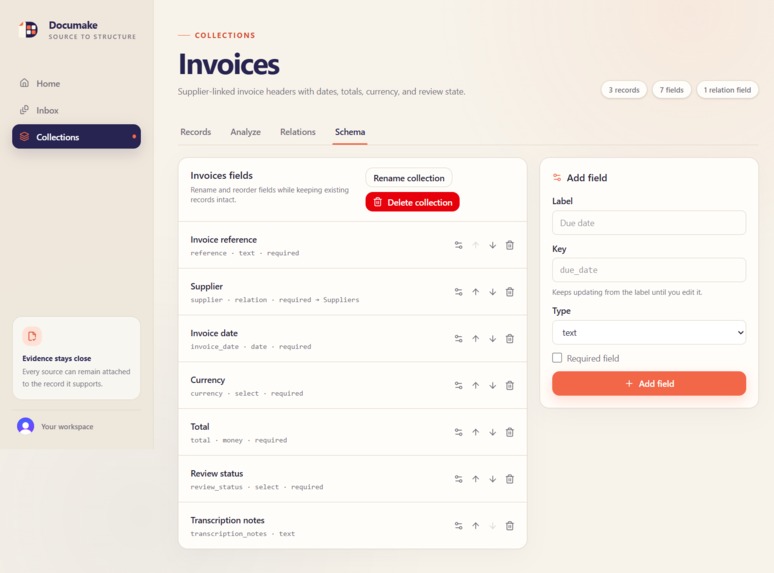
Collection Schema
Inspiration
As a software developer who often works with small business, I have made a lot of sales system, digitizing a business' sales flow from a paper based one. A recurring pattern I encounter is the fact that internal computerization doesn't necessarily solve every paper-based problem.
For example, say we have successfully transformed a business sales flow into a digital one. We have the app deployed and accessible. For our internal sales flows everything is well and good, but our main supplier is still stubbornly paper-based and traditional. They refuse to even at least adapt to using an interface we provide for them. They send their invoices/delivery notes physically or take pictures of them and send it via a messaging app.
Either way, our admin would still have to record the facts again in our own system. And because paper-based system is so susceptible to human error, we often see mistakes that even the supplier missed. "Wait, Product A was only supposed to cost this much!"
This problem goes beyond just sales applications. Having to re-enter data from paper into a computer system is annoying, time-consuming and VERY error prone.
Previous Solutions
I had made several attempts to streamline this manual entry process using agents.
Embedded Agentic Workflow
This is where your agent is embedded directly into your codebase. You design your own agent logic, loops, stop conditions, and error recovery. You either call external AI APIs or host your own models.
You often see these implemented as a chat feature in applications. For our example, we'd probably include a chat window where users can paste/upload pictures of paper documents and say "Hey, can you record this."
Just from this description alone you can already see the massive overhead. Designing your own loops and boundaries for agentic processes is already a hassle. Let alone managing token usage as efficiently as possible.
Also, a custom made agent loop often just doesn't compare to established general purpose agents like ChatGPT.
A direct contrast is using an external agent with out of the box reasoning:
External Agent and MCP
Instead of engineering your own agents, you can use a vendor-managed agent like ChatGPT or Claude. This comes with superior intelligence and out-of-the-box reasoning and error recovery. From experience, this already is far superior. Where your custom agent would fail at unexpected edge cases, ChatGPT's reasoning and self correction would handle it flawlessly within the set boundaries.
Paired with a well-engineered MCP this combo is really useful. Going back to our sales app, an admin would add and configure the MCP, authenticate, and finally connect to it. Then, provided the MCP exposes the tools, they could then upload the same paper document and ask the same thing: "Hey, can you record this."
However it does come with its own cons. The UI is fragmented, as you have to interact with a completely different app. There's also a lot more setup; you have to authenticate twice: once in the app itself and the agent platform. Non technical users might consider this friction too much.
The Beautiful Middle-Ground: WebMCP
It's a browser-native API that lets your experience of using an app with an agent more collaborative. Unlike traditional MCP which often required a separate background server, WebMCP is imbedded in the frontend of your app via modelContext.
You would just open your agent's in-app browser, log in to your app, and your agent will inherit your session state from there. No need for a separate authentication flow and setup. You also share the same visual context as your agent-- again, making the experience way more collaborative and more non-tech friendly.
This "paper documents -> digital data" flow is immediately what I thought of when I found out about WebMCP. Imagine a sales app exposes tools that do these:
- Read product data
- Create draft documents
- Aggregate data
You can take advantage of your agent's advanced visual recognition and multimodal reasoning. Upload your photo and let the agent reconcile actual data to make sure the photo is correct and create a draft document that the user can approve manually. And all this will live in a human-friendly conversation context. If the WebMCP provided the tool, you can even go "Alright, everything looks good. Confirm the draft."
A sales app was the most obvious example for me, but as a proof of concept I wanted to create something more generic that will still be materially useful. That's how I came up with Documake. Importantly, Documake is a distinct app that is still useful on its own. That's my philosophy. WebMCP should be an optional collaborative interface with your agent. Your app should not be static without an agent. You should be able to do things you can do with an agent manually.
So beyond digitizing messy paper invoices, Documake can model pretty much anything.
What it does
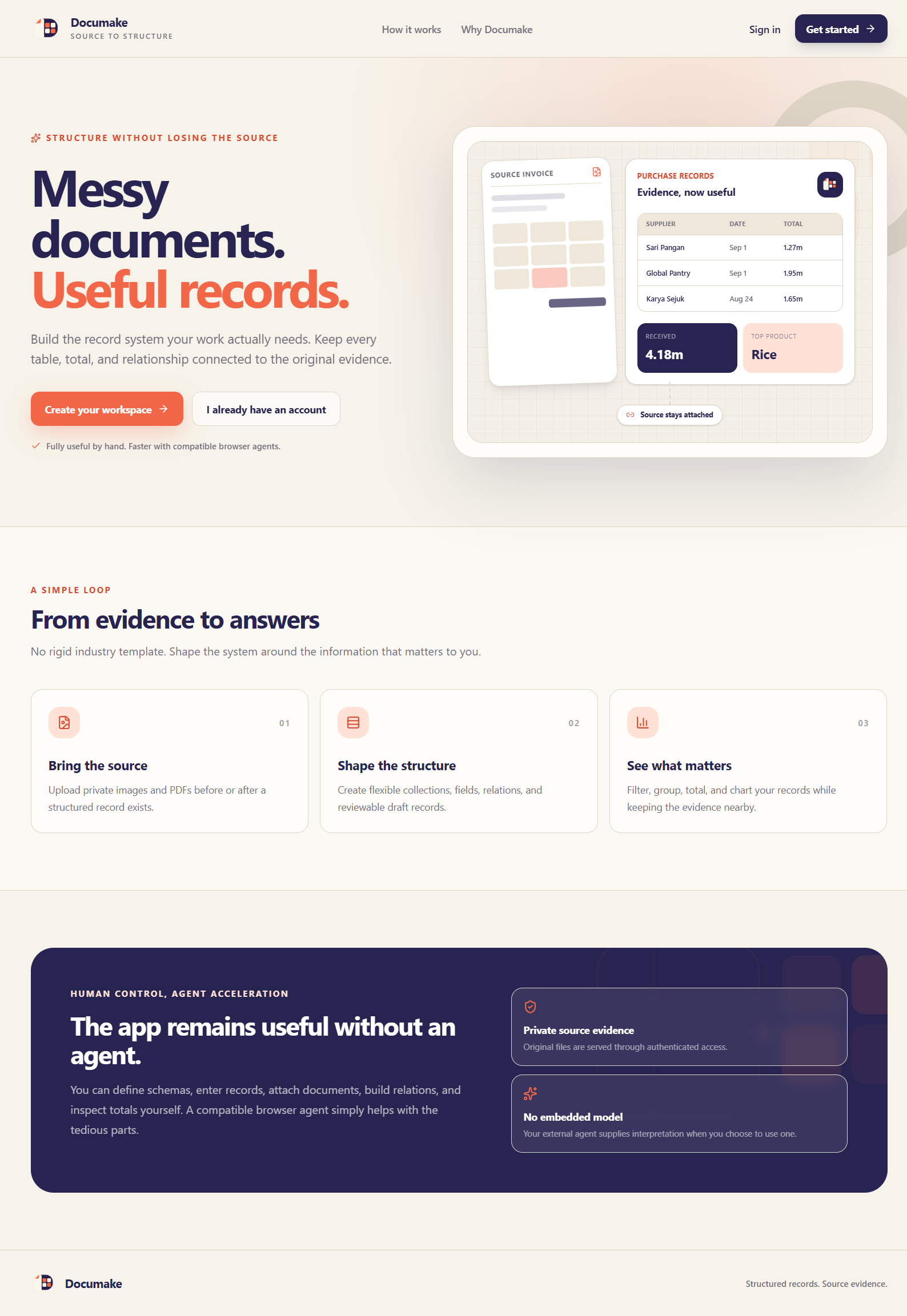
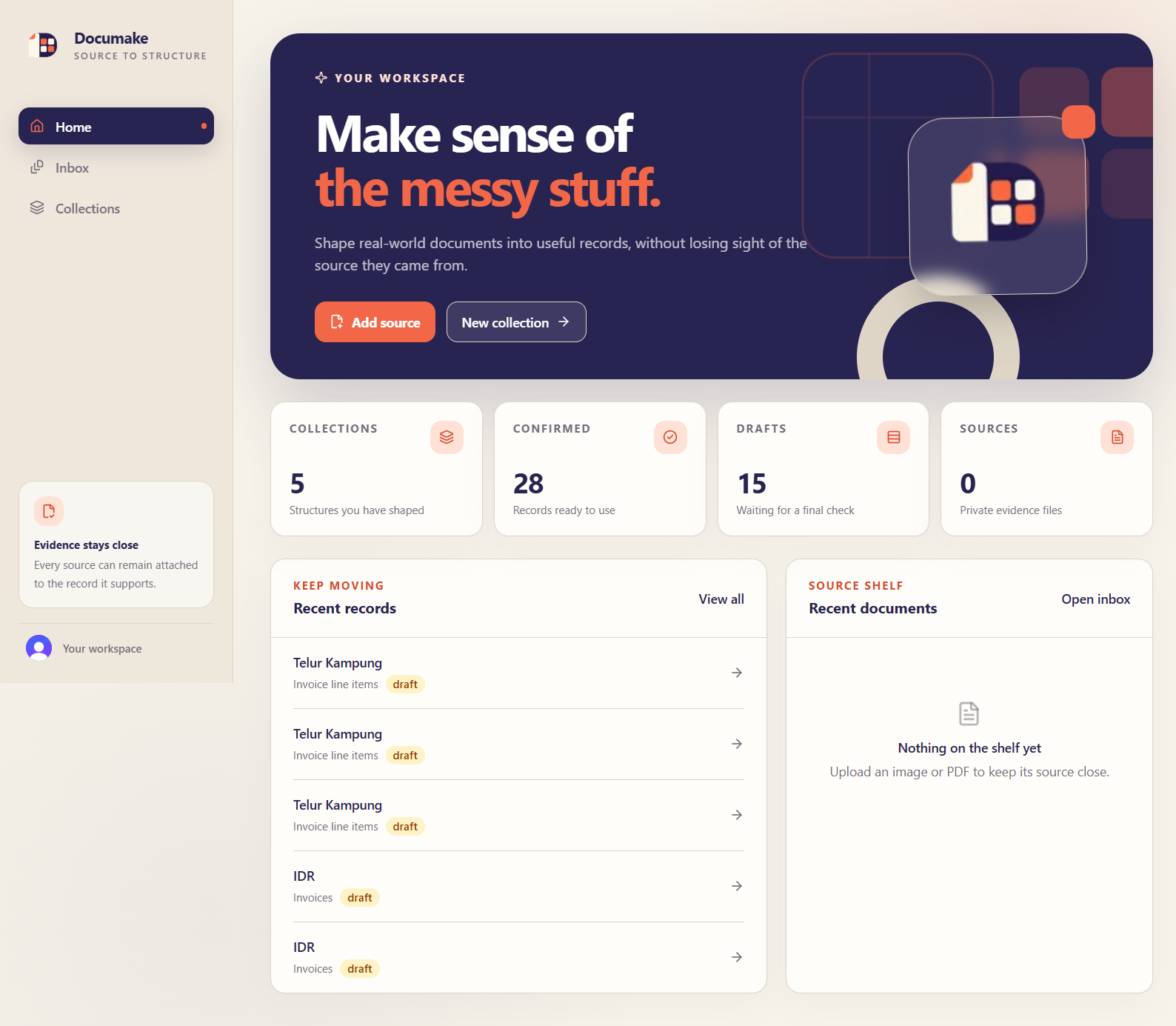
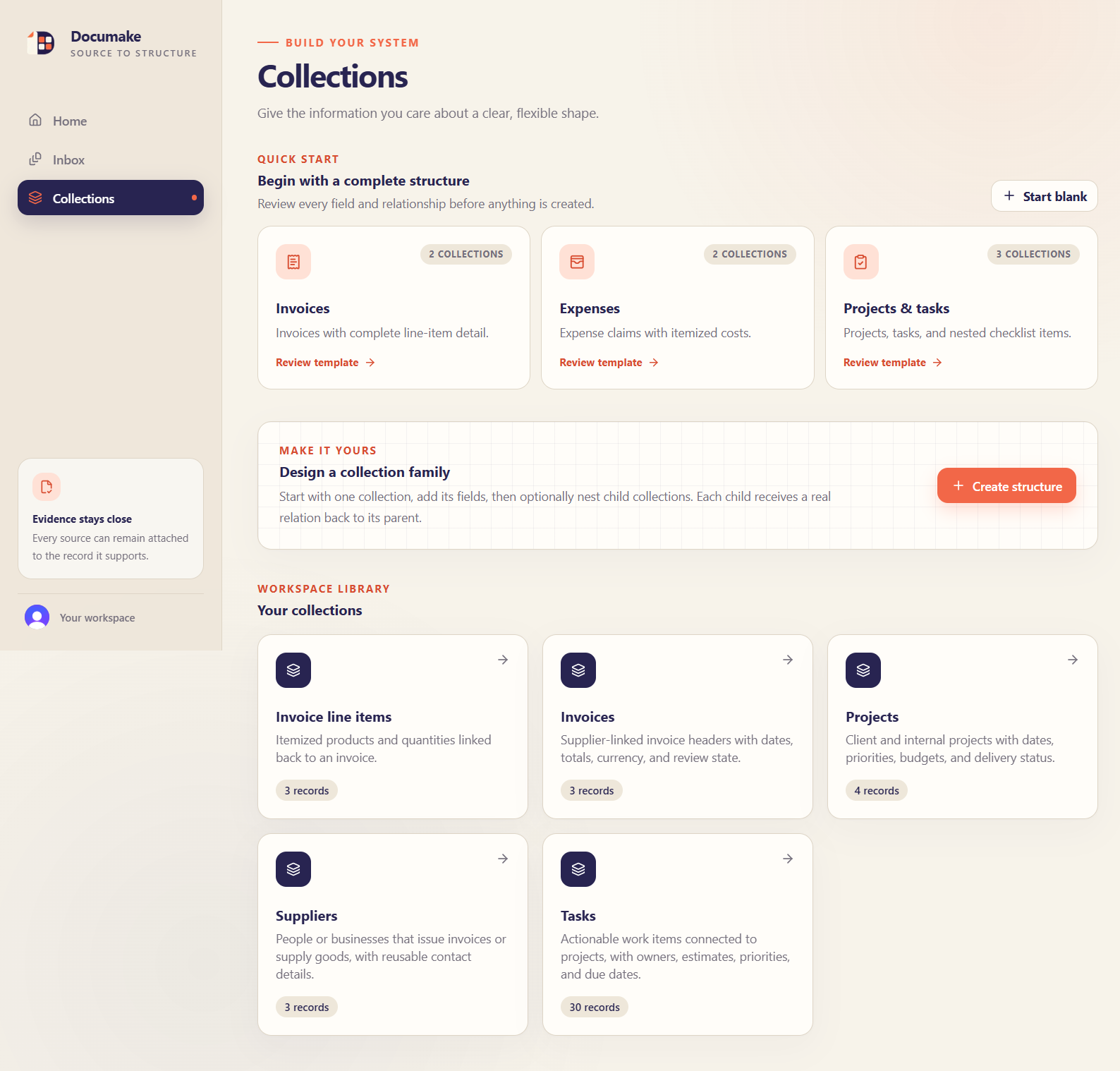
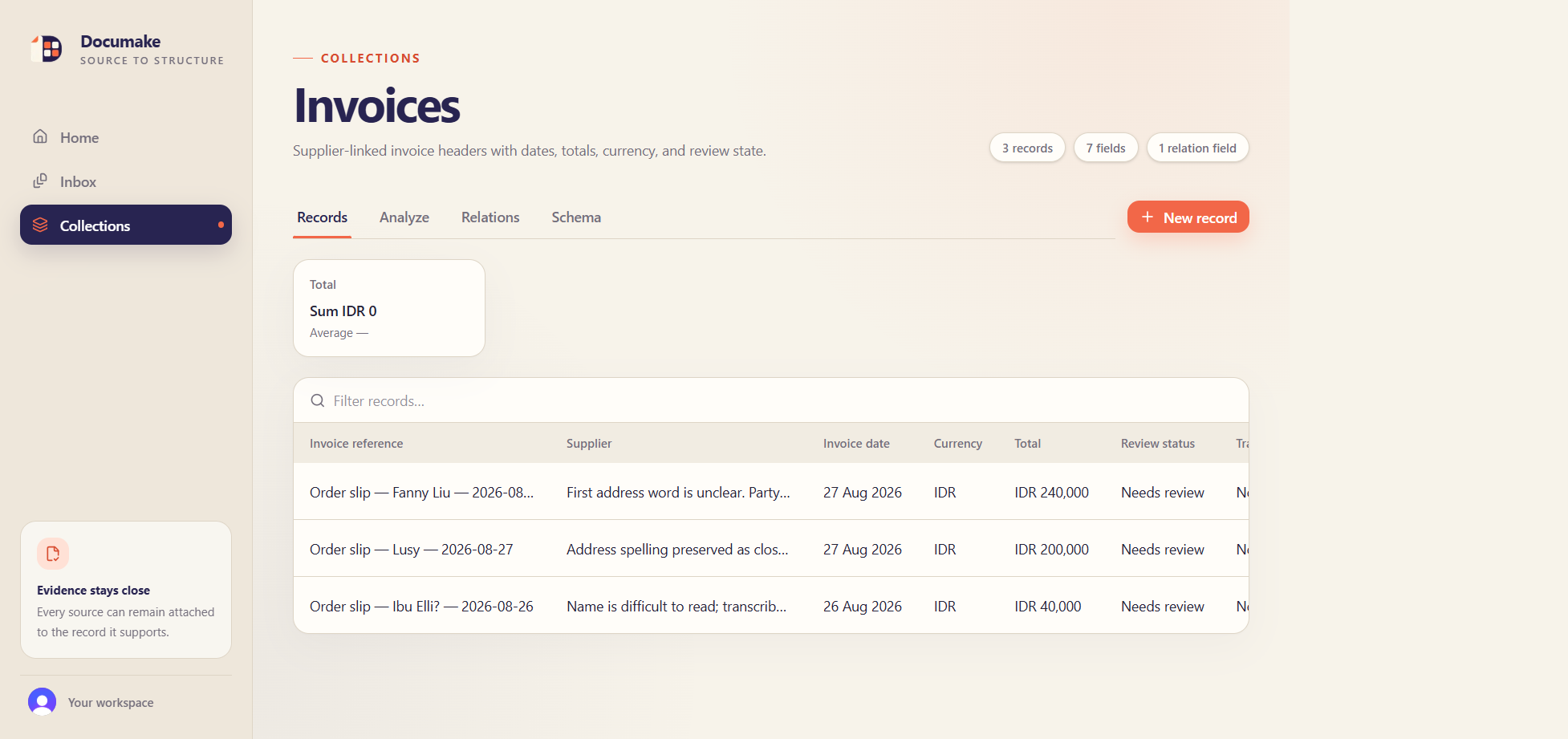
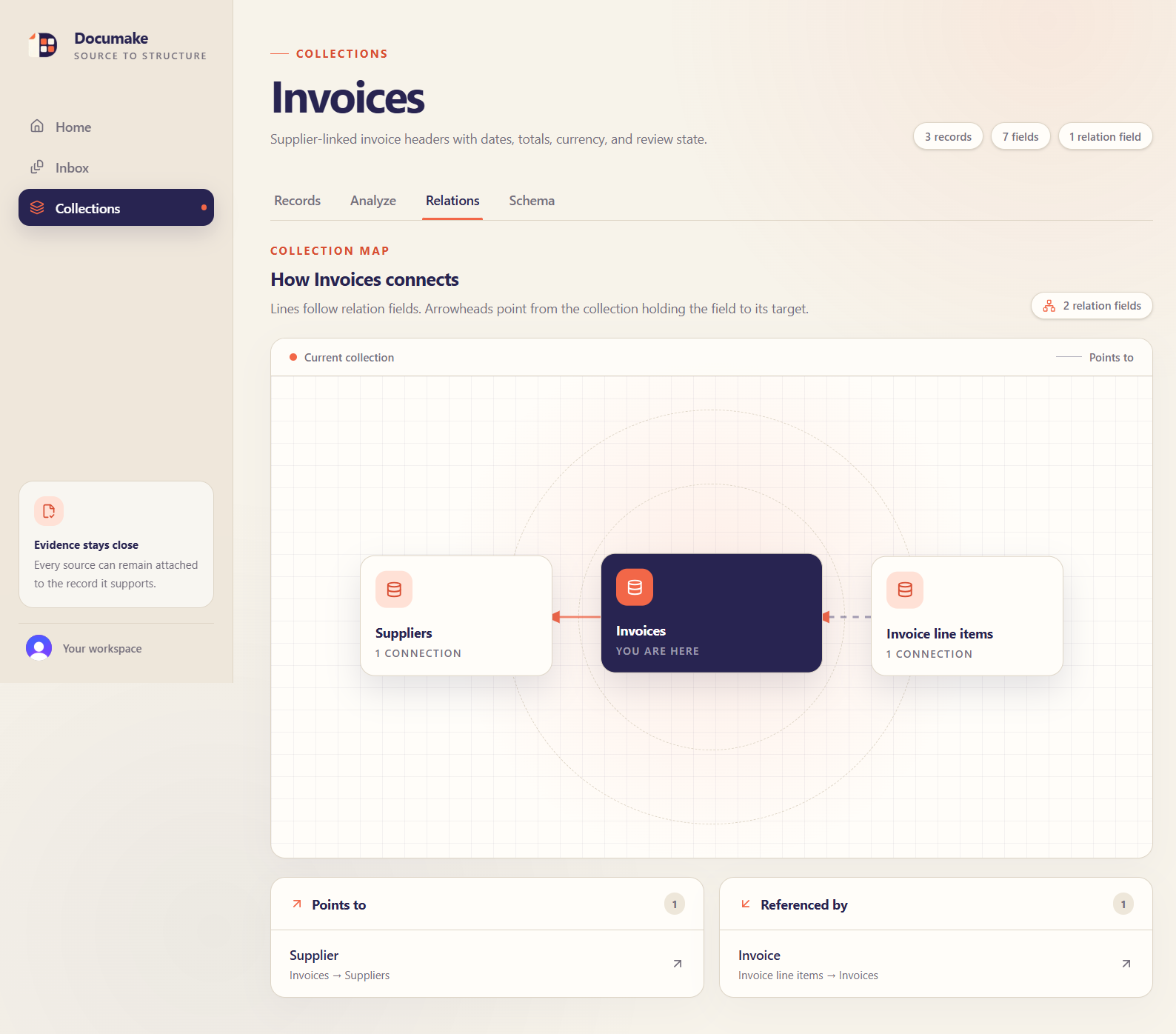
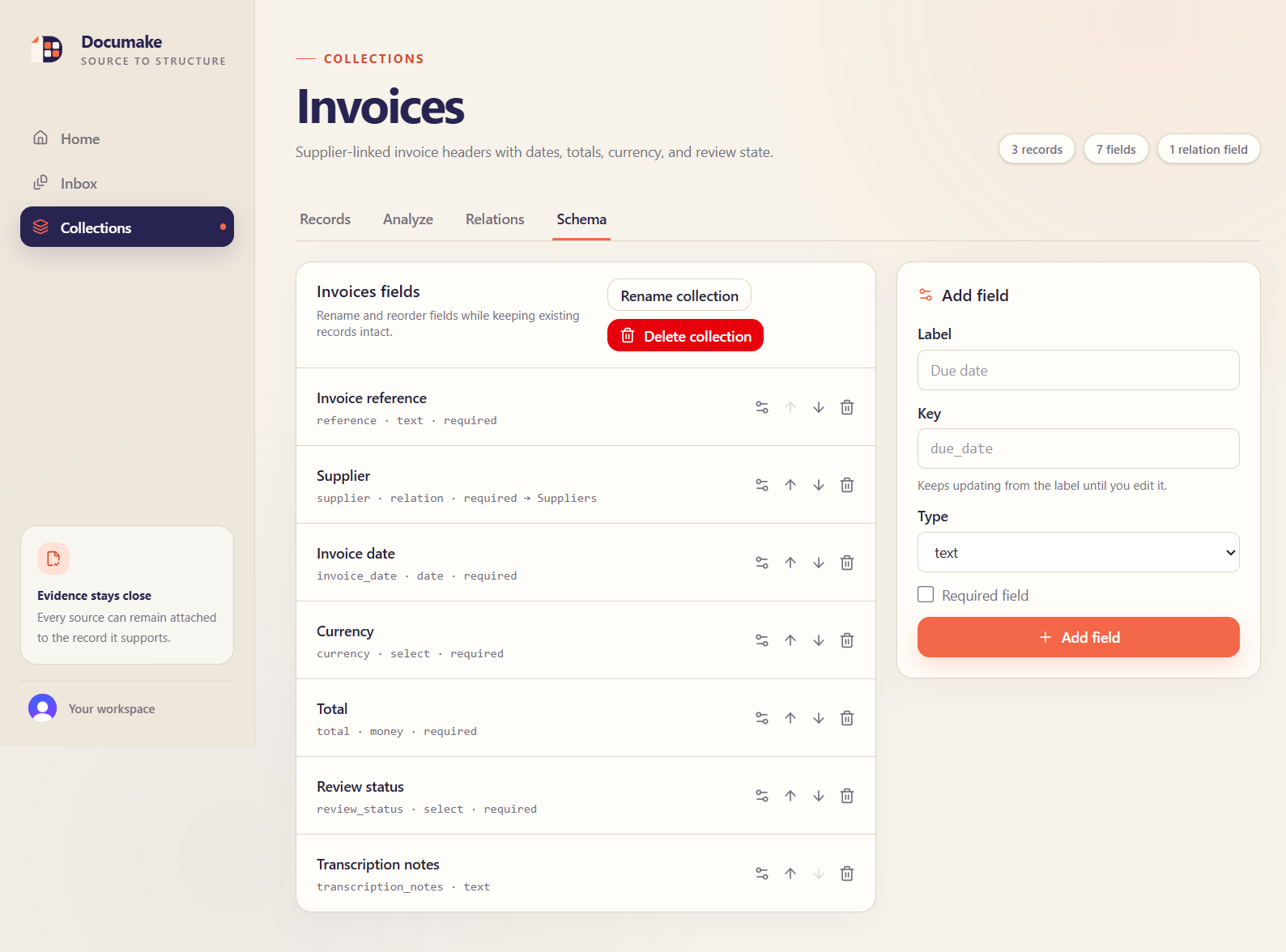
Documake is a flexible, generic record system that turns messy source documents into structured, connected information. Users can design collections and fields for almost any workflow, attach original images or PDFs, review and confirm records, model relationships, and explore totals and trends.
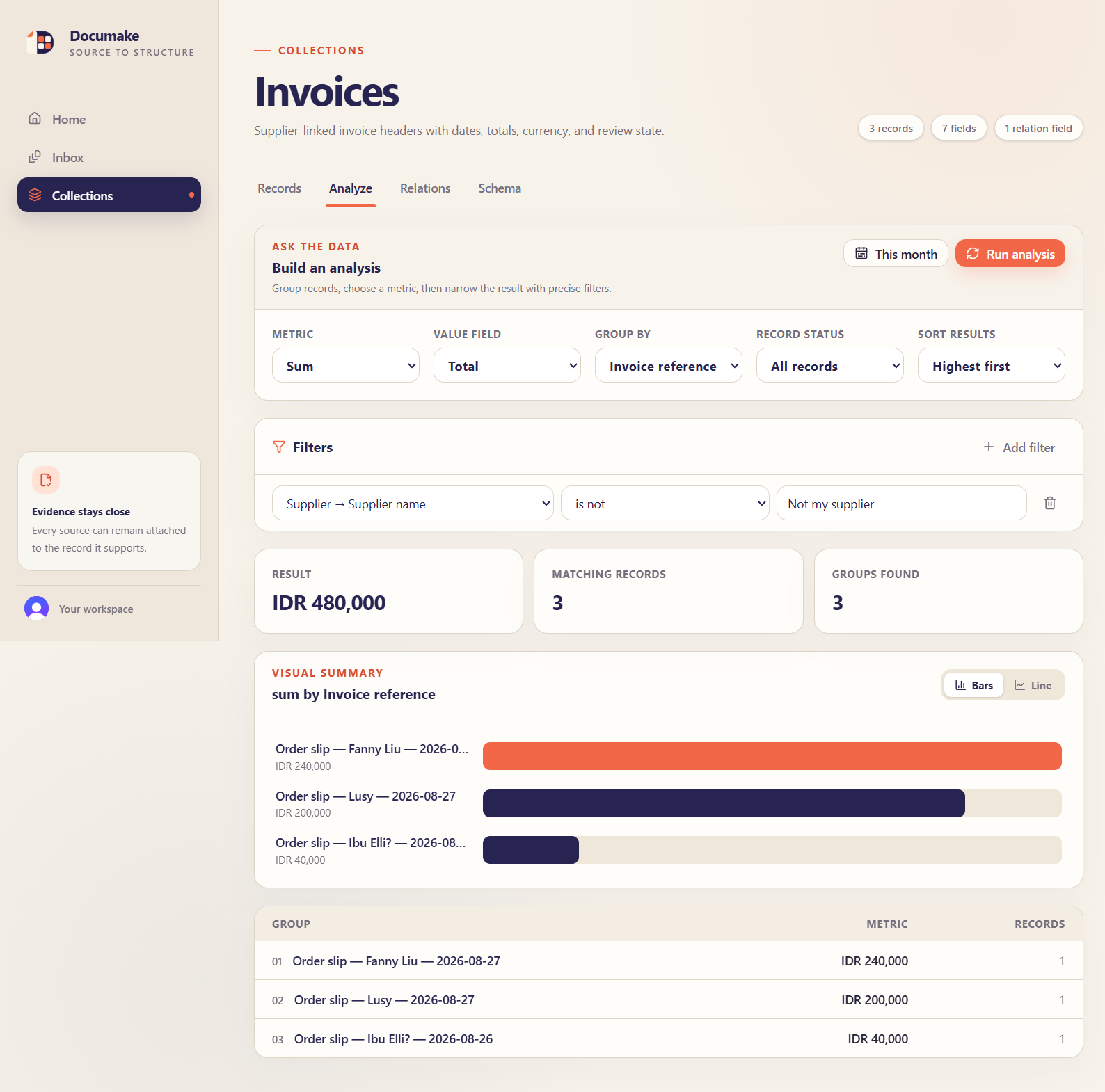
Model and record anything from invoices, delivery notes, to software projects and their tasks. After recording enough, you can aggregate and analyze your data and ask questions such as: "How many of this product did I sell this month?", "How many tasks do I have for this week? Can I afford another 4 hour task?", and many more.
Ask agents about your data
And when I said "ask questions", I don't only mean that metaphorically. With WebMCP, Documake also lets you use your agent of choice and collaborate with it to use the app efficiently. No manual UI tracing and interaction, Documake's WebMCP tools makes interaction super effective.
Instead of your agent having to learn the UI, checking and navigating to the right pages, flipping through different pages and finally accumulating and aggregating the data you need when you ask "How many of Product A did we sell this month?", with WebMCP, Documake can give your agent the right answer right away.
Ask agents to model your messy data
Beyond asking agents about your data, you can also have your agents model your collections. For example, suppose a person whose job is manual data entry for written invoices wants to use Documake to record those invoices, but they are not confident in their schema design skills.
With WebMCP, they can simply open Documake with their agent, perhaps give the agent several photos of the written invoices, and ask "Hey can you make a collection and record these?"
Ask agents to do whatever you want with the data
Beyond the boundaries of Documake, you can simply utilize the fact that its WebMCP can return data reliably to do anything you want with it. For example, maybe you're using ChatGPT work and you've connected Notion or Sheets to your account.
You can ask your agent, "Hey can you take the data from August 2026 and display it nicely in a Notion database?"
How WebMCP was implemented
Documake works as a complete human-facing app with no embedded AI model. Through WebMCP, compatible browser agents can assist with repetitive work such as interpreting documents, drafting records, and querying date, while the user remains in control.
Documake feature-detects document.modelContext and registers tools client-side using document.modelContext.registerTool(...).
Each tool is a just a thin adapter that sends structured input to /api/webmcp, which is a Next.js route handler. That server route applies Clerk authentication, workspace authorization, Zod validation, and calls the same shared domain services used by the normal UI. Mutations trigger a UI refresh. Tools are unregistered cleanly through an AbortController.
Next.js was actually such a perfect fit for developing with WebMCP in mind. There's zero context switching: you build your frontend and your WebMCP in the same place. Every time you need to add a new tool, especially ones that require a server environment, you don't have to context switch to a backend environment completely. You can just quickly add a route handler.
I find the inheritance of browser state particularly useful. Again, non tech users can easily use Documake without having to do any set up.
Registered Tools
list_collections: Lists collections and their record counts.get_collection_schema: Returns a collection’s ordered field definitions and configurations.create_collection: Creates a generic collection.add_field: Adds a text, number, money, date, boolean, select, or relation field. Relation fields usetargetCollectionId.search_records: Searches records using a text query and small structured filters.get_record: Returns one record, including fields, relations, and source-document metadata.create_record_draft: Creates a validated draft and optionally attaches source documents.update_record_draft: Updates values and documents on an existing draft.confirm_record: Fully validates a draft and marks it confirmed.aggregate_records: Calculates count, sum, average, minimum, or maximum server-side.analyze_records: Groups and filters records, supports date buckets, and can traverse one relation for questions such as “Which products sold most this month?”list_documents: Lists safe document metadata, optionally only unlinked documents.get_document: Returns safe metadata and the authenticated Documake page where the agent can visually inspect the source.
How we built it
I used codex to build the initial MVP for this, literally working along side it in ChatGPT desktop while having the localhost open and testing the WebMCP at the same time. It worked great!
Challenges we ran into
I didn't really run into much of a challenge. I had only about 4 days left when I joined the hackathon but I didn't have to ruminate that long for an idea since I had personally used agents like this in the past a lot, so WebMCP just immediately gave me the idea to improve upon this.
What we learned
I think we're heading in the right direction with WebMCP. Never really used the in-app browser until during development. My eyes were opened. It's a lot more useful than I imagined. And that was before WebMCP.
It's already working so well. I specifically tested by omitting any mention in my prompt about using WebMCP and my agents immediately discovered and used it. I thought that was awesome, especially since WebMCP is still in beta and highly experimental. It's already working so well.
What's next for Documake
I want to make this app more substantial on its own. It's already useful and I can see myself using it or directing my family members to it when they need digitization of their small businesses, but there are some new features I can think of which could add to Documake:
- Literal document visualization: coordinate based visual modeling of collections, where you can draw how a collection should be represented and printed.
- Improved analyzation page for a collection. While already pretty complete, we could add make the aggregation and filtering more sophisticated.
Built With
- ai
- nextjs
- typescript
- webmcp


Log in or sign up for Devpost to join the conversation.