Inspiration
We noticed that students and professionals often deal with large amounts of information spread across PDFs, textbooks, lecture notes, presentations, research papers and images. Understanding this information, finding important concepts and preparing for exams often requires switching between multiple applications.
Most AI chatbots provide answers, but they do not always maintain document context, adapt their teaching depth or help users actively test their understanding.
We wanted to build an AI-powered workspace that could do more than answer questions. We envisioned an assistant that could read, understand, explain, analyze, teach and transform information into useful knowledge.
That vision inspired DocPilot AI — VISION.
What it does
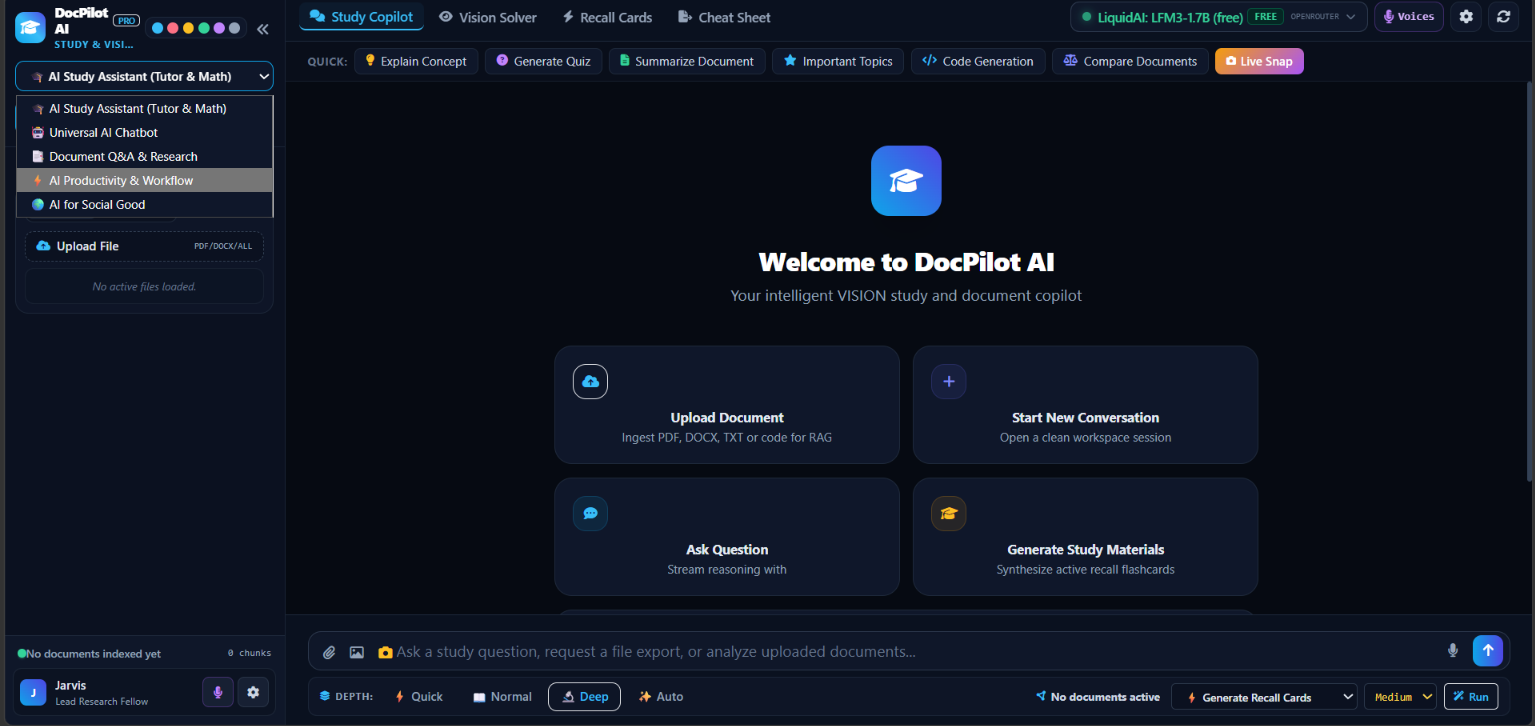
DocPilot AI is a multi-purpose AI copilot that adapts to different workflows and user requirements.
Its key capabilities include:
- Universal AI Chat: An everyday assistant for general questions, explanations, coding and problem-solving.
- Document Q&A and Deep Research: Processes uploaded documents, retrieves relevant content using Retrieval-Augmented Generation (RAG) and generates context-grounded answers with source references.
- AI Study Copilot: Supports Quick Study, Normal Learning, Deep Learning and Auto Adaptive teaching depths.
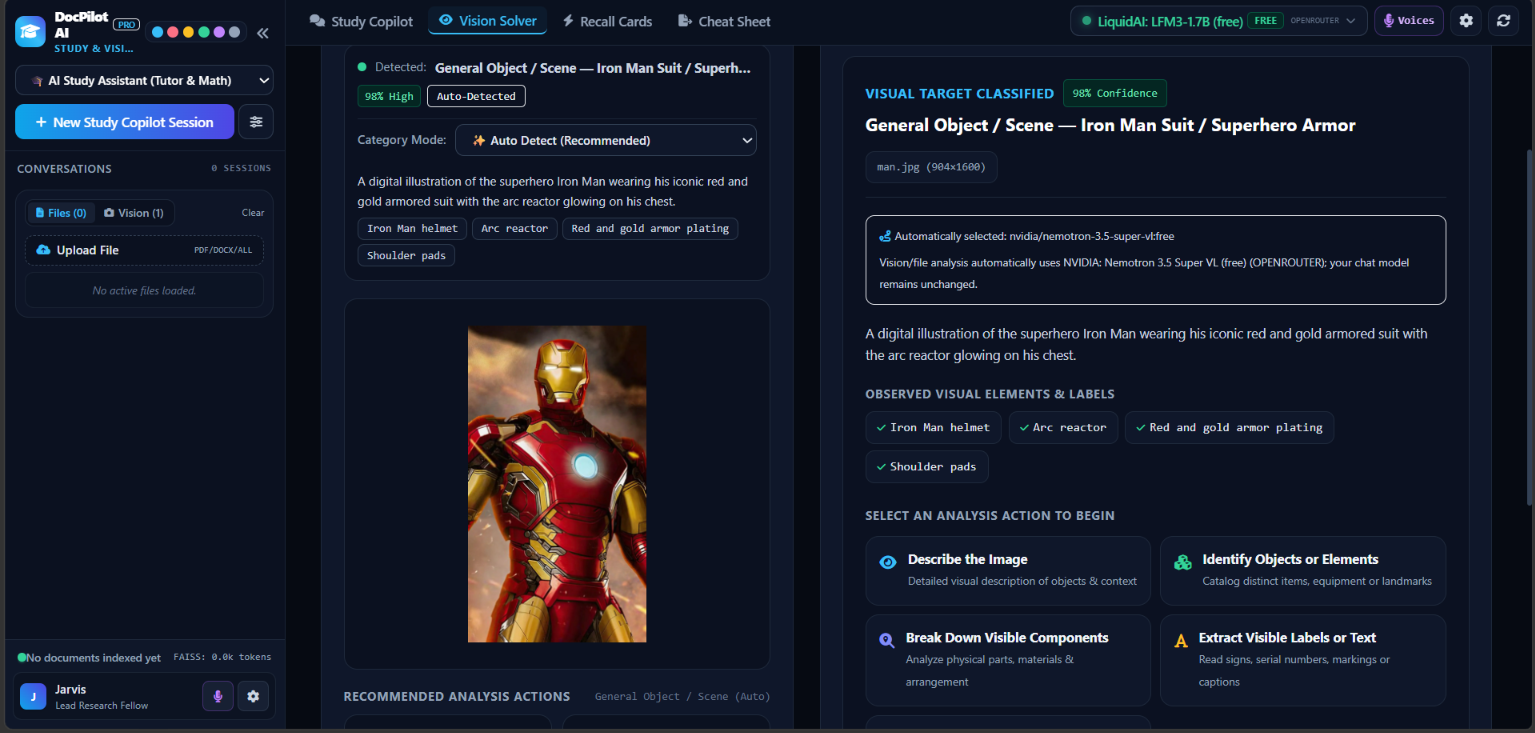
- VISION Solver: Analyzes images, diagrams, mathematical derivations, screenshots and other visual inputs using multimodal AI.
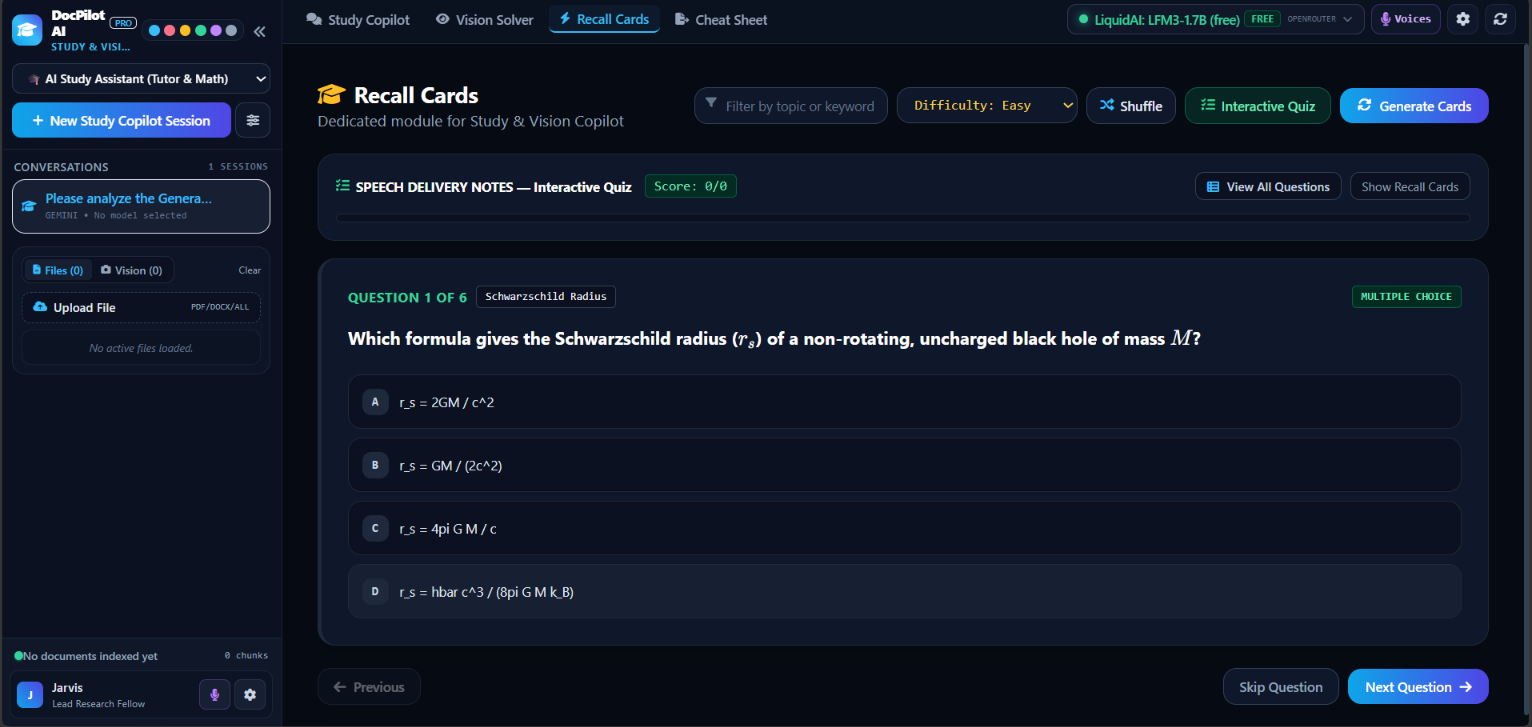
- Adaptive Recall Cards: Creates topic-specific flashcards to strengthen active recall.
- Interactive Quizzes: Generates multiple-choice and fill-in-the-blank questions, evaluates responses and provides feedback.
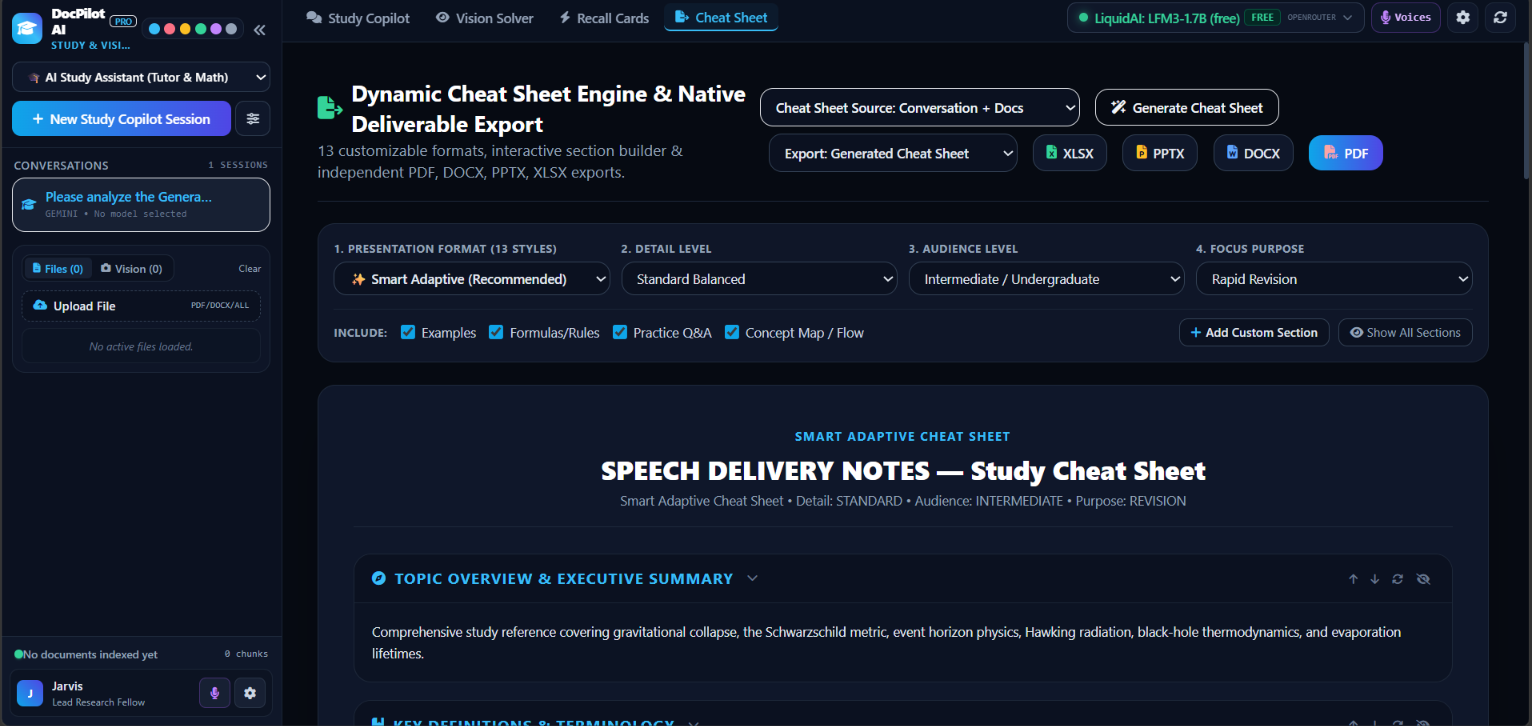
- Dynamic Cheat Sheets: Organizes important definitions, concepts, formulas, explanations and revision points based on the selected topic or documents.
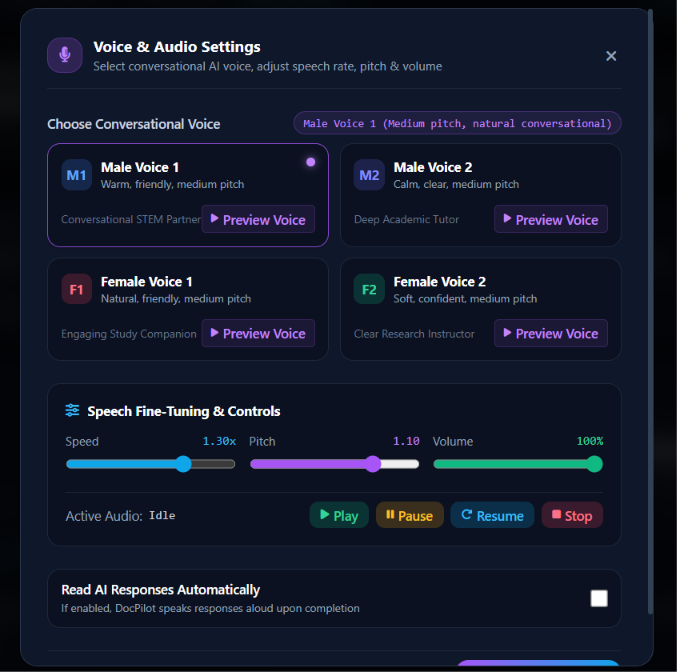
- Voice Assistance: Offers optional natural text-to-speech with selectable voices and reading styles.
- Professional Exports: Generates structured PDF, DOCX and PPTX study materials and reports.
- Productivity and Workflow Hub: Supports general productivity tasks, planning, content generation and other workflows.
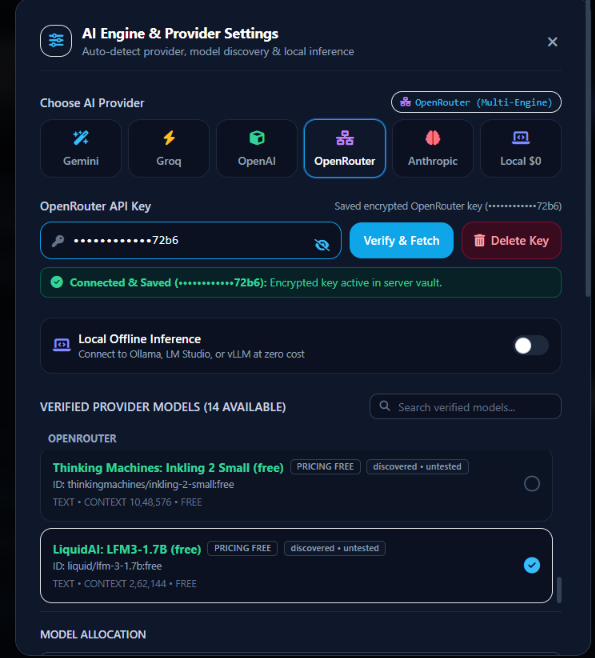
Users can select different AI providers and available models according to their requirements.
How we built it
We designed DocPilot AI as a modular application combining a web-based interface, backend services, AI model integrations and document intelligence.
The main technologies and components include:
- Frontend: HTML, CSS and JavaScript for the interactive application interface.
- Backend: Python and FastAPI for API services, document processing and AI orchestration.
- AI Integration: Multiple configurable providers, including Gemini, OpenAI-compatible APIs and local inference through Ollama.
- Document Intelligence: File extraction, text cleaning, document chunking and semantic retrieval.
- RAG Pipeline: Embeddings and vector-based similarity search to retrieve relevant document passages before generating answers.
- Conversation Memory: Session-specific conversation context and document associations for continuity across interactions.
- Multimodal Processing: Vision-capable models for image understanding and visual problem analysis.
- Learning Engine: Topic-adaptive summaries, recall cards, quizzes and teaching-depth controls.
- Export Engine: Format-specific generation for PDF, Word and PowerPoint documents.
- Voice Engine: Browser-based speech synthesis with configurable voice and reading preferences.
A central design principle was to make the application adaptive. A simple greeting should receive a quick response, while a complex scientific concept or mathematical derivation should receive a more detailed explanation when requested.
Challenges we ran into
Building a unified AI assistant introduced several technical challenges.
1. Document extraction and understanding
Different file formats contain different structures. PDFs can include embedded fonts, mathematical expressions, scanned pages and complex layouts. We had to focus on extracting readable content rather than accidentally indexing raw document metadata or binary structures.
2. Reliable document-grounded answers
Retrieving relevant chunks is only one part of RAG. The actual extracted content must reach the selected model with enough context to answer questions accurately. We worked on improving retrieval coverage, document associations and source references.
3. Persistent memory
We wanted uploaded documents to remain available to their respective conversations, even when users detach files from the chat input or return to previous sessions. Maintaining correct session-level associations while avoiding cross-session data leakage was an important challenge.
4. Multiple AI providers
Each provider has different API authentication, model discovery and request requirements. We needed to handle API-key verification and ensure unavailable or unverified models could not be selected accidentally.
5. Professional document generation
Generating a PDF, DOCX and PPTX requires more than changing a file extension. Each format needs its own layout, typography, spacing, tables, headings, equations and page or slide structure.
6. Balancing response quality and speed
Deep reasoning is valuable for difficult problems but unnecessary for simple interactions. We introduced adaptive teaching depths and task-based workflows to balance response speed with explanation quality.
Accomplishments that we're proud of
We are proud of bringing multiple AI capabilities into one integrated workspace instead of building another standalone chatbot.
Some of our key accomplishments include:
- Developing a multi-provider AI architecture with configurable model selection.
- Building a document intelligence workflow around extraction, embeddings and semantic retrieval.
- Designing multiple teaching depths for different learning requirements.
- Integrating visual problem analysis through a dedicated VISION Solver.
- Developing separate learning tools for summaries, recall cards, quizzes and cheat sheets.
- Adding optional natural voice reading for AI-generated explanations.
- Creating format-specific document export workflows for PDF, DOCX and PPTX.
- Designing independent chat modes so users can create separate sessions for different tasks and model configurations.
Most importantly, we built DocPilot AI around the idea that AI should adapt to the person using it, rather than forcing every user into the same interaction style.
What we learned
This project gave us practical experience in developing a complete AI-powered application.
We learned how to integrate different AI providers, work with multimodal models, build document-processing pipelines, implement vector-based retrieval and manage conversation context.
We also gained experience in handling complex file formats, generating structured documents, designing interactive learning systems and improving application reliability.
One of our biggest takeaways was that a useful AI product is not defined only by the intelligence of its underlying model. The quality of its data, retrieval, context management, interface and user experience are equally important.
We also learned that different tasks require different levels of reasoning. An effective assistant must know when to respond quickly and when to provide a detailed explanation.
What's next for DocPilot AI — VISION
Our goal is to evolve DocPilot AI into a more intelligent, reliable and personalized AI workspace.
Future improvements include:
- More accurate extraction from scanned documents, complex PDFs and technical files.
- Stronger document understanding with page-level citations and source verification.
- More efficient long-term session memory and document retrieval.
- Faster responses through intelligent model routing and optimized context management.
- More advanced multimodal reasoning for diagrams, handwritten work and technical images.
- Personalized learning paths that adapt to a student's knowledge and performance.
- Improved interactive assessments with adaptive difficulty and progress tracking.
- More advanced voice interaction and natural conversational experiences.
- Expanded productivity workflows for developers, researchers and professionals.
Our vision is simple: DocPilot AI should turn information into understanding, understanding into knowledge, and knowledge into action.
Built With
- artificial-intelligence
- css3
- faiss
- fastapi
- gemini-api
- html5
- hugging-face
- javascript
- machine-learning
- ollama
- openai-api
- pymupdf
- python
- python-docx
- python-pptx
- reportlab
- rest-api
- retrieval-augmented-generation-(rag)
- sentence-transformers
- sqlalchemy
- sqlite
