-
-
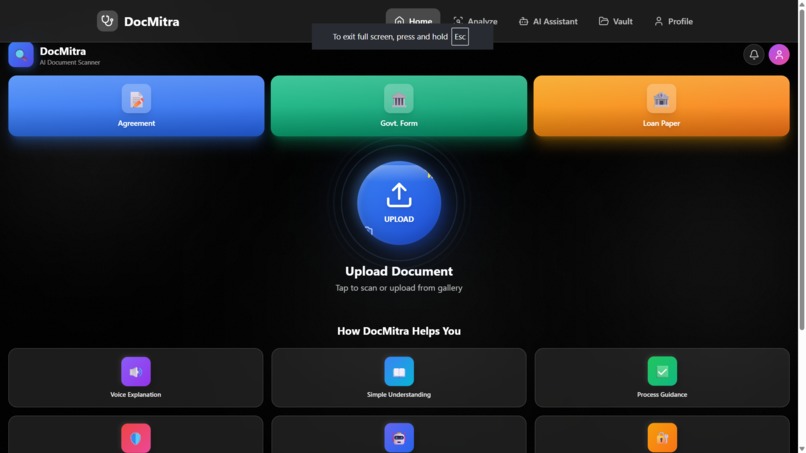
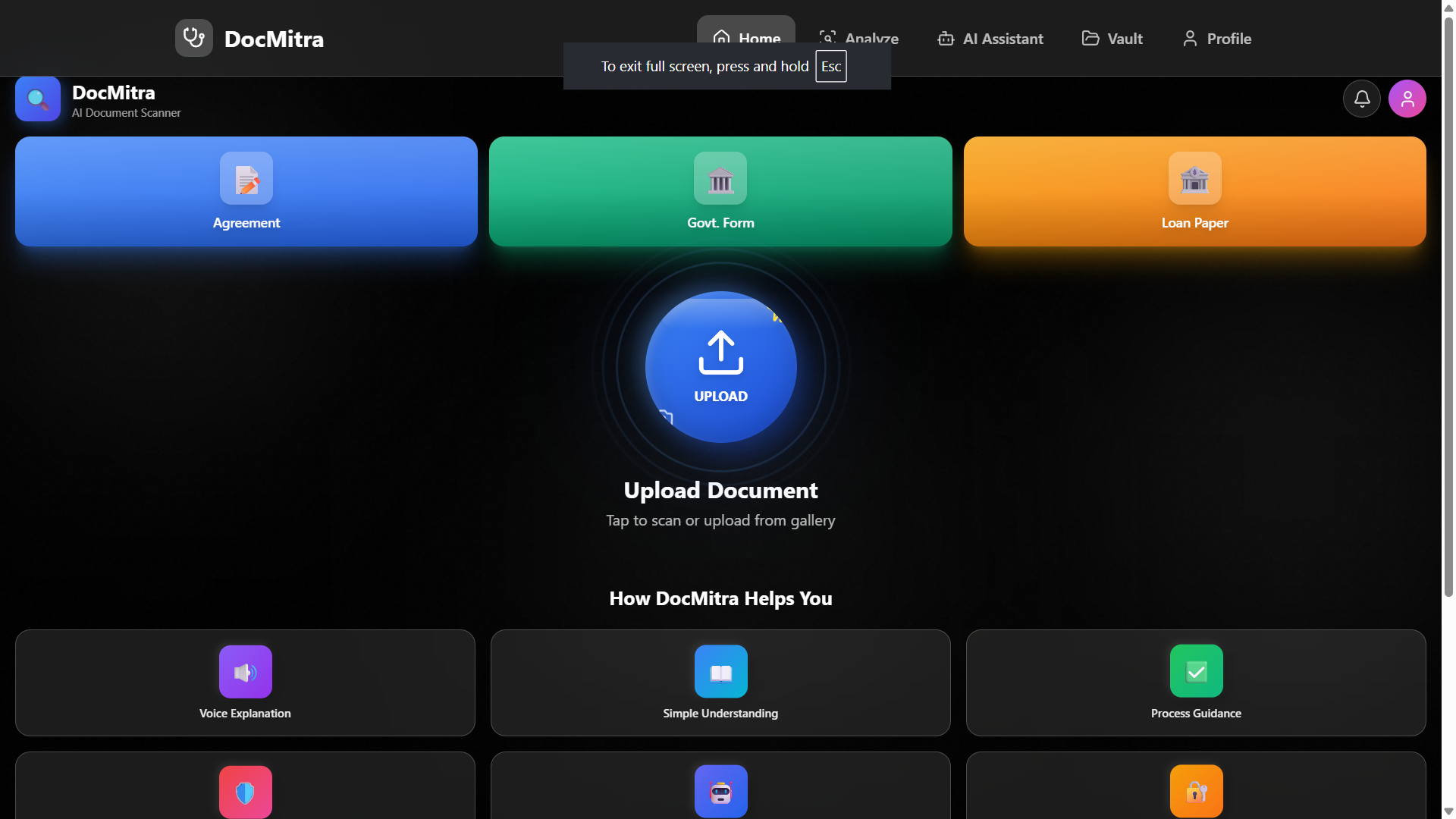
Home Screen: “A simple home screen with clear icons to help anyone understand documents easily.”
-
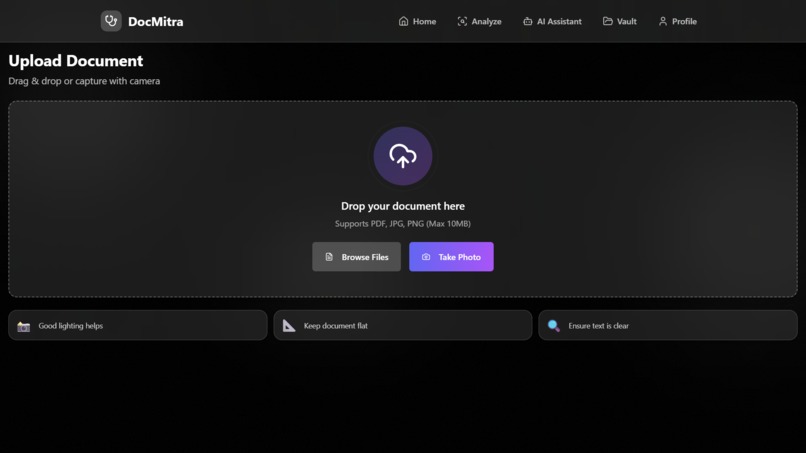
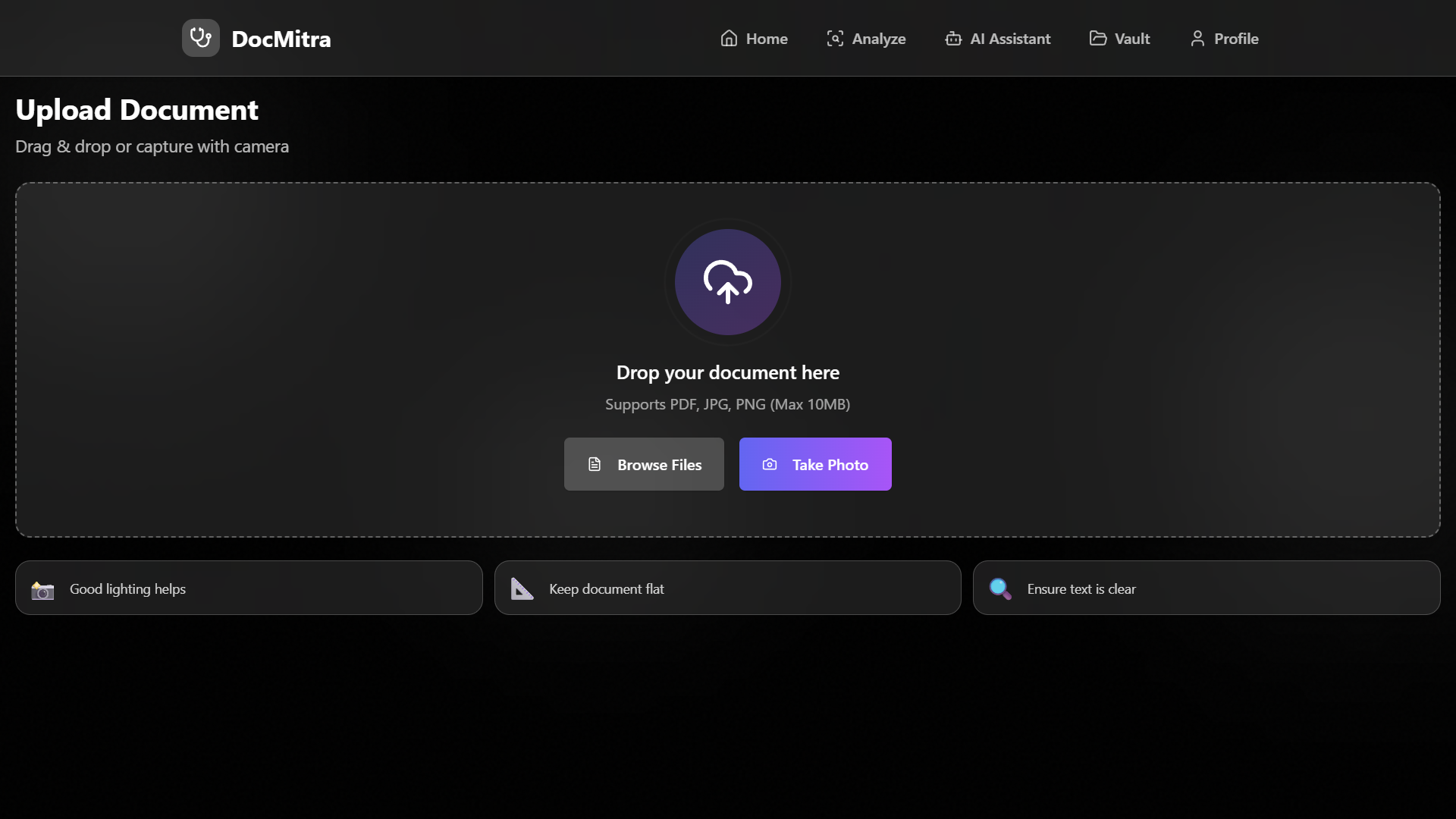
Upload Document Screen: “Upload or scan any document in one tap.”
-
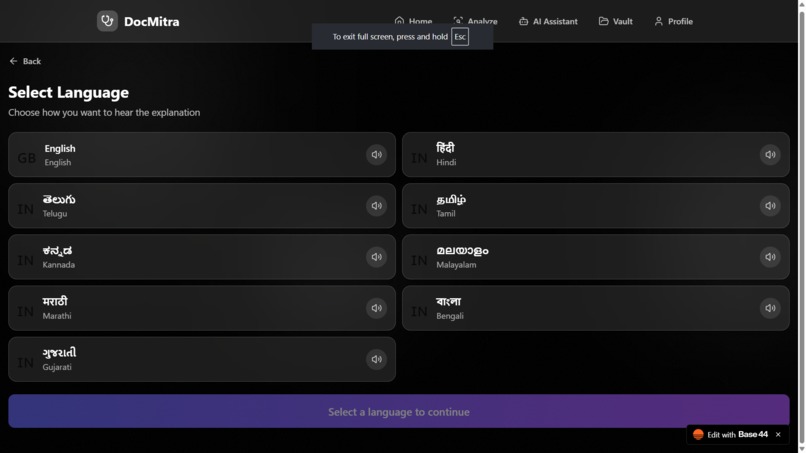
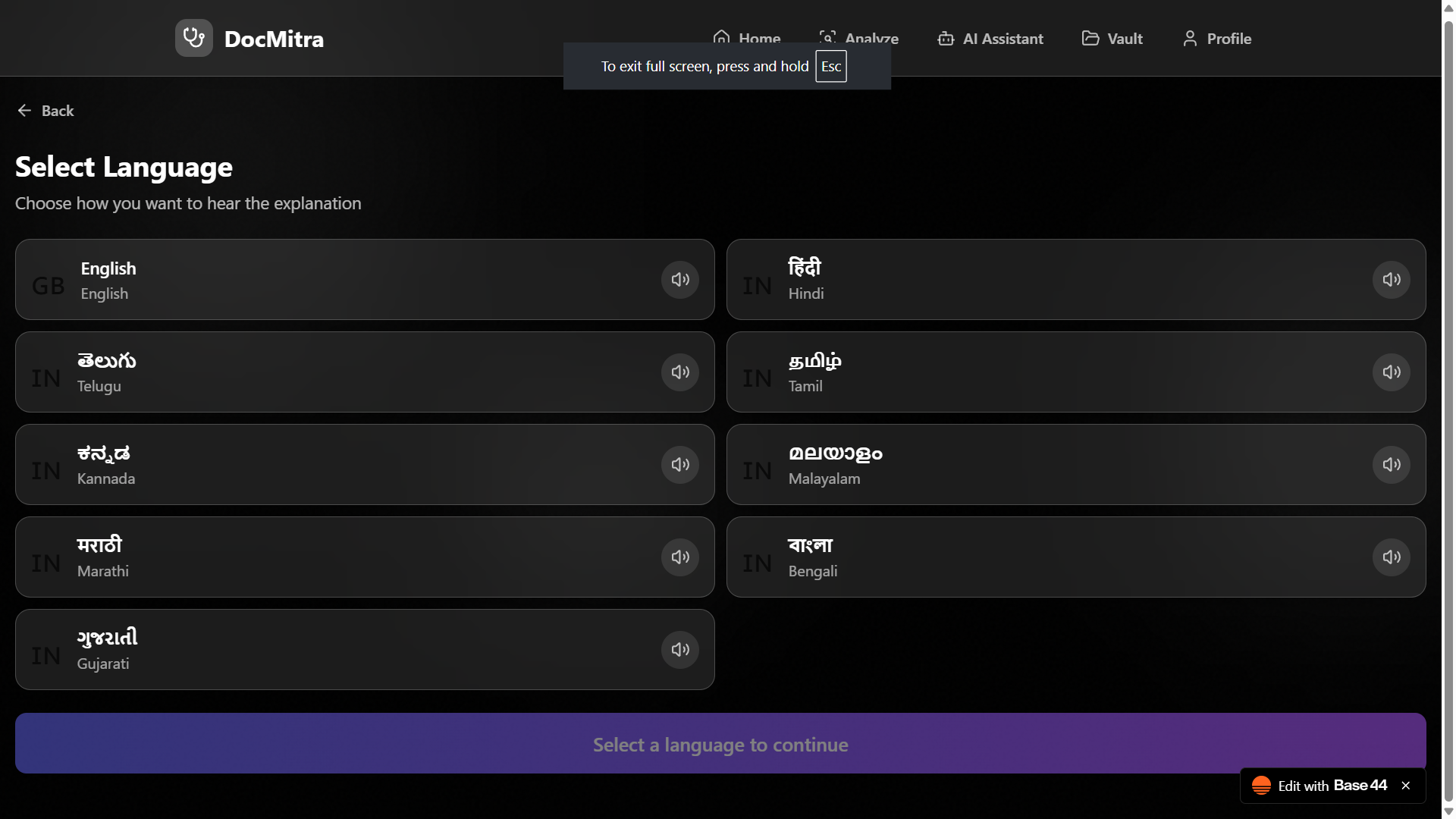
Language Selection: “Choose your language for easy voice explanation.”
-
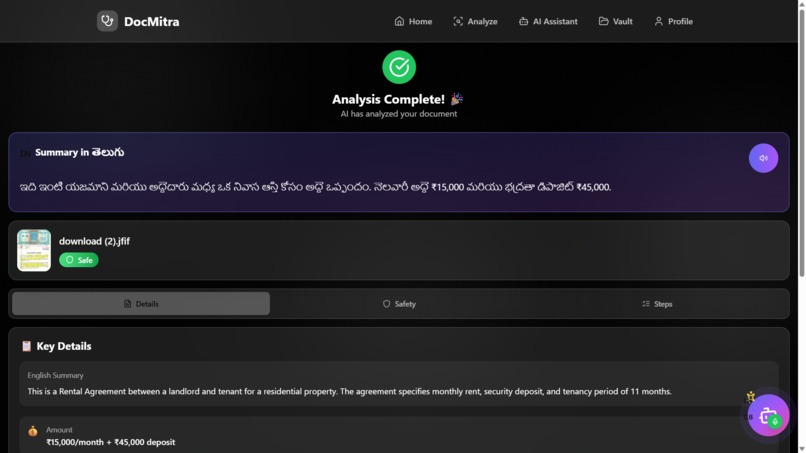
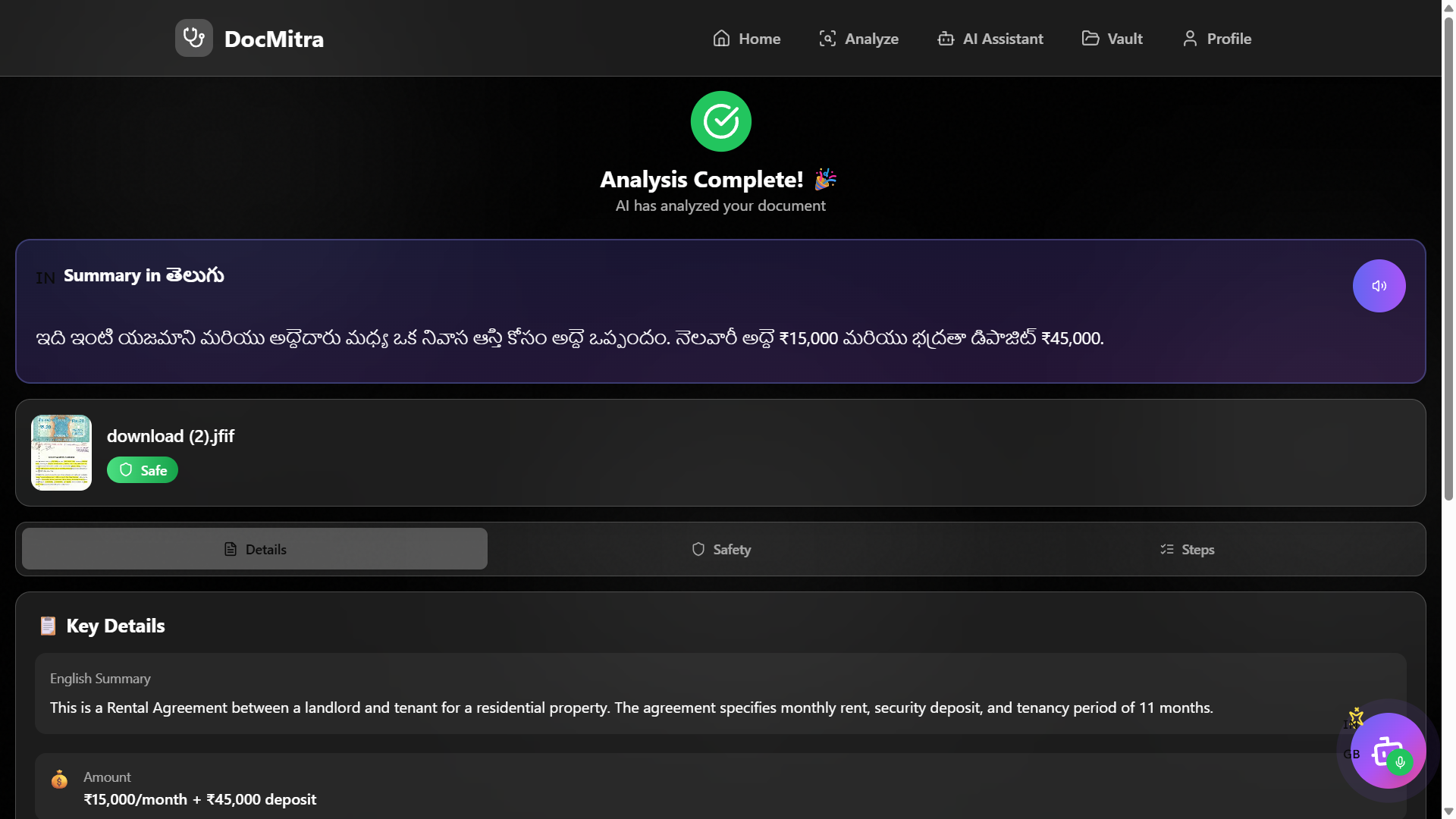
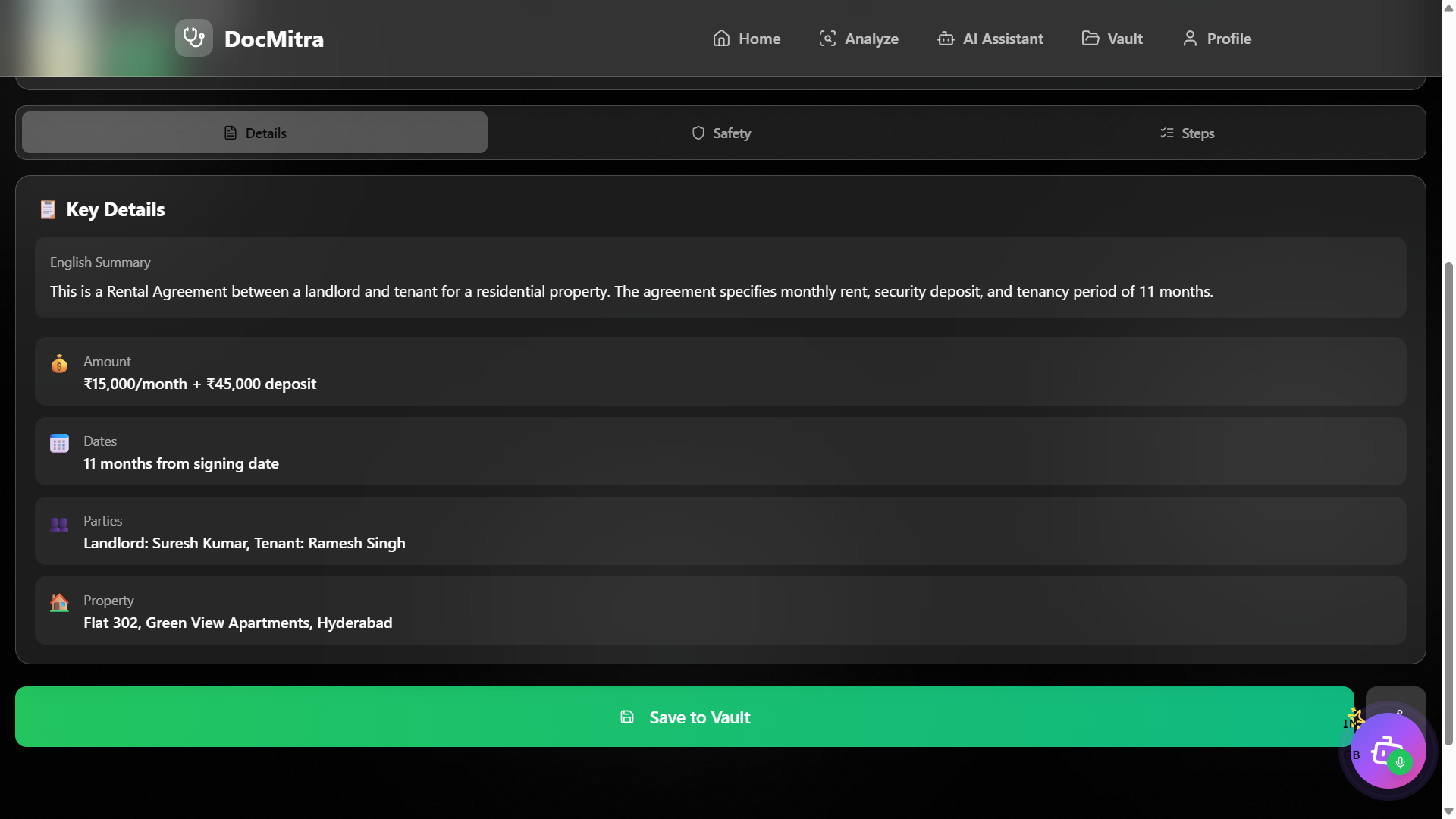
Key Details Screen: “Important information shown clearly—amounts, dates, parties, and more.”
-
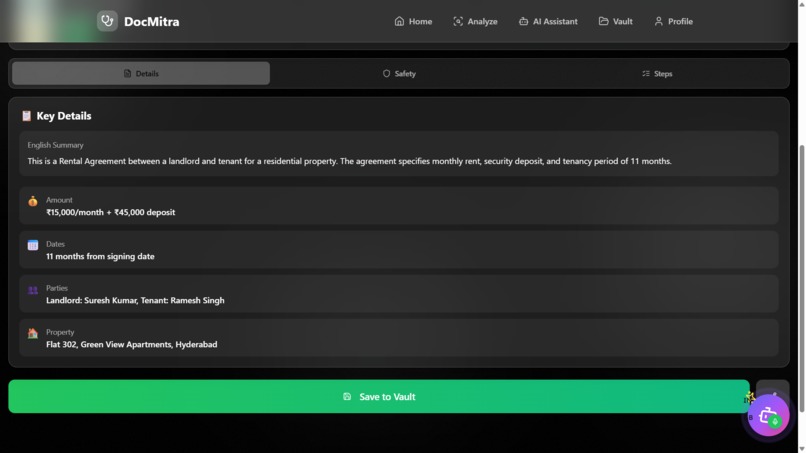
“Important information shown clearly—amounts, dates, parties, and more.”
-
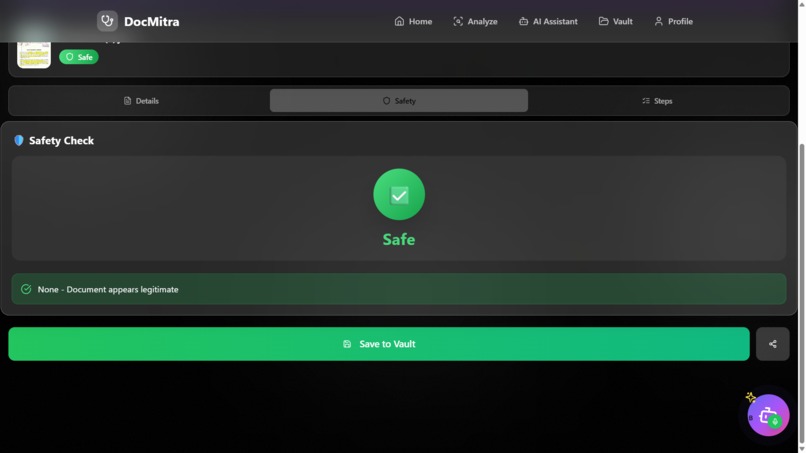
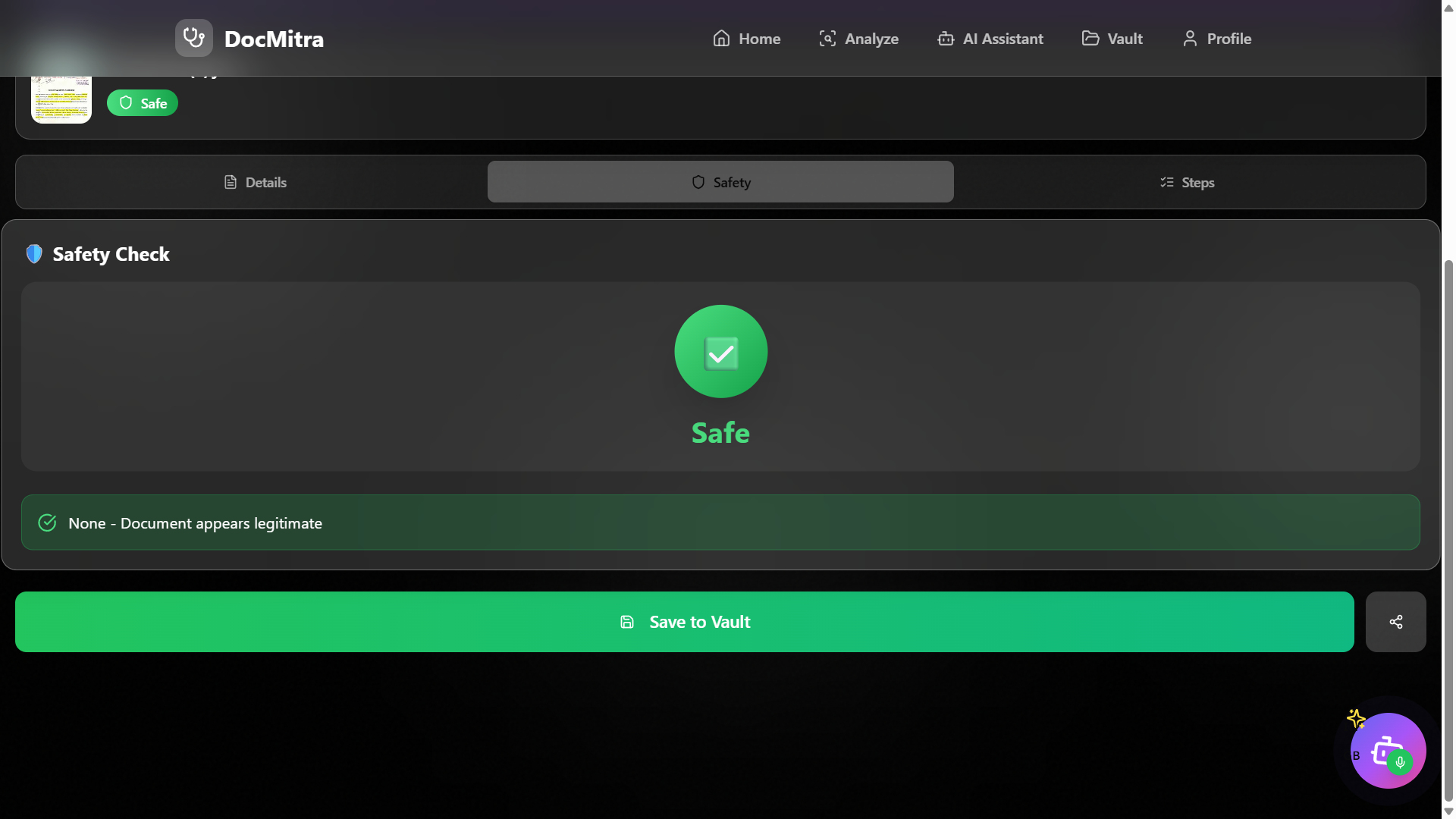
Safety Check Screen: “AI checks for fraud and tells you if the document is safe.”
-
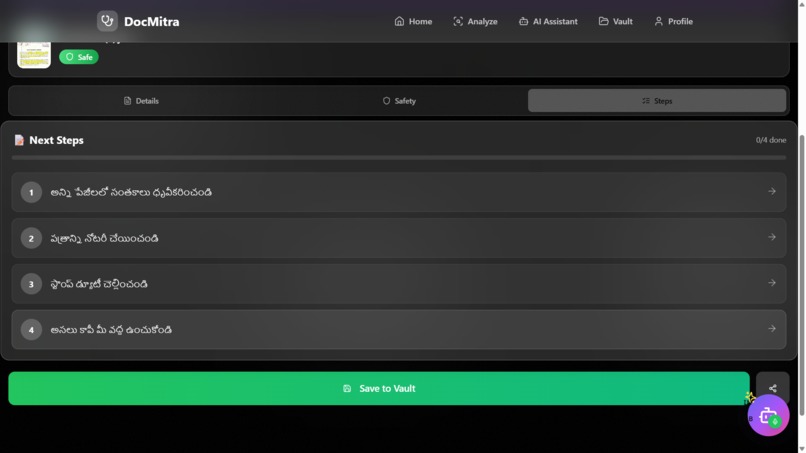
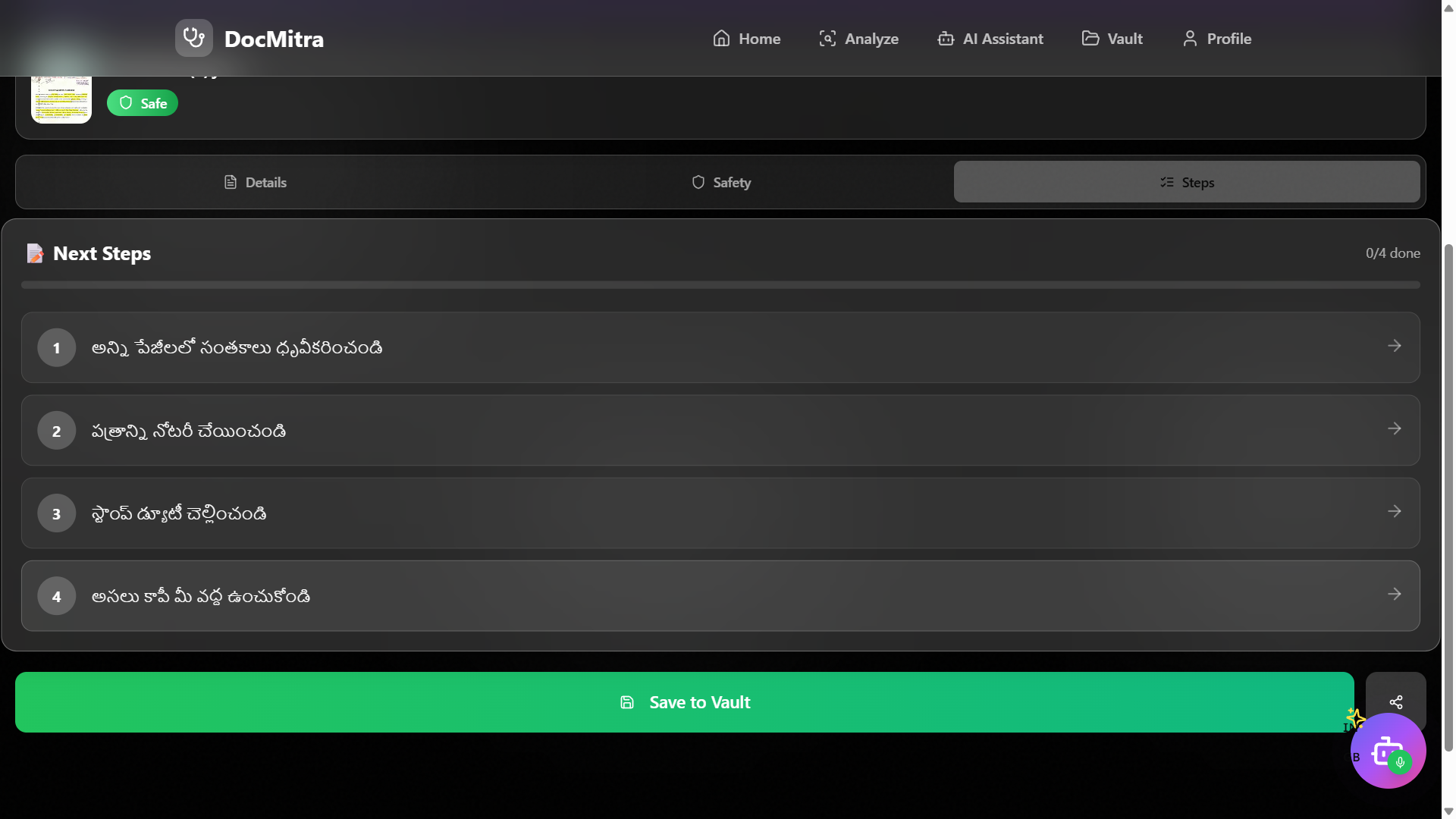
Next Steps Screen: “Step-by-step guidance on what to do after reading the document.”
-
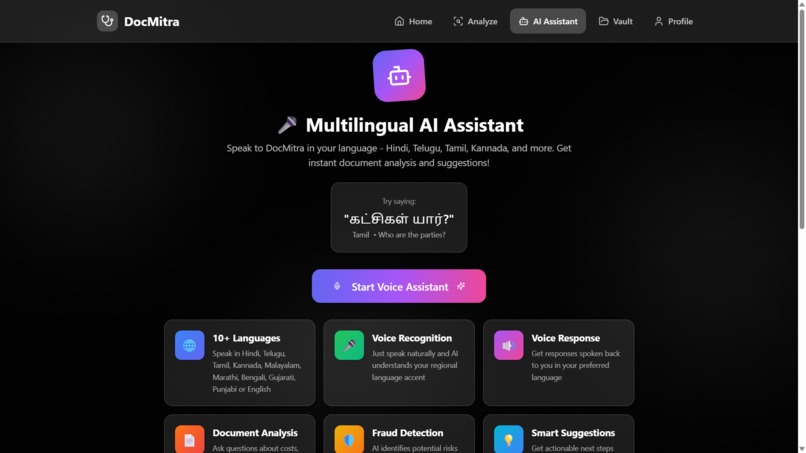
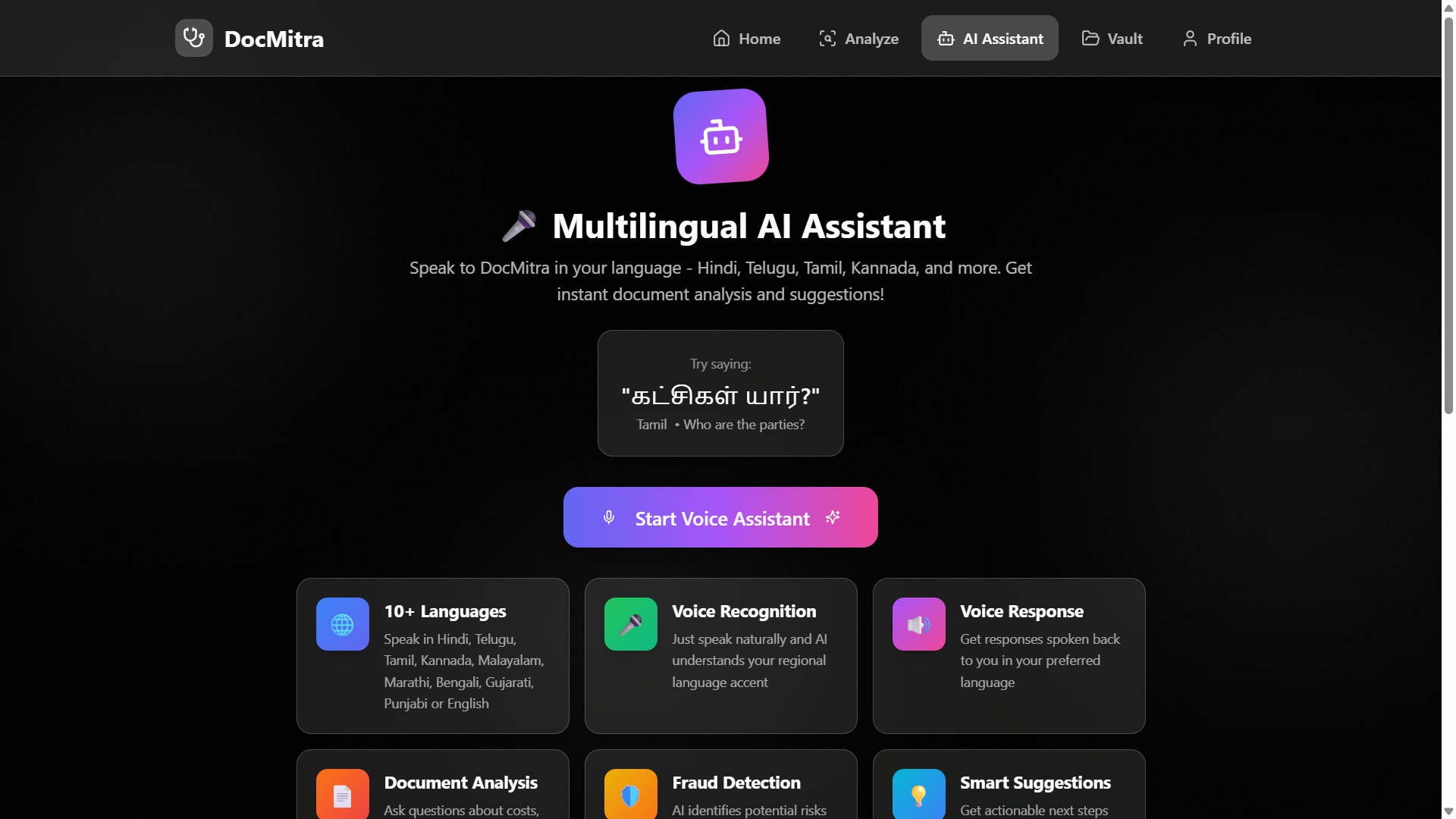
AI Assistant Screen: “Talk to the AI in your own language—ask anything about your document.”
-
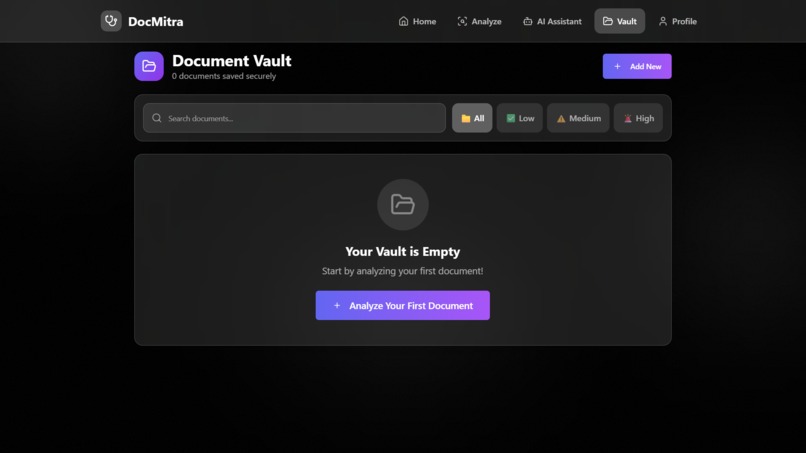
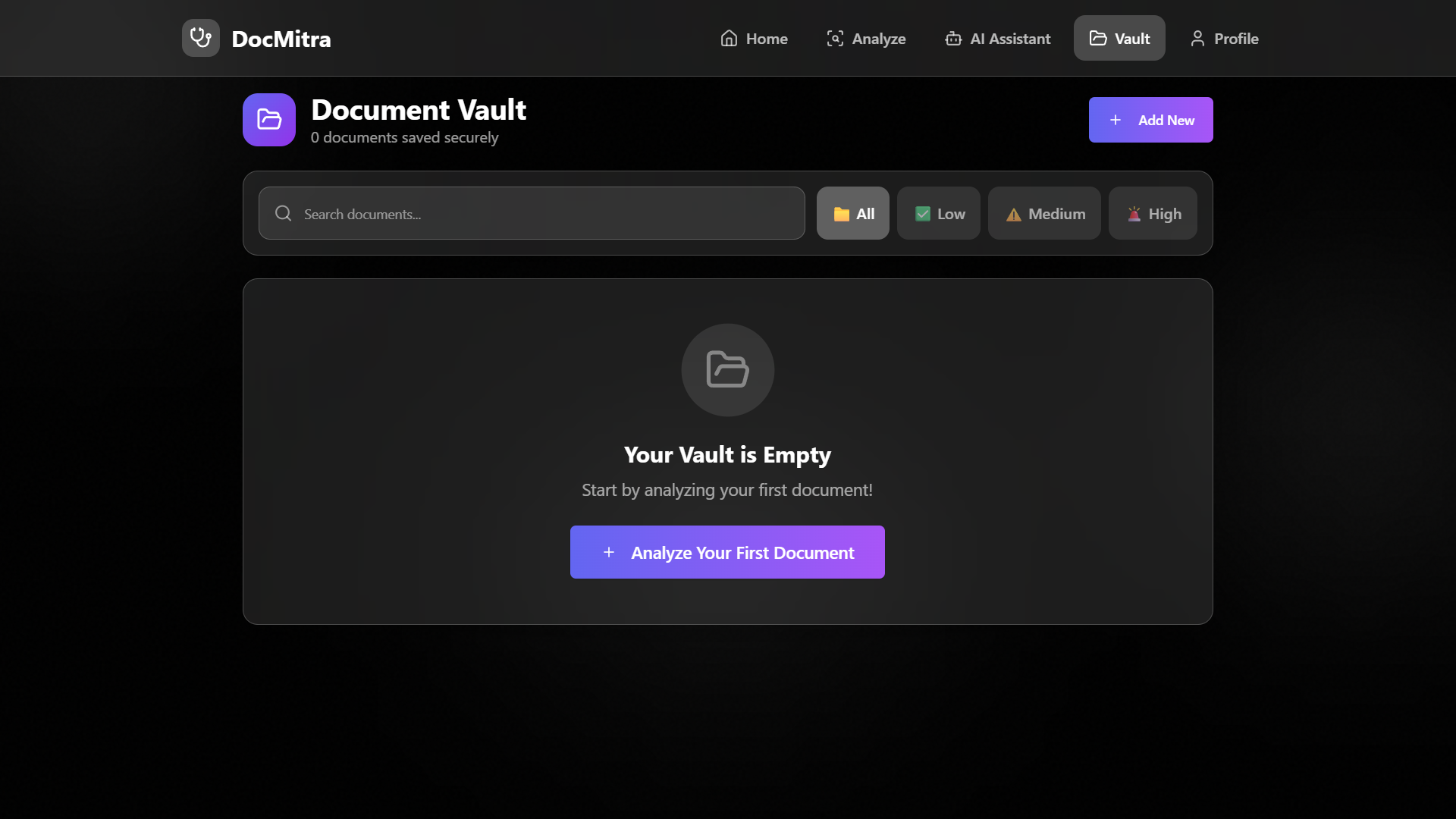
Document Vault Screen: “Your documents stored safely in one secure vault.”
-
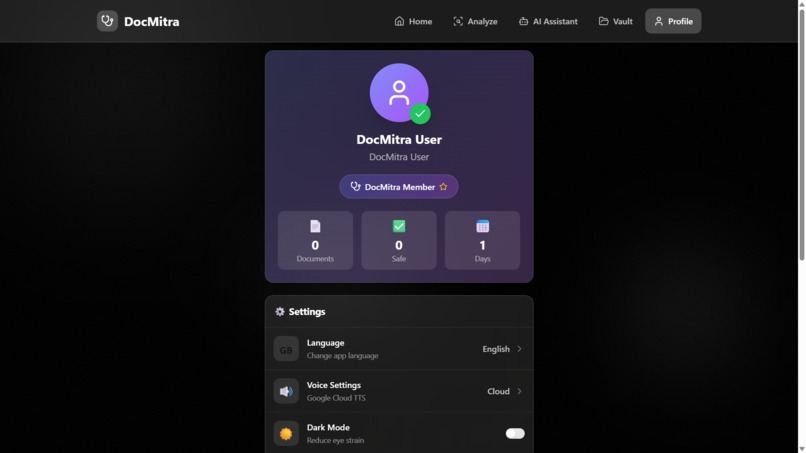
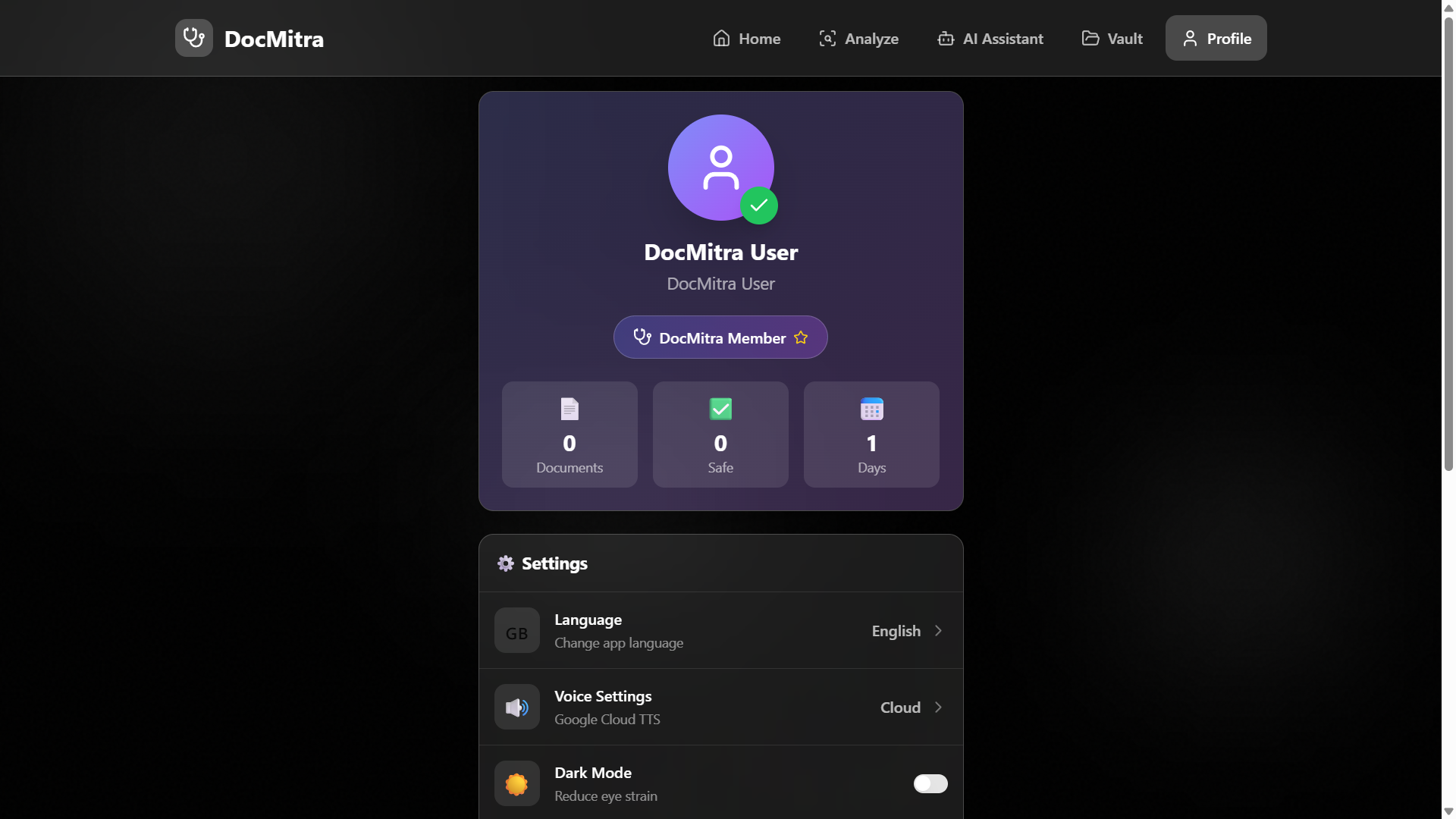
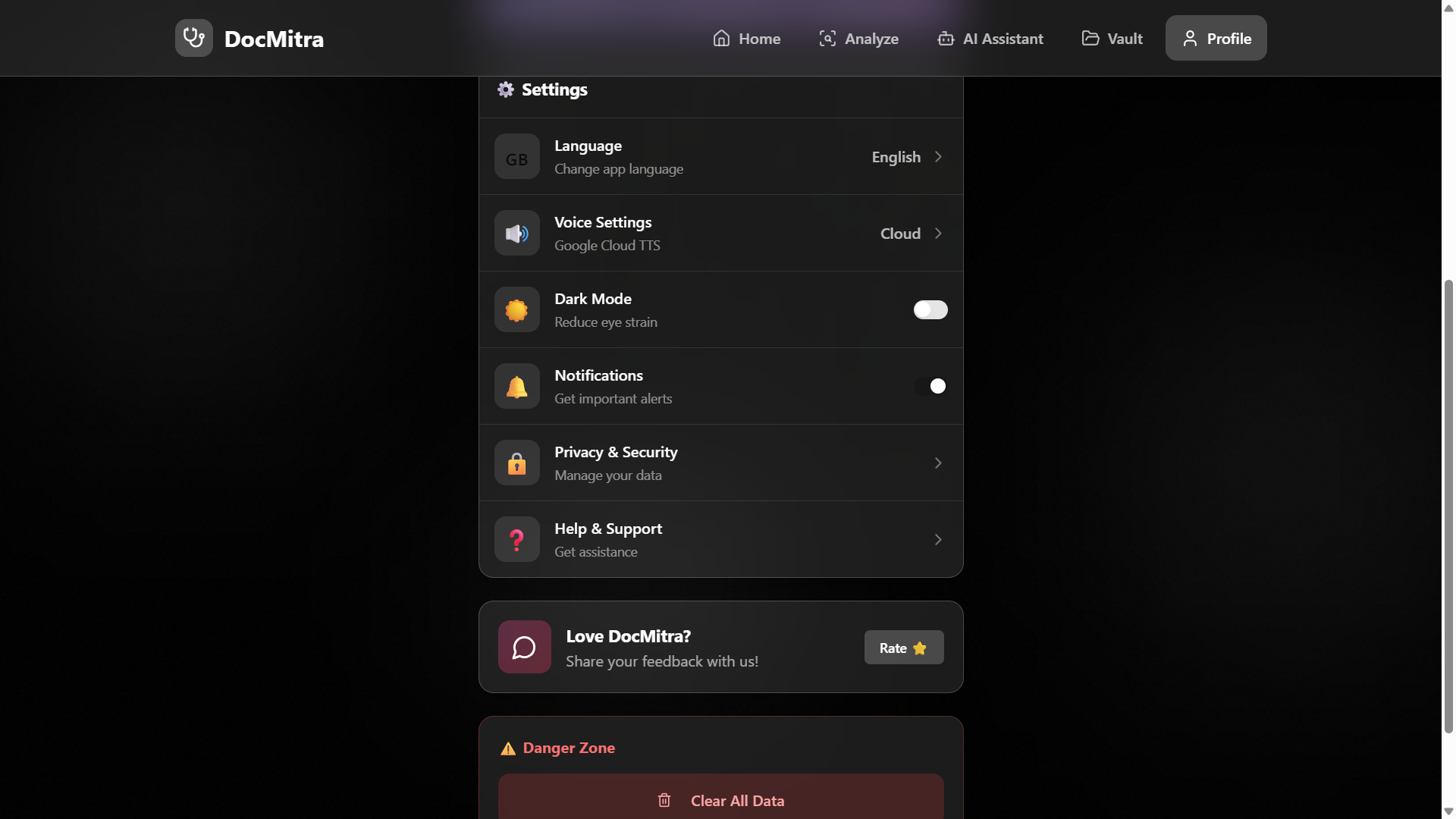
Profile & Settings Screen: “Manage your language, security, and account settings easily.”
-
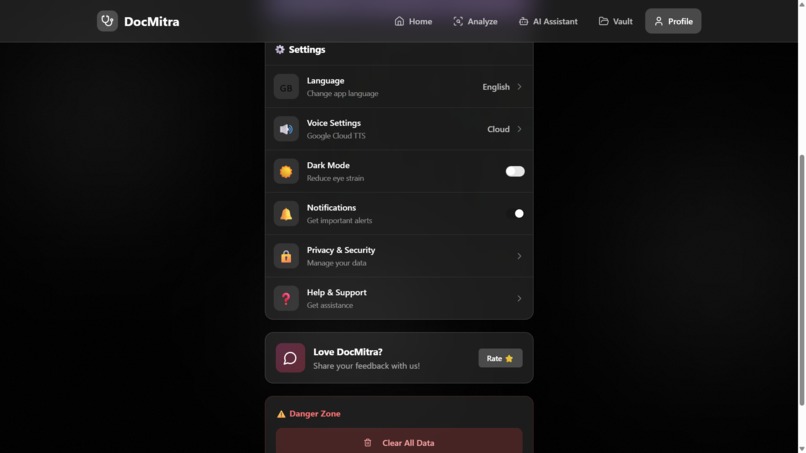
Settings Screen
Inspiration
Many elderly people and uneducated citizens sign important documents—like land papers, loan forms, or government applications—without fully understanding them. Because they cannot read or understand legal or English words, they often get cheated, misled, or trapped in financial scams.
We wanted to create a tool that protects them, explains every document in simple voice, and helps them make safe decisions. That is how DocMitra was born: a friendly AI “guide” that talks like a real helper and explains everything clearly.
What it does
DocMitra is an AI-powered, voice-first document understanding app made specially for elderly and illiterate users.
The app can:
•Read any document aloud in the user’s own language
•Explain difficult terms in simple words
•Tell who is the buyer/seller, purpose, money involved, risks, dates, conditions
•Allow users to ask questions by voice (like “Where should I sign?” or “Is this safe?”)
•Detect scams, suspicious clauses, missing signatures, fake stamp papers, and risky terms
•Guide the user on what steps to do next after reading the document
•Store files securely in a locked vault
Everything is shown using simple icons, so even people who cannot read can use it easily.
How we built it
We built DocMitra entirely using Base 44, a no-code platform that allows fast, end-to-end app creation without writing traditional code.
Using Base 44, we were able to:
Design a simple, icon-based UI that works for elderly and illiterate users
Build all screens and navigation through drag-and-drop components
Connect AI models for document reading, summarizing, translation, and explanation
Add voice input and voice output using Base 44’s AI blocks
Integrate the fraud detection logic using AI prompt flows
Create a chat-style AI assistant that answers users' questions in real time
Add multi-language support for Telugu, Hindi, Tamil, Kannada, Malayalam, English, and more
Implement a secure vault using Base 44’s built-in authentication (fingerprint, PIN, face unlock)
Handle file upload (PDF / images) and pipeline them through text extraction and explanation
Build the entire prototype quickly and efficiently, without writing code
Base 44 helped us focus on solving the user problem instead of spending months on coding. It enabled us to build a working, functional prototype that feels like a real app.
Challenges we ran into
•We faced a lot of difficulty with the AI assistant. Making the AI talk like a friendly helper, understand the user’s voice, and give simple answers was not easy. Many times the AI got confused or gave long, complicated replies. We had to improve it again and again to make it speak clearly.
•The design and layout of the app was also a big challenge. Our users include elderly people and people who cannot read, so the app must be very simple. Even a small mistake in buttons, icons, or colors could confuse them. We redesigned the screens many times to make everything easy.
•Fraud detection was difficult to build. The AI had to check for risky words, missing signatures, fake stamp papers, or hidden charges without scaring the user. Finding the right balance took time.
•Supporting many languages like Telugu, Hindi, Tamil, Kannada, and others was challenging. The AI had to speak clearly in each language, just like a human would.
•We also struggled with poor-quality document photos. Many users upload blurred or dark images, so getting correct text from them was hard.
•Keeping the app safe and secure while still being simple for elders was another challenge. We needed strong security (PIN, fingerprint, face unlock) but without making the app complicated.
Accomplishments that we're proud of
We made an app that any elderly or illiterate user can operate using only their voice
Achieved multi-language voice explanations for all types of documents
Built a Fraud Detection Mode that alerts users about hidden risks
Created a step-by-step guide system that tells users what to do next
Ensured top-level security with encryption, vault, and face/PIN unlock
Successfully tested the app with people who had zero reading ability—and they could use it easily
What we learned
•We learned how to create better AI prompts so the AI can give short, simple, and correct answers.
•We understood how to build the backend logic that connects document reading, explanation, and voice features smoothly.
•We learned how to build a working AI assistant that talks to users, understands questions, and explains documents clearly.
•We realized that making an app for elderly and illiterate users needs very simple design, clear buttons, and voice-first features.
•We understood how important fraud detection is, and how small errors in documents can cause big problems for users.
•We learned how to handle multiple languages and make the AI speak naturally in each one.
•We discovered that real-world problems require patience, testing, and many improvements to make the app truly helpful.
What's next for DocMitra
•This problem is very big in India and many other countries. Almost 80% of the population is uneducated or not comfortable with official documents, so they really need apps like DocMitra to support and protect them. Our goal is to make DocMitra available to everyone who struggles with reading and understanding papers.
•We want to add more Indian languages and local dialects so people from every village and region can use the app easily.
•We plan to improve the fraud detection system so the AI can catch even more risky lines, fake information, and confusing clauses.
•We want to add an offline mode, so people in rural areas with low network can still use the app.
•We will work on AI-powered form filling, where the AI asks questions in voice and fills government forms automatically for the user.
•We plan to partner with government offices, banks, hospitals, and village service centers so citizens can use DocMitra for all types of documents.
•We want to build a family support mode, where children or trusted family members can safely check the documents and help elders without any misuse.
•We will continue improving the AI assistant’s voice, making it sound more natural and friendly.
•We plan to make the app completely secure, with stronger protection for the document vault and user data.
•In the future, we also want to add voice-based signatures, step-by-step video explanations, and more learning tools.
Built With
- base44
- javascript
- node.js
- react

Log in or sign up for Devpost to join the conversation.