-
-
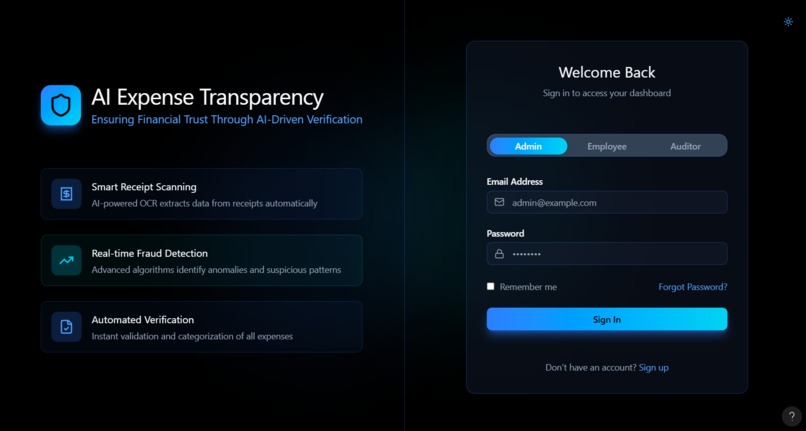
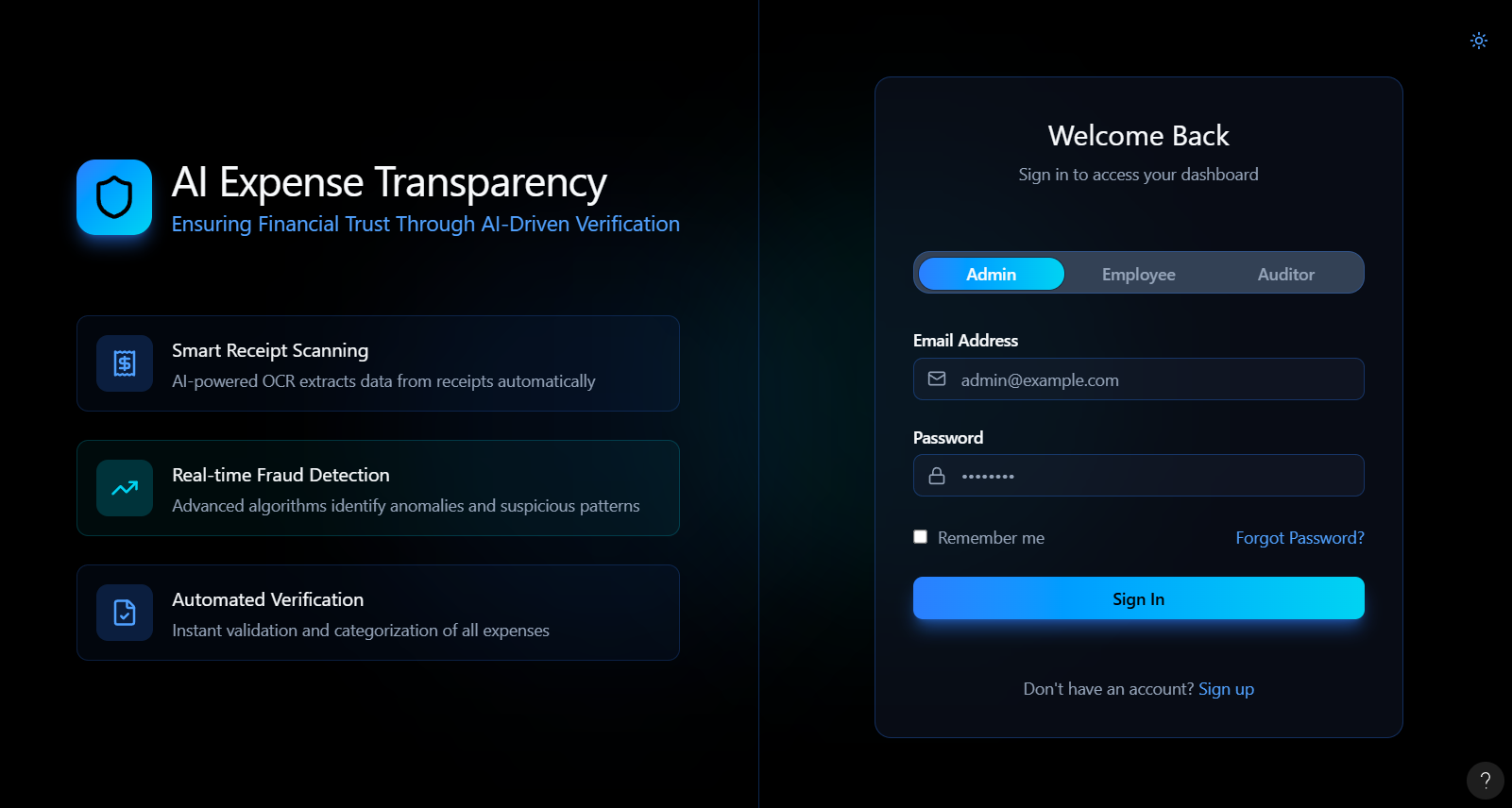
Role based login
-
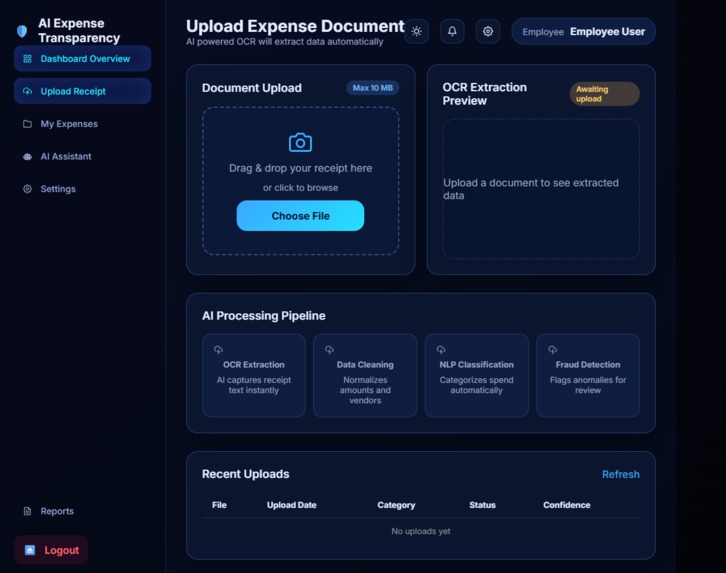
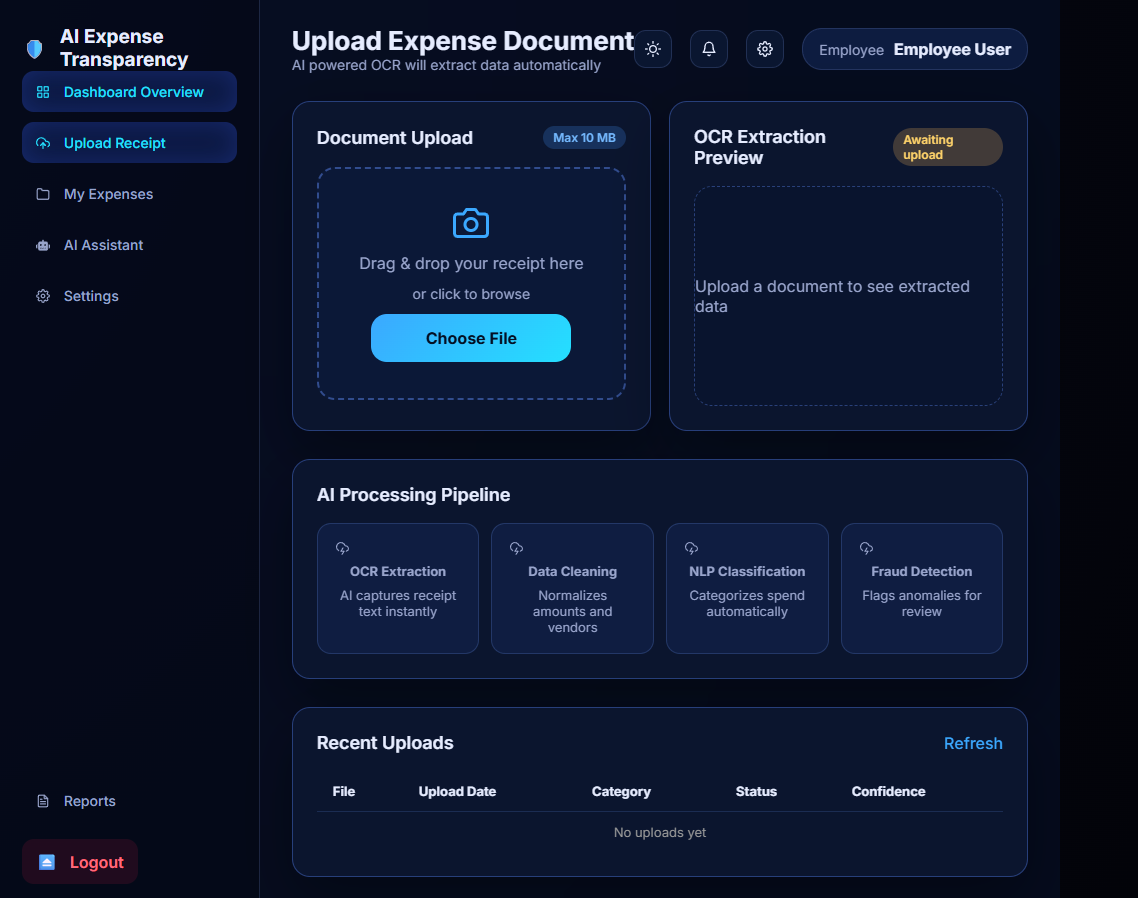
Receipt upload
-
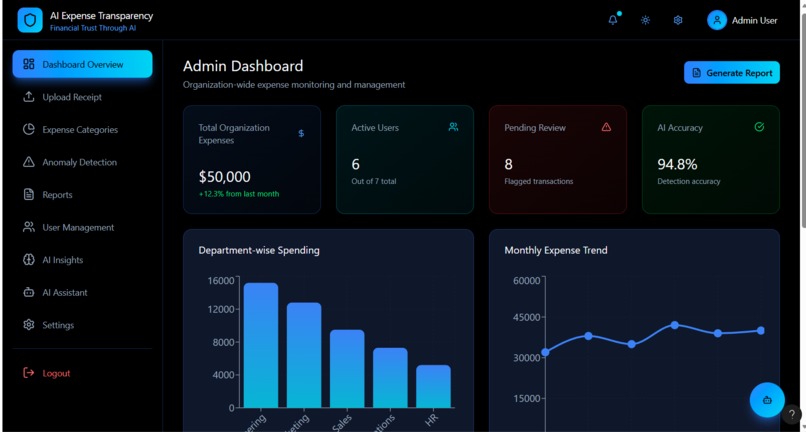
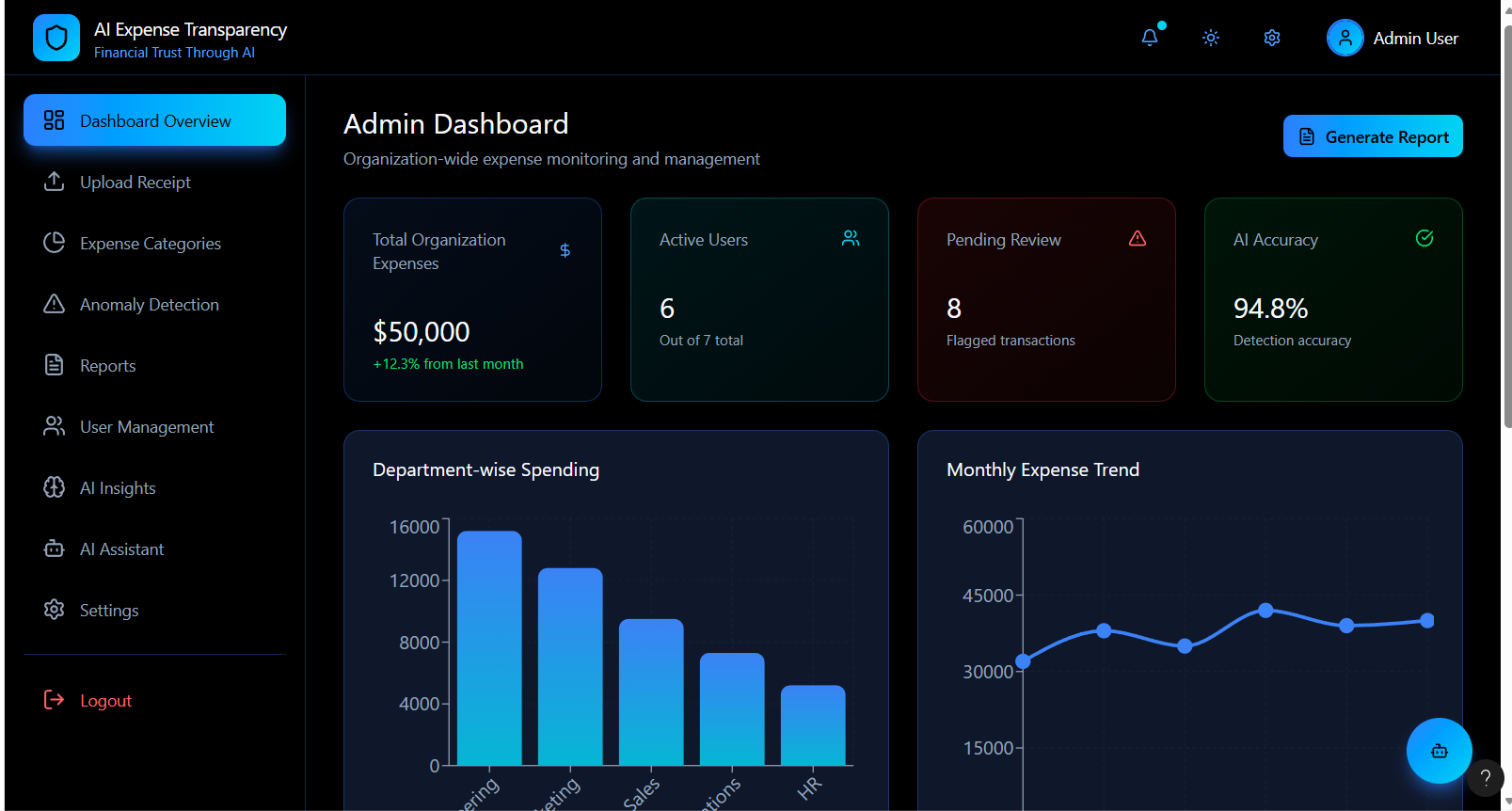
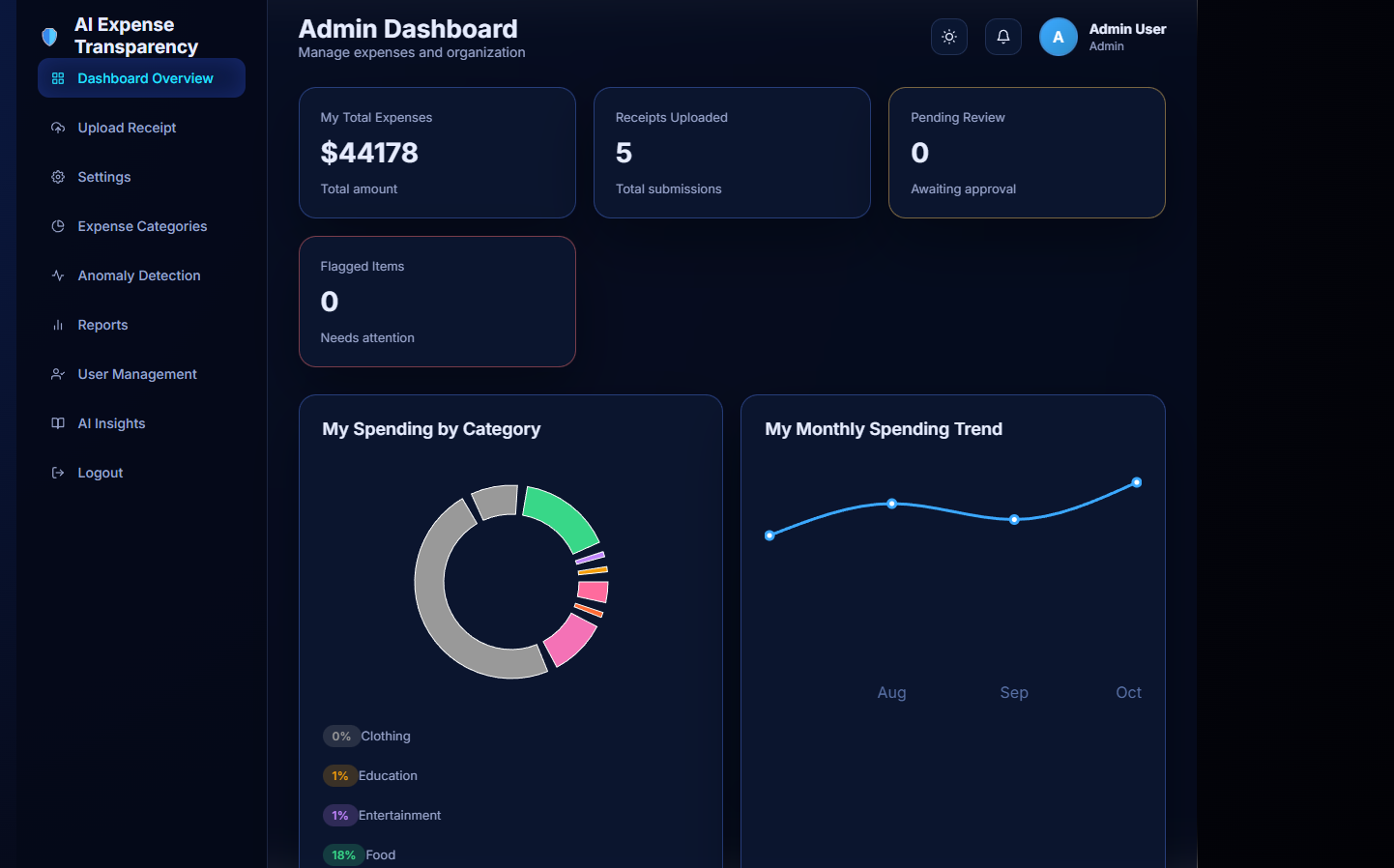
Admin dashboard
-
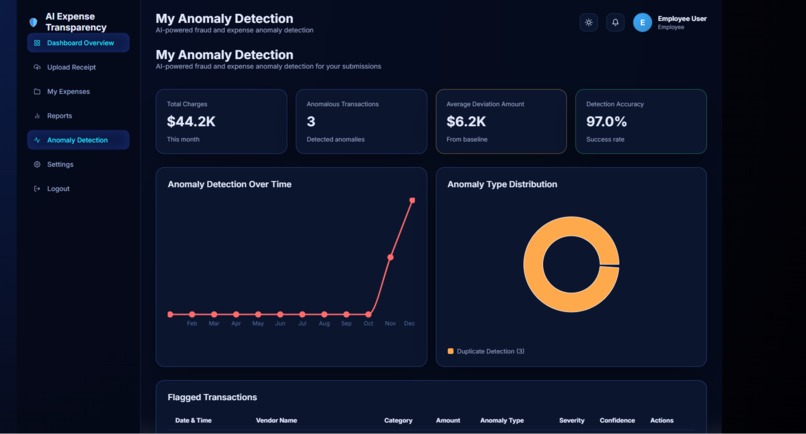
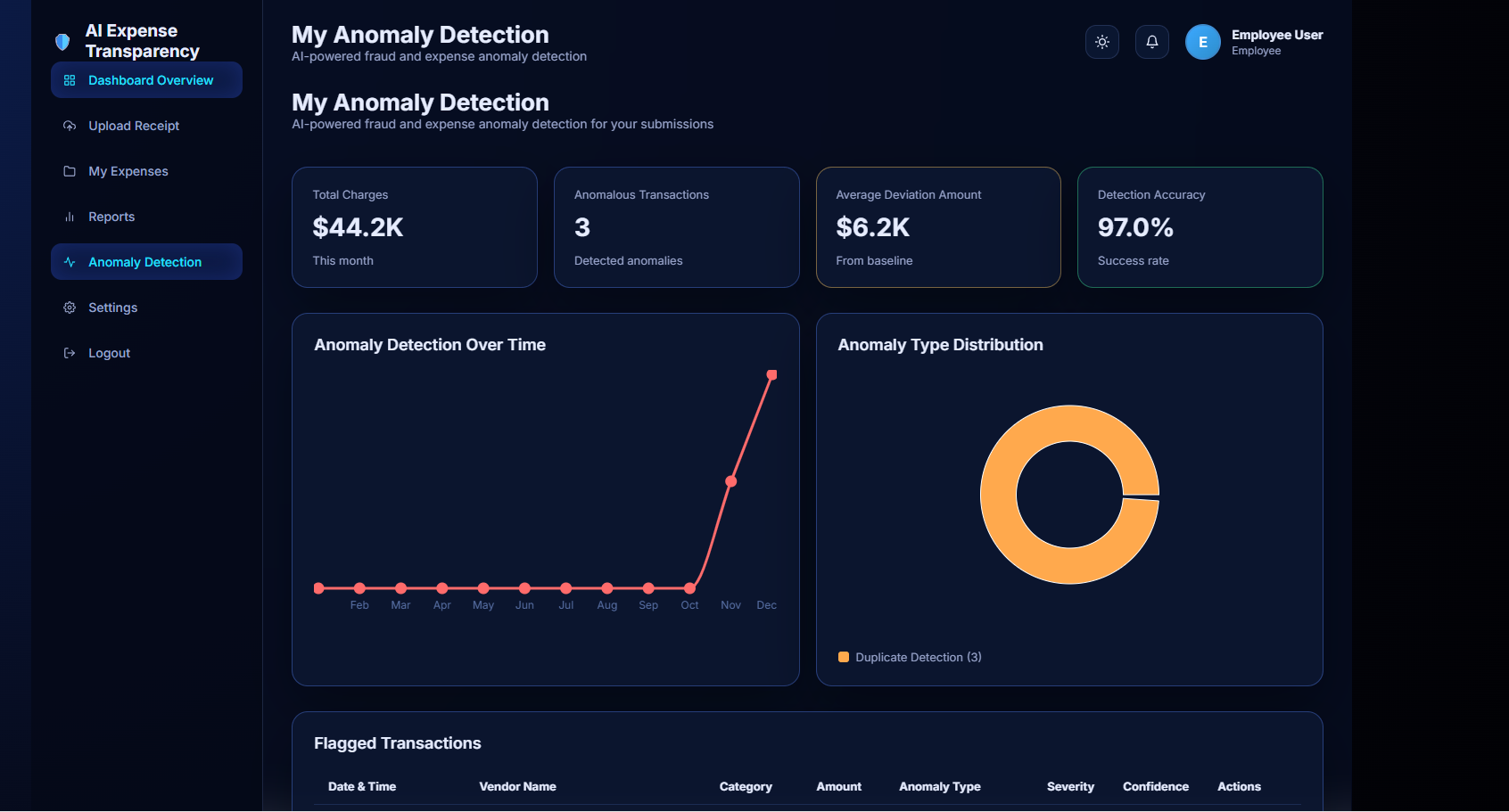
Anomaly detection
-
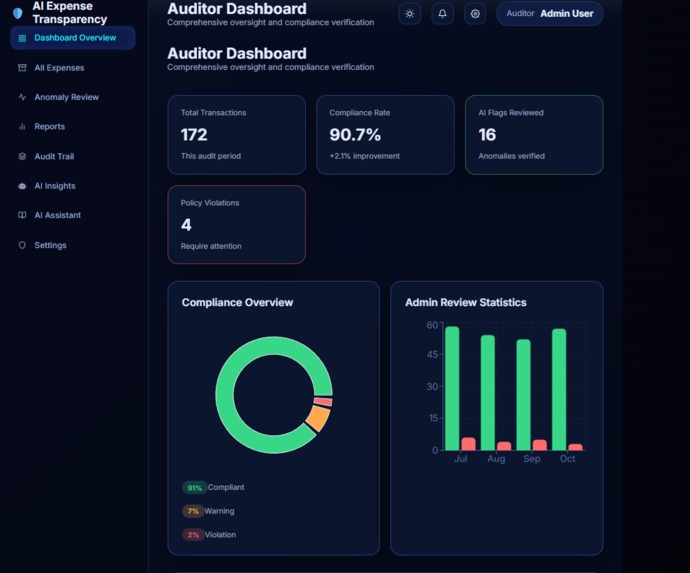
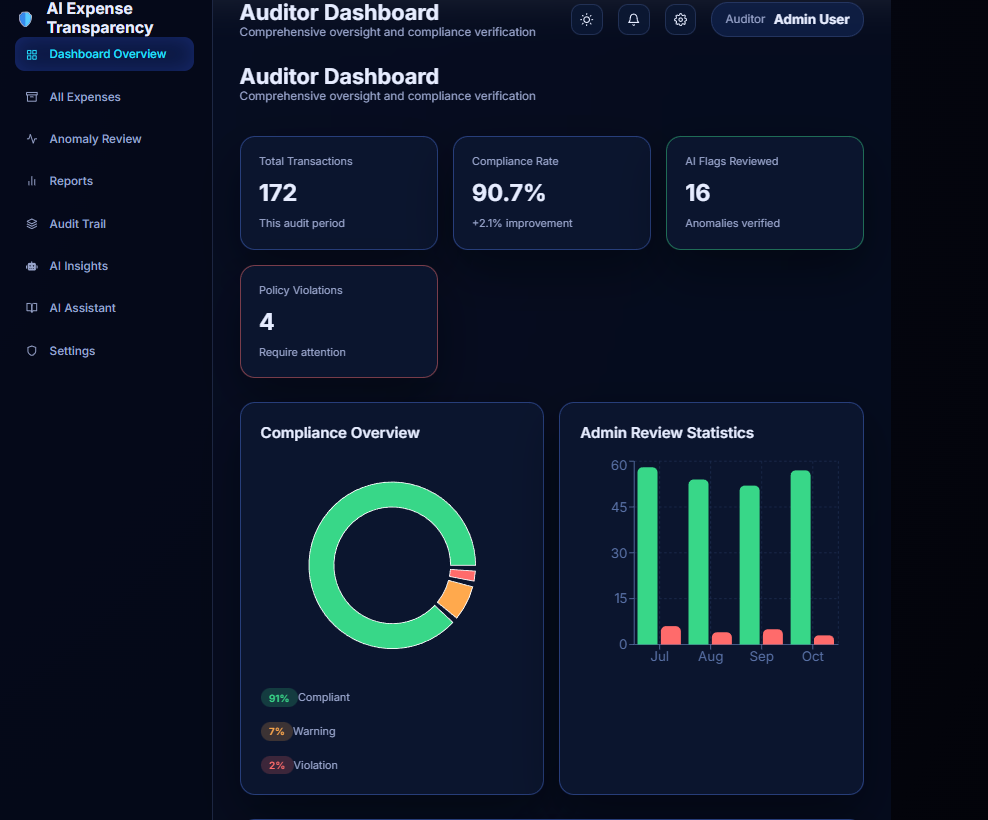
Auditor dashboard
-
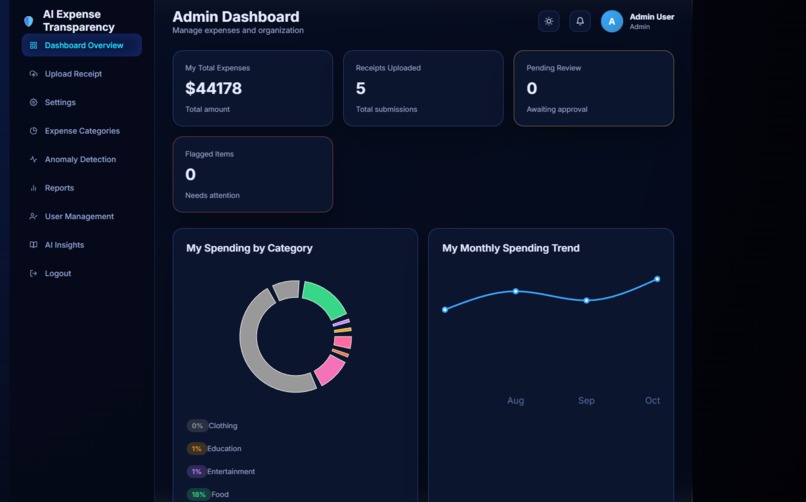
Admin dashboard
-
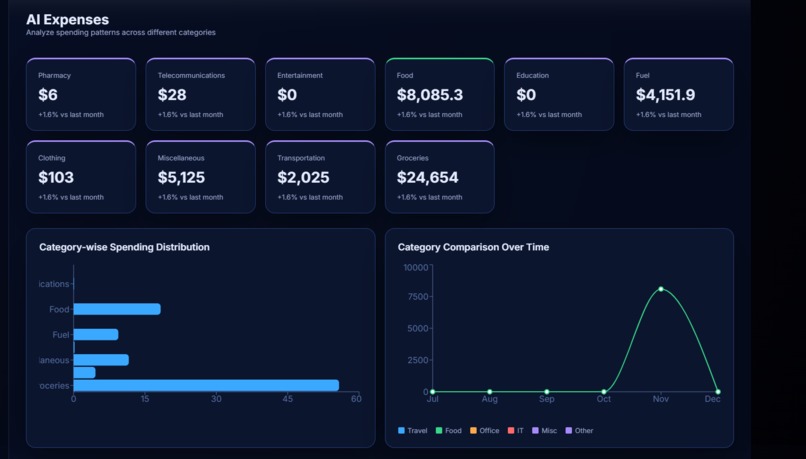
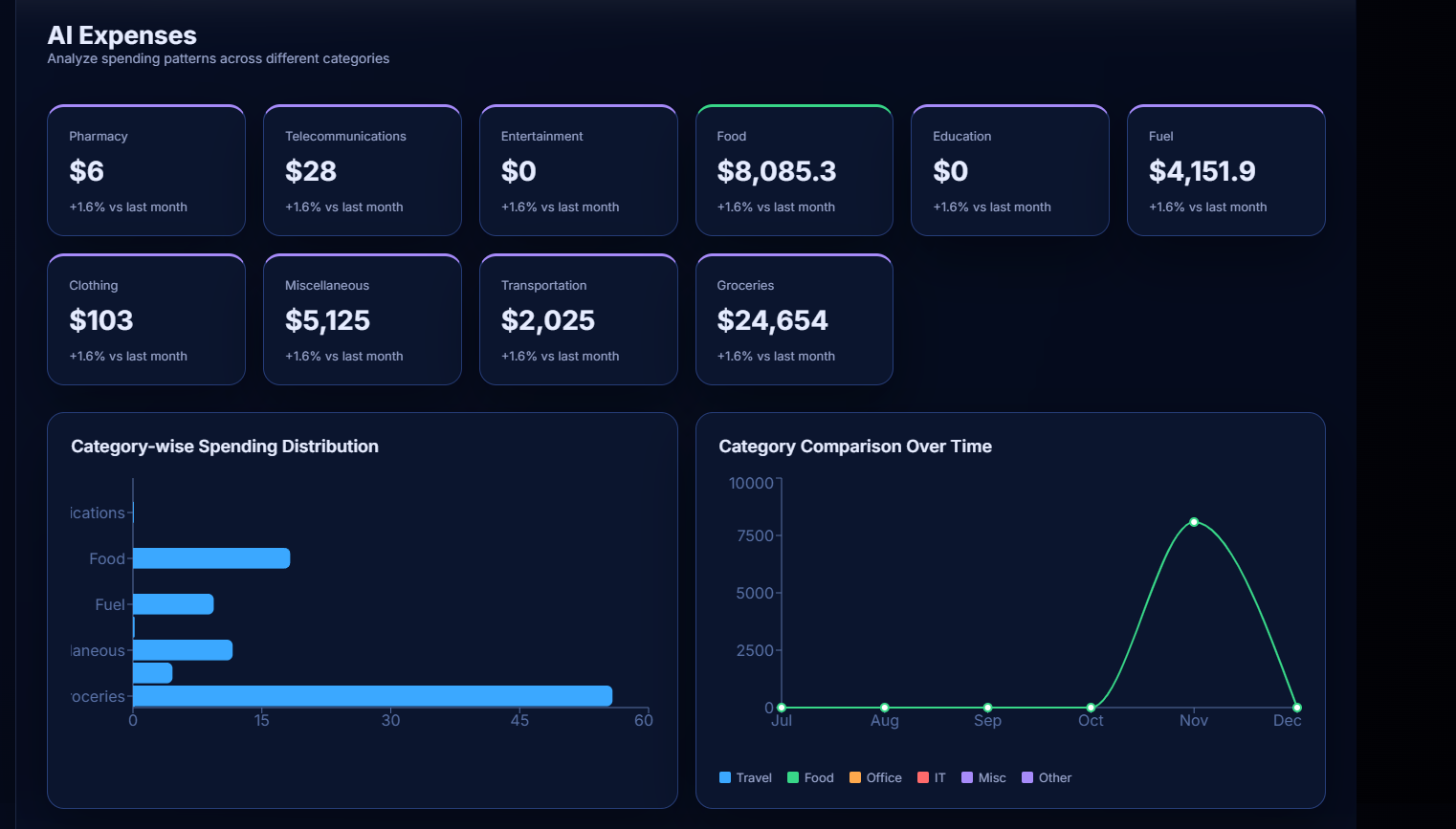
All expenses
Inspiration
Many NGOs, startups, and grant-funded organizations still manage expenses manually. This creates several problems:
Fake or duplicate receipts
Manual calculation errors
Delayed audits
Lack of financial transparency
Reduced trust from donors
For example:
An NGO receives ₹5,00,000 as a grant. If even 5% of expenses are fraudulent, that means:
Fraud amount = 5% of 5,00,000 = 0.05 × 5,00,000 = ₹25,000 loss
This inspired us to build DocMind AI, a system that automatically verifies expenses and detects suspicious transactions using AI.
What it does
DocMind AI is an AI-powered automated expense auditor.
It performs:
Receipt text extraction using OCR
Expense categorization using AI
Fraud detection
Anomaly detection
Explainable audit report generation
Example
Input receipt:
Vendor: ABC Travels
Amount: ₹18,500
Category: Travel
System checks:
Is the amount unusually high?
Is the receipt duplicated?
Is the vendor suspicious?
Output:
Status: Flagged
Reason: Amount exceeds average travel cost by 42%
How we built it
We designed DocMind AI as a multi-agent AI pipeline.
Each agent performs a specific task. Folder Structure: DocMindAI/ │ ├── backend/ │ ├── main.py │ ├── routes/ │ │ └── upload.py │ ├── services/ │ │ ├── ocr_service.py │ │ ├── categorization_agent.py │ │ ├── fraud_agent.py │ │ ├── anomaly_detector.py │ │ └── audit_agent.py │ ├── models/ │ │ └── isolation_forest.pkl │ └── database/ │ └── db_config.py │ ├── frontend/ │ ├── src/ │ │ ├── components/ │ │ │ ├── UploadForm.tsx │ │ │ ├── Dashboard.tsx │ │ │ └── ReportView.tsx │ │ ├── pages/ │ │ │ └── Home.tsx │ │ └── api/ │ │ └── api.ts │ └── package.json │ ├── data/ │ └── sample_receipts/ │ ├── requirements.txt └── README.md
Pipeline Steps
User uploads receipt
OCR extracts text
Categorization agent classifies expense
Fraud agent checks duplicates/inconsistencies
Anomaly detector finds abnormal patterns
Audit agent generates explanation
Flowchart of the System: User Uploads Receipt │ ▼ OCR Text Extraction │ ▼ Expense Categorization │ ▼ Fraud Detection Agent │ ▼ Anomaly Detection │ ▼ Audit Summary Agent │ ▼ Final Audit Report
Challenges we ran into
Extracting clean text from different PDF formats
Handling tables and numbers correctly
Ensuring accurate AI responses
Integrating AI processing with the backend
Optimizing performance for large documents
Extra Demonstrations (to impress the jury) Example 1: Invoice Calculation Product Price Quantity Pen ₹10 5 Notebook ₹50 3
Step-by-step calculation:
Pen total: 10 × 5 = ₹50
Notebook total: 50 × 3 = ₹150
Grand total: 50 + 150 = ₹200
Example 2: Average Expense Day Expense Day 1 ₹300 Day 2 ₹450 Day 3 ₹250
Total = 300 + 450 + 250 = ₹1000 Average = 1000 ÷ 3 = ₹333.33
Example 3: Percentage Calculation
If total budget = ₹5000 Used amount = ₹3500
Percentage used: (3500 ÷ 5000) × 100 = 70%
Remaining: 100 − 70 = 30%
Smart AI Response Example
User asks:
“How much budget is left?”
AI:
“30% of the budget remains, which equals ₹1500.”
Accomplishments that we're proud of
What we learned
Building DocMindAI gave us both technical and practical insights.
- Document Processing
We learned how different documents:
Contain structured data (tables, invoices)
Contain unstructured text (reports, articles)
Require different extraction techniques
We understood:
Text extraction from PDFs
Handling noisy or incomplete data
Converting raw text into structured information
- Natural Language Processing (NLP)
We learned how AI models:
Understand user questions
Extract relevant information
Generate summaries
Key concepts:
Tokenization
Context understanding
Prompt engineering
Information retrieval
- Machine Learning Concepts
We understood:
Classification models
Anomaly detection
Pattern recognition in data
Feature extraction from documents
- Backend–Frontend Integration
We learned how to:
Connect AI models with web interfaces
Handle file uploads
Process data in real time
Return results to the user
- Real-World Problem Solving
We realized:
Data is messy in real documents
AI must be accurate and reliable
Performance matters for large files
Simplicity improves user experience
What's next for DocMindAI
Short-Term Goals
Add image document support using OCR
Improve AI accuracy
Support more file types:
Word documents
Excel sheets
Add multilingual support
Mid-Term Goals
Smart financial analysis
Legal document summarization
Automatic report generation
Cloud storage integration
Long-Term Vision
DocMindAI will become:
A complete AI assistant that reads, understands, analyzes, and explains any document in seconds.
Future features:
Voice interaction with documents
Real-time collaboration
Enterprise-level document intelligence
Automated business insights
Anomaly Detection – Formulas and Example:
Anomaly detection identifies data points that differ significantly from normal patterns. Method 1: Z-Score Method Formula 𝑍=𝑋−𝜇/𝜎 Where: X = data point μ = mean σ = standard deviation
If: ∣𝑍∣>3 → The data point is considered an anomaly.Example Sum
Dataset (expenses): 100, 120, 110, 115, 105, 500
Step 1: Calculate Mean μ=100+120+110+115+105+500/6 μ=1050/6=175
Step 2: Calculate Standard Deviation
σ=Square root(n∑(X−μ)^2) (100−175)^2=5625 (120−175)^2=3025 (110−175)^2=4225 (115−175)^2=3600 (105−175)^2=4900 (500−175)^2=105625
Sum: 5625+3025+4225+3600+4900+105625=126000 𝜎=square root(126000) σ≈144.9
Step 3: Z-score for 500 Z=500−175/144.9 Z=144.9/325=2.24 If threshold = 2: → 500 is an anomaly Classification – Machine Learning Formula
Classification predicts a category or label.
Logistic Regression Formula Sigmoid Function P(y=1)=1/1+e^−z Example: Document Classification
Goal: Classify document as Normal (0) or Fraud (1)
Features: x1 = total amount
𝑥2 = number of transactions Given:
𝑤1=0.02 𝑤2=0.5 b=−4
Input:
𝑥1=2000 𝑥2=10 z=41 P=1/1+e^−41 P≈1 Result:
Since: P>0.5
Prediction: Fraud (Anomalous document)
Built With
- camel-ai
- css
- docker
- ernie-4.5
- git
- github
- hugging-face-transformers
- javascript
- matplotlib
- mongodb
- mongodb/mysql
- mysql
- numpy
- opencv
- paddleocr-vl
- pandas
- python-(flask/fastapi)
- pytorch
- scikit-learn
- tensorflow
- typescript

Log in or sign up for Devpost to join the conversation.