-
-
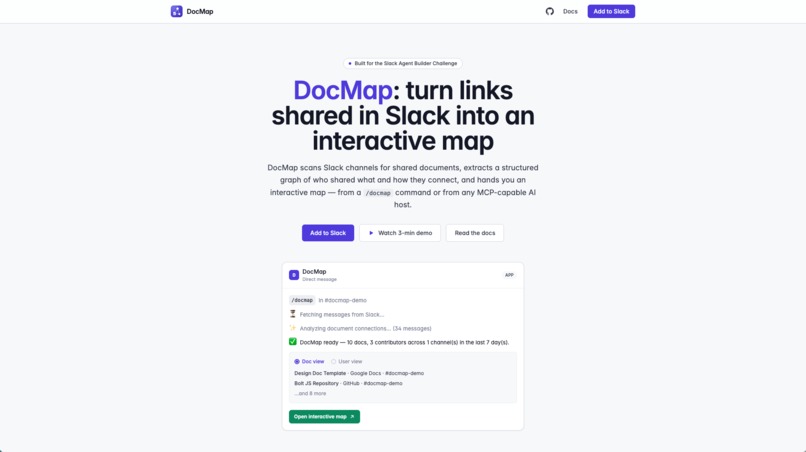
Landing page
-
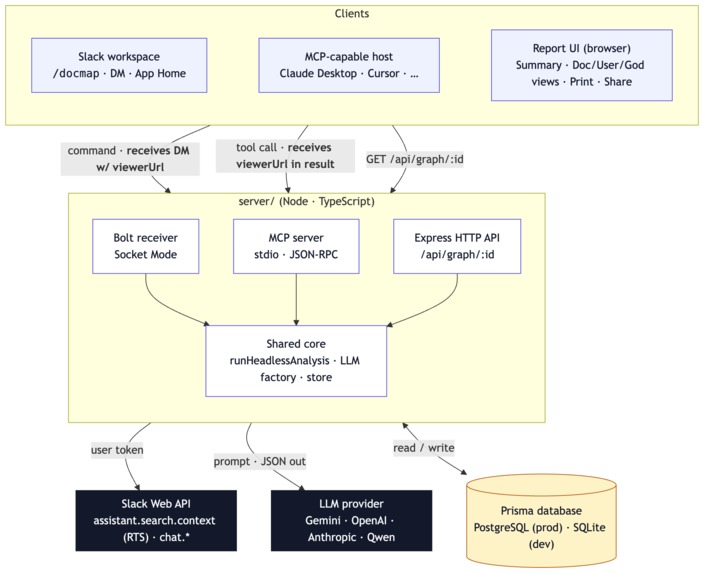
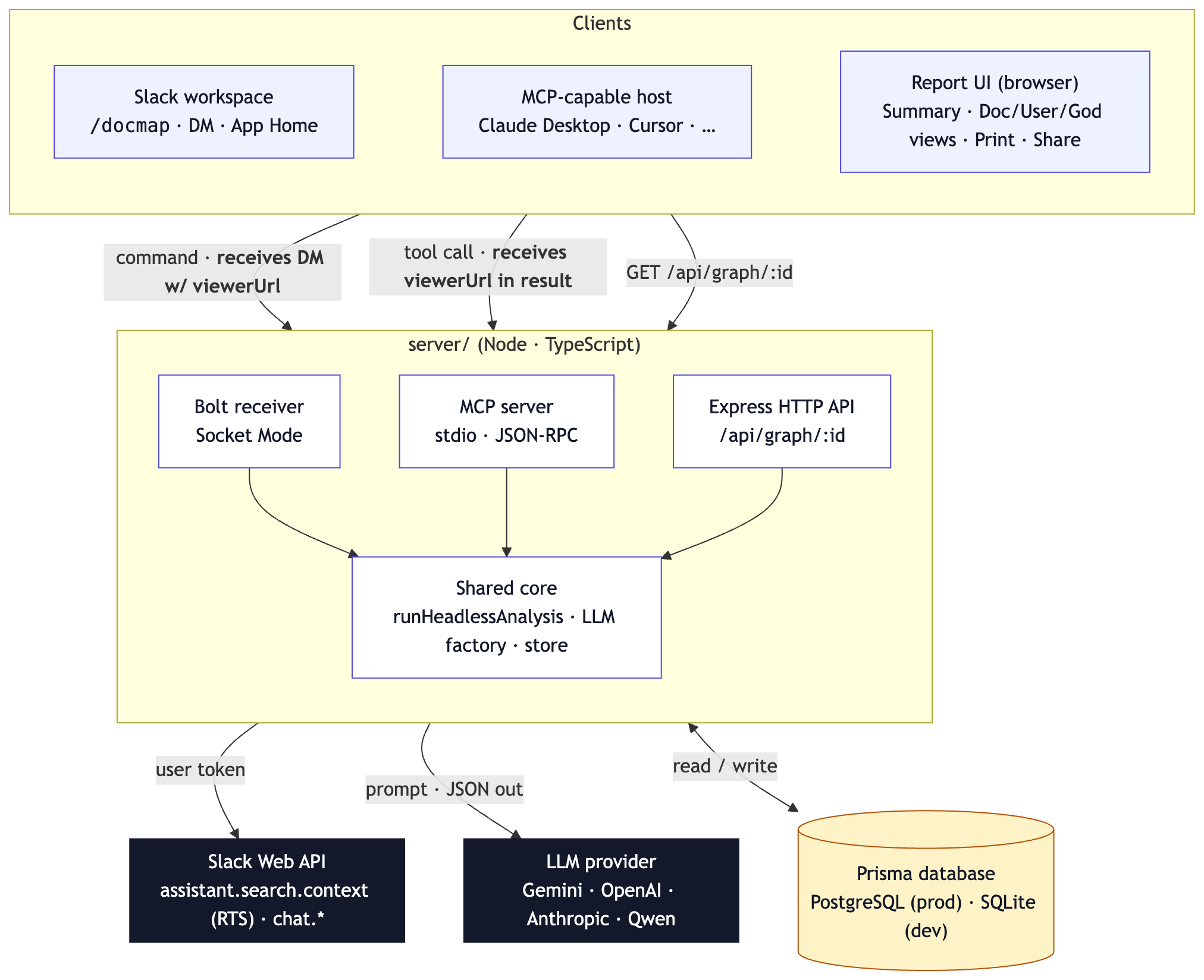
Architecture
-
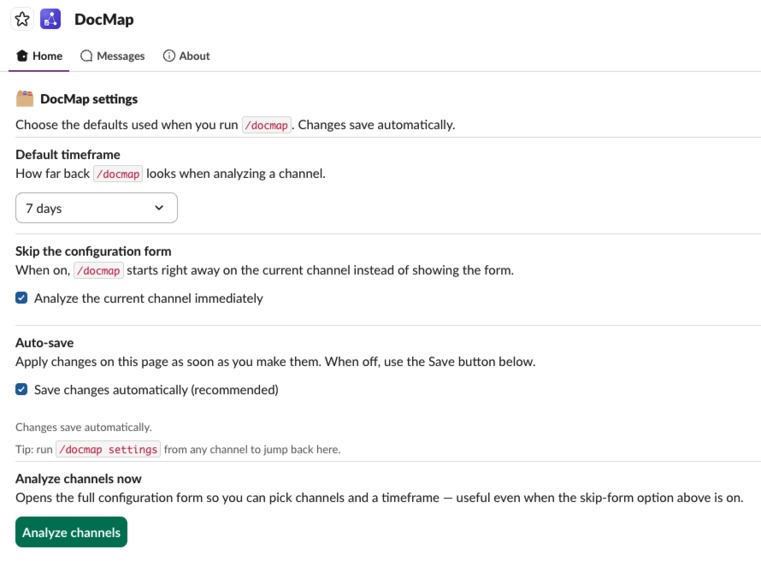
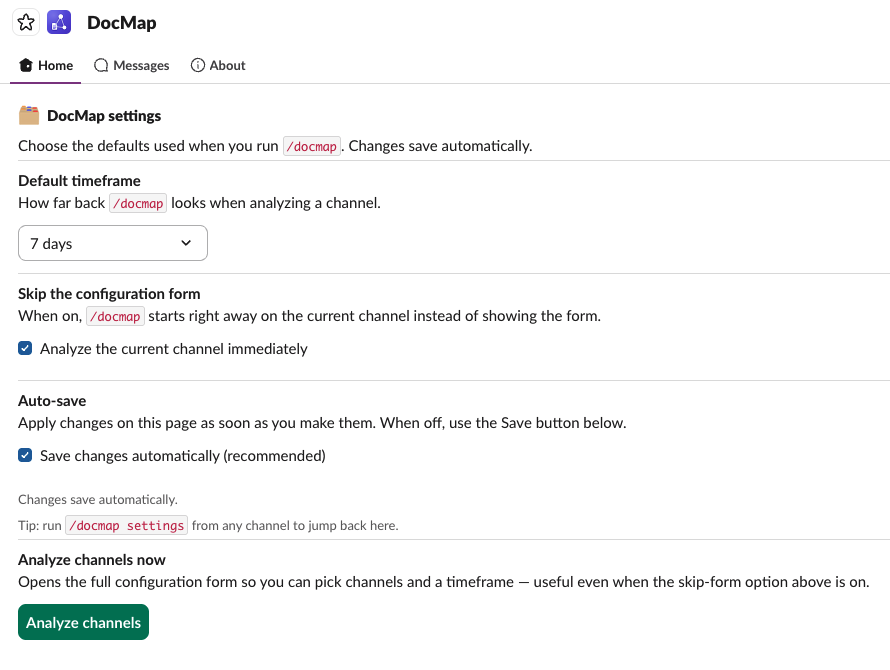
DocMap App Homepage in Slack
-
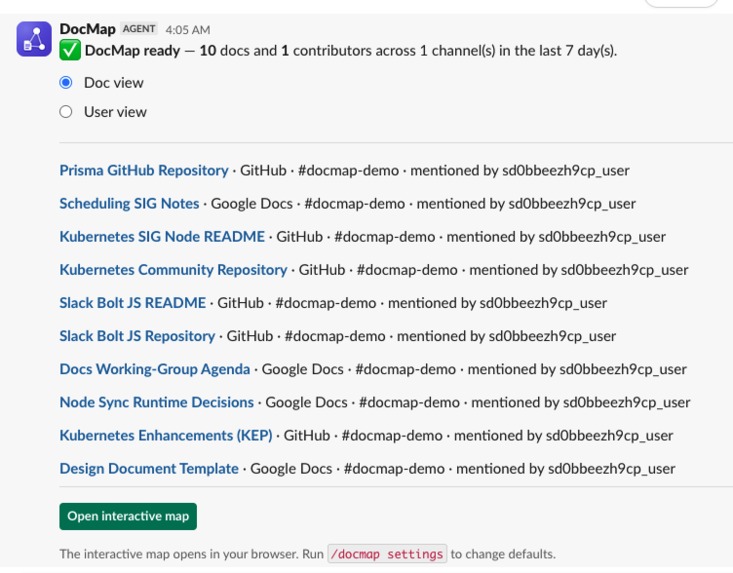
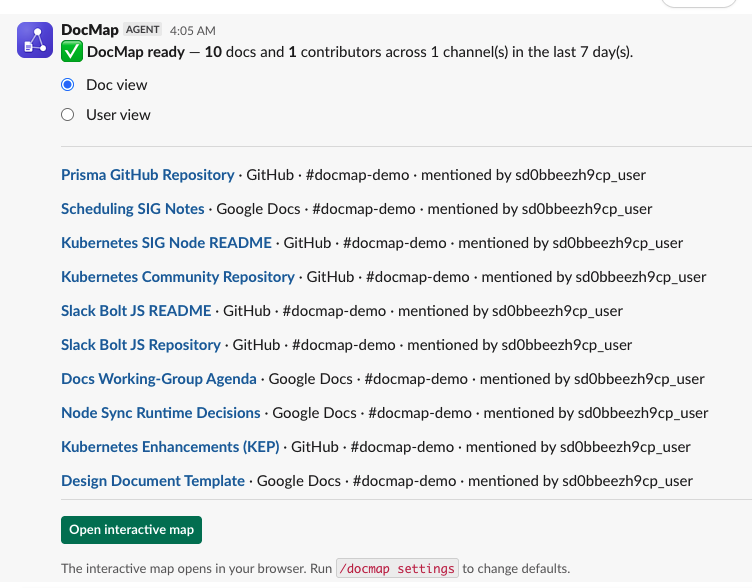
Slack result, doc view
-
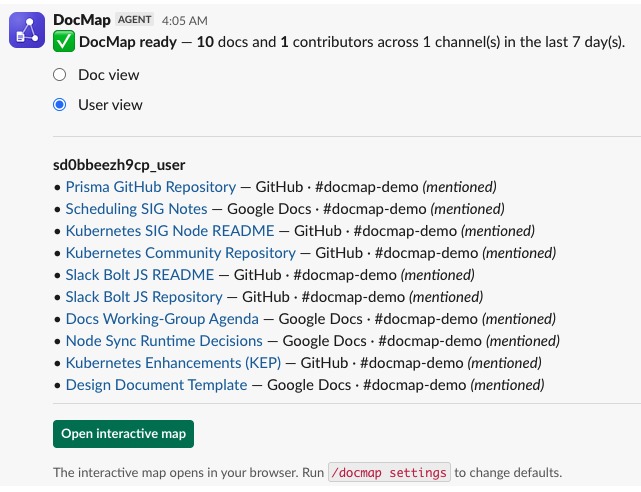
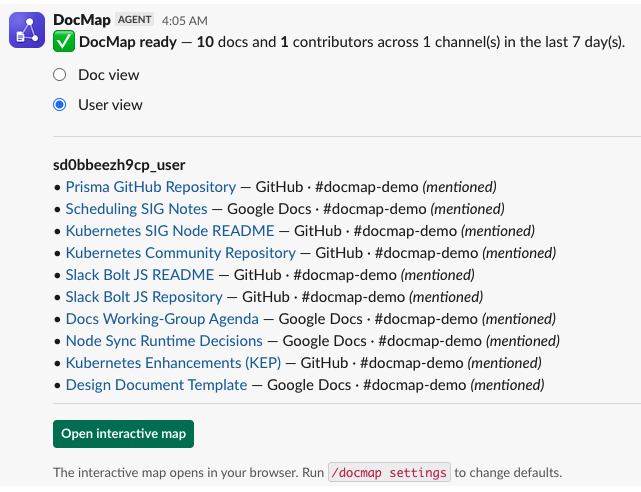
Slack result, user view
-

Slack result, no links found
-
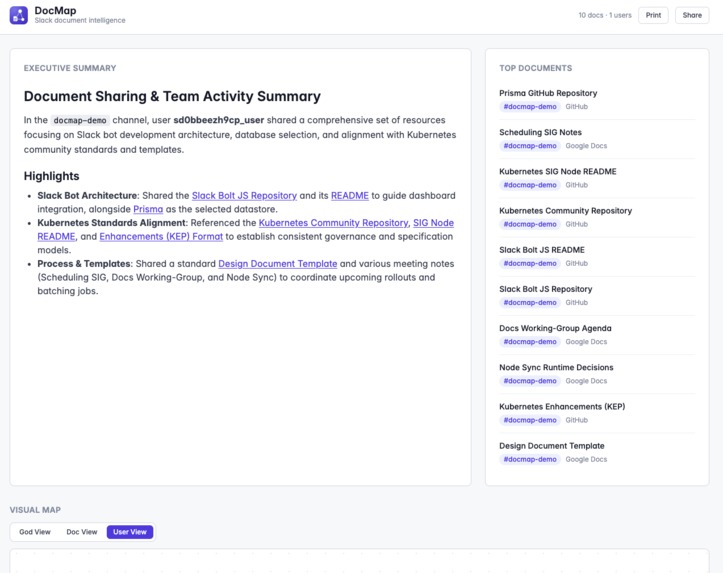
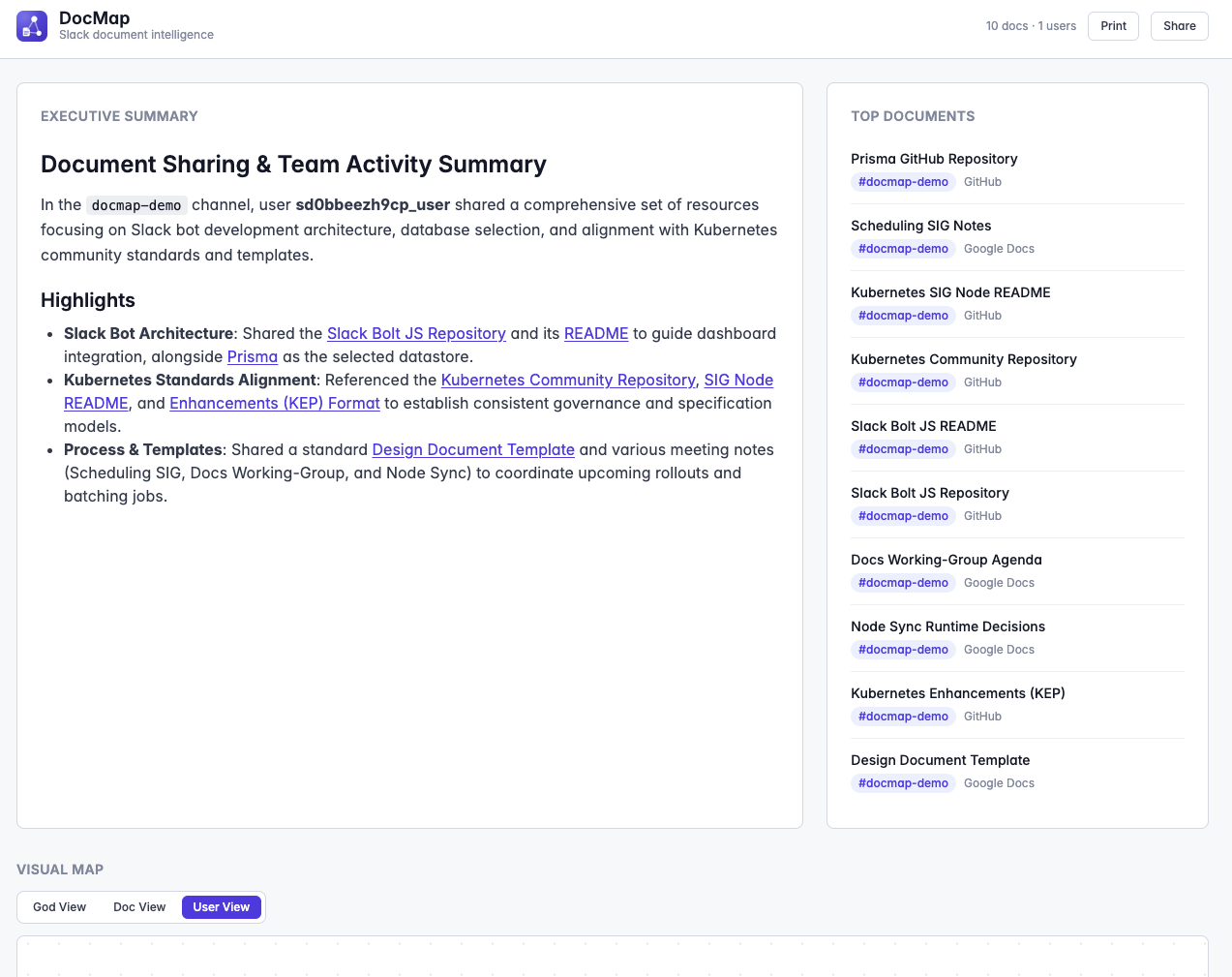
Report, summary and doc list
-
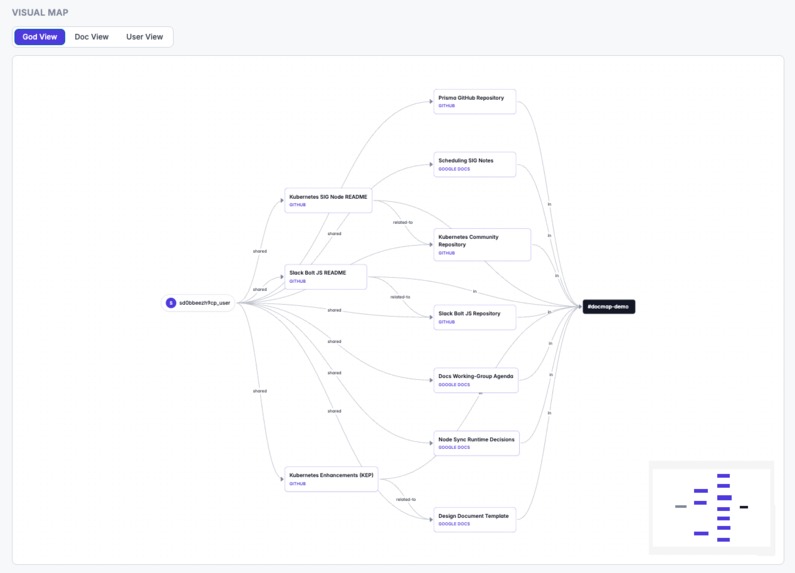
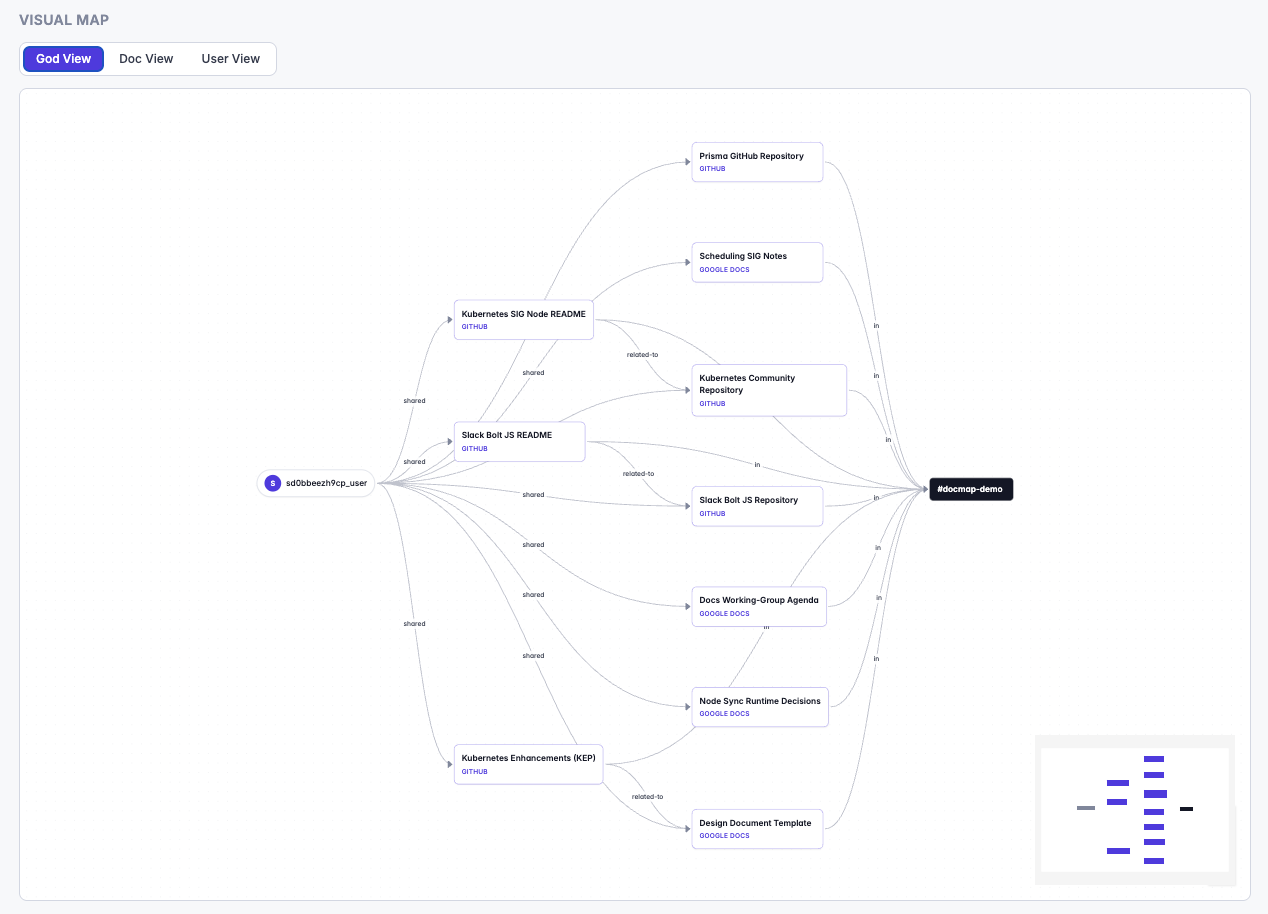
Report, god view
-
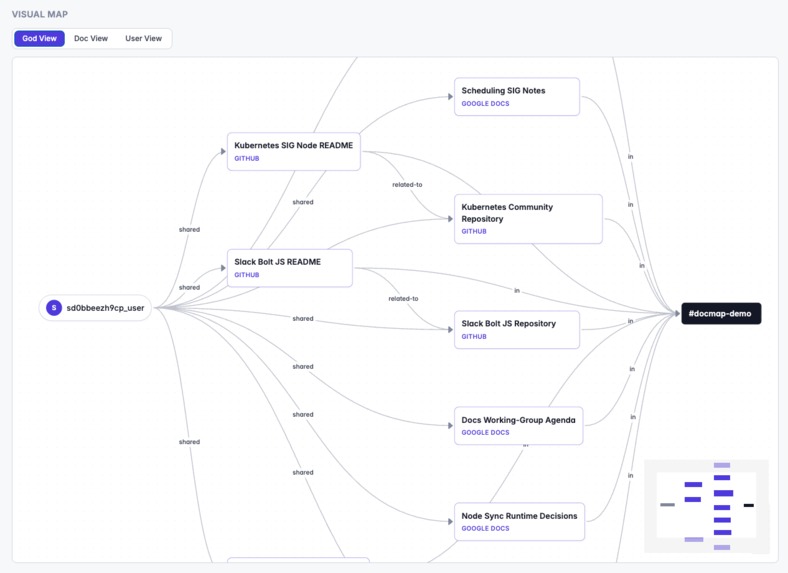
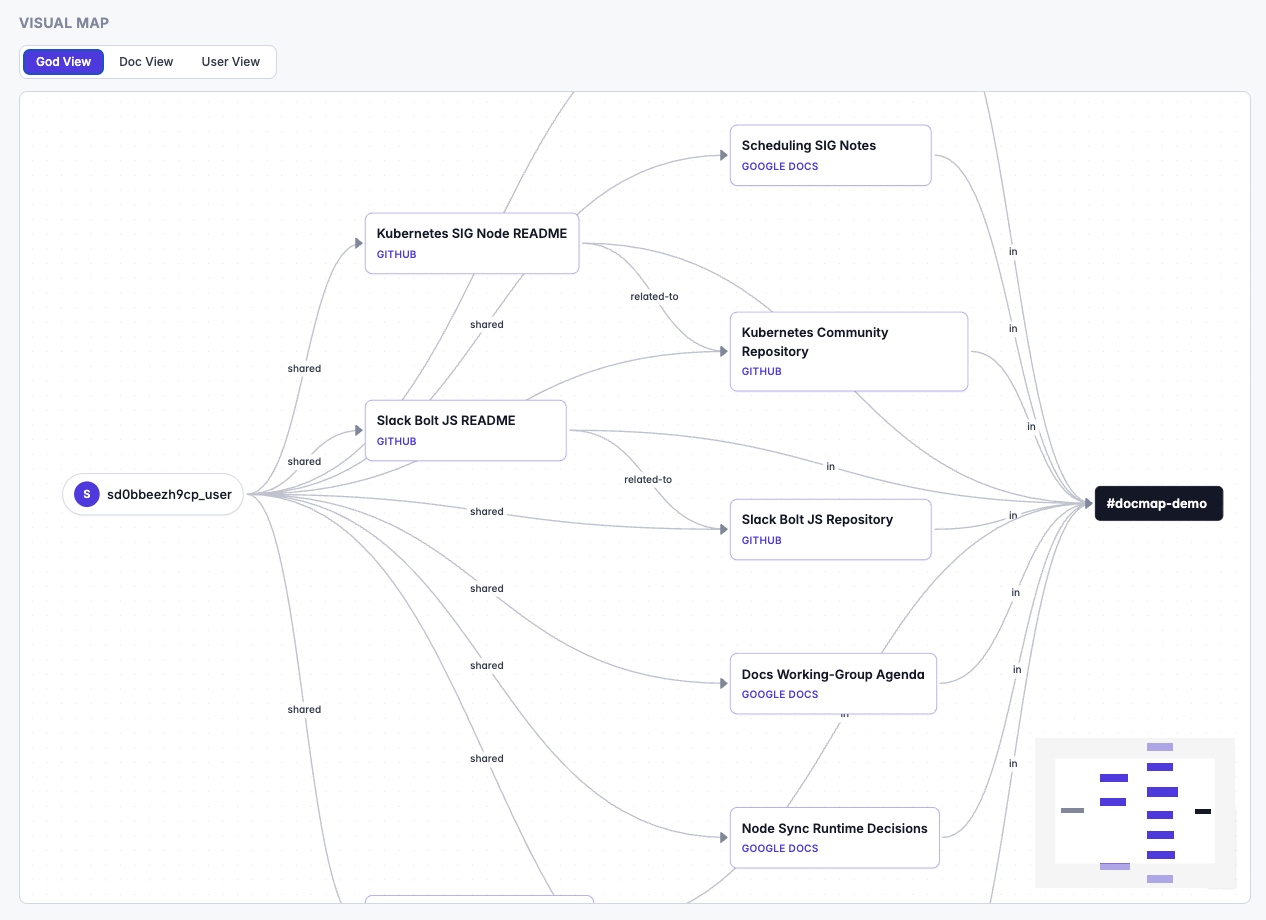
Report, god view zoomed in
-
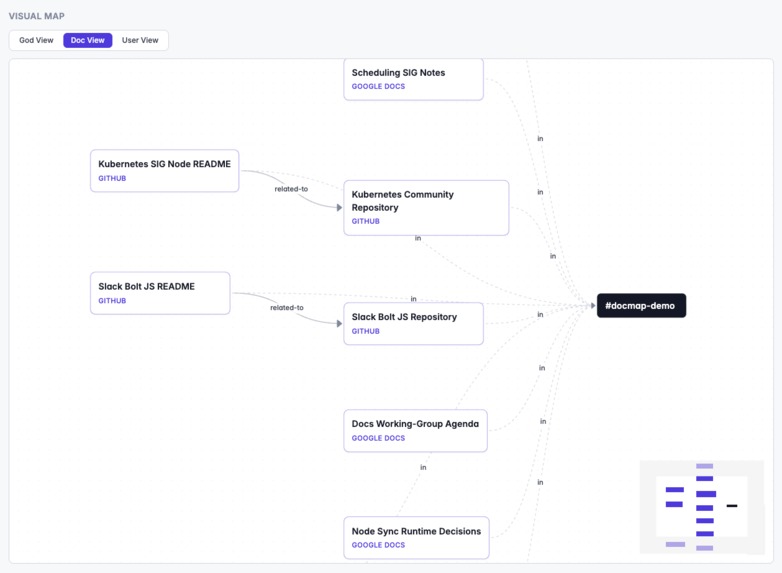
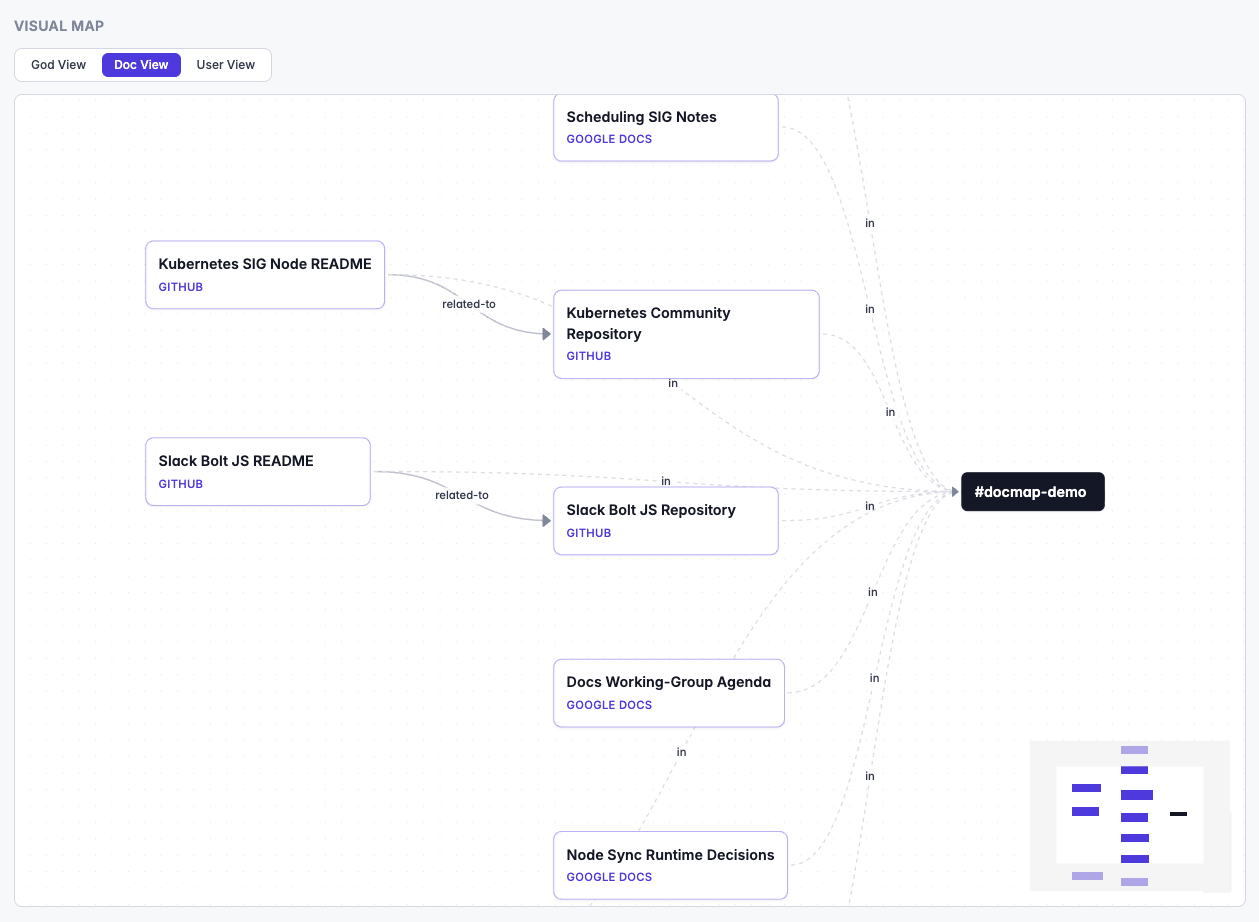
Report, doc view
-
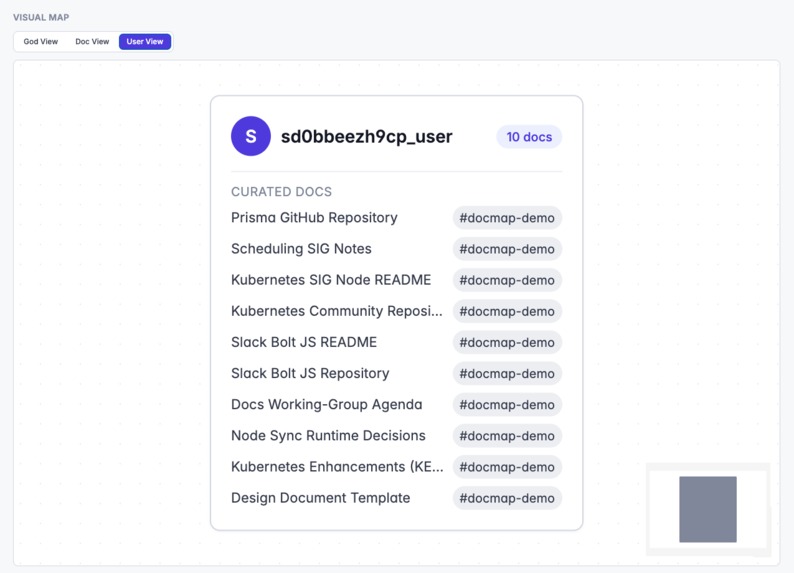
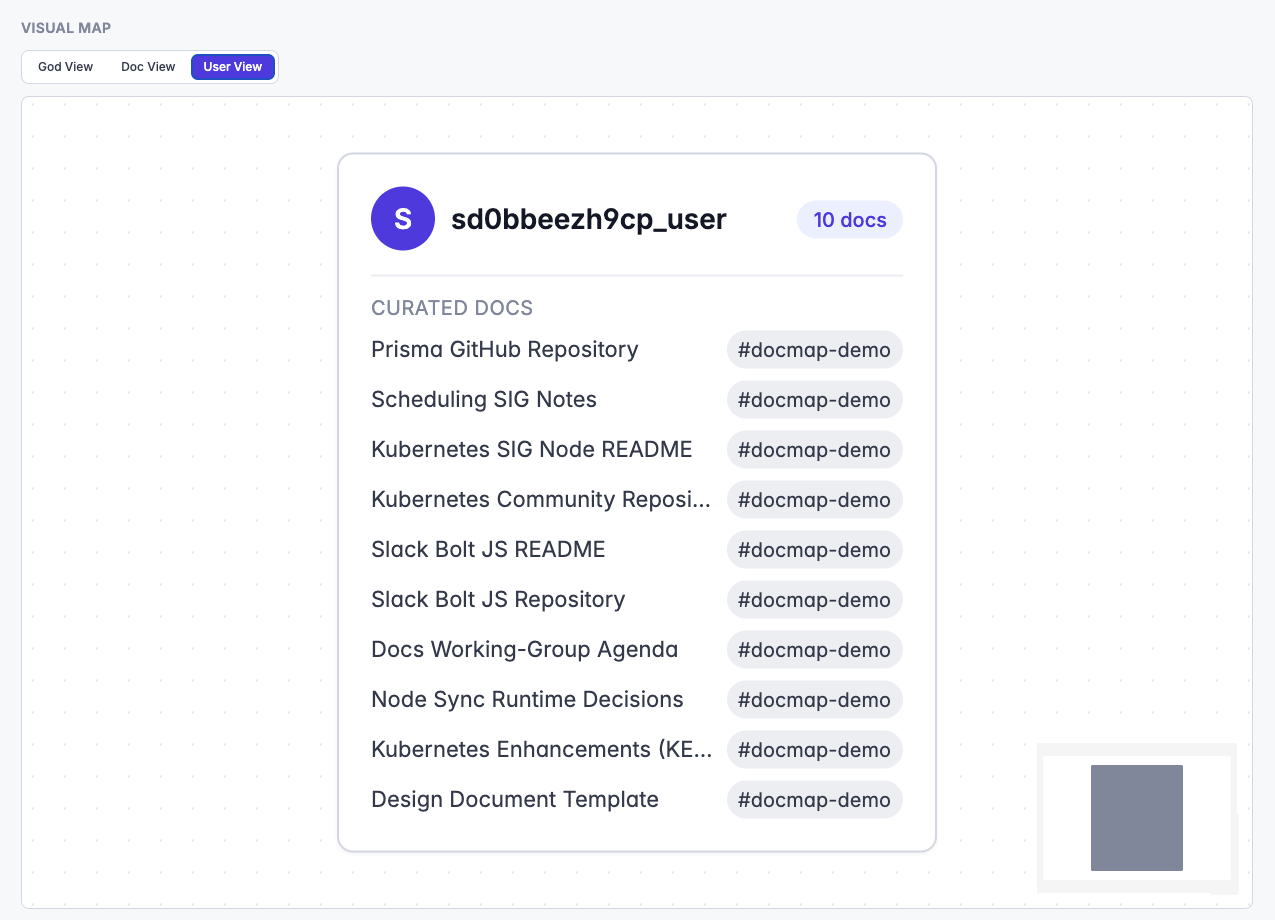
Report, user view
-
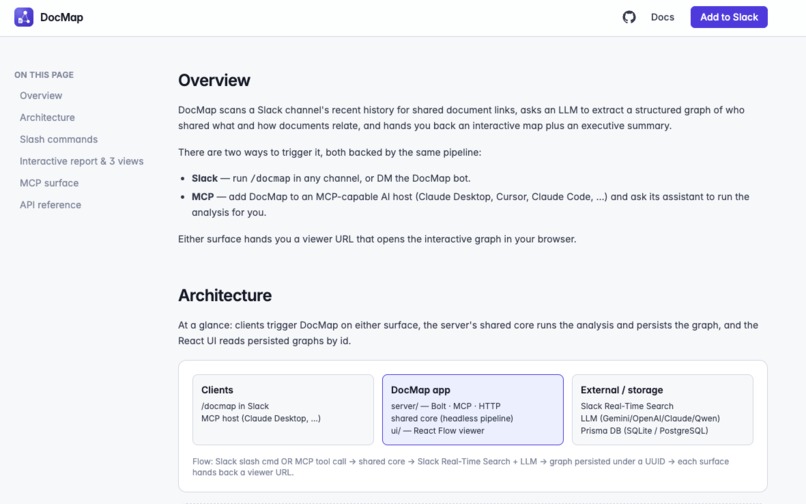
Doc page

Inspiration
Every team has that Slack channel where docs get shared and then buried an hour later. Someone asks "who dropped the design doc about X last week?" and gets scrolling-emoji in return. Slack's native search is text-based — it doesn't answer who owns which doc or which docs reference each other. When the Slack Agent Builder Challenge was announced, the idea almost wrote itself: turn any Slack channel into an interactive knowledge map, on demand, from a single command.
What it does
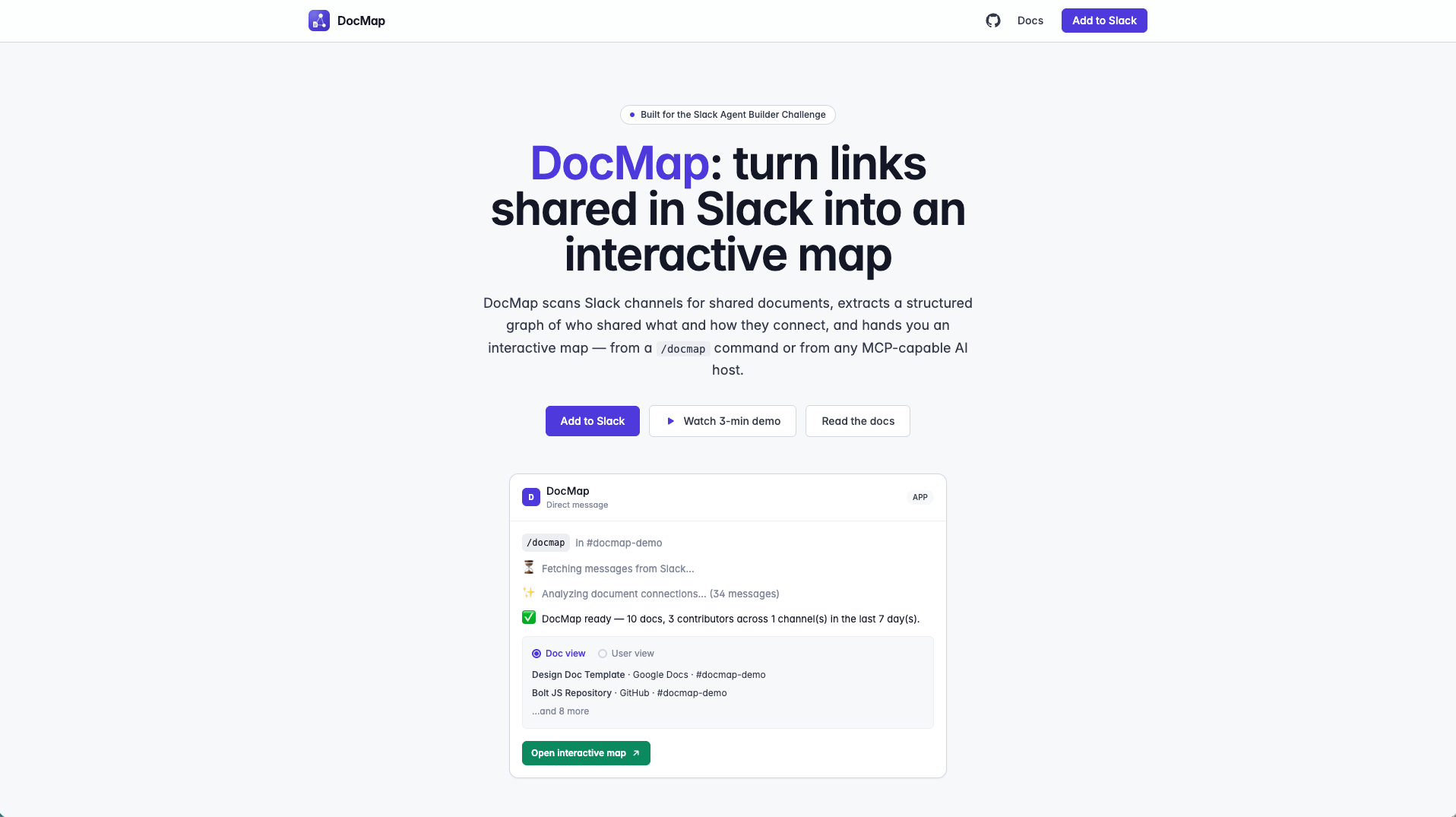
DocMap scans a Slack channel for shared documents, asks an LLM to extract a structured graph of who shared what and how docs relate, and hands the result back three ways:
- Slack —
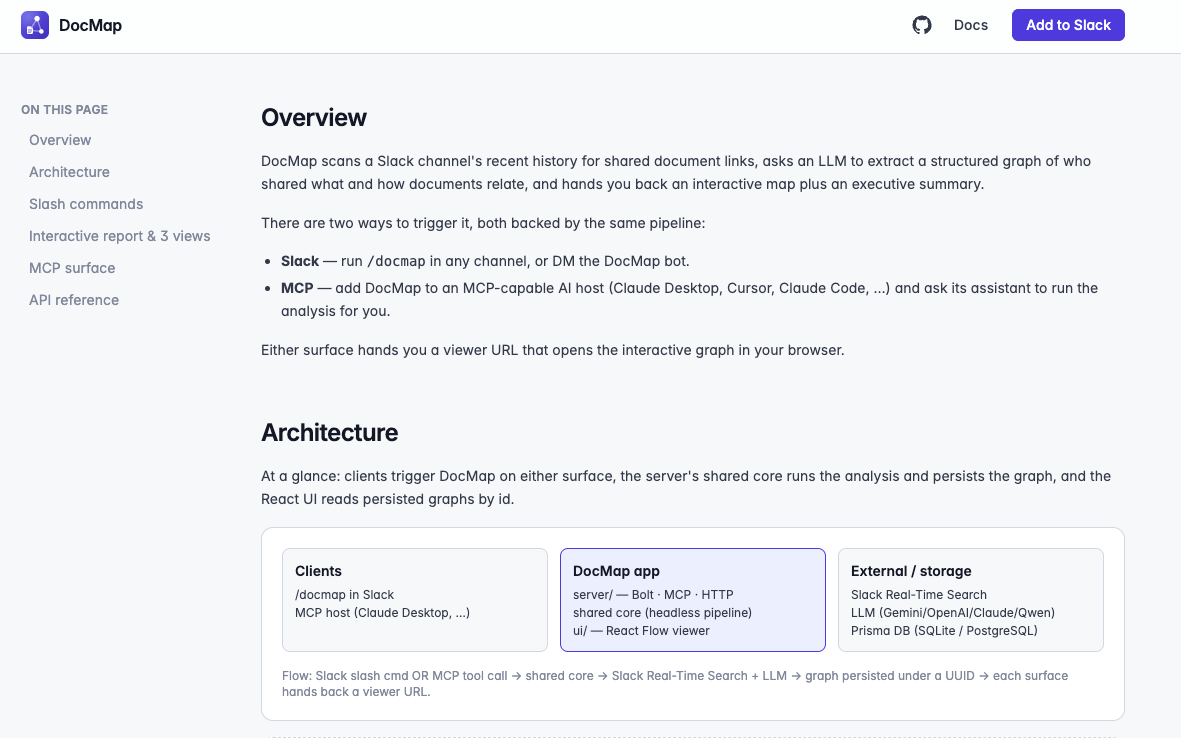
/docmap(or/docmap quick) in any channel. DocMap DMs the invoker with progressive status updates and a Block Kit report: doc list grouped by type and channel, a Doc / User view toggle, and an Open interactive map button. - Interactive viewer — a React Flow canvas with three synchronized views: God view (users, documents, channels, and every edge the LLM inferred), Doc view (clusters by document with cross-references), and User view (one card per contributor with their curated docs). Plus a one-click Print that captures all three diagrams into a single page-formatted report.
- MCP — the same pipeline exposed as
docmap.analyze/docmap.get_graphso any MCP-capable AI host (Claude Desktop, Cursor, Claude Code) can invoke it as a tool and get back a viewer URL.
How we built it
Two surfaces, one shared pipeline.
- Server — Node + TypeScript. Slack Bolt in Socket Mode for the slash command, an MCP server over stdio for the AI-host surface, and a single headless analysis pipeline both call into.
- LLM adapter layer — one
ILLMProviderinterface with pluggable adapters for Gemini, OpenAI, Claude, and Qwen. Switch providers by changing one env var (ACTIVE_LLM); no code touches required. - Slack API — DocMap's message-fetch layer was built and verified
end-to-end against Slack's new Real-Time Search API
(
assistant.search.context), which is the API the challenge was built to showcase. It runs cleanly in a regular workspace we tested against. However, Slack Developer Program sandboxes (the environment judges use) don't enable the "Agents & AI Apps" tier that endpoint requires, and every call fails withfeature_not_enabled. So themainbranch — the one judges will run in the sandbox — falls back to the classicsearch.messagesendpoint, which covers the same query semantics (in:<#channel> has:link after:YYYY-MM-DD) and works on every workspace tier. The full Real-Time Search implementation lives on therts-apifeature branch, ready to reactivate on any workspace where the RTS tier is available. Both paths are capped at 100 messages per run and scoped to the invoker's own visibility. - Persistence — Prisma over SQLite for local development so graphs
survive server restarts. The deployed instance runs without a database
— graphs live in an in-memory
Mapfor the container's lifetime — so the whole app ships as one small image and boots instantly. For the demo that trade-off is fine (a/docmaprun and its viewer URL live well within one session); a real deployment would swap the in-memory store back to Prisma-over-Postgres. - Frontend — Vite + React +
@xyflow/reactfor the canvas, Tailwind for styling,html-to-imagefor the print pipeline. - Deployment — one multi-stage Dockerfile builds the Vite UI + Node
server into a single
node:22-alpineruntime image (~200 MB). Pushed to Google Artifact Registry, pulled by a GCEe2-microVM (always-free tier), started withdocker compose up -d. The container serves both UI and API from port 3000; Slack Bolt reaches Slack over an outbound WebSocket (Socket Mode) so no inbound URL config is needed.
Challenges we ran into
- Real-Time Search API vs. sandbox reality. DocMap was built to use
Slack's Real-Time Search API (
assistant.search.context) — the modern endpoint the challenge itself is meant to showcase — and it works fine end-to-end in a personal workspace we verified against. Slack Developer Program sandboxes, however, don't enable the tier that endpoint requires and returnfeature_not_enabledon every call. To keep the demo actually runnable inside the judges' sandbox,mainuses the classicsearch.messagesendpoint; the RTS implementation is preserved on therts-apibranch and re-activates the moment it runs on a workspace where the tier is enabled. - Right-sizing the deployment. Judges click "Open interactive map" in
Slack and expect it to render — the map can't live on our laptop. First
attempt was a two-container stack (app + Postgres) on a GCE
e2-micro, which ran into a chain of small issues: Prisma Client's musl engine needslibsslat runtime,npx prismaat container start was downloading the CLI on every boot, and thepnpm deploy --prodlayout changed with pnpm 11 (needs--legacy). We simplified by dropping the database entirely for the deployed instance — one image, in-memory graph store, no schema init step, boots in seconds. Local dev still uses SQLite/Prisma for persistence during iteration. - Off-screen React Flow rasterization. The print feature has to snapshot
three graph views the user never sees. React Flow measures nodes with
a ResizeObserver on each node's DOM — but Chromium silently skips
layout for fully-off-screen fixed elements, so
left: -100000pxgave us blank captures. Moving the container into the viewport withopacity: 0.001+contain: strictstill starved the observer on some machines. The fix wasclip-path: inset(50%)— the container is fully laid out and painted; it's just visually clipped to nothing. - Prompt design + schema stability. The message-fetch APIs return messages, not documents — the LLM has to identify links, classify types (gdoc / github / notion / …), attribute them to contributors, and infer edges. Getting consistent, non-hallucinated typed JSON out of four different providers took several iterations of prompt + JSON schema validation.
- Cross-surface state. MCP over stdio is stateless, but Slack and MCP need to share a graph store so a graph generated in one surface is retrievable from the other. We ended up with a UUID-keyed persistence layer both surfaces write and read from.
- Sandbox provisioning. Domain allow-lists, 8-user total caps, 2-guest caps, and cross-org invite restrictions all conspired to make even "invite the judges" a small design problem.
Accomplishments that we're proud of
- One backend, two surfaces. Slack and MCP share the exact same pipeline — no duplication, no drift.
- Three views from one graph. God / Doc / User views all render from a single graph model in real time; no separate pipelines per view.
- Live-canvas print. The printed report captures actual React Flow diagrams, not screenshots — layout matches the interactive viewer exactly.
- Provider-agnostic by design. Swap between Gemini, OpenAI, Claude, and Qwen with an env-var change.
- Both message-fetch APIs supported. The RTS implementation is real
(branch
rts-api, verified on a personal workspace); the shippingmainbranch is the classic-API fallback so the demo runs in any sandbox judges throw at it. - Deployed on GCP's always-free tier. One
e2-microVM, one Docker Compose file, one command to redeploy after a code change — all within the free tier so hosting costs $0 for the demo window.
What we learned
- The Real-Time Search API is dramatically more capable than the older
search.messages— but the workspace tier gating means production Slack apps still need a classic-API fallback path for the foreseeable future. - Rasterizing complex React components off-DOM is a layout-timing
minefield;
clip-pathis a cleaner hide-trick than any combination ofopacity,contain, or negative offsets. - A good MCP tool is basically a good CLI is basically a good API — building for MCP forced the pipeline to be genuinely headless, and Slack ended up cleaner as a result.
- In a 3-minute demo, small UX details (progress DMs, view toggles, Print button) do a disproportionate amount of the persuasion work.
What's next for DocMap
- Re-enable Real-Time Search on any RTS-eligible workspace. The
rts-apibranch is drop-in; the moment a target workspace has the "Agents & AI Apps" tier enabled,mainswaps back toassistant.search.contextwith no other code changes. - Bring back durable storage for the deployed instance. Add a managed Postgres (Cloud SQL) or SQLite-on-persistent-disk beside the container so graphs survive restarts and can be revisited days later.
- Push-based ingestion — watch channels for new doc links and update the persisted graph incrementally so the map is always current.
- Cross-channel merging — one graph across multiple channels, threads, and pinned messages for a whole project.
- Auth-aware previews — first-party integrations with Google Docs, Notion, GitHub to surface titles / summaries / access status on hover.
- More MCP tools —
find_doc_owner,list_docs_by_topic,explain_doc_connection— small composable tools an AI host can chain. - Team-shared graph store — pin, comment, and share graphs so the map becomes the team's living doc index.
Built With
- claude
- gemini
- mcp
- node.js
- postgresql
- react
- real-time-search
- slack-api
- slack-bolt
- slack-realtime-search-api
- sqlite
- tailwind
- typescript
- vite
- web-socket


Log in or sign up for Devpost to join the conversation.