-
-
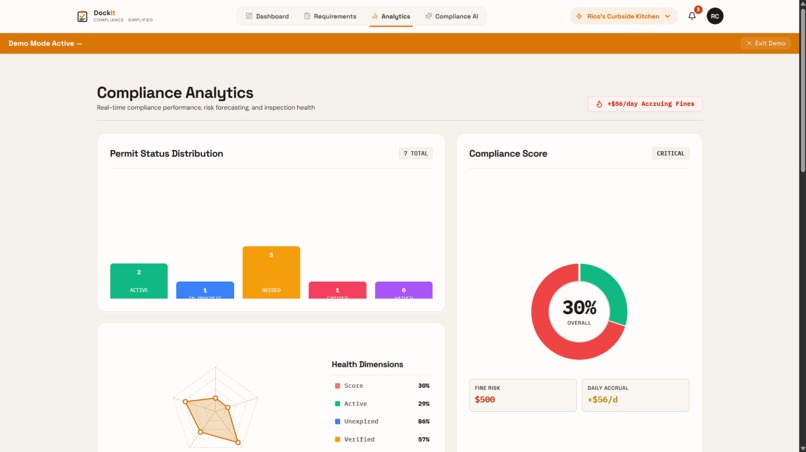
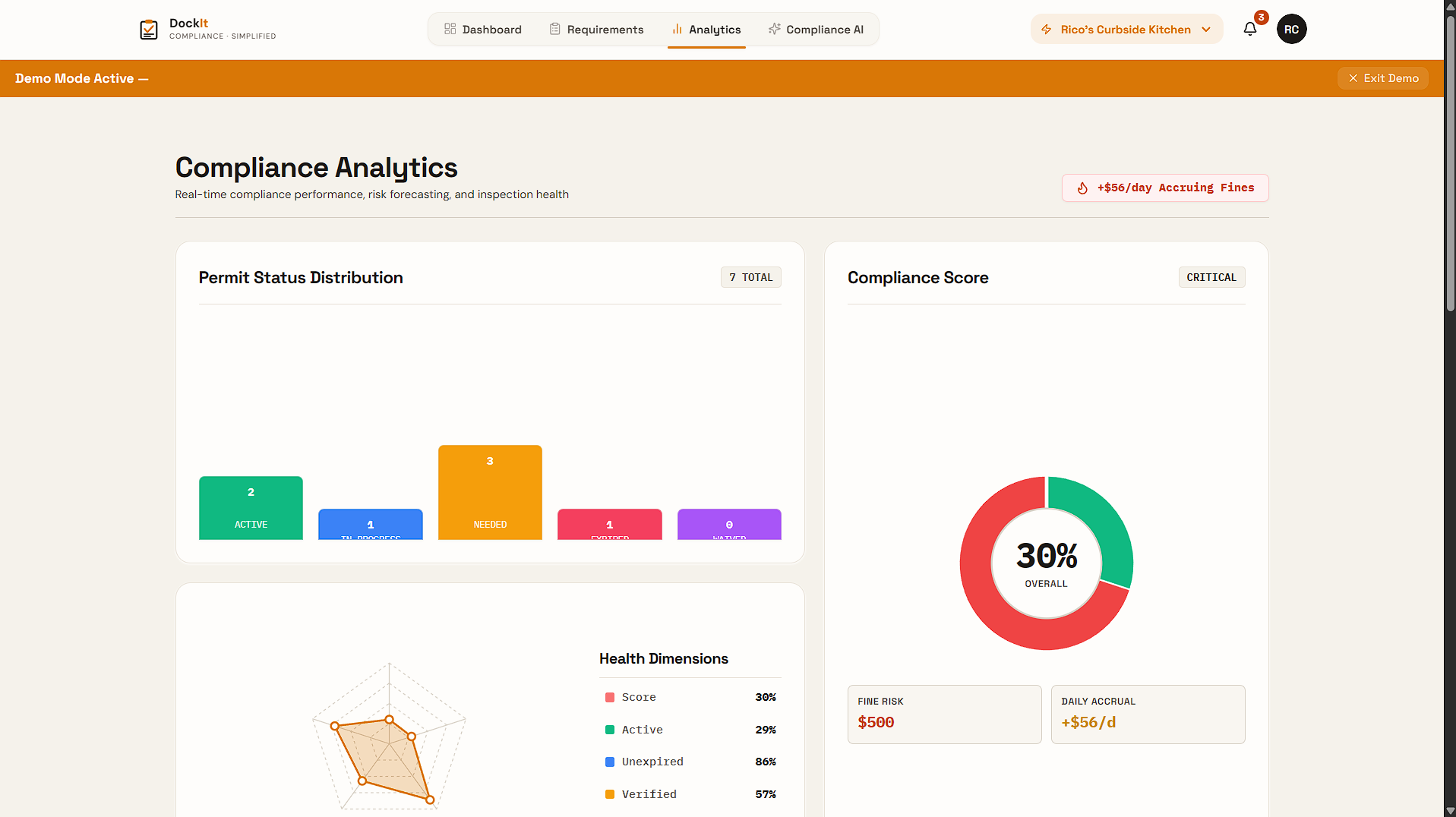
Business Analytics
-
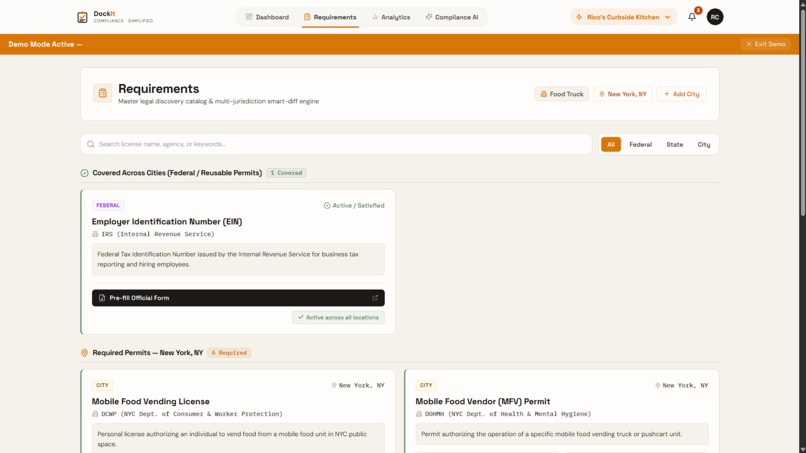
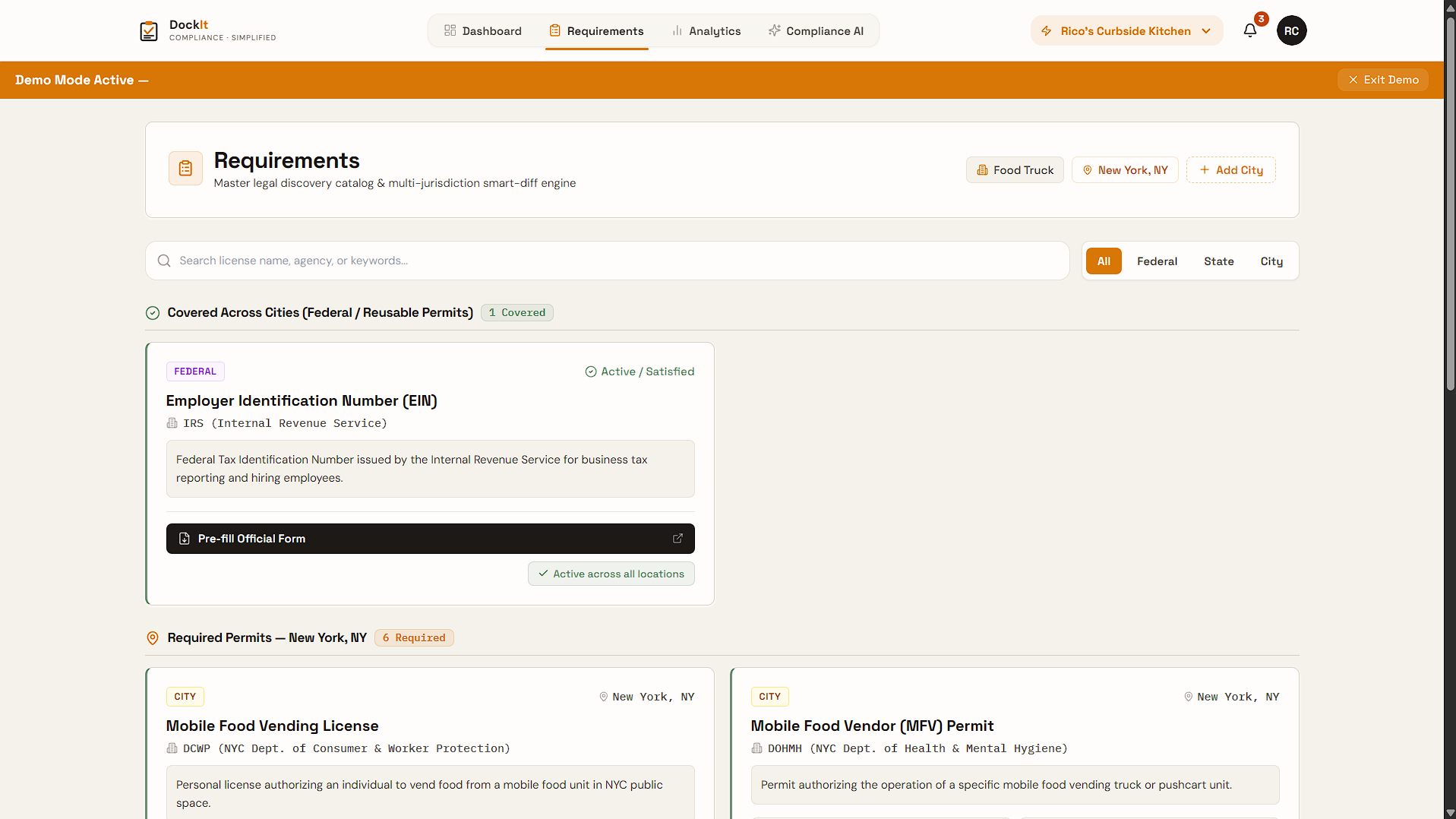
Requirements Page with One-Click Renew Option
-
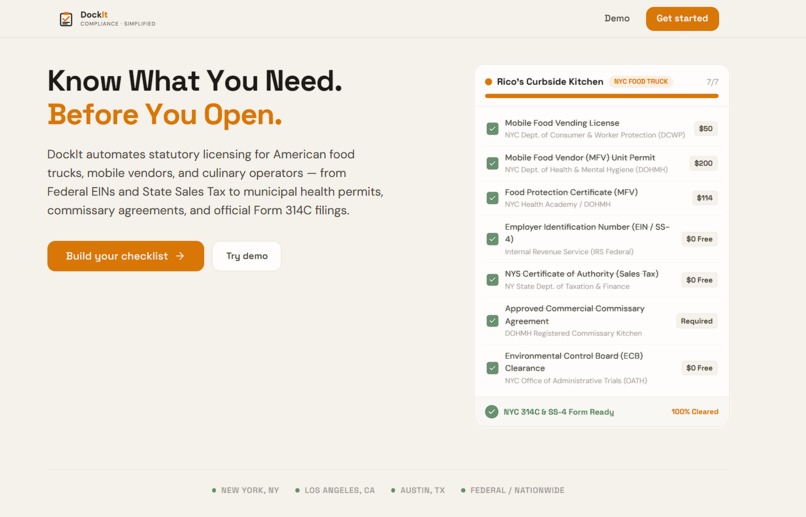
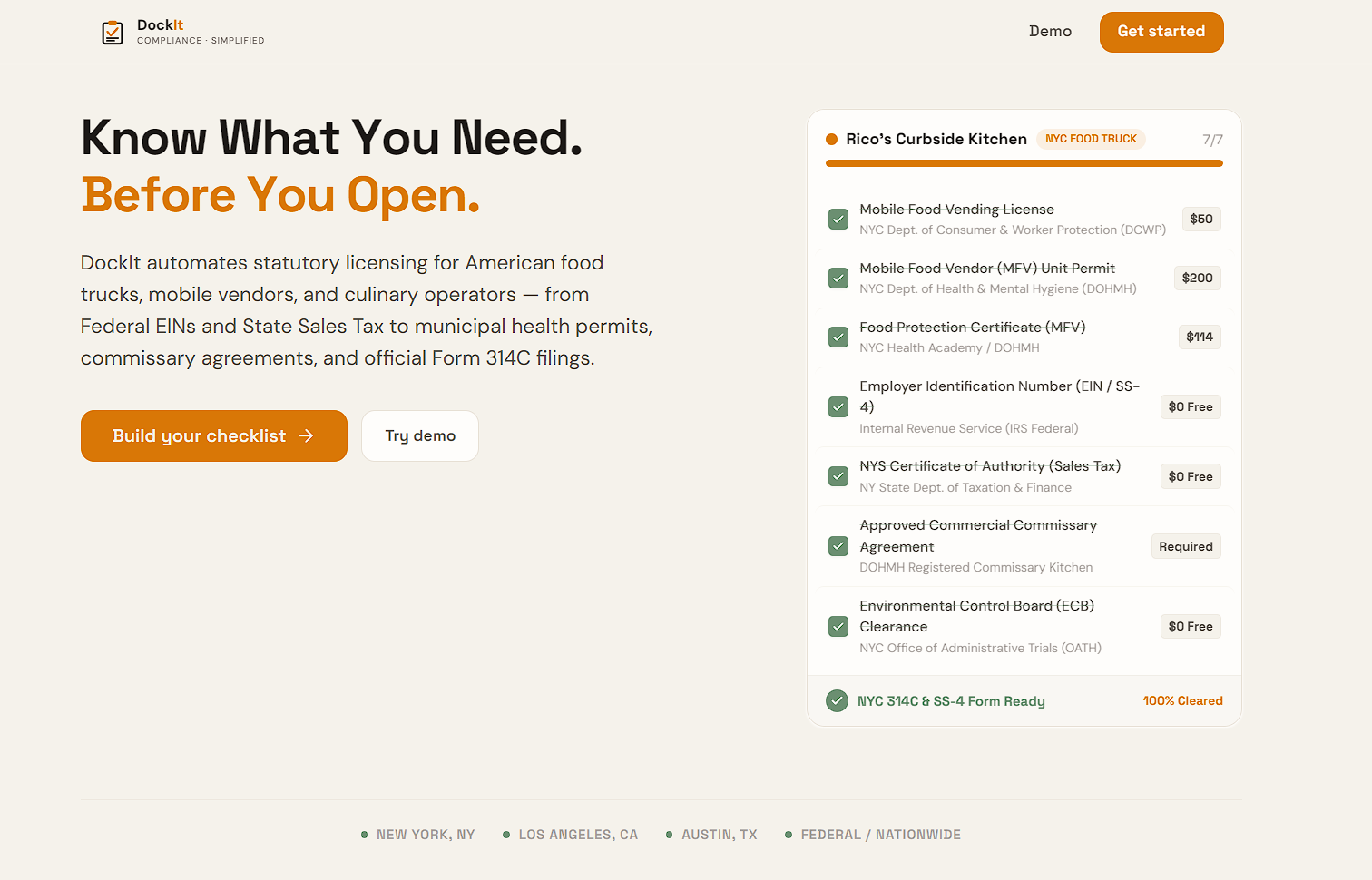
Landing Page
-
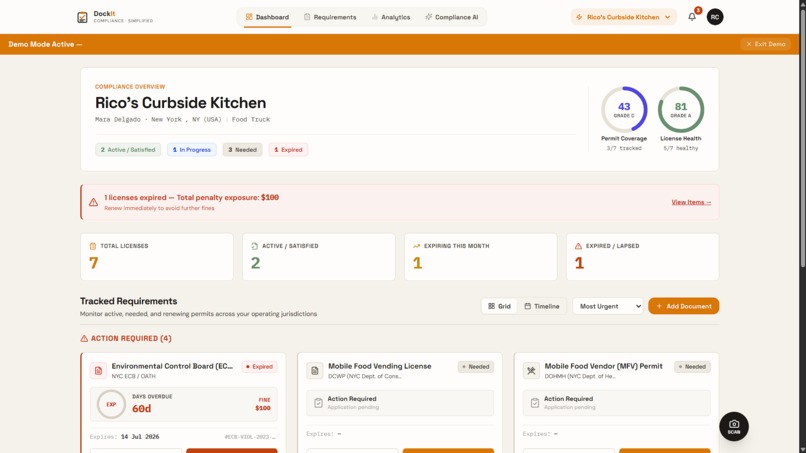
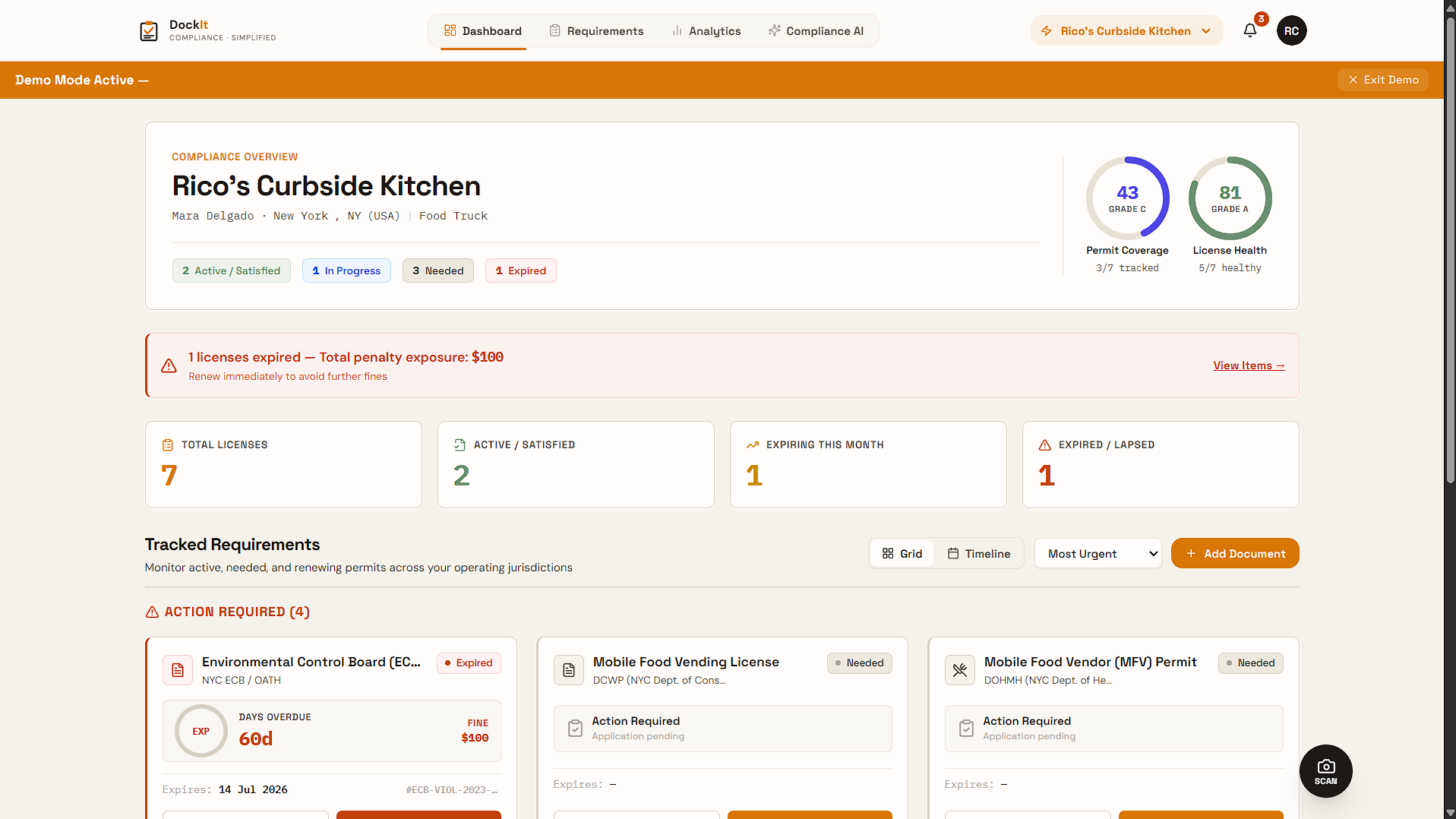
Dashboard with Complaince Score
Inspiration
We started with a simple question:
If someone wanted to open a business tomorrow, would they actually know every license, permit, inspection, and document they need before opening their doors?
For a small business owner, compliance is rarely one checklist. Requirements can come from federal, state, county, and city agencies, and they can change depending on the business type and location.
The problem is not that the information doesn't exist. It is scattered across government websites, PDFs, application portals, and different departments. Business owners are often left searching through all of these sources just to figure out what applies to them.
That is what led us to build DockIt.
What it does
DockIt is an AI-powered compliance platform designed to help businesses understand and manage the requirements that apply to them.
A business starts by entering its business type and locations. DockIt then builds a business-specific compliance map showing the requirements that apply to that business.
From there, users can:
- Discover licenses, permits, registrations, and other requirements
- Track the status of each requirement
- Upload documents and extract relevant information using OCR
- Track expiration dates
- Compare requirements when expanding into another city
- Automatically identify what is new, reusable, or already satisfied
- Fill official PDF application forms using existing business information
- Ask an AI Copilot questions about their compliance status
- See the sources behind compliance information
One of our main features is Smart-Diff.
When a business adds another location, DockIt does not simply generate another long checklist. It compares the new location against the requirements the business already has and highlights the actual difference.
This answers a practical question:
"What do I need to do differently in this new city?"
How we built it
DockIt is built as a full-stack web application.
The frontend is built with React, TypeScript, JavaScript, HTML, and CSS.
Our backend exposes REST APIs that handle business data, compliance logic, AI requests, document processing, and application workflows.
PostgreSQL, through Supabase, stores business profiles, requirements, tracked compliance records, and document-related data.
For AI capabilities, we use Google Gemini for extraction, reasoning, and the Copilot experience.
For document processing, we use Tesseract.js for OCR and PDF.js for reading PDF documents. jsPDF is used where PDF generation is required.
A major design principle is that the AI should reason over compliance data rather than invent compliance requirements.
The system first gathers structured business and requirement data, and the AI uses that context to explain it to the user.
Our overall workflow is:
Business Profile → Compliance Discovery → Rule Evaluation → Source Verification → Smart-Diff → Document Processing → Form Filling → Compliance Tracking → AI Copilot
Challenges we ran into
One of the hardest parts was dealing with the fact that compliance information is not presented consistently.
Government websites use different layouts, terminology, application processes, and document formats. A simple web scraper can tell us that a page exists, but that does not mean we successfully extracted the information we need.
We therefore had to think carefully about verification, source tracking, extraction failures, and what the system should do when information cannot be reliably extracted.
Another challenge was connecting different parts of the product into one workflow.
OCR, compliance requirements, expiration dates, application forms, location-specific rules, and AI responses are useful individually, but the real value comes from connecting them.
We also had to make sure the AI did not become a source of invented legal requirements. If information cannot be verified, DockIt should say that it could not verify it rather than confidently making something up.
Accomplishments that we're proud of
The feature we are most proud of is Smart-Diff.
It turns business expansion into a comparison problem instead of forcing users to start from scratch.
We are also proud of the connection between document processing and compliance tracking. A user can upload a document, extract information from it, and use that information to update their compliance status.
Another important part is FormPilot, which takes business information already stored in DockIt and uses it to populate official PDF application forms.
Together, these features move DockIt beyond simply displaying a list of requirements. The goal is to turn compliance information into an actionable workflow.
What we learned
We learned that building a compliance product is less about generating more information and more about organizing the right information around a specific business.
We also learned that AI works best here when it is used as a reasoning and interaction layer on top of structured data.
Instead of asking an LLM to decide what the law is, we give it the business profile, applicable requirements, documents, statuses, and verified sources and let it explain and work with that information.
This makes the system more useful while reducing the risk of hallucinated compliance information.
What's next for DockIt
Our next step is expanding DockIt's coverage across more U.S. cities, states, and business types.
We also want to strengthen continuous source verification so that changes on official government websites can be detected and reviewed.
Beyond discovery and tracking, we want DockIt to support more of the actual compliance workflow, including renewal processes and authorized filing integrations where government systems allow it.
We also see an opportunity to build DockIt for accountants and compliance professionals, allowing them to manage compliance across many businesses and locations from one platform.
Our long-term goal is to turn DockIt from a compliance checklist into a continuous compliance infrastructure for small businesses.
A business owner should not need to become an expert in every government website just to understand what they are required to do.
Pitch Deck: Link
Built With
- ai
- css
- gemini
- generative
- html
- javascript
- jspdf
- ocr
- pdf.js
- postgresql
- react
- restapi
- supabase
- tesseract.js
- typescript

Log in or sign up for Devpost to join the conversation.