-
-
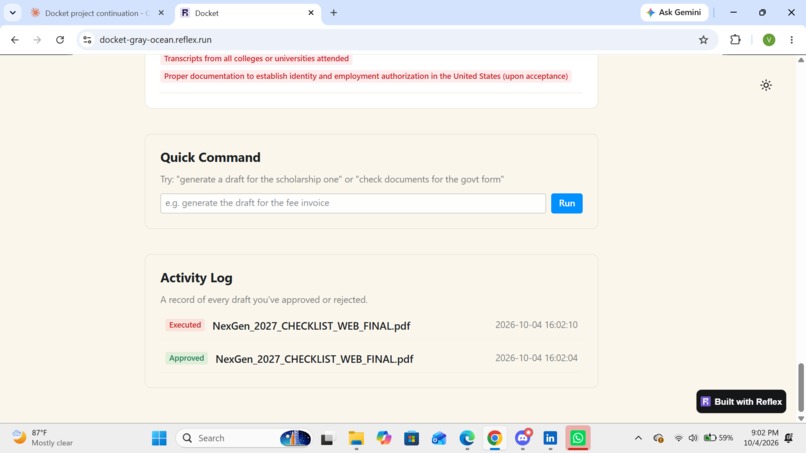
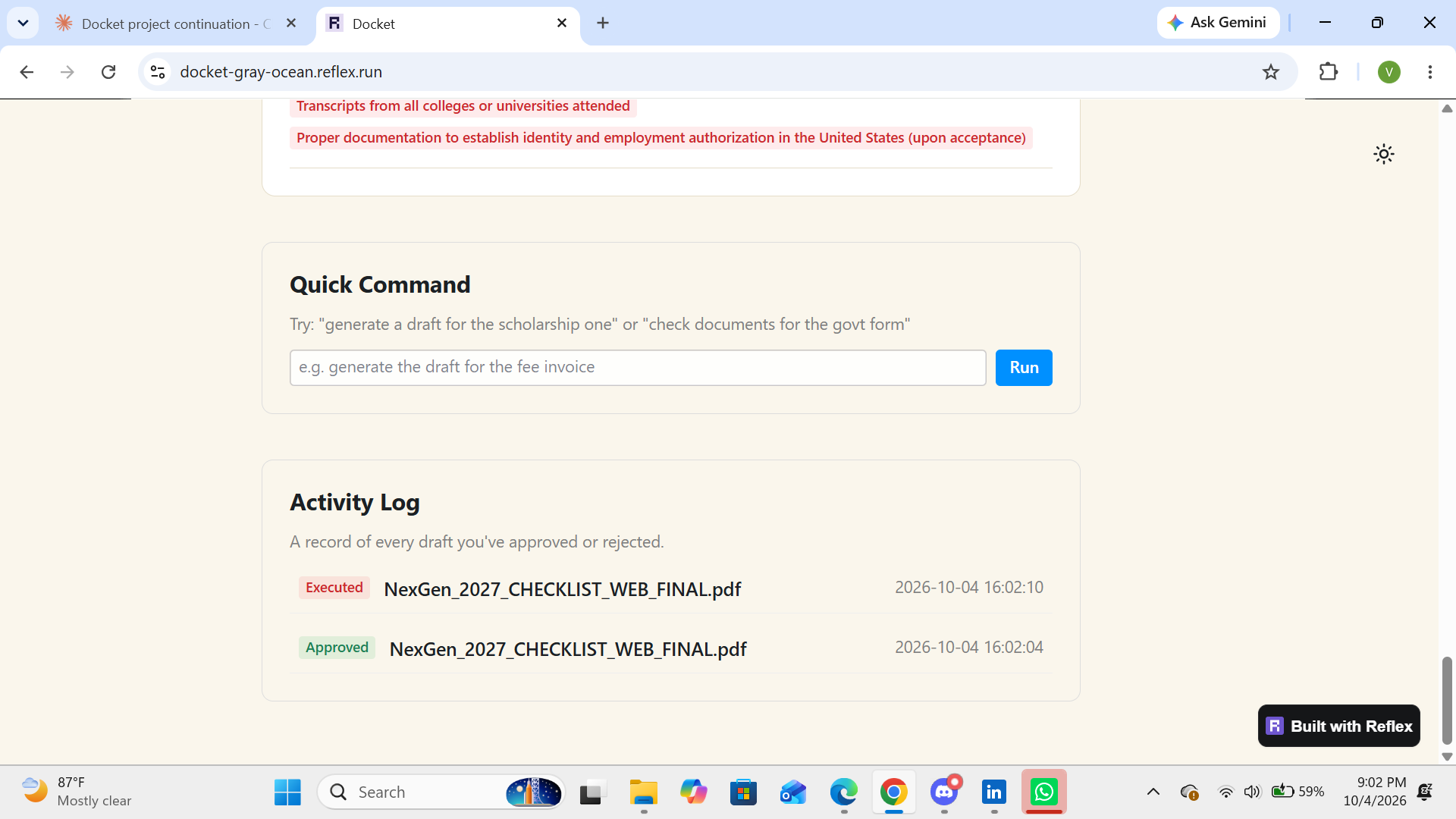
Activity Log
-
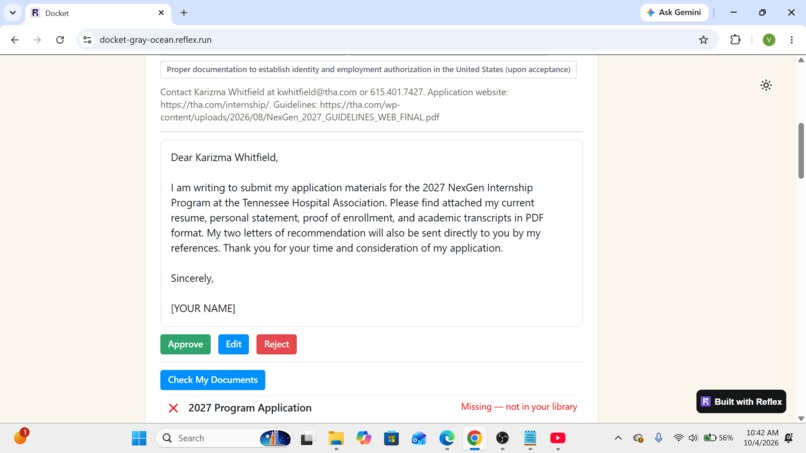
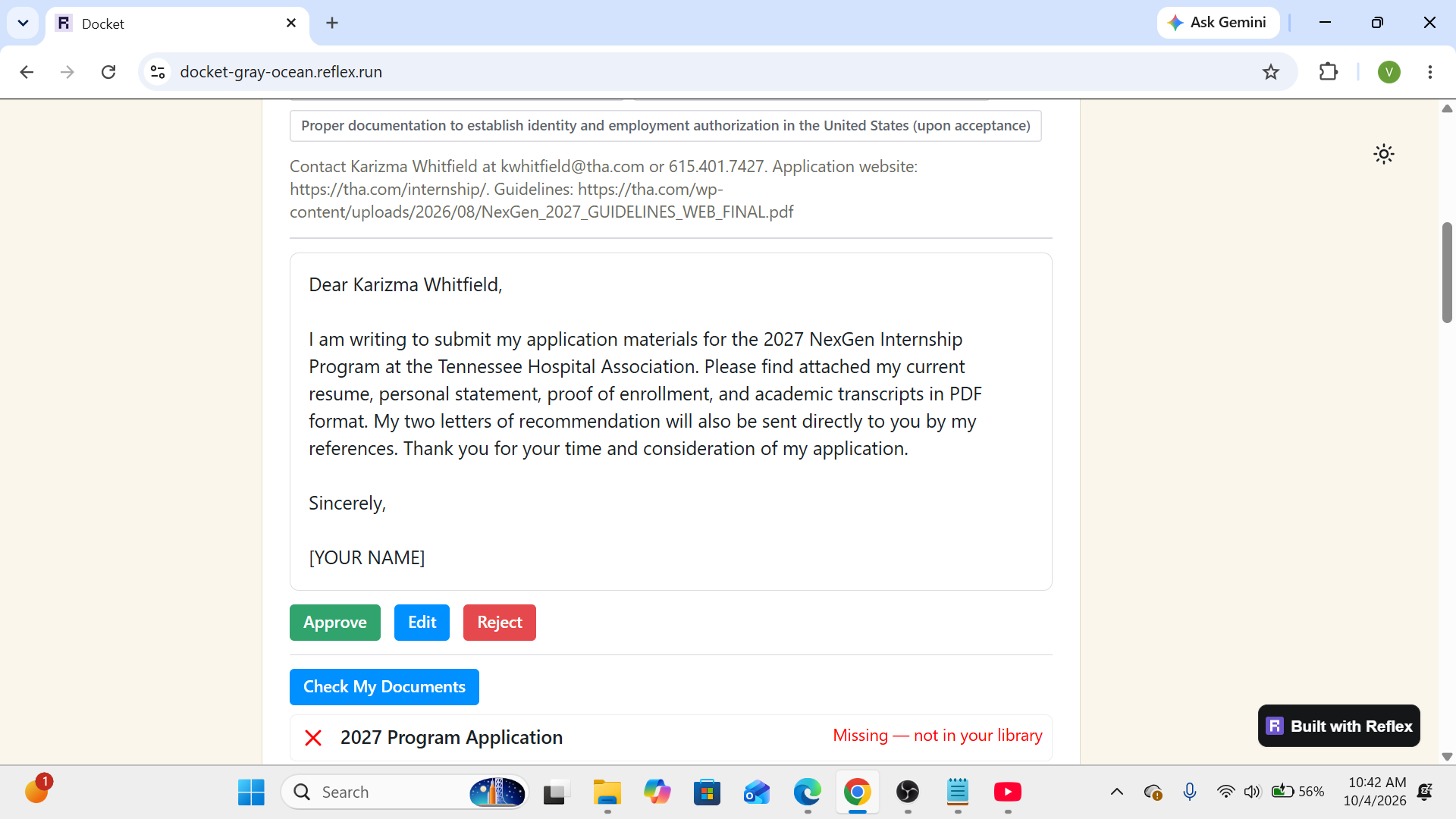
Approval flow, draft email
-
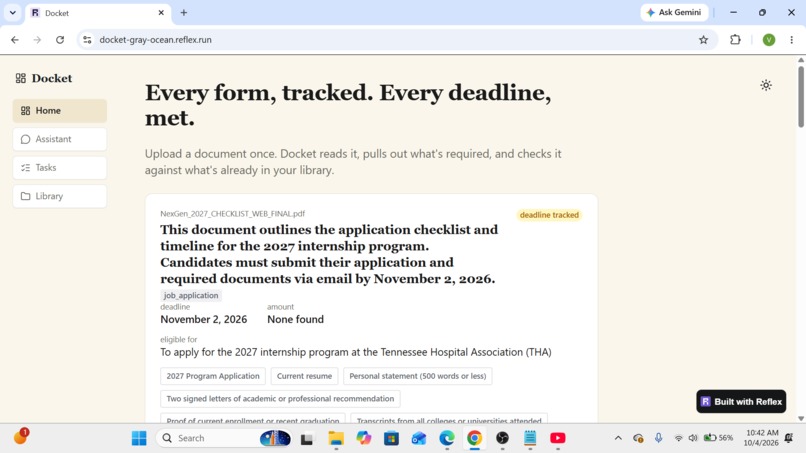
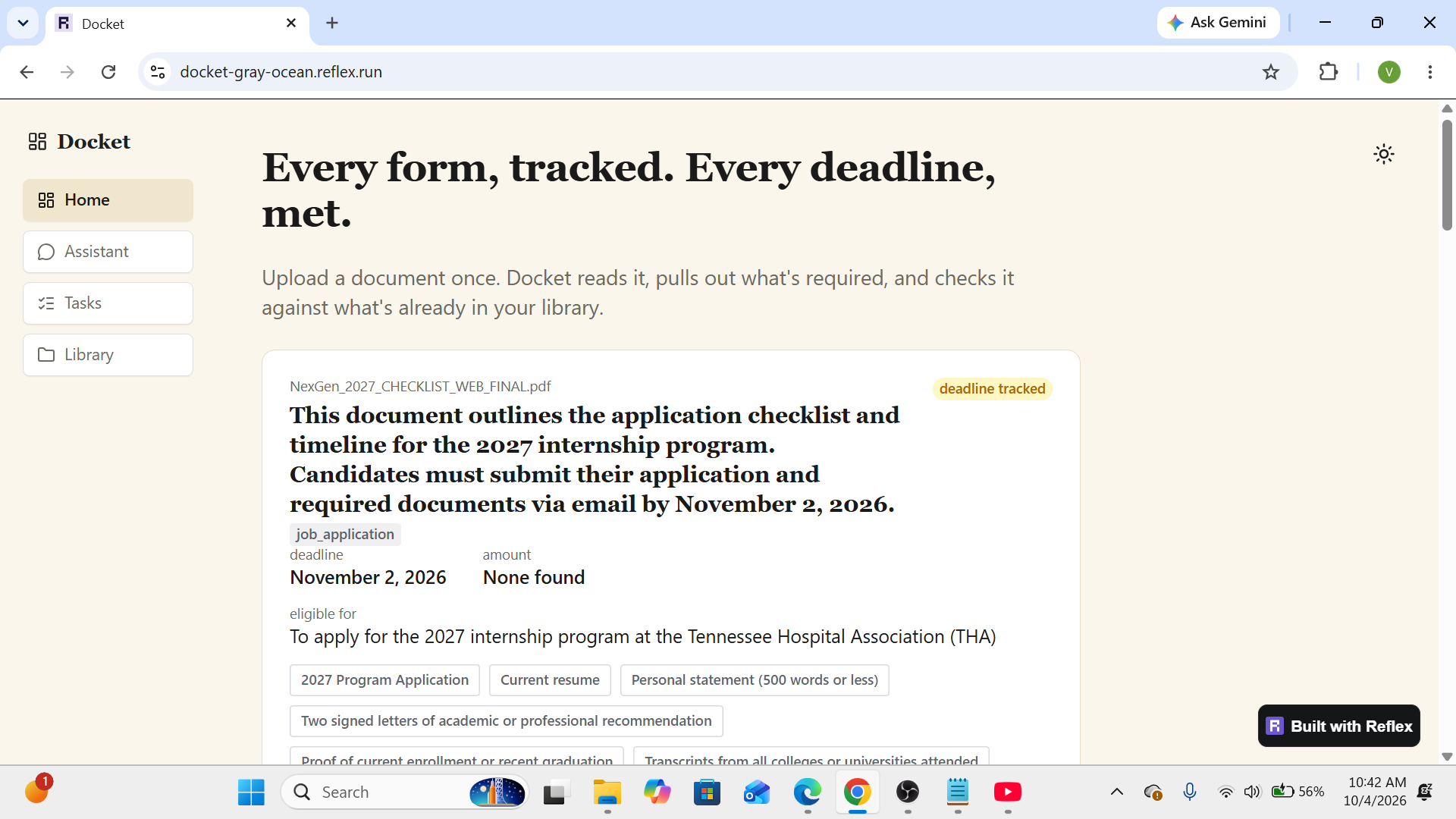
Home page
-
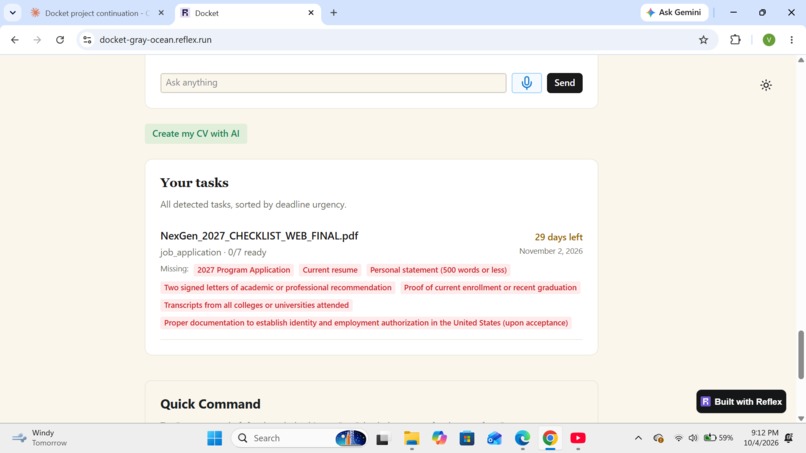
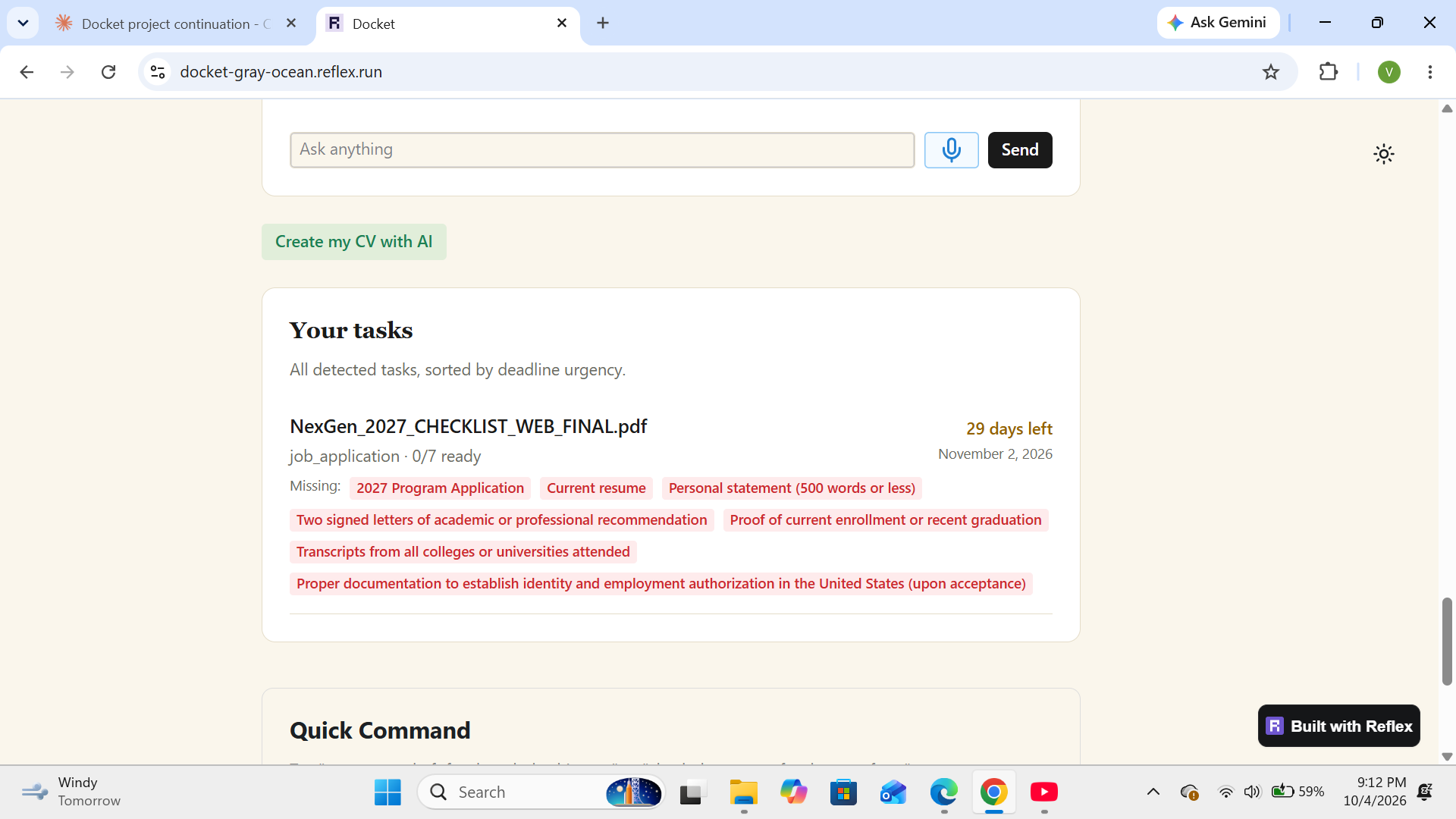
Tasks dashboard
-
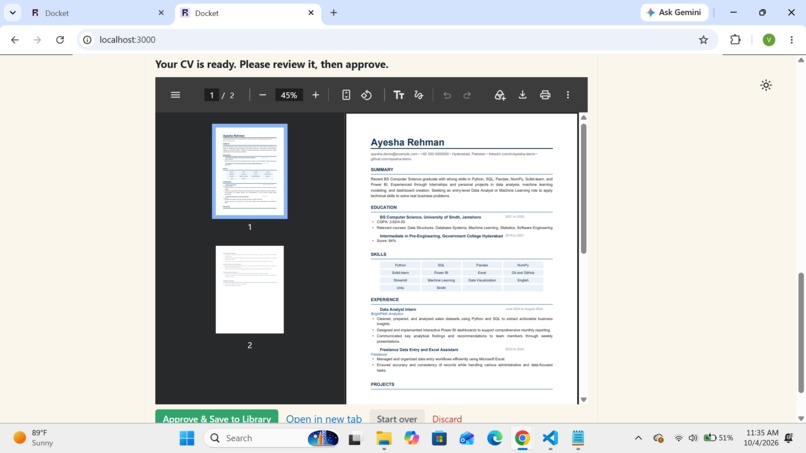
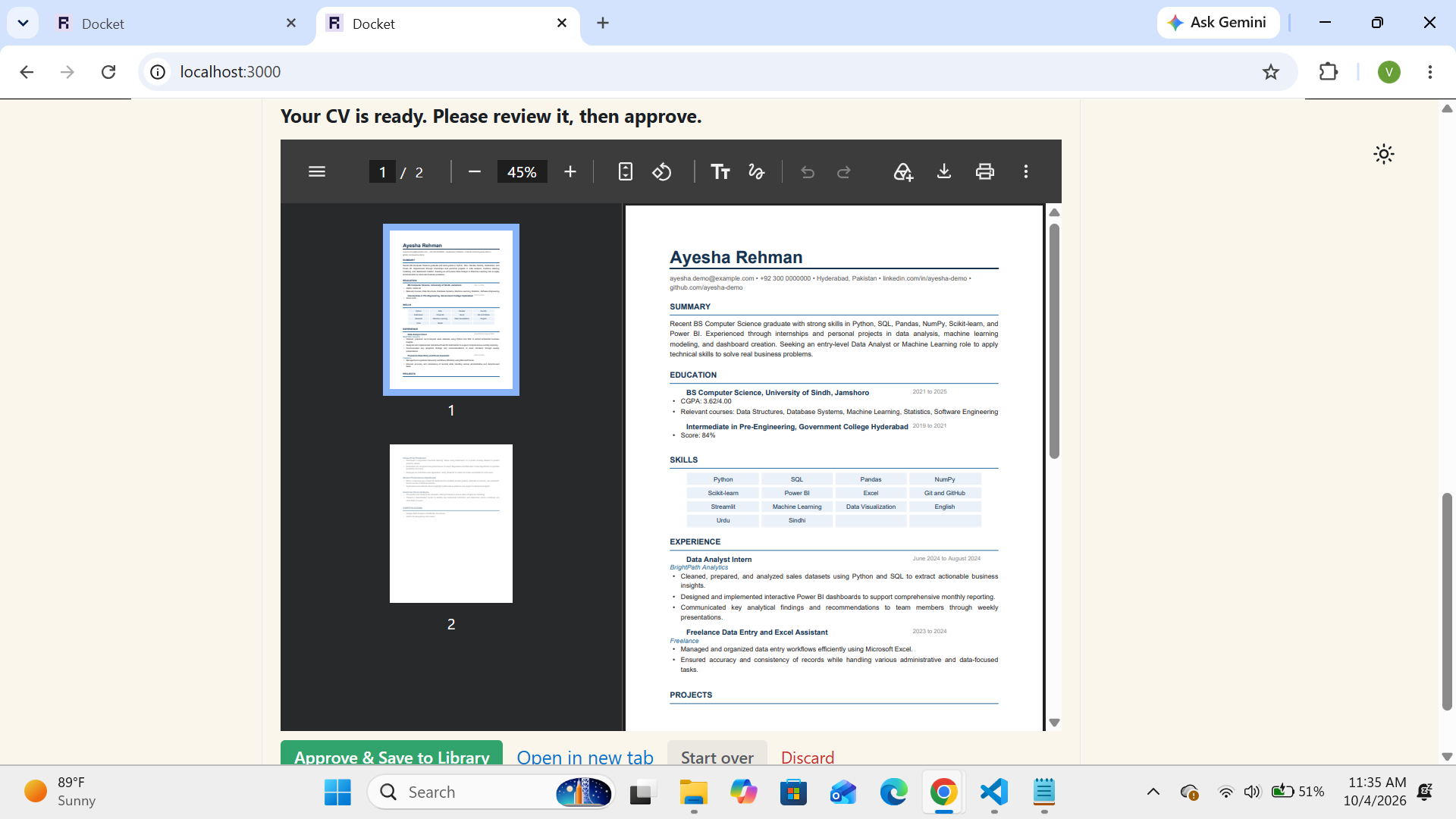
CV preview
Inspiration
I'm in my final year, and a lot of my time lately has gone into applications: fully funded master's programs, fellowships, scholarships. Nobody warns you that applying is a second job. Every notice is a PDF with the deadline buried somewhere in it, a different list of required documents, a different rule for the personal statement.
Many students do this alone, with no counselor or agency keeping track. And one missed deadline or one missing document can end an application that was otherwise strong. That felt wrong to me. These opportunities shouldn't go to whoever kept the best spreadsheet.
So I built the assistant I kept wishing I had. You upload the notice, and Docket tells you what's due, what you already have, and what you still need to write. It doesn't apply for you. It takes the stress out of the tracking so your energy goes into the part that matters: telling your own story.
The problem
Notices arrive as PDFs, scanned forms, photos and emails. Each has its own deadline and document list, and nothing remembers what you've already prepared for another application. The result is missed deadlines, documents hunted down again, and forms filled in from scratch every time.
What it does
Docket reads a notice and pulls out the task type, the deadline, the amount and the required documents. It checks that list against your own document library and shows what it found and what is missing. For the paperwork you still need, it drafts the reply email, cover letter or form as a PDF. Nothing is final until you press Approve, and every approval or rejection goes into an activity log.
Key features
- Reads PDF, DOCX, images (OCR), .eml and Outlook .msg files, several at a time
- Extracts the deadline, requirements and a short summary, and says "None found" instead of guessing
- A personal document library that matches by what is inside your files, not by their names
- A dashboard of all tasks sorted by deadline, with a live "2/7 ready" count
- Drafts for emails, cover letters, application forms and declarations, with Approve / Edit / Reject
- "Create my CV with AI": a 7-question interview that builds a CV and adds it to your library
- An Assistant chat (text and voice notes) and a Quick Command box
- A private library for every visitor, so people trying the app never see each other's files
Who it's for
Students and first-time applicants juggling several deadlines, especially people applying on their own. It also helps anyone who receives forms in messy formats, like a photo of a notice.
How I built it
Docket is written in Python with Reflex, so the frontend and backend are in one language. Text is pulled from files with pypdf, python-docx and Tesseract, and if Tesseract isn't installed it falls back to Gemini vision. Gemini turns the text into strict JSON and is told never to invent a date or a field. The library lives in ChromaDB and is searched with BM25 plus vector search. PDFs for drafts and CVs are made with reportlab. The app runs on Reflex Cloud.
Challenges I faced
- Gemini's free tier is tight. On some models I only had 20 requests a day. I built a retry layer with a fallback chain across three models.
- The AI invented things. It once marked a requirement as "found" against an unrelated file with a 30% match, and sometimes made up a deadline the document never stated. I rewrote the prompt, raised the matching threshold and cleaned my test data.
- My library vanished on refresh. It lived only in app state, so I added a small JSON index for each visitor.
- A new upload replaced the old task. The handler was resetting the list instead of adding to it.
- Enter sent half a message. Chat state lagged behind my typing, so I read the value straight from the input.
- The backend kept restarting during uploads. This took me a long time to find. I finally looked inside the running process and saw it re-importing ChromaDB. Reflex's dev hot-reload was treating my uploaded files as code changes, so in development I moved user data out of the project folder.
- My plan couldn't run bigger servers. Two larger VM sizes were rejected, so Docket runs on a 1 GB machine. I capped PDFs at 30 pages and resize images before OCR to keep memory in check.
- Relative dates like "next Friday" stay unreliable with an LLM. I documented it instead of hiding it.
What I learned
Telling a model "don't make things up" is not enough. I only found the real problems by testing with deliberately broken documents. I also learned why the approval step matters: the AI prepares, the person decides.
What's next
Scanned PDFs without a text layer aren't OCR'd yet. Payment and email sending are simulated, not real. There is no login, so privacy is per browser. Voice note playback may not work on the hosted version, although the recording is still sent and answered. Next I want deterministic date parsing, OCR for scanned PDFs and real accounts.


Log in or sign up for Devpost to join the conversation.