-
-
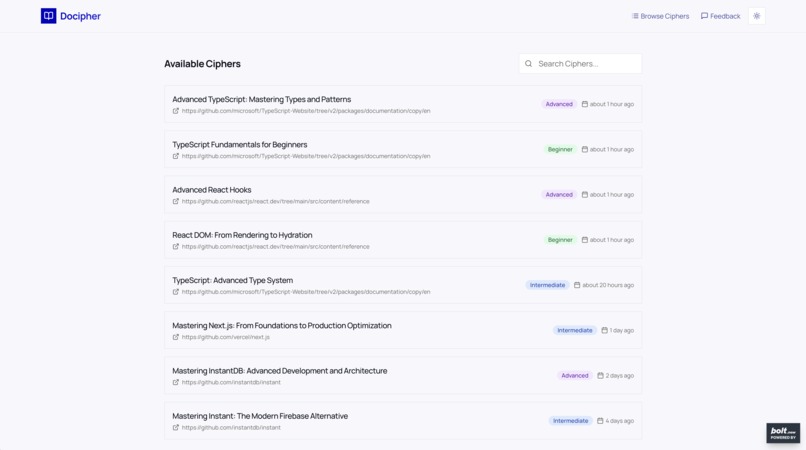
docipher-available-ciphers
-
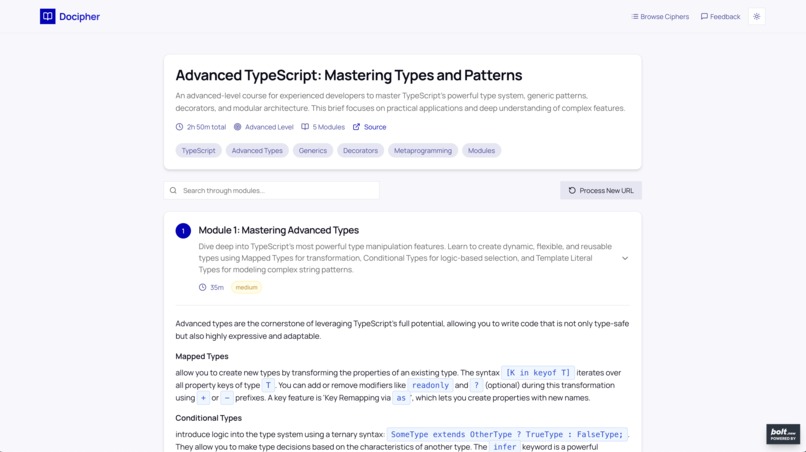
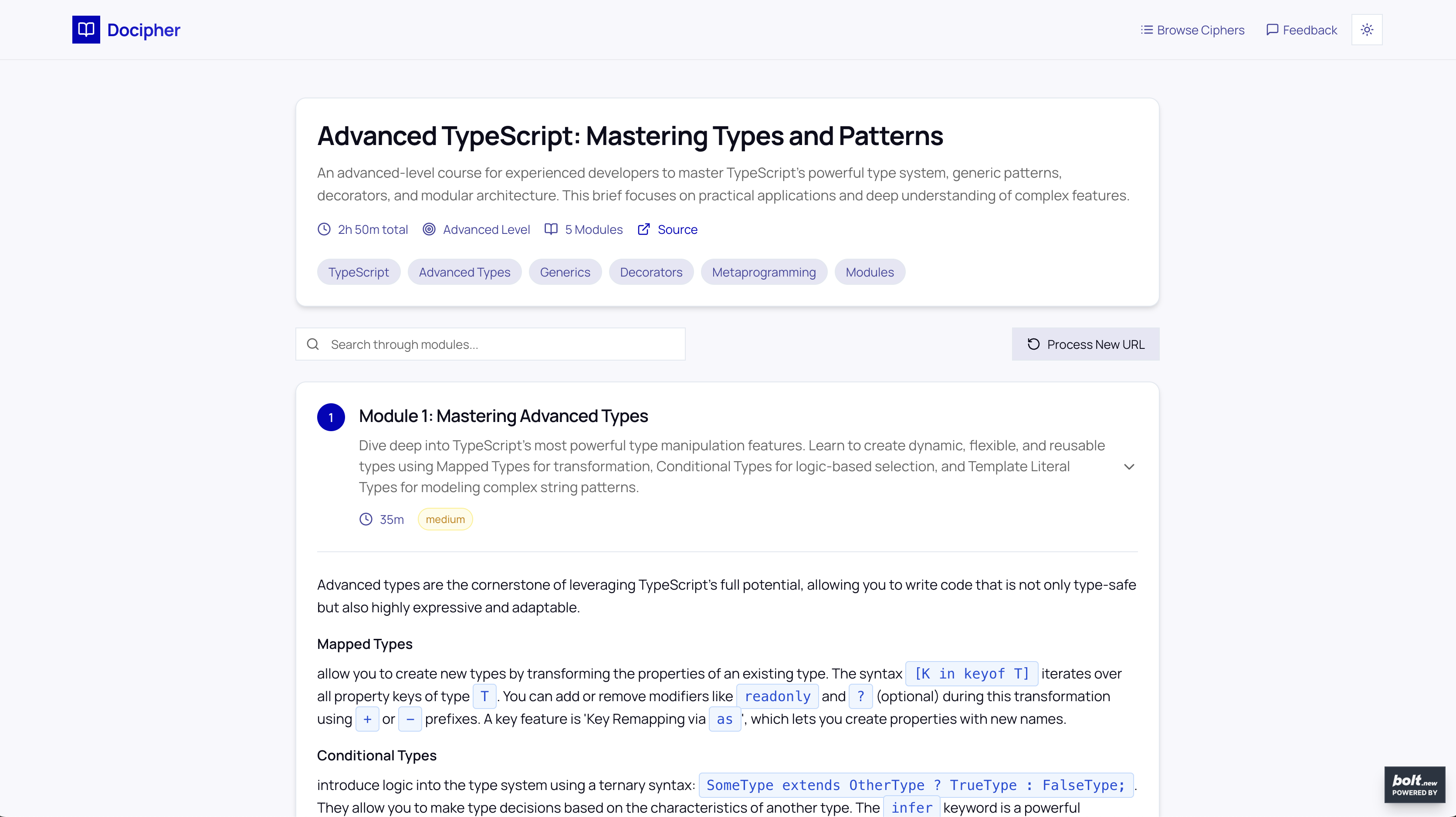
docipher-cipher-example
-
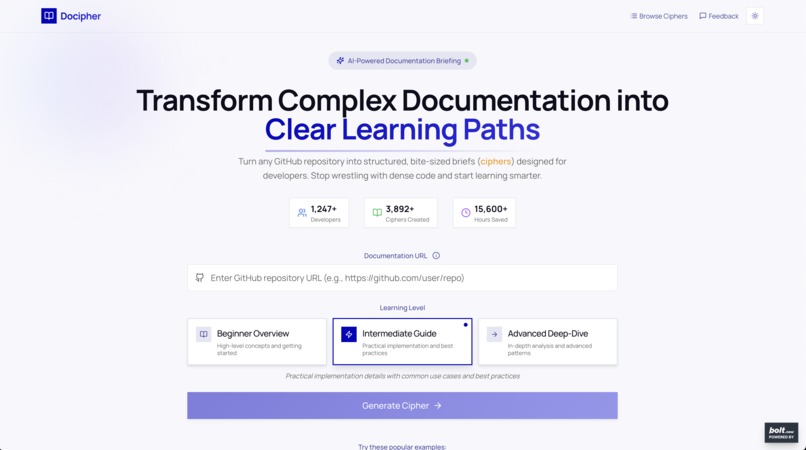
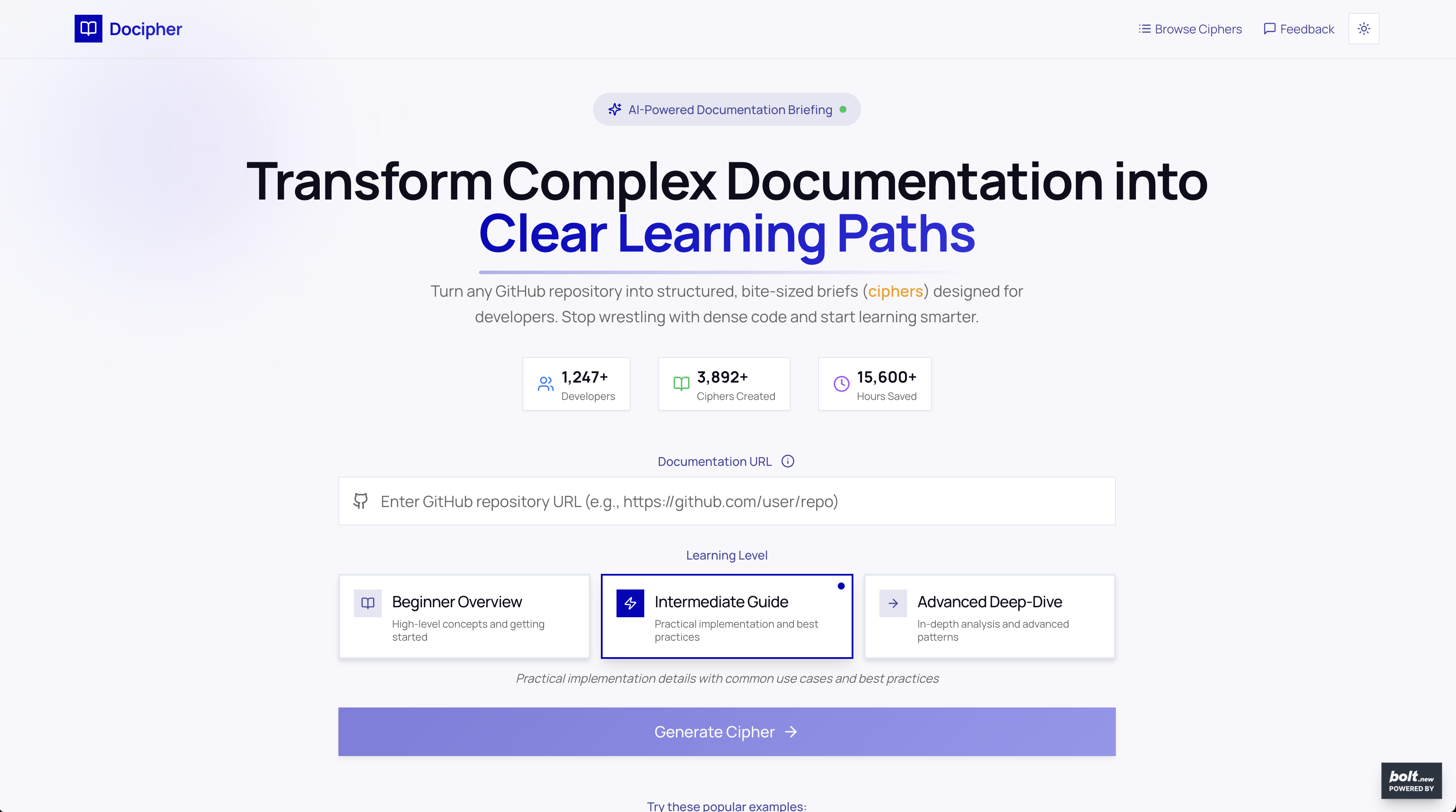
docipher-landing-page
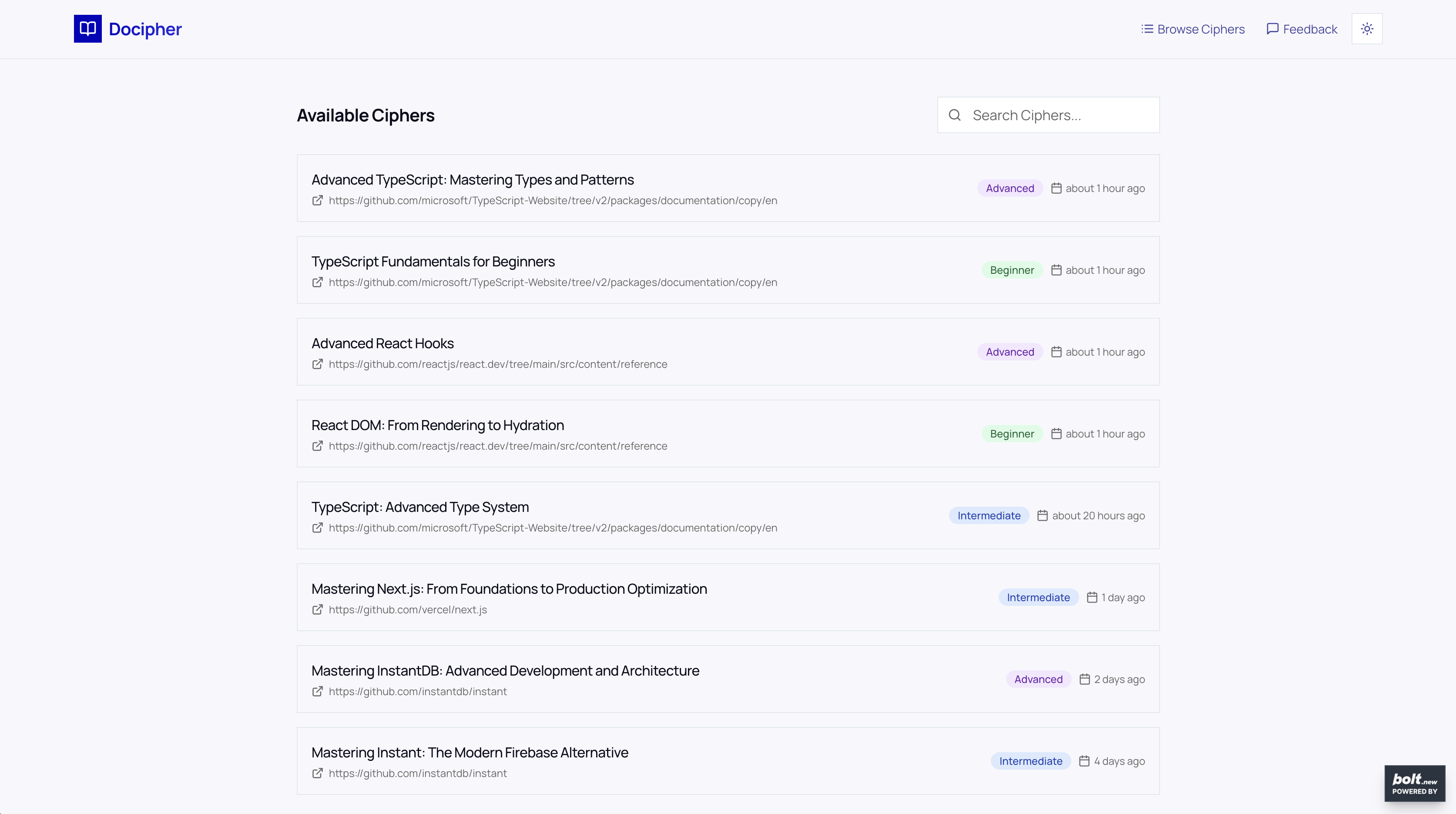
Docipher: Transforming Complex Documentation into Clear Learning Paths
Inspiration
After struggling to build two ambitious full-stack applications, I hit a wall that many developers know all too well. The tools I wanted to use had documentation that was either too new, too cumbersome, or simply not well-supported by AI development tools like Bolt.new. When I tried working with cutting-edge technologies like InstantDB, I found myself drowning in dense documentation that made the experience even more challenging for my use case.
This painful experience made me step back and realize: I'm probably not alone in this struggle.
On July 23rd, 2025, that frustration became my inspiration. If I was having trouble navigating complex documentation, countless other developers were likely facing the same challenge. That's when the idea for Docipher was born - an AI-powered platform that transforms overwhelming technical documentation into bite-sized, structured learning paths with clear usage examples.
Documentation shouldn't be a barrier to understanding technology.
What it does
Docipher transforms complex documentation into clear, actionable learning paths called "ciphers." The platform takes any GitHub repository or documentation URL and uses AI to extract essential information, converting it into structured, level-appropriate learning modules.
Key Features:
- Multi-Level Learning: Generate courses tailored for beginner, intermediate, or advanced developers
- Smart GitHub Integration: Direct API access to repositories with optional authentication for private repos
- Intelligent Caching: 24-hour cache system prevents redundant API calls and improves performance
- Structured Output: Each "cipher" includes comprehensive modules with practical examples, key takeaways, estimated reading times, and difficulty indicators
- Beautiful UI: Custom design system with dark mode support and responsive layout
Users can input any GitHub repository URL, choose their skill level, and receive a structured "cipher" with practical examples to learn at their own pace.
The Name: Docipher blends "Documentation" and "Decipher" to create a name that's both memorable and adaptable for future growth. Our generated briefs and summaries are called "ciphers" - a fitting paradox where we use the term "cipher" (meaning code) to actually decode and clarify the essential insights from complex documentation.
How we built it
Tech Stack Selection
I used Perplexity AI to brainstorm the optimal tech stack and prepare AI prompts. After careful consideration, I chose:
- Frontend: Next.js 13 with TypeScript and Tailwind CSS
- Backend: Supabase (Database + Edge Functions)
- AI Processing: OpenRouter API with Google Gemini 2.5 Pro
- Content Extraction: GitHub API + Tavily API
- Deployment: Netlify
While Claude 4.0 would have been the ideal choice for this project, budget considerations led me to implement Gemini as the AI foundation instead.
Architecture Decisions
Multi-Layer Content Extraction
// Smart content extraction based on URL type
const isGithubUrl = url.match(/^https?:\/\/(?:www\.)?github\.com\//) !== null;

if (isGithubUrl) {
  // Use GitHub API for structured access
  const githubContent = await extractGithubContent(url, githubToken);
} else {
  // Fall back to Tavily for general web content
  const tavilyResult = await extractWithTavily(url, tavilyApiKey);
}
Intelligent Caching System
-- Cache courses for 24-72 hours to improve performance
CREATE TABLE courses (
  id uuid PRIMARY KEY,
  url text NOT NULL,
  learning_level text NOT NULL,
  course_data jsonb NOT NULL,
  cache_expires_at timestamptz NOT NULL
);
AI-Powered Course Generation I crafted detailed prompts for Gemini 2.5 Pro to ensure consistent, high-quality output with structured JSON responses suitable for developers of varying skill levels.
Challenges we ran into
The Netlify Deployment Nightmare
The biggest challenge was deployment. The app worked flawlessly in Bolt.new's development environment, but deploying to Netlify became a nightmare due to Netlify's free tier 10-second timeout limit, while AI processing often takes 30-60 seconds.
Solution: Thanks to Claude's assistance, I discovered I needed to make direct calls to Supabase Edge Functions instead of routing through Next.js API routes:
// Instead of: /api/process
// Direct call to: ${supabaseUrl}/functions/v1/process-documentation
const response = await fetch(`${supabaseUrl}/functions/v1/process-documentation`, {
  method: 'POST',
  headers: {
    'Authorization': `Bearer ${supabaseKey}`,
    'Content-Type': 'application/json',
  },
  body: JSON.stringify({ url, learningLevel, githubToken })
});
AI Response Consistency
Getting Gemini 2.5 Pro to consistently return valid JSON was challenging, requiring robust parsing with multiple fallback methods for common formatting issues like markdown code blocks and single quotes.
GitHub API Rate Limits
Handling GitHub's rate limits required implementing optional authentication with personal access tokens, intelligent content prioritization (README files first), and graceful fallbacks to Tavily API when GitHub fails.
Accomplishments that we're proud of
- Solved a Real Problem: Created a tool that addresses genuine developer pain points with documentation
- AI Integration: Successfully implemented Gemini 2.5 Pro with consistent, structured JSON output
- Smart Architecture: Built a robust caching system that improves performance while reducing API costs
- GitHub API Mastery: Efficiently extract content from repositories, handling different file types and authentication scenarios
- Beautiful UX: Designed an intuitive interface with dark mode support and responsive layout
- MVP Focus: Successfully resisted feature creep and delivered core functionality within hackathon constraints
The app demonstrates that with the right combination of AI, smart caching, and thoughtful UX design, we can make technical documentation accessible to developers at any level.
What we learned
Technical Insights
- Edge Functions Are Powerful: Supabase Edge Functions provided the perfect serverless environment for AI processing
- AI Prompt Engineering: Crafting prompts that consistently produce structured output required multiple iterations
- Caching Strategy: Intelligent caching dramatically improved user experience while reducing costs
- Error Handling: Building robust error handling for AI responses and API failures was essential
Development Workflow Lessons
- AI-Assisted Development: Using Perplexity for brainstorming and Claude for debugging created a powerful workflow
- MVP Focus: Concentrating on core functionality was crucial for completing the project within constraints
- Deployment Complexity: Understanding platform limitations early prevents last-minute deployment issues
What's next for Docipher
While I focused on the MVP for this hackathon, I see exciting opportunities for future development:
Immediate Enhancements:
- Interactive Q&A: Allow users to ask questions about the documentation and get contextual answers
- Code Refactoring Assistant: Help update legacy code to match documentation updates
- Enhanced GitHub Support: Better handling of monorepos and complex project structures
Long-term Vision:
- Multi-Language Support: Expand beyond English documentation
- Team Collaboration: Share and collaborate on learning paths within development teams
- Progress Tracking: Track learning progress across multiple technologies
- API Integrations: Connect with popular developer tools and IDEs
- Community Features: User-generated ciphers and community-driven improvements
Docipher proves that sometimes the best solutions come from our own pain points. By solving my own documentation struggles, I created a tool that can help thousands of other developers learn faster and build better.
Built With
- bolt.new
- gemini-2.5
- github
- github-api
- netlify
- next.js
- supabase

Log in or sign up for Devpost to join the conversation.