-
-
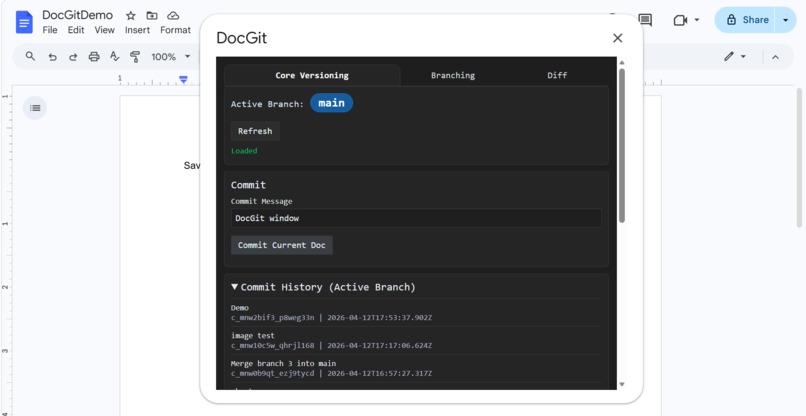
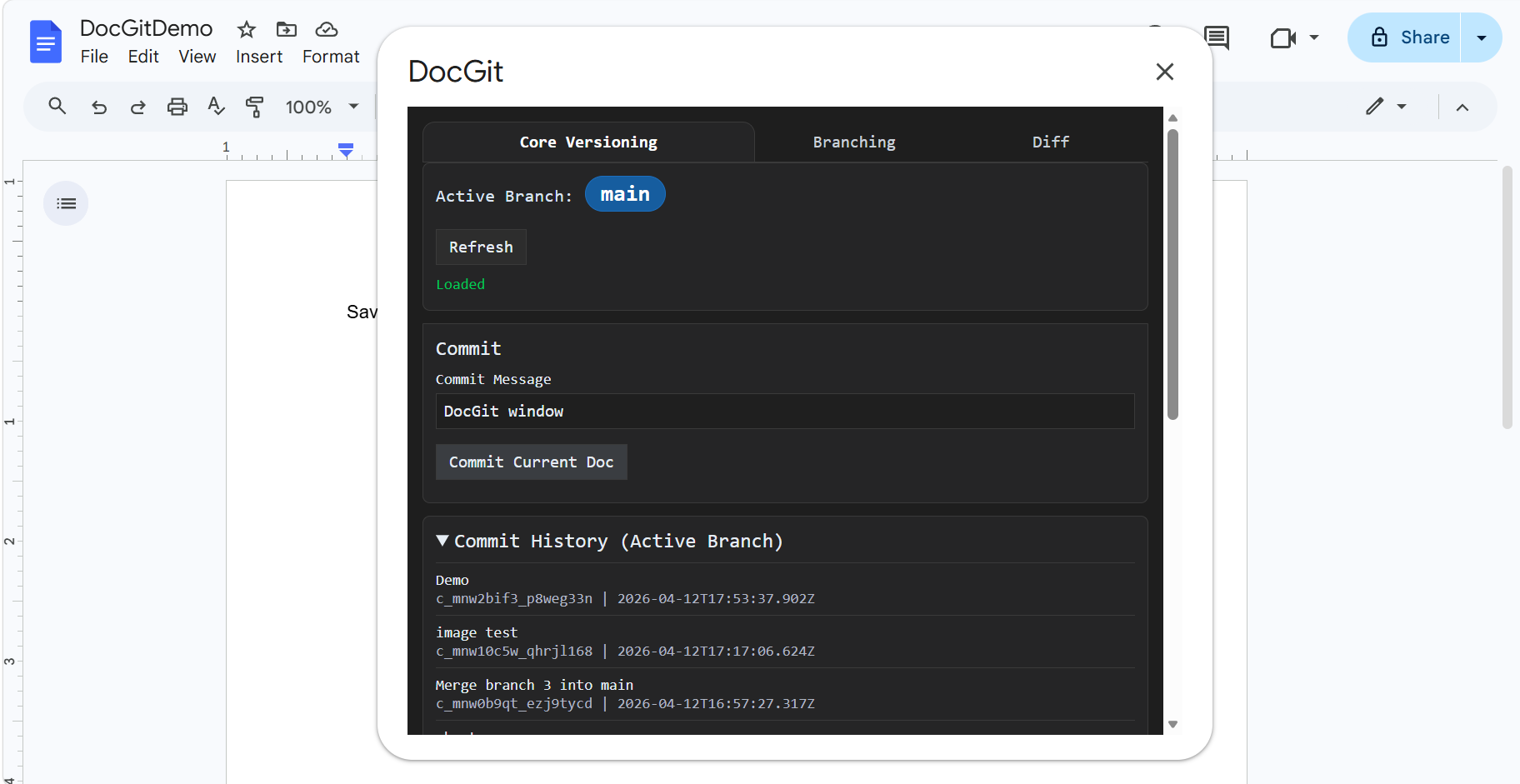
DocGit Window Mode
-
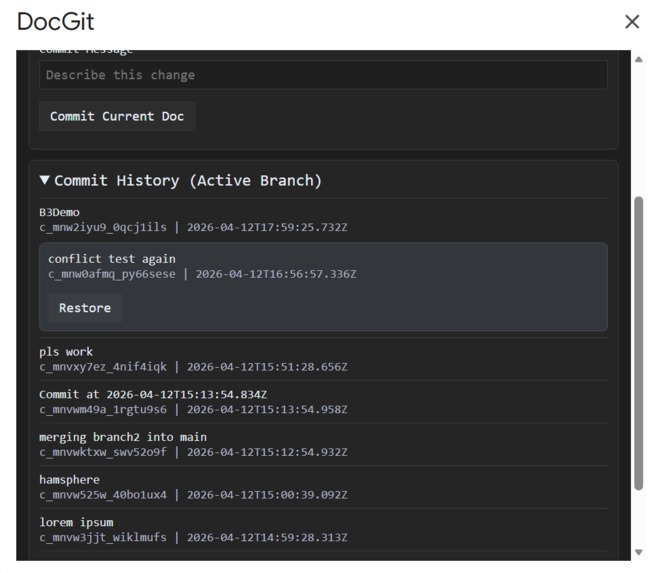
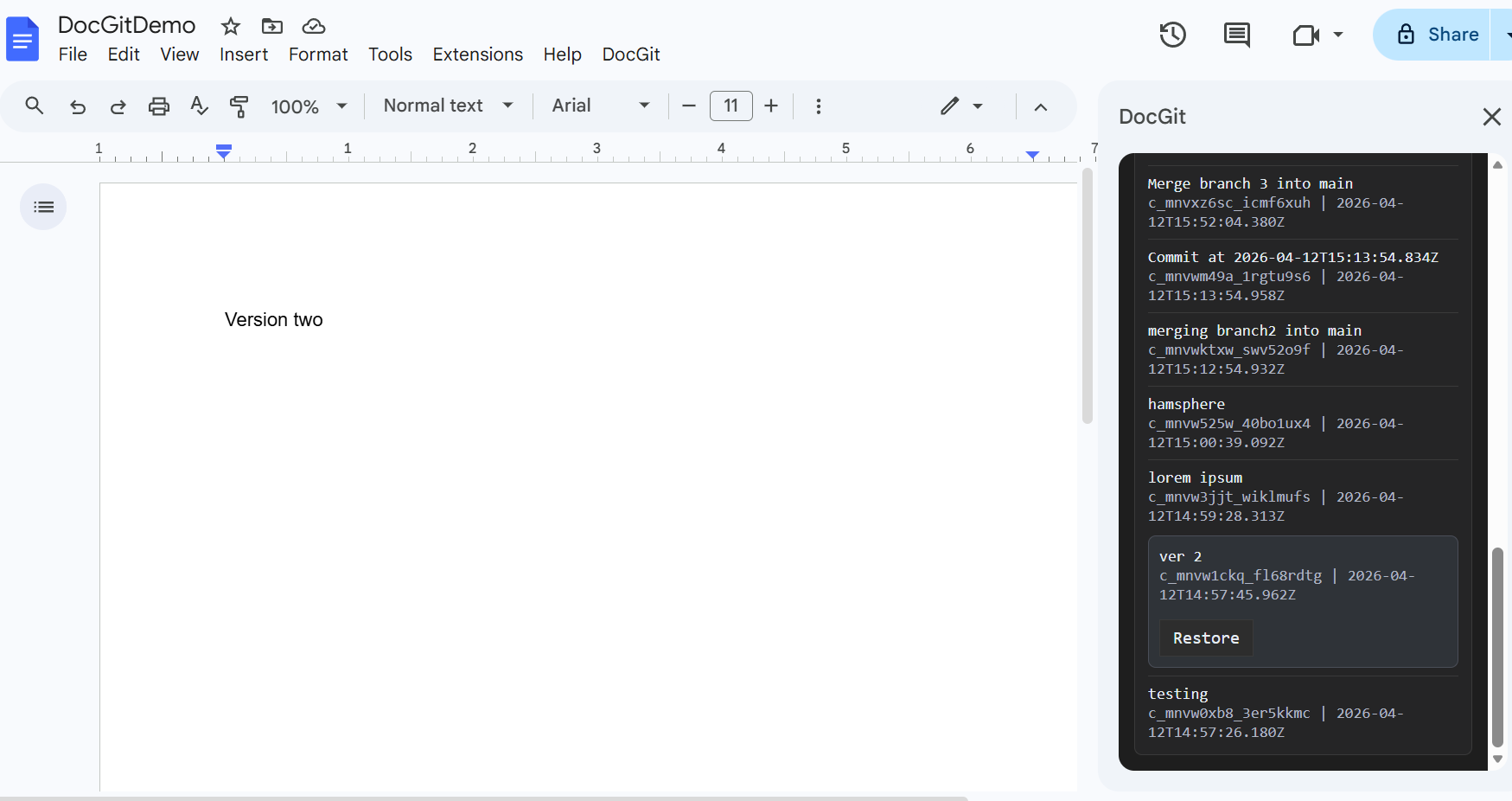
Core Versioning (window)
-
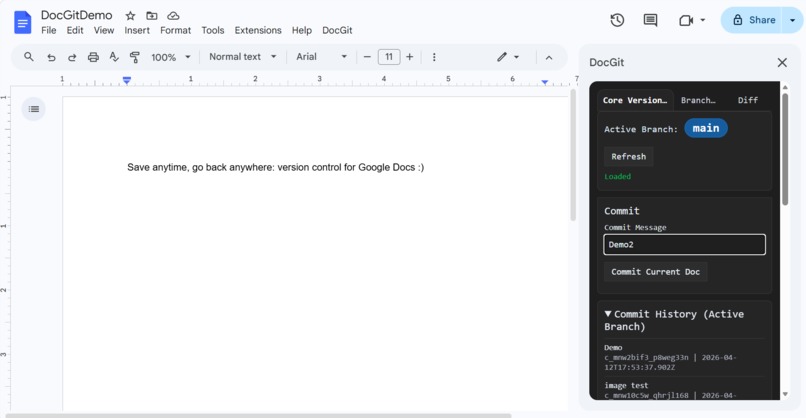
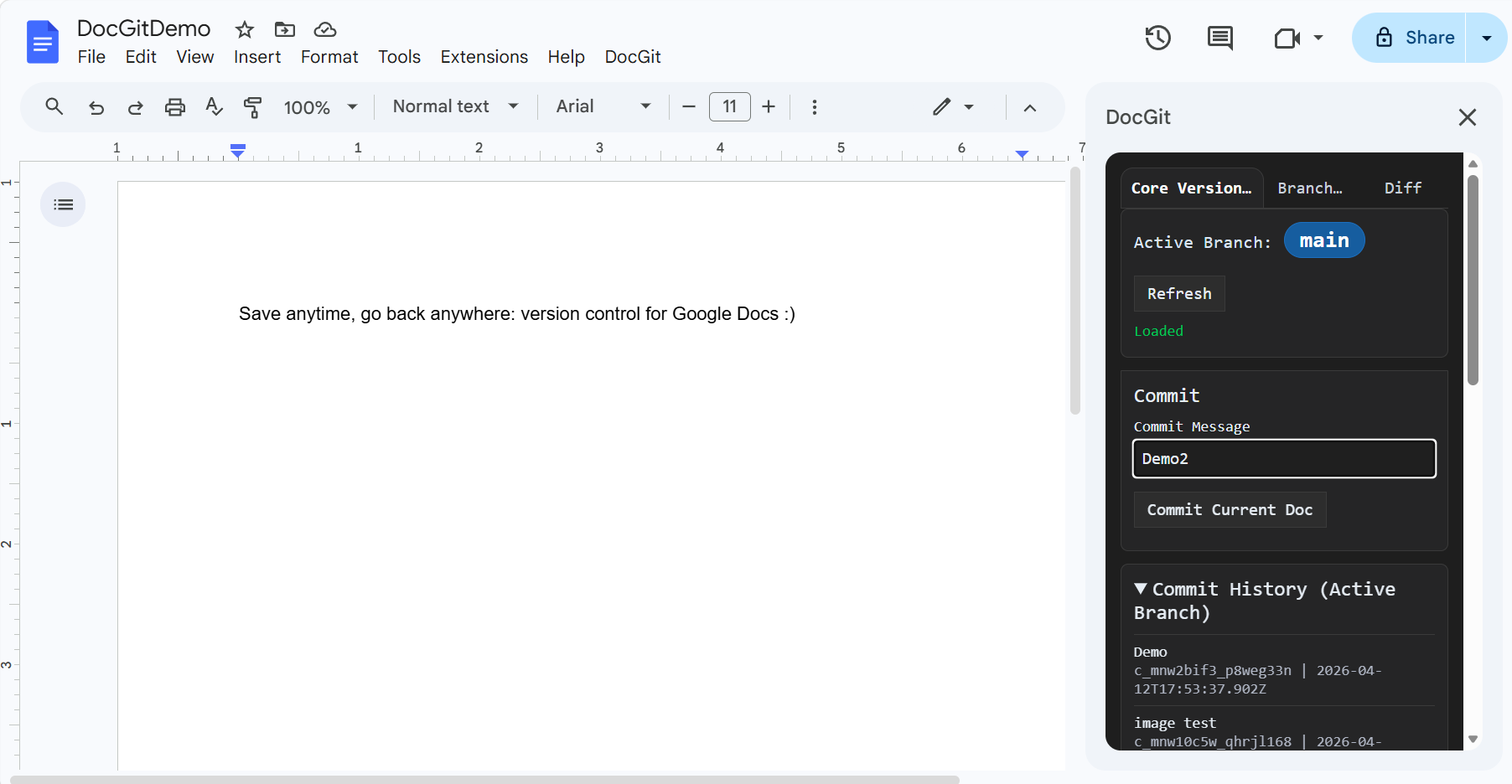
Core Versioning (sidebar)
-
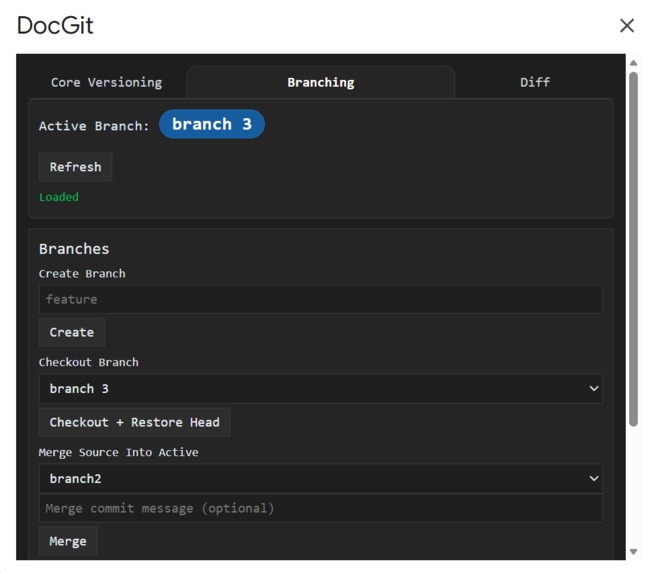
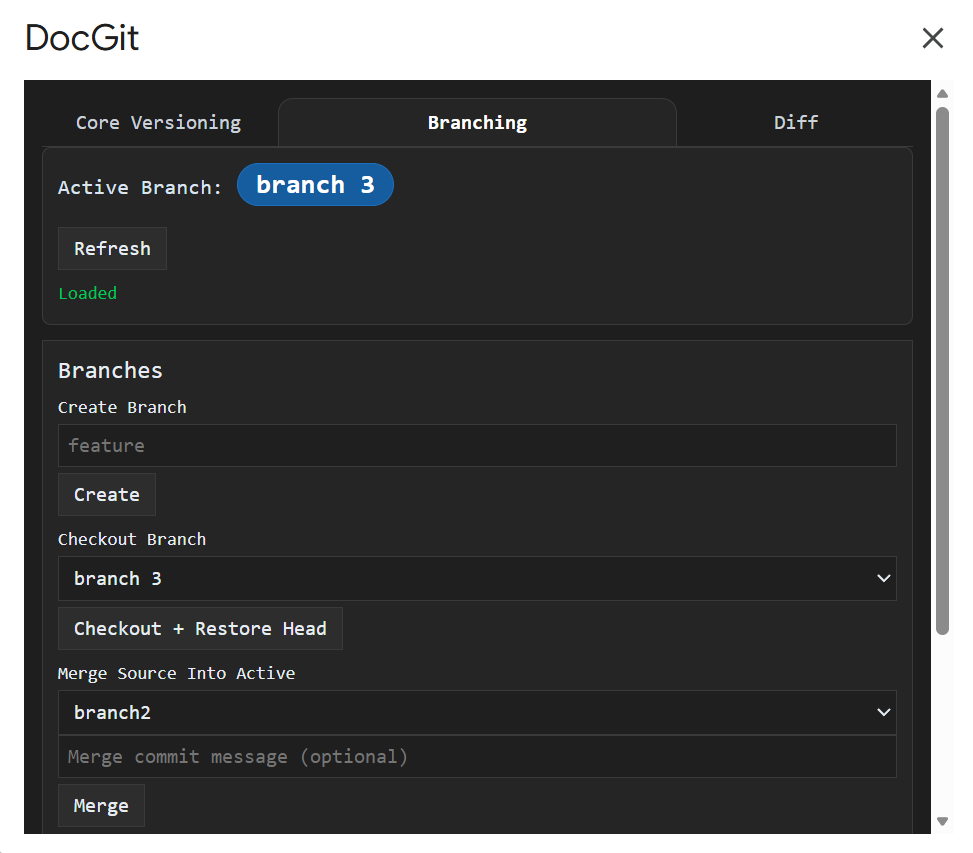
Branching (window)
-
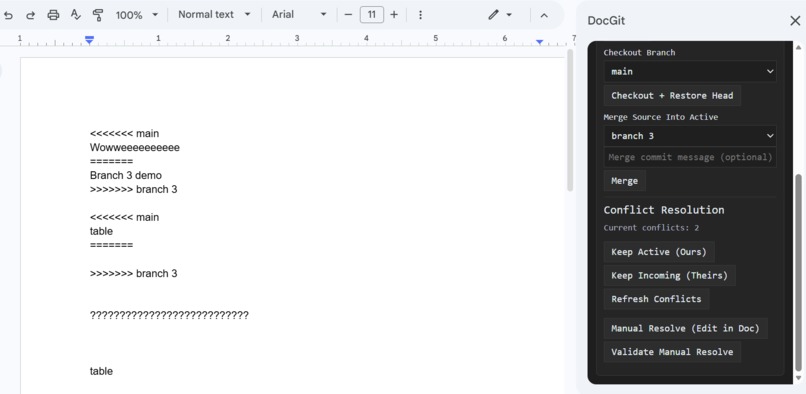
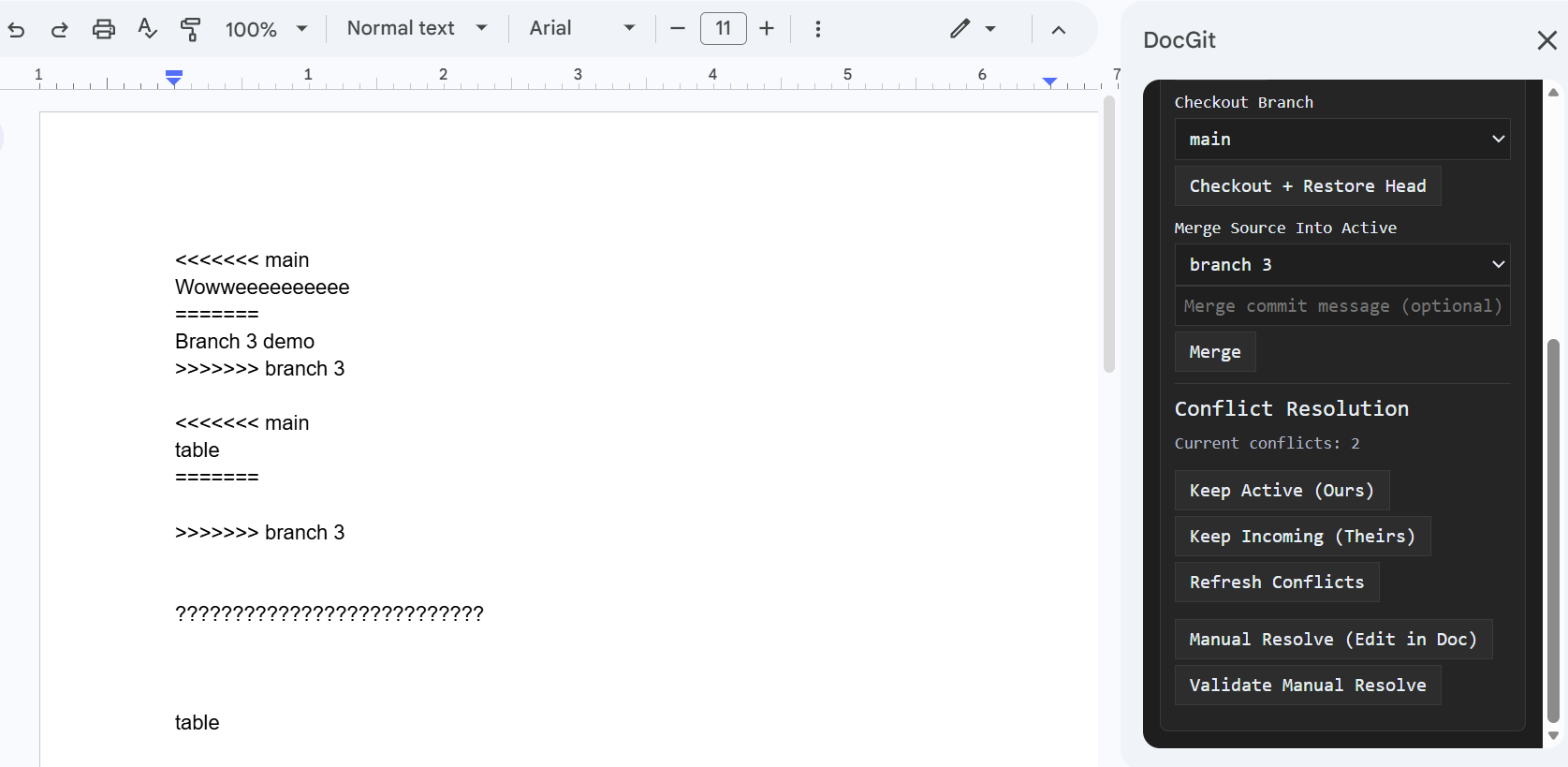
Branching- Resolving Merge Conflicts (sidebar)
-
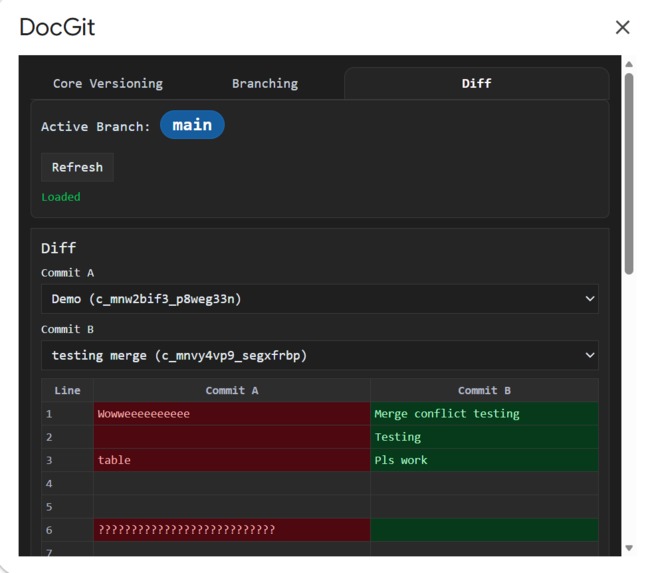
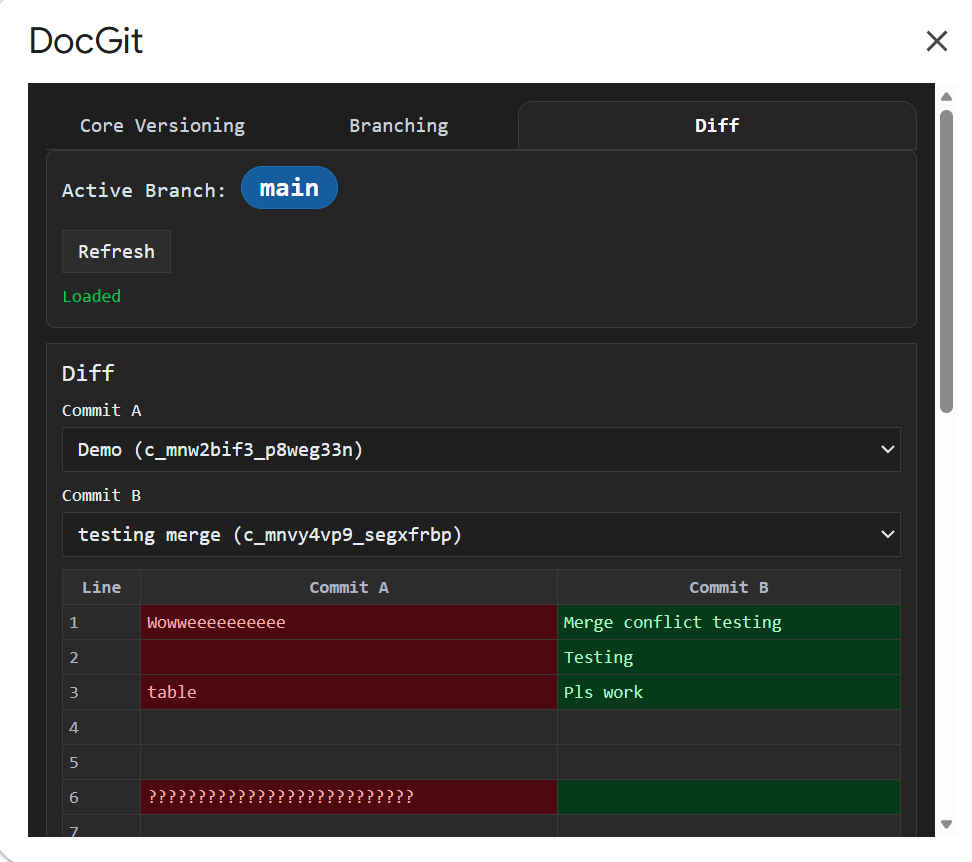
Diffs (window)
-
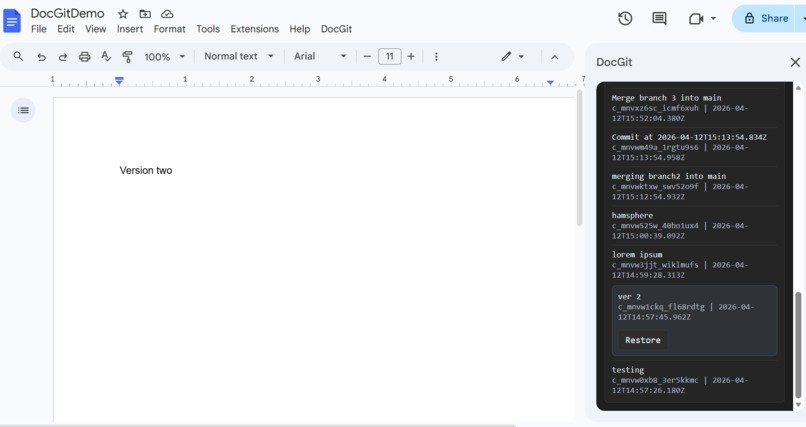
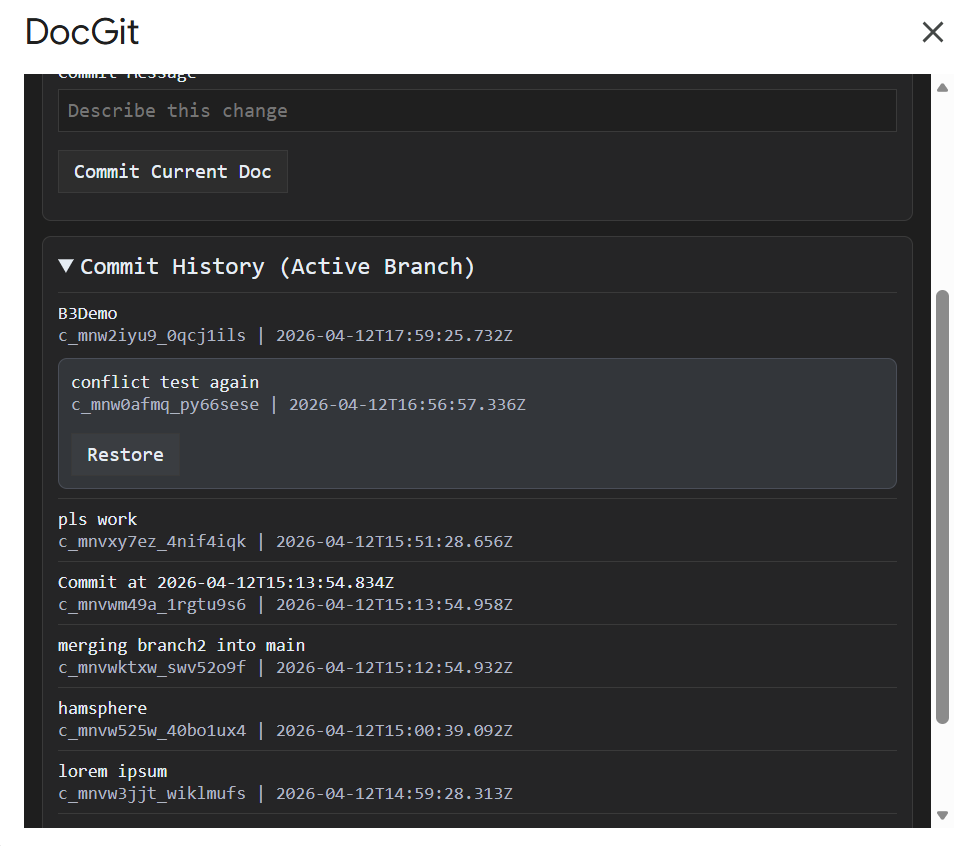
Core Versioning- Restoring Past Versions (sidebar)
-
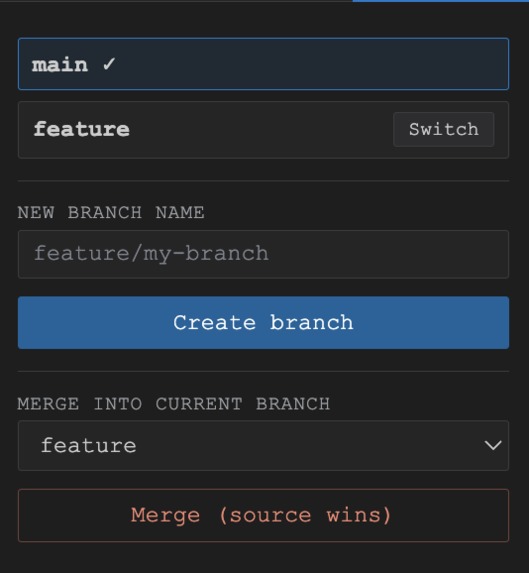
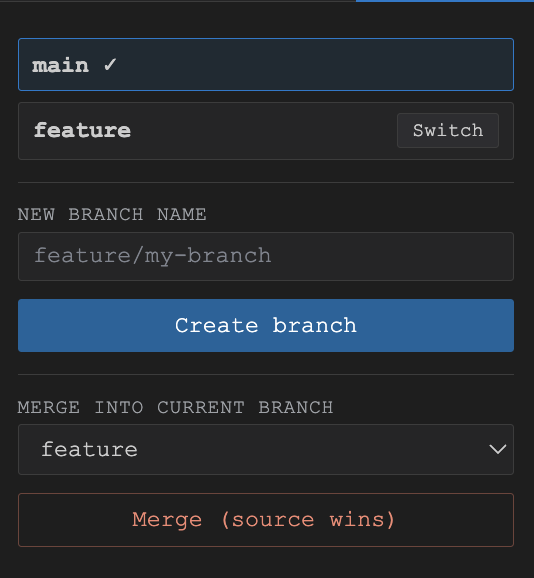
Chrome extension: branching tab
-
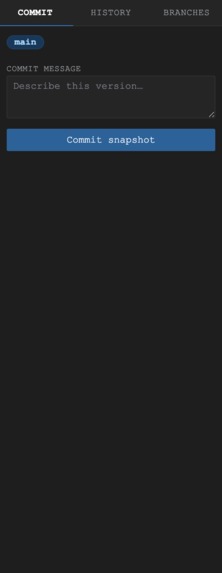
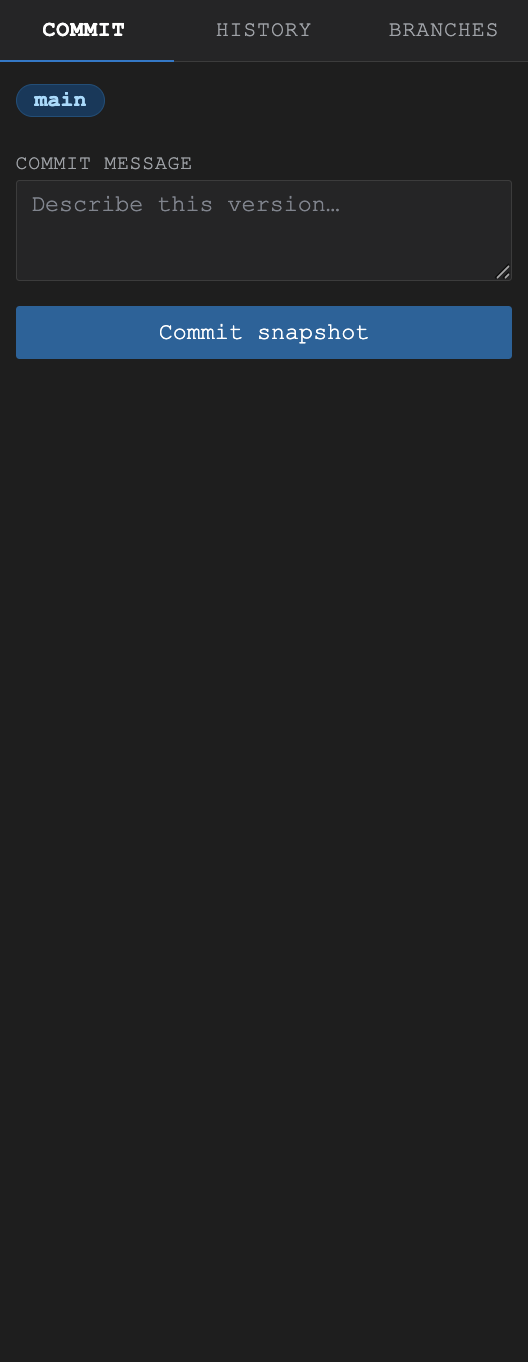
Chrome extension: commit tab
-
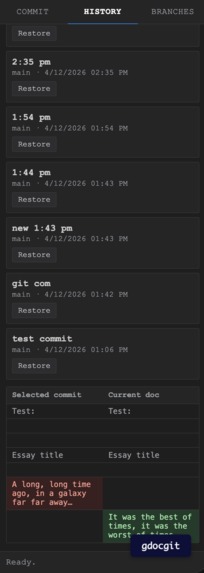
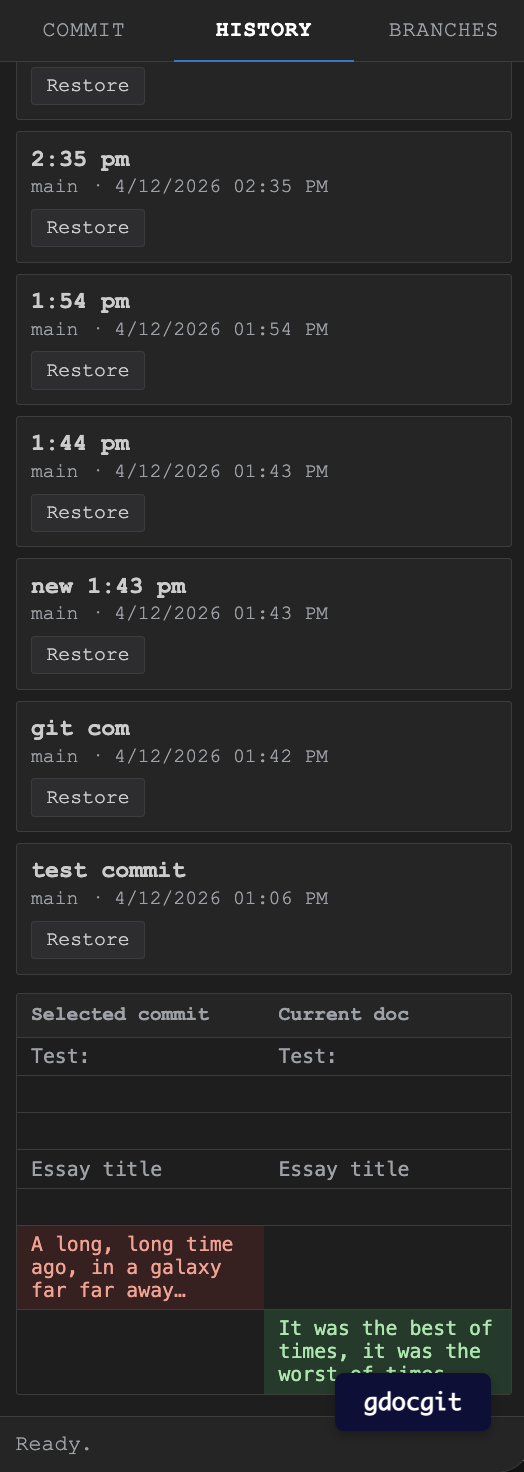
Chrome extension: version diff comparison tab
DocGit
Inspiration
Google Docs is ubiquitous for writing—but its version history is passive, linear, and difficult to navigate. Writers frequently lose valuable ideas while editing, wishing they could return to meaningful checkpoints or recover deleted content more intuitively.
DocGit was inspired by this gap: what if writing had the same powerful, intentional version control as Git?
What it does
- Commit Points: Save intentional checkpoints with custom commit messages
- Commit History: View a structured timeline of your document’s evolution
- Branching & Merging: Create, switch between, and merge different versions of your work
- Diff Visualization: See precise, line-by-line changes between versions
- Restore Functionality: Revert your document to any previous commit at any time
How we built it
- Google Apps Script to integrate directly into the Google Docs environment
- HTML + CSS + JavaScript for building an interactive sidebar UI
- Claude Code + GitHub Copilot to accelerate development and implementation
We also began developing a Google Chrome Extension to expand support across multiple documents and environments.
Challenges we ran into
Choosing the right form factor:
We debated between an Apps Script integration (seamless and embedded) and a Chrome extension (more flexible and scalable). We prioritized Apps Script for usability while prototyping the extension for future growth.OAuth and permissions (Chrome extension):
Supporting cross-document functionality required handling authentication, which introduced additional complexity.Making version control intuitive:
Translating Git concepts like branching and diffs into a UI accessible to non-technical users required careful design and simplification.
Accomplishments that we're proud of
- Implementing branching and diff visualization within Google Docs
- Building a system that mirrors Git workflows while remaining accessible to everyday users
- Delivering a working prototype that demonstrates both technical feasibility and real-world usefulness
What we learned
- How to rapidly prototype and ship using AI-assisted development tools like Claude Code
- The capabilities and constraints of the Google Apps Script ecosystem
- How to adapt developer-centric paradigms (like Git) into experiences for a greater user community
What's next for DocGit
- Chrome Extension for cross-document support and broader scalability
- Support for rich formatting and images in diffs
- Improved UI/UX for clarity and ease of use
Built With
- css
- google-apps-script
- google-workspace-apis
- html
- javascript

Log in or sign up for Devpost to join the conversation.