-
-
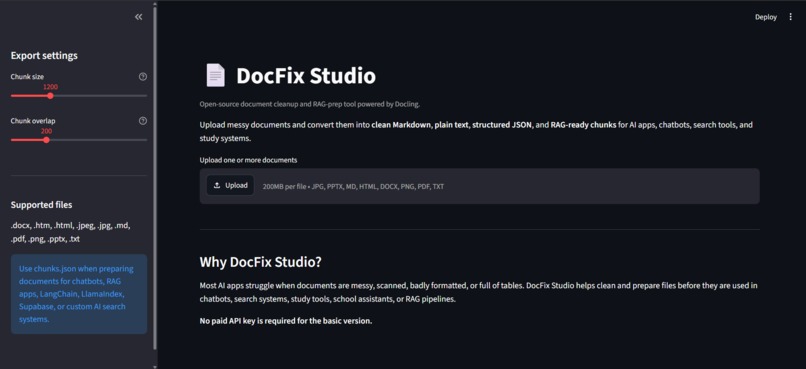
students can upload messy STEM documents, adjust chunk settings, and prepare files for AI study tools, chatbots, and RAG workflows.
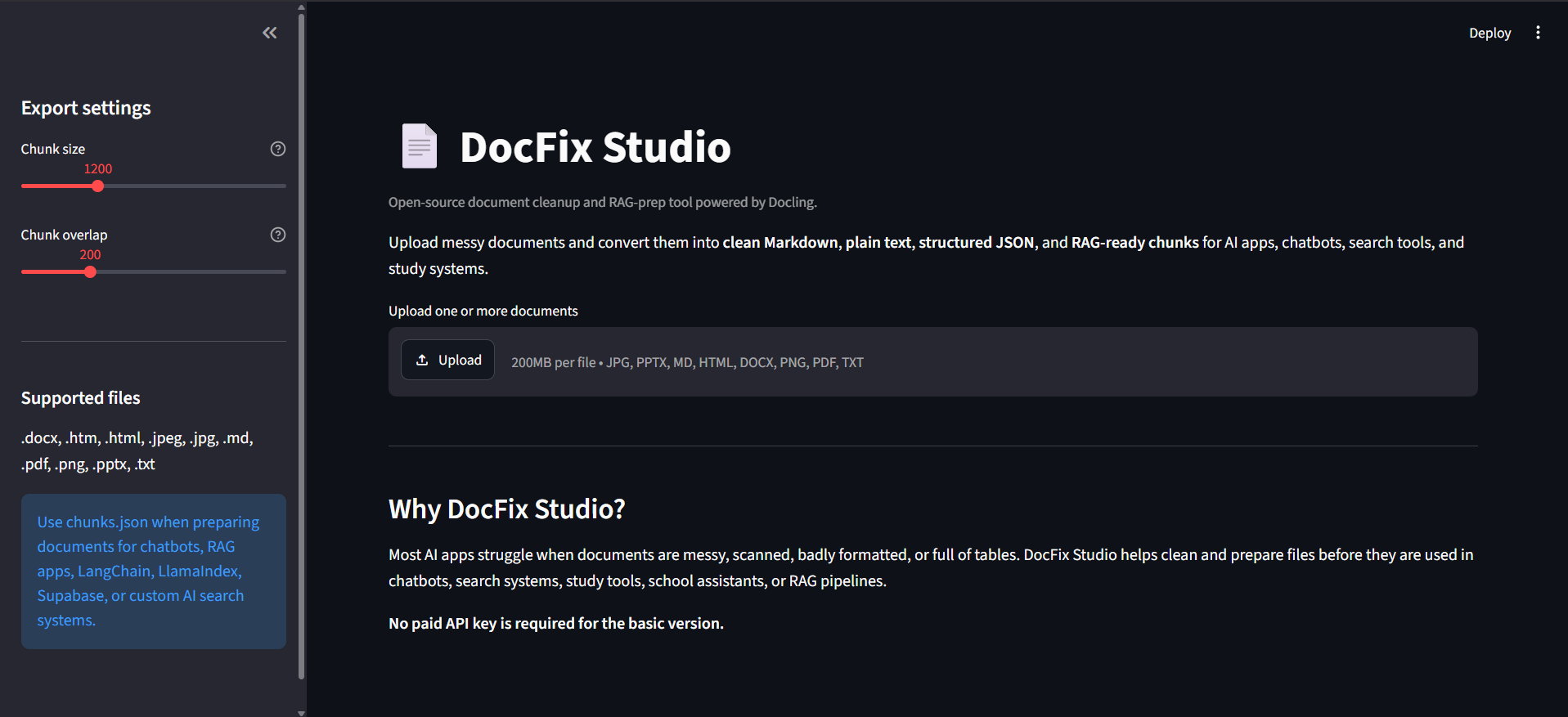
Inspiration
Students use AI tools more often for studying, but many class documents are messy PDFs, worksheets, lecture notes, handbooks, or lab materials that are hard for AI tools to understand directly. I wanted to build a tool that helps students clean and prepare their STEM documents before using them in AI study workflows.
What it does
DocFix Studio converts messy documents into cleaner, AI-ready formats. Users can upload documents and export the content as Markdown, plain text, structured JSON, or RAG-ready chunks. This makes the material easier to use for AI tutoring, searchable notes, flashcard generation, quiz tools, and study assistants.
The app supports batch uploads, custom chunk size and overlap, previews of converted content, and downloadable exports.
How I built it
I built DocFix Studio using Python, Streamlit, and Docling. Streamlit powers the web interface, while Docling handles document conversion. I also added custom chunking logic so documents can be split into smaller sections for retrieval-augmented generation workflows.
The project is designed to be local-first and does not require a paid API key for the basic version.
Challenges I ran into
One challenge was making the app useful for both normal students and AI builders. I had to support readable outputs like Markdown while also supporting more technical outputs like JSON and RAG chunks. Another challenge was making the interface simple enough so users could upload a file, convert it, preview the result, and download exports without needing to understand the backend.
Accomplishments that I am proud of
I am proud that DocFix Studio is a working open-source MVP with a live demo, GitHub repository, batch processing, multiple export formats, and RAG-ready chunk output. It connects document cleanup with real AI study use cases, especially for STEM students who work with lots of technical documents.
What I learned
I learned more about document parsing, Streamlit app structure, file handling, chunking text for AI retrieval, and building open-source tools that are understandable for users. I also learned how important clean input data is for AI systems.
What is next
Next, I want to add better table extraction to CSV, before-and-after document previews, scanned PDF/OCR support, export presets for LangChain and LlamaIndex, and more sample STEM documents for testing.


Log in or sign up for Devpost to join the conversation.