-
-
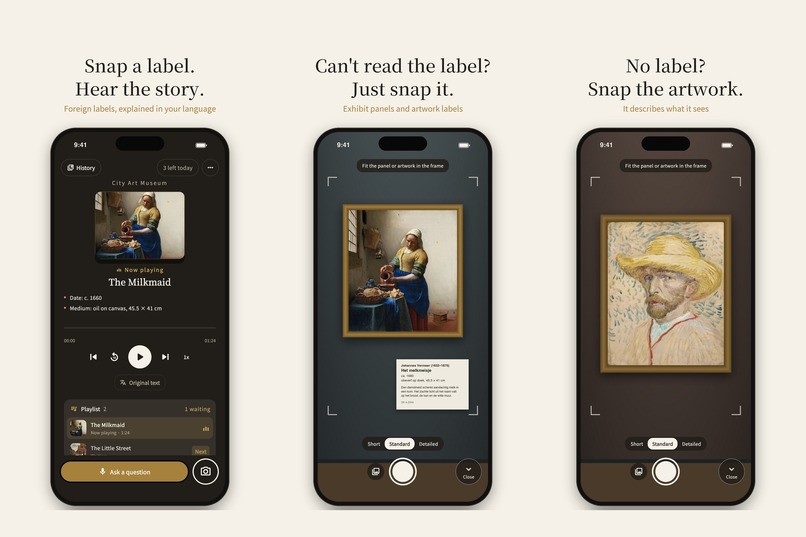
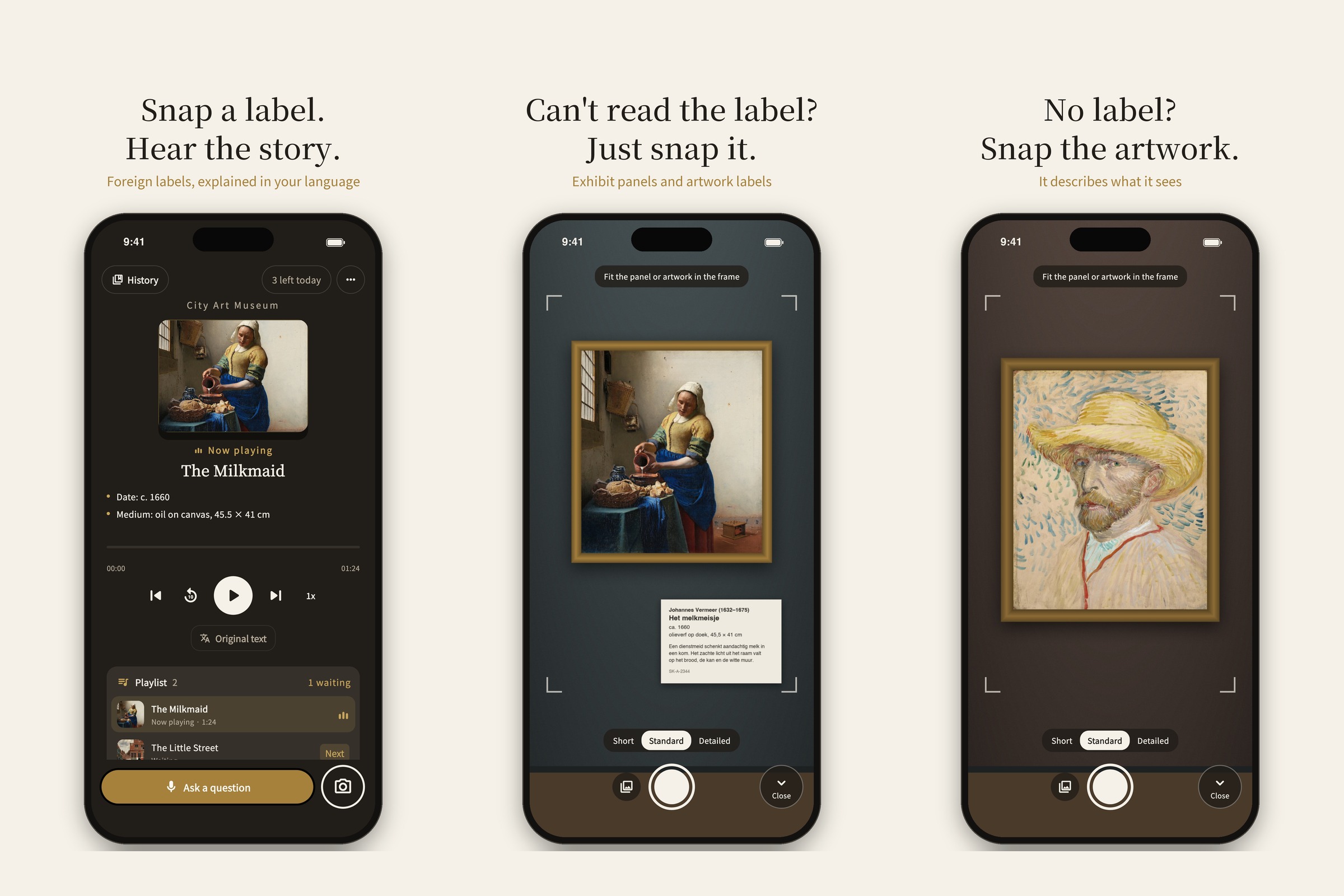
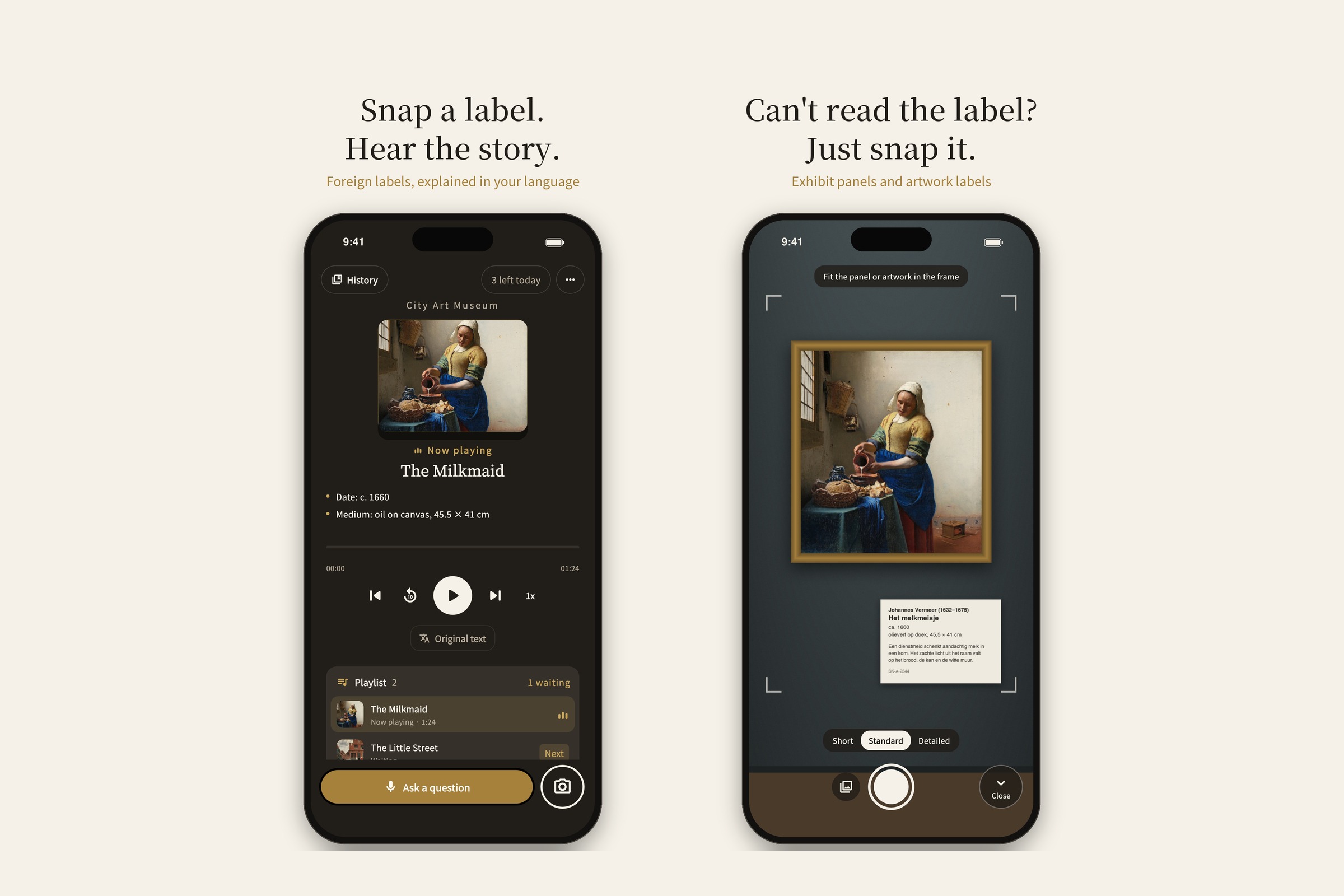
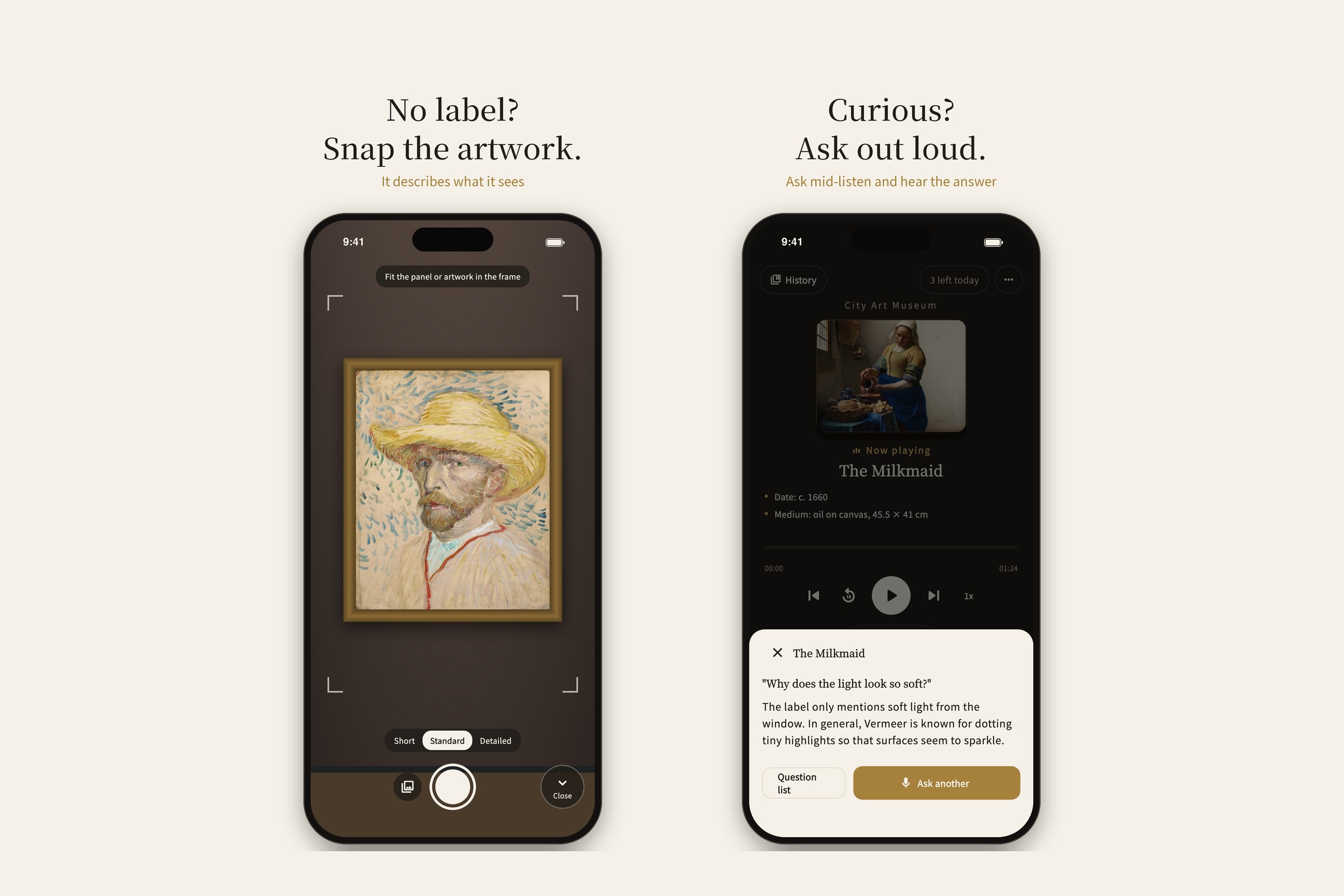
Snap a label, hear the story. The home screen is the player; capture is a separate mode. No label? Shoot the artwork itself.
-
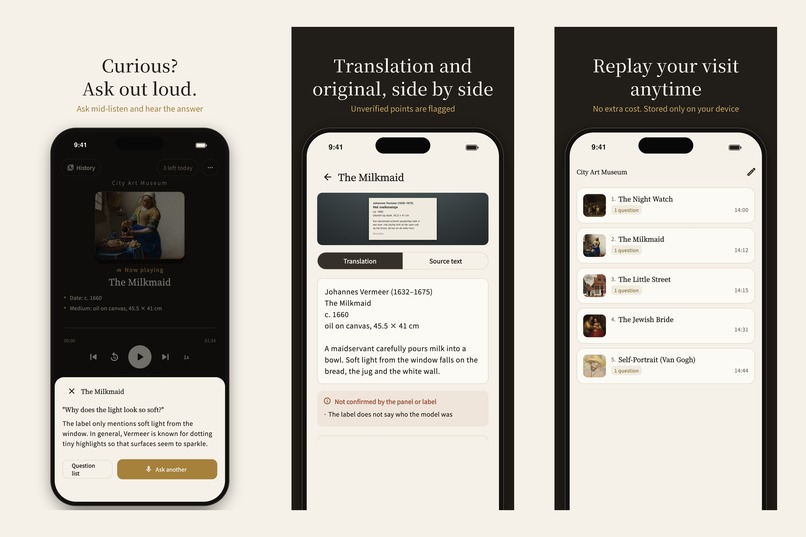
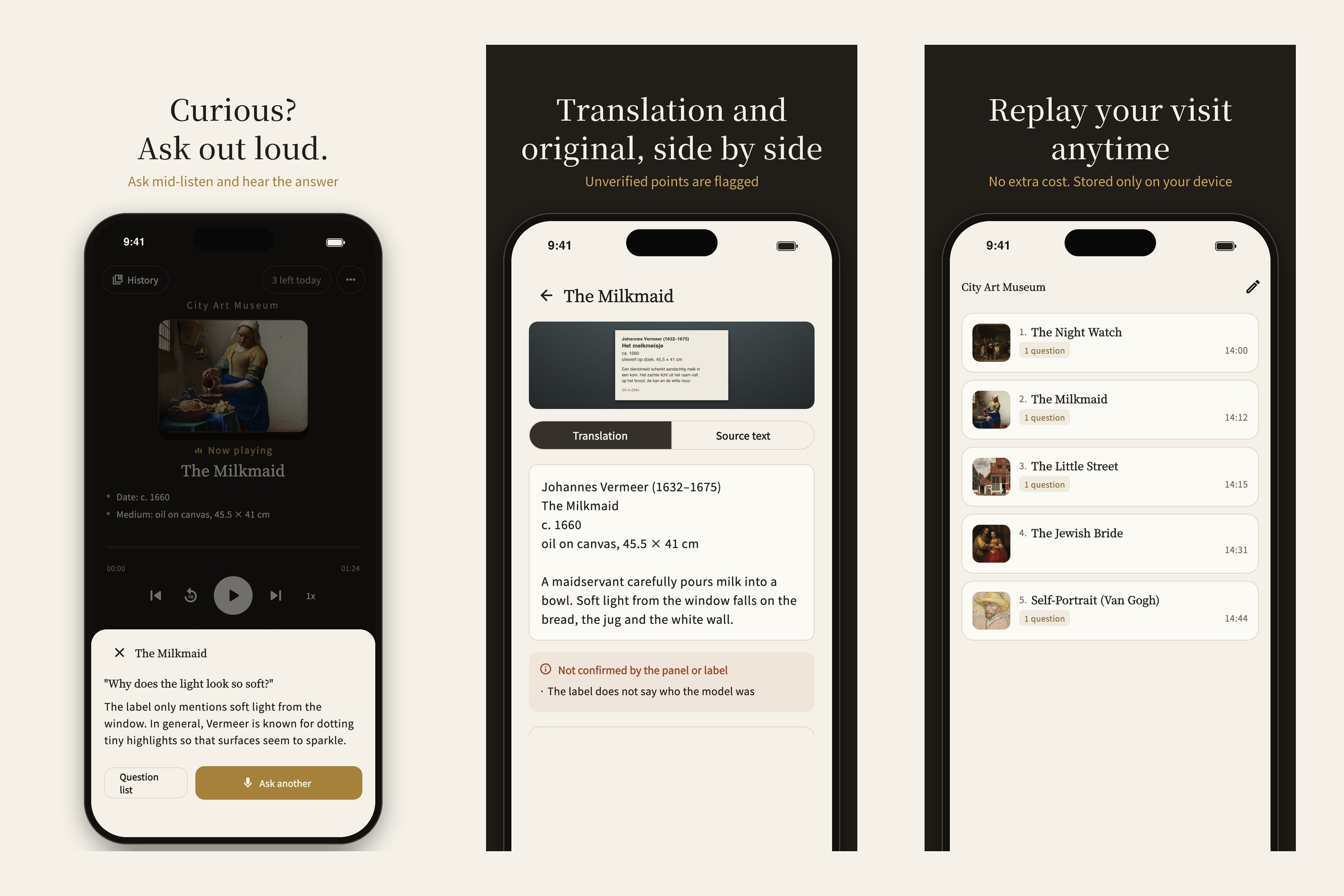
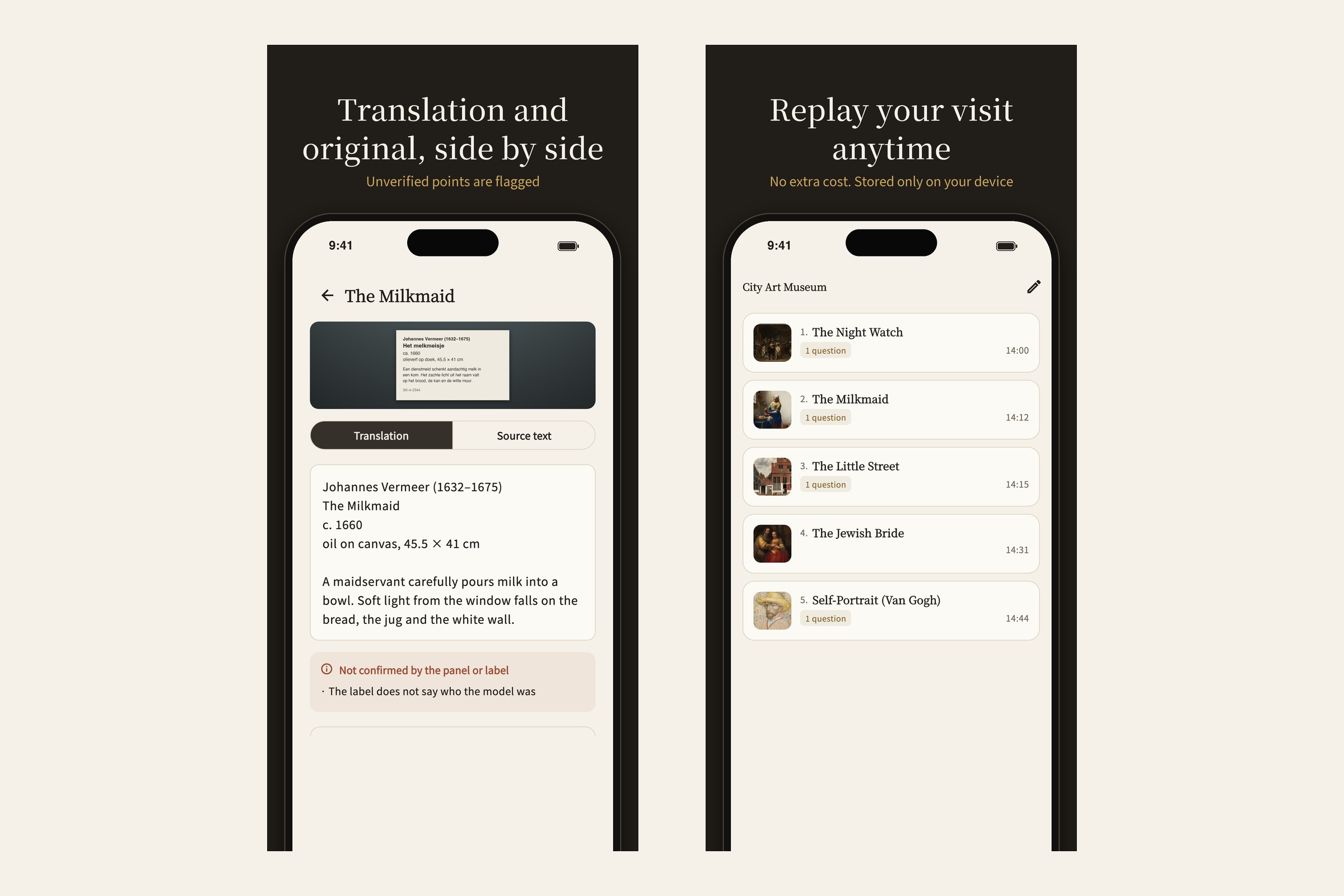
Ask out loud mid-listen, check the original text side by side, and replay any visit from device cache — no extra cost.
-
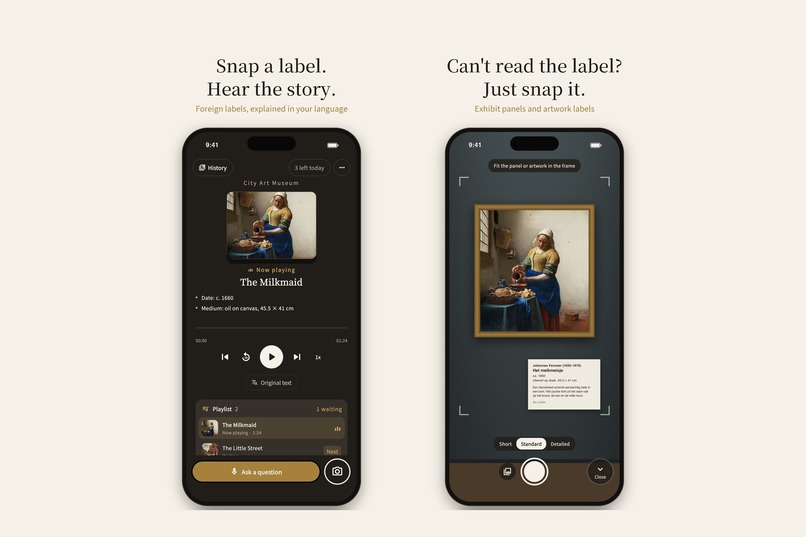
Commentary starts within seconds of the shutter and keeps playing while you walk to the next piece — a queue, not a wait.
-
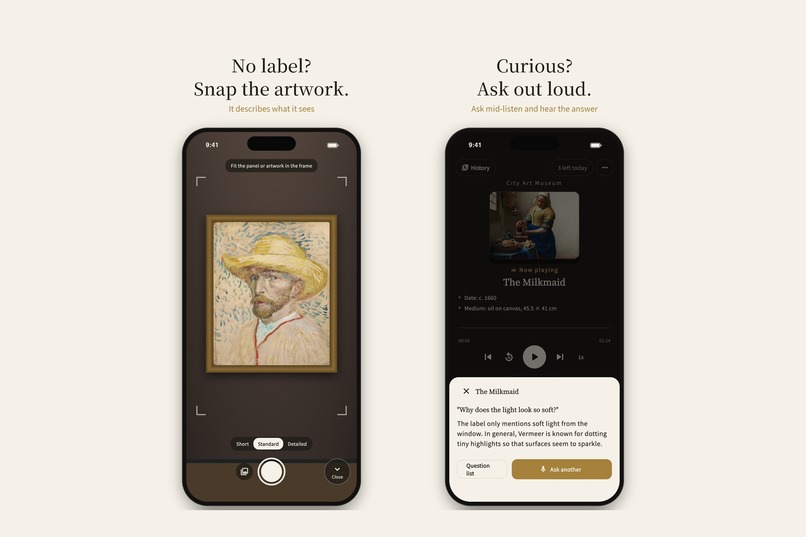
Works on artwork alone. Hold the mic to ask a follow-up; playback pauses while you talk and resumes where you were.
-
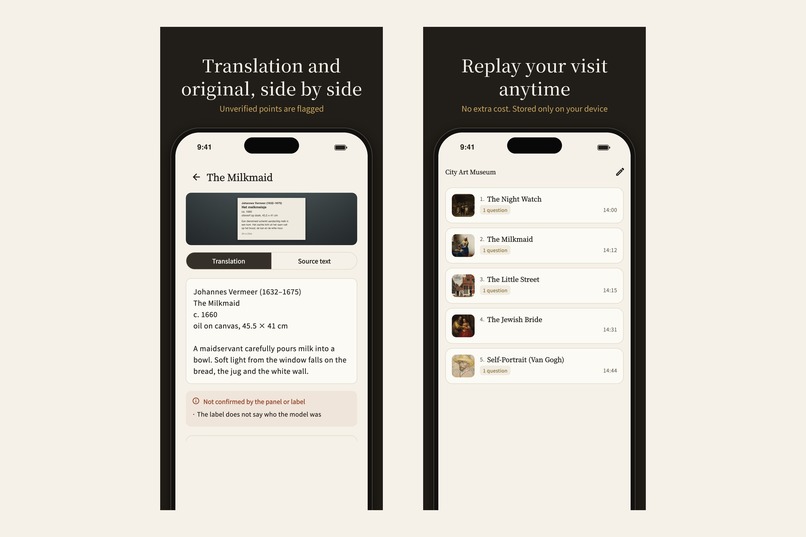
Facts from the label are kept apart from background knowledge — unverified points are flagged. Replays stored on device.
Inspiration
Stand in front of an exhibit label you can't read, in a museum abroad. You open a translation app, photograph the panel, and get five lines of stiff text back: "This earthenware vessel was produced in the Late Jōmon period…" You read it, nod, and walk on — no closer to understanding what you're looking at than before.
Museums solve this with audio guides: a docent who tells you what to look at and why it matters. But rented guides cover a handful of highlight pieces, in a handful of languages, and you can't ask them anything.
DocentLens is the docent for every label in the building. Photograph the panel, put in your earphones, and listen — not to a translation, but to a spoken explanation written for a listener: what's in front of you, what the label says, and the context that makes it interesting. When something is unclear, hold the mic button and ask.
What it does
- Snap → listen. Photograph an exhibit panel, an artwork label, or the artwork itself. Commentary starts playing within a few seconds and keeps flowing while you walk to the next piece — a continuous playback queue, like a music app, not a "wait for the result" loop.
- Docent, not translator. The script separates three things a good docent keeps distinct: what is visible in the photo (observation), what the label states (fact), and background knowledge (context) — so listeners always know which is which.
- Ask by voice. Hold to talk, ask a follow-up question about the piece you're hearing about, get a spoken answer. Playback pauses while you ask and resumes where you were.
- Four languages. Korean, English, Japanese and Traditional Chinese — the app UI, the commentary and the voice questions all follow one language setting.
- Works like a player. Lock-screen controls, ⏮ ⏭, replay any piece from the visit, a visit history with the photos you took.
- Respects the room. The camera is only live while the capture screen is on screen (the status-bar camera dot goes off the moment you're just listening), and onboarding nudges you to check the museum's photo policy and use earphones.
How we built it
- Client: Flutter (Android · iOS), with ML Kit text recognition used only as a cheap on-device gate — is there readable text, is the shot blurry? — so blurry photos are rejected before they cost anything, and label-less shots are routed to "describe the artwork itself".
- Backend: a single Cloudflare Worker that proxies Gemini with no storage of photos. One streaming call returns kind → title → script → structured JSON in a fixed order, and the client's parser is tolerant of markers landing on chunk boundaries.
- Audio: the script is split into sentences and synthesized with Google Cloud Text-to-Speech as each sentence arrives; sentence WAVs are queued and played gaplessly, then merged into a local cache so replay costs nothing. We only synthesize the item that is playing plus the next one — the cost-control rule the whole audio engine is built around.
- Monetization: RevenueCat (
purchases_flutter) with a single consumable — a 24-hour pass — plus 3 free shots per day per device. No accounts, no login.
Monetization — why a 24-hour pass and how RevenueCat fits
A museum visit is a day. Nobody wants a subscription for something they do a few times a year, and per-shot credits make people hesitate at exactly the moment they should be curious. So the product is one thing: a day pass, priced like the audio-guide rental it replaces (US$3.99 — Japanese museums rent guides for ¥500–650), with 3 free shots a day so a first-time visitor can hear what it's like before paying.
The price is grounded in measured cost: a normal visit (≈15 shots + 5 questions) costs us about $0.40 in AI and TTS, and a heavy day (50 long-form shots + 20 questions) about $2.80 — so the pass stays profitable after store fees even for heavy users, while replays are served from cache at zero cost.
RevenueCat handles the store round-trip on both platforms: product lookup (the paywall only renders a tile when the store product resolves, otherwise it falls back to a "free shots reset tomorrow" message), purchase, receipt validation and transaction finishing. Because the pass is consumable and device-bound, we deliberately don't use entitlements — a consumable attached to an entitlement would become a lifetime unlock. Instead the app reads nonSubscriptionTransactions, de-duplicates by transaction id, and grants 24 hours from the purchase time; buying again while a pass is active extends from the expiry. Pending purchases (Ask to Buy, convenience-store payment) resolve the same way the next time the app launches, so the flow survives the app being killed mid-purchase.
Challenges we ran into
- Latency is the product. A docent that starts talking 8 seconds after the shutter is a translation app with extra steps. We measured every hop: Gemini thinking set to minimal, the first sentence emitted the moment its boundary is detected, TLS pre-warmed on shutter press, and TTS chunks cut only in silence windows so no word is ever split by a source switch.
- TTS that changes language mid-sentence. Our first voice provider inferred language from text and would randomly read a Korean sentence in another language — 18 out of 60 samples in one test. We switched to a provider whose voices are bound to a locale and removed the fallback path on purpose: a fallback that changes the voice is worse than an error.
- Voice questions vs. playback. Speech recognition on iOS reconfigures the shared audio session; if playback is running, the TTS leaks into the microphone and audio dies non-deterministically. The fix is a strict rule: opening the question sheet seals playback until the sheet closes, and every path into the mic — including "ask another" — goes through it.
- Gapless playback on real devices. Sentence-chunk transitions had a 0.2–0.4 s gap on Android. We moved to a gapless playlist so the player preloads the next chunk, and grow chunk sizes across the whole item instead of resetting per sentence.
- Landscape photos that lay on their side. The camera plugin's orientation tracking fails when you tilt the phone toward a panel. We lock the capture frame, read the accelerometer ourselves, and rotate during the resize pass we already do.
- Shipping to two stores with no secrets in the binary. Firebase App Check gates the worker, request bodies are size- and type-limited, uploaded photos are re-encoded with EXIF stripped, and the privacy policy is served by the same worker in all four languages.
Accomplishments that we're proud of
- The very first field test in a real museum produced a list of seven friction points — and every one of them shipped as a fix before launch (dock layout, length setting persistence, camera lifecycle, artwork-only capture).
- A camera that is provably off while you listen: the home screen has no camera code at all.
- Four languages, one language setting, fixed at capture time so replays never drift from the voice you heard.
- A paywall that never shows a broken purchase UI: no product, no tile.
What we learned
- Cost control has to be architectural, not a setting: "synthesize the playing item + one ahead" and "cache the merged audio" are the two rules that make a $3.99 day pass viable.
- Don't override user settings with heuristics. We once auto-shortened commentary when the queue got long; users found it confusing and we removed it. Trust beats cleverness.
- Log everything, ship the log-sharing button: reconstructing "it did something weird" from timestamps beat guessing every time.
What's next
- Launch tracking on real visits: shots per visit, listen-through rate, question rate — the events are already wired.
- More languages as the voice quality allows.
- Multi-day and trip passes once we see repeat-purchase data — the pass logic already extends from expiry.
- Museum partnerships: the same pipeline with a museum's own curatorial notes as grounding.
Built With
- android
- audio-service
- cloudflare-workers
- dart
- firebase
- firebase-app-check
- firebase-crashlytics
- flutter
- gemini
- github-actions
- google-analytics
- google-cloud-text-to-speech
- ios
- just-audio
- ml-kit
- revenuecat
- speech-to-text
- typescript


Log in or sign up for Devpost to join the conversation.