-
-
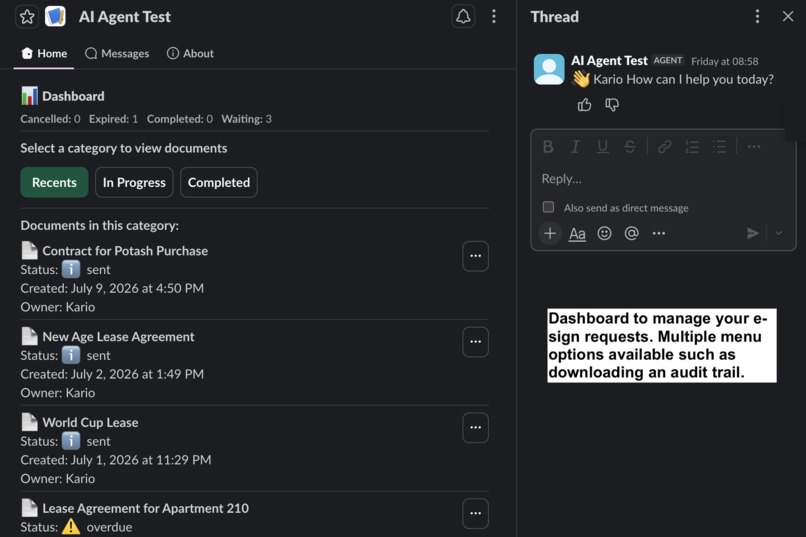
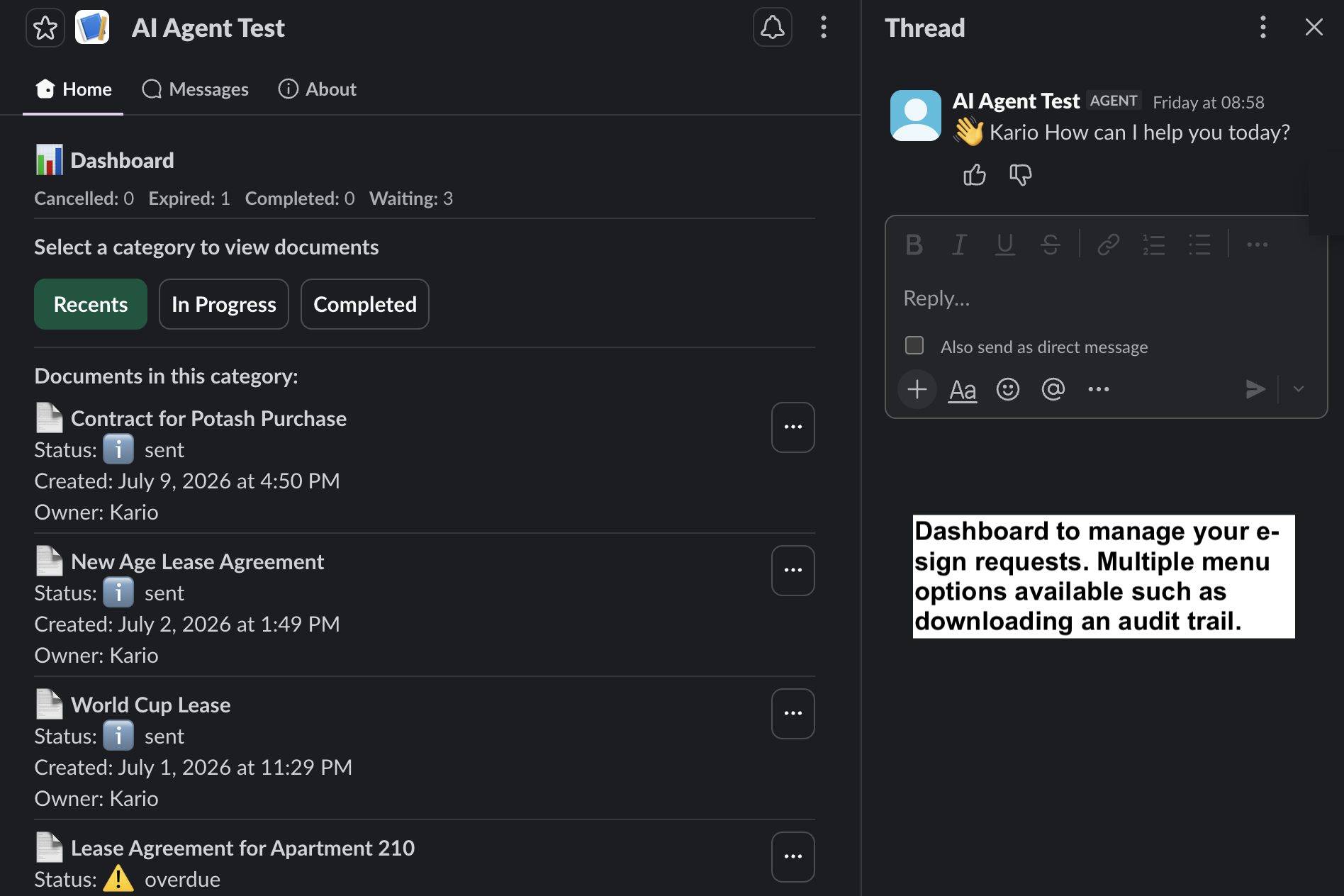
Manage E-sign Requests From Your Dashboard
-
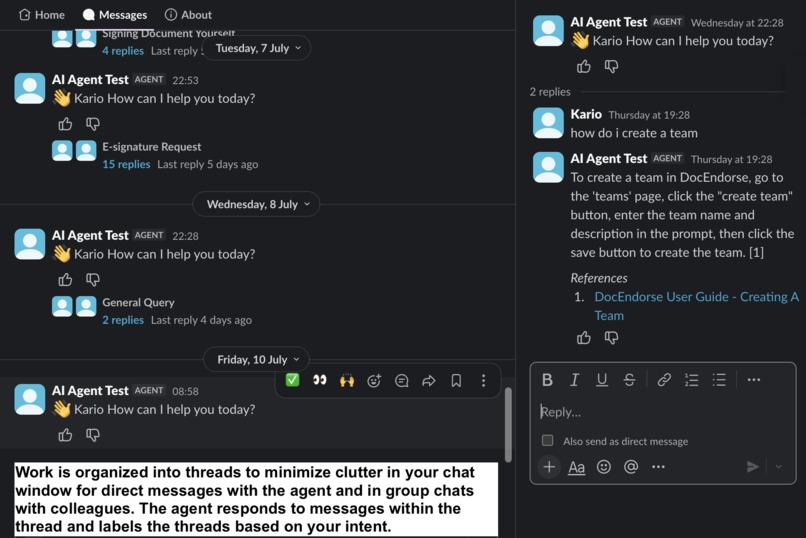
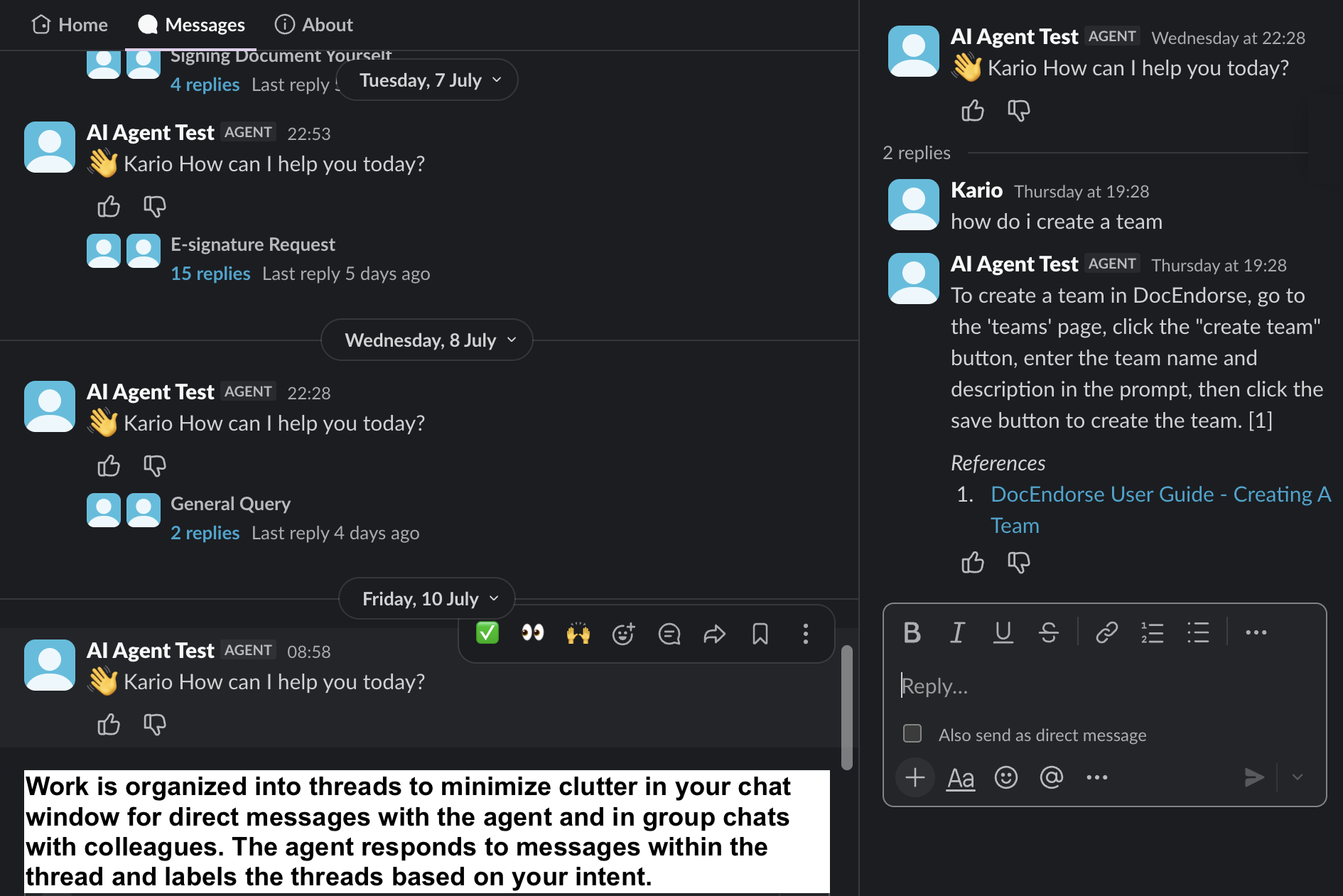
Minimize Clutter With Threads
-
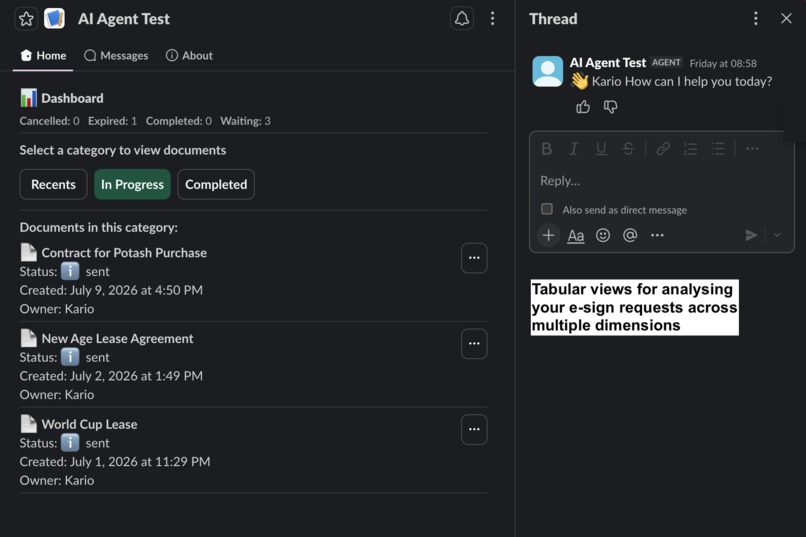
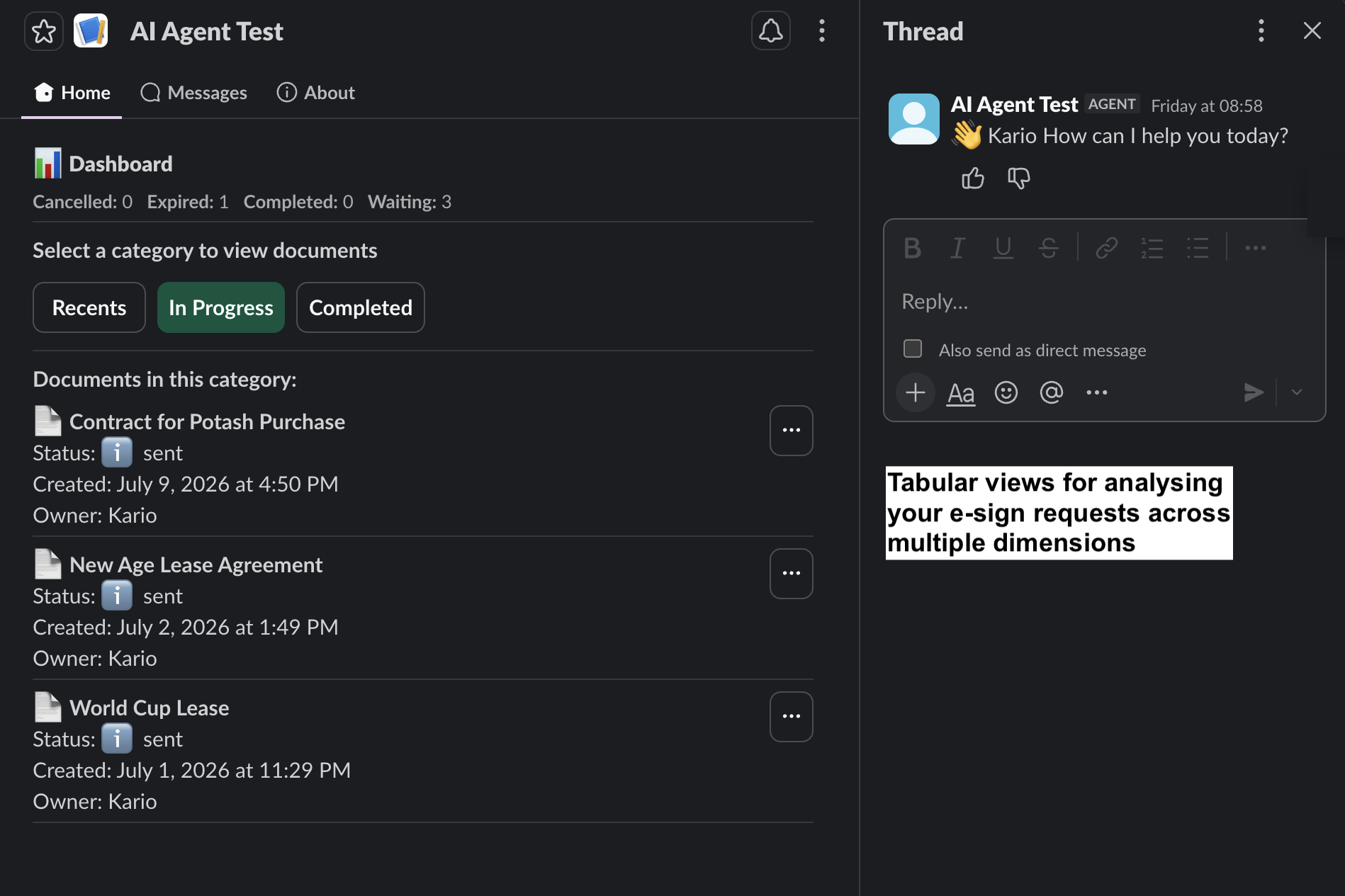
Tabular Views For Document Analysis
-
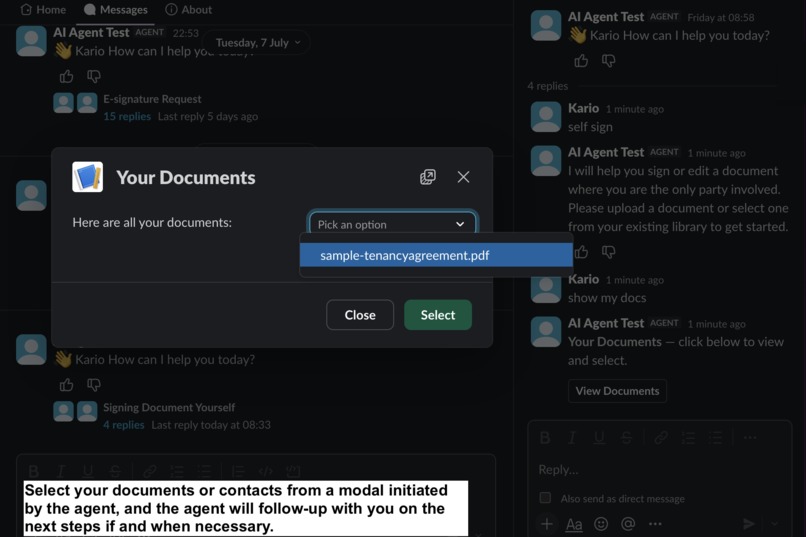
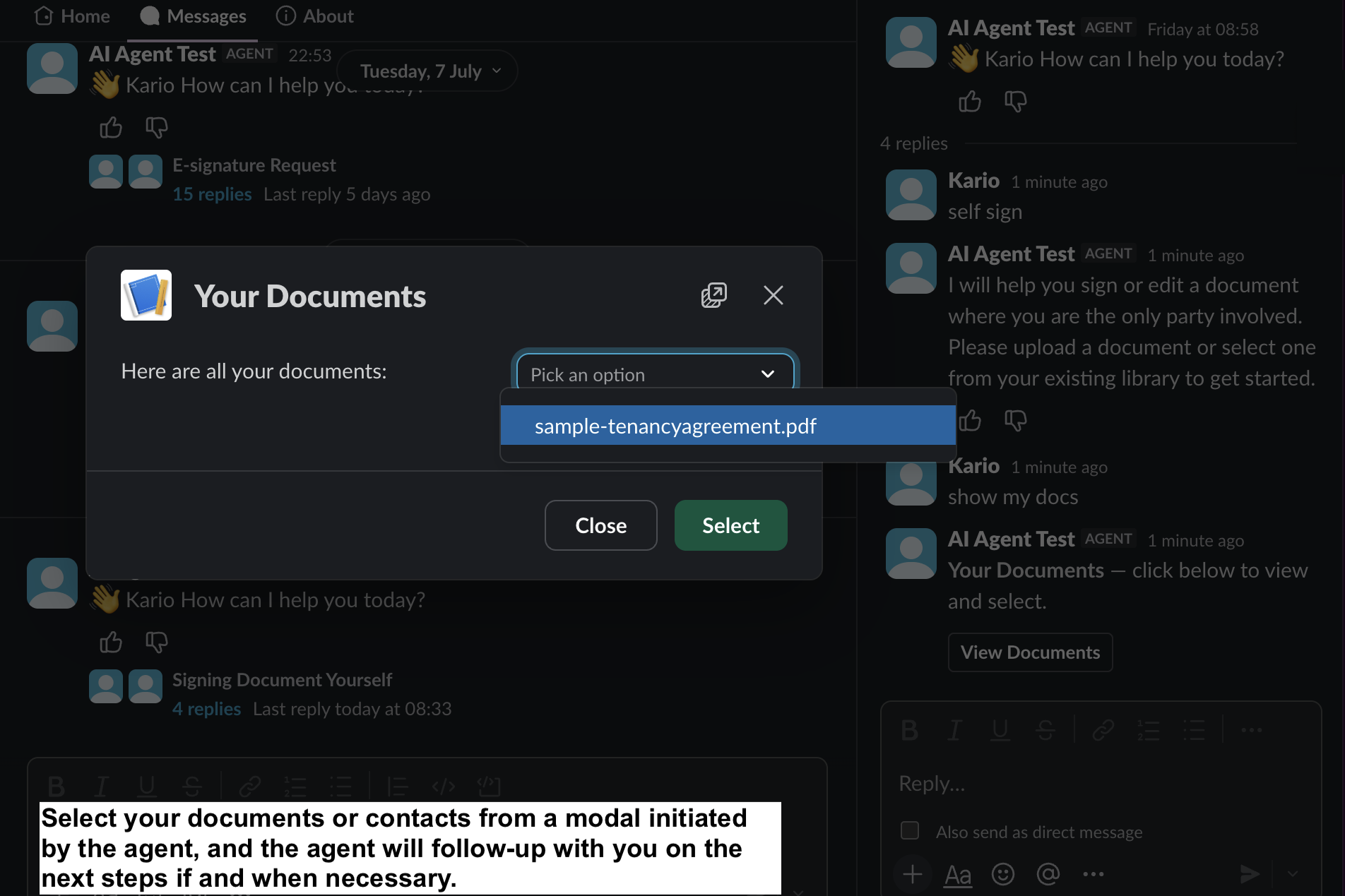
Document or Contact Picker
-
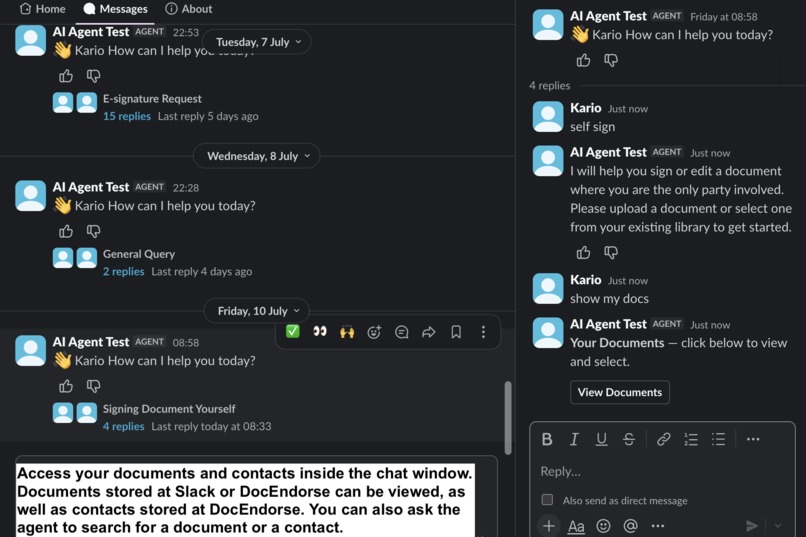
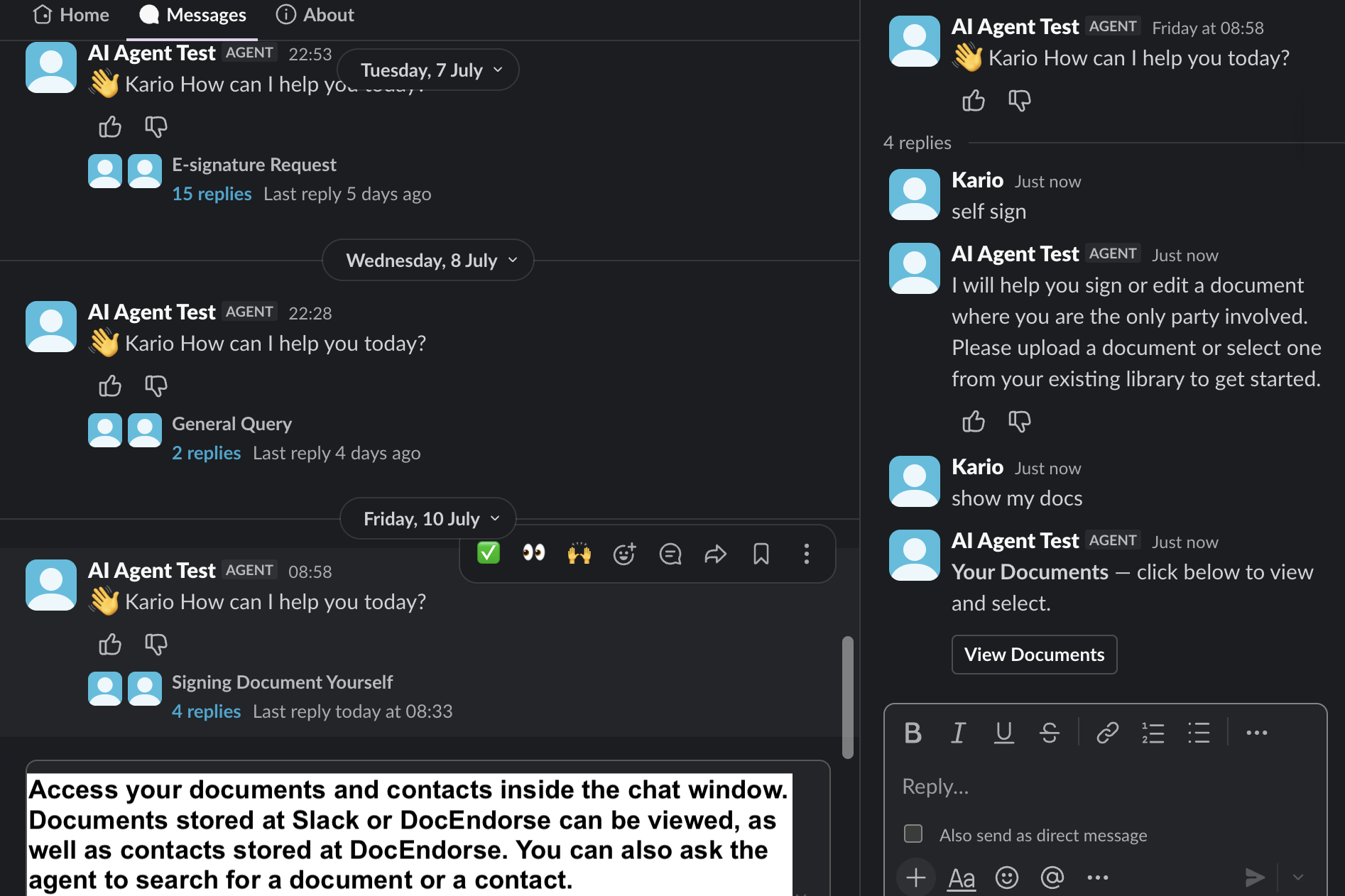
Access Documents & Contacts Inside Slack
-
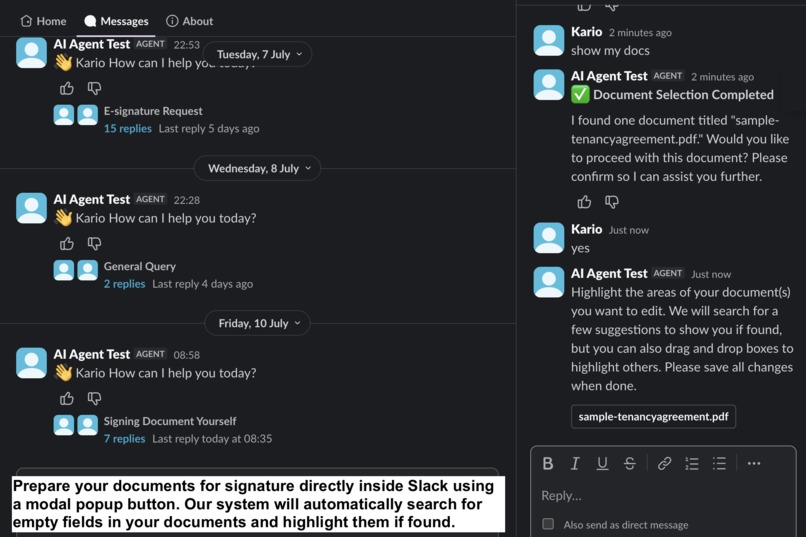
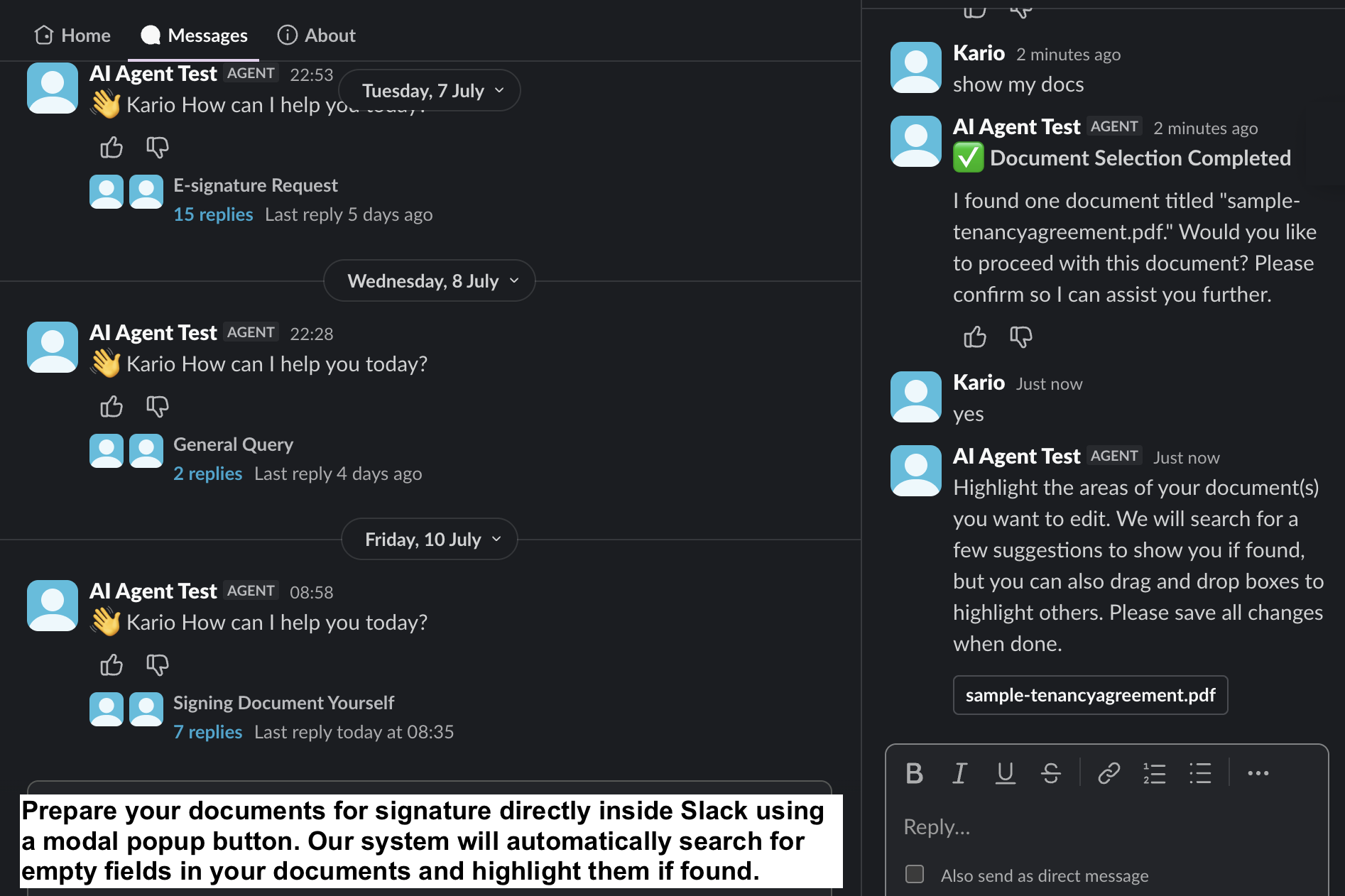
Prepare Documents For Signature Inside Slack
-
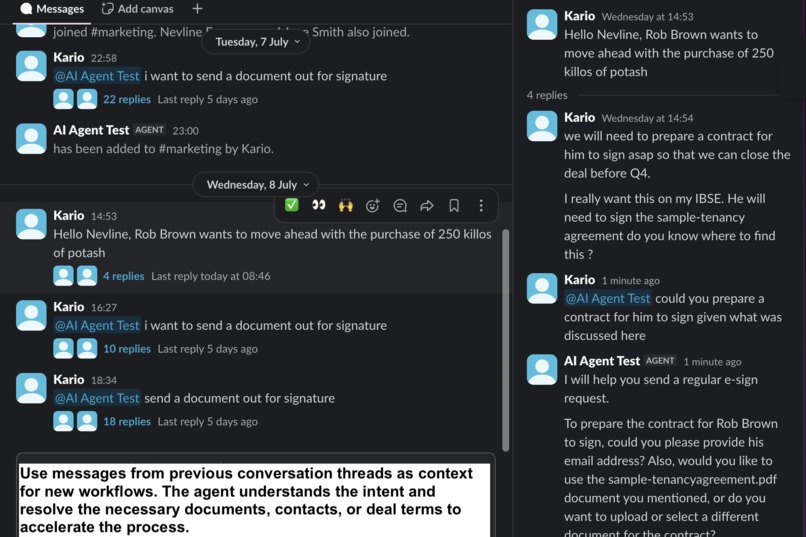
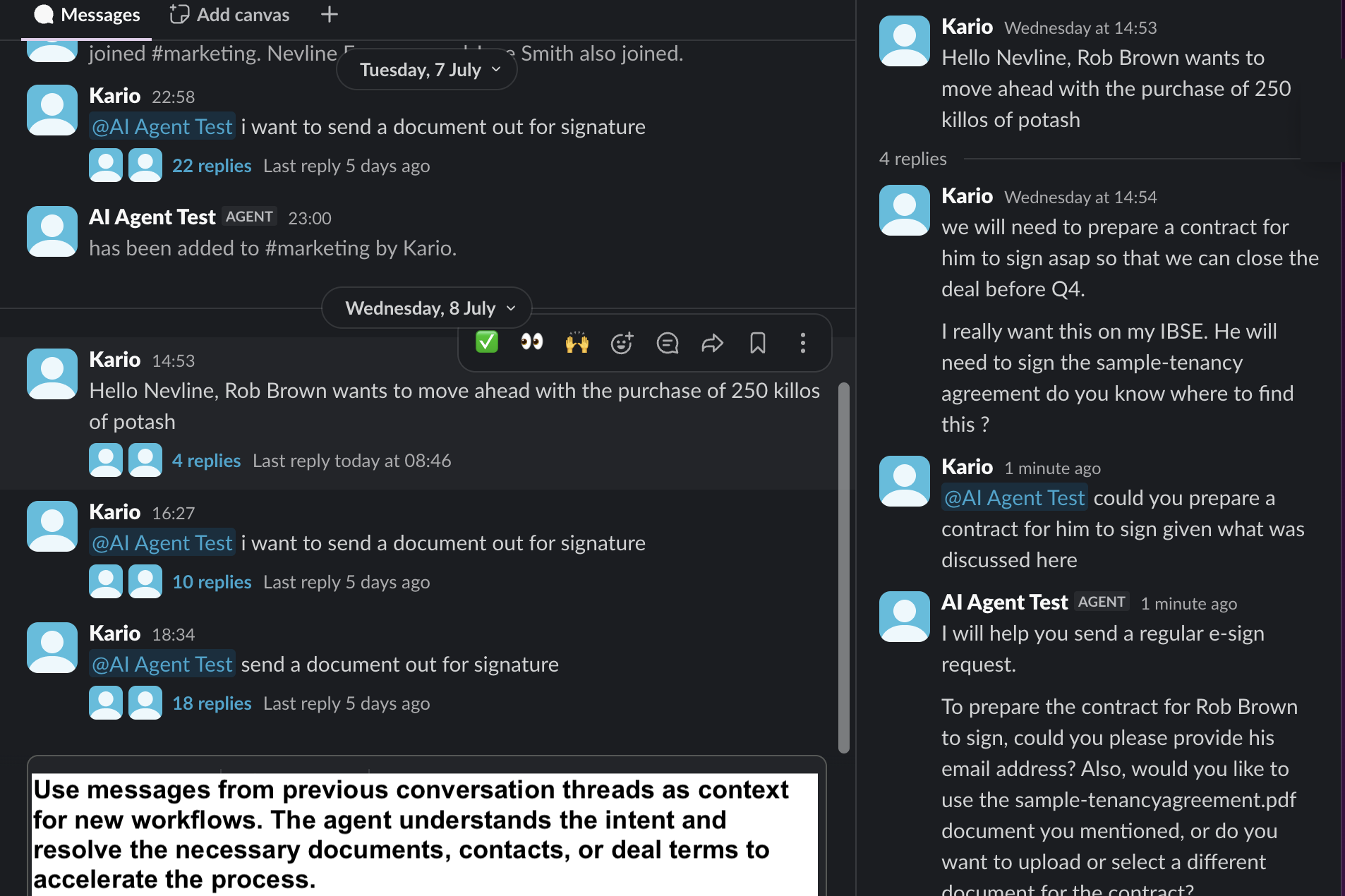
Bring Data From Previous Conversations To The Workflow
-
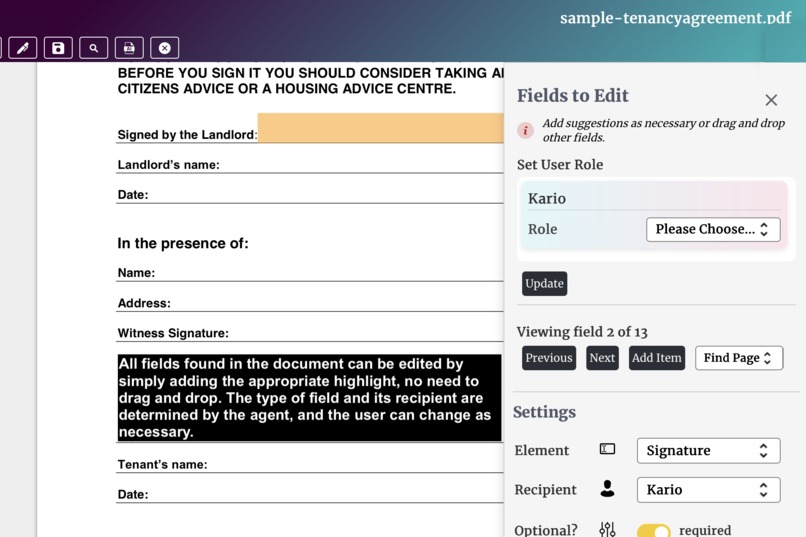
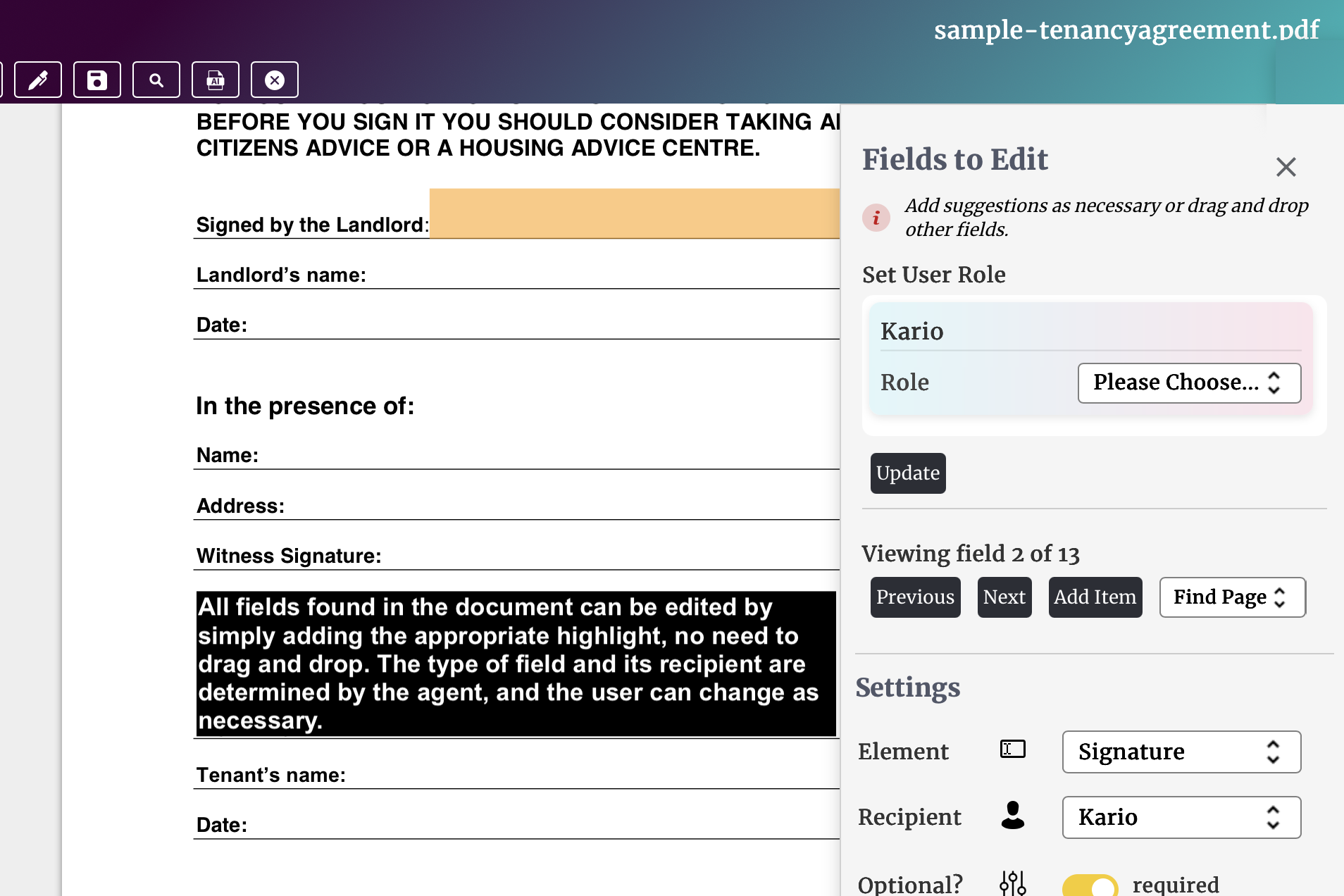
Automatically Find and Assign Fields
Inspiration
Preparing documents for signature inside Slack shouldn't require users to jump between multiple applications, manually re-enter contact information, or copy details from conversations into forms. Yet that's exactly how most e-signature workflows work today.
We built DocEndorse AI Agent to change that.
Traditional e-signature workflows force users to initiate workflows with slash commands, navigate multiple screens, manually search for documents, and repeatedly enter information such as names, email addresses, and phone numbers. Documents and templates that already exist in Slack often need to be located and uploaded again before they can be used.
Even more frustrating, the most valuable information such as signatories, contract terms, supporting documents, approval discussions, and preferred delivery methods is already sitting inside Slack conversations and threads, but cannot be used directly. Users are forced to manually extract that information before they can even begin preparing a document.
DocEndorse transforms Slack conversations into complete e-signature workflows. Powered by the Slack AI Assistant surface and the Real Time Search API, users simply describe what they want to accomplish in natural language while the AI handles the rest i.e. finding documents, identifying signers, extracting contract details, preparing signature requests, and keeping users informed throughout the entire workflow.
What it does
DocEndorse is an AI-powered e-signature assistant that enables users to prepare, send, track, and follow up on documents entirely through natural language.
Built directly on the Slack AI Assistant surface, users stay inside Slack throughout the entire experience. As the AI searches conversations, finds documents, extracts information, prepares signature requests, or sends documents for signing, it continuously updates the conversation with its progress and requests confirmation only when user input is required. Users always know what the agent is doing without having to switch screens or wait for hidden background processes.
Simply tell the AI what you want to do, and it will:
- Find the right documents from Slack files.
- Find contacts using the Slack user directory.
- Search Slack conversations and threads to extract deal terms, parties, signer information, and other relevant context.
- Automatically detect and place signature fields.
- Assign signer roles.
- Suggest document titles and personalized messages.
- Send signature requests via email, SMS, or WhatsApp.
- Track document status and automatically follow up with signers.
DocEndorse supports the complete e-signature lifecycle, including self-signing, signature requests, templates, reminders, resending requests, and real-time status tracking. Follow-up messages are generated automatically, with their tone and timing adjusted based on each document's progress.
How we built it
We designed DocEndorse to feel like a native Slack experience rather than a traditional web application embedded inside Slack.
The user experience is built around the Slack AI Assistant surface, allowing users to interact with the agent through natural conversation. The assistant provides continuous feedback while it works, reporting on long-running tasks such as searching Slack, preparing documents, assigning signers, and sending signature requests. By keeping users informed throughout the workflow, the experience remains conversational, transparent, and responsive.
Behind the scenes, we built a layered AI architecture focused on simplicity, maintainability, and operational efficiency.
The top layer is an interaction layer, built in PHP, which integrates with the Slack Events API and manages communication between Slack and our AI agent. This layer is responsible for:
- Slack authentication
- API interactions with the
/assistant,/conversations,/chat,/views, and/filesendpoints - Message formatting and normalization
- Message deduplication
- Creating interactive views and modals
- Managing channels and threaded conversations
- Interpreting user interactions and slash commands
Below the interaction layer sits the interpretation layer, built with PHP and Python. Authenticated messages are passed into this layer, where an LLM powered by the OpenAI Chat Completions API and Responses API interprets user intent, invokes the appropriate tools, and generates responses that are returned to Slack through the interaction layer.
The interpretation layer uses MySQL for caching and long-term storage and is divided into three primary components:
- Orchestration – Analyzes conversation history and determines which e-signature workflow should be executed, or whether the request should be handled as a general AI conversation.
- Workflow Engine – Implements the complete document preparation and e-signature workflows.
- RAG System – Answers user questions about the platform and provides general guidance on e-signatures.
Challenges
One of the biggest technical challenges was seamlessly integrating our document viewer into a conversational AI workflow.
Because the assistant operates entirely within Slack, interrupting the workflow with a separate document interface felt disjointed. Actions performed inside the document viewer needed to be communicated back to the AI in a secure and reliable way so the assistant could maintain context and continue the conversation naturally.
Another significant challenge was supporting group conversations and multi-person direct messages. Multiple participants can contribute information, ask questions, or change requirements at any point in the conversation. Designing an AI agent that could reliably maintain context, understand intent across multiple users, and avoid hallucinations required careful orchestration and context management.
What we are proud of
We're most proud of building an AI assistant that feels like a genuine Slack teammate rather than another application.
Instead of asking users to complete forms, DocEndorse understands conversations, searches Slack in real time, finds documents and contacts, extracts contract terms, prepares signature requests, and keeps users informed as it works—all without requiring them to leave the Slack AI Assistant conversation.
By combining the Slack AI Assistant surface with the Real Time Search API, we've transformed unstructured Slack conversations into structured, executable e-signature workflows. Information that would normally require users to manually search, copy, and re-enter is automatically discovered and used by the AI to dramatically reduce the effort required to prepare documents for signature.
We're also particularly proud of making the assistant reliable in multi-person conversations. Maintaining context across multiple participants while avoiding hallucinations was one of the most technically challenging aspects of the project, and overcoming it significantly improved the overall user experience.
What we learned
Building DocEndorse gave us a much deeper appreciation for the Slack platform and how well it supports AI-powered applications.
We were impressed by the breadth of capabilities Slack provides developers, particularly the AI Assistant surface, interactive modals, the Home tab, threaded conversations for preserving context, and the flexibility of the platform for building conversational workflows.
Discovering the Real Time Search API was another highlight. We quickly realized how powerful it is for bringing historical context into AI workflows, and it fundamentally changed how we approached building the product. We're excited to continue expanding our use of it as DocEndorse evolves.
What's next for DocEndorse AI Agent
We're just getting started.
Over the coming weeks, we plan to expand our use of the Real Time Search API to bring even richer historical context into every workflow.
Our next major milestone is enabling the AI agent to automatically populate documents and templates using information extracted from previous Slack conversations, allowing users to review and confirm the generated content before sending.
We also plan to expand our workflow automation capabilities so that DocEndorse can proactively identify missing information, suggest next steps, and further reduce the time required to prepare, review, and send documents for signature.
Our vision is simple: make preparing and signing documents feel as natural as having a conversation in Slack.

Log in or sign up for Devpost to join the conversation.