-
-
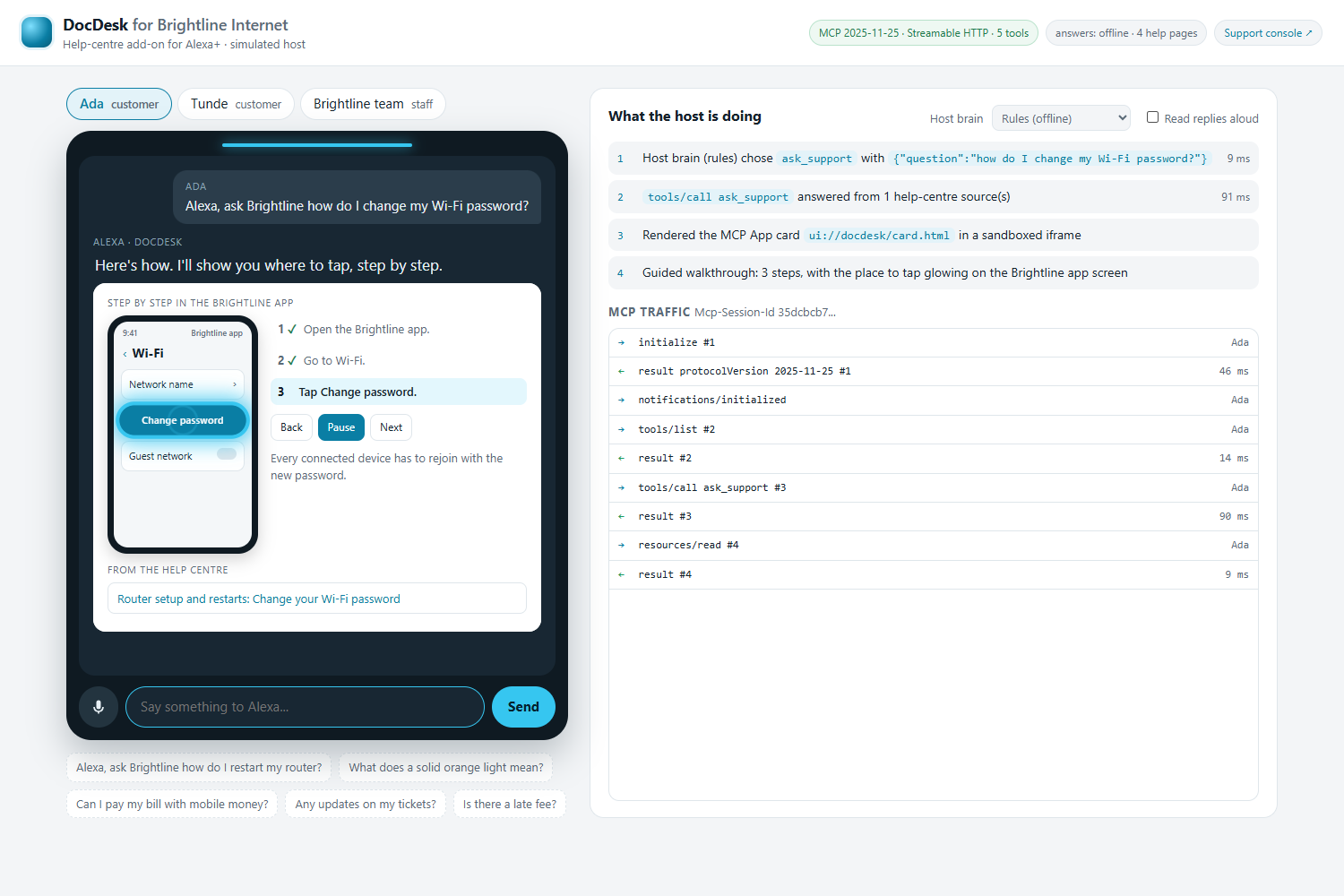
DocDesk puts a company’s help centre inside Alexa+. It answers from real help pages and shows you where to tap.
-
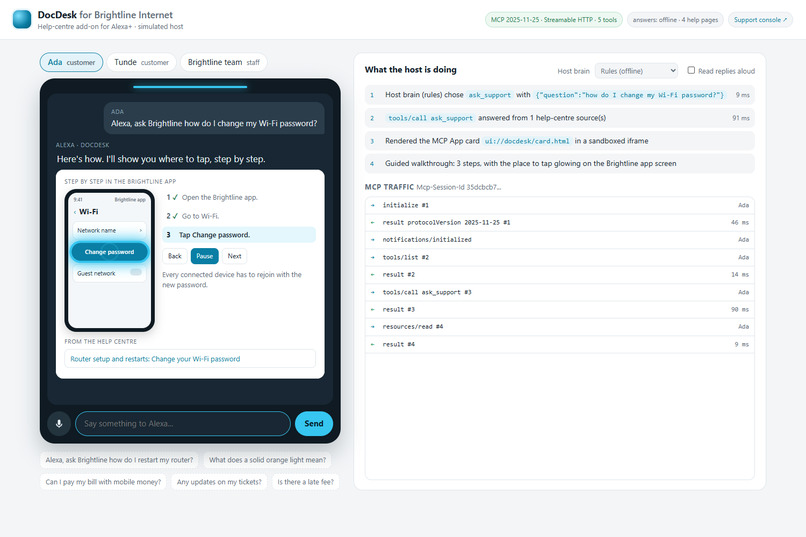
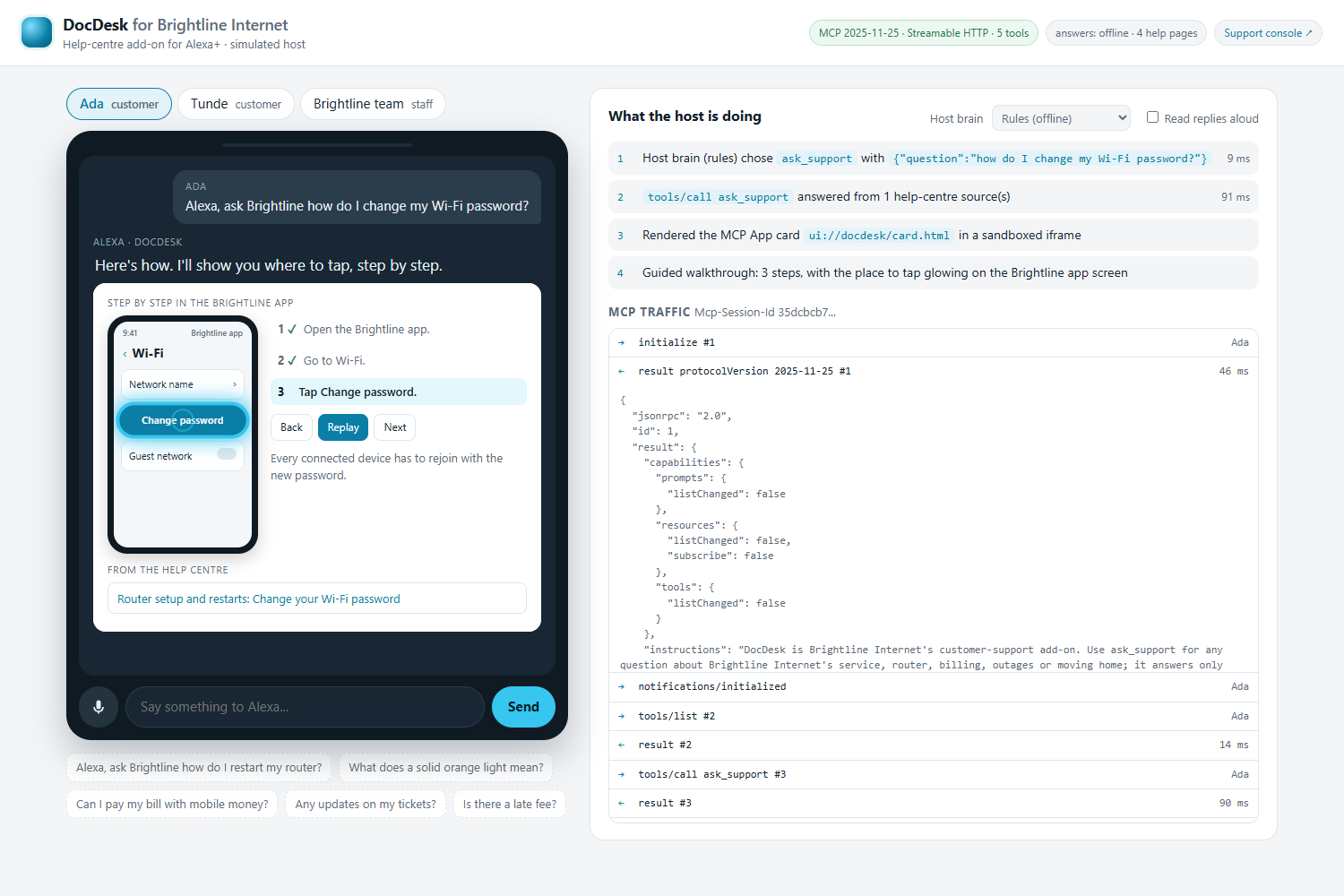
Ada asks how to change her Wi-Fi password. The glow shows exactly where to tap while Alexa reads each step.
-
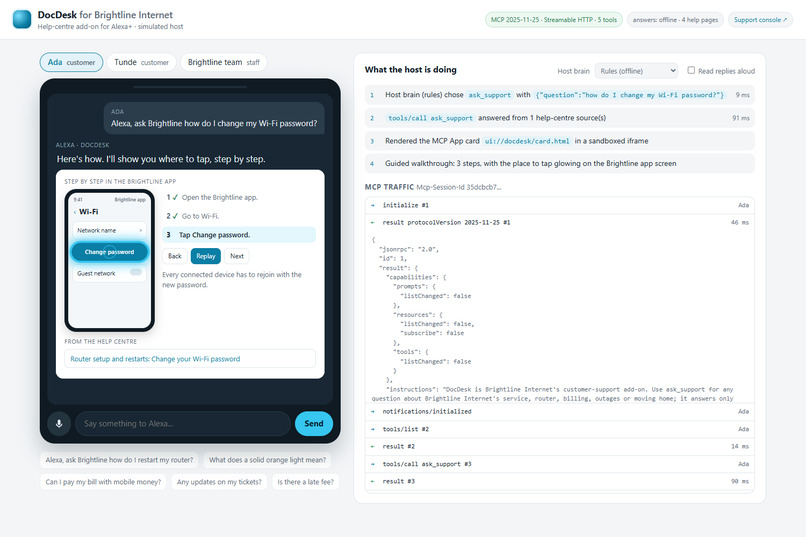
Every answer is a real MCP call over Streamable HTTP. The panel shows each message the server sends and receives.
-
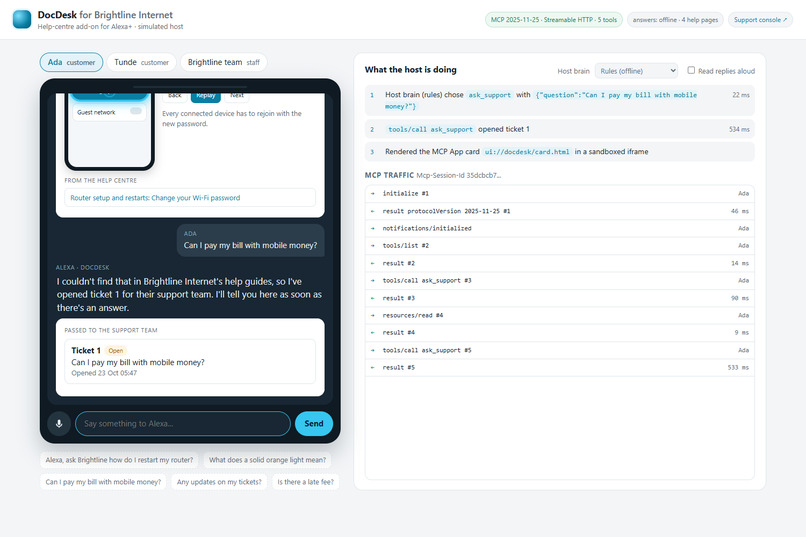
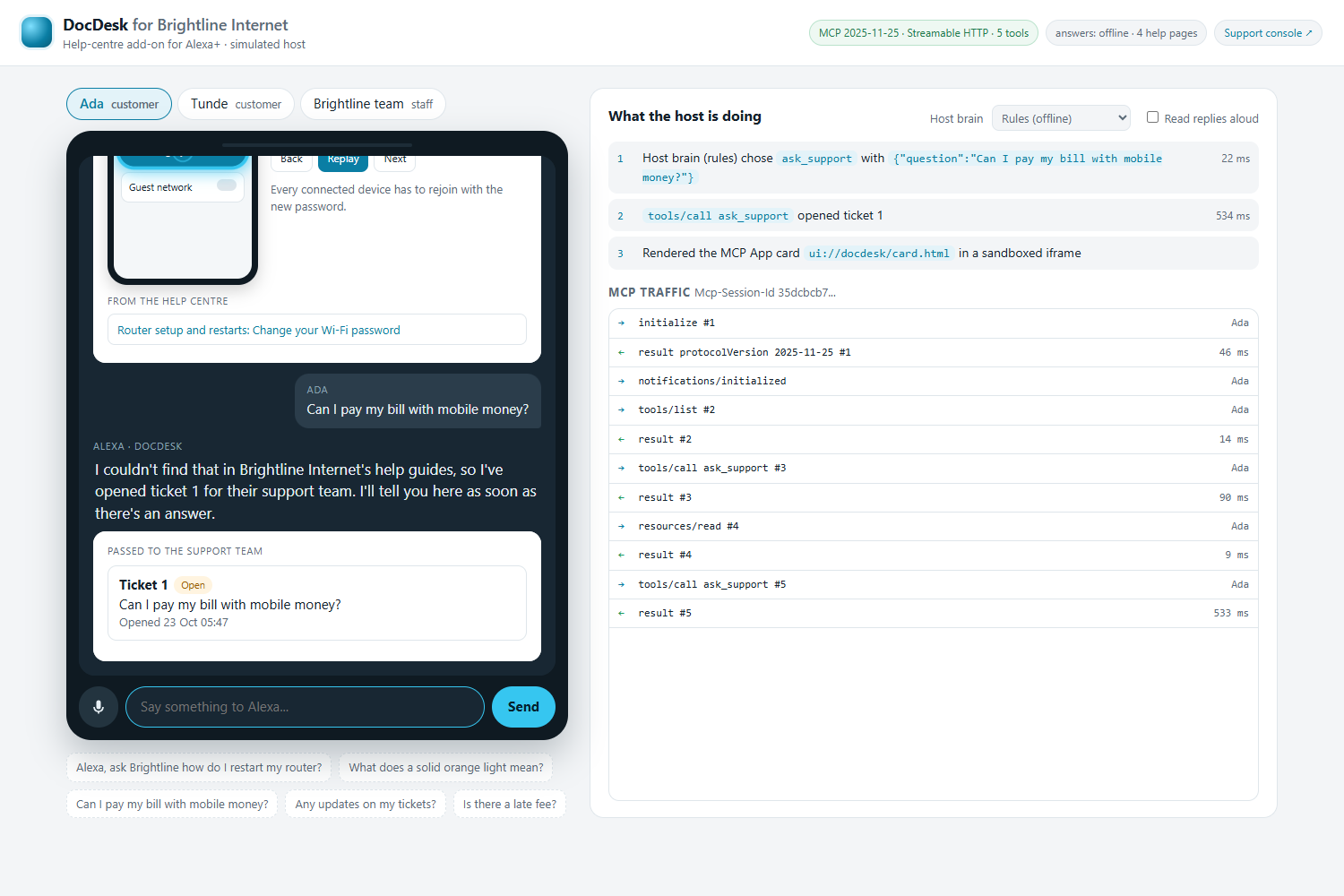
Not in the help pages? DocDesk doesn’t guess. It opens a ticket for the support team and remembers it for Ada.
-
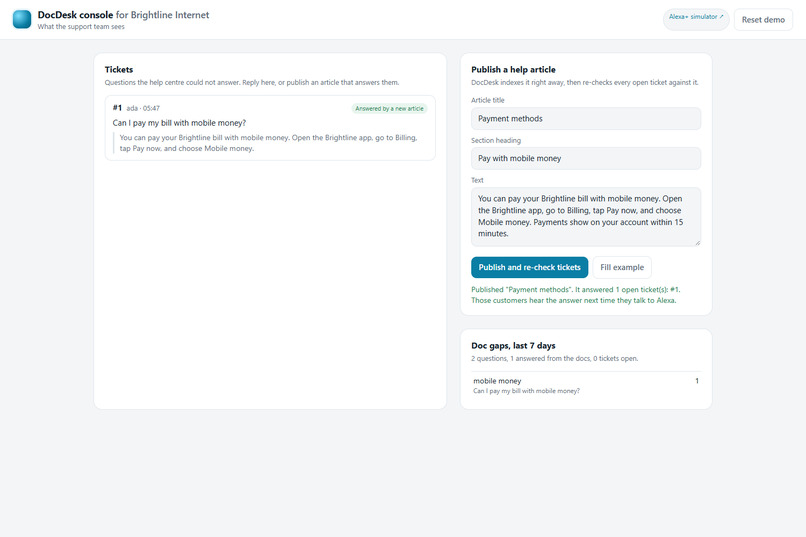
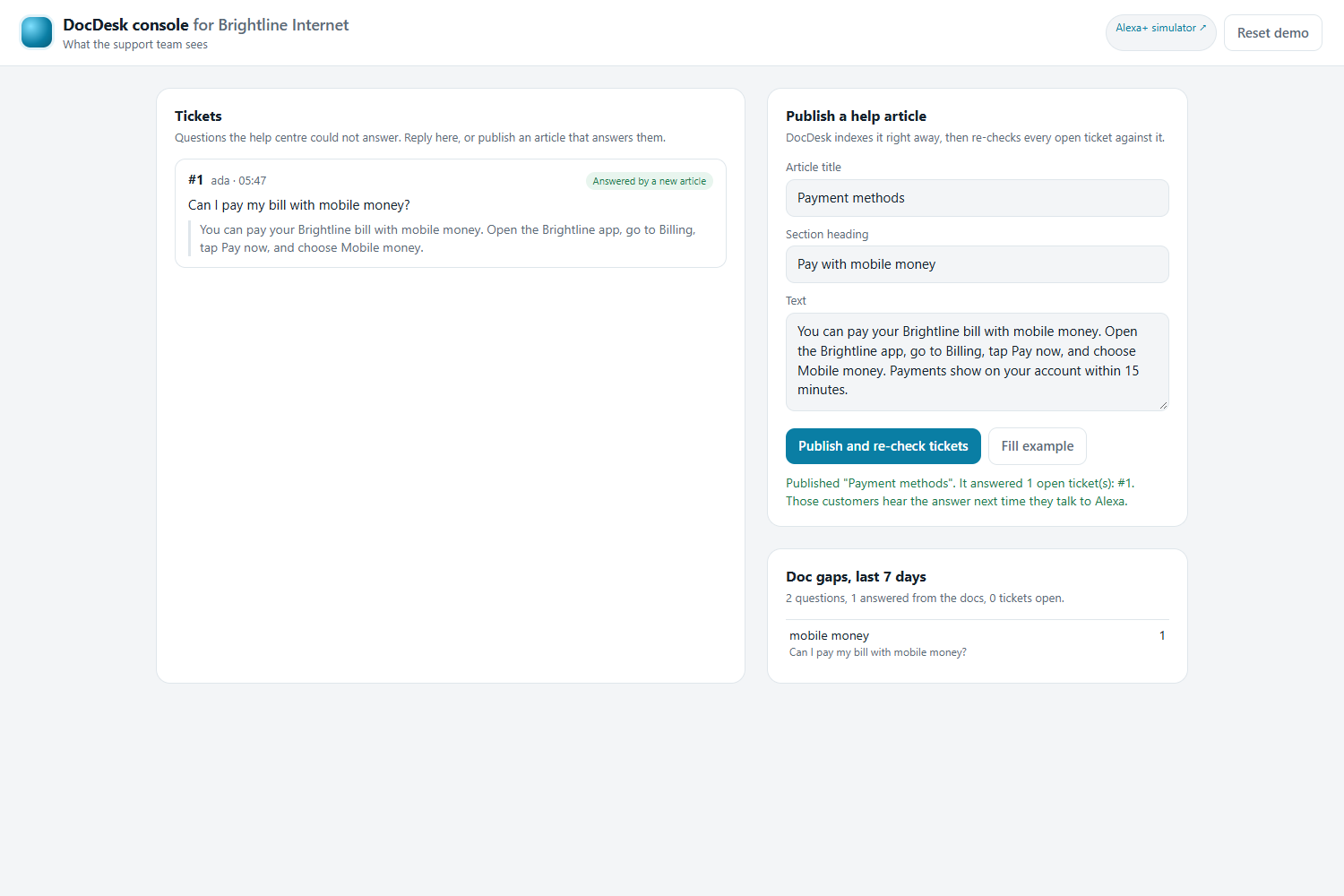
The support team publishes one article. DocDesk re-checks open tickets by itself and answers Ada’s ticket.
-
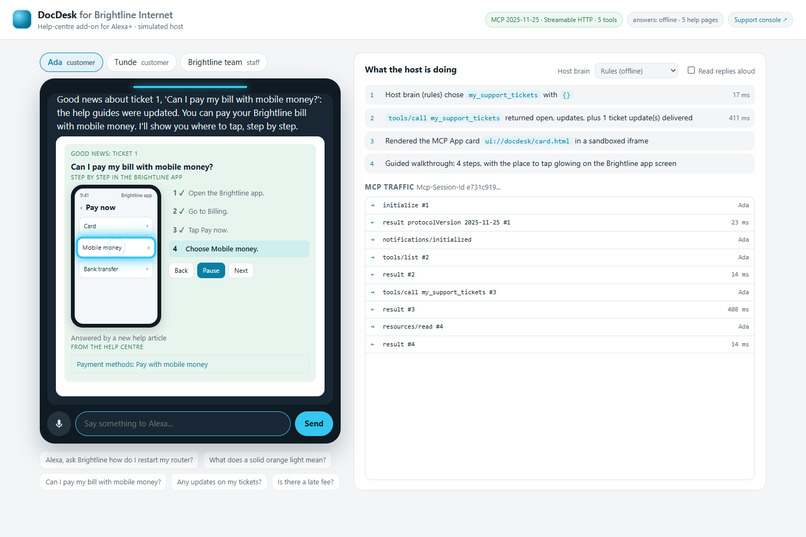
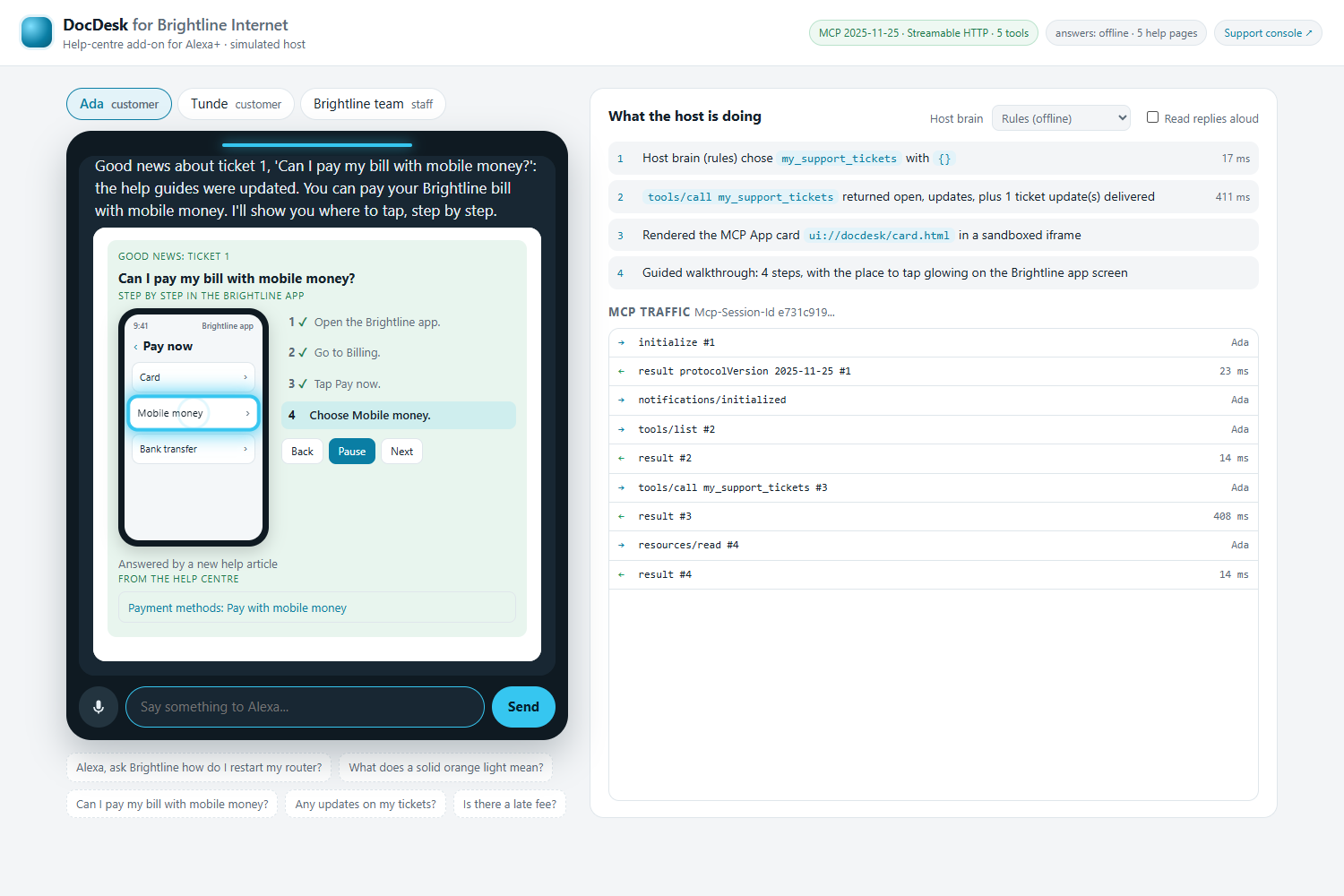
Next time Ada asks, she hears the good news and the glow walks her through paying with mobile money.
-
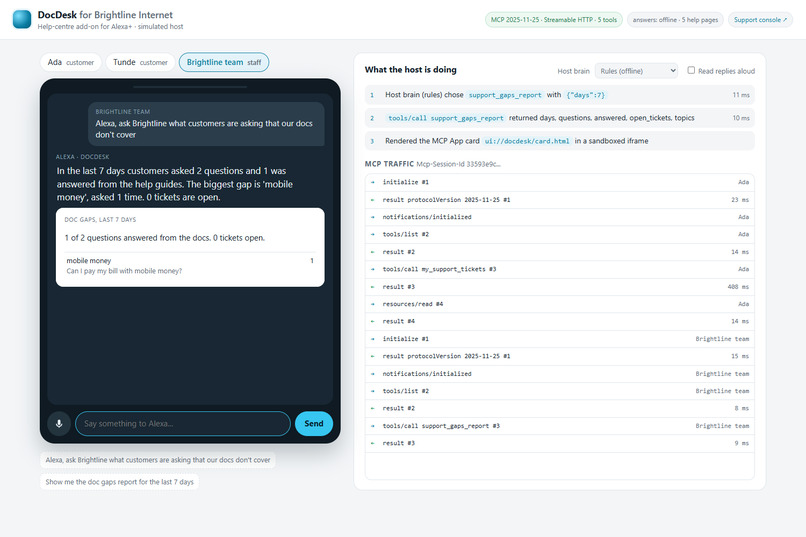
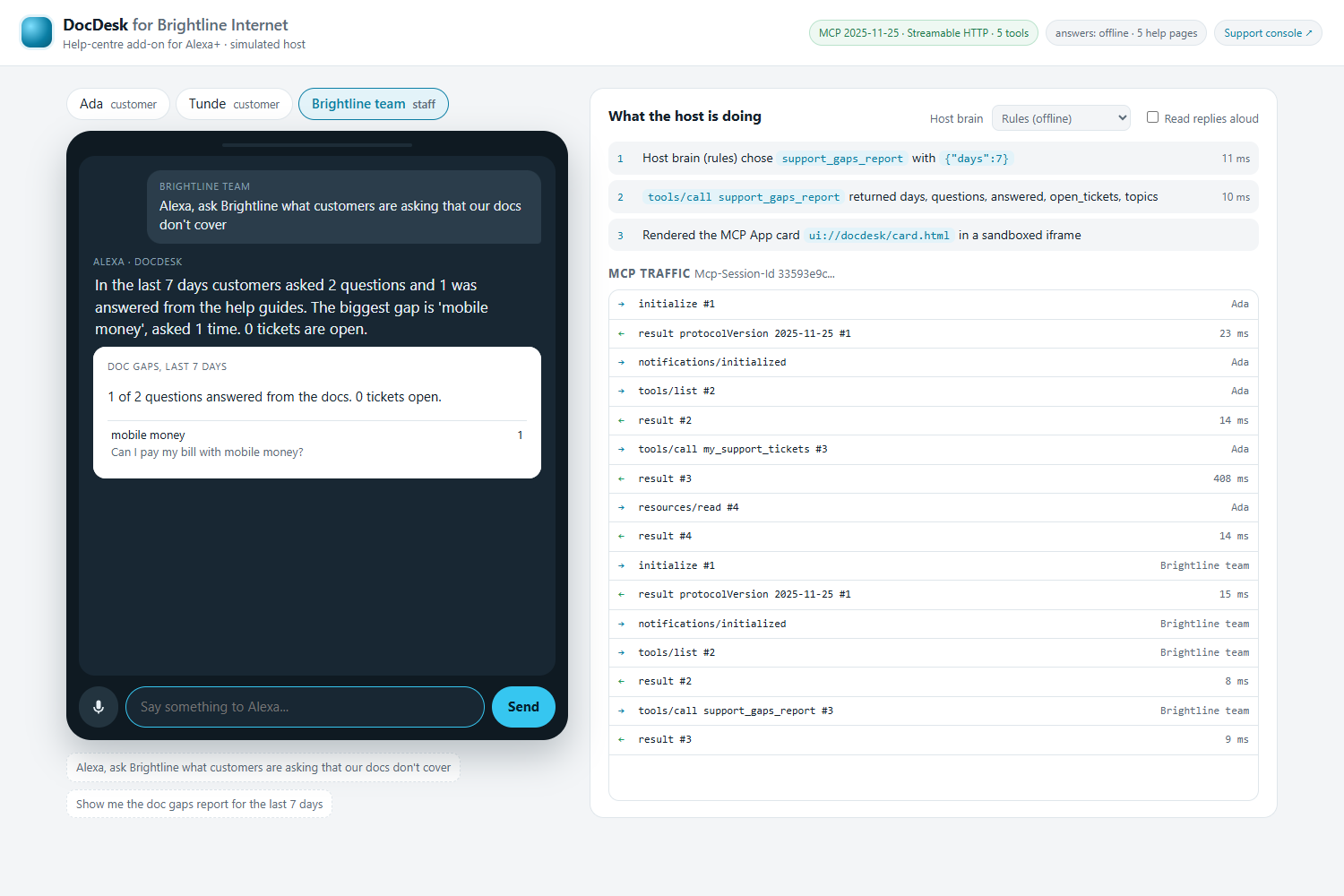
Staff can ask what customers wanted that the help pages couldn’t answer, so they know what to write next.
Inspiration
Watching our parents use company apps is hard. My mum calls me to ask where the "pay" button is. Older relatives give up on their bank or internet app halfway through and wait for someone younger to help. Customers of every age get lost in menus that only make sense to the people who designed them.
Telling someone "open the app, go to Billing, tap Pay now, then choose Mobile money" doesn't help much if they can't find Billing in the first place. What actually works is what we already do for our parents: sit next to them, point at the screen, and say "tap this one." We built DocDesk to do exactly that.
What it does
DocDesk puts a company's help centre inside Alexa+.
- You ask a question and get a short answer taken only from the company's own help pages, with the source shown on screen.
- If the answer involves their app, you see the app's screen with a glow on exactly where to tap. Alexa says each step as the glow moves, like someone pointing over your shoulder.
- If the help pages don't cover your question, it doesn't guess. It opens a ticket for the support team and remembers it for you.
- When the team adds a new help article, DocDesk checks it against open tickets by itself. Next time you talk to Alexa, you hear "Good news about your ticket" and get walked through the answer.
- The team also gets a list of what people asked that the help pages couldn't answer.
How we built it
- A small server in Python using MCP, the open standard Alexa+ uses for add-ons.
- A card that shows answers, tickets and the step-by-step guide. On a speaker with no screen, Alexa just says the full directions.
- A simple description of the company's app (screens and buttons), so each step can point at a real button.
- A browser version of Alexa+ to demo it, since the real Alexa+ developer tools aren't open to the public yet.
- A second version built with Amazon's Strands Agents, and the browser connection code shared as an open-source project called mcp-lite.
Challenges we ran into
- We couldn't test inside real Alexa+, so we built a stand-in that works the same way.
- Getting the glow and the voice to move at the same time took a few tries.
- Some tools needed different versions of the same library, so we had to run them separately.
- The hackathon's AWS credits ran out before we started, so we made it work without any paid keys.
Accomplishments that we're proud of
- The glow lands on the button at the same moment Alexa says it. It feels like a patient family member pointing at the screen.
- It never makes up an answer. If it doesn't know, a person gets the question.
- Customers get their answer without anyone having to call them back.
- Anyone can download it and run the whole demo for free, and it has 52 tests behind it.
What we learned
Showing beats telling. A short spoken line plus a glowing button is much easier to follow than a list of directions, especially for people who aren't comfortable with technology. We also learned a lot about how Alexa+ add-ons and MCP work under the hood.
What's next for DocDesk
- A floating helper on any phone or laptop. We want to turn the glow into a small layer that sits on top of your screen, the way Grammarly sits on top of whatever you type. You say or type what you're trying to do, and it highlights where to tap, step by step, in whatever app or website is open.
- Beyond company apps. The same helper could guide people through everyday tasks on their own devices: sending a photo on WhatsApp, joining a video call, changing a setting. That would make it a companion for older people and anyone who finds technology confusing.
- Real Alexa+. We'll connect DocDesk to the real Alexa+ once the developer tools open up, and let Alexa tell you about an answered ticket without you having to ask.
Built With
- alexa
- amazon-bedrock
- amazon-nova
- amazon-web-services
- anthropic
- claude
- css
- fts5
- html
- javascript
- mcp-apps
- model-context-protocol
- node.js
- playwright
- pydantic
- pytest
- python
- sqlite
- starlette
- strands-agents
- streamable-http
- uvicorn


Log in or sign up for Devpost to join the conversation.