
Inspiration
We were inspired by a critical and often overlooked problem in pediatric primary care: inaccurate or incomplete symptom reporting from children. When a child is anxious, shy, or feels rushed, it's difficult for them to articulate exactly what hurts or how they feel. This often leads to fragmented clinical notes and wasted consultation time. This problem is compounded by potential miscommunication between parents/guardians and providers, where a symptom's severity may be unintentionally overstated or understated.
We recognized the need to grant children greater autonomy and involvement in their own healthcare decisions. By turning the uncomfortable discussion of symptoms into a fun, indirect activity, Doc's Little Helper achieves multiple goals:
- Empowerment: It allows the child to become comfortable sharing their symptoms and opinions with the doctor, giving them agency in their care narrative.
- Future Preparedness: It gradually prepares the child for the future, teaching them to speak for themselves and take ownership of their health information as they transition into adulthood.
- Safety and Accuracy: It offers the child a secure, objective way to communicate their symptoms and feelings of unwellness directly to the clinician, which is critical for ensuring accurate data and preventing potential issues like neglect or abuse from being hidden by a guardian. We believe that by prioritizing the child’s comfort and voice through gamification, we can drastically improve data quality, save physicians time, and foster lifelong health literacy.
What it does
Doc's Little Helper is a digital pre-consultation application designed for elementary-aged children. It bridges the communication gap between the young patient and the physician by turning symptom intake into a character-driven game.
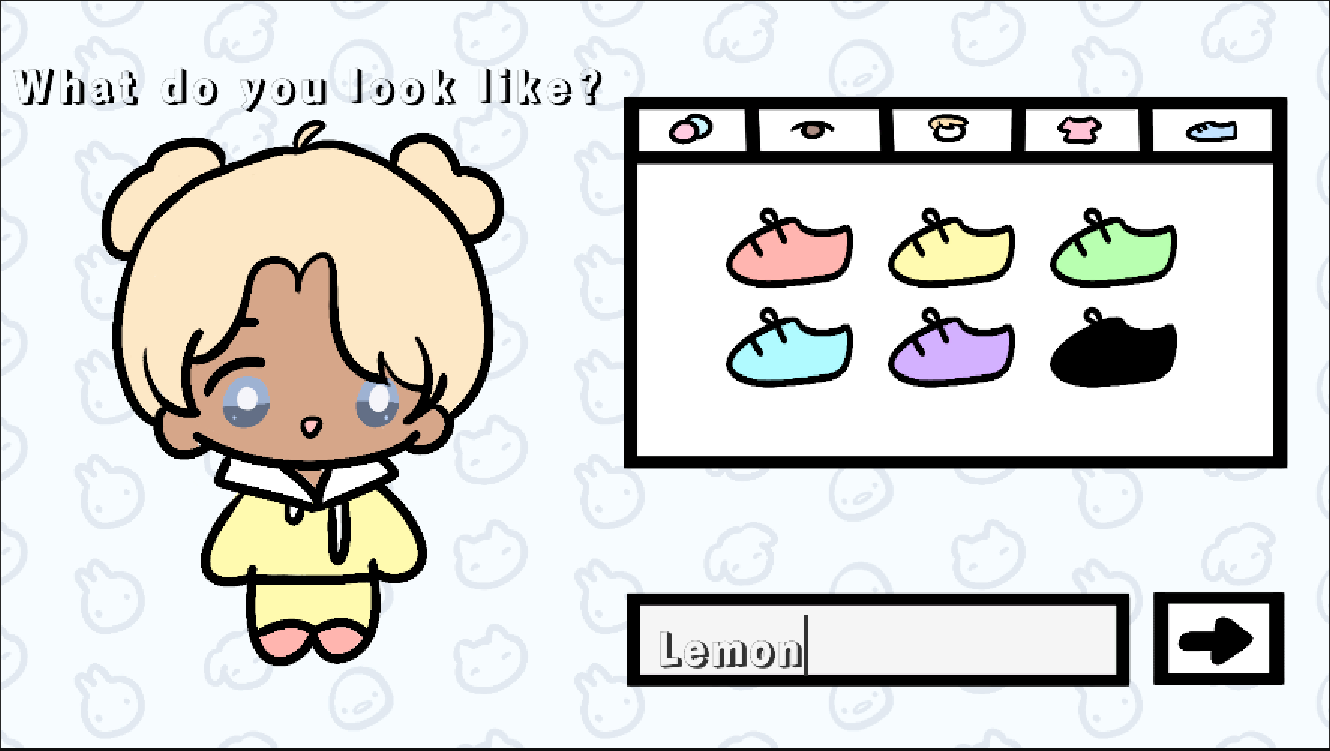
- Avatar Creation: The child is greeted by an onboarding character and creates their own avatar.
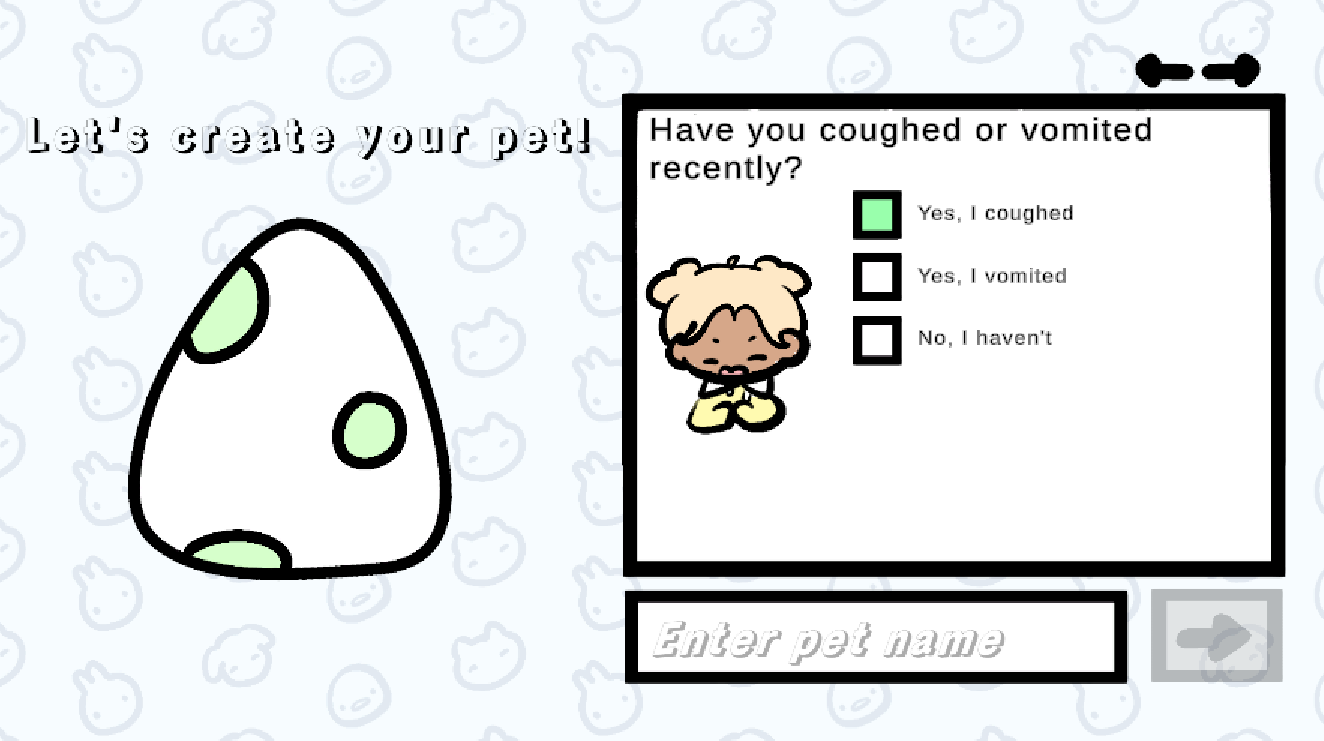
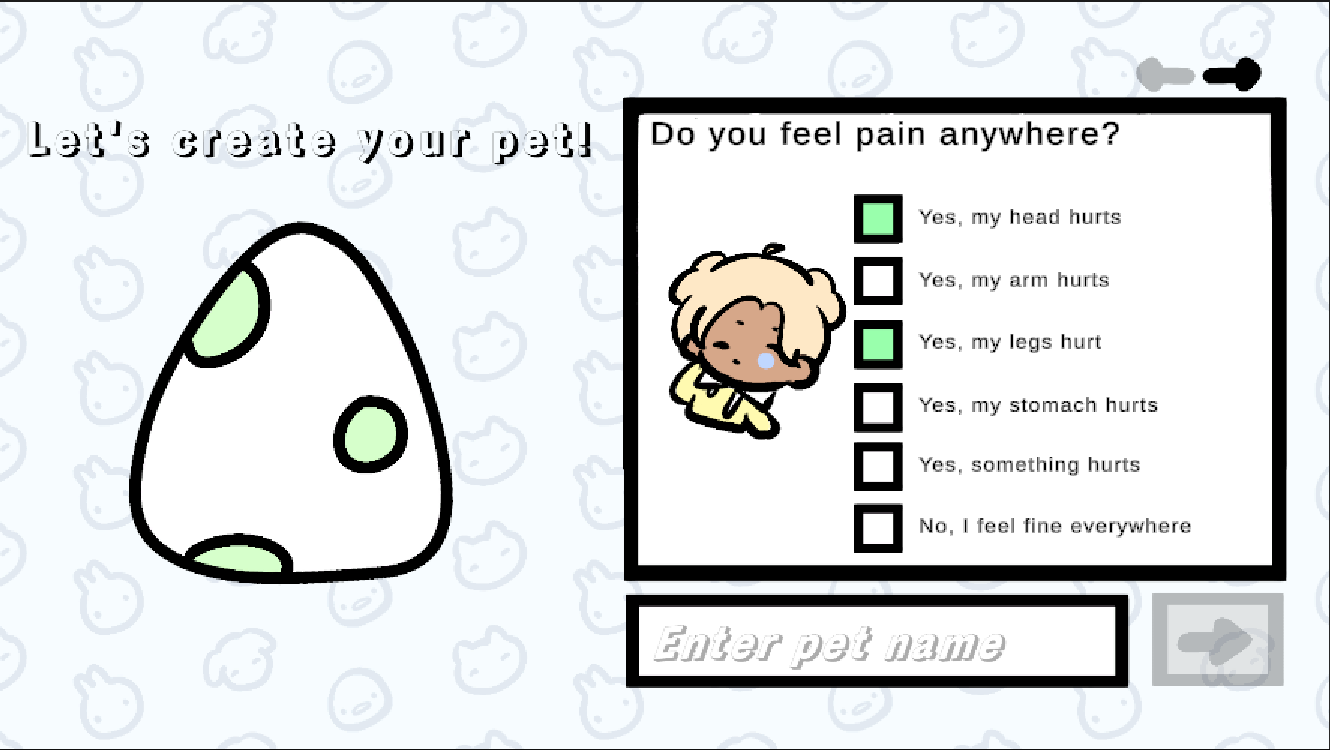
- Spirit Animal Creation: The core mechanic is creating a "spirit animal" whose well-being mirrors the child's. The child reports their symptoms (e.g., "Does your tummy hurt?") by selecting Yes/No/Maybe buttons. For localized pain, the child will select all areas of their body that hurt. To gauge the intensity of pain, the child will choose from a scale of 1-5, with 5 representing most severe.
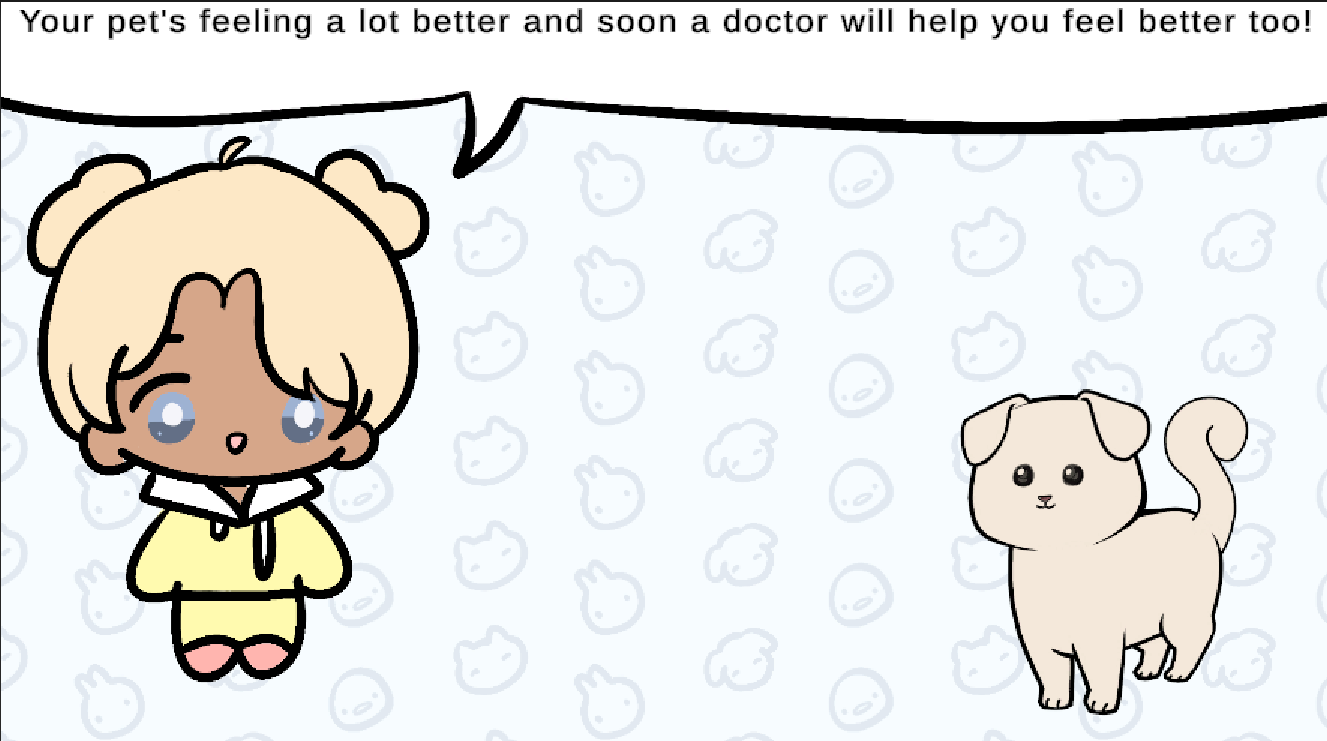
- Treatment Education: The pet is generated as "sick," reflecting the reported symptoms. The child then learns how to treat the pet (e.g., dragging a pill and water for oral medication, or a shot for immunizations), gaining exposure to potential real-world treatments that the physician may administer to them.
- Physician Summary: The application generates an instant summary card for the doctor (e.g., "Child reports: Tummy pain (moderate), nausea"), giving them an immediate starting point for the consultation.
How we built it
Doc's Little Helper was built entirely in Unity 6000.0.54f1 using C# scripting, leveraging its powerful UI system for a seamless user experience.
- UI/UX: We used the Unity Canvas system along with TextMeshPro (TMP) for clear, readable text . We implemented a Manager Object pattern (attached to the EventSystem) to handle all UI flow, ensuring robust connections between the Next Button logic, the Input Field checks, and the subsequent scene transitions.
- Data Collection: We used C# scripts to manage boolean variables (hasCoughted, hasVomited, etc.) which are toggled to true by the Yes button clicks. Custom color changing logic was implemented on the buttons to provide immediate visual feedback.
- Pet Generation Logic: The visual generation of the pet and its "sick" state were controlled by the collected boolean and numerical data. This data was used to drive sprite swapping and animation state changes on the pet.
- Data Export: The final summary is stored in the Firestore database for the physician to conveniently access.
Challenges we ran into
Our primary challenges centered on establishing a robust data pipeline (getting the child's input correctly into the database) and immediately translating that medical data into meaningful visual feedback.
- Data Persistence and Complex Flow Management: While importing the core Firebase SDK and External Dependency Manager was initially difficult, the real challenge was establishing a reliable connection to Cloud Firestore. We spent considerable time debugging the asynchronous nature of the upload process and ensuring the data upload was executed correctly within the OnSubmit() function without disrupting the application flow.
- Questionnaire Data Structure: Designing the questionnaire was complex due to the sheer volume of data points. We had to create a sophisticated, nested data structure (PatientData containing PatientReport which contained SeverityItem lists) to efficiently store over a dozen boolean symptom flags and several dynamic severity levels for Firebase, ensuring it was structured for easy retrieval by the clinician.
- The Pet-Symptom Mirror (Visual State Management): We implemented logic that uses multiple boolean symptom flags (isCoughing, feelHot, etc.) to instantly select the appropriate sprite overlays (face, eyes, body) and color tints for the pet's final "sick" appearance. This required careful mapping between collected boolean variables in our C# scripts and the various visual assets.
Accomplishments that we're proud of
We are most proud of two things:
- Achieving Seamless UI Flow and Robust Input Validation: We built a highly organized and robust UI Management system. This required complex logic to ensure the correct sequencing of questionnaire panels, character creation, and button states. We implemented critical checks, such as the "Name Check and Proceed" logic, which prevents user bypass and ensures necessary initial data is collected before proceeding, maintaining the integrity of the application's data flow.
- Delivering High-Quality, Integrated Character Design: We are extremely proud of the final look and feel of the character and pet design. The artwork is visually engaging and perfectly tailored for elementary schoolers, meeting our goal of creating a friendly, non-intimidating experience. Crucially, we successfully integrated this complex, multi-layered 2D artwork into Unity's UI, allowing the user's choices (hair, eyes, body color, etc.) to be dynamically constructed and displayed across multiple screens, reinforcing the child's agency and connection to their avatar.
What we learned
We gained valuable experience in complex UI management patterns within Unity, solidifying the importance of using a central UIManager (or EventSystem) to separate control logic from visual components. We also significantly improved our understanding of C# data structures for holding game state and translating user interactions (like a button click or a drag operation) into actionable, clinically relevant data points.
What's next for Doc's Little Helper
Moving forward, we plan to enhance the clinical value and user experience:
- Full Data Export: Implementing a clean PDF or secure JSON data export for direct integration into existing Electronic Health Record (EHR) systems.
- Machine Learning Integration: Potentially using a simple model to correlate symptom severity with treatment suggestions, making the Treating the Pet section more personalized and educational.


Log in or sign up for Devpost to join the conversation.