Problem
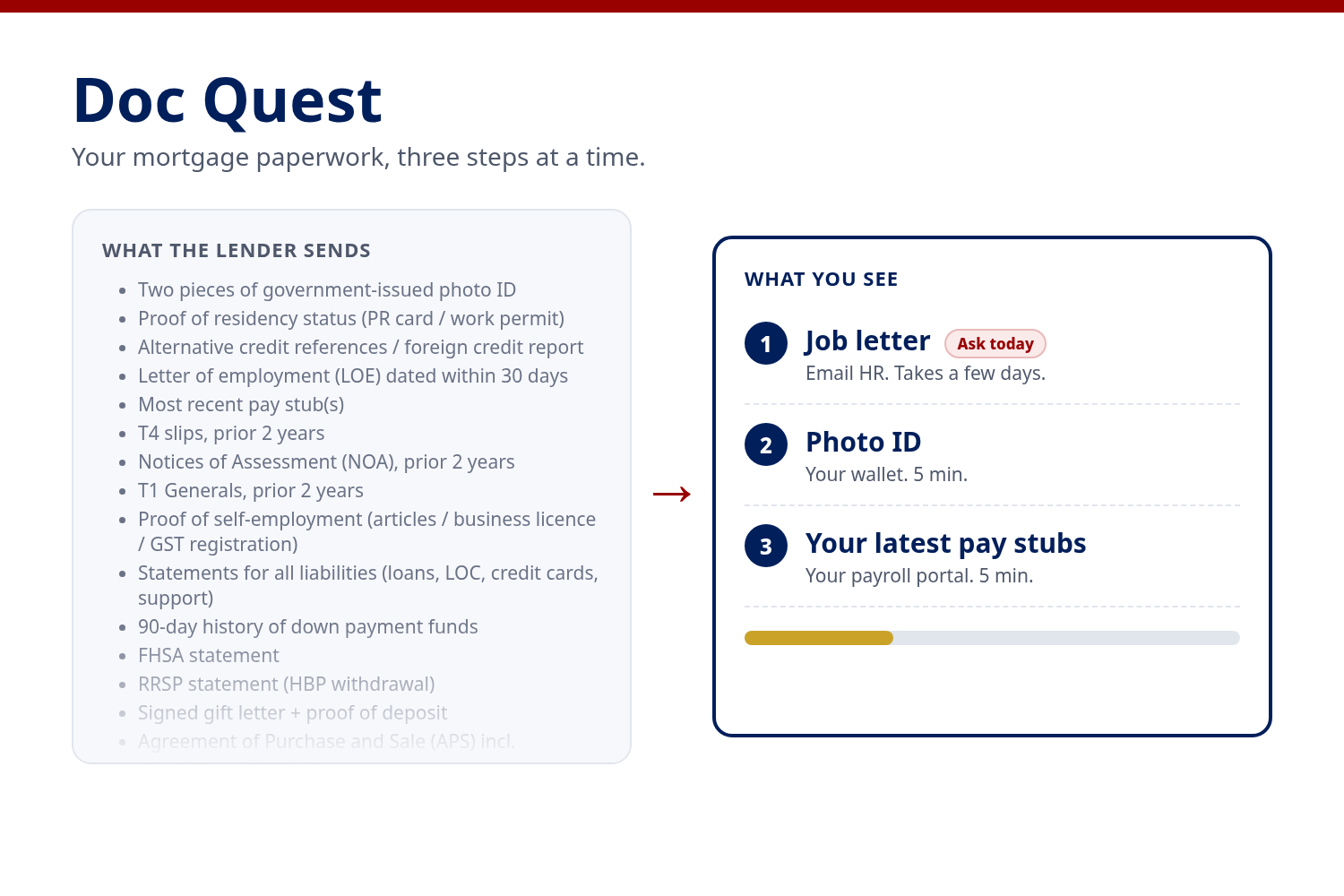
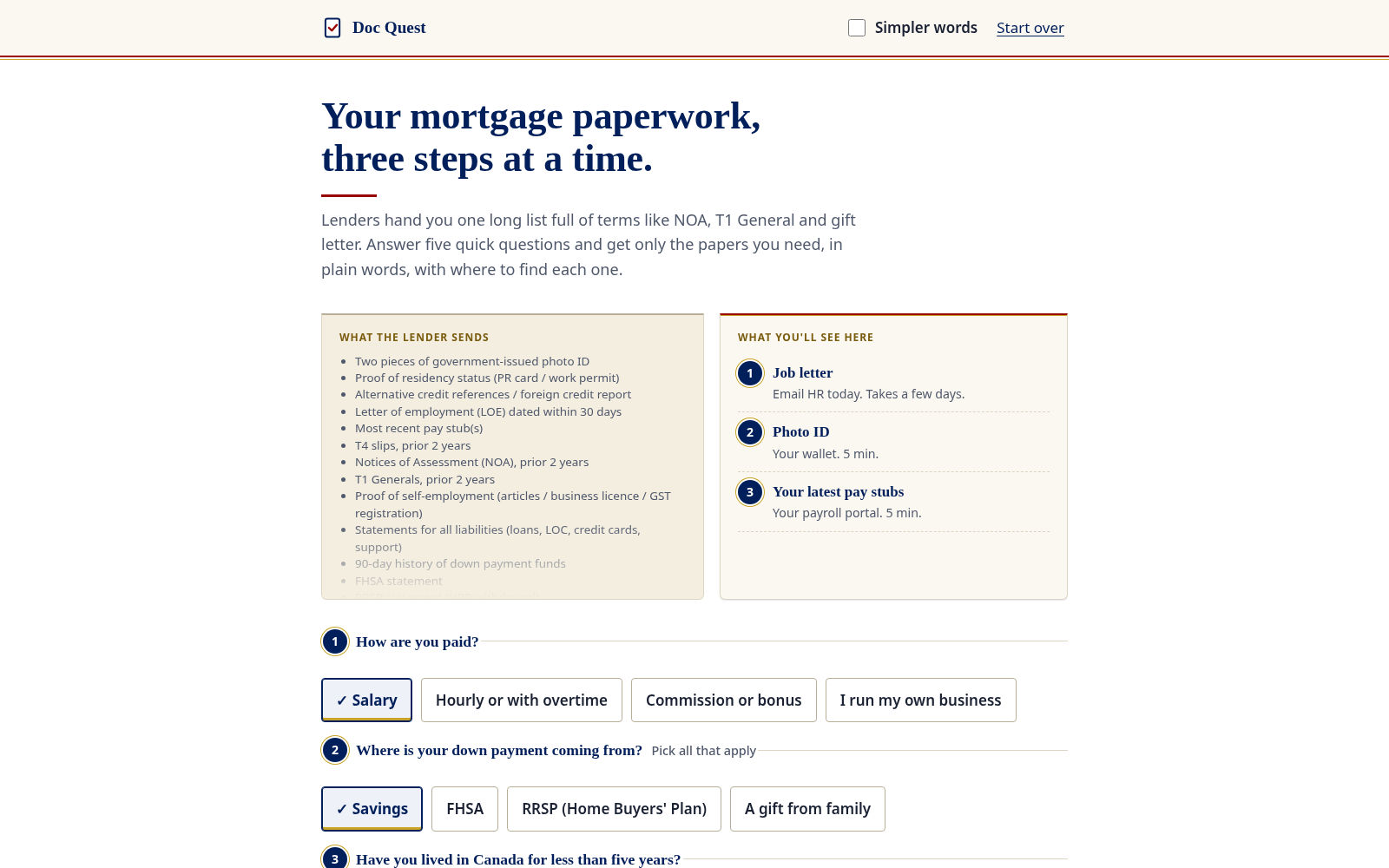
When you apply for a mortgage in Canada, you usually get one long checklist up front. It's written in lender shorthand: LOE dated within 30 days, NOA for two years, T1 Generals, 90-day history of down payment funds, signed gift letter, APS with schedules. It mixes what you need now with what you need after your offer, and it never says which papers take days to arrive.
For someone new to Canada, or new to buying a home, that list is the barrier. I work in Canadian mortgage finance, and the applications that drag are rarely about money. They're waiting on one paper nobody asked for early enough: a job letter from HR, a gift letter from parents overseas, a bank statement that was sent as a screenshot. Meanwhile the homes and the rates keep moving.
Intended User
One person: a newcomer applying for a first mortgage pre-approval. Say she has been in Canada three years, is paid hourly, and her parents are gifting part of the down payment. English is her second language. She is organised; the list just isn't written for her.
Solution
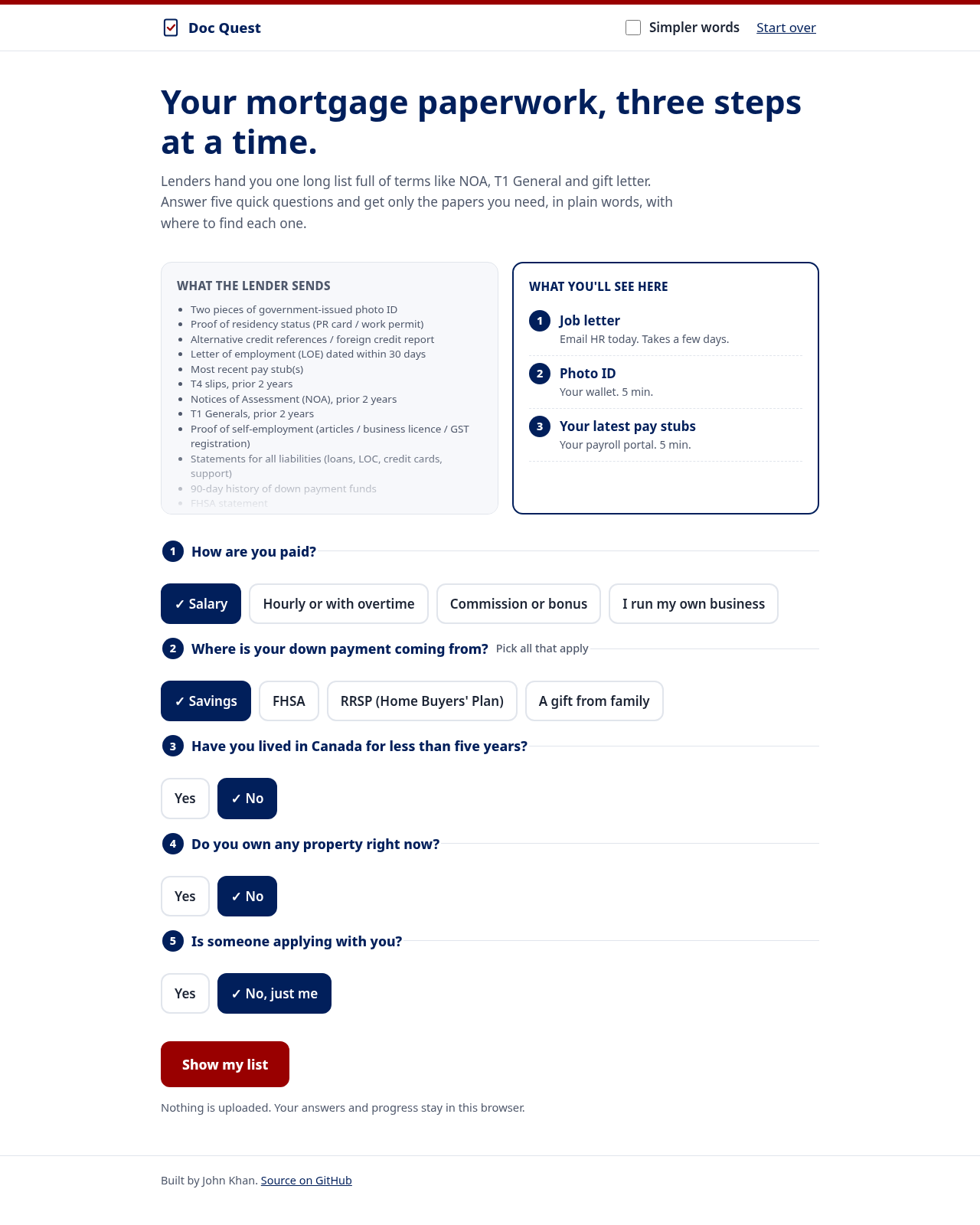
Doc Quest asks five questions and then shows only the papers that person needs, three at a time, in plain words.
- Five questions. How you're paid, where the down payment comes from, whether you've been in Canada under five years, whether you own property now, and whether someone is applying with you.
- Only your papers. For the user above, 10 papers before the offer instead of the full list. A salaried buyer using savings gets 5. The tests try every combination of answers, and the longest possible list is 13 of the 15 pre-offer papers.
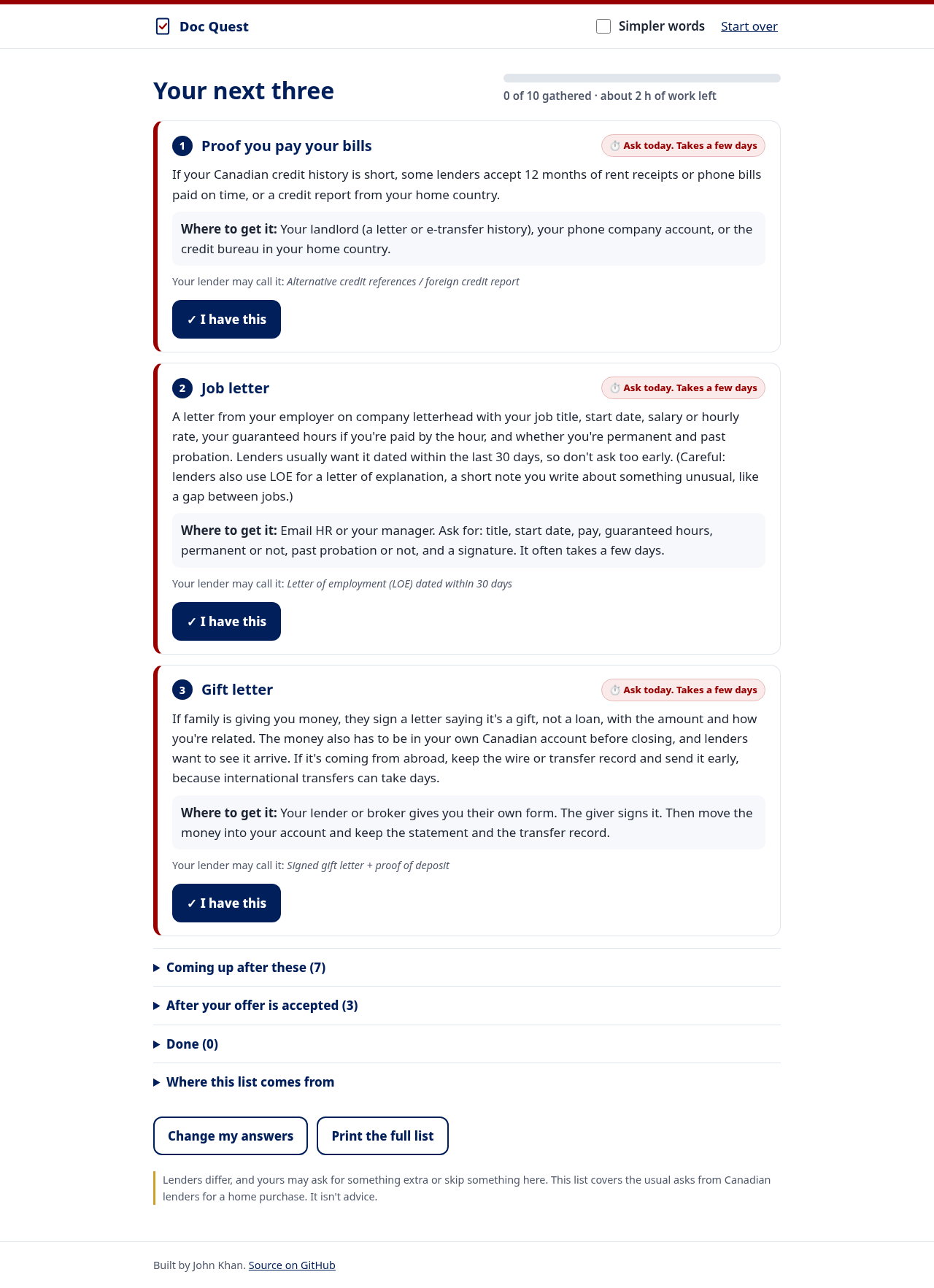
- Three at a time. Papers that take days to get (job letter, gift letter, rent references) come first with an "Ask today" badge, so the slow ones start early. The rest wait in a folded list.
- Plain words and where to get it. Each card explains the paper, says where to find it (CRA My Account, your payroll portal, online banking) and roughly how long it takes. The lender's own term sits underneath so you can match it to their email.
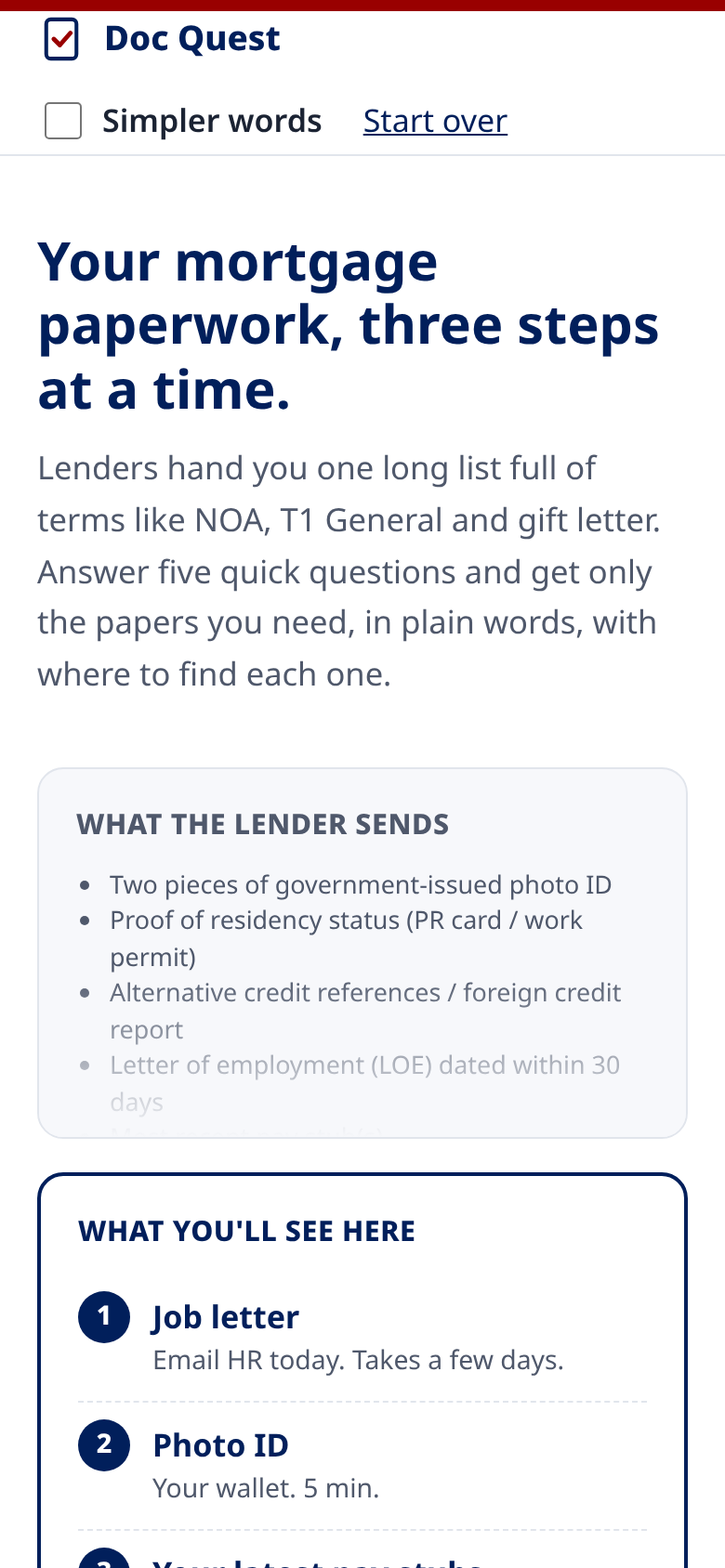
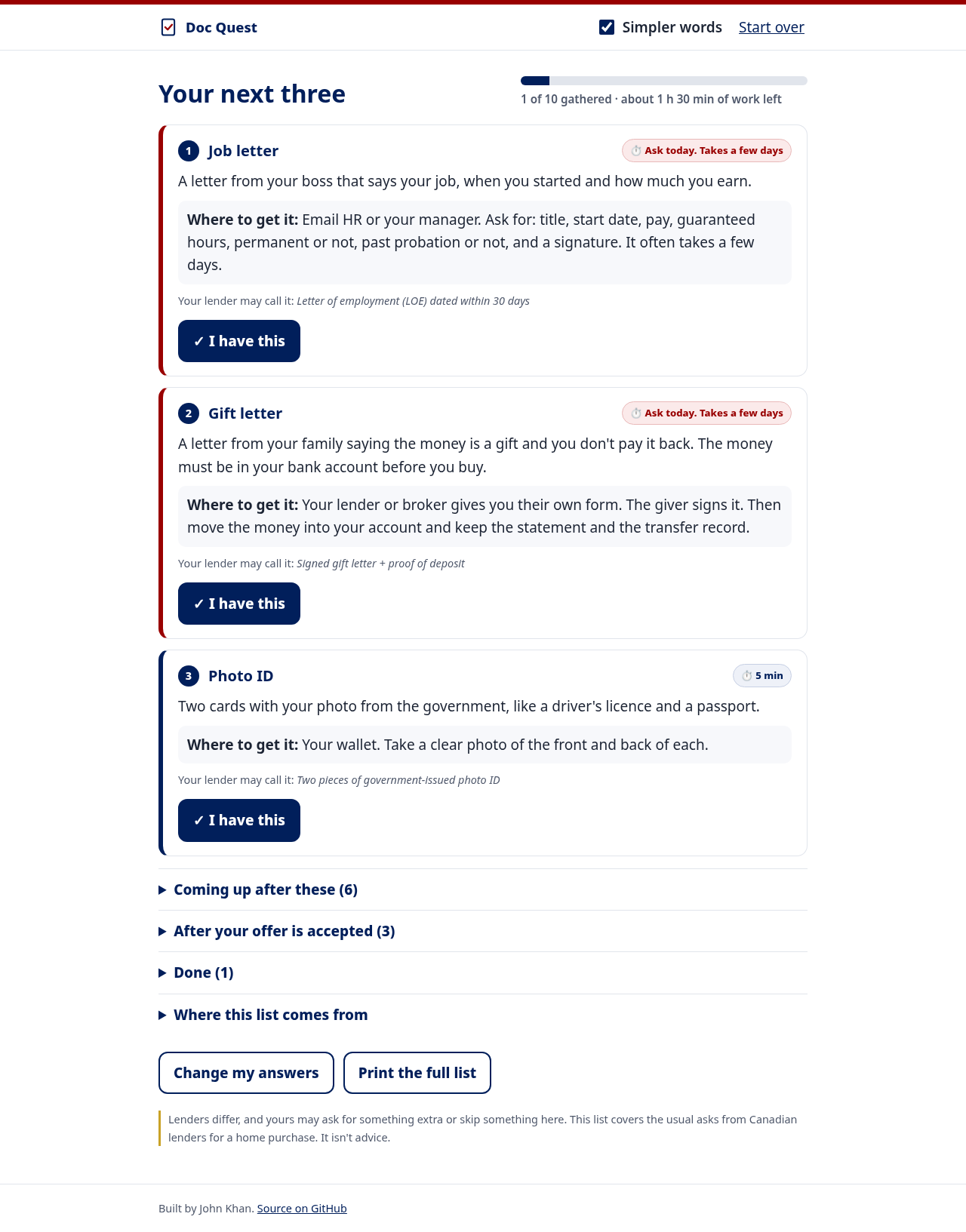
- Simpler words. One toggle swaps every card to shorter wording and enlarges the text. Measured with the Flesch-Kincaid formula, the regular cards read at about grade 7 and the simpler ones at about grade 4.
- Progress that sticks. Tick "I have this" and the next paper moves up. Progress and the minutes of work left are saved in the browser, so you can come back tomorrow.
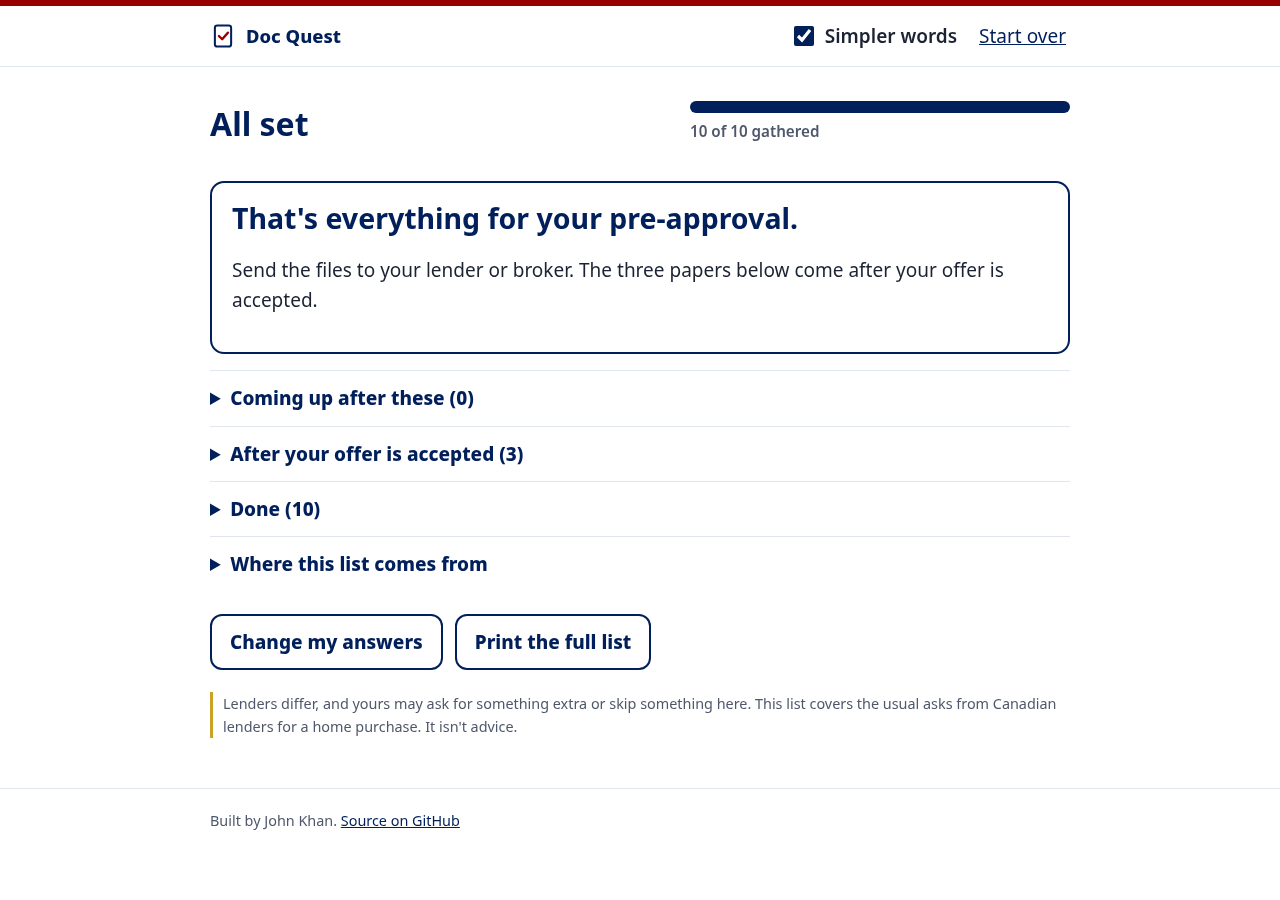
- After your offer. The signed offer, deposit receipt and void cheque have their own section so they don't crowd the pre-approval list.
Nothing is uploaded. There's no server, no account and no tracking. Answers stay in localStorage on your device, and "Start over" clears them.
For her, the first screen is just three cards, all flagged to ask for today: proof she pays her bills (useful when her Canadian credit history is short), a job letter that states her guaranteed hours and that she's past probation, and the gift letter, with a reminder that money wired from abroad has to land in her Canadian account before closing. Her status papers, pay stubs, T4s, notices of assessment, debts and bank statements wait in the next list, and about two hours of work in total is shown on the progress bar.
Accessibility: every control works by keyboard with a visible focus ring; the answer chips are real radio buttons and checkboxes inside fieldsets; after each tick, focus stays in place on the card that moves up and a polite live region reads the new count; the progress bar exposes its values; badges use words and an icon, not colour alone; reduced motion is respected; and the page prints as a clean full checklist.
Tools
Plain HTML, CSS and JavaScript with no build step and no dependencies, hosted on GitHub Pages. The 18 document rules live in one data file (docs.js), the ordering logic is pure functions (logic.js) with Node tests that try every combination of answers, and the interface is in app.js.
The lender list is a combined checklist of what Canadian lenders commonly ask for, not one lender's list. It's checked against the Government of Canada page on getting preapproved, BMO's "what to bring" page, a credit union's pre-approval checklist and the CRA's Home Buyers' Plan page. All four are linked in the app.
Limitations
- Lenders differ. Some ask for more, like an explanation letter for a gap in work, and some ask for less. This covers the common asks for a purchase, not refinances or rentals.
- Wait times are rough estimates.
- "LOE" means a letter of employment on some lists and a letter of explanation on others. The job letter card points this out, but explanation letters aren't covered as their own item.
- English only for now. The simpler-words mode helps, but a translation would help more.
- It doesn't check the documents themselves. That's deliberate: it never sees them.
What I Learned
Ordering matters more than I expected. Lender lists are grouped by category (you, income, down payment), which is how an underwriter reads a file. An applicant has a different problem: some papers take days to arrive. Sorting by wait time first, then by category, is what puts her job letter and gift letter on the first screen instead of her photo ID.
Simple wording has to stay true. "Notice of Assessment" became "the letter from the tax office after you do your taxes", which is right. My first simple line for the gift letter left out that the money has to be in your account before closing, which is the part that actually stalls files, so I put it back.
"Three at a time" also needs an escape hatch. Hiding the rest can feel like being kept in the dark, so the full list is one tap away and printing opens everything.
Pre-existing Work
None. All code, data and images were made during the event. The colour palette and some accessibility patterns (focus ring, live region) are the same ones I use in my other projects, but no code was copied.
AI Assistance
After I came up with the initial idea, I used AI tools to help critique it, draft portions of the write-up and write portions of the code. I tested the app myself and checked the document rules against the Government of Canada, CRA, BMO and Access Credit Union pages linked in the app.
Built With
- accessibility
- css3
- github
- html5
- javascript

Log in or sign up for Devpost to join the conversation.