-
-
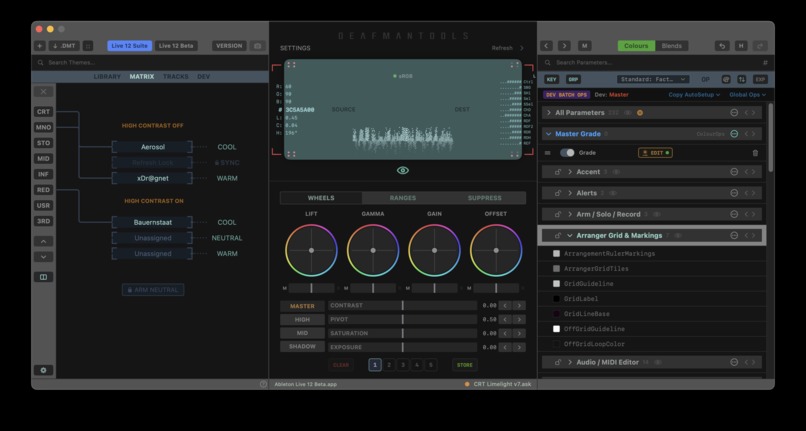
DMT UI Grading Surface and Matrix theme injection
-
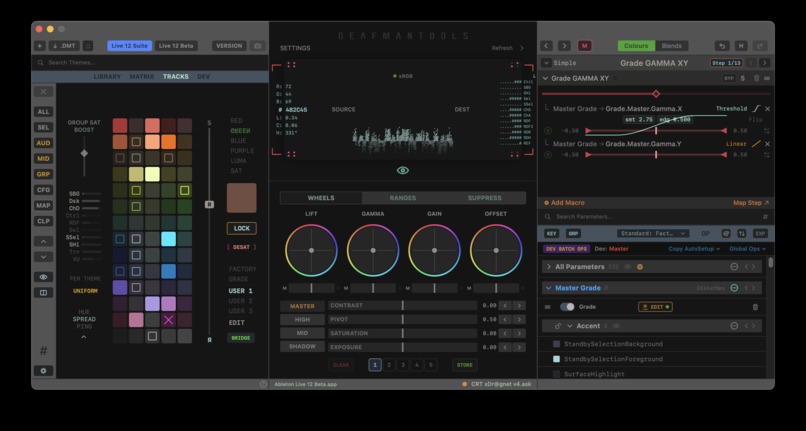
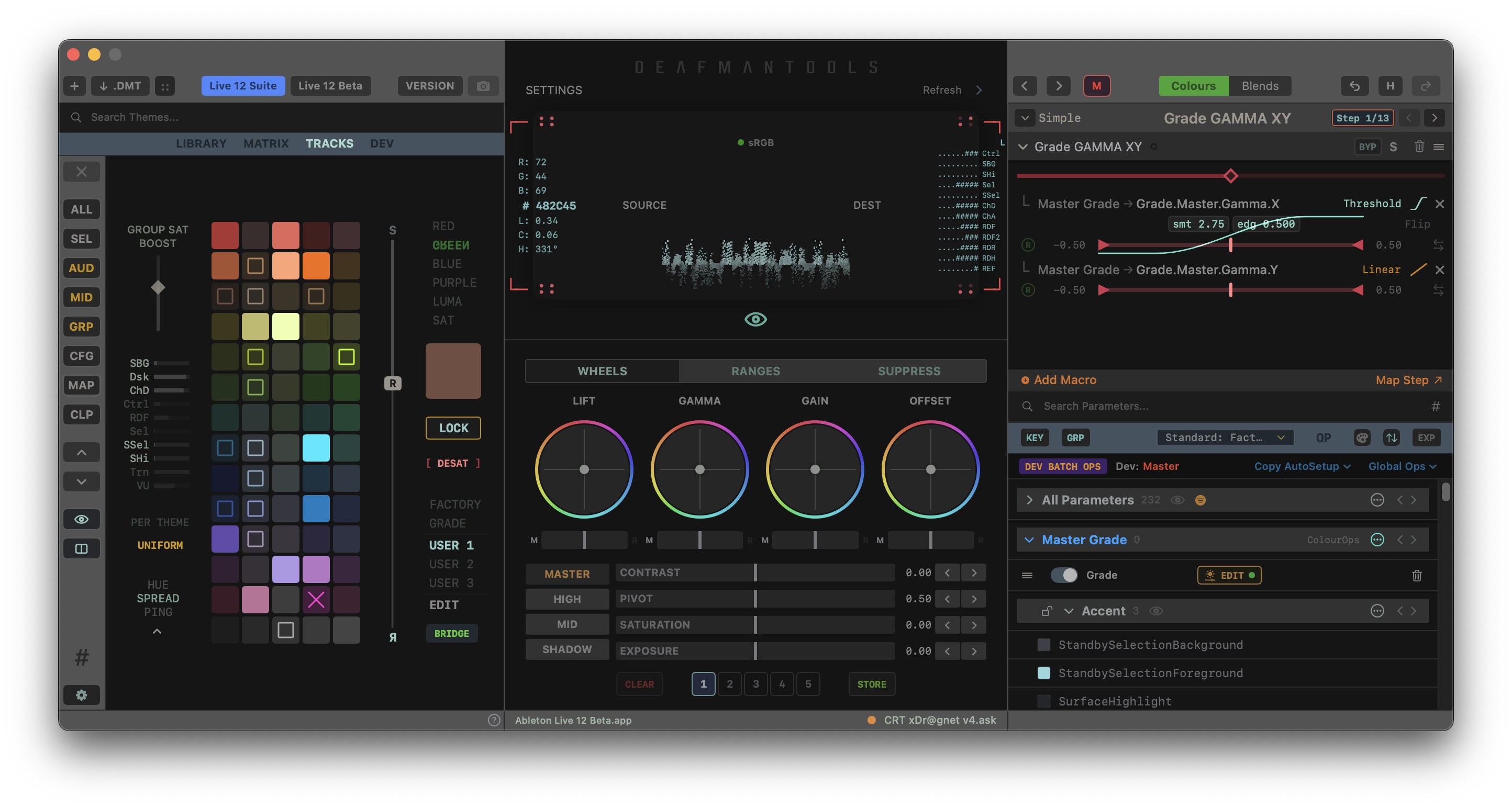
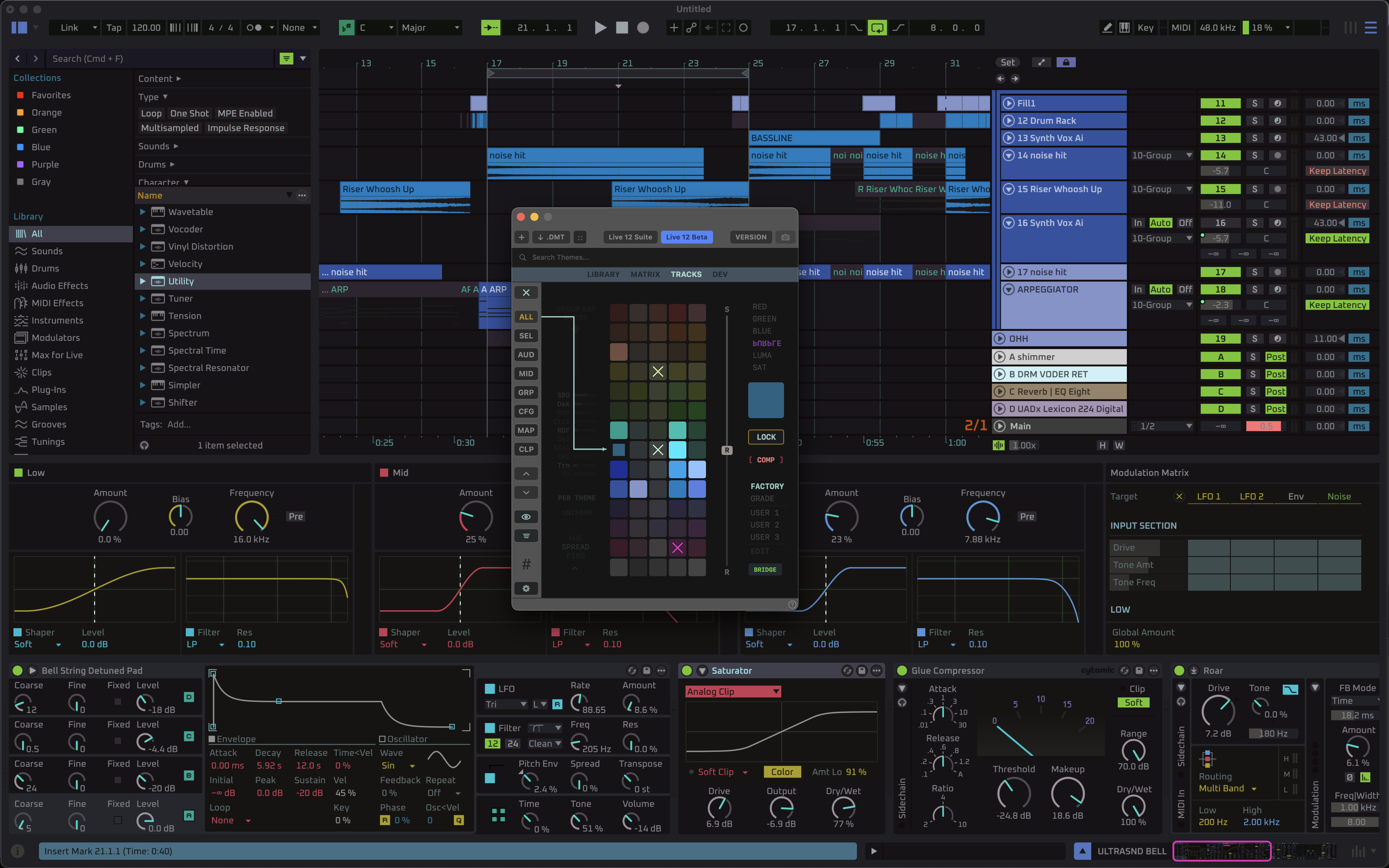
DMT UI Grading Surface, Tracks module and Macro Editor
-
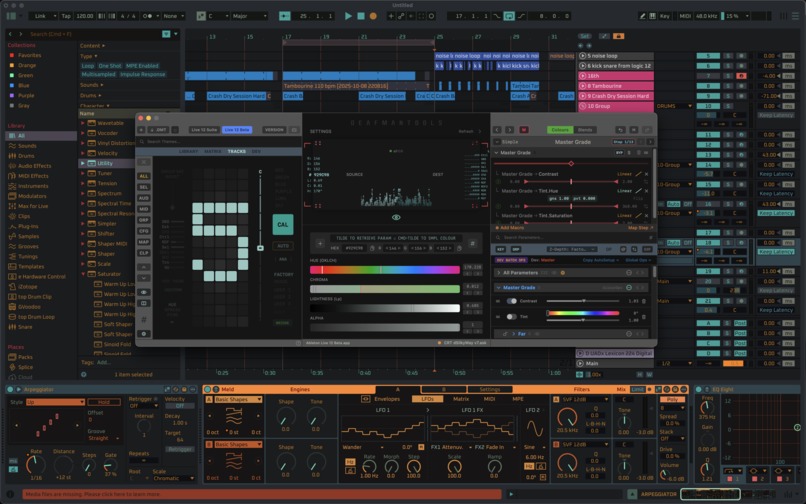
DMT::Tracks Mouse Wheel Calibration
-
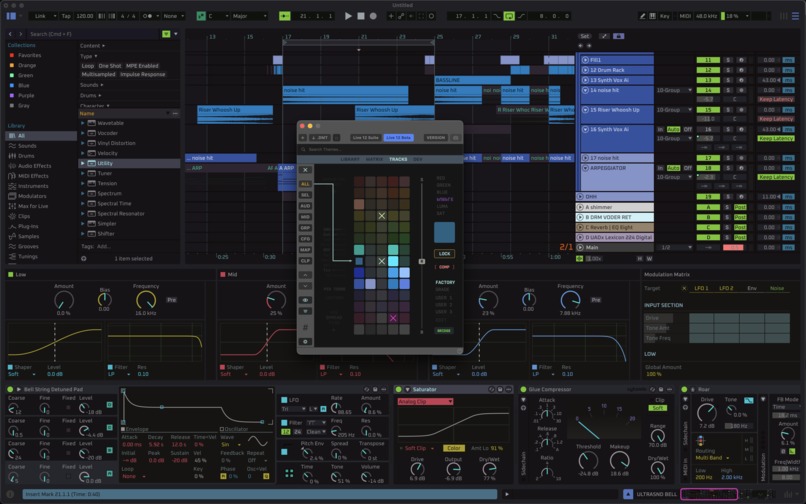
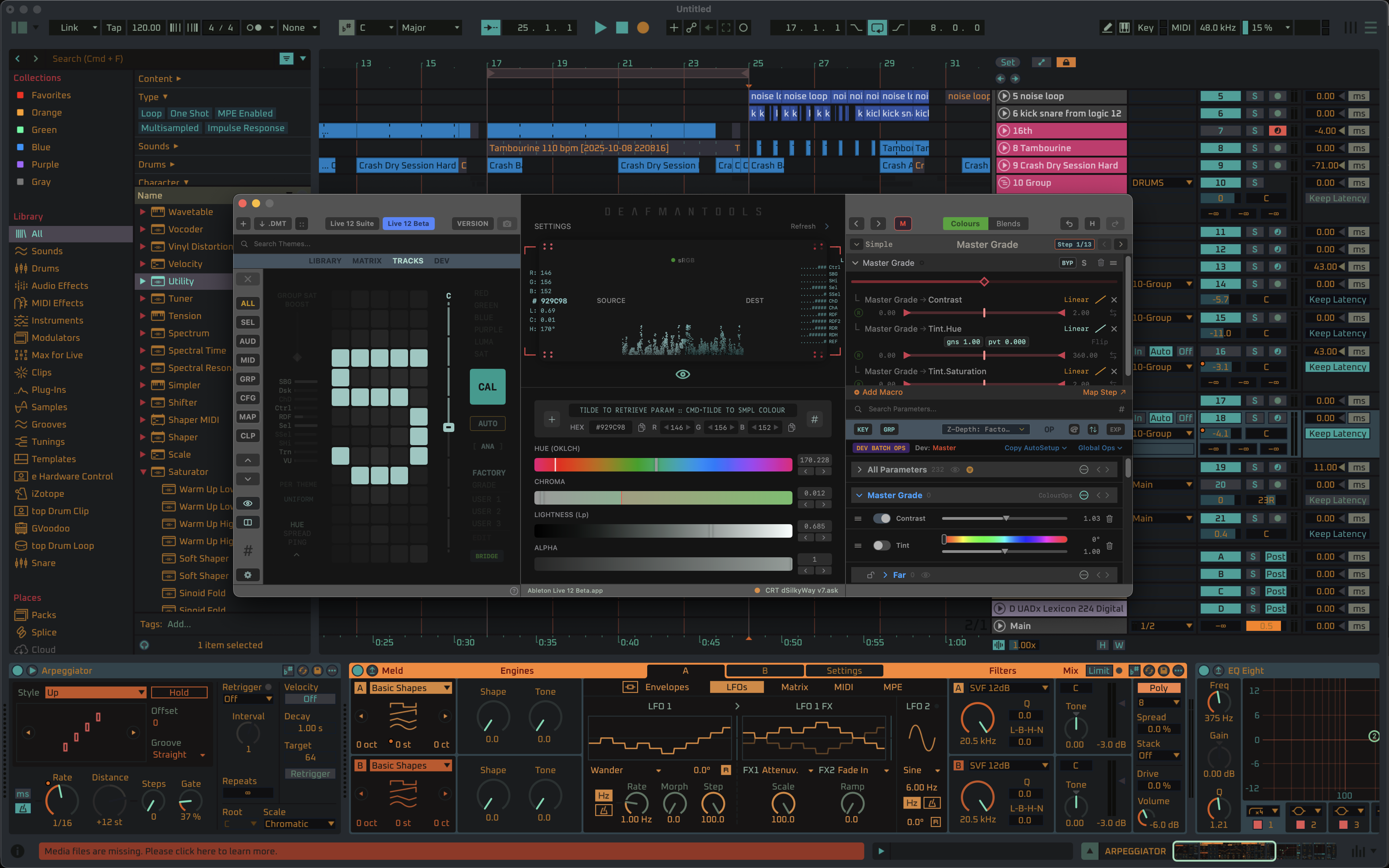
DMT::Tracks with active Colour Palette Scanner (on top of Ableton)
-
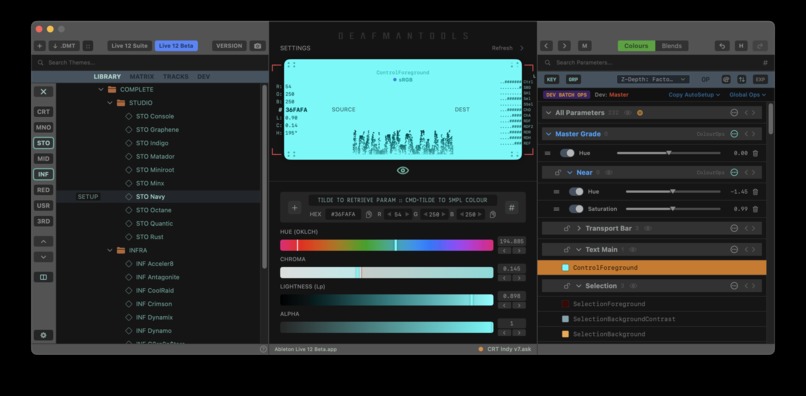
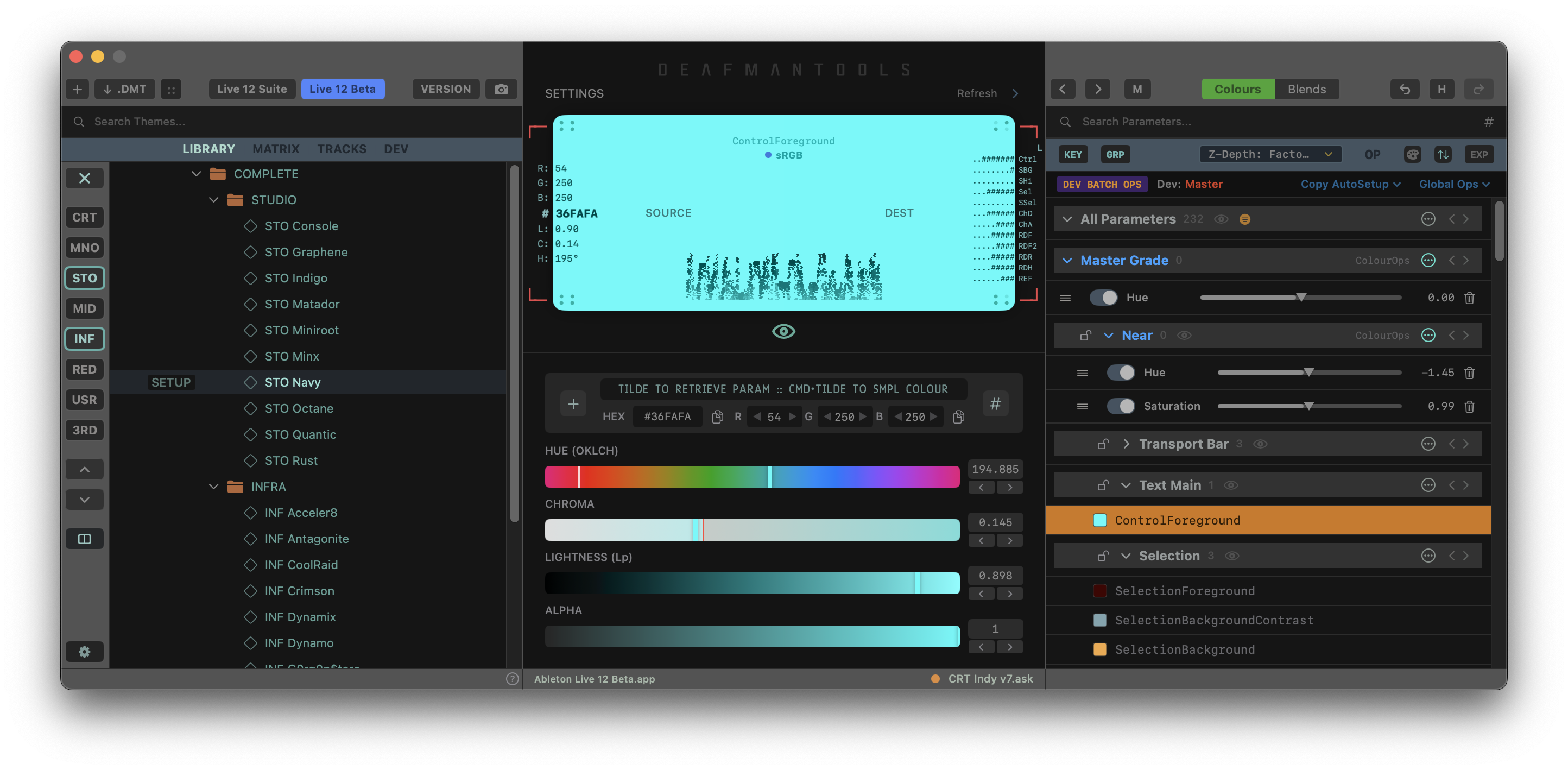
DMT showing Theme Library, Colour Engine and Inspector
-
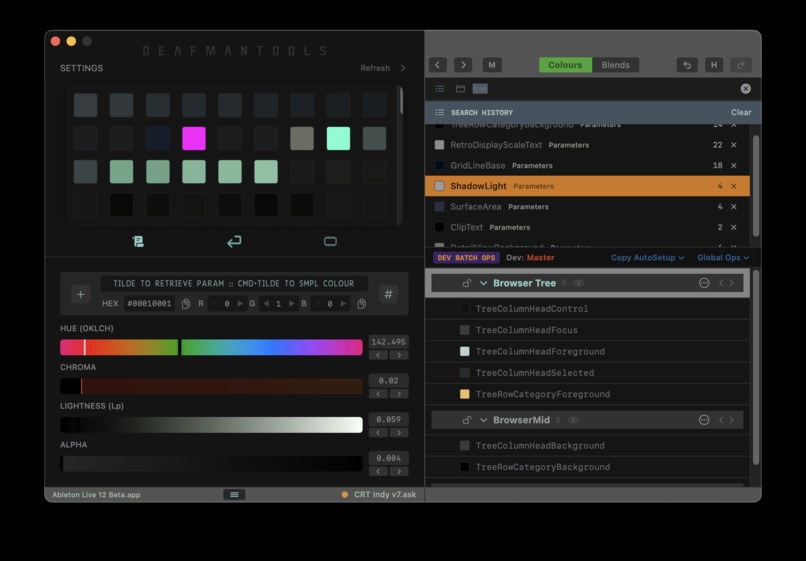
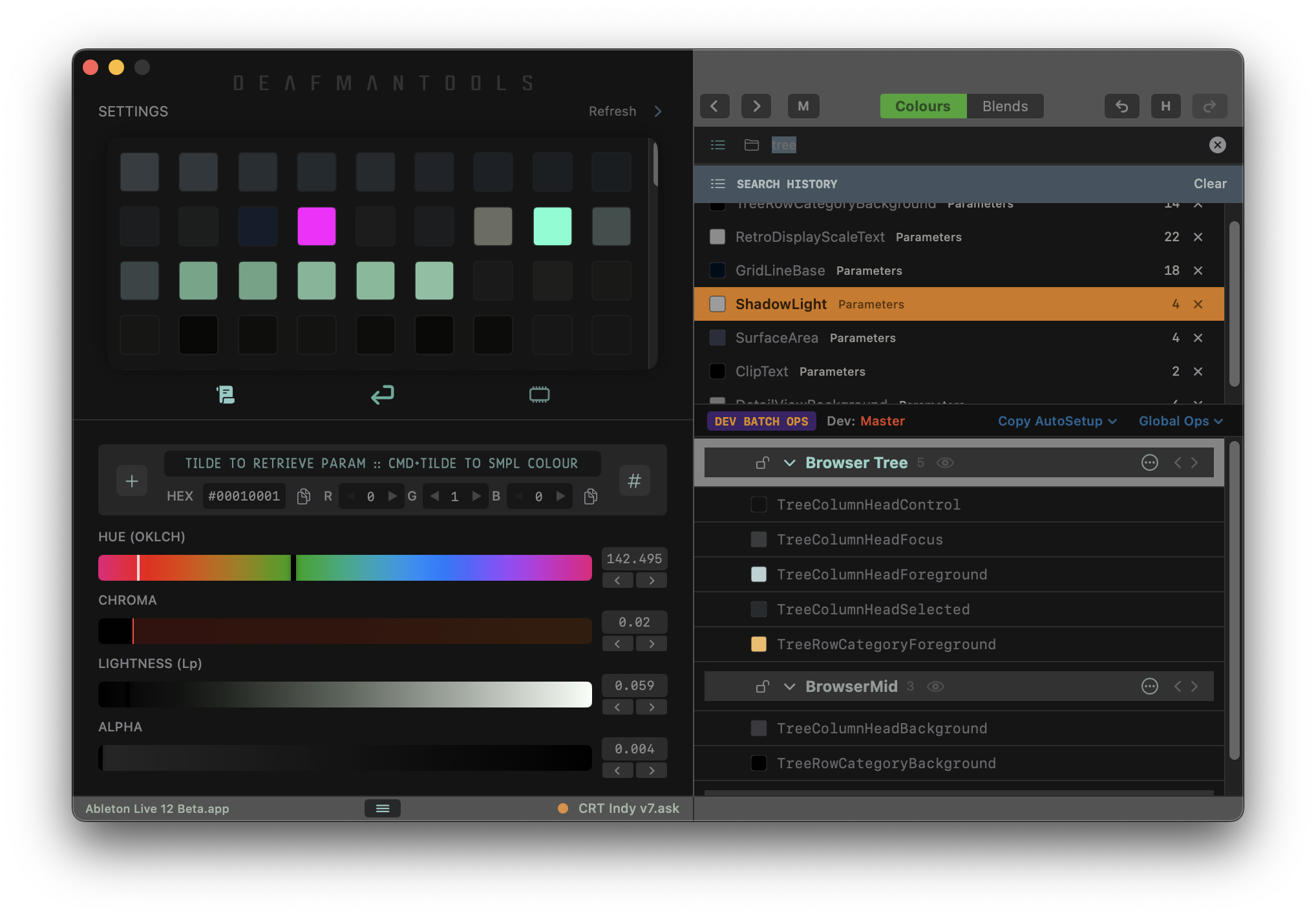
DMT 2-pane Layout with Custom Swatches and Parameter Search History
-
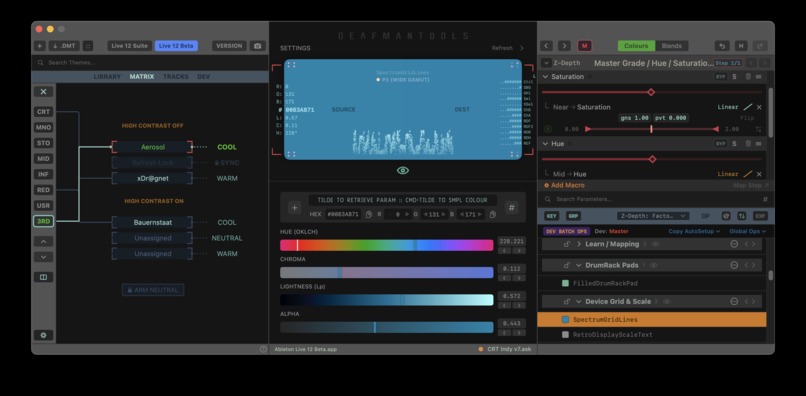
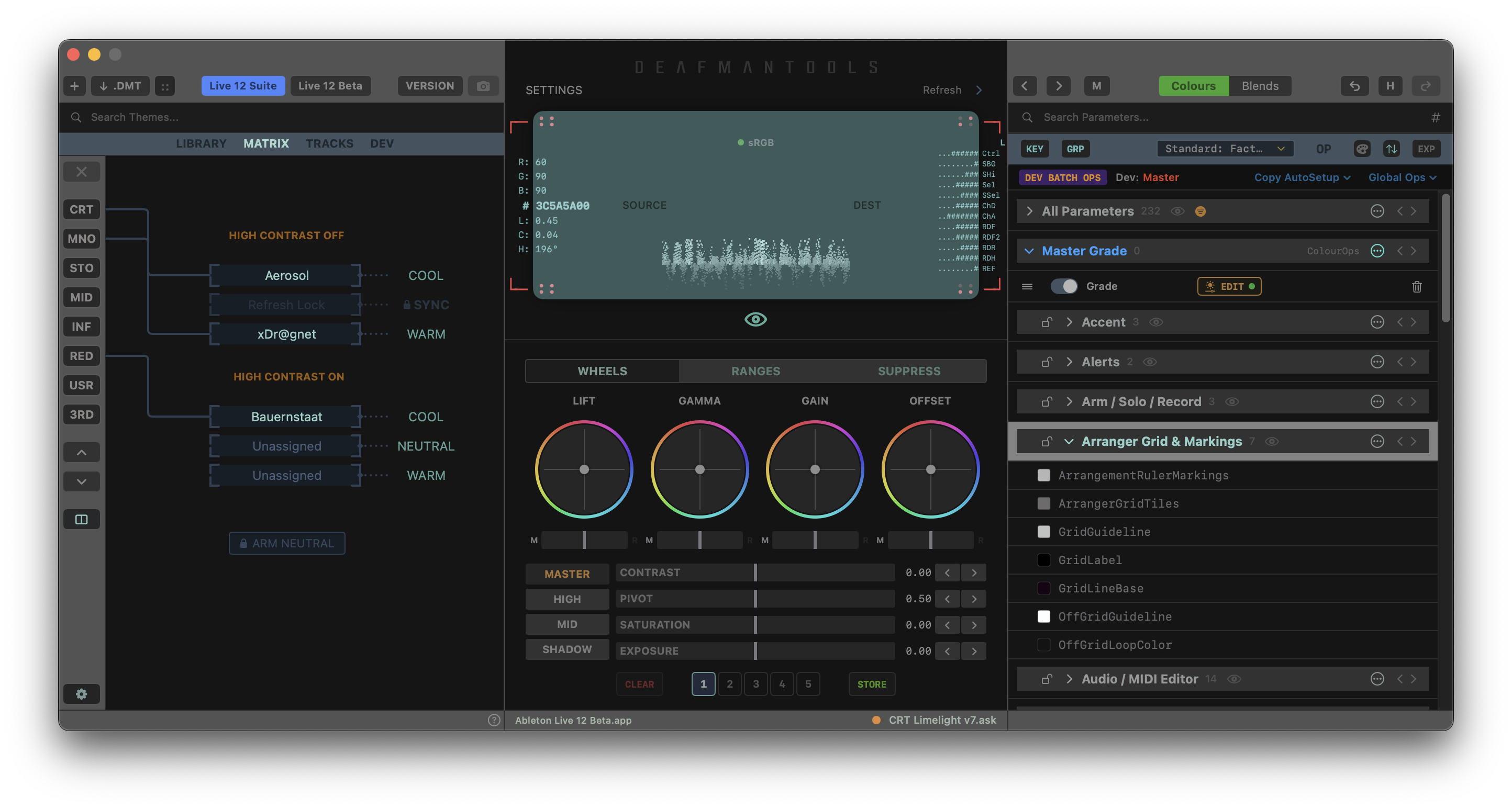
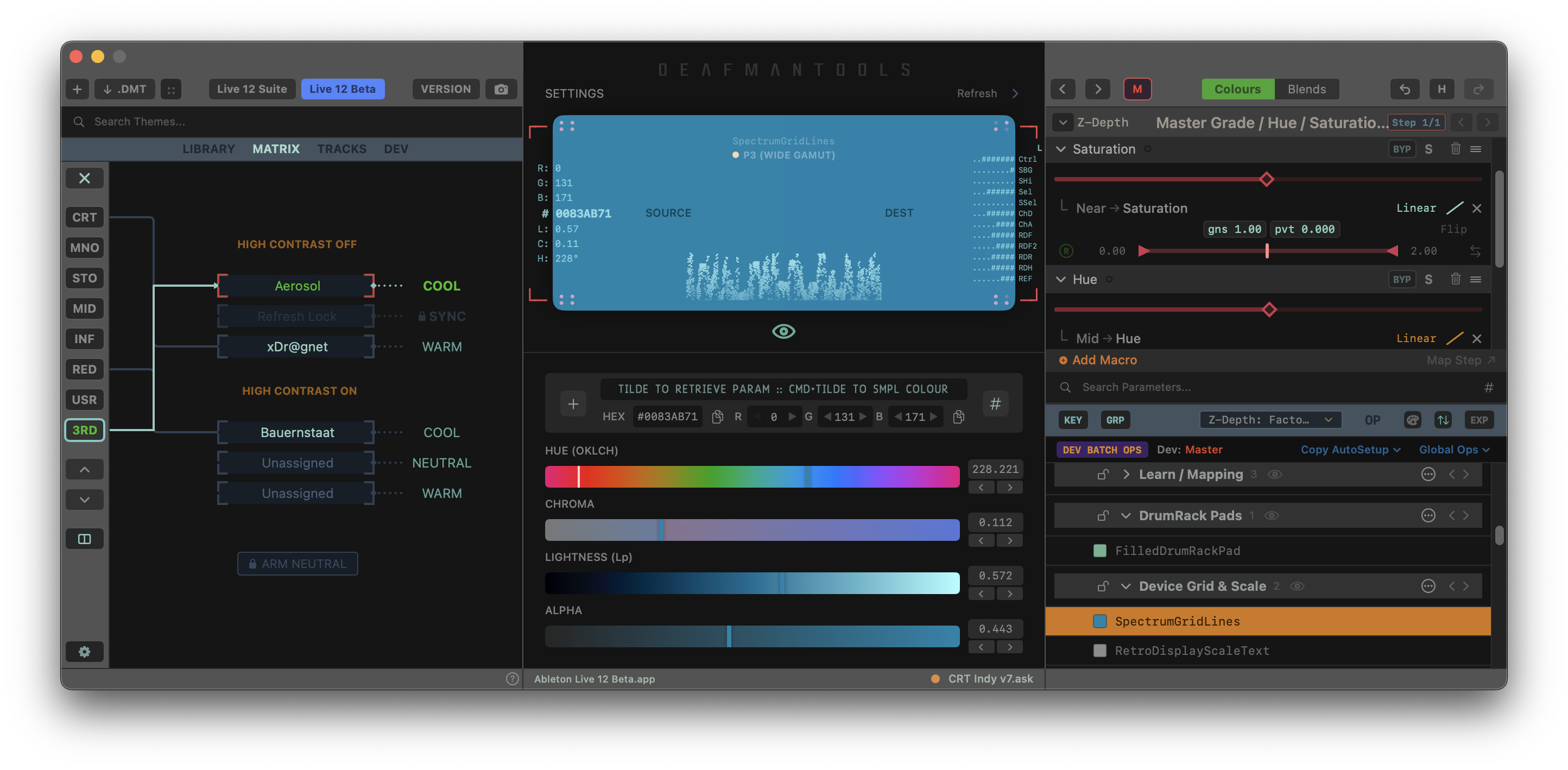
DMT showing active Theme Routing Matrix and Macro tunables
-
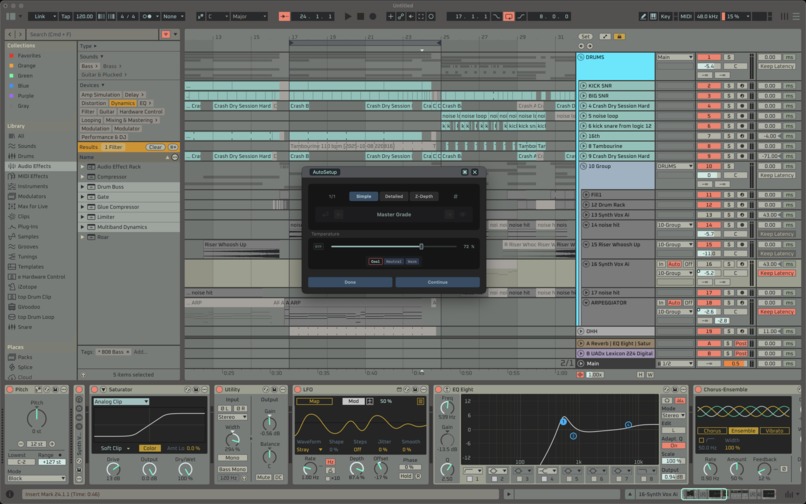
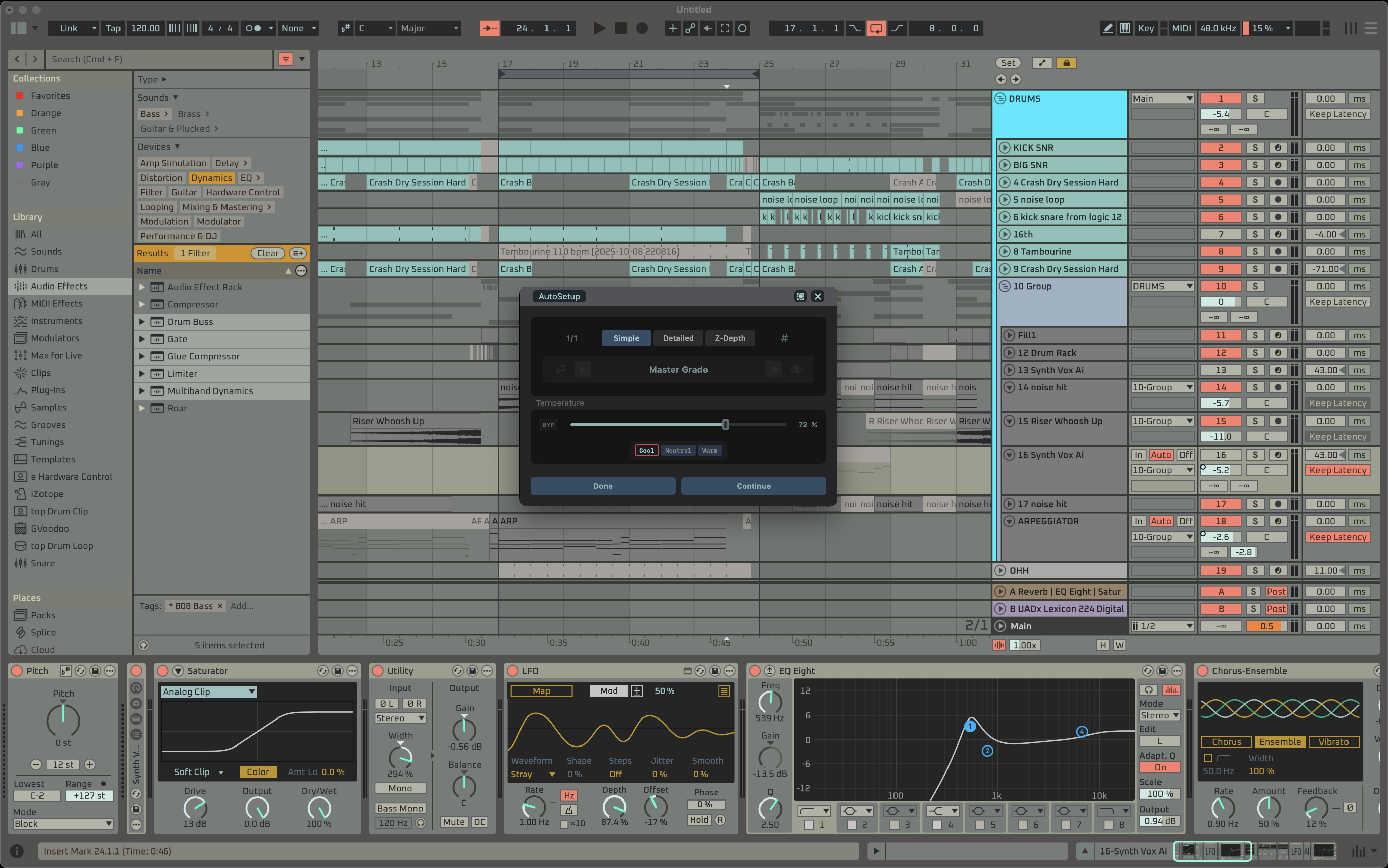
DMT AutoSetup controlling UI Temperature (on top of Ableton)
-
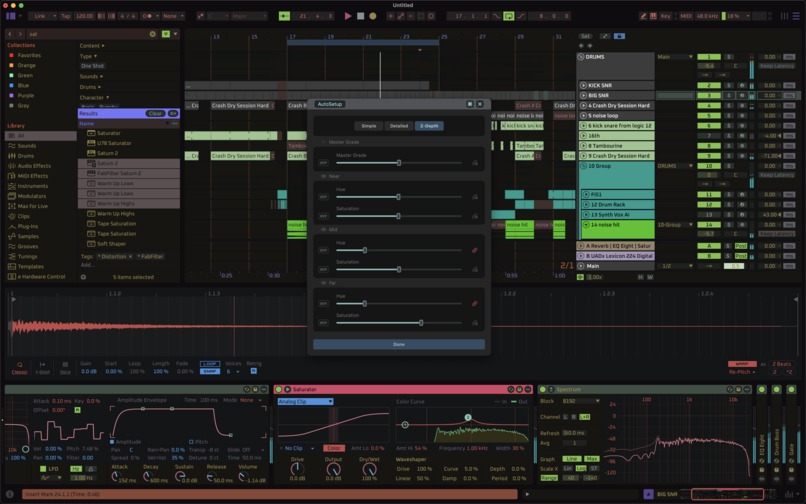
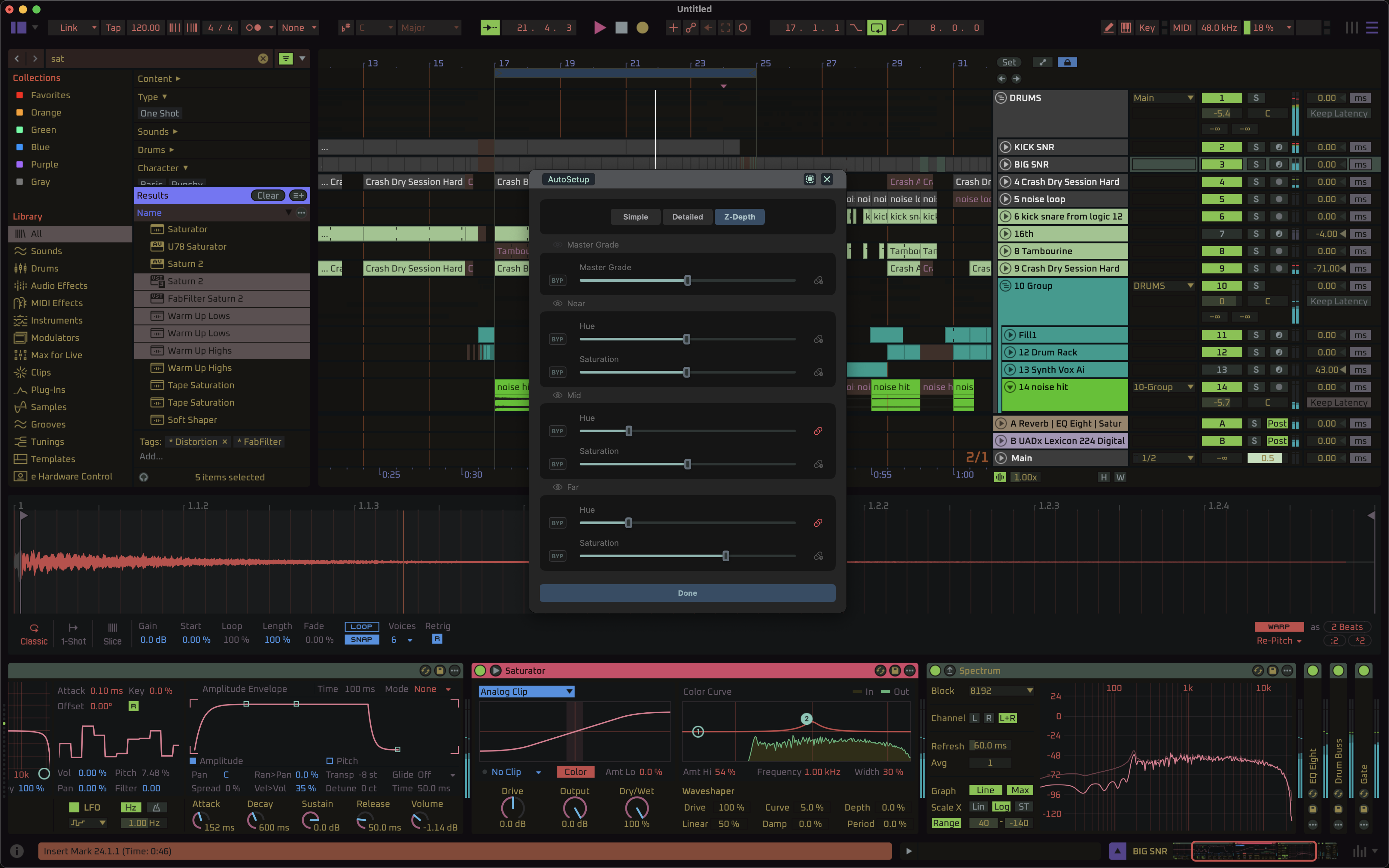
DMT AutoSetup Control Page (on top of Ableton)
About the Project
The Problem
Ableton Live introduced user-editable themes in 2006. Twenty years later, creating production-grade themes still largely depends on manually editing XML files, repeatedly restarting the application and refining colours through trial-and-error.
Existing editors typically recreate Ableton Live's interface manually, resulting in incomplete coverage and a significant maintenance burden as Live continues to evolve.
DMT approaches the problem from the opposite direction.
Interactive Editing Without an API
Instead of recreating the interface, DMT edits the running application directly.
XML parameters are retrieved in situ by colour-picking elements from the live interface itself, eliminating the need for manually maintained UI models.
Since Ableton provides no API for interactive theme editing, DMT exploits Live's Follow System appearance preference to trigger interface refreshes by temporarily switching the operating system's light and dark appearance.
VFX-Style Colour Processing
Beyond solving the editing workflow itself, DMT applies concepts from professional film and video post-production to software interface design.
The processing pipeline includes:
- Semantic interface groups
- Non-desctructive colour operators
- LGGO-based colour grading module with colour suppression
- OKLCH and HLS modes
Rather than manipulating individual XML values, large groups of interface elements can be processed consistently while remaining fully controllable.
Accessibility Through Semantic Editing
The same semantic architecture powers DMT's AutoSetup and Macro system.
Instead of exposing hundreds of XML colour keys, DMT AutoSetup presents a small number of meaningful controls capable of driving coordinated visual transformations across the interface.
This allows even novice users to produce sophisticated results without understanding XML or the the intricacies of DMT's underlying parameter network.
Additional Features
DMT also includes:
- DMT::Tracks - automatic track colour management and theme matching
- Typography - installation of custom interface fonts for Ableton Live.
- Publishing Pipeline - efficient distribution of incremental updates across a large commercial theme library.
Development
DMT is the result of approximately three years of research into interface design, colour science and workflow engineering.
The production application itself was implemented in approximately six months by a single developer with extensive assistance from OpenAI Codex.
Throughout development, Codex served as an engineering collaborator for:
- Architecture exploration and planning
- Implementation
- Debugging
- Regression analysis
- Documentation
- Release engineering
Product vision, software architecture and engineering decisions remained developer-driven throughout the project.
Future Direction
Although DMT currently focuses on Ableton Live, the underlying semantic editing architecture is designed to generalise beyond a single application towards broader XML-based interface engineering and creative software workflows.


Log in or sign up for Devpost to join the conversation.