-
-
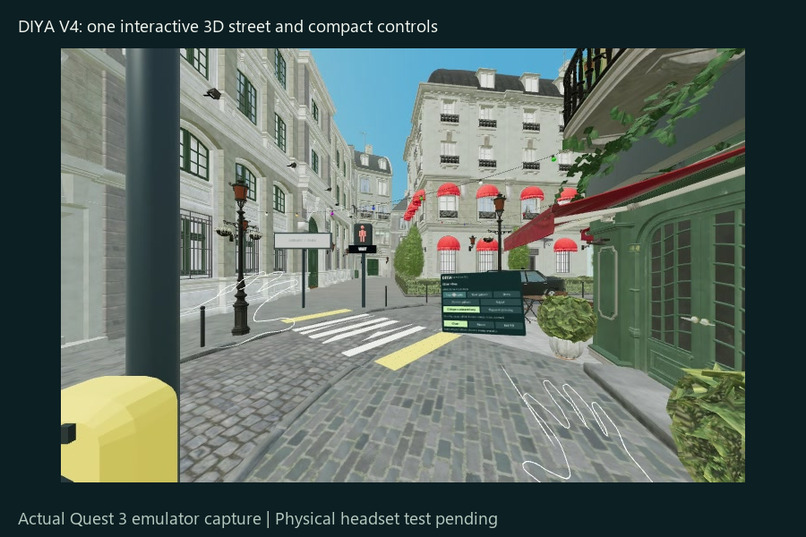
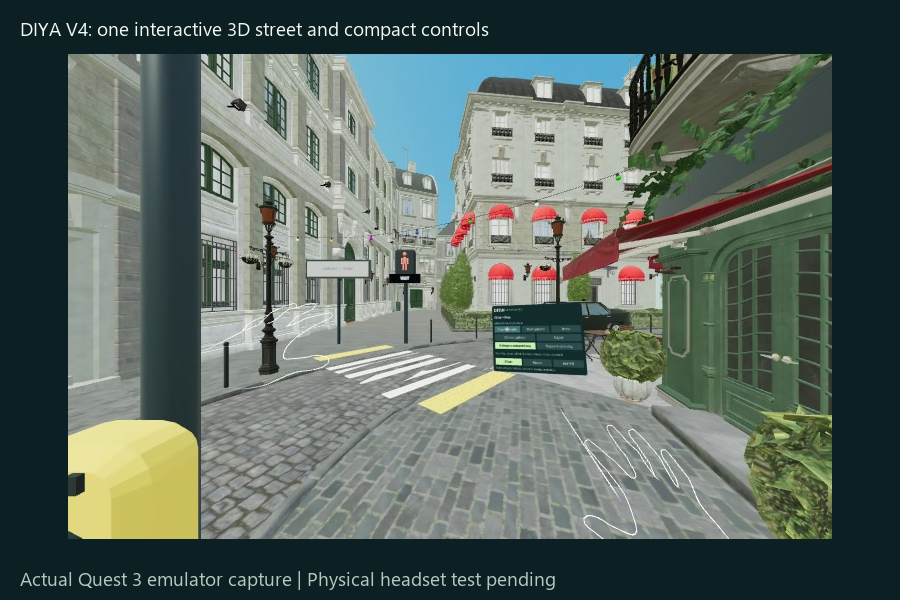
V4: compact controls beside a 3D street, with separated destination and crossing signs. Actual Quest emulator capture.
-
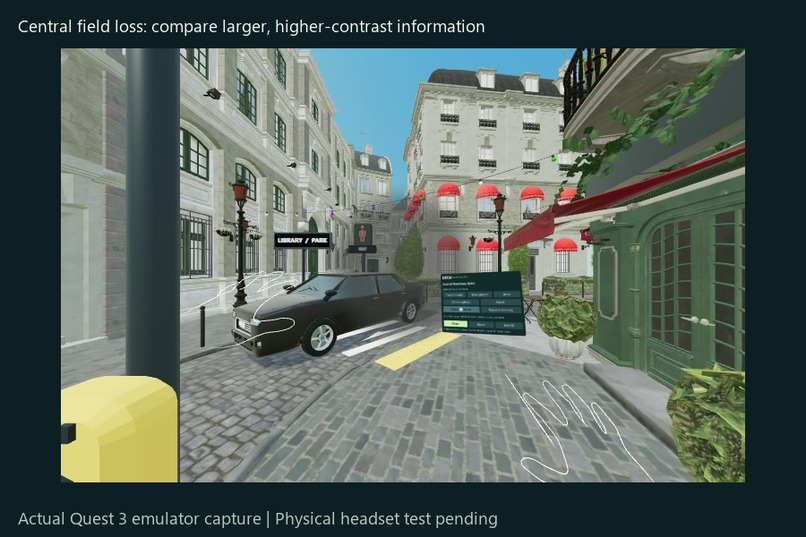
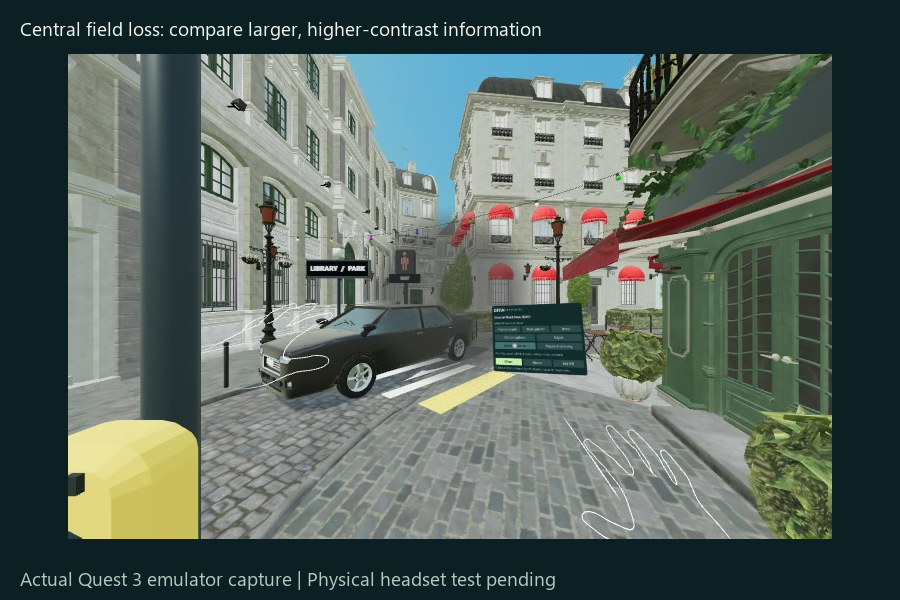
V4 central field loss: compare readable, high-contrast information while the field gap remains. Actual Quest emulator capture.
-
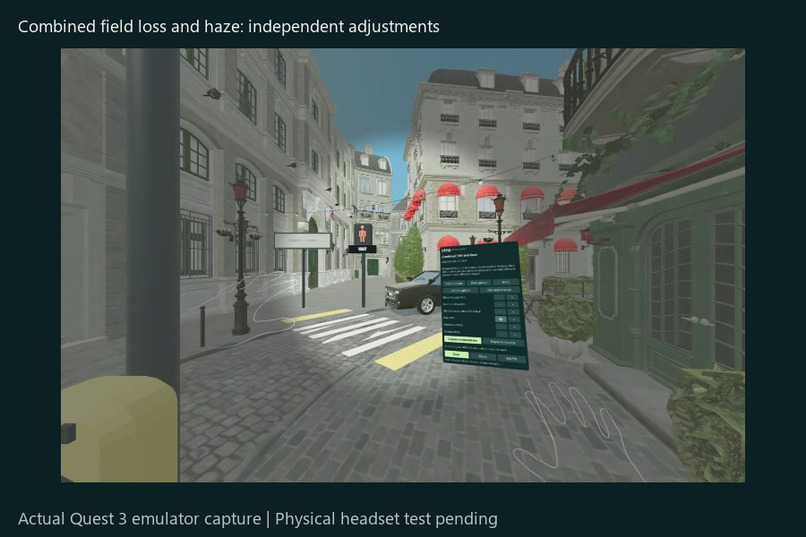
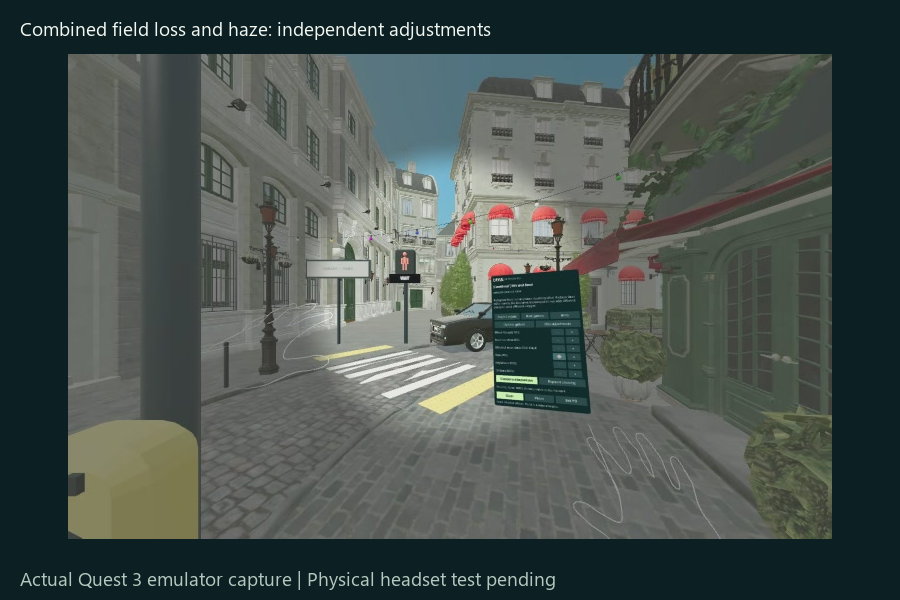
V4 combined peripheral loss and haze: separate adjustments demonstrate different barriers. Actual Quest emulator capture.
-
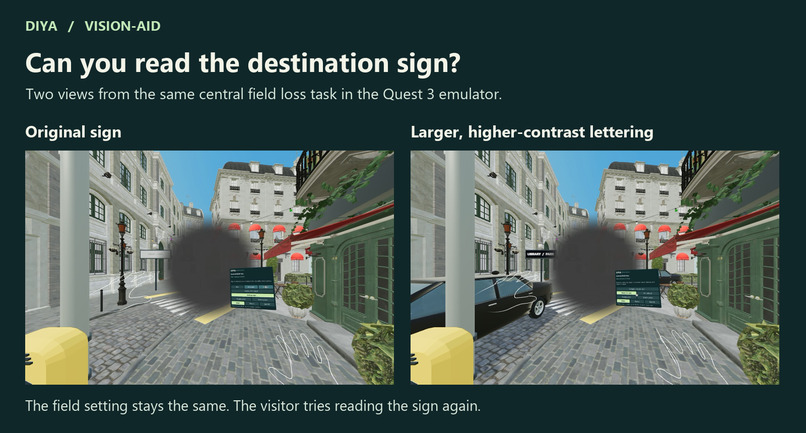
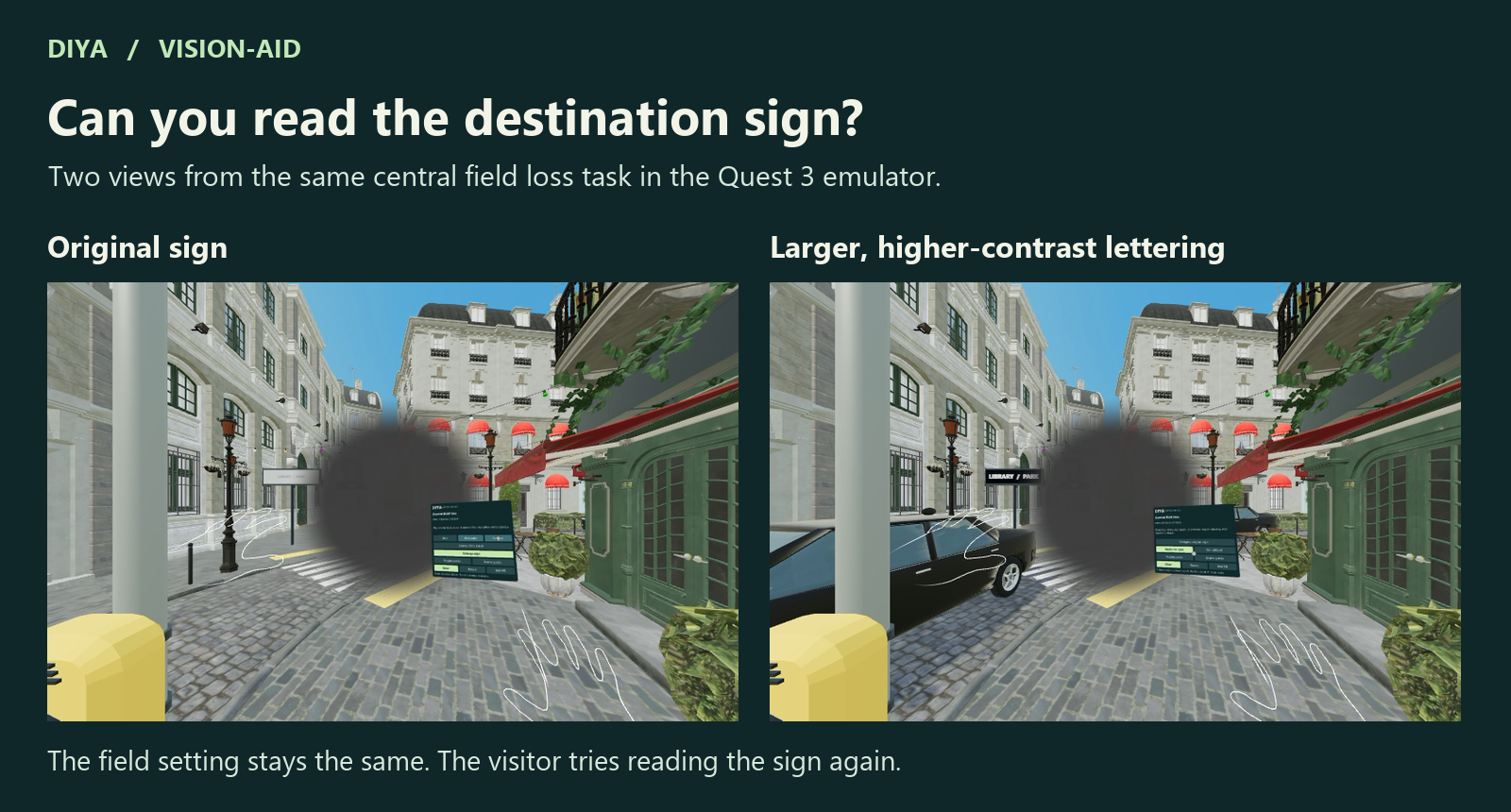
V5 Quest emulator. Same central field loss, before and after enlarging the LIBRARY / PARK sign and increasing contrast.
Inspiration
Standing on a sidewalk, can you find the crossing signal, follow a passing car and read the destination sign? What changes when you lose detail where you look directly, or when something approaches from the edge of your view?
DIYA stands for Disability Immersion for Your Awareness. In Hindi, a diya is a lamp. Vision-Aid developed this experience with input from people with visual impairments and volunteer specialists including Dr. Sarika Gopalakrishnan, Dr. Amy, Dr. Aparna and Dr. Arathy. Sarika's street storyboard gave us a simple principle: let visitors experience one change in vision, try an adaptation and repeat the same task before moving on.
What visitors do
Begin on a sidewalk in a three-dimensional street. Turn to locate the zebra crossing, traffic and pedestrian signal. Request the crossing and watch the signal change from WAIT to WALK when the traffic clears. The visitor stays in place throughout.
With central field loss, try reading the LIBRARY / PARK sign. Adjust the size of the affected area, enlarge the letters and increase their contrast. Look at the same sign with the same field loss and decide whether it is easier to read.
With peripheral field loss, follow a moving car, change the field width and try scanning. Then add an audible crossing signal. Request the crossing again. A repeating tone tells you when the simulated WALK phase arrives. You decide when to move to the next task.
The core route ends here. You can explore scattered patches in the centre and periphery of the view and compare the printed sign with a spoken version. The separate darkness preview includes a grey preview, explicit confirmation and a return to clear vision. Free exploration also includes haze, reduced contrast, colour differences and combined patterns.
How we built it
DIYA runs in Meta Quest Browser using Meta's Immersive Web SDK, WebXR and TypeScript. Real 3D geometry gives the curb, button, signal and sign different depths as visitors look around. GPU effects alter the street view. Hands operate the spatial controls, with a desktop view for facilitators. Recorded spoken prompts and readable instructions guide visitors at their own pace.
We adapted the Amazon Lumberyard Bistro exterior under CC BY 4.0. The handoff includes model credits, rights records, changes, the source of the CC0 road texture and the unbranded vehicle's provenance. AI-assisted development and synthetic narration are documented. Our original work includes the vision effects, accessible adaptations, crossing logic and learning sequence.
What we learned
A sign becoming readable is more meaningful if you first tried to read it. An audible signal has a purpose if you first experienced the difficulty of finding the visual one. Keeping the visual condition steady during each comparison lets visitors tell what the adaptation changed. People experience vision loss in different ways, and their feedback shapes how we use this educational model.
What's next
Physical Quest testing with Yashvini will check seated reach, hand controls, comfort, readability and sustained frame rate. Vikram and Ishaan will use those observations and feedback from people with visual impairments to refine the experience. Restaurant, grocery, classroom and playground environments are planned for future versions.
Try DIYA V5
Open https://diya-quest-storyboard-v5-621739355963.us-east1.run.app in Meta Quest Browser on Quest 3 or 3S. Enable hand tracking and choose Start in VR. Stay seated or stand in place on the virtual sidewalk. Point and pinch to choose. You can start the street guide on a desktop to preview the same tasks, or use the separate background film to learn more.
Built With
- immersive-web-sdk
- three.js
- typescript
- webgl
- webxr
