-
-
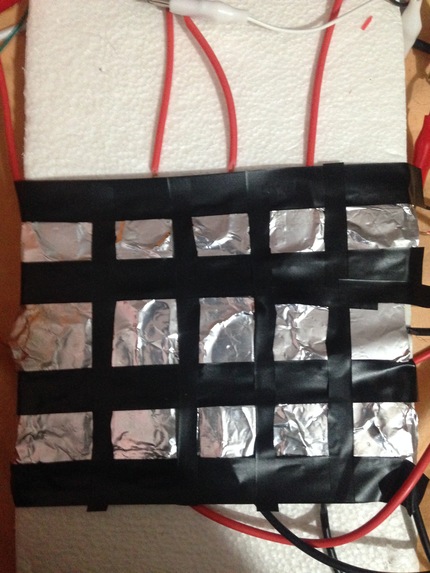
Final Image
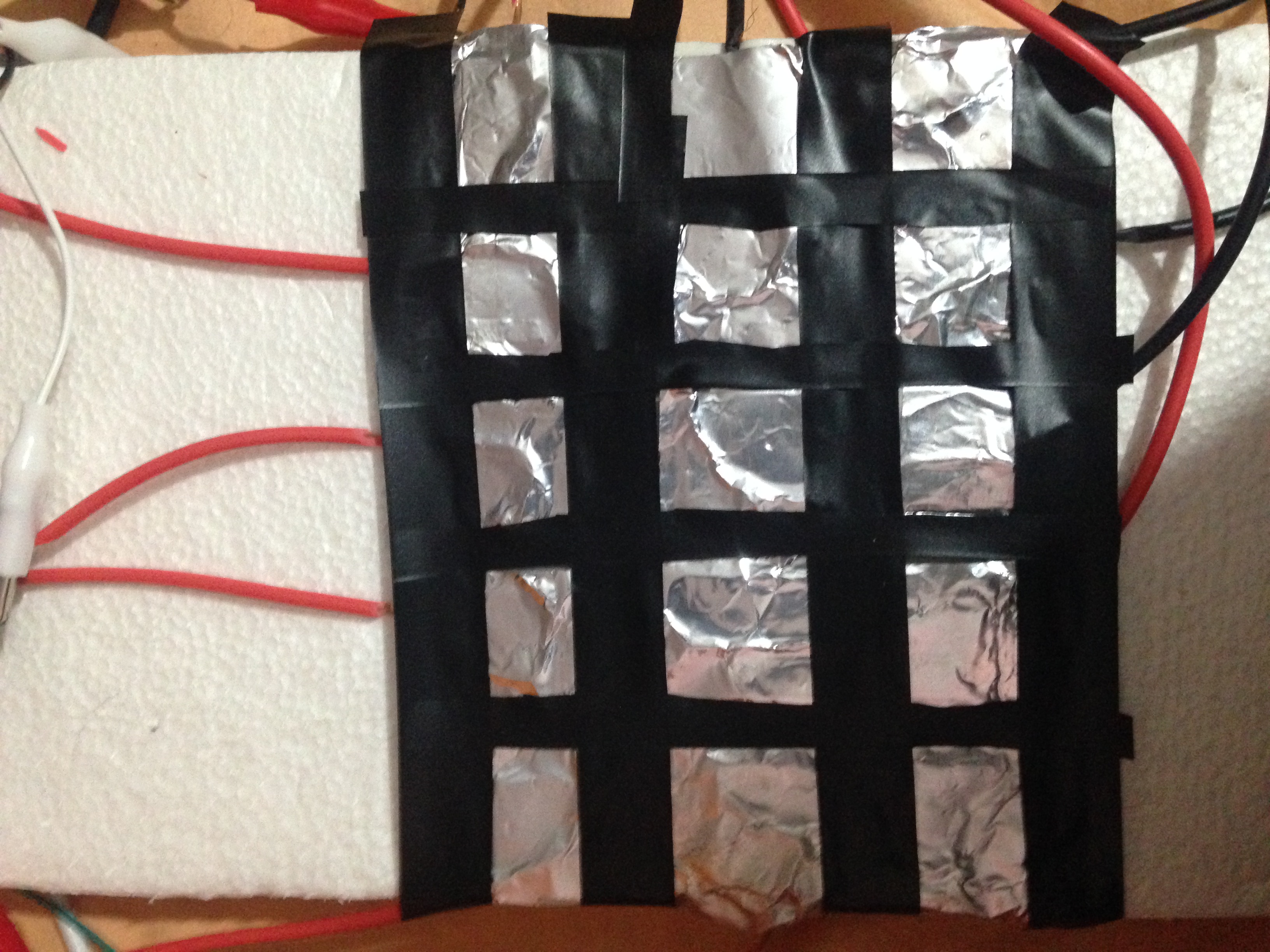
Inspiration
I am a music lover and I love creating music but I didnt had a piano with me and I started searching ways that I can build up a piano with the help of Arduino. Also, I tried different Music Making softwares and when I used FL Studio, I found that it has an option that allows user to play different musical Instruments know as VST(Virtual Studio Technology). This raised an idea on my mind to emulate midi keys with the help of Capacitance using Arduino and then I began the Project.
What it does
It is a midi Controller which uses Aluminium foil as Keys to Trigger different Midi Signals to the DAW(Digital Audio Workstation) softwares Like FL Studio, Abelton, GarageBand and so on. We can touch the aluminium foil to play musical instruments inside DAW softwares and then create different sounds which can be controlled by using DAW softwares.With the help of this "DIY FOIL MIDI", anyone can play and record different virtual musical instrument and create music. The possibilies are endless because the DAW software allows us to play different instruments like Piano, Guitar, Drum and so on.
How I built it
I built it by Connecting Arduino with MPR121 circuit that is responsible to give us Capacitance touch output. I connected the output from the MPR121 to different aluminium Foils. Then programmed Arduino to send particular Keys when particular Capacitance output is triggered. Then with the help of Fl Studio, I made an arrangement there so that whenever I press Aluminium Foil of my MIDI controller, it will trigger some sounds.
Challenges I ran into
The main challenge was choosing the circuit and programming part. I programmed my arduino UNO and then tried to connect MPR121 with that circuit but it was not working and I was going to quit the project but then I found a forum where they said that Arduino Leonardo can act as a midi Controller easily than UNO so, I borrowed Arduino Leonardo from my friend and then made this Project. Also, while creating aluminium foil matrix for the midi controller, I had to do different and trials to make it stick to the surface and do the conduction to the capacitance well because it was triggering 2-3 keys all at a same time. Next thing, I struggled was making it work when External Speakers are connected but It conflicted with the capacitance of the circuit and circuit was playing itself and acting weird which took a hours to realize and finally the problem solved after disconnecting the circuit.
Accomplishments that I'm proud of
I am very much happy that I have my own MIDI controller and that is as better as Commercial MIDI Controllers and I am enjoying it a lot and making different music out of it. I myself got into surprise looking how efficiently it can play different sounds and I must say that it is most affordable MIDI controller that anyone can make at their home with some electronics knowledge.
What I learned
I learned a lot from this project. I learned how I can trigger keys into laptop within Arduino Code and then send the midi signals or keyboard keys to the Computer with the help of Arduino and Aluminium foil as electrodes. I also learned that Connecting other electronics like Speakers can affect the capacitance of the circuit so we must test the circuit without any electronics gadget conflicting around.And at last, I learned to play Coffin Dance Song in order to show Demo of my Project. This time on HackDTU, I worked on latency of the sound with my laptop so there is not delay on the sound we hear from Midi.
What's next for DIY FOIL MIDI
Due to the time was limited, I could-not add better finish to the project and it is bit-tangled with a lot of wires but I am planning to make it really portable which I can use as an Plug and Play Midi Controller. So; Next, I need to work on that to make it look more better and portable with all wire tanglements removed.

Log in or sign up for Devpost to join the conversation.