-
-
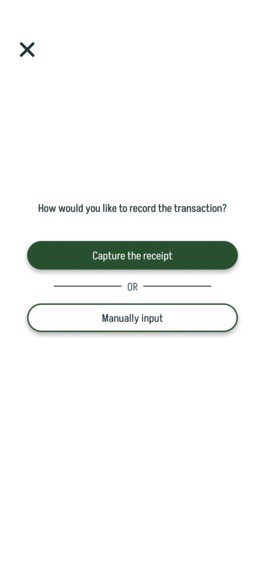
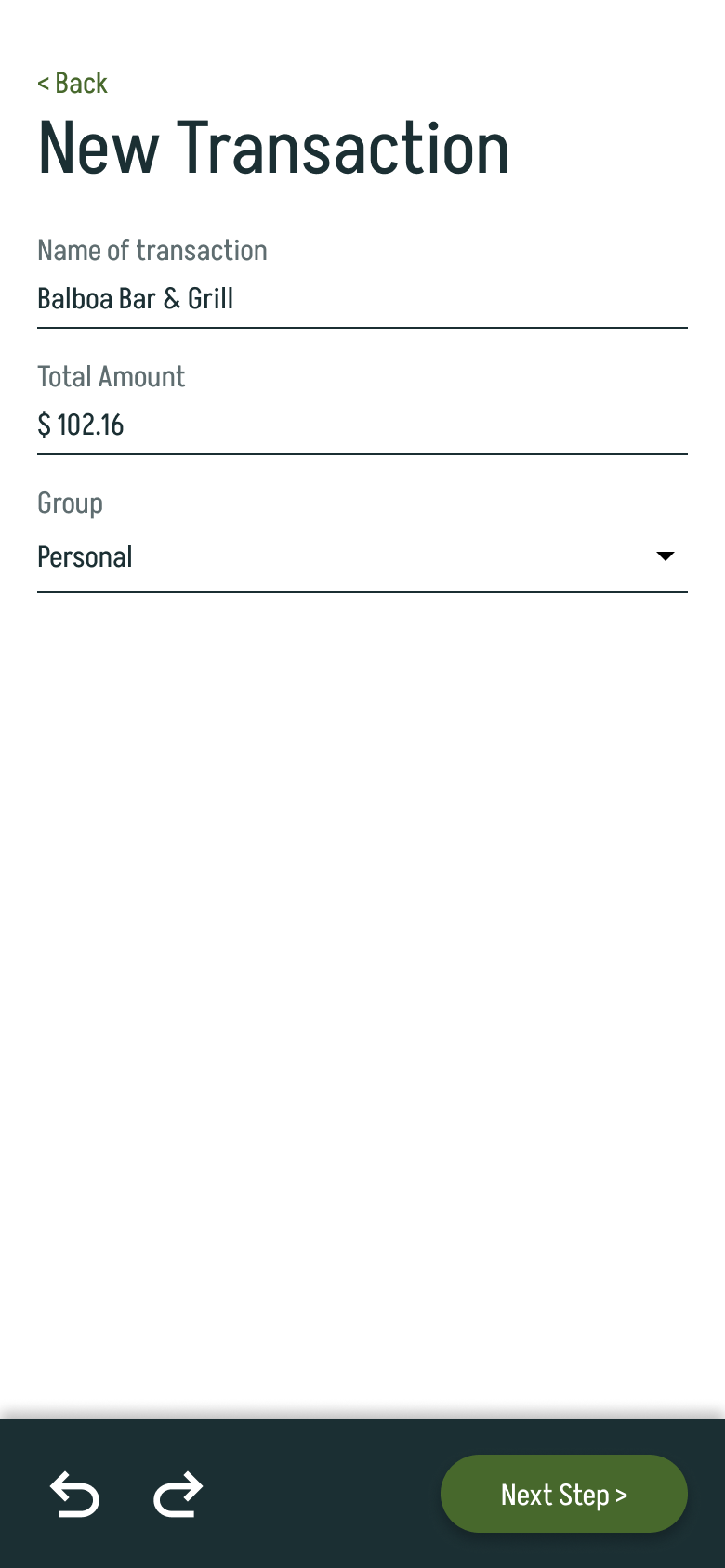
Start a new transaction
-
-
-
-
-
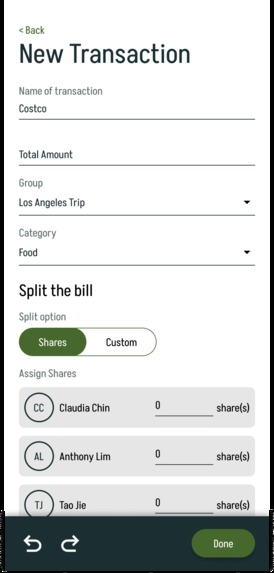
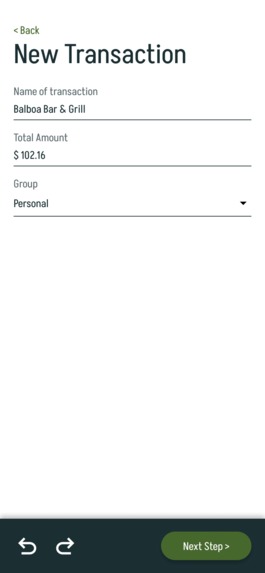
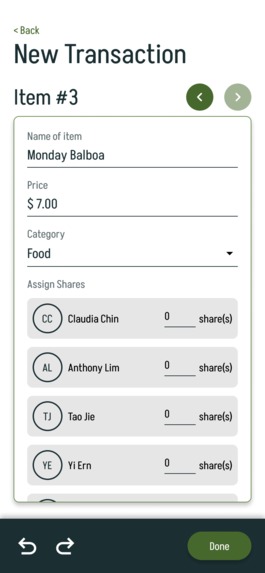
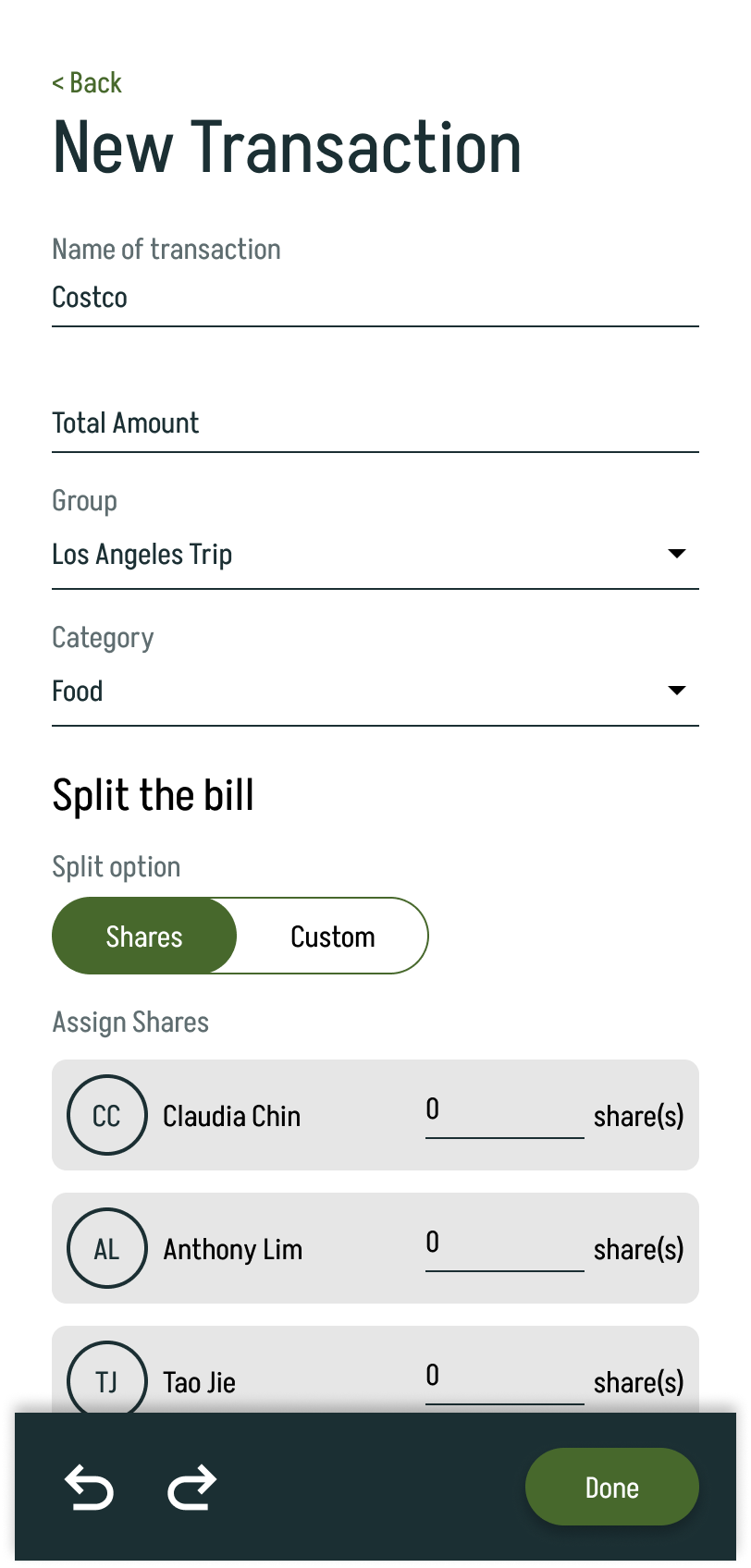
New Transaction - Manual Input (Split by shares)
-
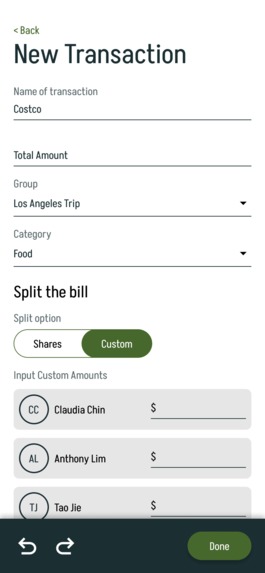
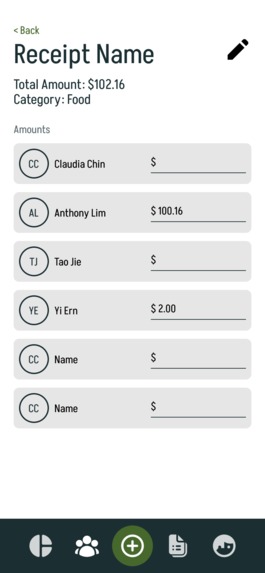
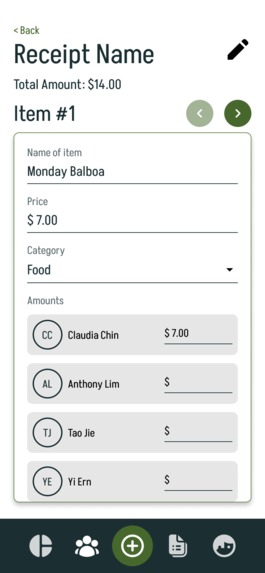
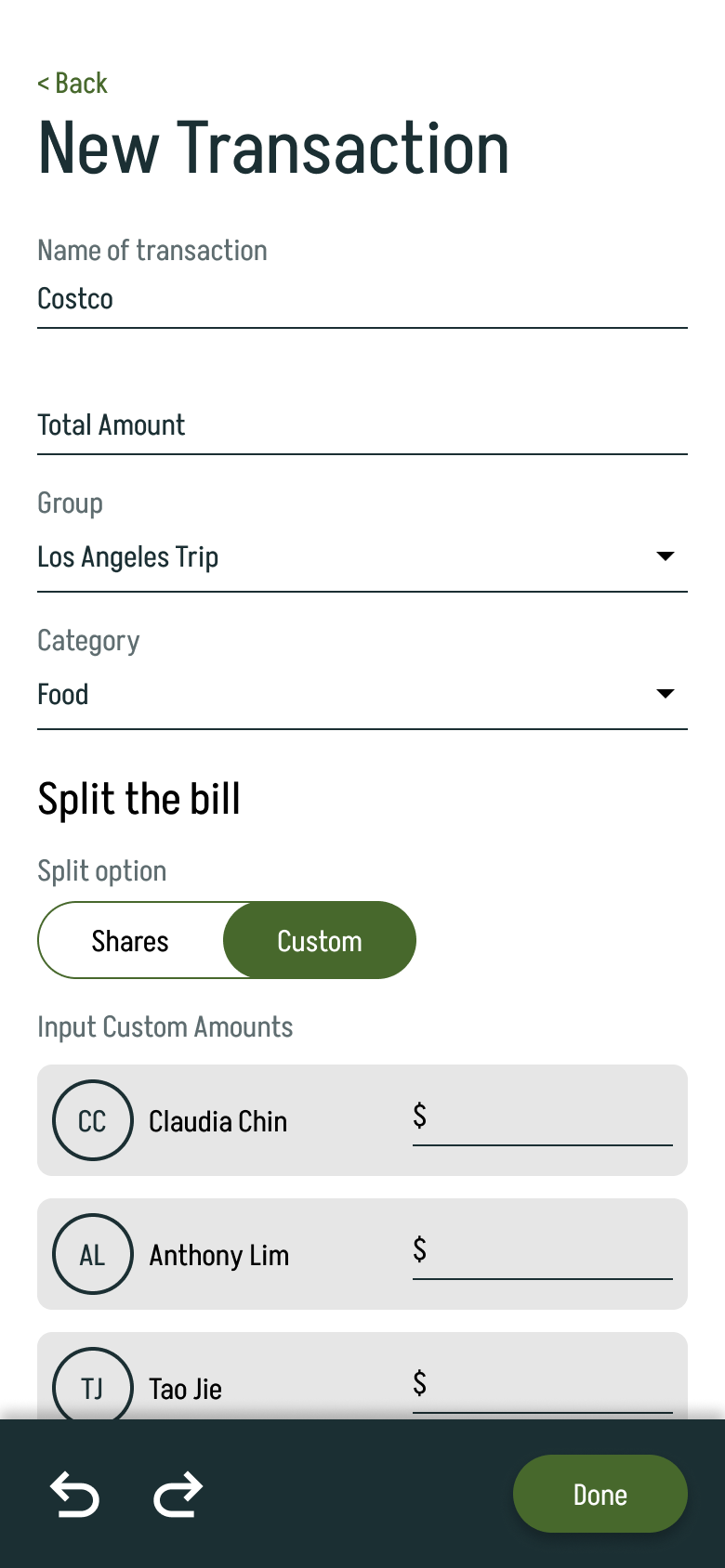
New Transaction - Manual Input (Split by custom)
-
-
-
-
-
-
-
-
-





Inspiration
Bill tracking is a pain, expense Tracking is a pain, and the current solutions in the market aren't cutting it. That's why we came up with DivvyUp, an all-in-one expense tracker that helps you bill-split, categorise your expenses, and keep up with your payment methods.
What it does
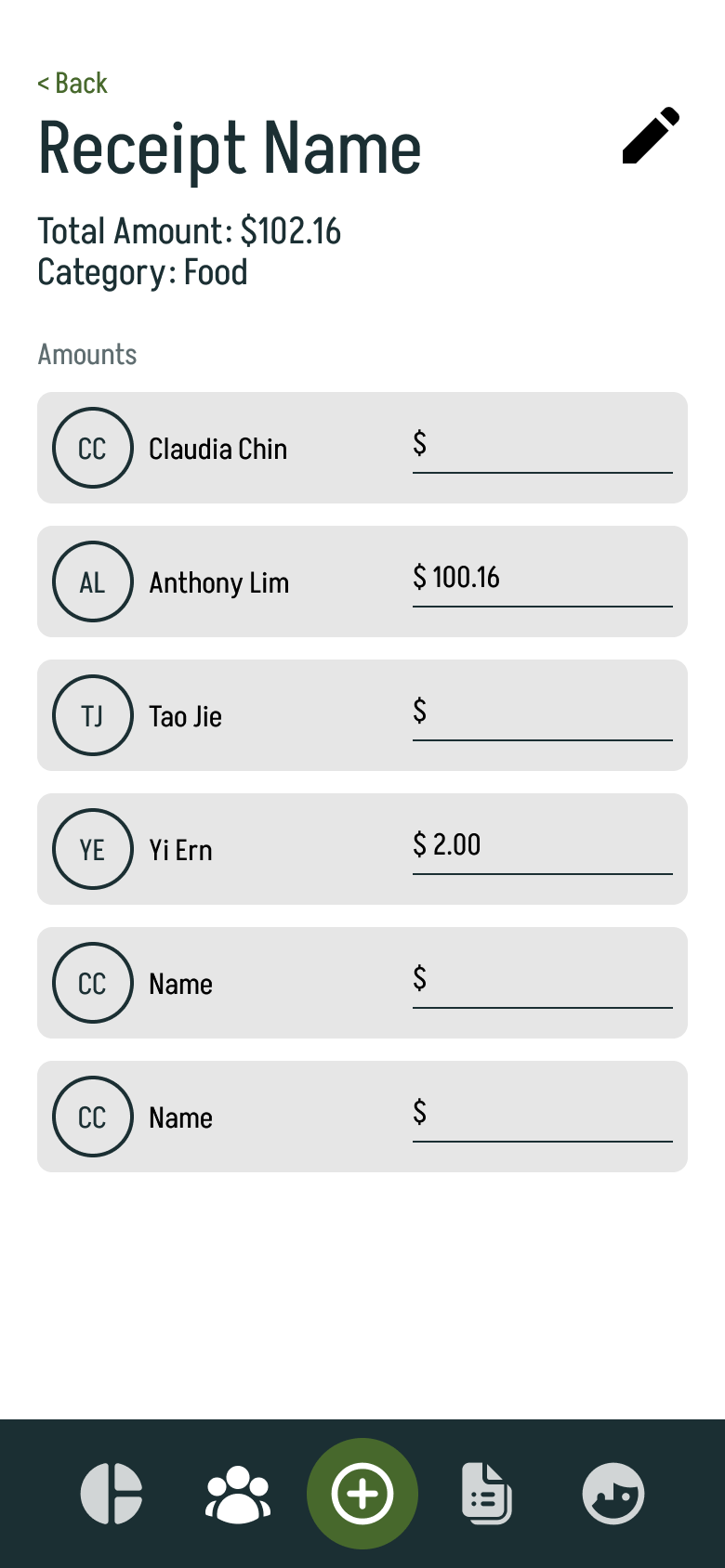
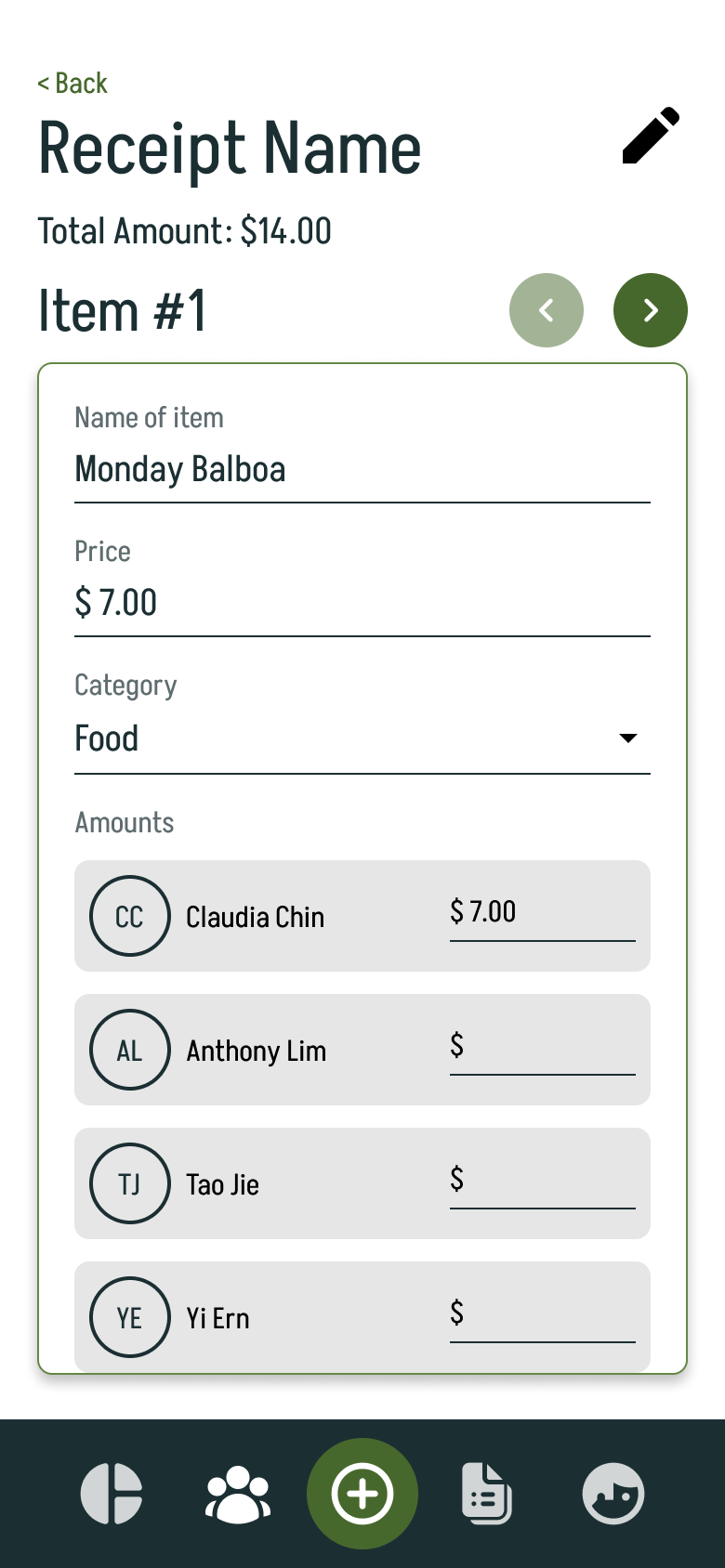
DivvyUp's main function is bill-splitting. It allows for 2 methods of inputting the bill: (1) Manual input with math functions supported, and (2) Receipt scanning that will itemise your bill and let you split it with the people in your group.
DivvyUp also has 4 menu items: (1) Overview, (2) Groups, (3) Unresolved Expenses, and (4) Personal.
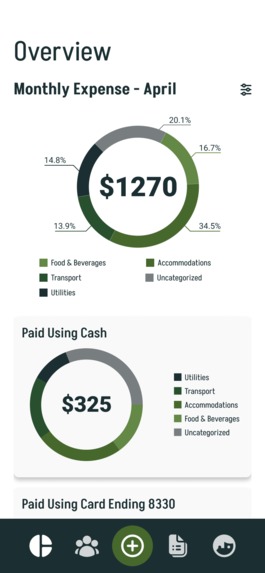
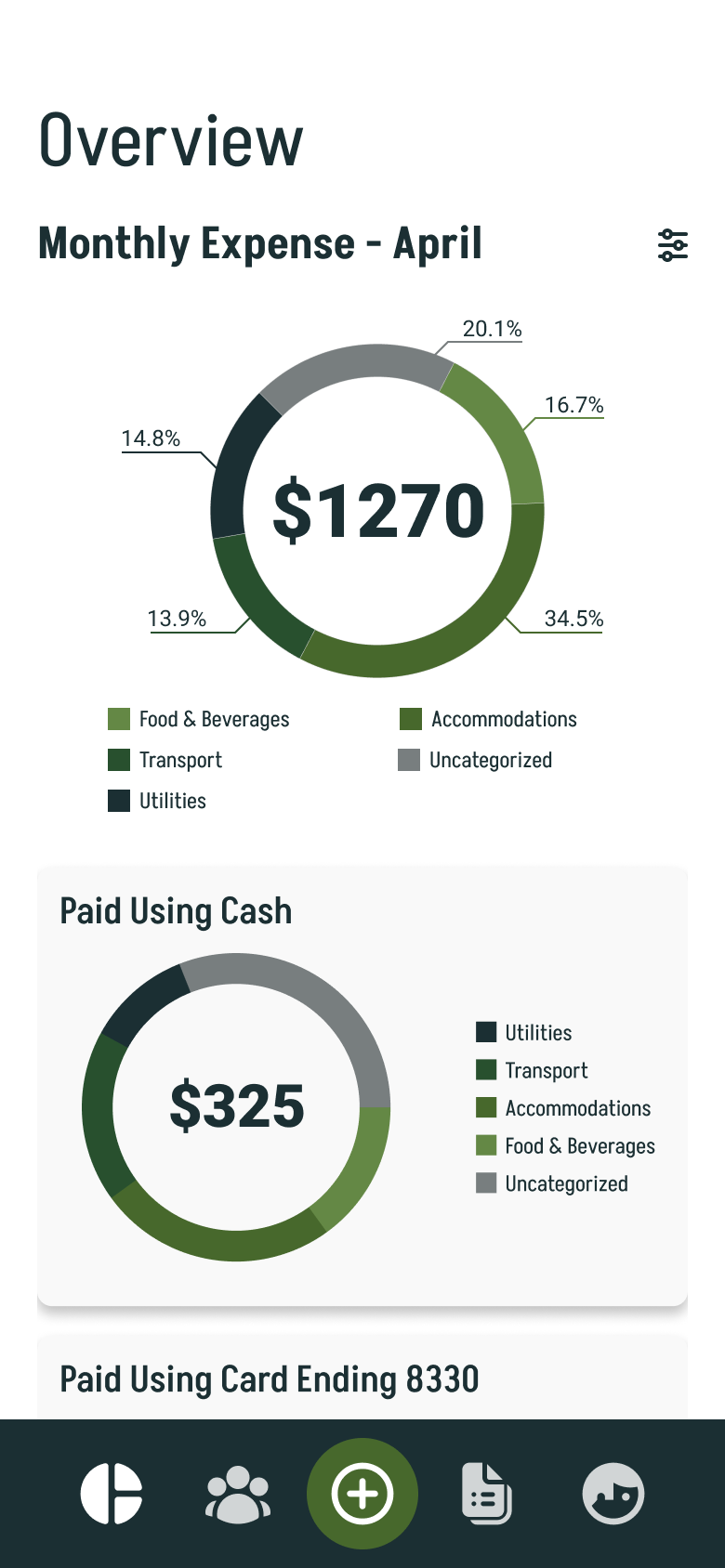
(1) Overview
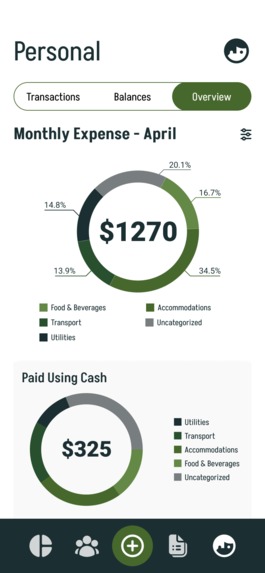
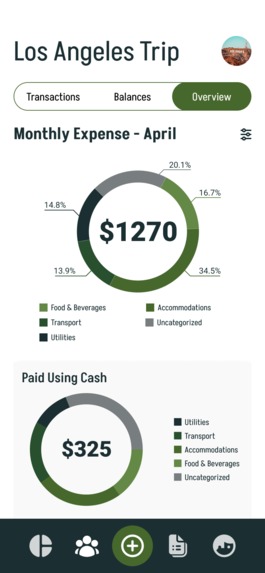
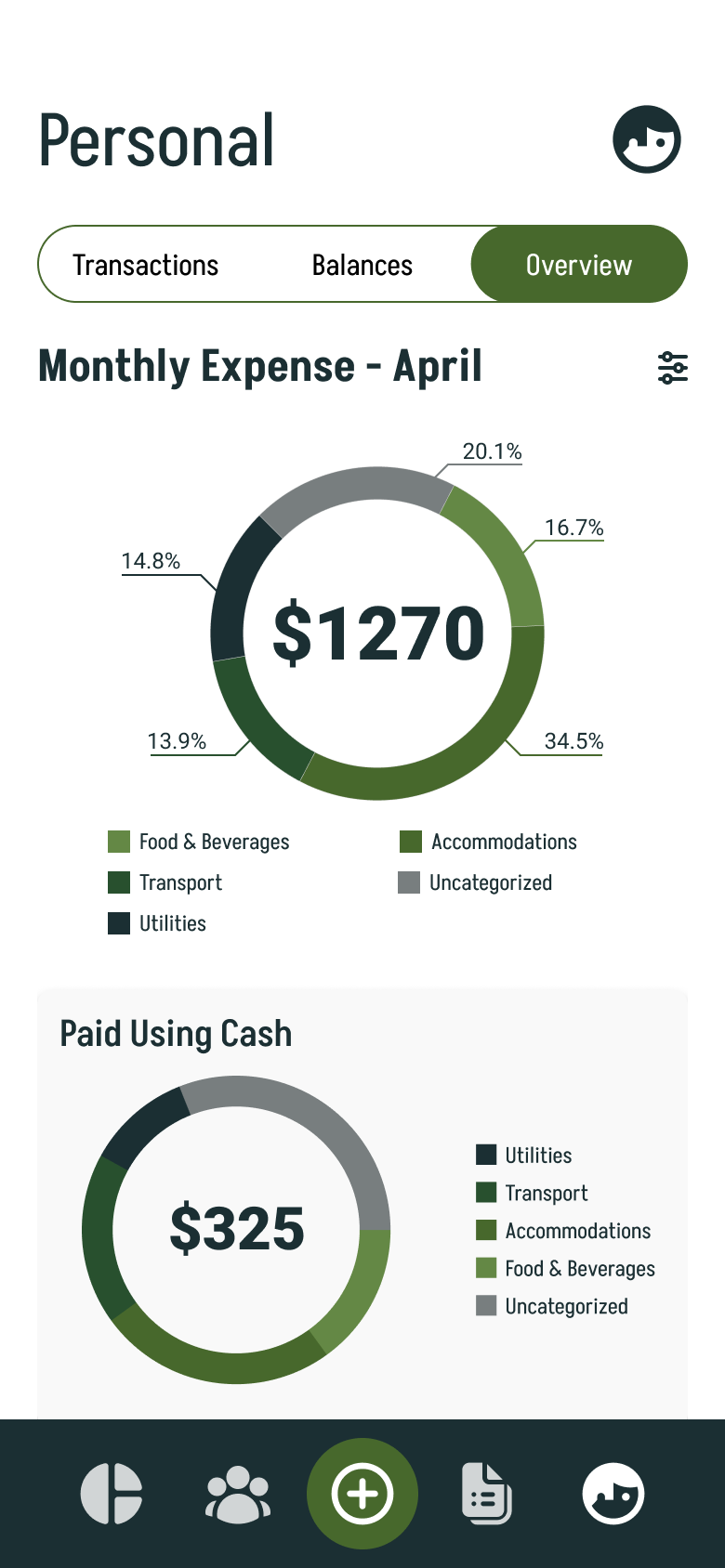
Transactions that have been categorised are added to an overview. Overviews are available for the app as a whole, for groups, and for personal expenses. The main Overview page that the menu item refers to is the overview that takes into account all your groups and personal expenses.
(2) Groups
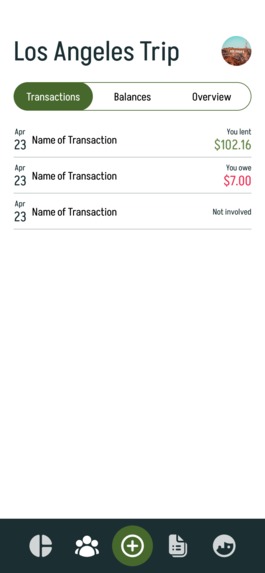
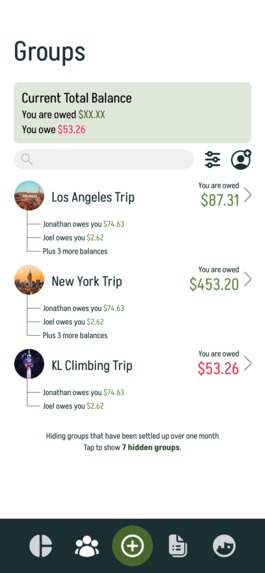
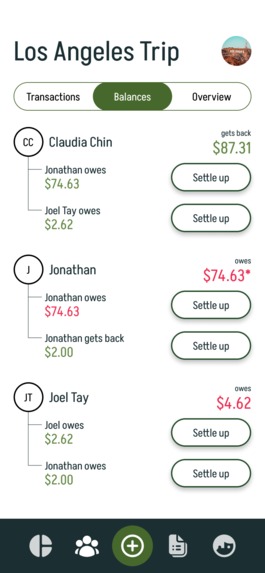
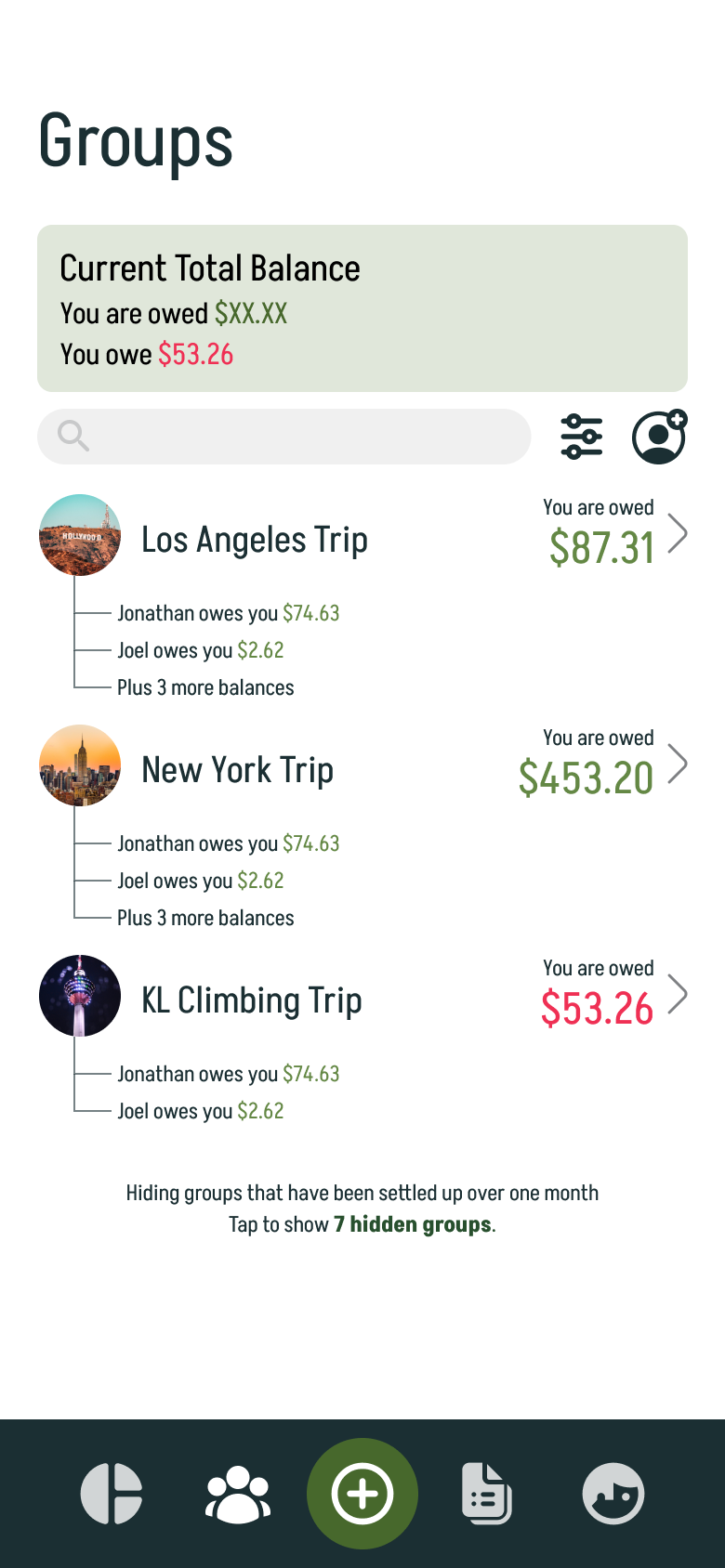
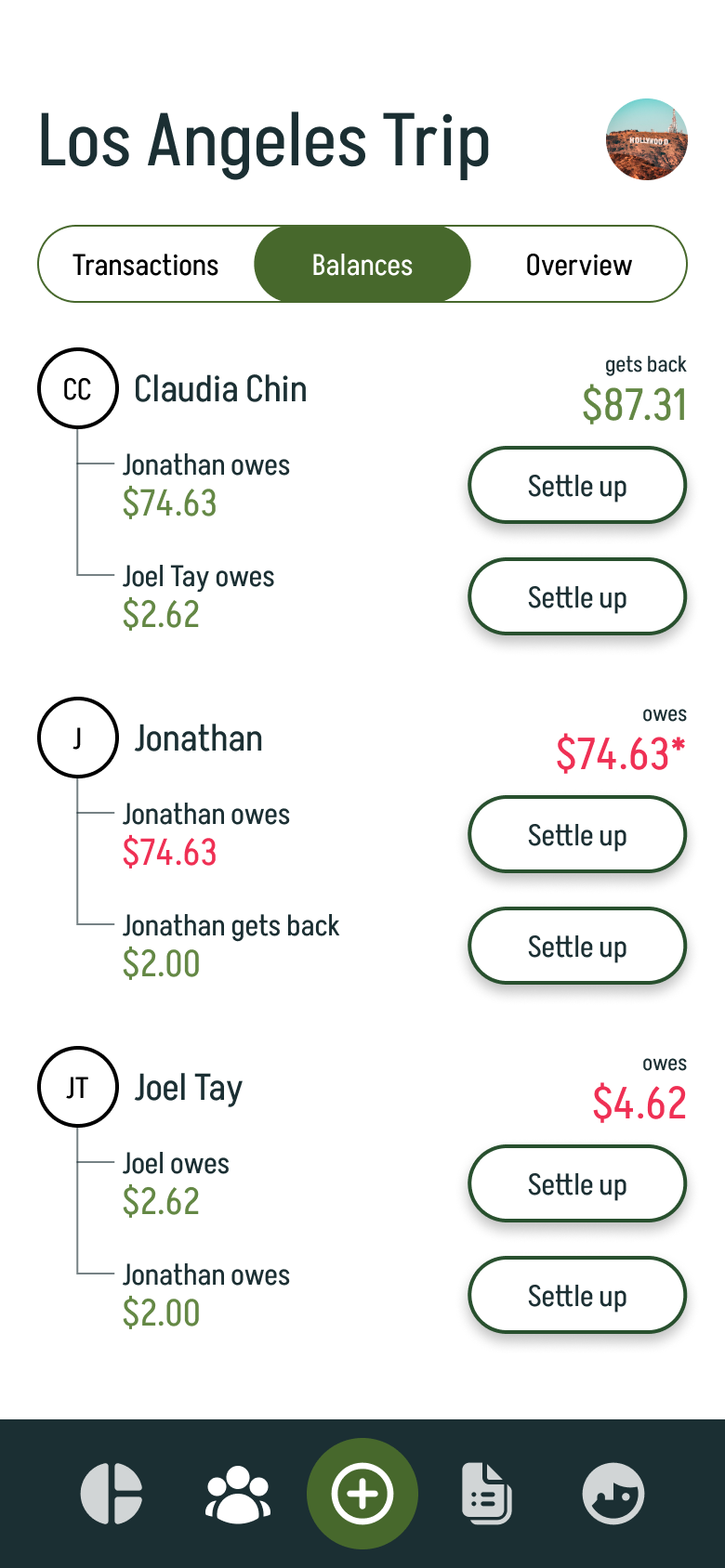
This menu item is where users will see all the groups they are in. Users are able to search for a group they are in, filter their groups, and start a new group. When users tap into a group they are in, they will be brought to a screen where they are able to view the Transactions made in the group, the Balances in the group i.e. who owes who money, and the Overview of the group i.e. how much has the group spent so far, how much have you spent in the group so far, etc.
(3) Unresolved Expenses
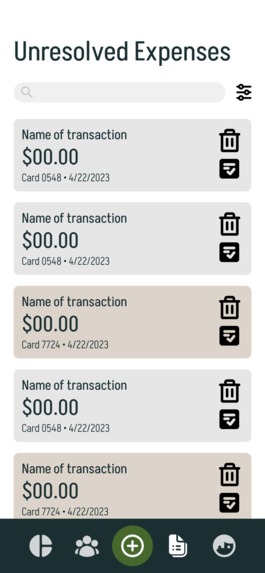
In DivvyUp, you will be able to connect your credit and debit cards to help you track your expenses. Any transactions that DivvyUp is unable to recognise from the items you have already tracked will appear here. Hence, they are called 'unresolved". From this screen, users are able to see what the transaction is called on their card, delete the item if they confirmed they have already tracked it or simply don't want to track it, and resolve the transaction i.e. start the bill-splitting process.
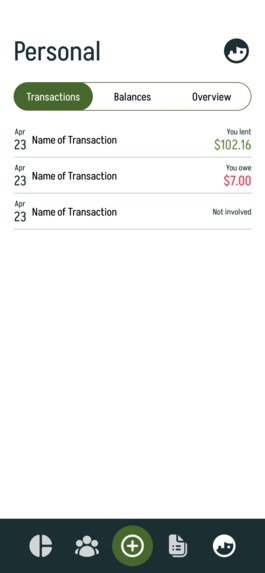
(4) Personal
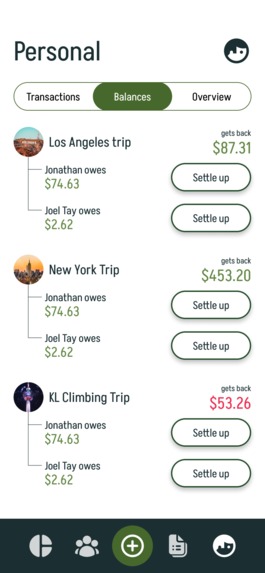
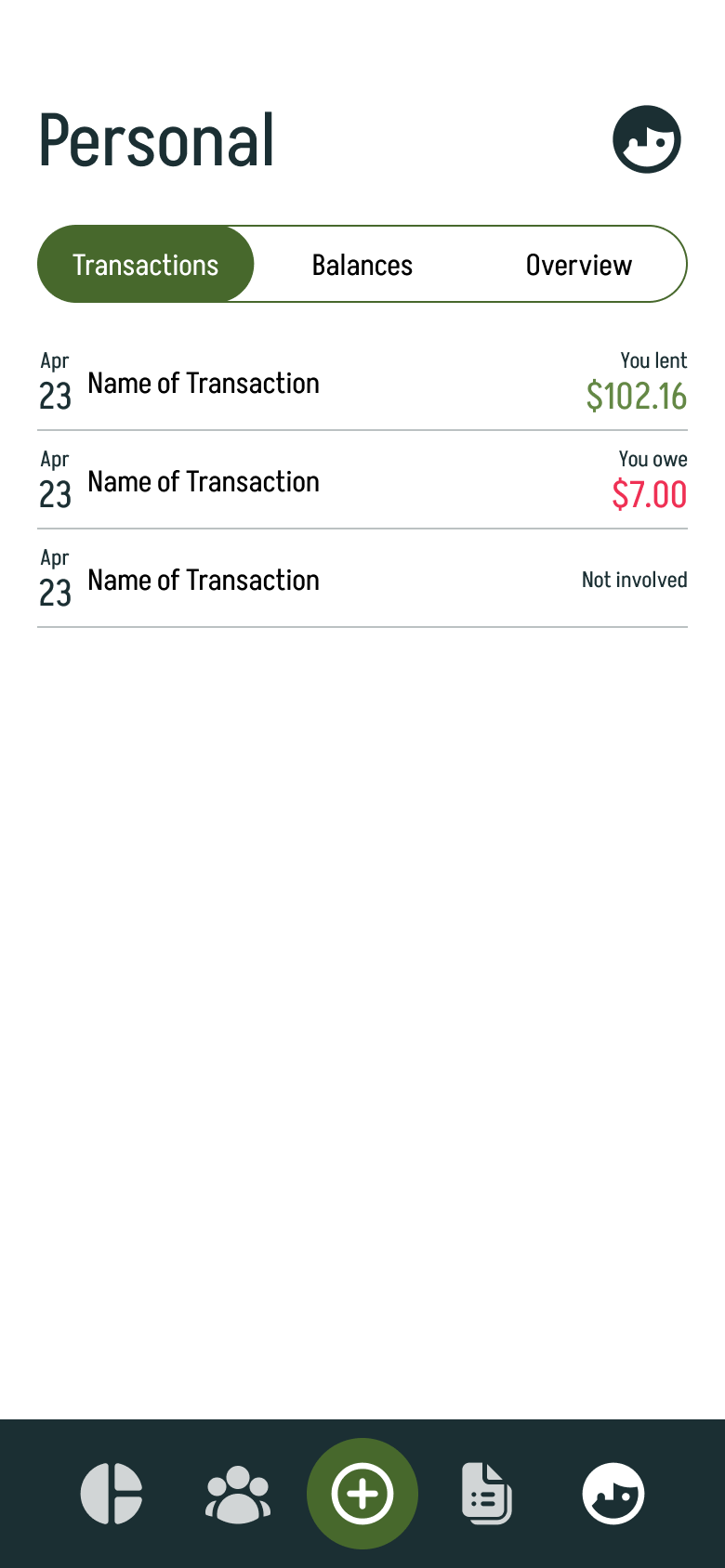
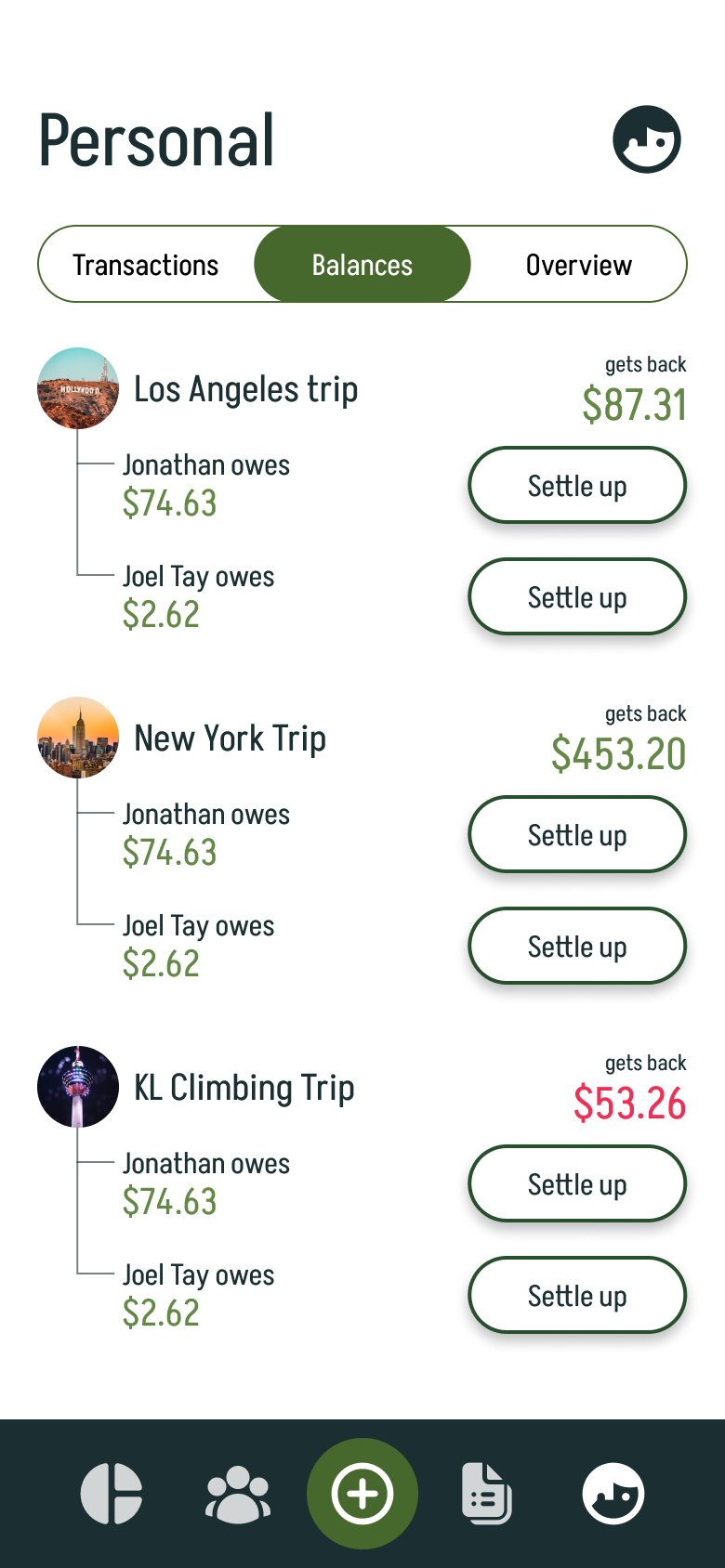
When users tap into the Personal tab, they will be brought to a screen where they are able to view their personal Transactions, their Balances i.e. how much money they are owed or owe, and the Overview of their personal expenses i.e. how much they have spent so far on a personal basis.
How we built it
The demo of the receipt scanning was built on React Native. OCR was done using GCloud Vision API. The demo for the rest of the application was made using Figma.
Challenges we ran into
Overall, we felt that the hackathon went as smoothly as it could have. As with all hackathons, the time crunch is always an issue. We felt that with more time, we would have been able to create a cleaner application. However, with the given time, we feel that the React Native and Figma demos managed to capture the essence of DivvyUp.
Accomplishments that we're proud of
We're very proud of the cropping functionality on the React Native receipt scanning demo. We were originally unsure about how best to make sure users' receipts get properly captured and decided on a selection tool for the users after taking a picture of their receipts. The fact that we were able to get this to not just work within the time frame of the hackathon but to work well makes us incredibly happy.
What we learned
Through this hackathon, we feel that we have learned more about the solutions that could be related to the "Home Away from Home" topic. Travelling should be a fun experience and it should not be marred by the existence of small issues like bill splitting. More specifically in our project, we have learned more about the complexities of expense tracking and how everyone does expense tracking differently.
What's next for DivvyUp
DivvyUp can only continue to improve from here. With time, full functionality for the application can be built on React Native.
Regarding future features, we feel that it will be possible to remove the need for annotation in the receipt scanning portion. This means that users will be able to input their receipts purely via OCR and with no additional work.
Another possibility we are exploring is facilitating payment transfers through the app. This will take DivvyUp one step closer to being your one-stop shop for all things expense-related. This means that users will be able to settle up with their friends right in the app, without having to go to their banking service.
Lastly, we are exploring B2B card management, where we help businesses track their expenses in DivvyUp by issuing a debit card to the businesses. Using our card will directly link to the app and help them record the transaction. Bill splitting can be done to item the items they bought and re-budget accordingly.
Additional Info
See our project slide deck here.
Built With
- figma
- gcloud
- reactnative
- visionapi

Log in or sign up for Devpost to join the conversation.