-
-
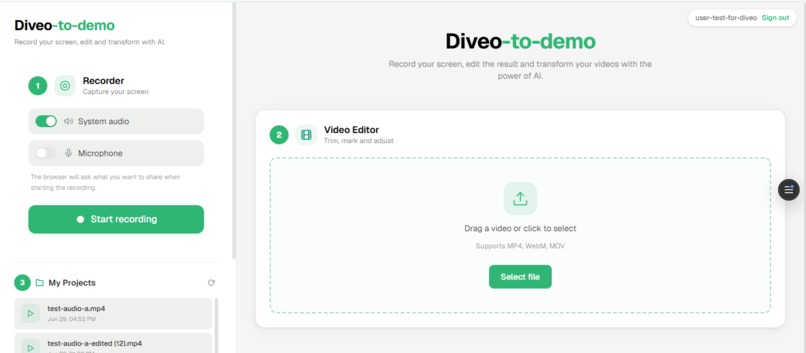
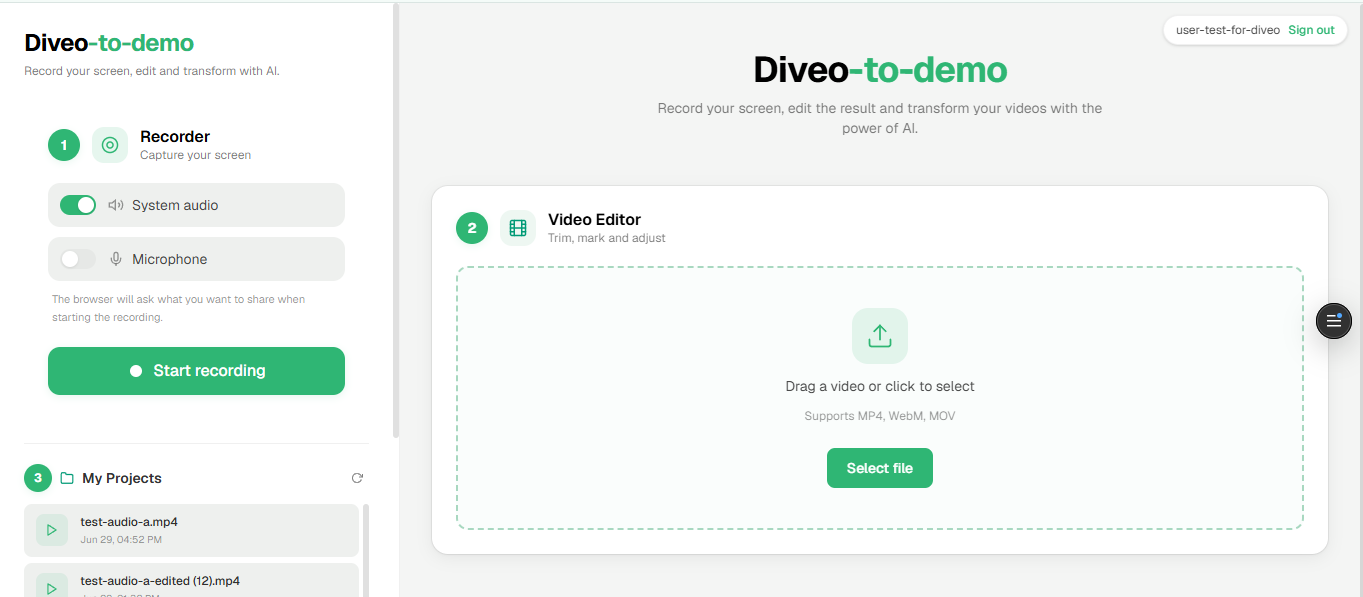
Diveo-to-demo interface
Inspiration
It all started during a conversation with a friend about university project presentations. He told me: "The most important and eye-catching thing is the demo." That stuck with me. I thought — why not make video demos? But then reality hit: before even editing a single frame, I needed to install tools, go through setup processes, buy licenses for a decent video editor, and navigate hundreds of options that had nothing to do with my original goal. I just wanted to show my project in action, and instead I was stuck wrestling with tools.
Then it clicked: AI is booming — it can automate processes and even reason about content. Surely AI could produce a quality video demo without all the friction. Around the same time, I remembered I had signed up for the AWS hackathon with no clear idea. This was the moment to turn my frustration into a product.
What it does
Diveo-to-Demo (D2D) is a web application that lets you:
- Record your screen directly in the browser (with system audio and/or microphone).
- Automatically generate subtitles using Amazon Transcribe, with multi-language support.
- Translate subtitles to other languages via Amazon Translate.
- Add AI-powered smart zooms — a vision model (Claude on Amazon Bedrock) analyzes the video frames and determines where the viewer's attention should focus.
- Generate voiceover narration from the subtitles using ElevenLabs TTS with customizable voices and emotion presets.
- Create AI background music with a text prompt to set the mood of the demo.
- Export the final video with all effects composited — zooms, subtitles, narration and music — ready to share.
The entire workflow — from raw screen capture to polished demo — happens in a single web interface with no external software required.
How we built it
The architecture follows a Next.js 16 App Router structure with React 19 and Tailwind CSS v4 on the frontend, and serverless API routes connecting to multiple AI/cloud services:
- Screen Recording: Browser-native
MediaRecorderAPI capturing video + audio in MP4/WebM. - AI Zoom Analysis: Frames are extracted via Canvas API, sent to Amazon Bedrock (Claude Sonnet) which returns zoom keyframes with coordinates and timing.
- Subtitles: Audio is sent to Amazon Transcribe (via S3 temporary storage) for speech-to-text segmentation.
- Translation: Subtitle segments are passed to Amazon Translate for localization.
- Voiceover (TTS): Subtitle text is synthesized with ElevenLabs multilingual v2 model, with configurable voice styles (engaging, professional, enthusiastic, calm, storytelling).
- Background Music: Generated by ElevenLabs Music API from a text prompt, instrumental by default.
- Export: The Web Audio API mixes all audio sources while Canvas renders zoom-transformed frames into a final
MediaRecorderstream. - Persistence: Projects are saved to Amazon S3 (video/audio assets) and Amazon DynamoDB (project metadata), authenticated via Amazon Cognito (OIDC).
Challenges we ran into
TTS Model Deployment: Initially I wanted to use Amazon Polly, but the voices sounded robotic for demo narration. I then attempted to deploy an open-source TTS model — I had it working in Google Colab, but deploying it on AWS turned into a rabbit hole. Imported models in SageMaker/Bedrock don't explicitly support TTS architectures, so I hit a wall.
ElevenLabs Licensing: After pivoting to ElevenLabs, I discovered the free tier doesn't allow commercial use. I had to upgrade to the Starter plan, but the quality difference was worth it — especially discovering they also offer music generation, which became a key feature.
Accomplishments that we're proud of
- Zero-install workflow: Record → Edit → Export happens entirely in the browser. No FFmpeg, no desktop app, no license.
- The full AI pipeline works end-to-end: from raw screen capture to a demo video with smart zooms, translated subtitles, professional narration, and background music.
- Turning a personal pain point into a working product in the timeframe of a hackathon.
What we learned
- AWS service integration at scale: Connecting Bedrock, Transcribe, Translate, S3, DynamoDB, and Cognito into a cohesive pipeline taught us how powerful (and complex) the AWS ecosystem is when services work together.
- Know when to pivot: The Polly → open-source TTS → ElevenLabs journey taught us that sometimes the best engineering decision is recognizing when a path isn't viable and switching quickly.
- Browser APIs are surprisingly capable: MediaRecorder + Canvas + Web Audio can do near-professional video compositing without any server-side processing.
- AI as a creative collaborator: Using a vision LLM to understand video content and suggest edits (zooms, transitions) opens a completely different paradigm from traditional rule-based editing.
What's next for Diveo-to-Demo (D2D)
- AI-driven transitions and cuts: Have the LLM analyze the context and suggest transition types (e.g., mirror, fade, zoom-out) at the right moments — "here is where a 3-second mirror transition should go."
- Brand manual integration for LLM alignment: Feed the brand guidelines (colors, tone, style) directly into the AI prompts so generated content stays on-brand automatically.
- Template system: Pre-built demo styles (SaaS product tour, mobile app showcase, API walkthrough) that configure zooms, pacing, and music presets.
- Collaborative editing: Multiple team members contributing to the same demo project in real-time.
- Direct publishing: One-click export to YouTube, Loom, or embedded in documentation.
Built With
- bedrock
- cognito
- dynamodb
- elevenlabs
- mediarecorder
- next.js
- s3
- tailwind
- transcribe
- translate
- typescript

Log in or sign up for Devpost to join the conversation.