
Inspiration
Meet Duke. He lives in a modest home in the townhouses of Durham. He has an idea he wants to build, but no access to expensive design software and no mentor to show him where to start. So he gets stuck, and his idea stays an idea.
Duke isn't alone. Children born into the richest 1% are ten times more likely to become inventors than children from the bottom half. It's not that these kids are ten times smarter or ten times as passionate; this disparity is caused completely by the difference in resources. Black, Hispanic, and Native American people make up about 30% of the U.S. population but only 24% of the STEM workforce, and in 2024, Black women earned just 1.1% of engineering degrees although making up over 6% of the working population.
Building hardware today means juggling CAD software, datasheets, forums, and a dozen store tabs, and that's before you write a single line of code. We wanted to build the mentor that Duke never had.
What it does

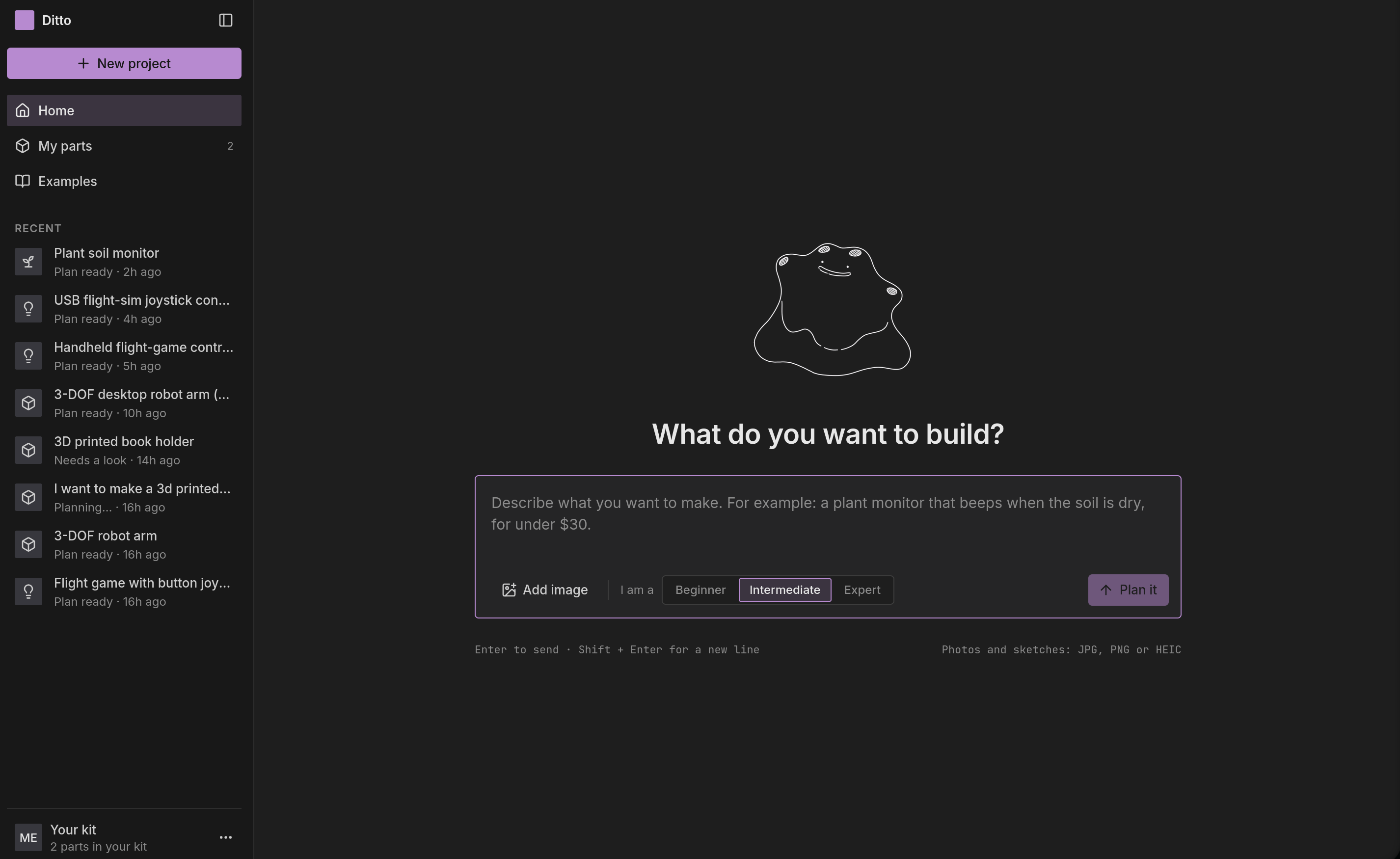
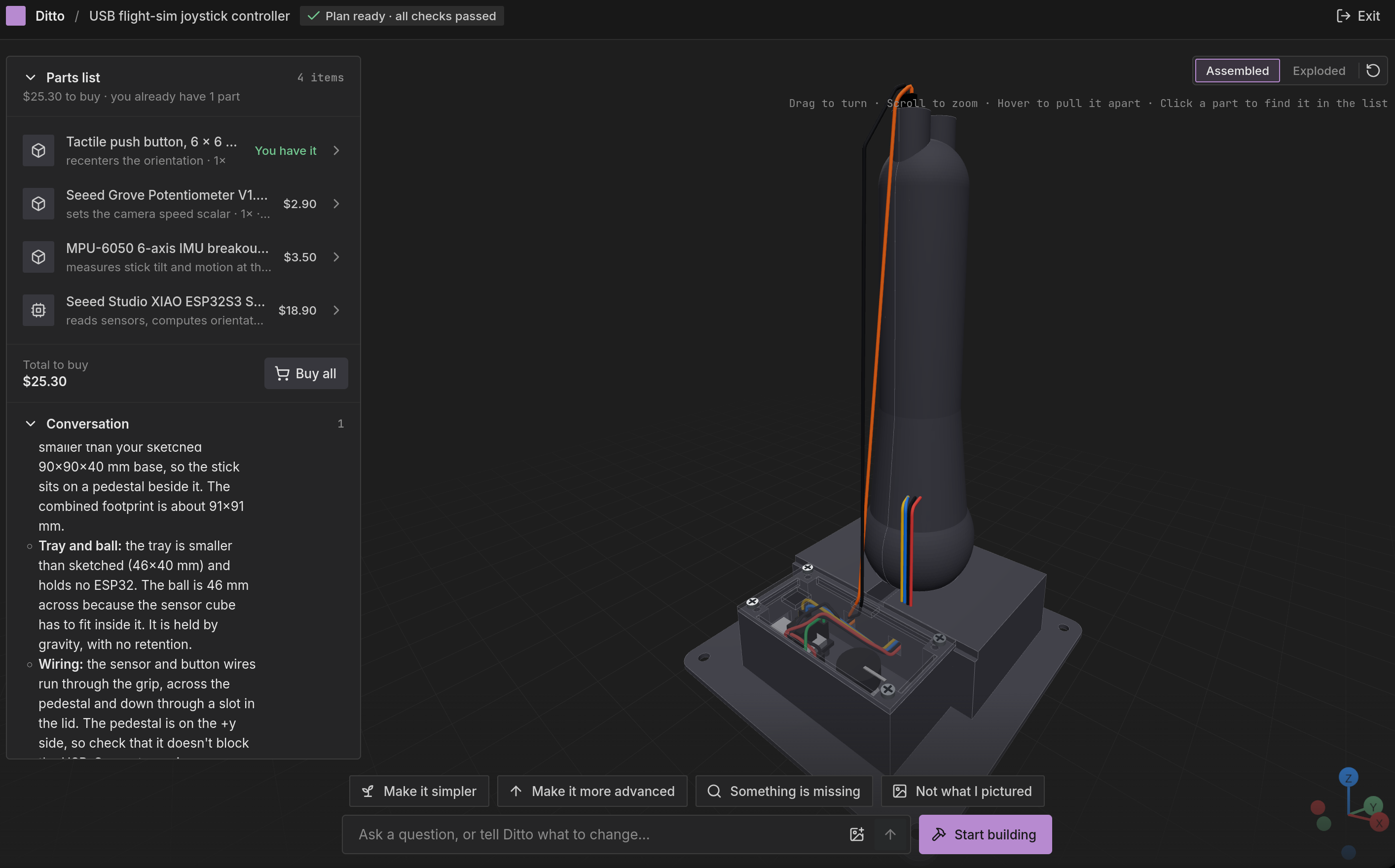
Ditto is a full-stack hardware developer that runs entirely in your browser. Describe a project in one sentence, like "a soil hydration beeper" and Ditto generates:
- A 3D CAD model you can explore, with exploded views on hover
- A full bill of materials with real parts from verified vendors
- The electrical architecture, with wiring guides and diagrams
- The code to run it, when the project needs it
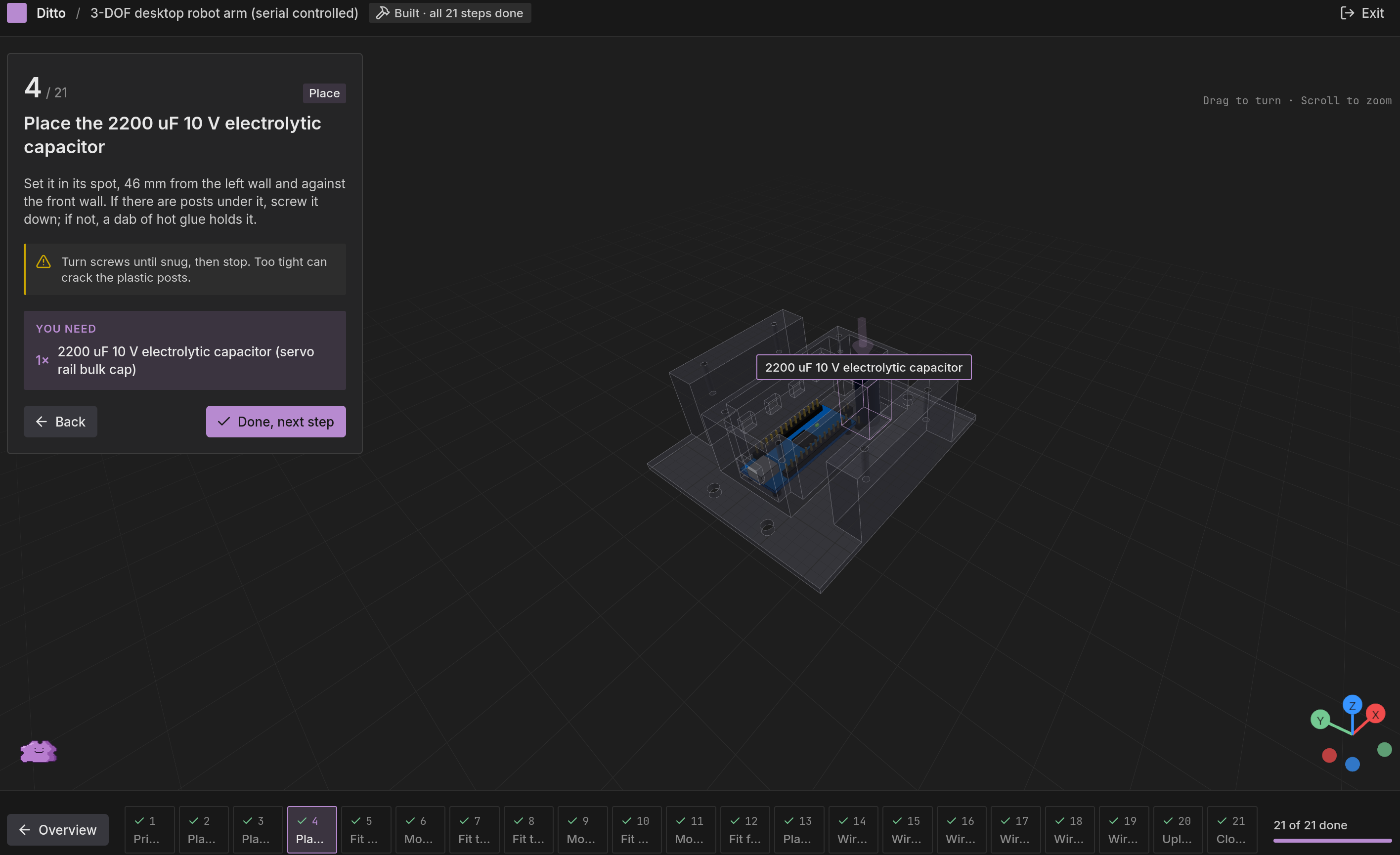
- A step-by-step build tutorial, like LEGO instructions, one action at a time
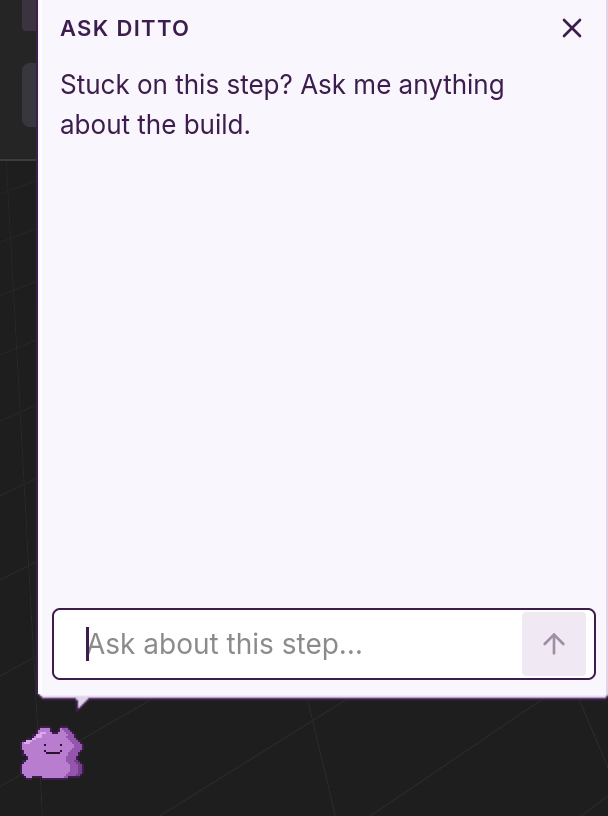
Stuck on a step or need further clarification? Ditto explains construction steps and engineering concepts in easy-to-understand English prose. One example would be: ("Hey Ditto, what does 'serial' mean?"), so you learn why it works, not just what to do.
How we built it
Ditto is a FastAPI backend and a Vite + React + TypeScript frontend. Everything revolves around one
Pydantic model, the ProjectSpec. The spec says which board, which parts, which pin goes where, what
the firmware should do and what shape the case is. The parts list, wiring plan, firmware, case and
3D preview are all generated from it.
The agents. We used LangChain's deepagents for the orchestrator. It reads the prompt (text, a sketch, or a video split into keyframes), asks at most two clarifying questions, and hands the work to three sub-agents running on Claude:
- Parts and pins picks parts from our library of 25 verified modules (ESP32, Arduino Uno/Nano, Pi Pico, sensors, displays, servos, steppers, LEDs, audio) and assigns every pin, with a one-line reason for each choice. If the library has nothing that fits, it can define its own part, which we mark as unverified.
- Firmware writes Arduino
main.cpp. It never writes a pin number. Code generatespins.hfrom the spec and the firmware may only use thePIN_*macros it defines. - Enclosure either sets parameters for our box-and-lid template or writes build123d code for a custom body: a mushroom-shaped night light, a book stand, a cable tray that clips under a desk.
The checks. The model decides and plain code verifies. Before anything reaches the UI:
validate_speccatches two signals on one GPIO, 5 V logic on a 3.3 V pin, duplicate I2C addresses, and the ESP32's traps: flash pins, input-only pins, strapping pins, and ADC2 reads while Wi-Fi is on.- PlatformIO compiles the firmware, and a lint rejects raw pin numbers.
- build123d builds the case in a subprocess, then trimesh checks that every STL is watertight, in one piece, fits the printer bed and sits flat on it, and that every board fits inside the cavity.
- The parts list is priced through the Nexar API (with a cache) and checked against the budget, minus the parts you already own.
- Wokwi runs the firmware in a simulator and waits for it to print
P2D_READY.
When a check fails, its error message goes back to the sub-agent, which gets three tries. If it still fails, the UI shows a red check instead of hiding it.
Edits. Each stage declares which spec fields it reads, so "add a buzzer" reruns only the stages that depend on the parts list and leaves the rest alone. Outputs built from an older spec revision are marked out of date until their rerun finishes.
The UI streams every stage over server-sent events: the agent's live to-do list, the checks
panel, a parts list with prices, a step-by-step build guide, and a @react-three/fiber viewer that
shows the assembled device with jumper wires routed around the case. There's also an animated Ditto
sprite while it plans, and confetti when you finish the build.
How we worked. Three of us built it in about two days alongside Claude Code agents. We froze the
contracts (backend/contracts/, with TypeScript types generated from the Pydantic models) early,
split the work into numbered tasks on a shared board, and had agents build them in parallel
branches. 270+ unit and contract tests ran before every merge.
Challenges we ran into
- Model-written CAD is rarely printable on the first try. Creating usable AI CAD means the model needs to consider Design-For-Manufacturing (DFM), true clearances after thermoplastic expansion, and requirements for a water-tight enclosure. We configured each failure into a specific check with an error message that says how to fix it ("overlap the pieces by at least 1 mm"), because the reader of that message is the model. We did a lot of fine-tuning on what feedback to give the enclosure agent (responsible for CAD) and giving it the toolchains necessary to understand and edit designs.
- Keeping UI design and workflows as beginner friendly as possible. Ditto is designed to be available to everyone, which meant we had to make a lot of design decisions and revisions on the UI. We interviewed several people with varying technical skills before finally agreeing on a UI design.
- Keeping the firmware and the wiring in agreement. If the model writes pin numbers in two
places, these pairs slowly become unsynchronized. The fix was to take pin numbers away from the model entirely:
pins.his generated from the spec, and the lint fails any firmware with a raw number. Even then the firmware agent sometimes guessed macro names, so we started giving it the saved spec's exact macro list and pointing it topins.hwhenever a compile fails on an unknownPIN_*. - Many agents writing code at once. With several coding agents working in parallel, the contracts had to be settled before anything else. Changing a shared model meant regenerating the frontend types and fixtures, and the contract tests caught drift between them.
Accomplishments that we're proud of
- One prompt gives you a full design. The process generates real parts with prices, a wiring plan, firmware that compiles, and STL files that can be easily manufactured.
- Although many LLMs already can create projects based on prompting, the majority of the time the instructions provided are extremely vague, if not hallucinated completely. Ditto solves this issue by providing extremely intuitive visual tutorials and higher confidence in part compatibility/product usability.
- Nothing the model makes reaches the screen unchecked. Every run shows its checks, including the ones that failed.
- Ditto utilizes a process that reliably creates print-only objects, custom-shaped bodies, prints split into joined pieces when they're bigger than the bed, and four board families.
- Edits are cheap. Changing one part reruns only what depends on it, and the firmware, wiring, parts list and case all stay in sync.
- It remembers what you own and your budget, so it prices only what you still need to buy.
- The build guide reads like instructions for a beginner, with a 3D view of each step.
- We actually used Ditto to build something: a hardware-integrated flight simulator. Ditto designed the entire mechanical interface, the wiring scheme for the ESP32, IMU, and potentiometer, and the MCU and browser-run server code, ultimately creating a working product.
What we learned
- Write error messages for the model. A specific error ("GPIO12 is a strapping pin; move PIN_BTN1_SIG to GPIO27") fixes the problem on the next try. A vague one burns all three retries.
- Let the model choose and let code compute. Dimensions, pin numbers, cutouts and prices are much more reliable as code derived from the spec than as model output.
- One source of truth makes edits work. Because everything comes from the spec, a part swap reaches the case and the firmware without the agents talking to each other.
- Settling interfaces early is what let three people and a group of coding agents build in parallel without stepping on each other.
What's next for Ditto
- Grow the parts library and verify the parts agents define themselves, using datasheets.
- Custom PCBs instead of jumper wires, starting with a rendered board preview.
- Moving mechanisms: hinges, gears, and servo linkages that are checked for clearance.
- Ordering parts straight from the parts list.
- Flashing firmware to a plugged-in board from the browser.
- Running it with a campus makerspace so students can go from an idea to a working device in an afternoon.


