-
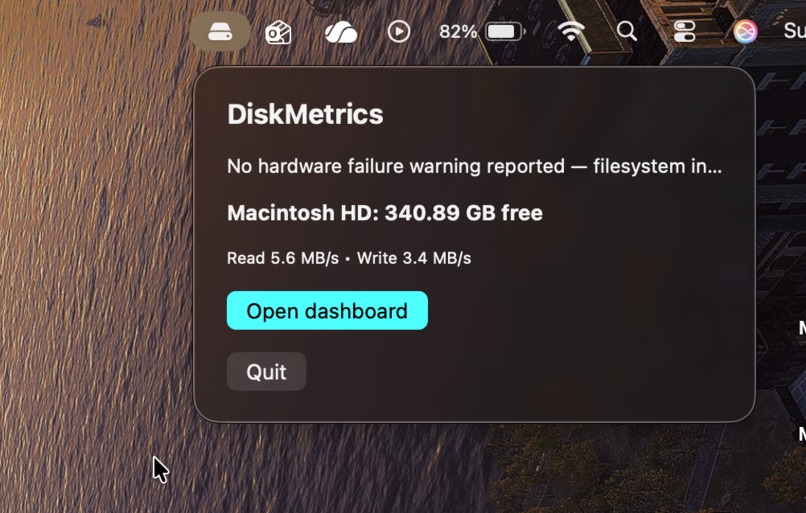
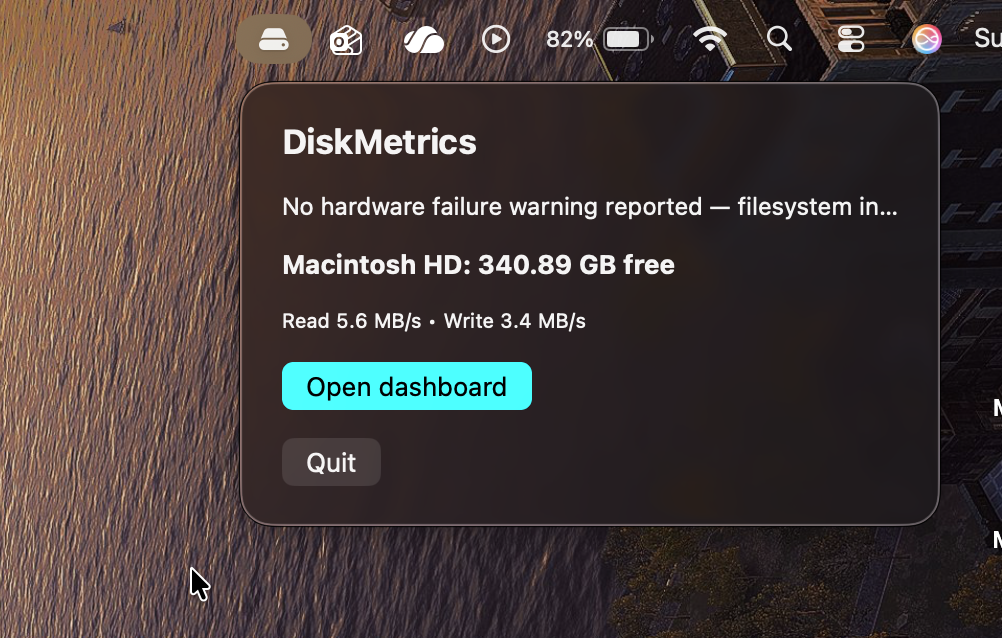
This appears in the macOS menu bar at the top of the screen.
-
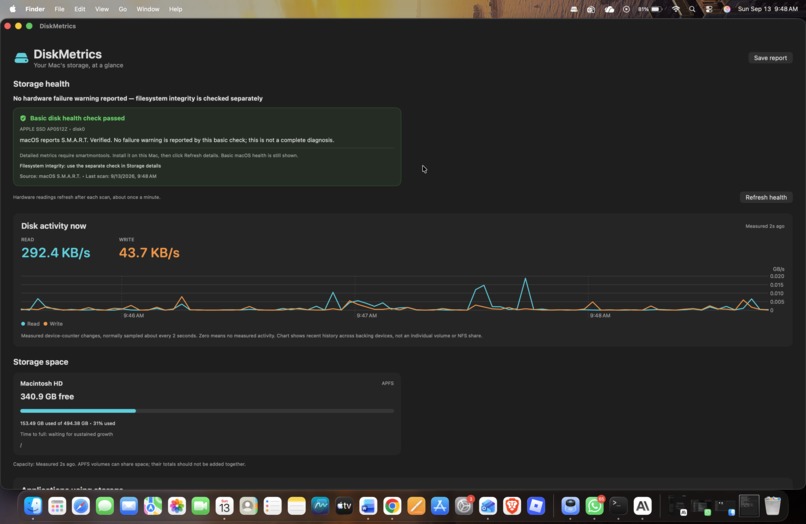
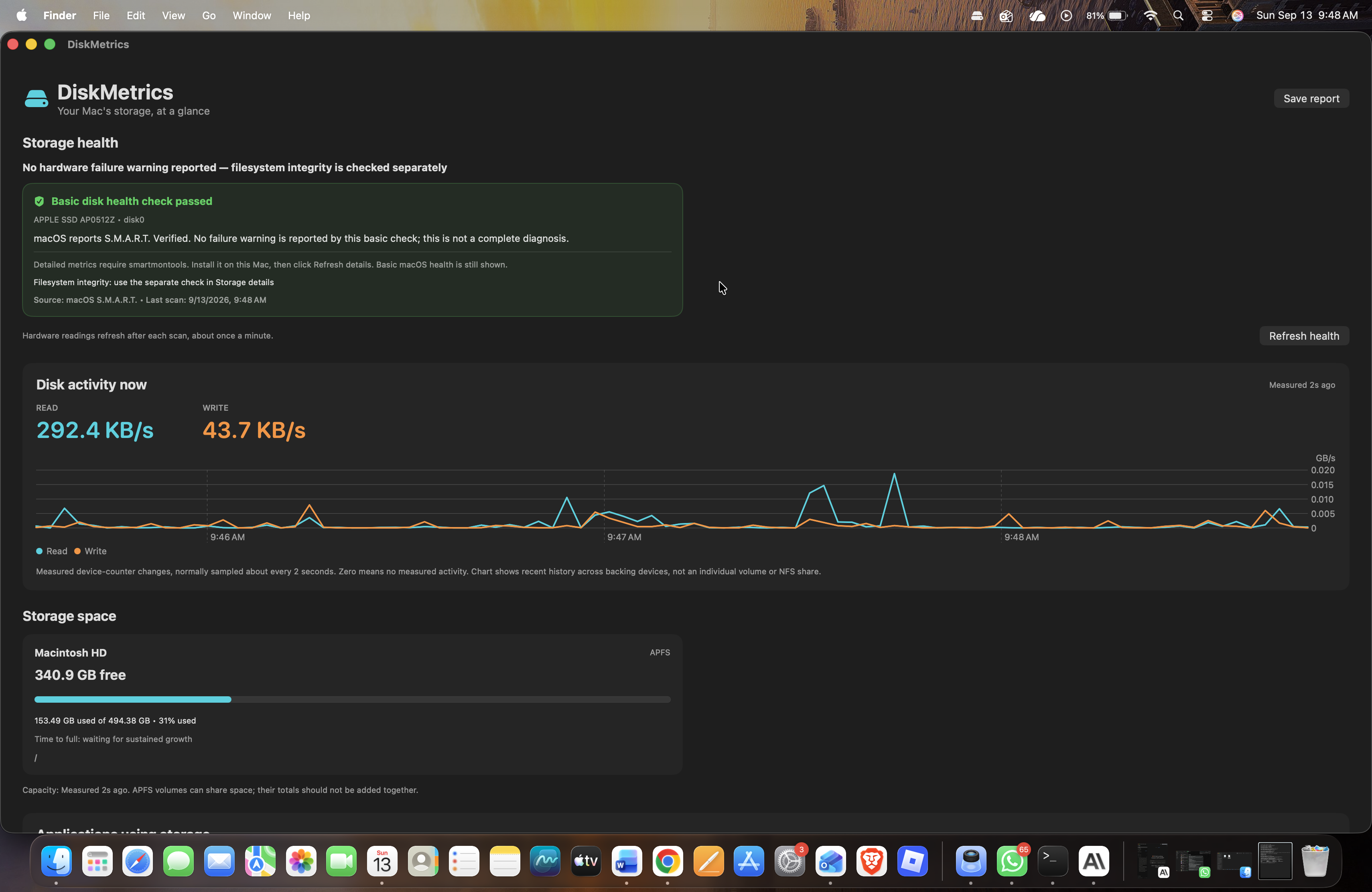
This is the DiskMetrics dashboard window, which provides a detailed breakdown of your drive's storage
-
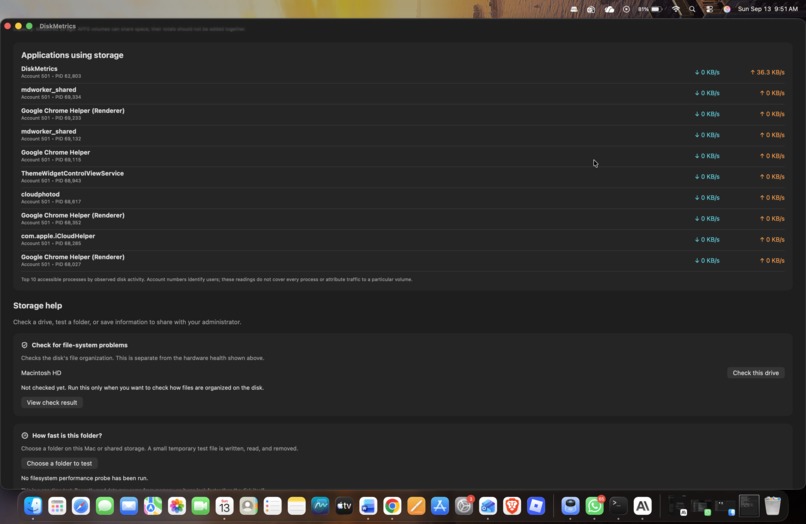
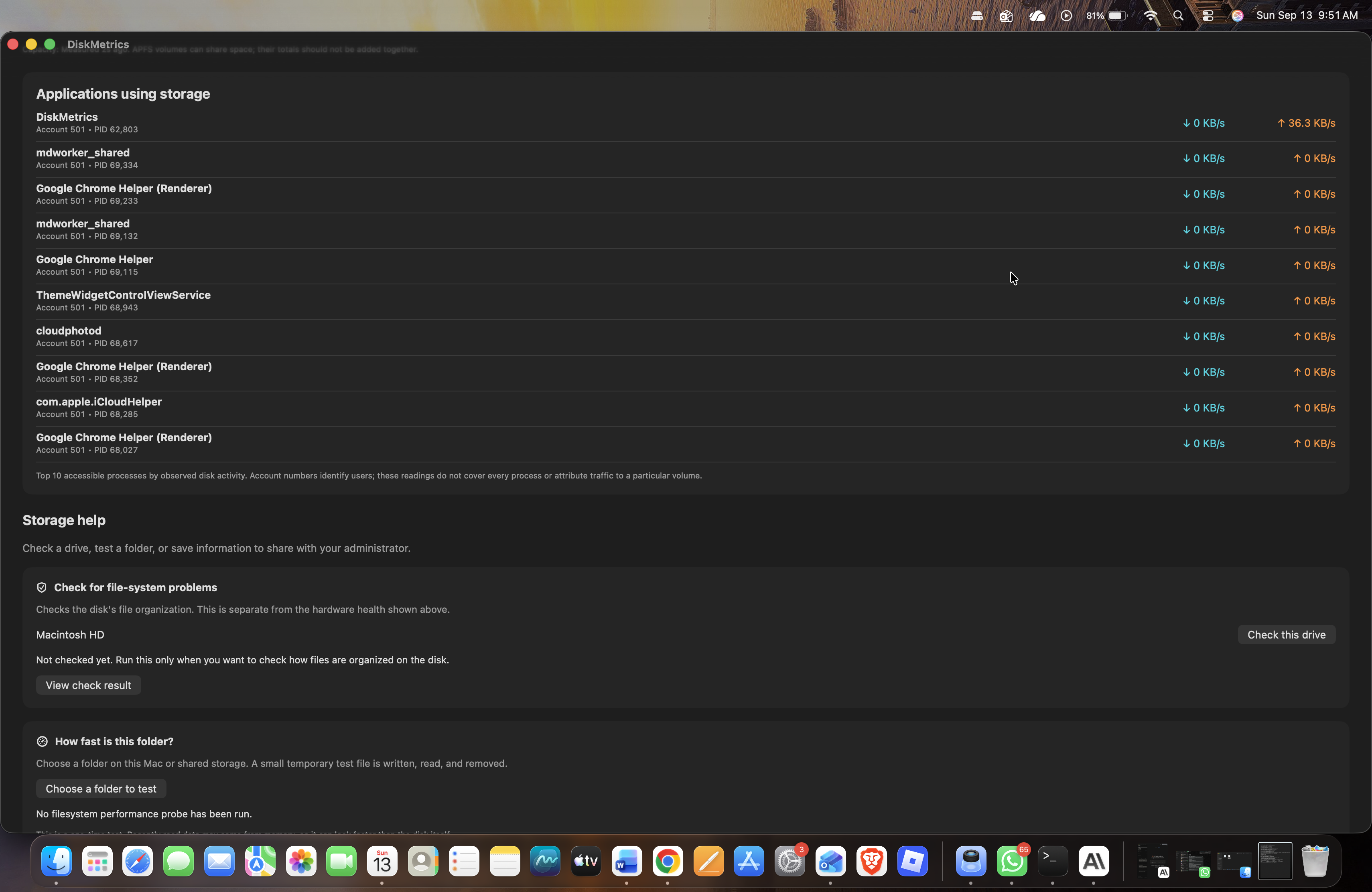
This section shows active disk read and write speeds per application.
-
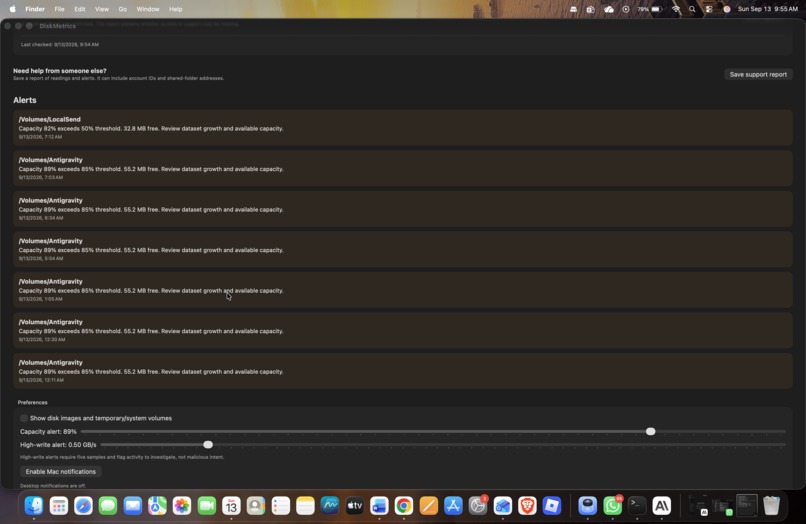
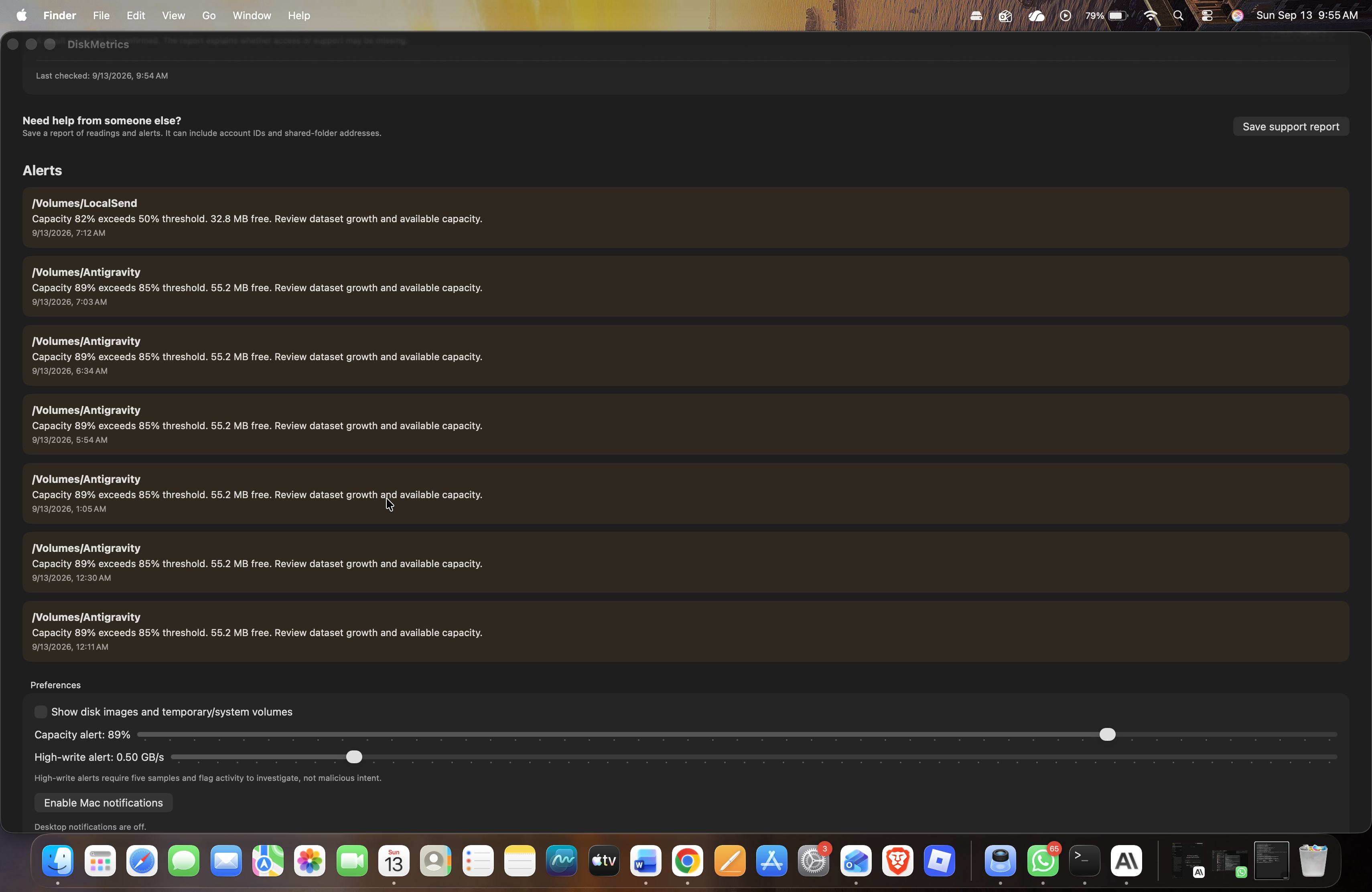
This section lists drive capacity threshold warnings and performance preferences.
Inspiration
Running AI locally means managing the storage behind models and datasets. We wanted to make that easier on macOS, especially for people who are unfamiliar with technical monitoring tools. Our idea was a simple menu-bar app that answers: How much space is left? How busy is my disk? Is my drive reporting a problem?
What it does
DiskMetrics brings storage information into one dashboard. It shows available capacity, live physical-disk read/write activity, accessible process activity, and reported drive health. It also provides capacity alerts, recent-growth estimates, on-demand filesystem checks, a folder speed test, and exportable diagnostic reports. Normal operation uses real macOS measurements; simulated demonstrations are explicitly labeled. The app includes reporting for mounted NFS shares and available user quotas, although these features need further validation against configured servers.
How we built it
We built the native interface with Swift and SwiftUI, with a small C component for accessing macOS process counters. The app combines filesystem APIs with native tools such as diskutil, ioreg, quota, and nfsstat. Our code calculates activity rates from counter changes, tracks measurements, and checks alert conditions. We used Swift Package Manager and a Makefile for building, testing, and packaging, with GitHub Actions for automated macOS checks. We also used AI-assisted development to help write, troubleshoot, and refine the implementation.
Challenges we ran into
We started with limited macOS development experience, so configuring the build tools and packaging a usable app took several iterations. Another challenge was interpreting measurements correctly. Physical-disk activity differs from per-volume activity, and a passing drive health check does not guarantee that a drive cannot fail. Installer disk images also appeared alongside real storage, which showed us how easily technically correct information can confuse users. We worked to simplify the interface while keeping unavailable data and measurement limitations visible.
Accomplishments that we're proud of
We turned the challenge into a working native Mac app with live measurements, alerts, and reports. We improved the dashboard through hands-on feedback and created an update workflow that avoids manually deleting the installed app. We also published open-source code, build instructions, and a downloadable preview, making the project accessible for others to explore.
What we learned
We learned how macOS organizes storage, how cumulative counters become read/write speeds, and why volumes, physical drives, and network shares need different interpretations. We also learned that good monitoring depends on explaining uncertainty. An unavailable reading should remain unavailable, and heavy disk activity should prompt investigation rather than automatically label someone malicious.
What's next for Disk Metrics
We plan to validate NFS and quota reporting on real shared-storage servers, improve per-filesystem throughput measurement, and investigate pNFS support. Other priorities include broader hardware testing, clearer storage explanations, more resilient collection when network mounts stall, and Apple signing and notarization for smoother installation.

Log in or sign up for Devpost to join the conversation.