Inspiration
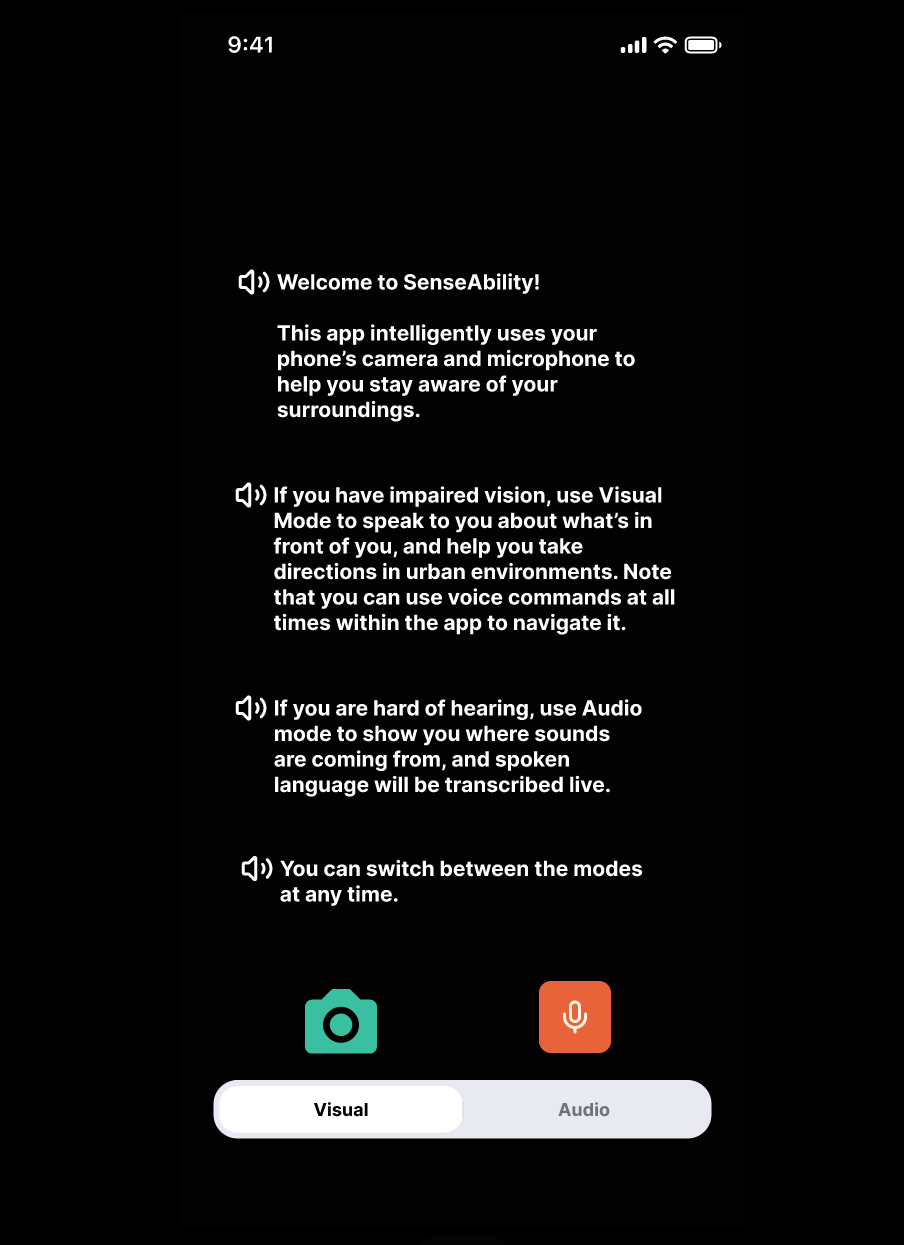
We were inspired by the challenges faced by people with visual and hearing impairments in navigating everyday environments. SenseAbility aims to create an inclusive app for blind and deaf people by leveraging visual and audio AI models to transcribe the environment to them.
What it does
SenseAbility helps blind and deaf users navigate the world by transcribing their environment to them. It can be used completely through voice control, allowing blind users to make full use of the app. It will also use haptics for both blind and deaf users to communicate new information. The app is centered around two assistance modes:
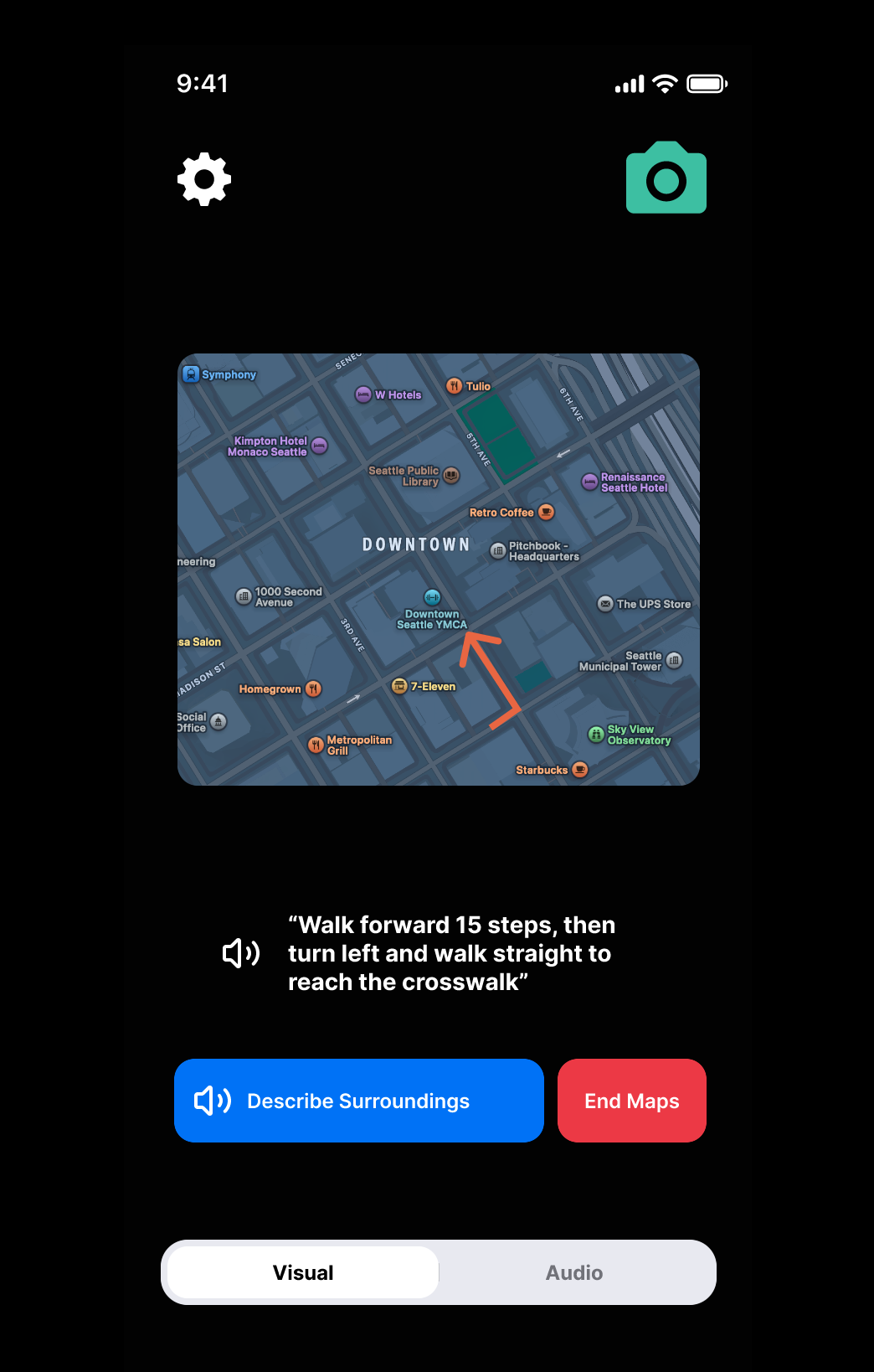
Visual Mode (for blind users): Uses camera and voice feedback to describe surroundings. Features include live object detection that speaks what's in front of the user (e.g. "Person on your right," "bench ahead"), haptic alerts for nearby objects, and a navigation mode that provides spoken directions. The UI features a simple black screen with a "Describe surroundings" button and voice output.
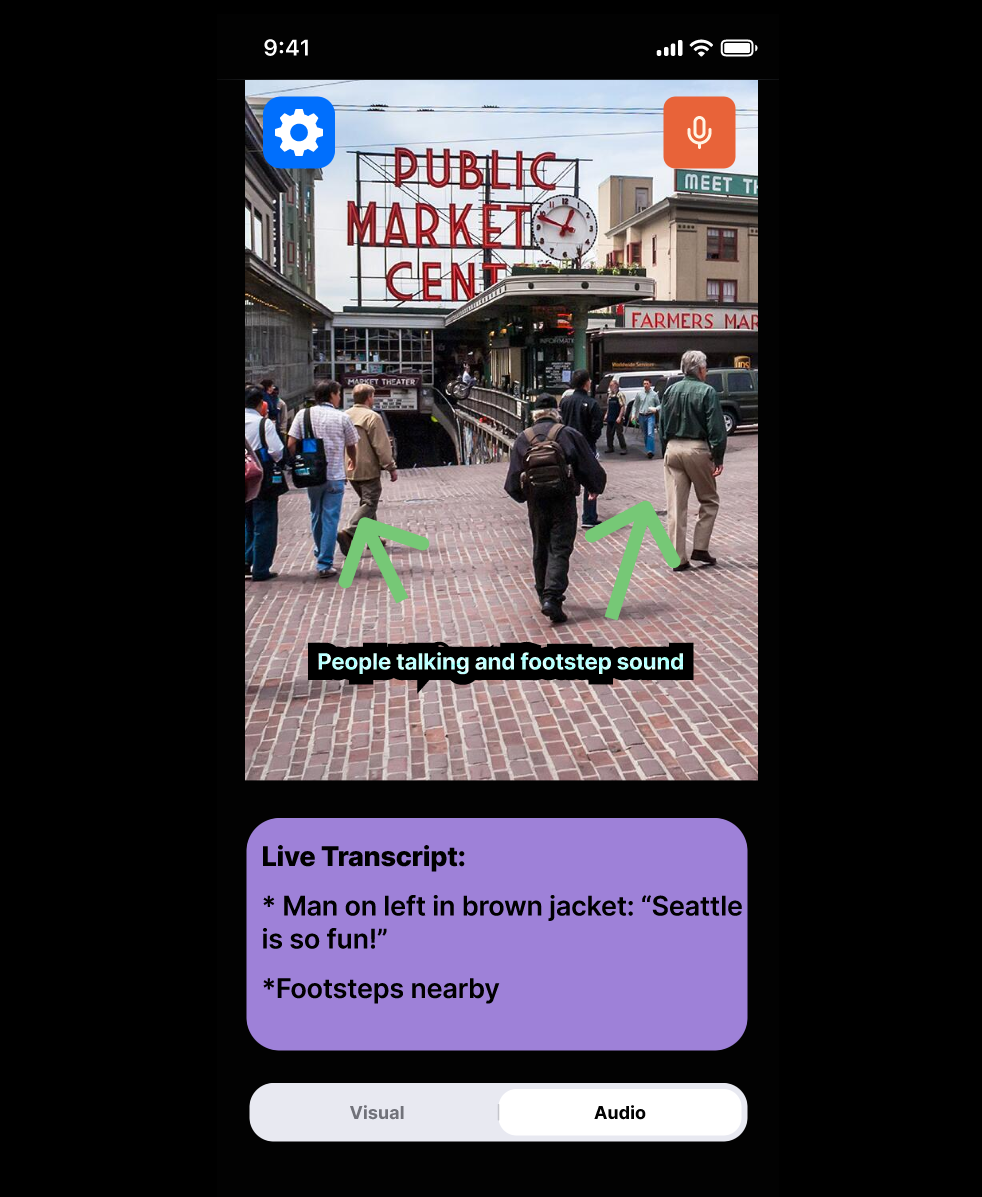
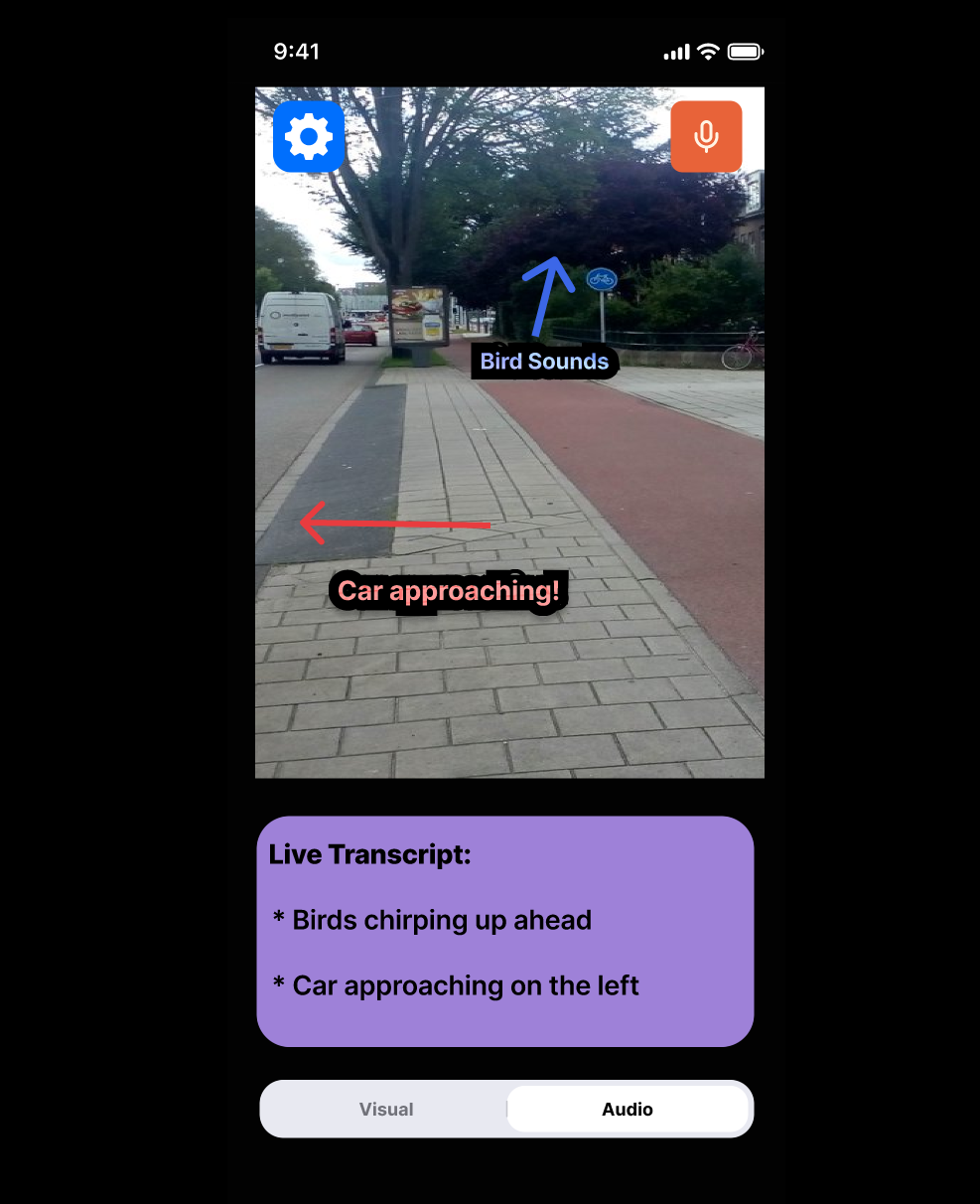
Audio Mode (for deaf users): Uses camera, microphone and visual cues (text + directional arrows on camera view) to transcribe and localize sound. Features include live transcription of speech and environmental sounds, sound source localization that shows what's making noise (e.g. "barking dog," "doorbell"), and color-coded subtitles (red for urgent sounds, green for speech, blue for ambient noise). The UI displays a split screen with live video on top and live subtitles below.
How we built it
We chose the no-code option, using Figma to design our app's UI, and used Figma's prototyping feature to create an interactive experience that simulates the actual functionality of the app. This allowed us to create the core features without writing code or training models.
Challenges we ran into
One of our biggest challenges was when some icons weren't appearing in our prototype because they were not placed under the correct page in our design file. This led to confusion during testing as important visual cues were missing. We had to reorganize our component structure to ensure all elements appeared correctly.
Accomplishments that we're proud of
We are proud of using Figma's prototyping capabilities to make the UI feel like a real app, complete with transitions and interactive elements that respond to user input.
What we learned
This project taught us valuable lessons about inclusive design principles and how to leverage Figma's prototyping features to simulate moving between the app pages like a user would do for a real app.
What's next for SenseAbility
Our next steps include converting the Figma prototype into a functional app, implementing machine learning models for more accurate object detection and sound recognition, and doing user testing with people who have visual and hearing impairments to fine-tune the user experience.
Built With
- figma


Log in or sign up for Devpost to join the conversation.