-
-
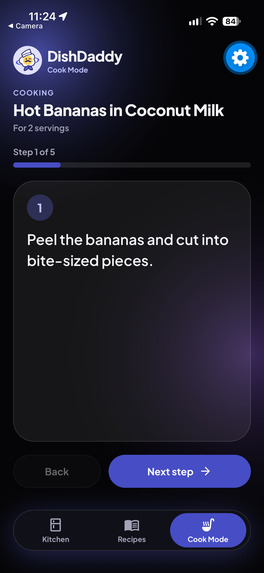
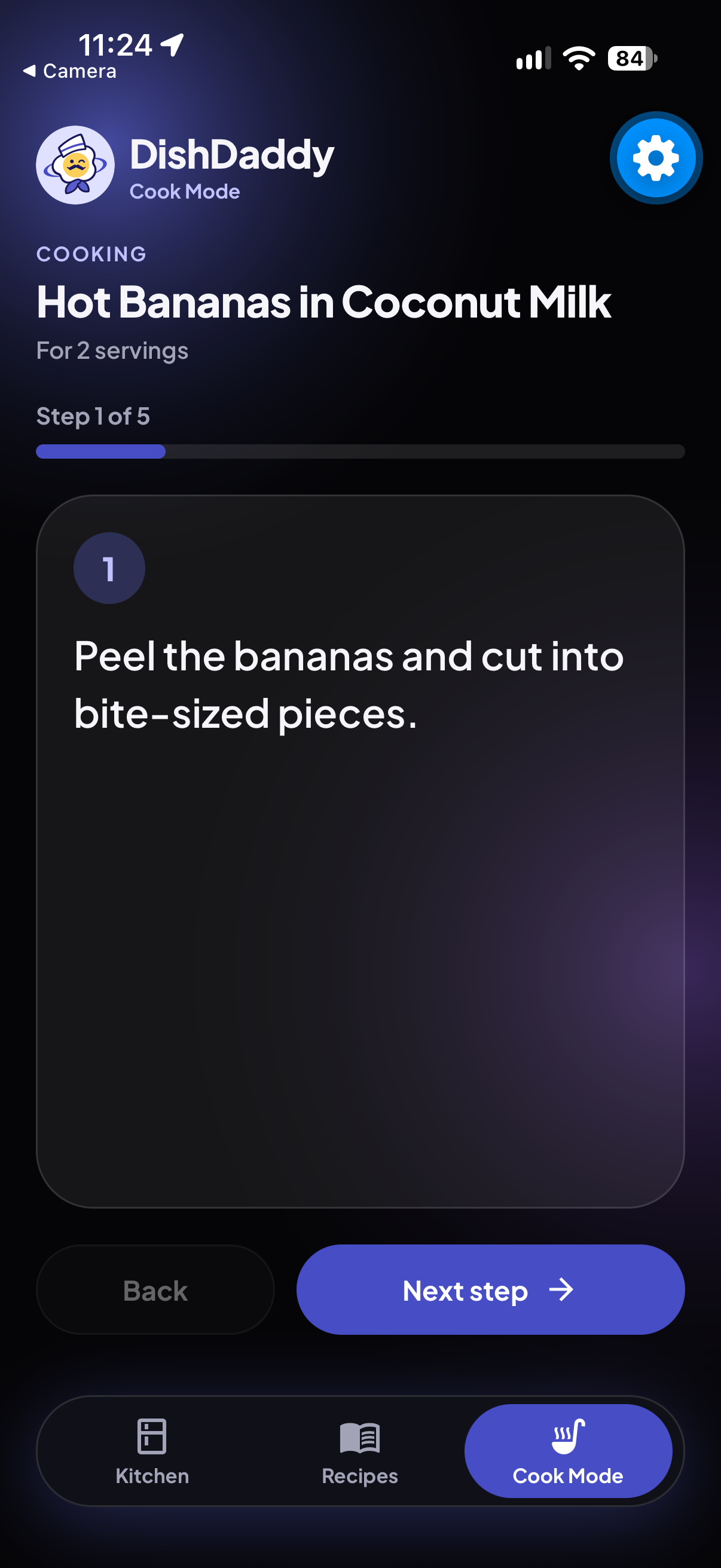
Cooking recipe
-
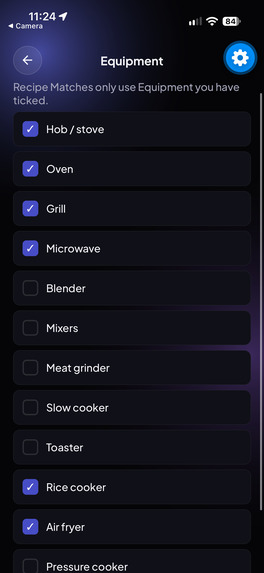
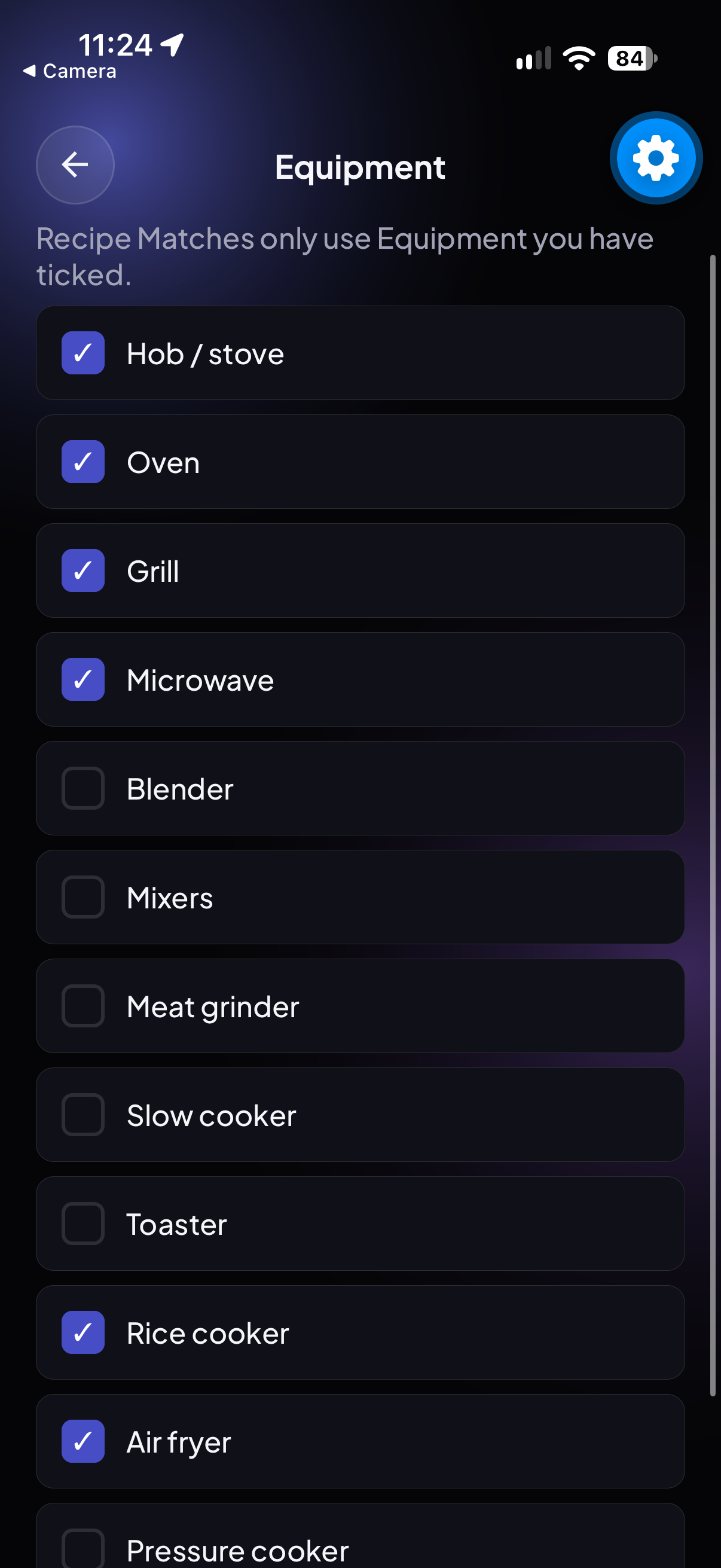
Choosing cooking appliances
-
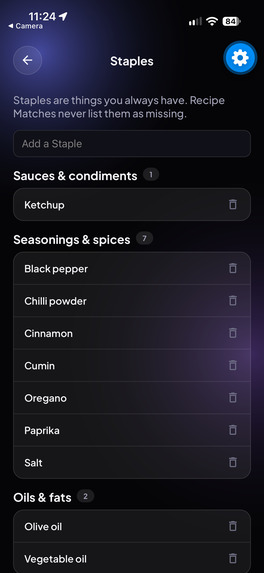
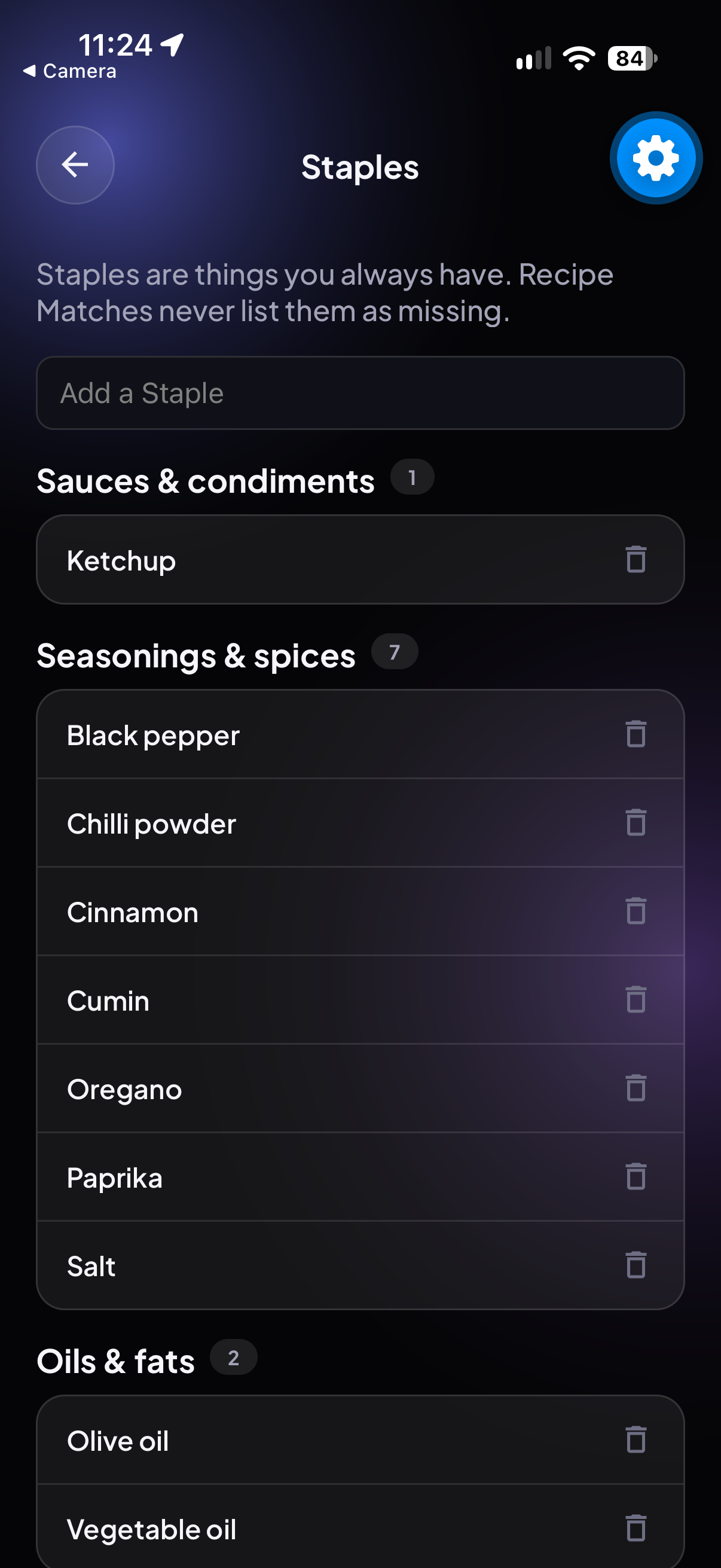
Adding staple ingredients
-
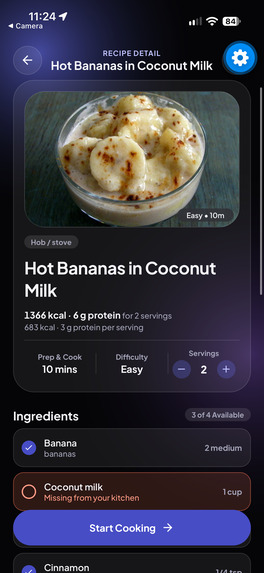
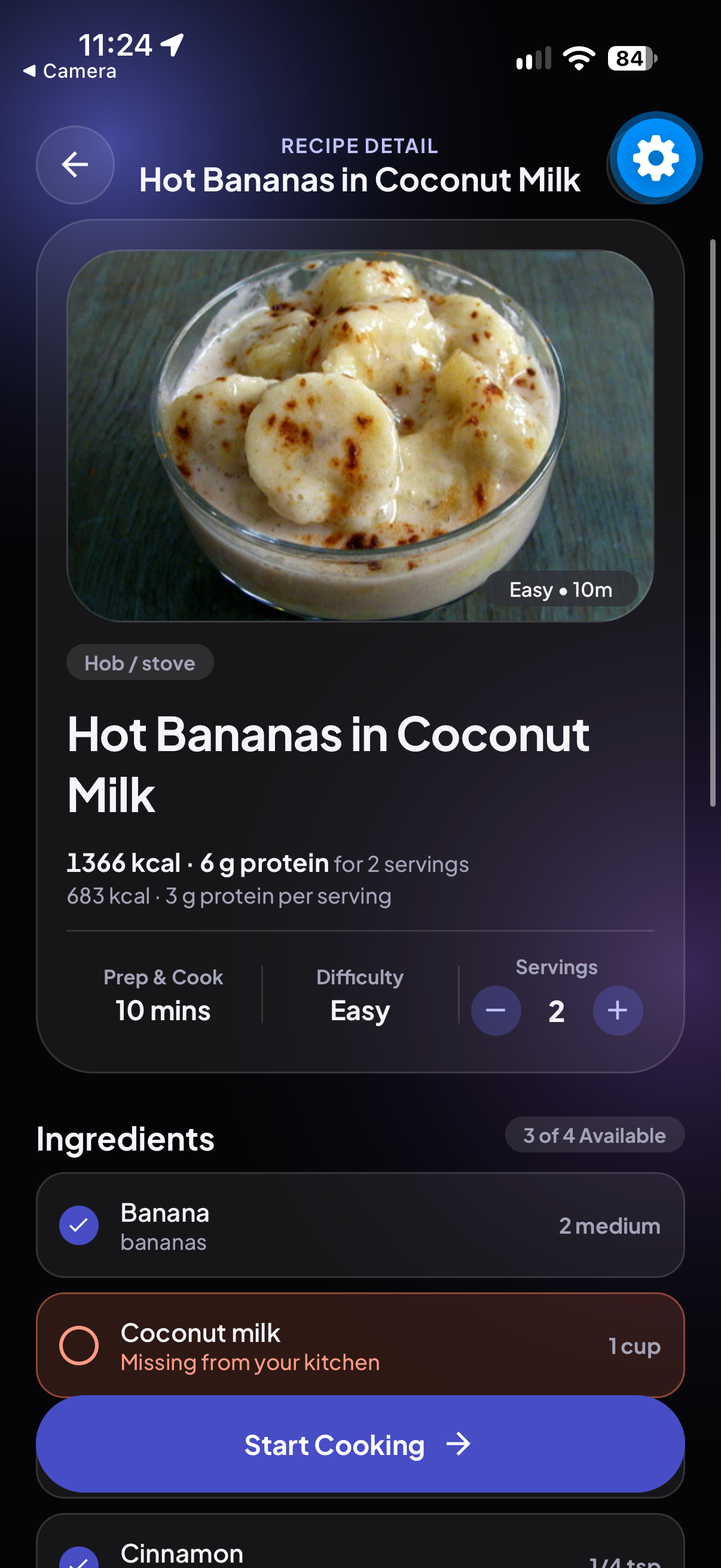
Looking at recipe
-
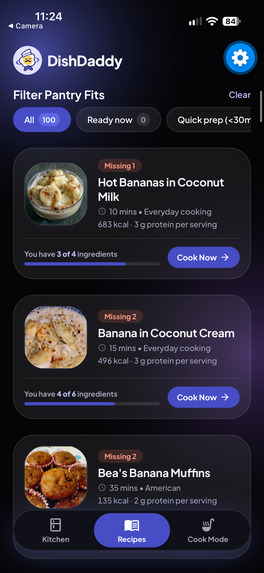
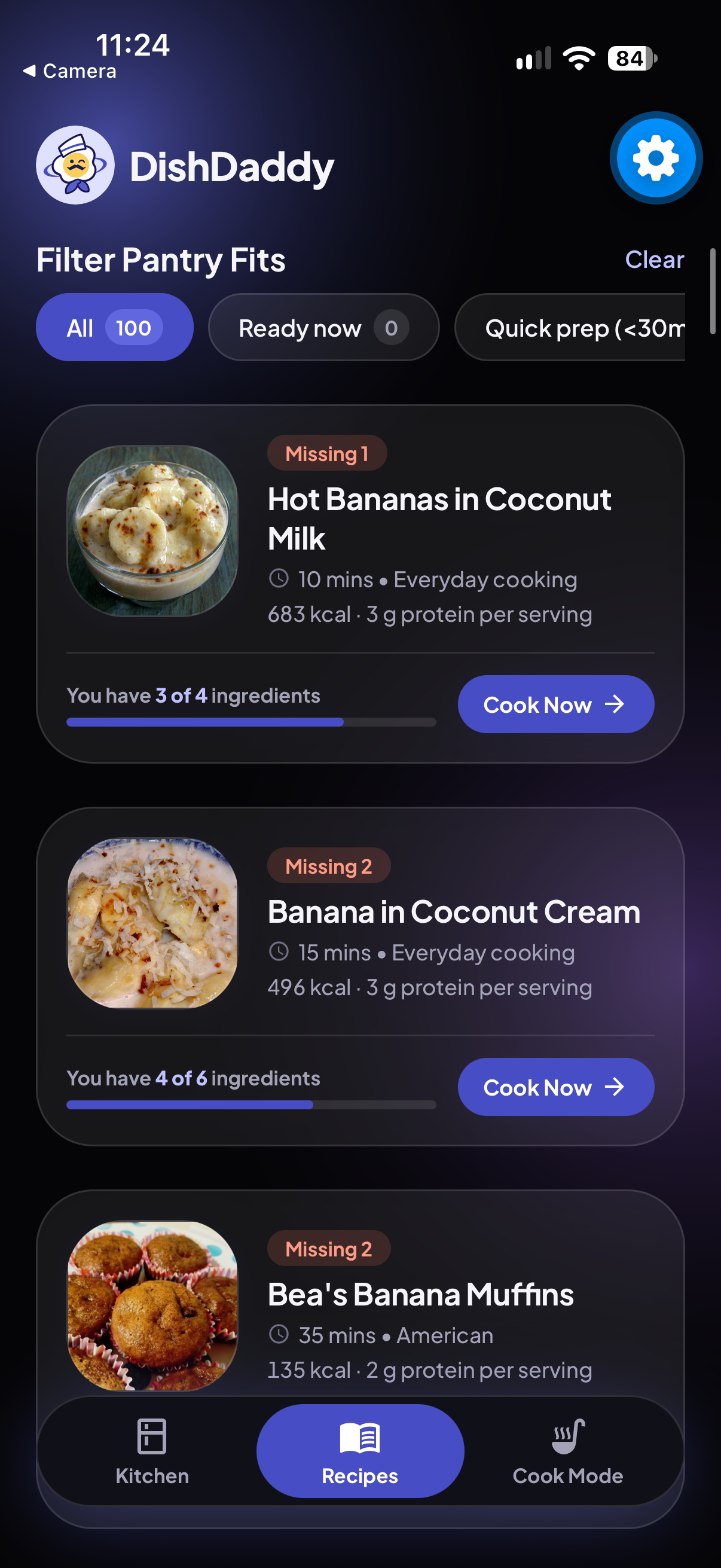
Recipes Page
-
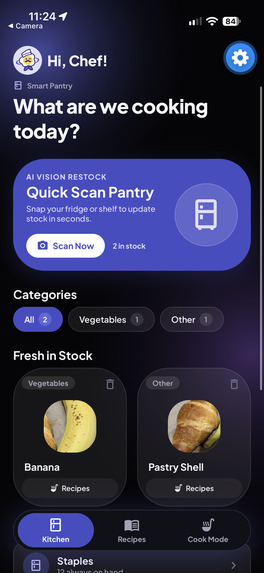
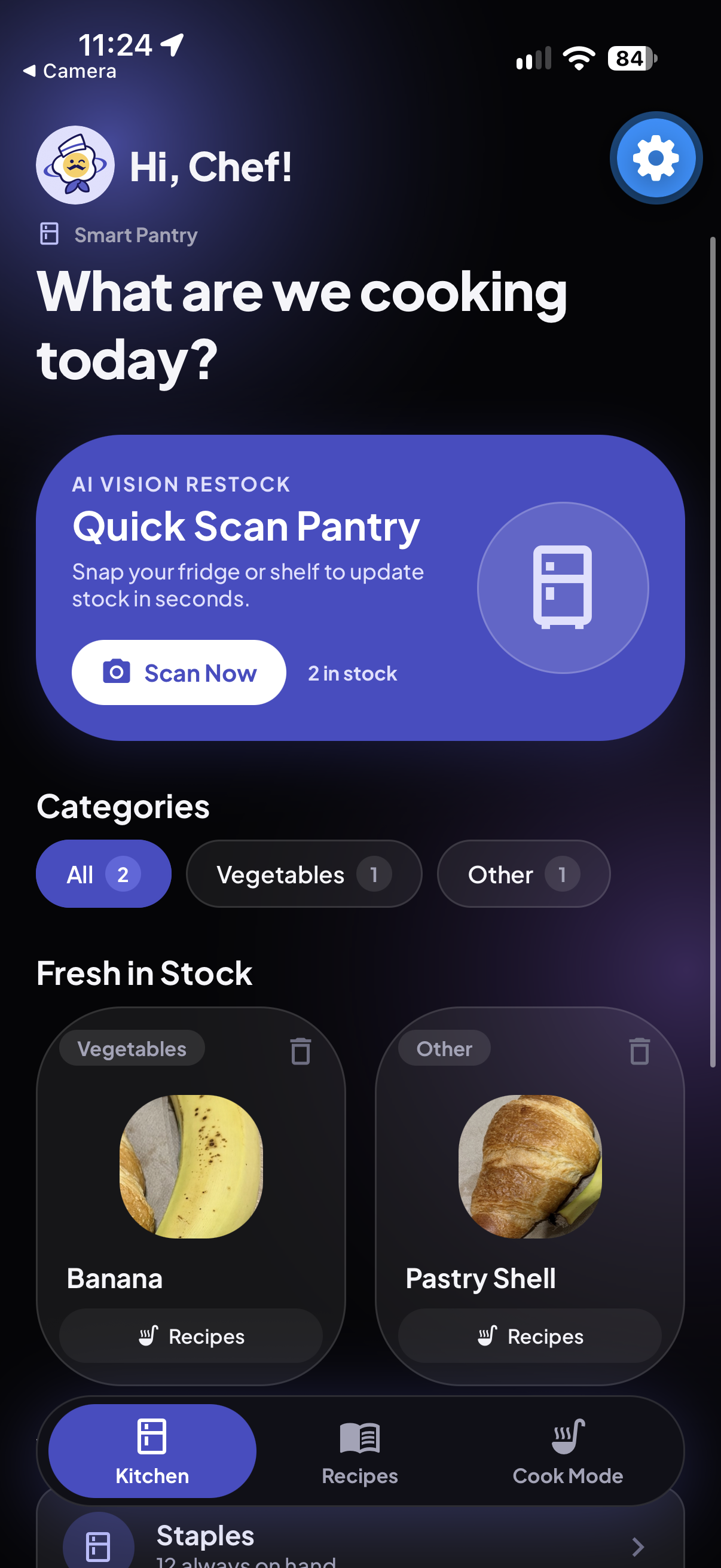
Home page with scanned ingredients
-
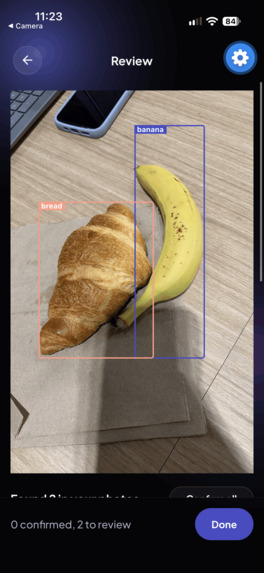
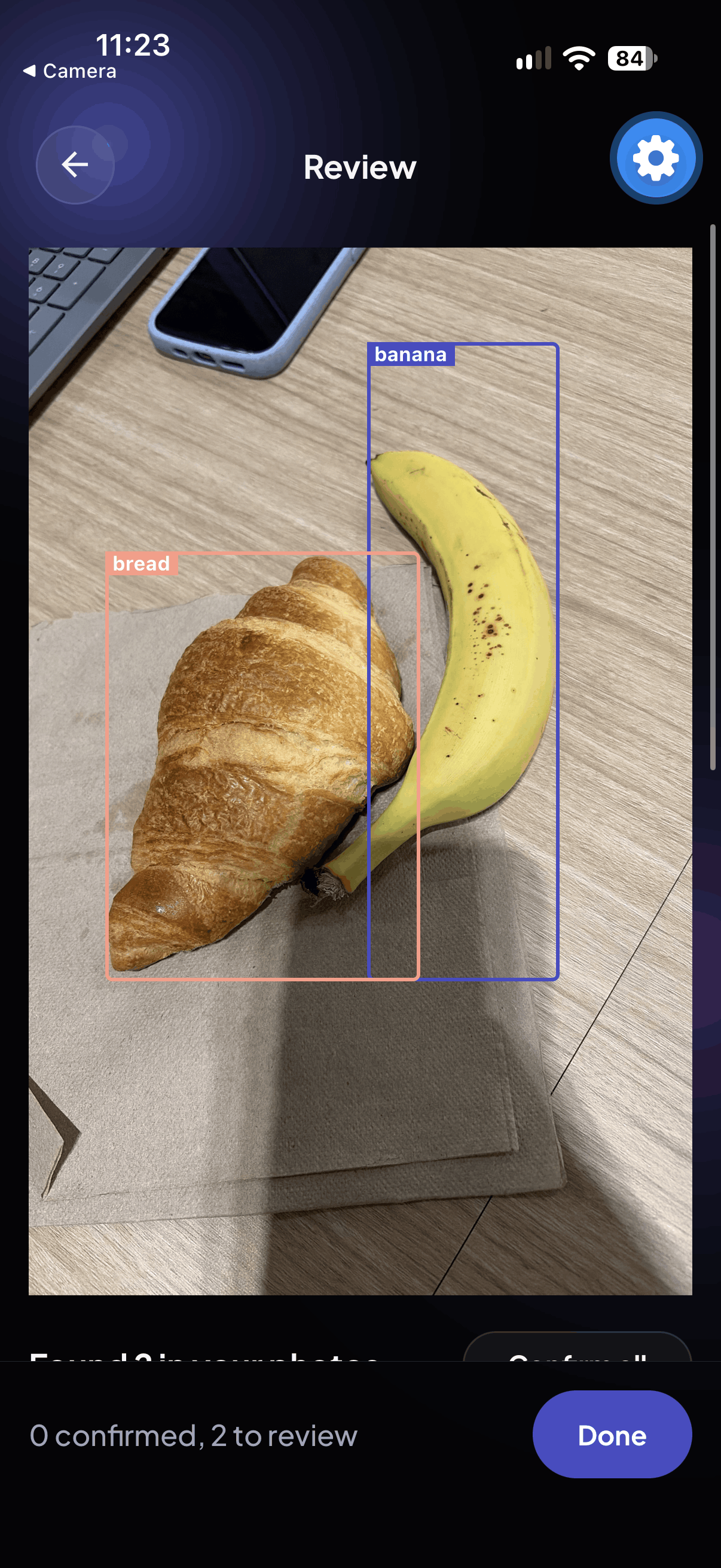
Scanning the food using vision LLM
-
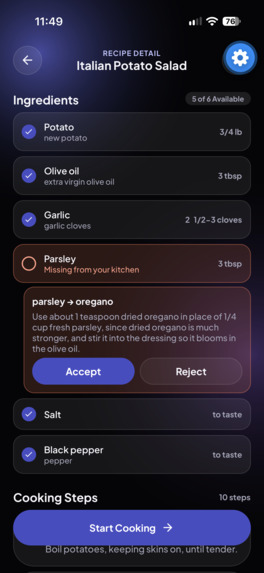
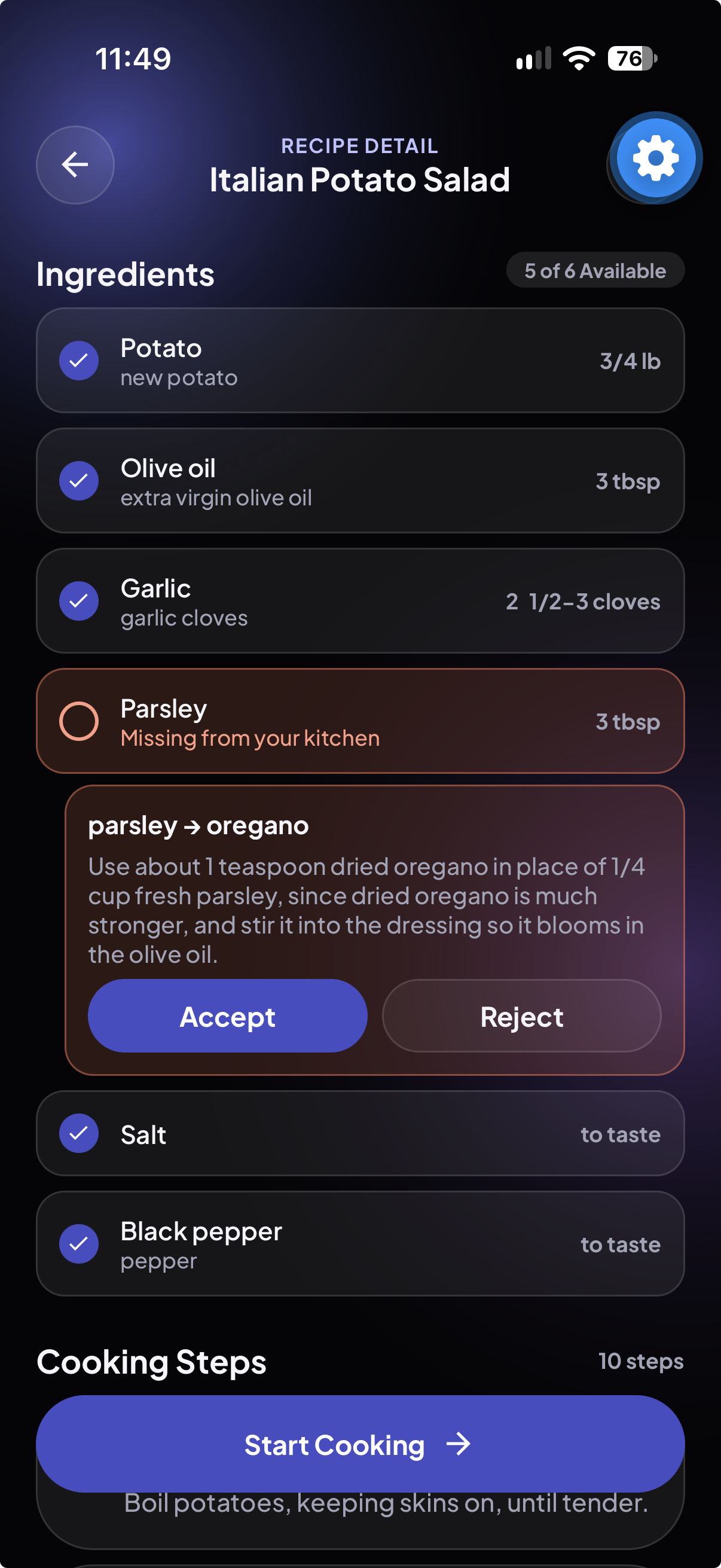
Suggestion for a replacement ingredient that we dont have
Inspiration
Every evening starts with the same question: "What can I make with what's already in the fridge?" Food gets forgotten, wasted, and replaced by takeout. We wanted to answer that question in seconds, with a photo instead of a search.
What it does
DishDaddy is a smart pantry for your phone. Snap a few photos of your fridge and the app detects your ingredients and draws a box around each one. You confirm them in a quick Review step, and fix anything it got wrong, name unknown items, or scan a barcode. Each item keeps its own photo in your "Fresh in Stock" list until you remove it.
From there, it matches recipes you can cook right now and shows what's missing from the rest. You can:
- set your staples and the 12 appliances you own, so matches fit your kitchen;
- change the serving size, which rescales ingredient amounts, steps, calories and protein;
- ask for substitutions for missing ingredients, built only from what you have;
- save recipes and cook step by step in Cook Mode.
How we built it
- Phone app: Expo (React Native) with Expo Router, running in Expo Go, with Reanimated for motion and haptics.
- Server: a small Hono/TypeScript server that sends photos to a vision LLM for detection and generates substitutions. A shared package of TypeScript types keeps the app and server in agreement.
- Recipes: we filtered the 1.5 GB Food.com dataset down to well-rated recipes. Because the data had no units, we used an LLM to infer them, and we checked every result against the original ingredient list.
- Website: a companion Next.js site with React Three Fiber, GSAP and Framer Motion, built in the same bold black design.
- Process: four lanes on separate branches, written contracts between them, and tests for the core logic (well over 150 automated tests).
Challenges we ran into
- Detection accuracy was our top priority. Real fridges are messy. We added confidence scores, "Is this X or Y?" choices, an unknown-item flow and a barcode override so the user always has the final say.
- Recipe data without units. Quantities came as bare numbers, so we infer and validate units, then clean up step text deterministically.
- Rate limits and providers. We hit free-tier limits and moved our detection model partway through the build.
- Phone details: photo uploads from Expo's file system, navigation edge cases, and getting a phone to reach a server on a laptop.
Accomplishments that we're proud of
- A full loop from a photo of your fridge to a cooked meal, working on a real phone.
- A single design carried across a mobile app and a 3D website.
- Serving-size scaling that also adjusts calories and protein, so one-person meals work properly.
- Substitutions that only suggest ingredients you actually have.
What we learned
- Putting the user in control of an AI result (the Review step) matters as much as the model itself.
- Writing shared contracts early let four people work in parallel with few conflicts.
- Real data is never clean, and validating AI output against known data beats trusting it blindly.
What's next for DishDaddy - Smart Pantry
- A true Smart Pantry that remembers everything you've confirmed over time, with expiry reminders and "use it soon" recipe suggestions.
- A grocery list built from the missing ingredients of the recipes you save.
- Photo scanning on the website
- A hosted server and a much larger recipe collection.
Built With
- anthropic-claude-haiku
- asyncstorage
- claude-api
- expo-go
- expo-router
- expo.io
- framer-motion
- google-gemini-api
- gsap
- hono
- kaggle-food.com-dataset
- next.js
- node.js
- react
- react-native
- react-native-reanimated
- react-three-fiber
- stitch
- tailwind-css
- three.js
- typescript
- vitest


