-
-
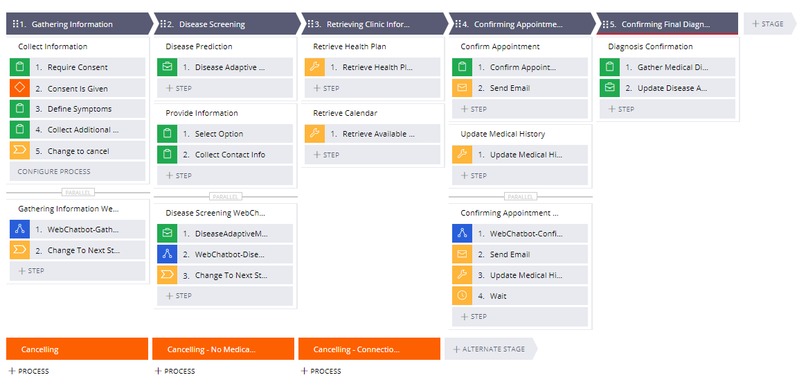
Disease Screening case type
-
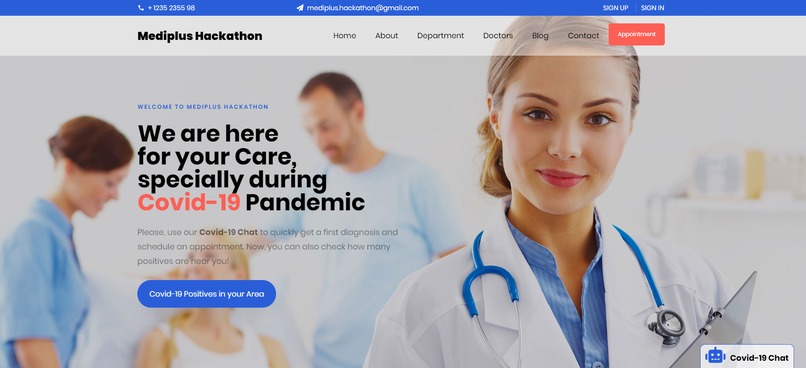
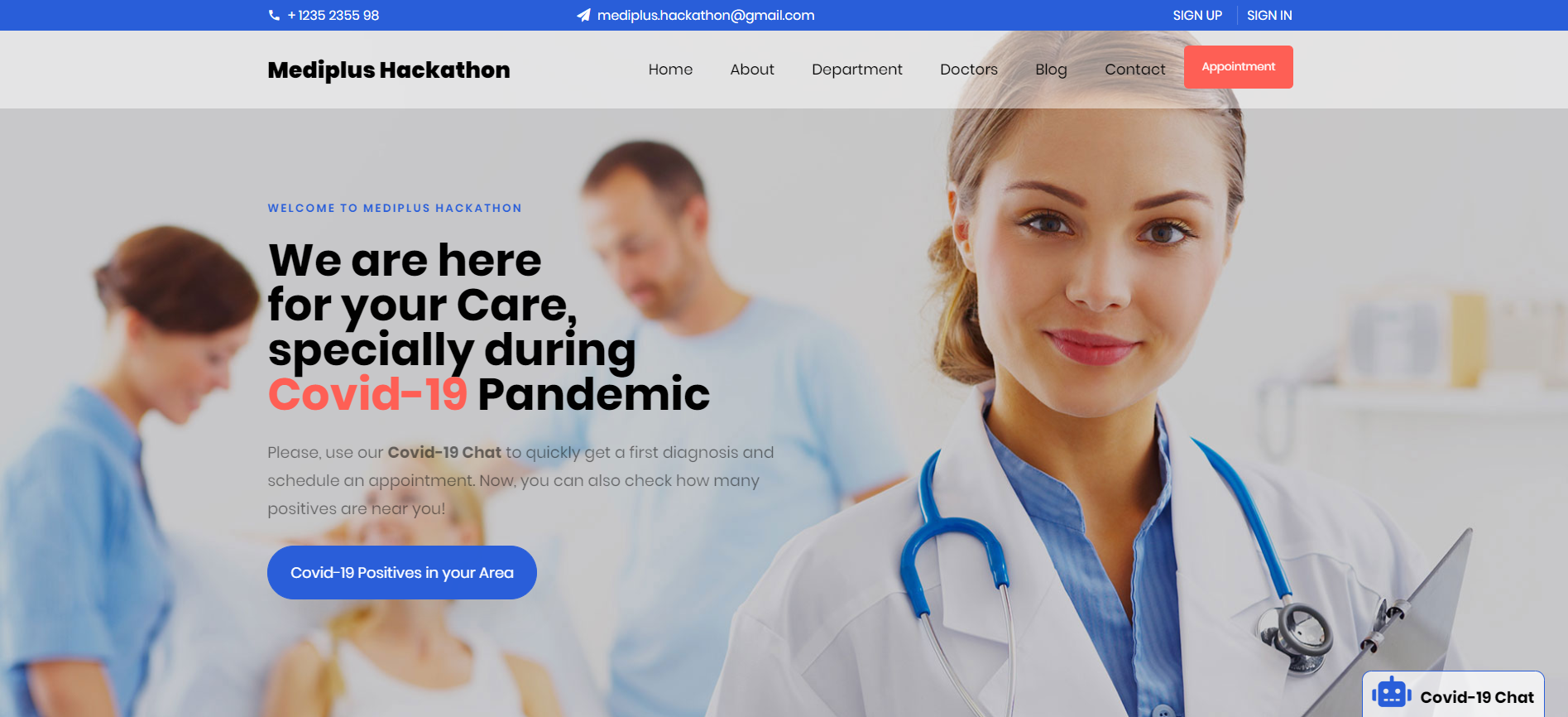
Mock Medical Website with embedded chatbot (closed)
-
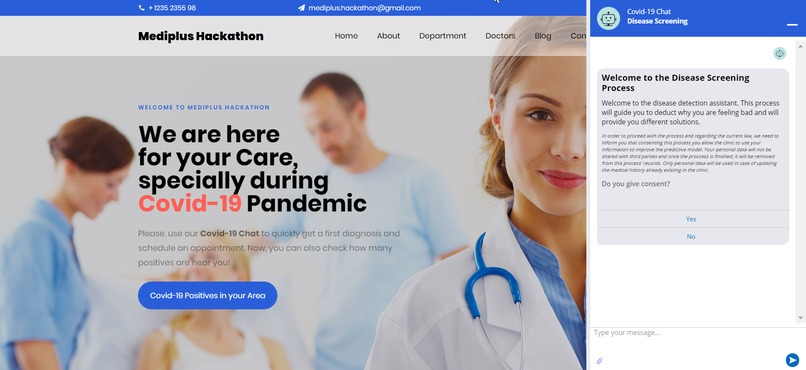
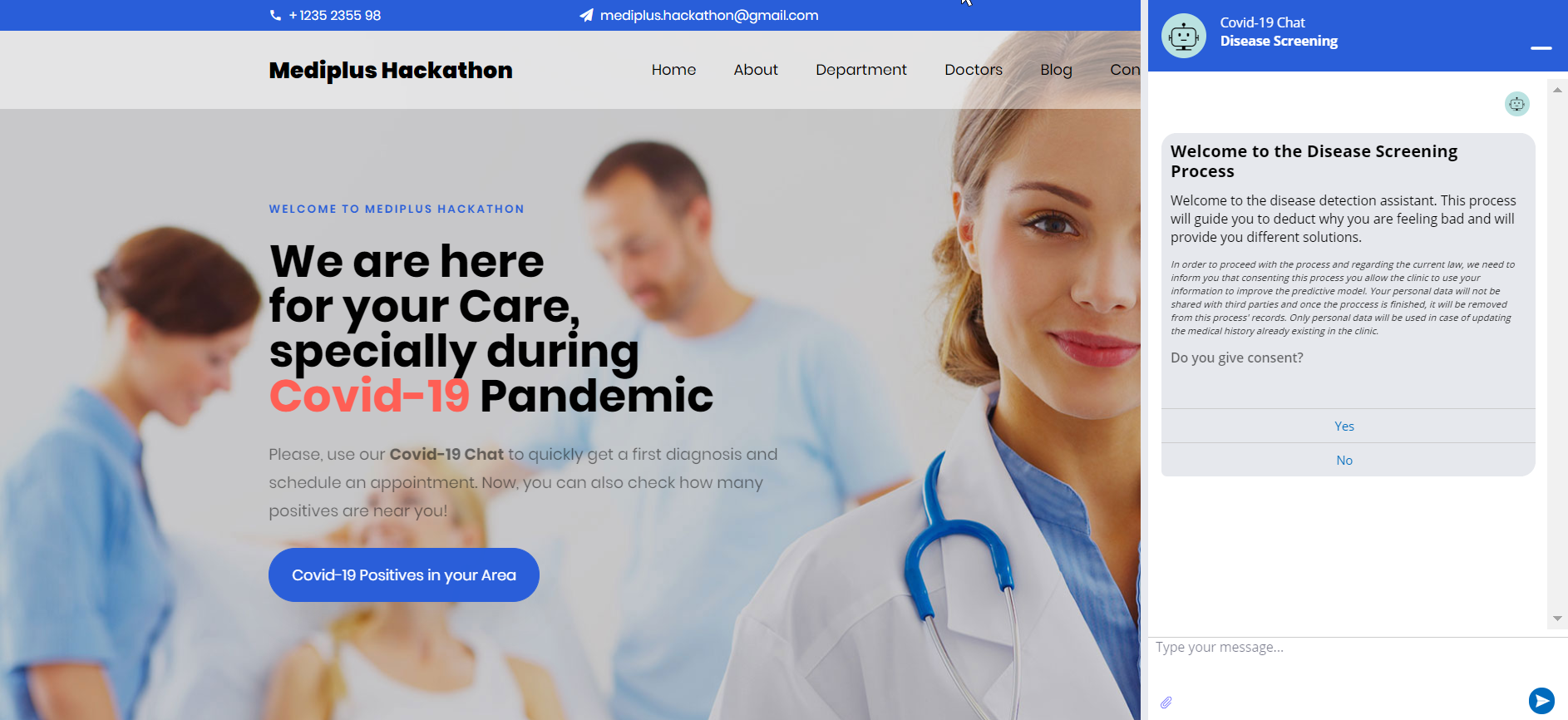
Mock Medical Website with embedded chatbot (opened)
-
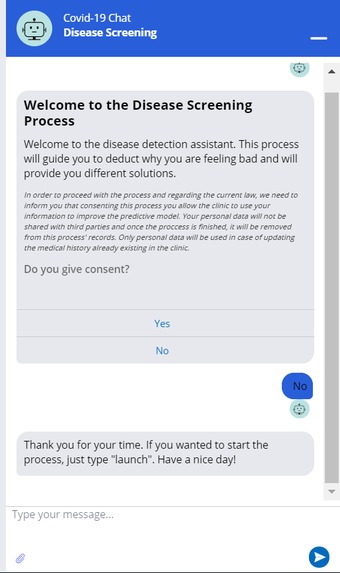
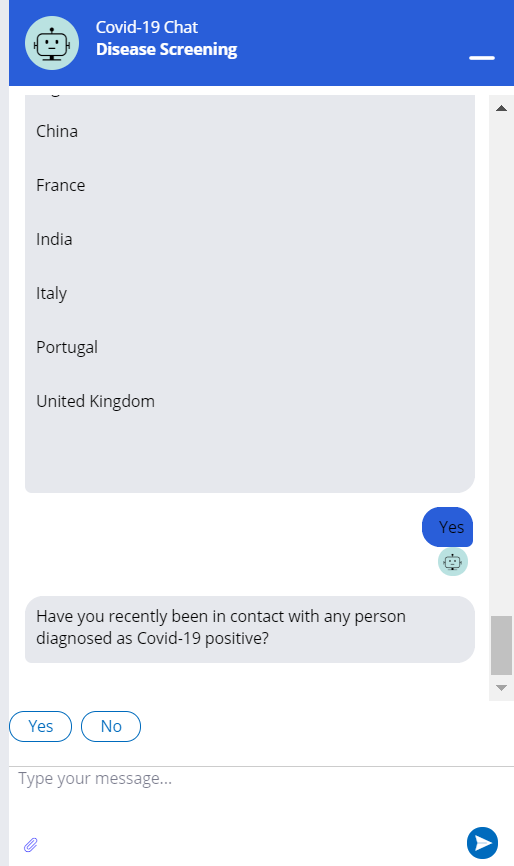
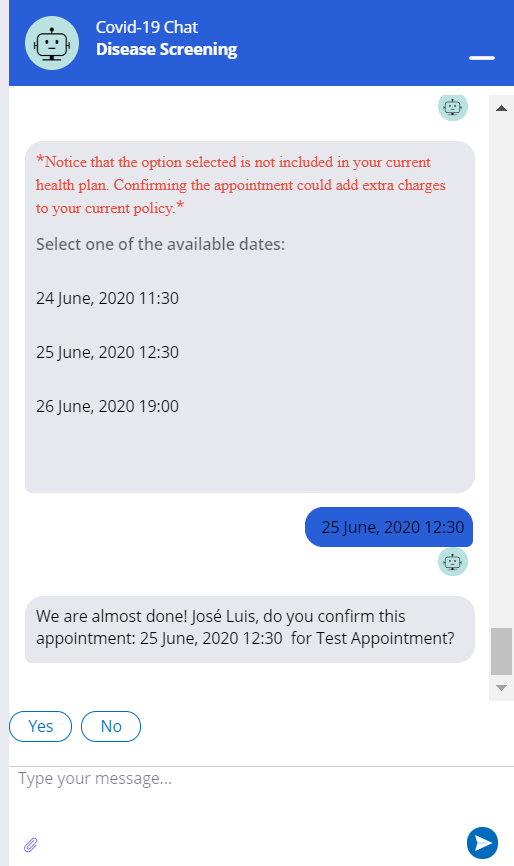
Chat screenshot (1)
-
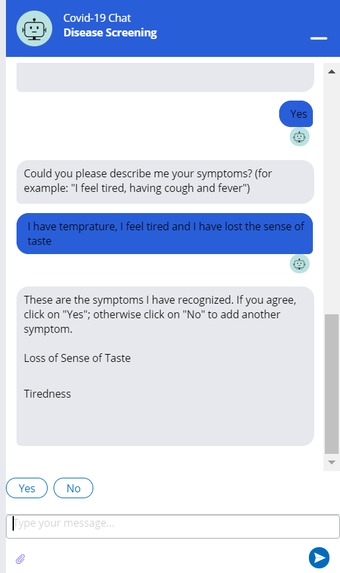
Chat screenshot (2)
-
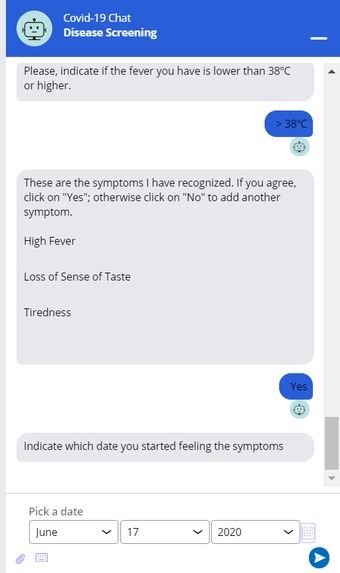
Chat screenshot (3)
-
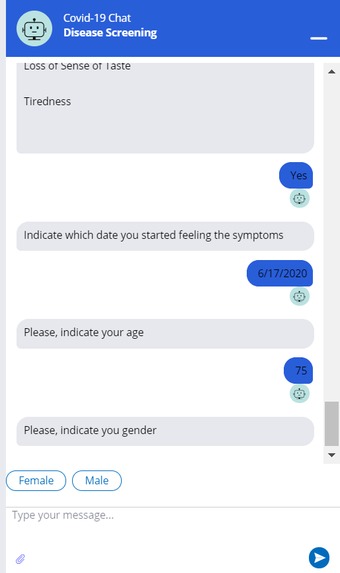
Chat screenshot (4)
-
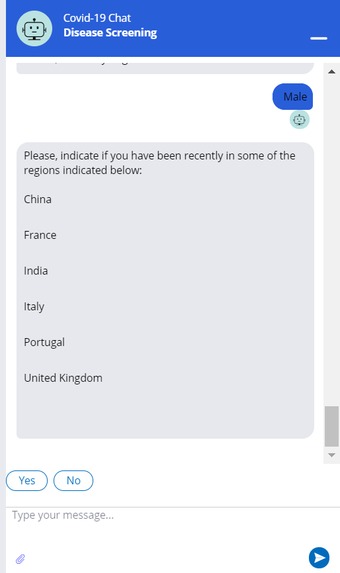
Chat screenshot (5)
-
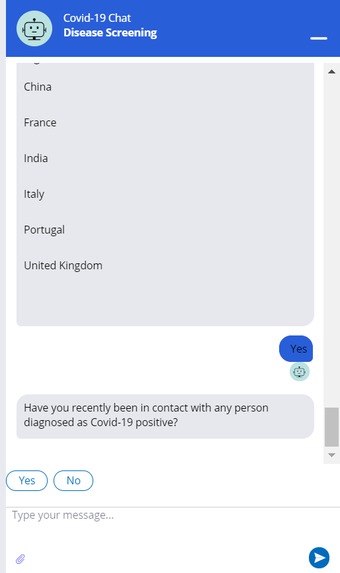
Chat screenshot (6)
-
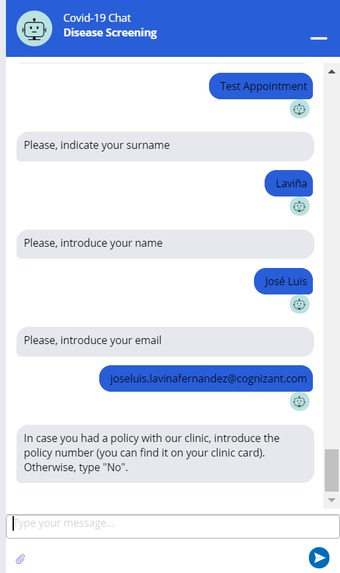
Chat screenshot (7)
-
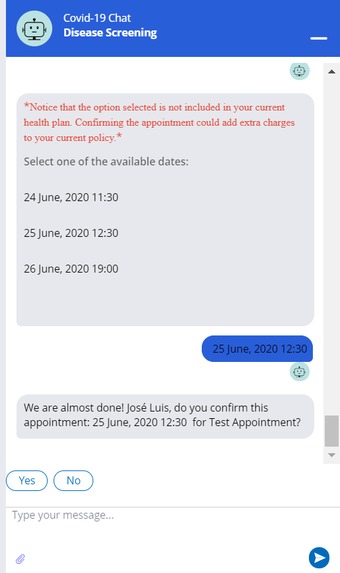
Chat screenshot (8)
-
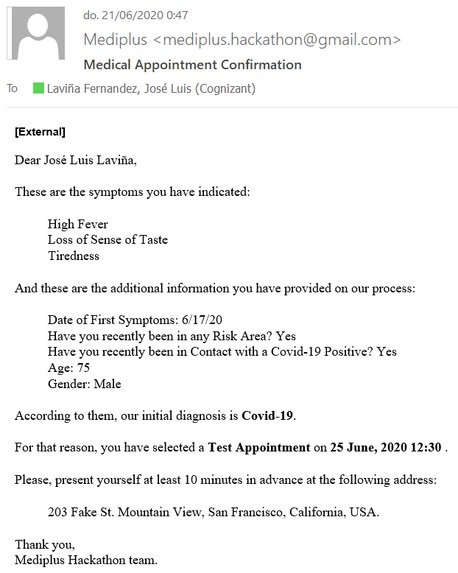
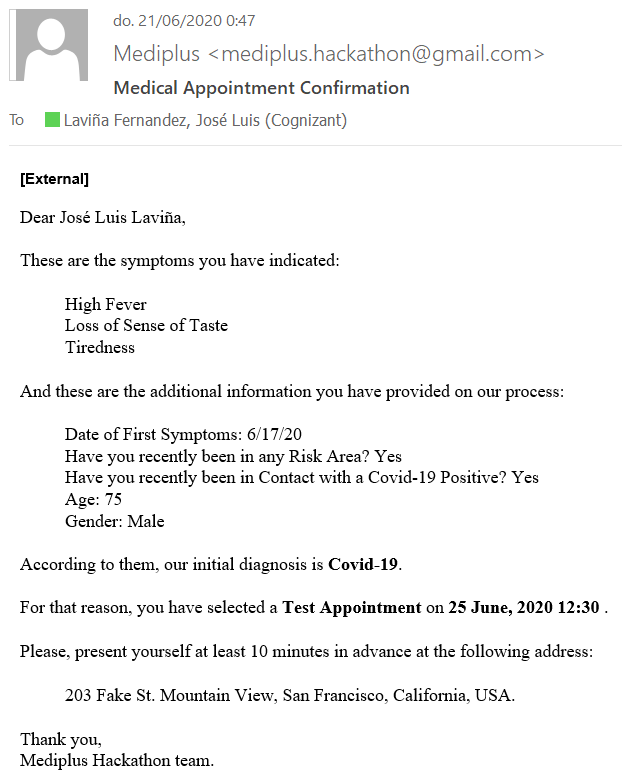
Confirmation email with a summary of the process
-

Pega API's used for complete the case
-
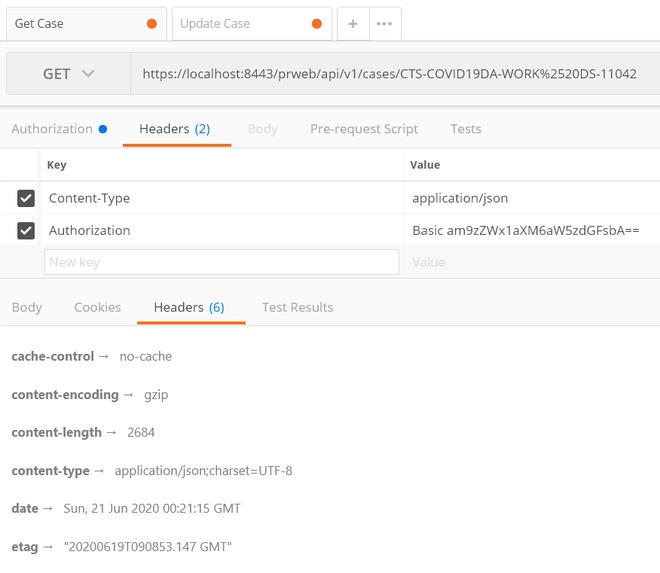
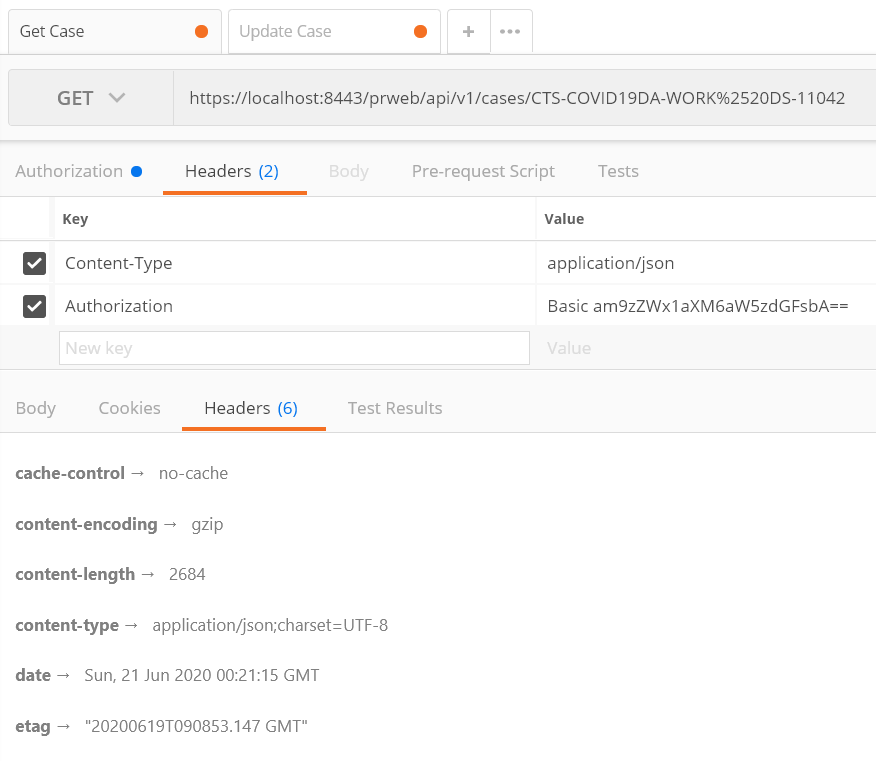
Pega API call (GET) header response
-
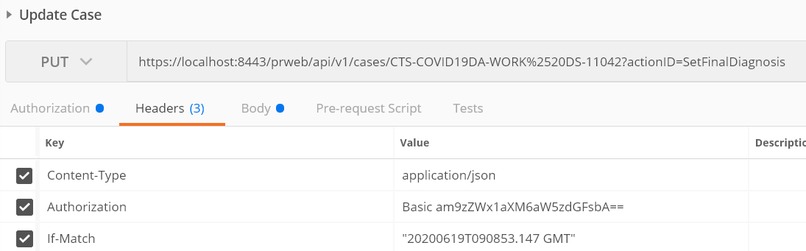
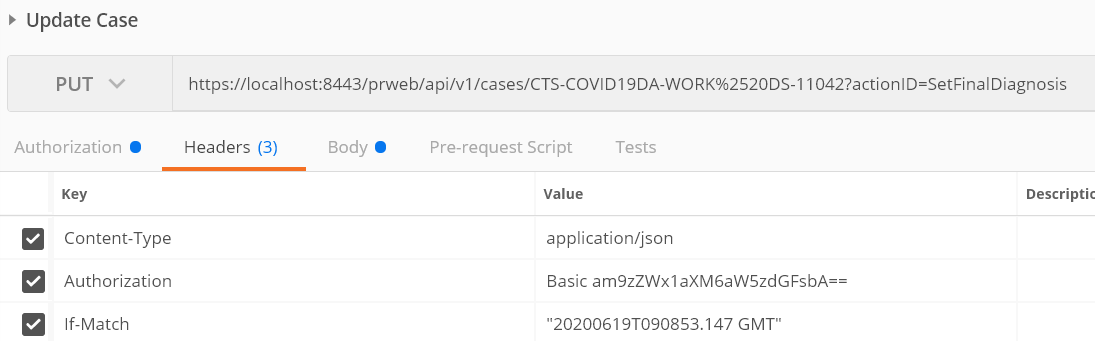
Pega API call (PUT) header request
-
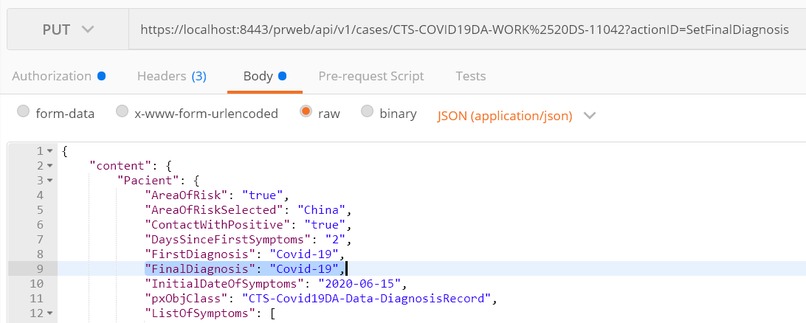
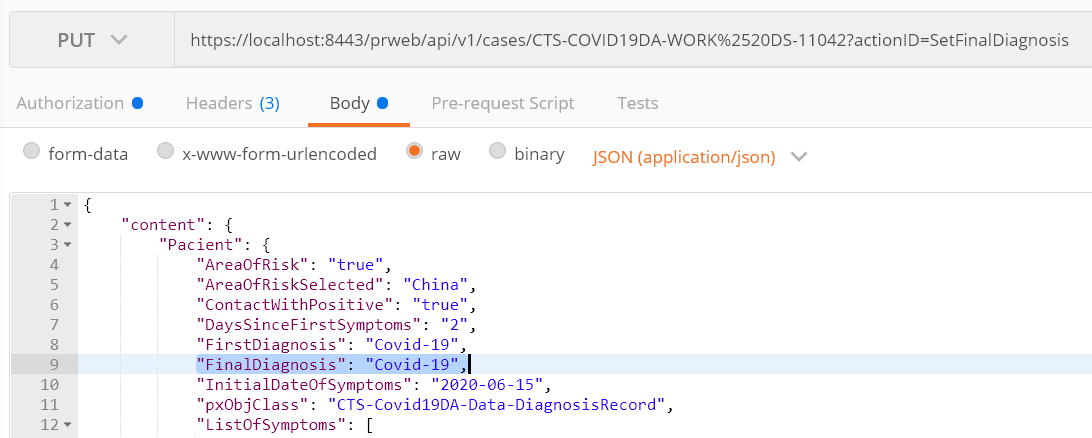
Pega API call (PUT) body request
-
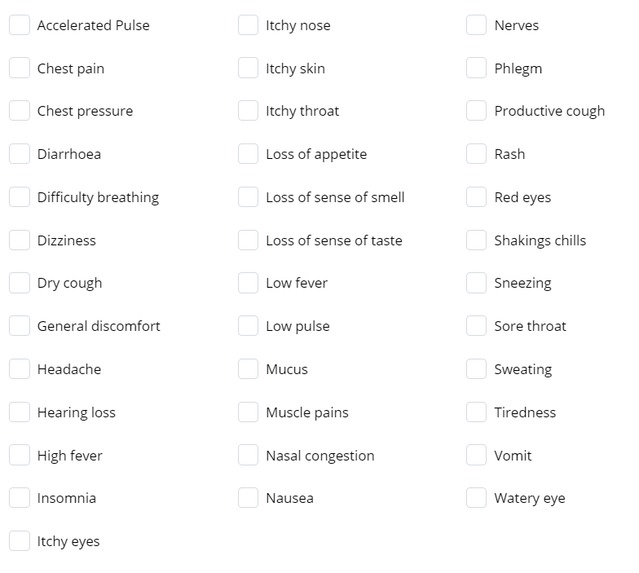
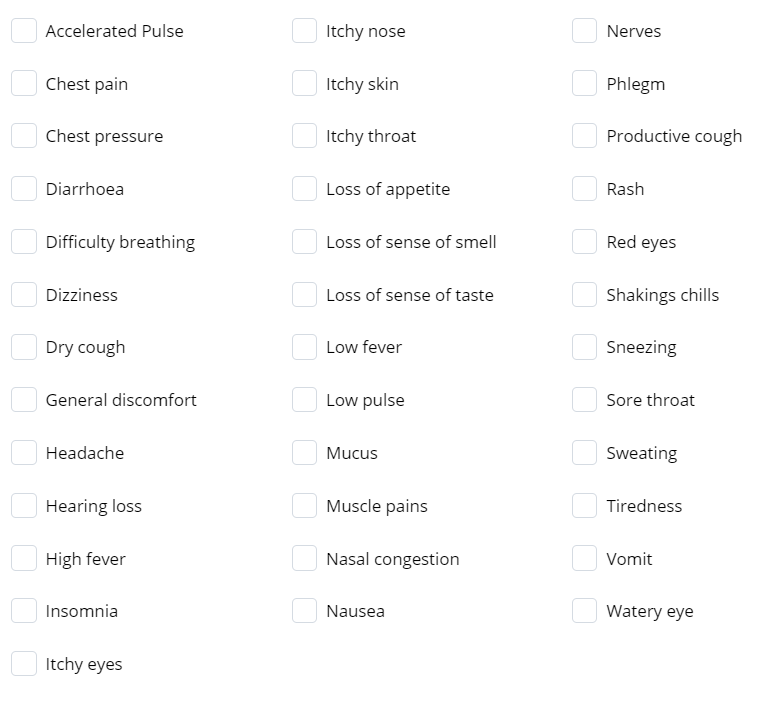
List of symptoms used in the adaptive model
-
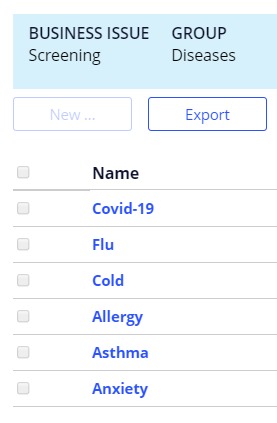
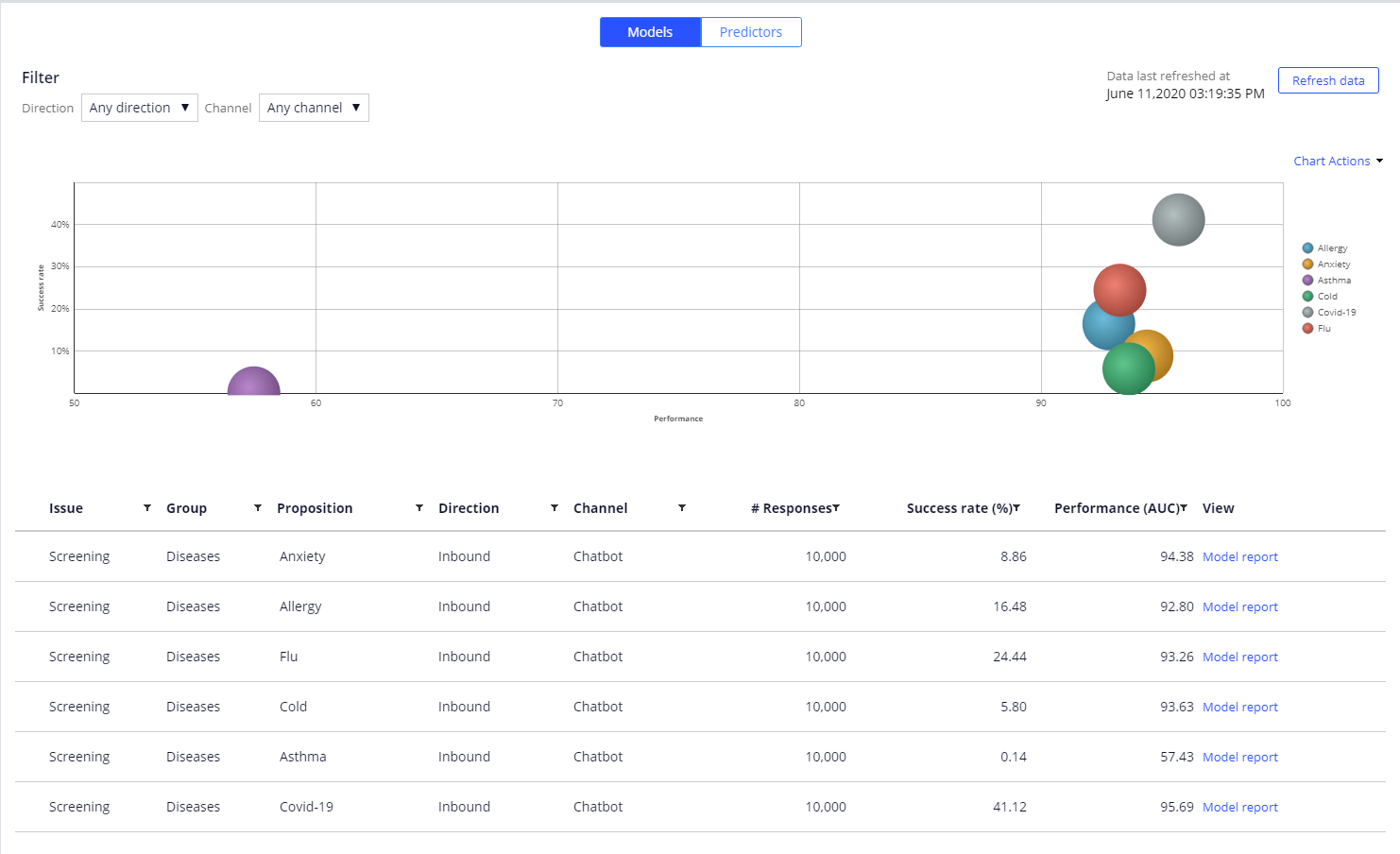
Propositions (diseases) for the adaptive model
-

Strategy to get the proposition (disease) with the higher propensity
-

Strategy to update the outcome (Success or Fail) of the proposed disease
-
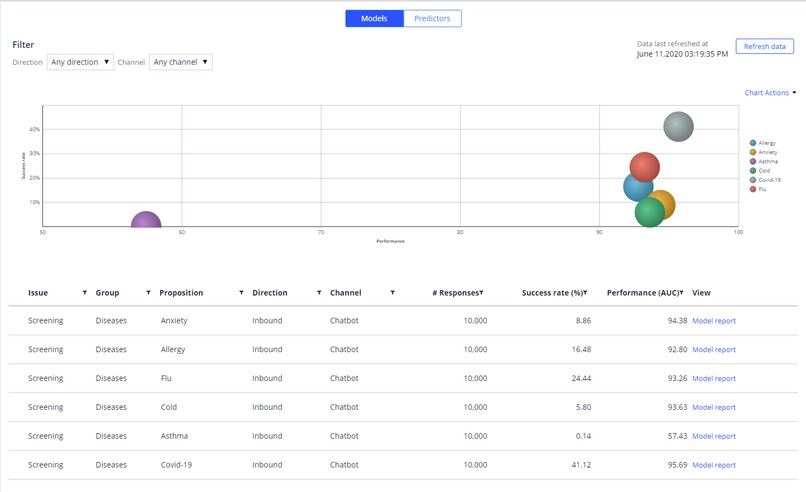
Adaptive model trained with 10,000 records







Inspiration
During the Covid-19 Pandemic, a medical institution needs to quickly evaluate if a patient has symptoms compatible with that particular disease or another one with any similar external signs (flu, cold, allergy, asthma, anxiety, etc.).
In addition, the hospital needs to do it remotely, without jeopardizing the health of its employees or the patient, by using channels such us the telephone, a mobile application or a web form.
What it does
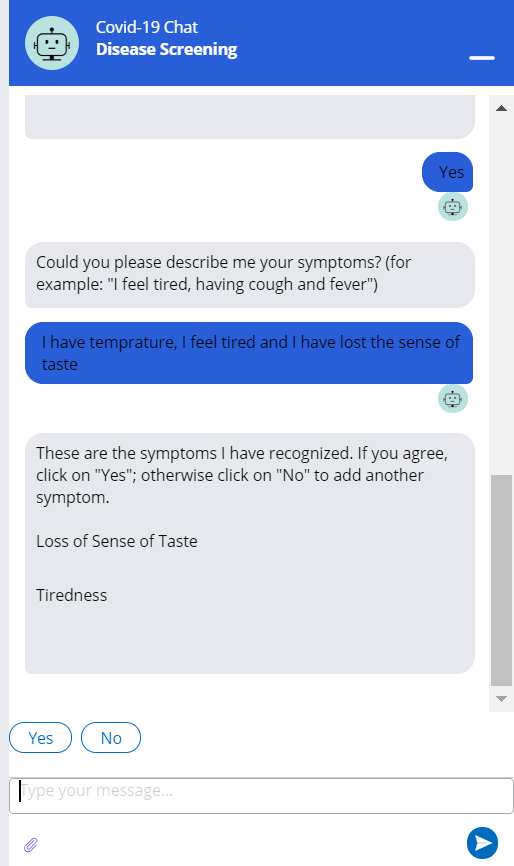
A quick and secure way of doing the disease screening based on the symptoms, without the need of came face to face with the patient, is to use Big Data and a Decisioning Adaptive Model, and make the screening remotely through NLP (Natural Language Processing) in a Chatbot hosted in the hospital website.
This is the approach we have followed.
How I built it
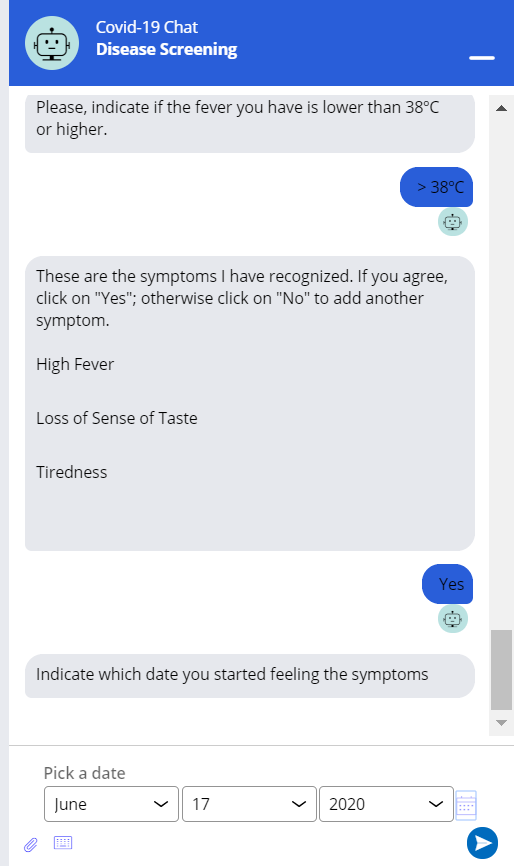
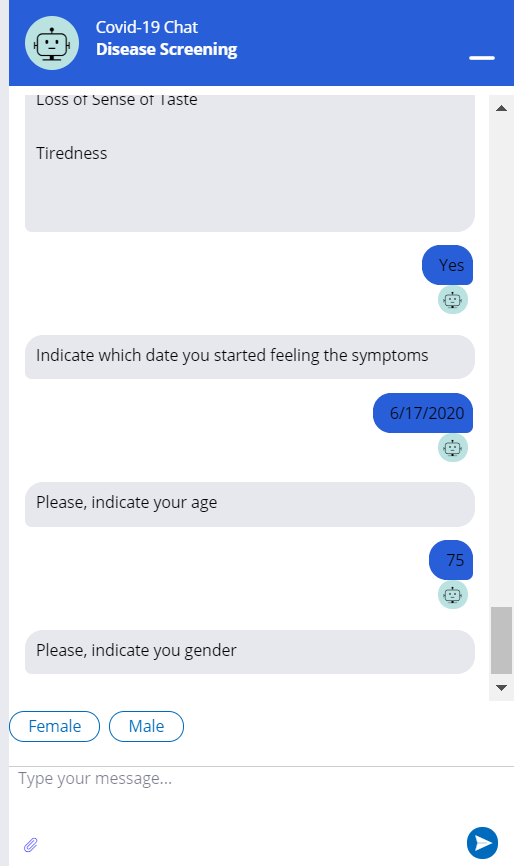
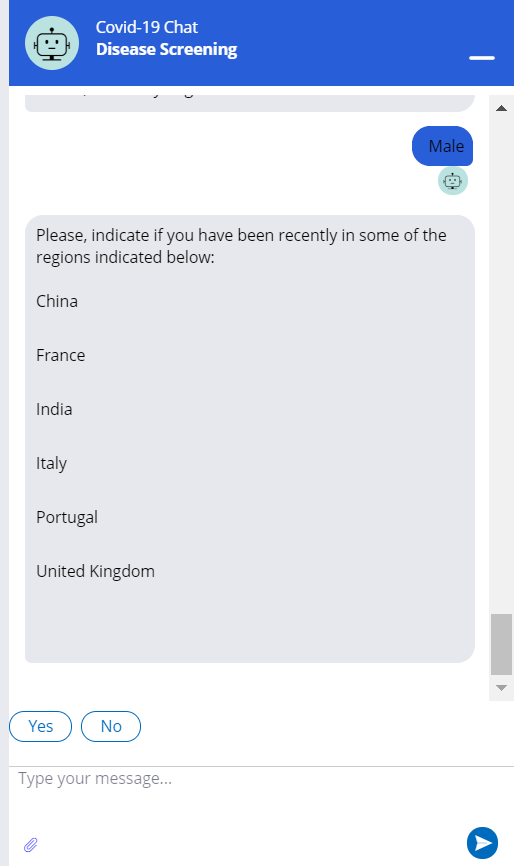
We have created an application with a Disease Screening Case Type. In addition to the normal flow of the case, we have added a Chatbot in several stages to:
- Retrieve the symptoms based on basic NLP and flows using questions and decision shapes, with different behavior depending on the answers and the symptoms.
- Retrieve additional data used as predictors in our model (date of first symptoms, age, gender, if the patient has been recently in any are of risk or in contact with a Covid-19 positive).
- Give the patient the First Diagnosis provided by the adaptive model.
- Give the patient some medical appointment options (for general doctor, specialist or test) and schedule the chosen one in the medical institution.
- Send a summary by email.
When the doctor has the Final Diagnosis, it is sent back to the case through a couple of Pega API calls:
- GET call to retrieve the ETag header and the Pacient content.
- PUT call to invoke the “SetFinalDiagnosis” local action placed in the final stage, passing the If-Match header (the ETag from the previous call) and the Pacient content (from the previous call) in the body plus the Final Diagnosis.
The "SetFinalDiagnosis" local action updates the status to Resolved-Completed and updates the adaptive model to improve future predictions.
Challenges I ran into
Despite it is a simple project, we have faced several challenges:
- Nodes for decisioning: By default, the nodes in our environment were not configured for decisioning. We needed at least one node running in DDS (Decision Data Store) and ADM (Adaptive Decision Manager) modes. To configure the nodes in such a way, we needed to run the JVM adding those modes (or Universal) to the NodeType parameter.
- Capture Response from Previous Decision: We have stored the Interaction ID when the strategy response with the proposition/disease with the higher propensity. In the final stage we retrieve it and set the outcome (Success or Fail) to let the model learn.
- HTTPS for Pega API: Our local environment was running in HTTP mode, but we needed HTTPS to call the Pega API, so we created a local certificate and configure Tomcat accordingly.
- Email Account: We created an Gmail account for the demo and we configured a new email account in Pega, but we were not able to use it to send the summary emails. So, finally we configure the Default account with our Gmail.
Accomplishments that I'm proud of
We are proud of having the main features of the solution completed and running in a few weeks, with a serious lack of time and team to do it.
We are proud of having solved all the challenges faced and described in the previous section, plus some other points:
- Train the Adaptive Model: Due that the information given by the model is a medical diagnosis, we cannot just create the adaptive model and use it without a training for it to learn, because the initial accurate would be very poor. That is why we have developed a support Java code for generating 10,000 records of random predictor values in a while (with some hardcoded logic to assign the proper disease).
- Pega API: We have used the Pega API OOTB to resolve the case, instead of creating a custom service.
- Mock Medical Website and Chatbot Mashup: For demo purposes, we have used a mock medical website to embed the fully functional Chatbot mashup code.
What I learned
We have learnt some basics regarding Chatbot and NLP, and a lot about Adaptive Models in the real world (not only in a decisioning course). Also, we have learnt how to use the Pega API.
Before this Hackathon, we did not know much about these topics beyond theory. We are sure that all the knowledge acquired will be very useful for our future projects and our clients will be impressed.
What's next for Disease Screening
We have a list of improvements for future versions of Disease Screening:
- Chat Bot: We need to improve the NLP through the Pega IVA (Intelligent Virtual Assistant), because in this first approach of the solution, the chat bot interaction is based on flows using questions and decision shapes, with different behavior depending on the answers and the symptoms.
- Adaptive Model Training: We have trained the model with 10,000 records of random predictor values (with some hardcoded logic to assign the proper disease) generated by a simple Java code. Obviously, the real model must be trained with real data, probably obtained from the database of the medical institution.
- Error Handling: We need to improve error handling throughout the entire application. Mainly when implementing the real connectors with the medical institution instead of the placeholders, but also in sending emails or retrieving the final diagnosis.
- Custom Reports: In addition to the OOTB reports provided by Pega, we have configured some custom reports in case the hospital wanted to use them. However, we are sure that we should create more to get interesting statistics that could help to improve the customer satisfaction or increase the ROI of the medical institution.
- More Symptoms and Diseases: We have created this solution based on a limited set of symptoms and diseases, but it could be easily improved by adding more symptoms (for example high or low blood pressure, back pain, etc.) and diseases (such as dengue).
- Protection Data Law: We need to accomplish with the Data Protection Law of each country, for example the GDPR (General Data Protection Regulation) in the EU (European Union).
And also a list of ideas we could not implement in this first version:
- List of Risk Areas: We could use a RPA solution to retrieve and store in our application the list of countries considered as areas of risk for each country. We could do this by accessing the official health websites of the different countries, maybe once per week.
- Geolocation: Once the consent was given by the patient, we would have retrieved the latitude and longitude of his/her position at that time. Using these two properties and configuring a connector to the Google API, we could have obtained the country from which this patient is interacting with the chat bot. Knowing the origin country, we would have retrieved and populate in the case the list of countries considered as areas of risk.
- Covid-19 Positives in your Area: In addition to the chat bot, we could embed a button on the website of the medical institution to show a map of Covid-19 positives that have been diagnosed by the hospital in a predefined radius of 1km, 2km etc. from your current position.
Built With
- adaptive-model
- chat
- decisioning
- natural-language-processing
- pega


Log in or sign up for Devpost to join the conversation.