-
-
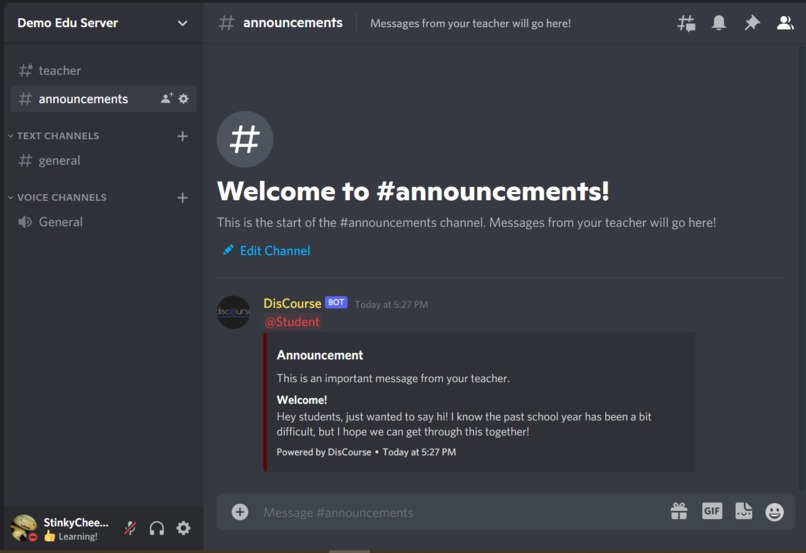
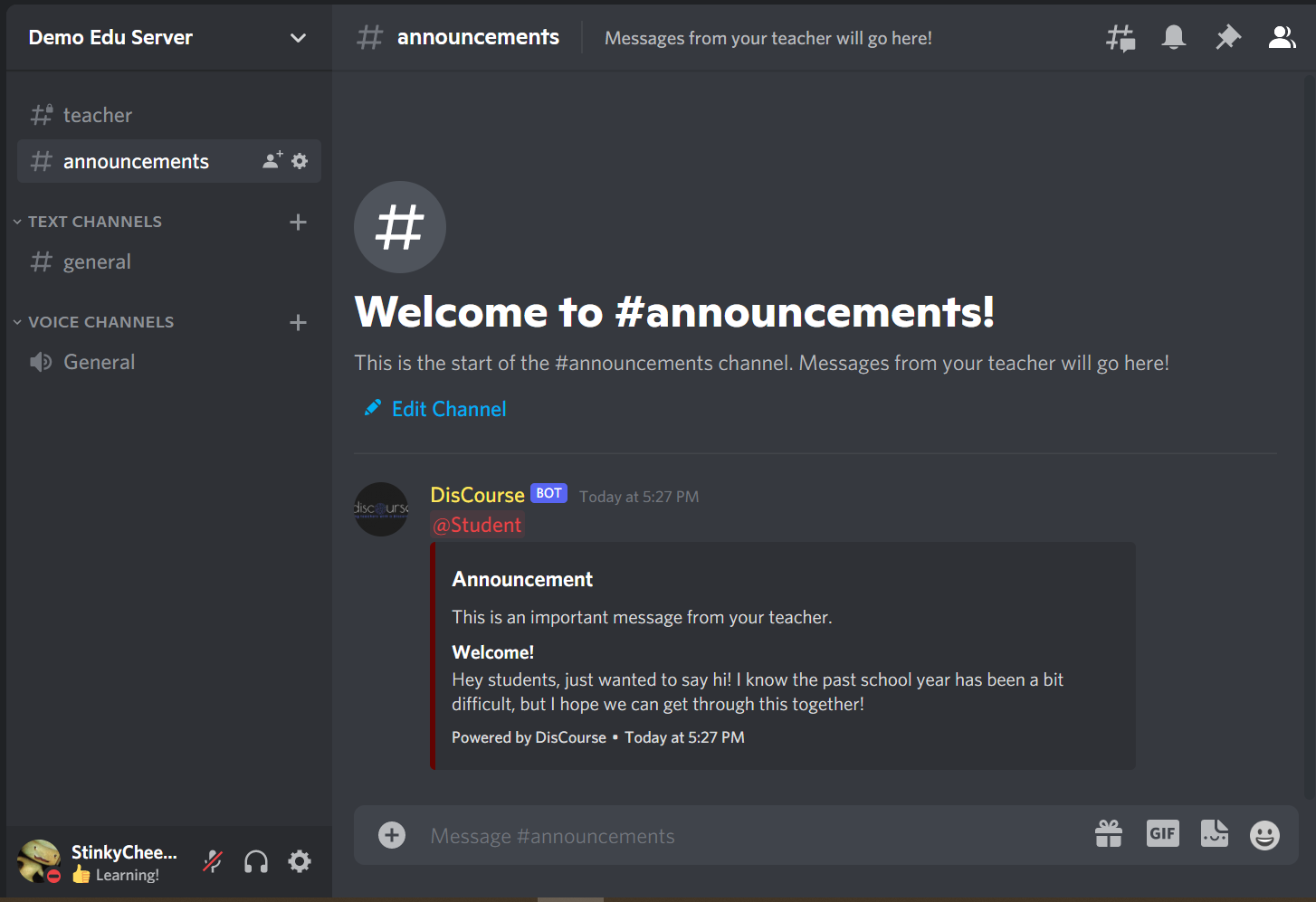
/announcement makes contacting students easy!
-
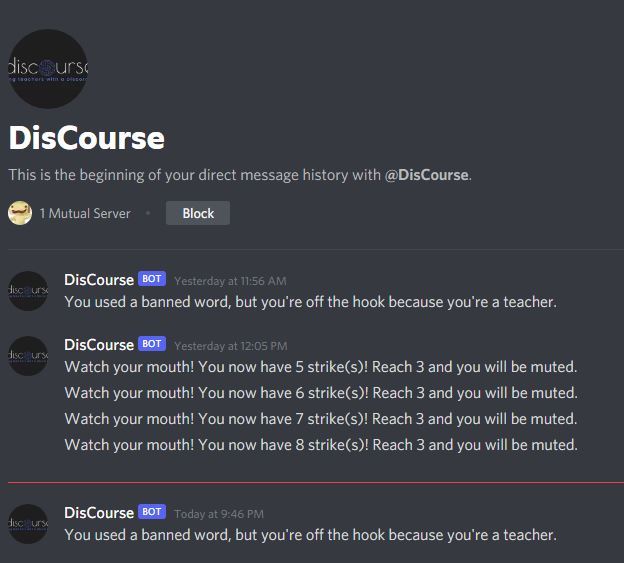
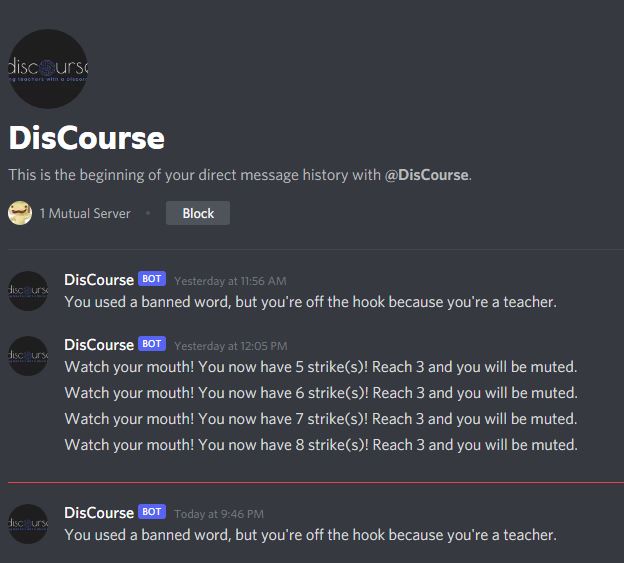
A profanity checker that will send a DM detailing the appropriate punishment.
-
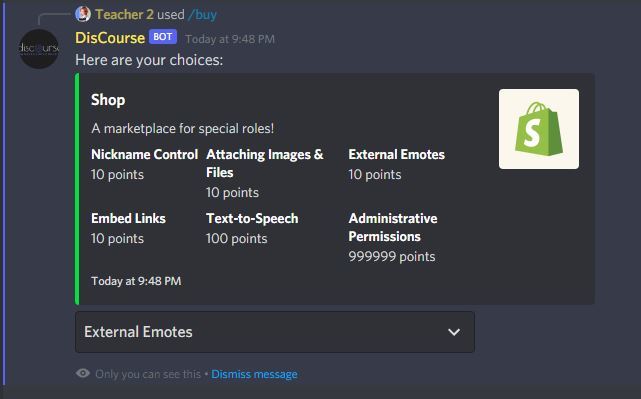
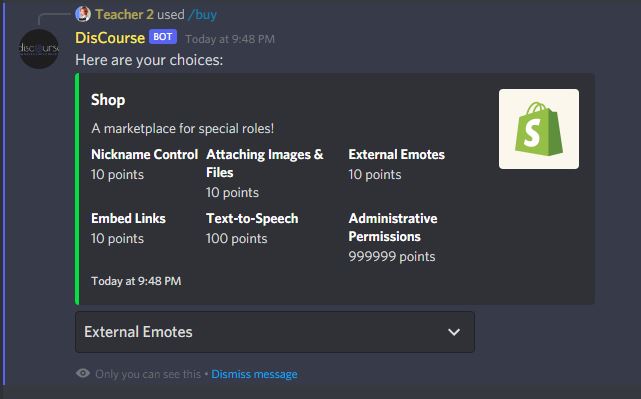
Our server permissions shop with /buy!
-
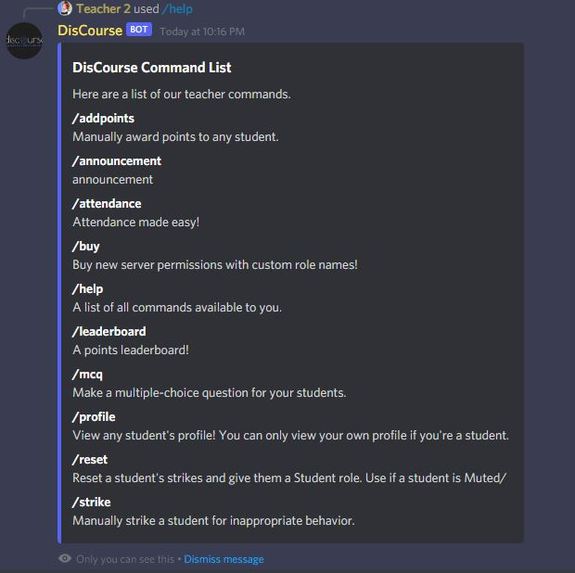
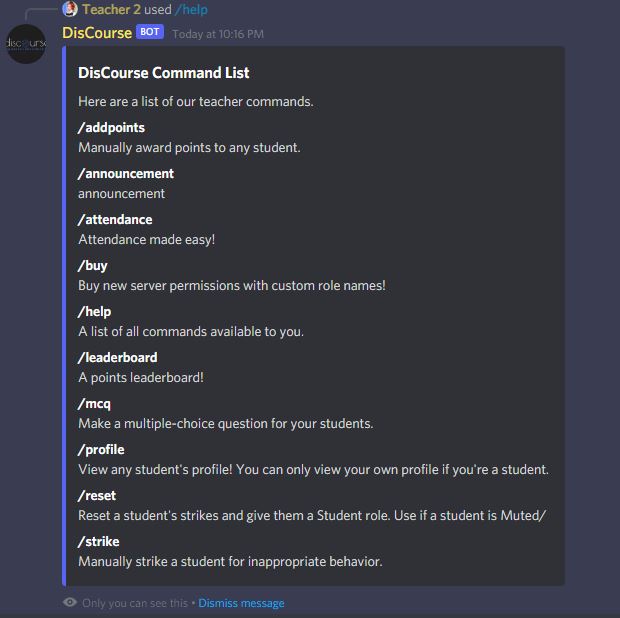
/help will show all commands available to either teachers or students.
-
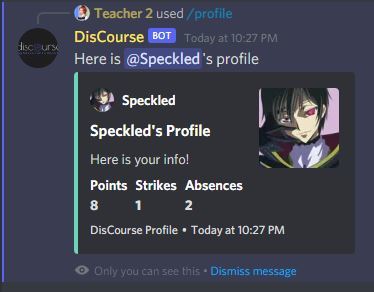
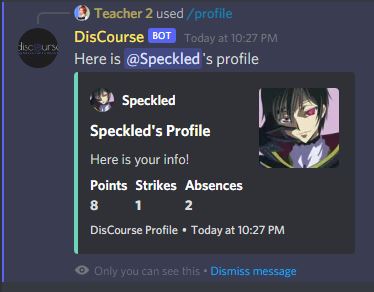
/profile gives the profile of any member in the server! Students may only view their own profile, however.
-
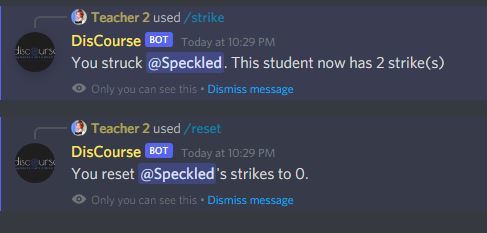
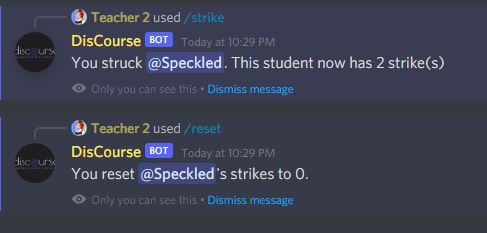
Teachers may use /strike and /reset to give and reset strikes!
-
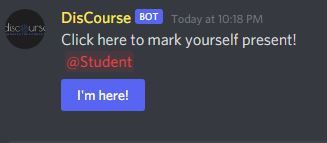
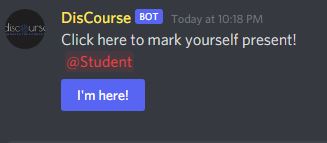
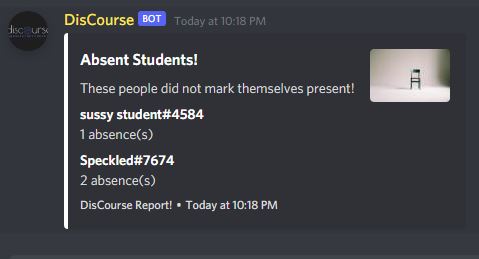
pt. 1 /attendance makes attendance easy!
-
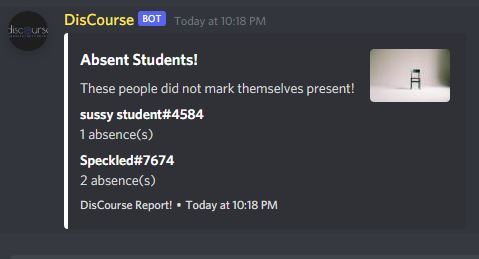
pt. 2 /attendance will report an embed with all absent students in the #teacher channel
-
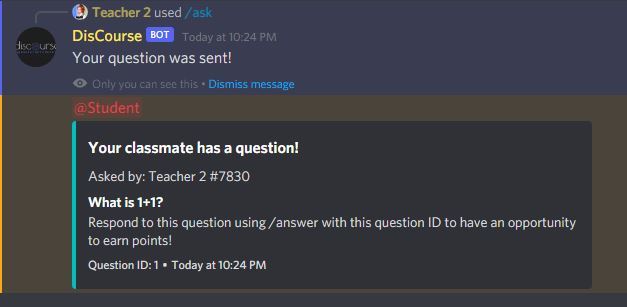
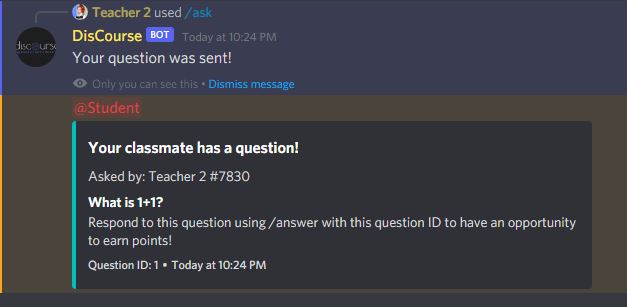
/ask allows students to ask questions to each other!
-
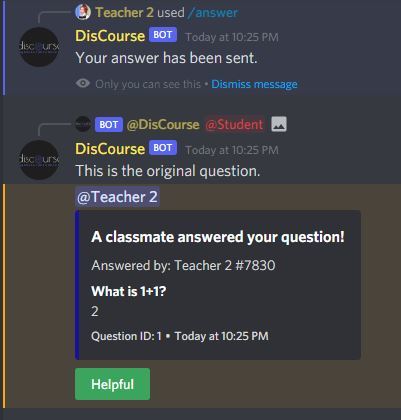
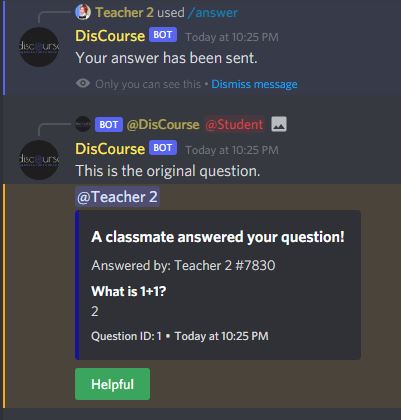
/answer allows students to answer a question asked by another student. If it is helpful, click 'Helpful', and the answerer will gain points.
-
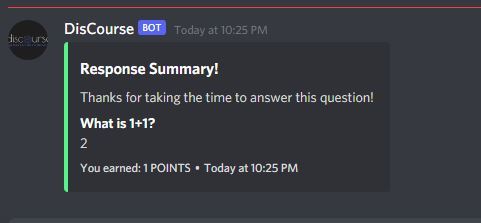
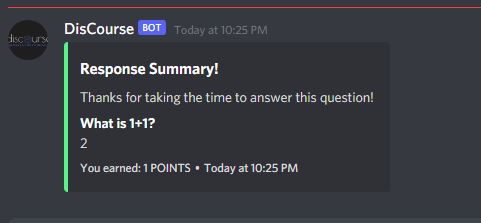
/answer allows students to gain points if another student found their answer helpful!
-
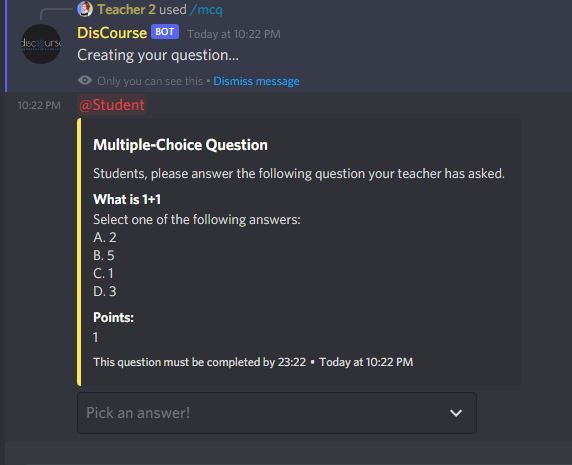
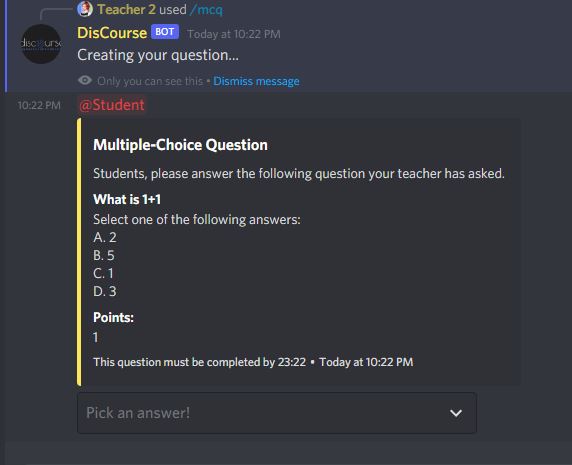
/mcq allows teachers to create multiple choice questions! Students who answer correctly will get points.
-
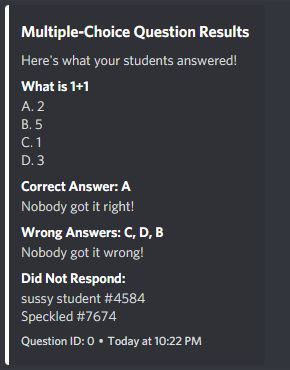
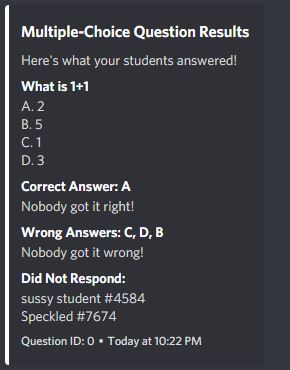
Once a question is expired, an embed is sent to show who got it right and who didn't answer!
⭐ CHECK IT OUT https://github.com/reantric/DisCourse ⭐
DisCourse: A Discord Bot for Education
⭐We would like to submit for tracks: Best Hack for Teachers and Best Educational Hack ⭐
Inspiration 💡
When we first saw the prompt to think of something to make the online learning experience better, we all thought about our previous year of high school. Due to the coronavirus, we lacked a lot of interaction with our classmates and teachers, and many of us began using Discord over quarantine. We found that traditional methods of online teaching like Google Classroom did not effectively incentivize students to communicate with each other outside of class to get help and improve their skills and knowledge. The grading system further compounds this problem, penalizing errors rather than encouraging participation. This is where we realized a unique Discord bot specifically made for the classroom would be a great solution to make the online side of learning more engaging while building a strong community along the way.
Design 🎨
Introducing DisCourse, a Discord bot designed to enhance the online classroom experience through the communication app Discord! Our bot makes attendance easy for teachers, allows teachers to ask multiple-choice questions that students may answer for points, has a permission shop where students may buy permissions for points, implements a striking system to ensure appropriate language usage, and so much more!
What it does 🖥️
Upon entering any server, the bot will create teacher and announcement channels for our slash commands to send certain messages in, and 3 roles: Teacher, Student, and Mute. With 12 custom-made slash commands, teachers have so many options to effectively utilize the bot. Our solution involves the idea of a point system that rewards meaningful interaction in an academic setting. With a leaderboard and shop system, students gain an incentive to participate in class and establish strong relationships with their peers and instructors. This is especially important with younger students, as this bot will keep them engaged even when they are at home or are in a distance-learning setting. Our bot has a few key features that make it very easy to use. For example, it only uses slash commands, which are easier to use due to Discord's native support for them. It also sets itself up after the user clicks a link, requiring very little technical know-how, which makes it easily accessible to all teachers. Finally, it uses Discord, which is a free messaging service that is available to anyone with a device and will allow students to use their own personal accounts to conveniently interact in their classroom.
How we built it 🛠️
We coded our project from the ground up using the Discord.js API and TypeScript to lay the foundations of our bot and code all our commands. We used quick.db as our database to store all of our information for each user, including points, strikes, and absences.
Challenges we ran into ⚠️
We ran into a lot of issues. Our first issue was learning the new Discord.js v.13 version. We were completely unfamiliar with how to set up slash commands at first and spent a lot of time figuring out the basics. Then, Tropical Storm Ida hit and our progress was halted for 6 days (as seen in our GitHub commits). One of our members had a flooded basement and lost power and it took us days to finally settle down again. Then we had to learn how to use the quick.db database and reference those values across different files. We also encountered a lot of issues with figuring out how to search for and create roles in a server using code, but once we figured it out we were able to make some really cool features!
Accomplishments that we're proud of 🏆
We coded 12 unique slash commands. Teachers may access 10 of these commands and students may use 5 commands (there is some overlap but they will receive different responses when using these). We are very proud of our more complex functions, which are /attendance, /buy, /mcq, /ask, and /answer. These are all unique functions that we spent a lot of time thinking about and implementing. These are all meant to make interactions between students fun and competitive with our point system and permissions shop. Dealing with the individual interactions was difficult at first because some, like select menu and button interactions, were much more complex than just text commands.
What we learned 🧠
We learned a lot from our experience with Discord.js. This was our first time using this version of Discord.js and this allowed us to know how our bot functions inside out. Calling different functions and dealing with technicalities in Typescript and Javascript proved very rewarding. In particular, dealing with button and select menu interactions was a learning process, as they add so much functionality to Discord bots but are also more difficult to manage due to their inherent differences from a simple slash command interaction. We also had to find out how to create roles and configure slash command permissions for having the bot automatically set up the server when it joins. Now everybody who is on the server when the bot joins will be automatically given the teacher role, and everybody afterward the student role.
What's next for DisCourse 🚀
We want to add so much more to our bot but did not have enough time to learn how to implement them. Some of these ideas include:
- Adding a machine learning function to create questions based on given topics or previously entered questions stored in our database.
- Having students have a large question bank to get questions from when asking the bot to give questions. This can be a large compilation of actual test questions from Quizlet, AP Exams, and more!
Built With
- discord
- discord.js
- javascript
- quick.db
- typescript


Log in or sign up for Devpost to join the conversation.