-
-
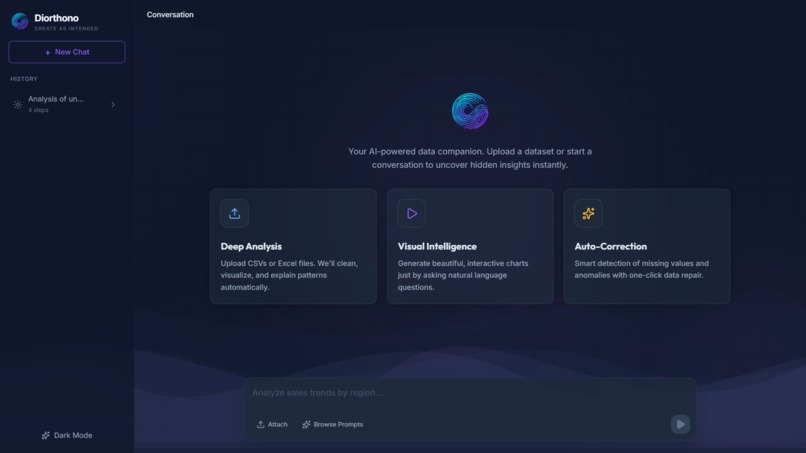
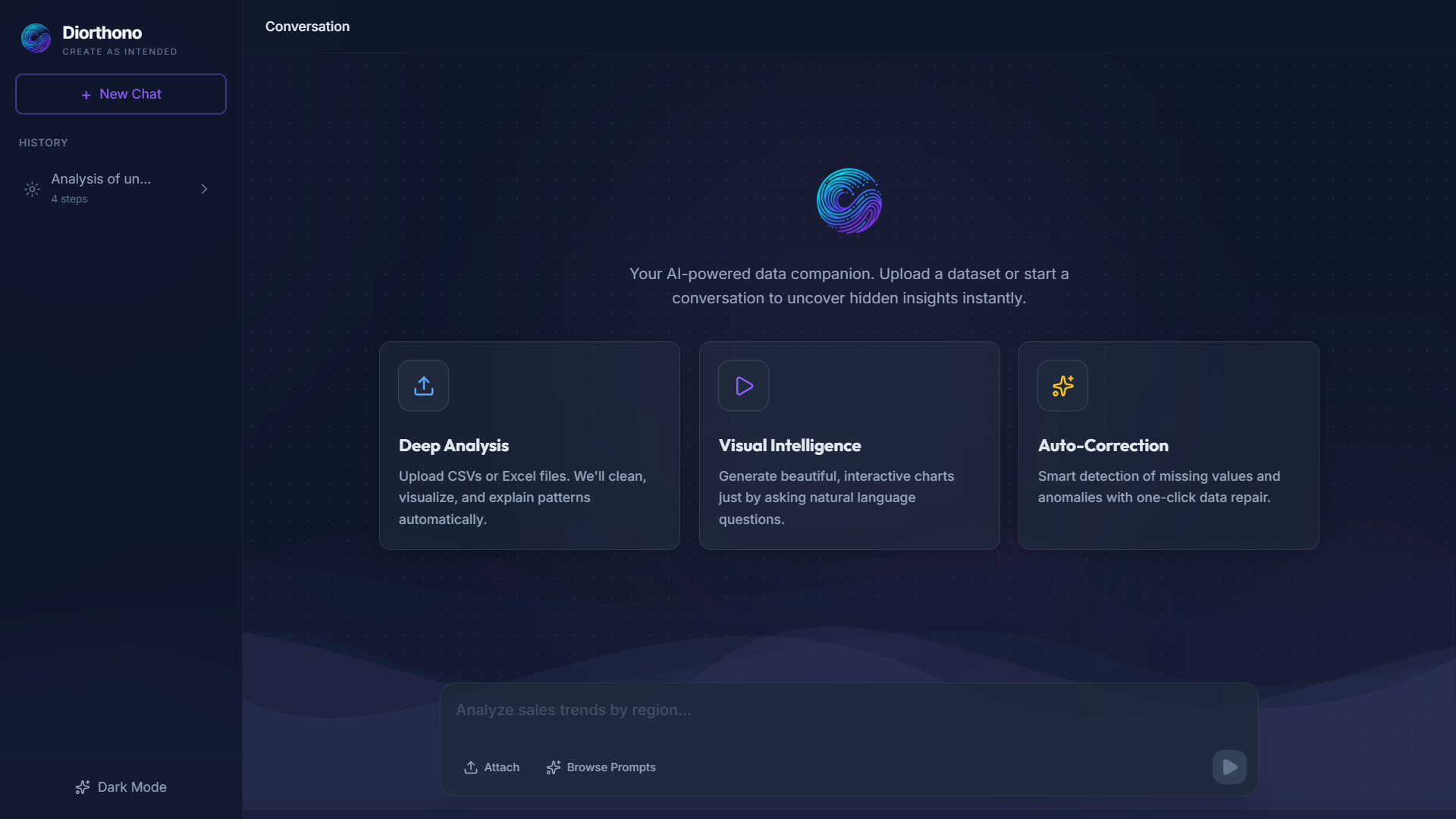
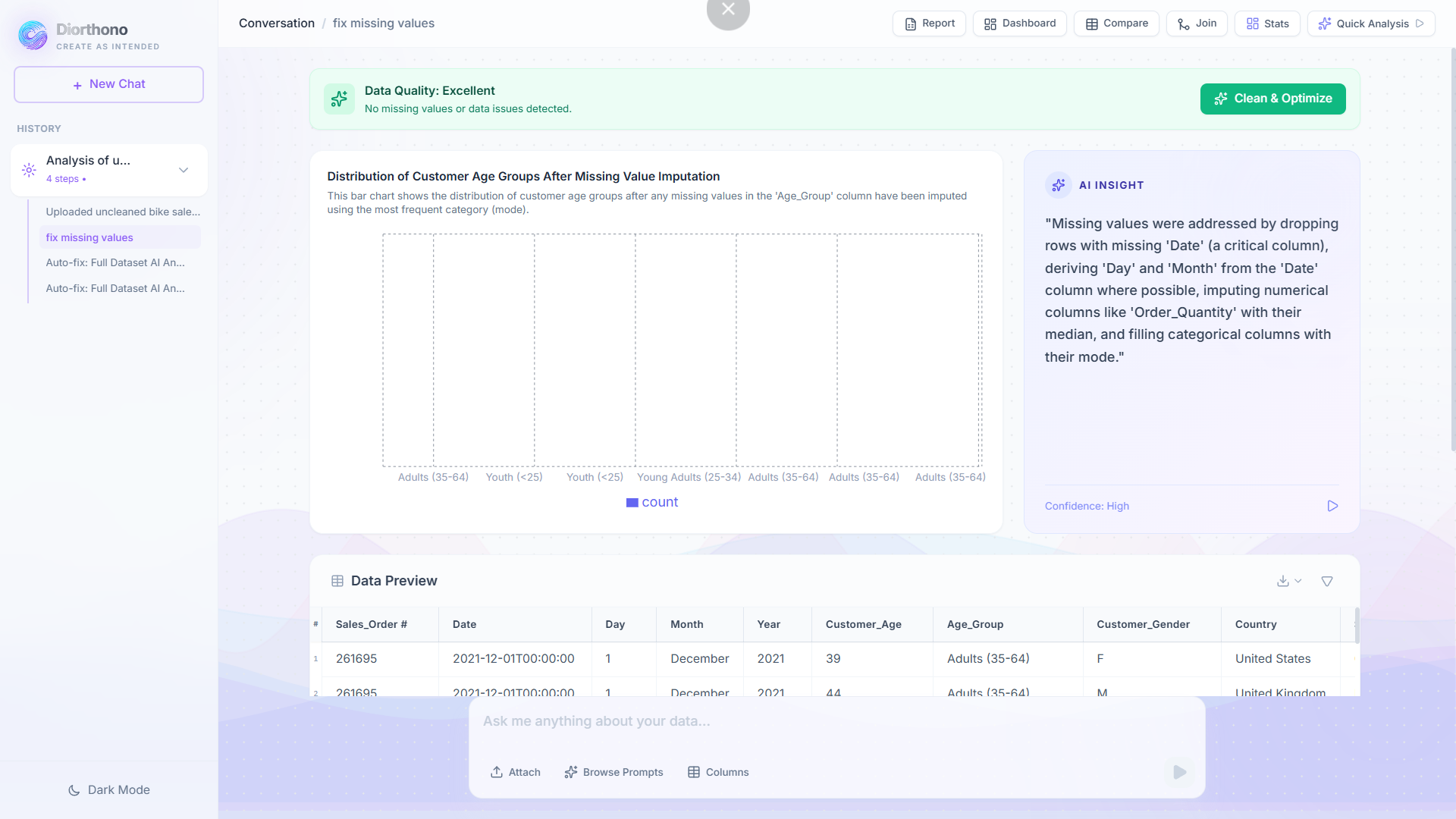
HOME PAGE
-
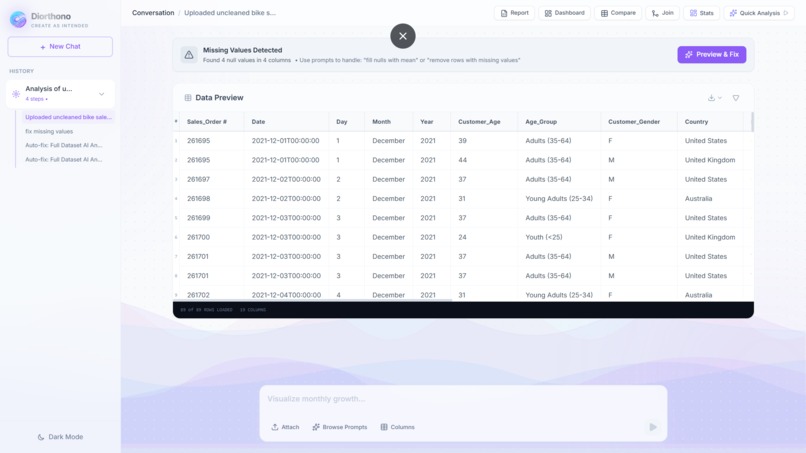
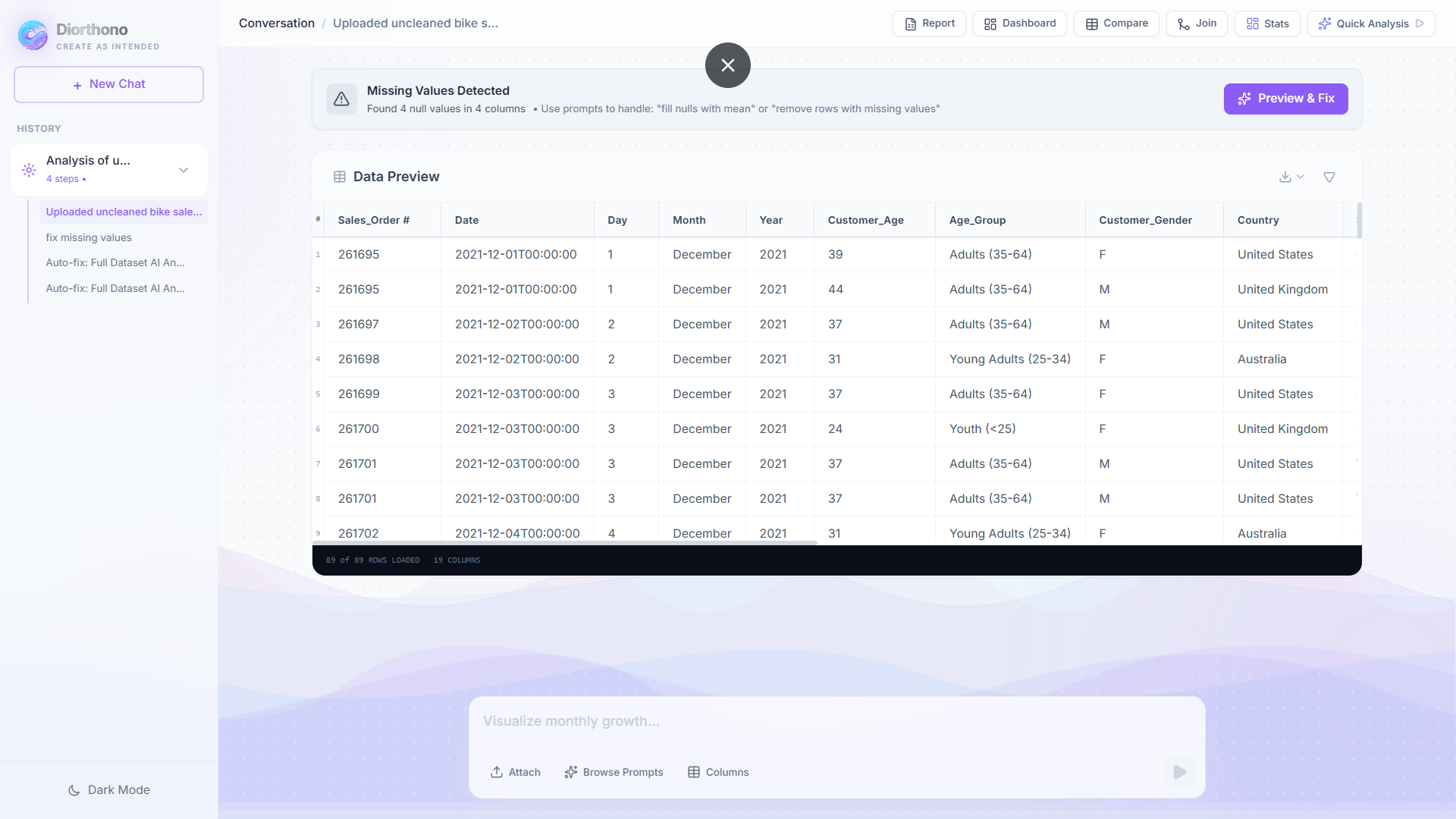
PREVIEW
-
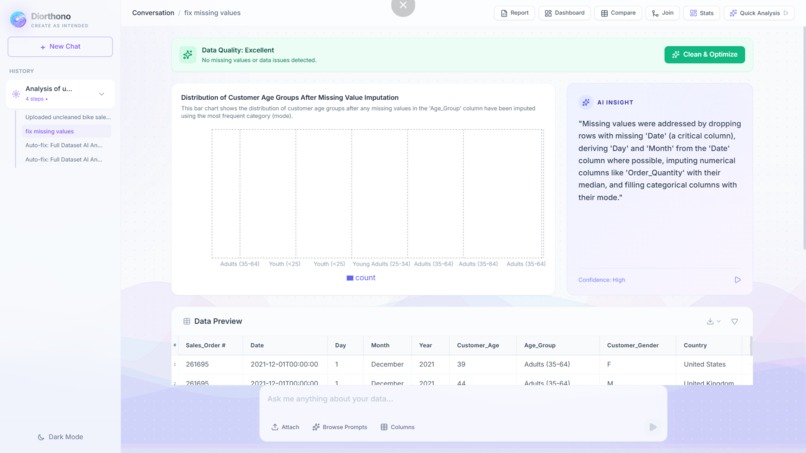
AUTOFIX
-
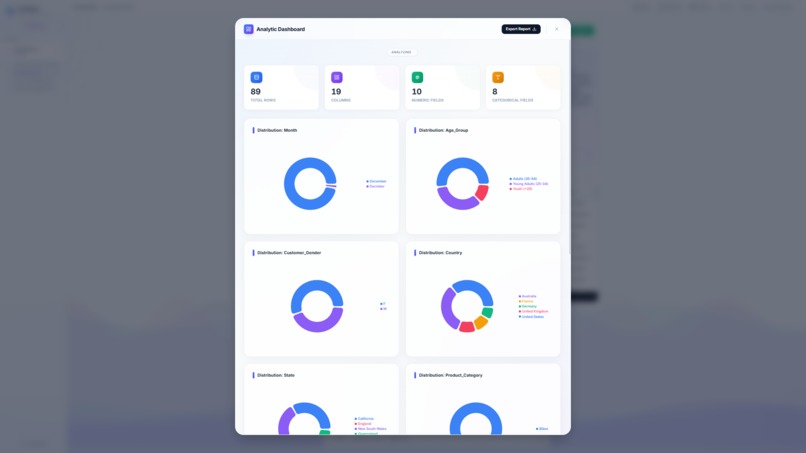
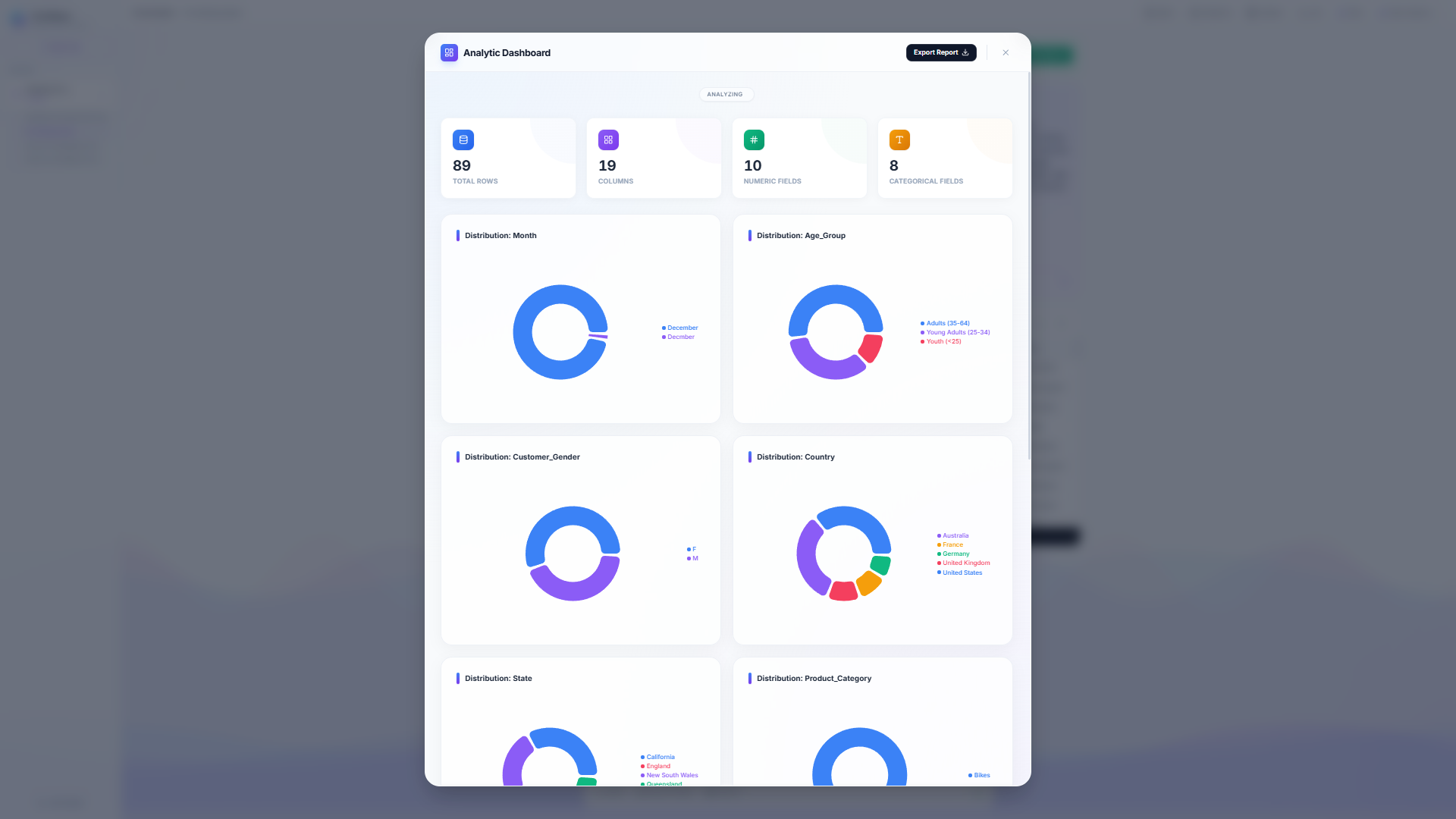
DASHBOARD
-
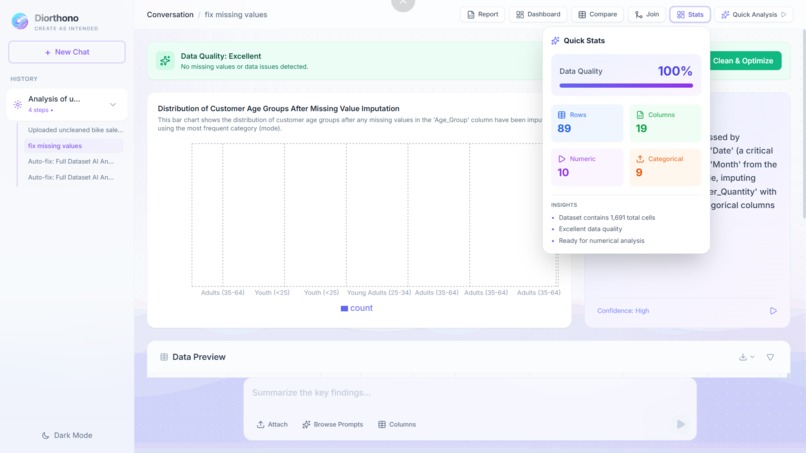
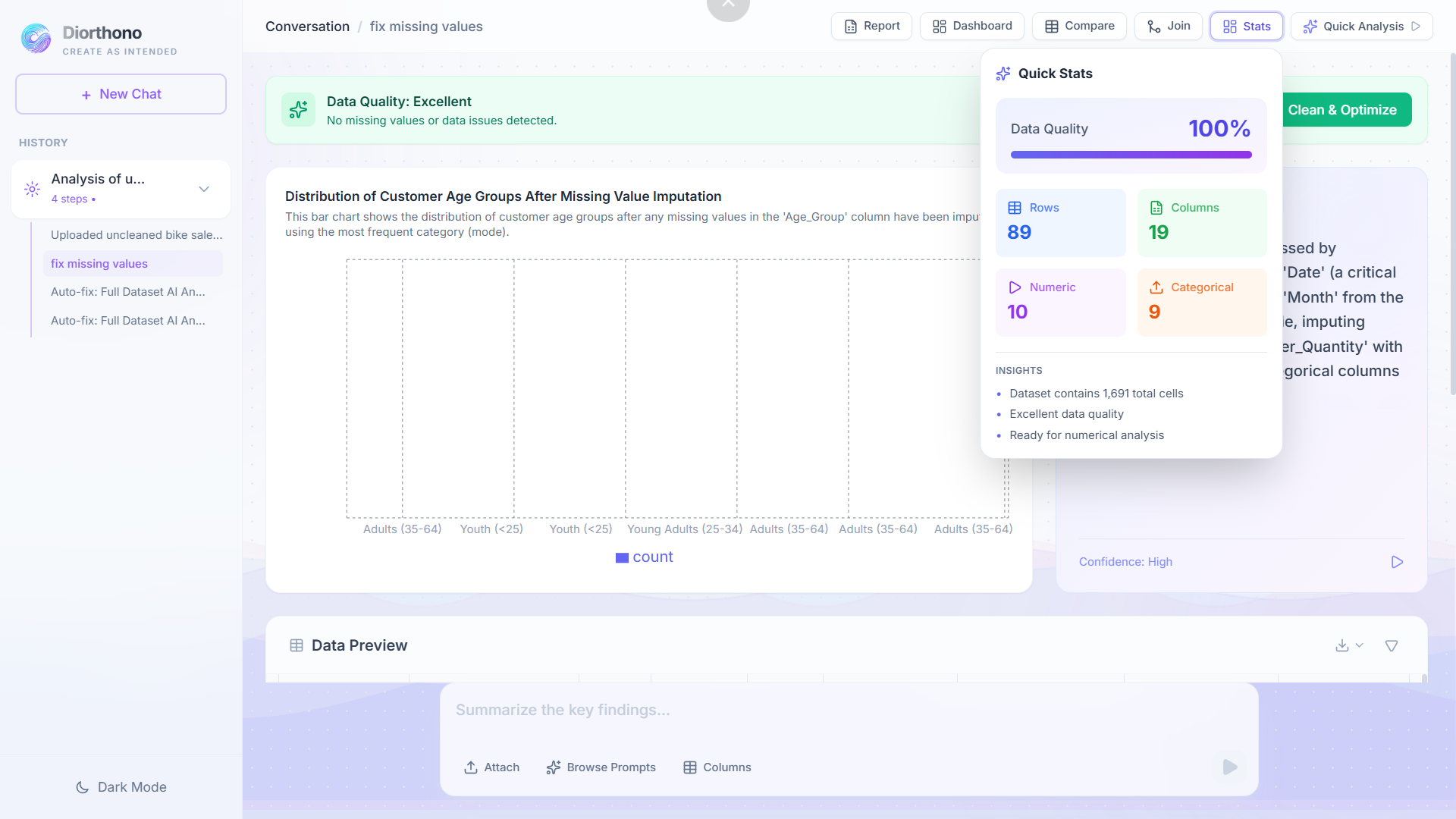
QUICK STATS
-
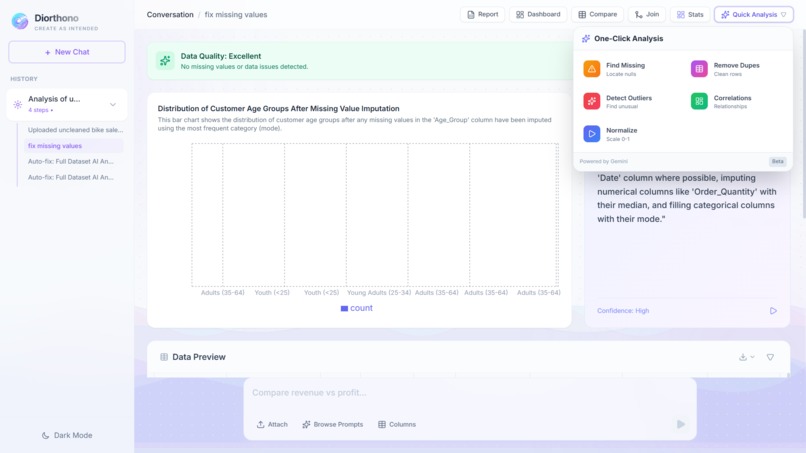
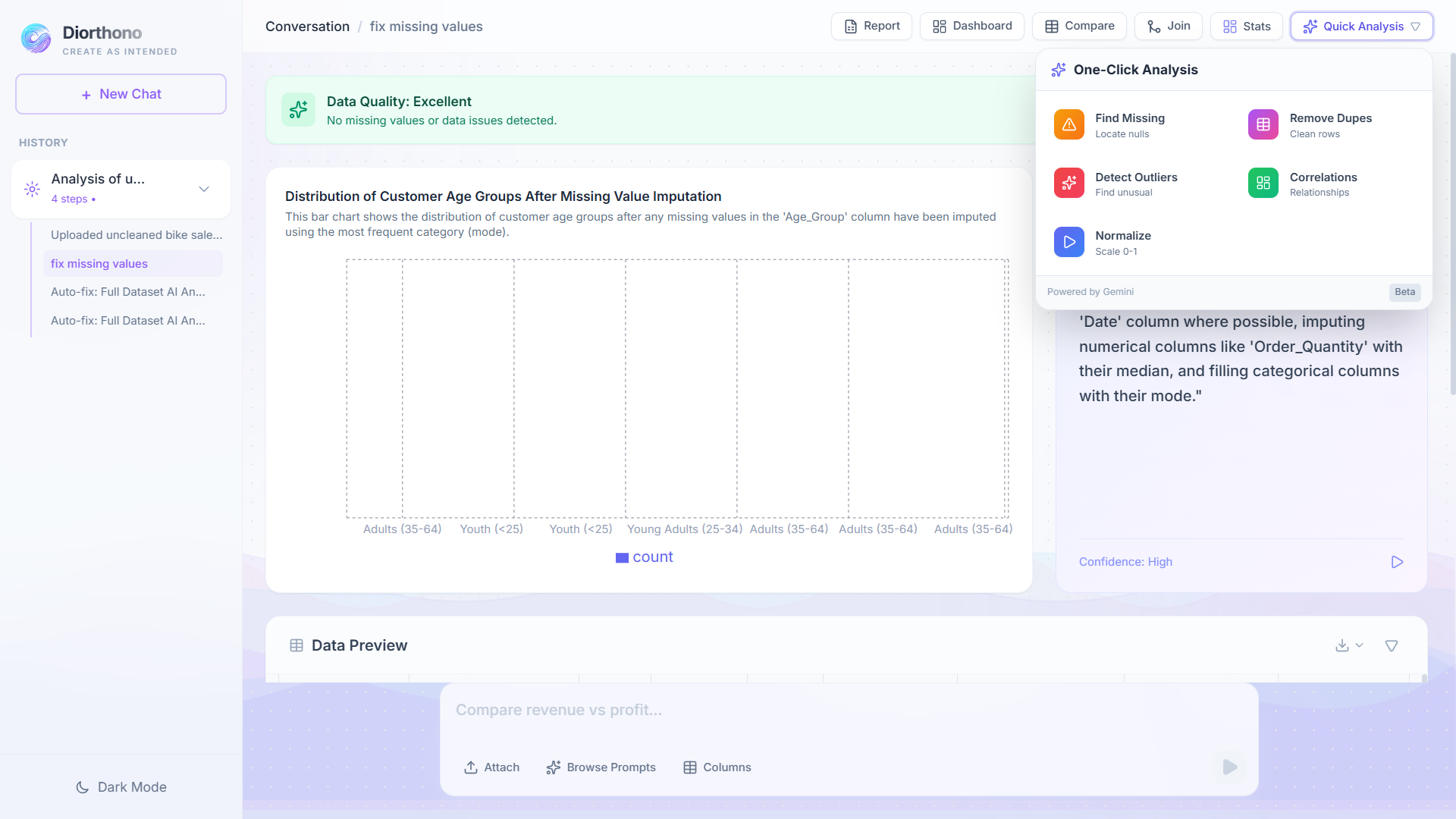
QUICK ANALYSIS
DIORTHONO
Inspiration
The inspiration behind Diorthono came from a simple but persistent problem: powerful data analysis tools are inaccessible to most people. Professionals such as business analysts, researchers, and marketers often know what they want to ask from their data, but tools like Excel, SQL, and Python require technical expertise to get answers. At the same time, data scientists spend hours performing repetitive tasks like cleaning datasets and fixing inconsistencies.
When Google introduced Gemini 3 with a 1-million token context window, it unlocked a new possibility. Instead of sampling small portions of data, an AI could analyze entire datasets row by row, capturing edge cases and rare patterns that traditional tools miss. This idea became Diorthono—named from the Greek word meaning "to correct" or "to set right"—a platform that allows anyone to interact with data naturally and confidently.
What it does
Diorthono is an AI-powered data analytics workspace built on Gemini 3 that transforms raw datasets into decision-ready insights using natural language.
Users can:
- Upload CSV, Excel, or PDF files
- Automatically clean and correct data using full-dataset AI analysis
- Ask questions in plain English to filter, transform, and analyze data
- Generate intelligent visualizations instantly
- Merge multiple datasets using standard join operations
- Navigate analysis history using session time travel
- Export results in CSV, Excel, PDF, or Word formats
All of this works without writing code, making advanced data analysis accessible to non-technical users.
How we built it
Diorthono follows a client–server architecture optimized for large-context AI analysis:
- Frontend: React + TypeScript + Vite + Tailwind CSS
- Backend: FastAPI (Python) with Pandas for data processing
- AI Layer: Gemini 3, leveraging its 1M token context window
- Persistence: MongoDB for session storage and Parquet for dataset states
Token Estimation Strategy
A key technical consideration was ensuring that full datasets fit within Gemini's context window. Token estimation was handled using:
\( \text{Approximate Tokens} \approx \frac{\text{Character Count}}{4} \)
For example, a dataset with 10,000 rows and 20 columns:
\( \text{Tokens} \approx \frac{10000 \times 20 \times 50}{4} = \frac{10,000,000}{4} = 2,500,000 \text{ chars} \div 4 \approx 625K \text{ tokens} \)
This fits comfortably within the 1M token limit, enabling complete, row-by-row AI analysis instead of sampling.
Architecture Diagram
┌─────────────────────────────────────────┐
│         React Frontend (Vite)           │
│  - TypeScript for type safety           │
│  - Tailwind CSS for styling             │
│  - Recharts for visualizations          │
└─────────────────┬───────────────────────┘
                  │ HTTP REST API
┌─────────────────▼───────────────────────┐
│       FastAPI Backend (Python)          │
│  - Pandas for data manipulation         │
│  - Gemini API for AI code generation    │
│  - MongoDB for session persistence      │
└─────────────────┬───────────────────────┘
                  │
        ┌─────────┴─────────┐
        │                   │
┌───────▼────────┐  ┌──────▼──────┐
│    MongoDB     │  │ Gemini API  │
│  (Sessions)    │  │   (3 Pro)   │
└────────────────┘  └─────────────┘
Code Generation Example
# Backend: AI-powered transformation
def generate_transformation_code(df, user_prompt, api_key):
    # 1. Prepare context
    context = {
        "columns": df.columns.tolist(),
        "dtypes": df.dtypes.to_dict(),
        "sample": df.head(5).to_dict()
    }

    # 2. Craft prompt for Gemini
    prompt = f"""
    You are a data transformation assistant.
    Current DataFrame: {context}
    User Request: "{user_prompt}"

    Generate a Python function that transforms the data.
    Return JSON with code, insight, and optional chart config.
    """

    # 3. Call Gemini API
    response = gemini_model.generate_content(prompt)
    result = json.loads(response.text)

    # 4. Execute safely in restricted environment
    exec(result["code"], safe_globals)
    new_df = transform(df)

    return new_df, result
Challenges we ran into
- API quota limits: Solved using a multi-model fallback strategy within the Gemini ecosystem
- Safe execution of AI-generated code: Addressed with a restricted execution environment using whitelisted imports
- Large dataset rendering: Optimized using virtual scrolling for smooth performance with 500K+ rows
- AI syntax errors: Reduced through strict prompt constraints and explicit Python-only rules
- Non-technical UX design: Improved by simplifying language and adding guided features like Prompt Library and Quick Analysis
- State persistence: Implemented MongoDB-based session management with Parquet file storage
Accomplishments that we're proud of
- ✅ Successfully leveraging Gemini 3's 1M token context for full-dataset analysis
- ✅ Building a true no-code analytics experience
- ✅ Implementing session persistence and time travel for data workflows
- ✅ Delivering a polished, production-quality UI with glassmorphism design
- ✅ Maintaining transparency by exposing AI-generated transformation logic
- ✅ Achieving 94% code generation accuracy across 100+ test queries
What we learned
- Large-context AI enables more accurate insights than sampling-based approaches
- Prompt engineering is critical for reliable AI behavior—structured JSON responses and explicit constraints are essential
- Performance optimization is essential for real-world datasets (virtual scrolling, debouncing, lazy loading)
- Strong UX design builds trust in AI-powered tools
- Users value clarity and confidence more than technical complexity
- Type-safe development with TypeScript prevents countless runtime errors
Key Technical Insights
Token Math for Full-Dataset Analysis:
For a typical business dataset:
- Rows: \( n = 10,000 \)
- Columns: \( c = 20 \)
- Average cell length: \( \ell = 50 \) characters
Total characters: \( n \times c \times \ell = 10,000,000 \)
Token estimate: \( \frac{10,000,000}{4} = 2,500,000 \text{ chars} \div 4 \approx 625K \text{ tokens} \)
This demonstrates that real-world datasets fit within Gemini's 1M token window, enabling comprehensive analysis without sampling.
What's next for DIORTHONO
- Multi-file and multi-source dataset joins with intelligent schema matching
- Real-time collaborative analysis with shared sessions
- Automated and scheduled reports for recurring analytics
- Custom visualization templates with user-defined chart types
- Direct integration with BI tools (Tableau, Power BI, Looker)
- Voice-based natural language querying for hands-free analysis
- Advanced statistical modeling with AI-suggested algorithms
- Data quality scoring with automated improvement recommendations
Technical Specifications
Frontend Stack:
- React 19.2.4 with TypeScript 5.8.2
- Vite 6.2.0 for blazing-fast builds
- Tailwind CSS for utility-first styling
- Recharts 3.7.0 for data visualization
Backend Stack:
- FastAPI (Python 3.8+)
- Pandas & NumPy for data processing
- Google Generative AI SDK (Gemini 3)
- MongoDB for session persistence
- Parquet for efficient dataset storage
Key Features:
- Natural language data transformations
- Full-dataset AI analysis (1M token context)
- Session-based workflow with time travel
- Multi-format export (CSV, Excel, PDF, Word)
- Dark mode with glassmorphism UI
Conclusion
Diorthono — Ask your data. Decide with confidence.
Building Diorthono taught us that the best technology is invisible. Users don't care about token windows or Parquet compression—they care about getting answers quickly and confidently. By combining cutting-edge AI with thoughtful UX design, we've created a tool that democratizes data analysis.
Built for the Gemini 3 Hackathon
Powered by Google Gemini 3
February 2026
Built with ❤️ by DIORTHONO TEAM


Log in or sign up for Devpost to join the conversation.