Dino 💻📕🔎
Track: Education
Inspiration
All three of us are international students, and English isn't our first language! We've all grappled with complex college readings, understanding - and speaking - new words, and slowly building up our vocabulary. Since education for all age groups has shifted to a digital, web based setting, we thought it would be cool to create a service that can help learn and keep track of your newly acquired vocabulary!
Around the world, people new to English, or any other languages often have a hard time surfing the web - where the majority of prime content is still English based. We wanted to improve understanding, simplify learning, and strengthen people's grasp on languages while surfing the intrawebs easier and fun! Especially for something as fundamental and necessary as vocabulary.
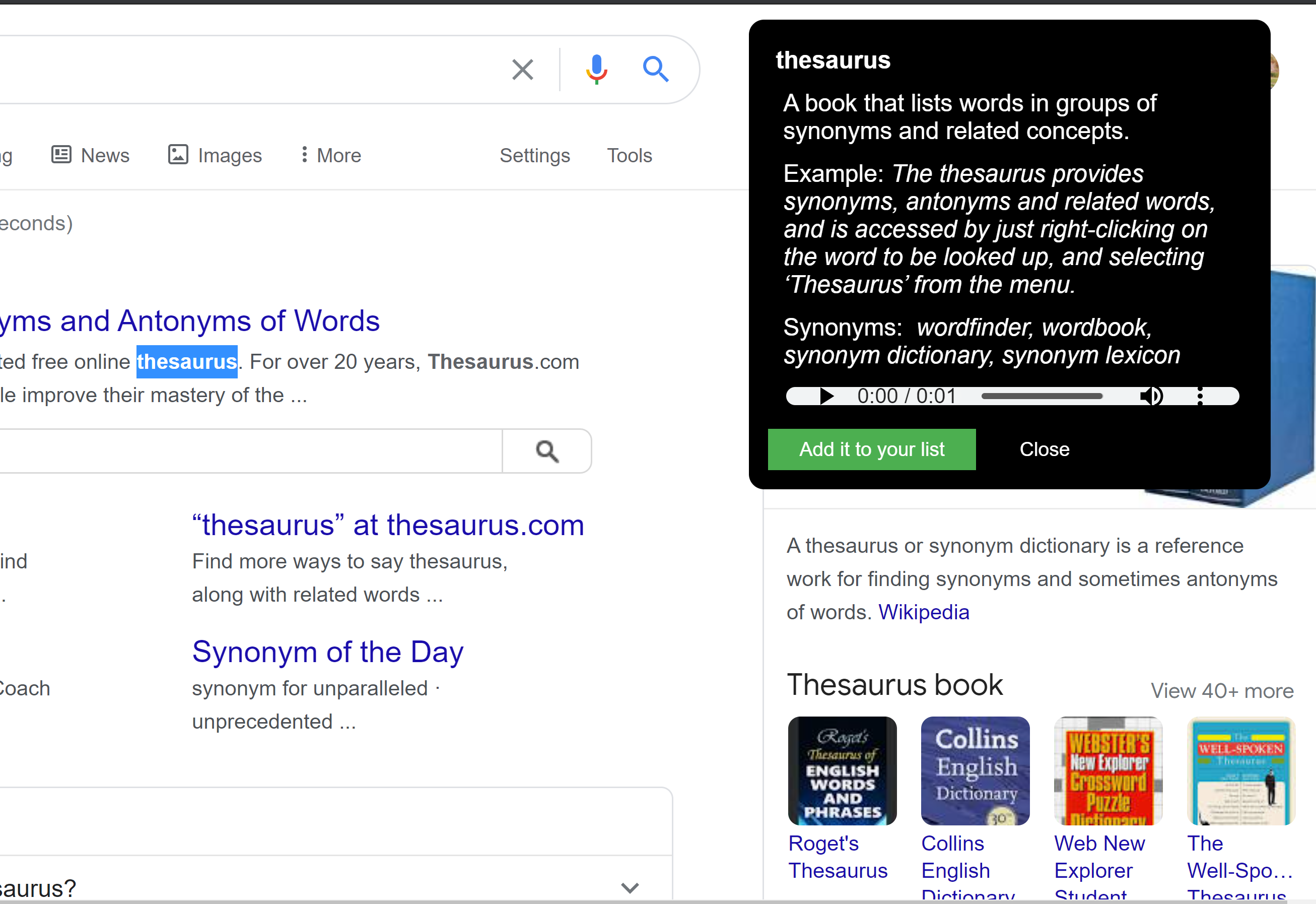
In comes Dino. (The first time I saw the word thesaurus, I thought it to be a species of dinosaurs. Hence the name 😁)
What it does
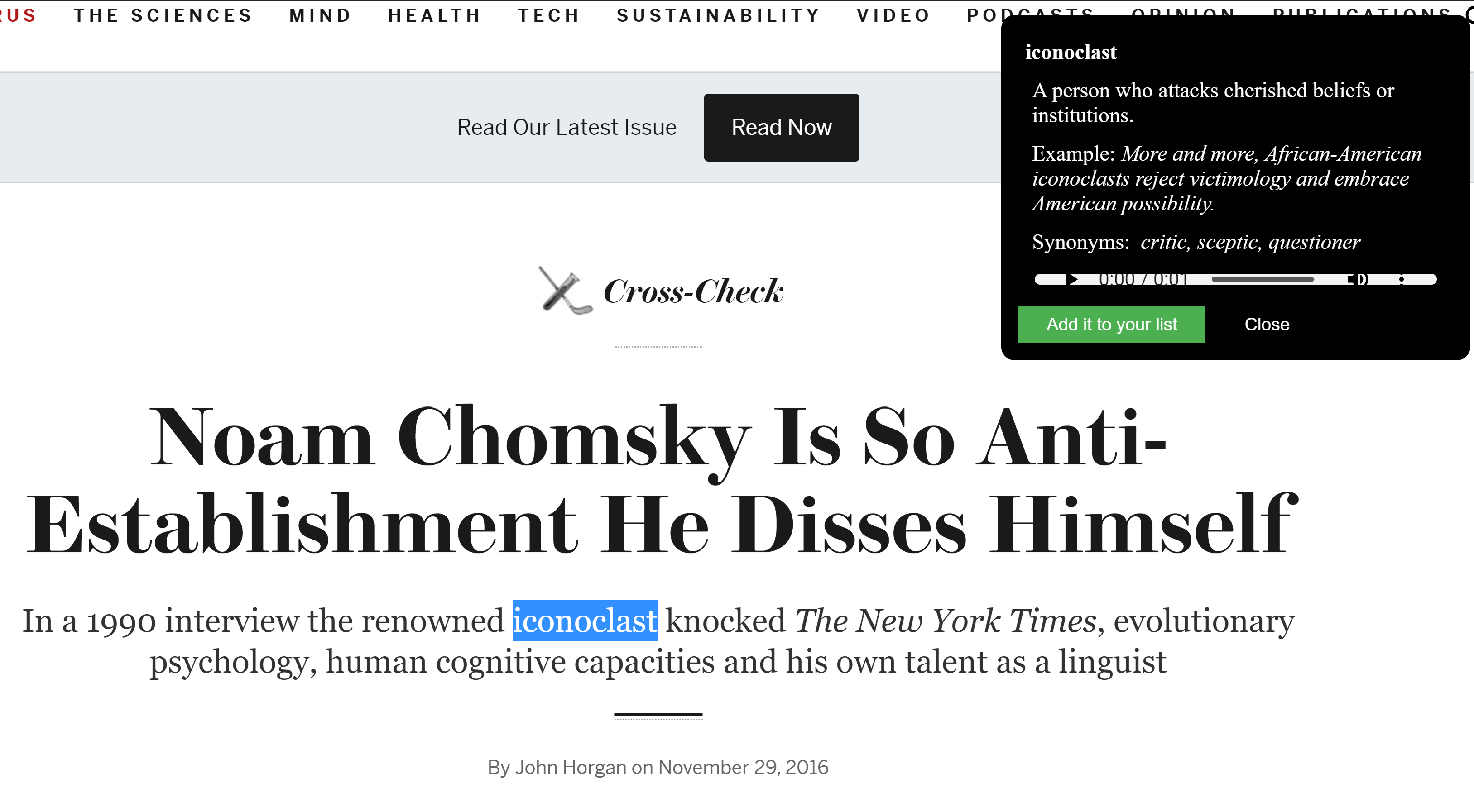
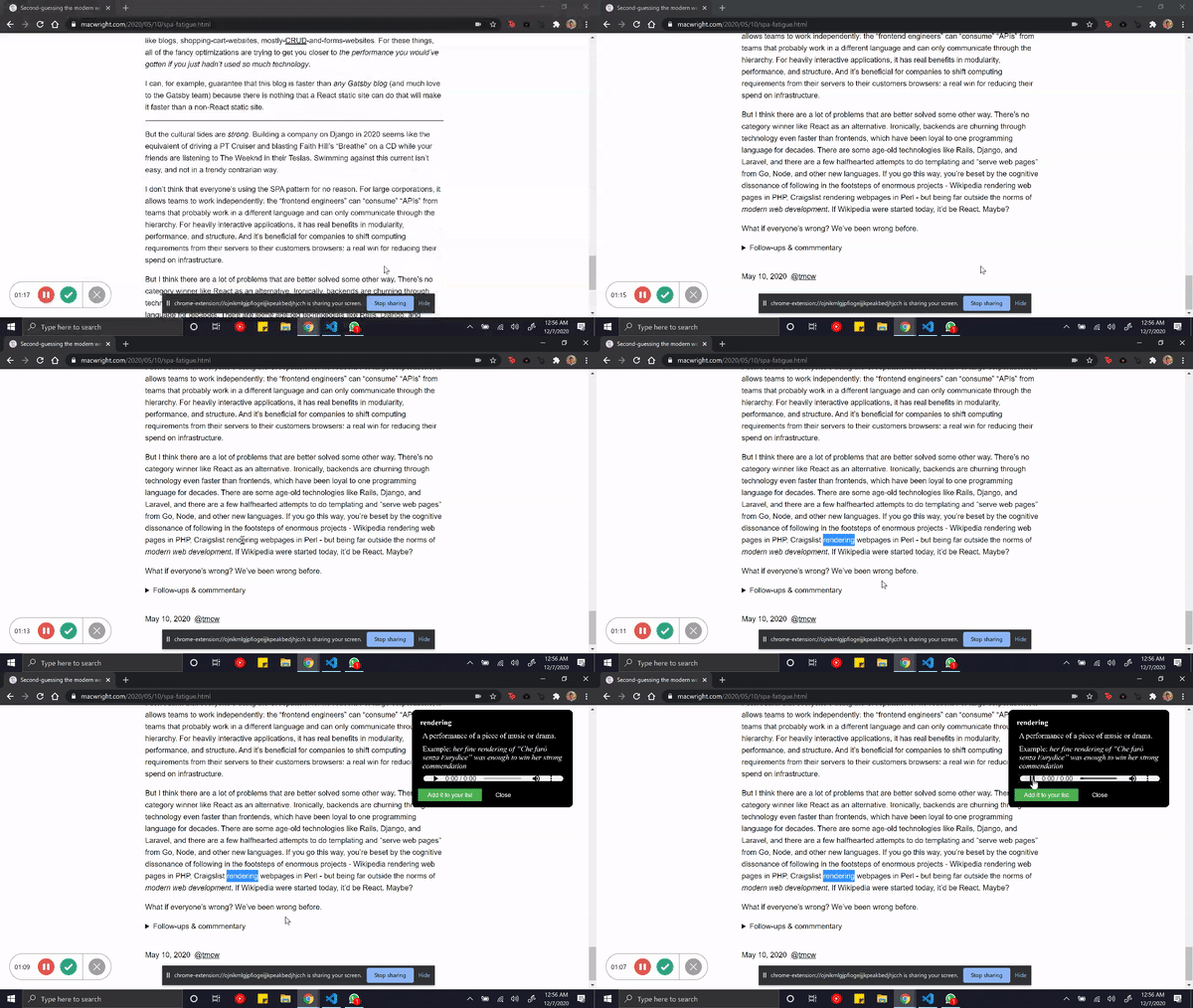
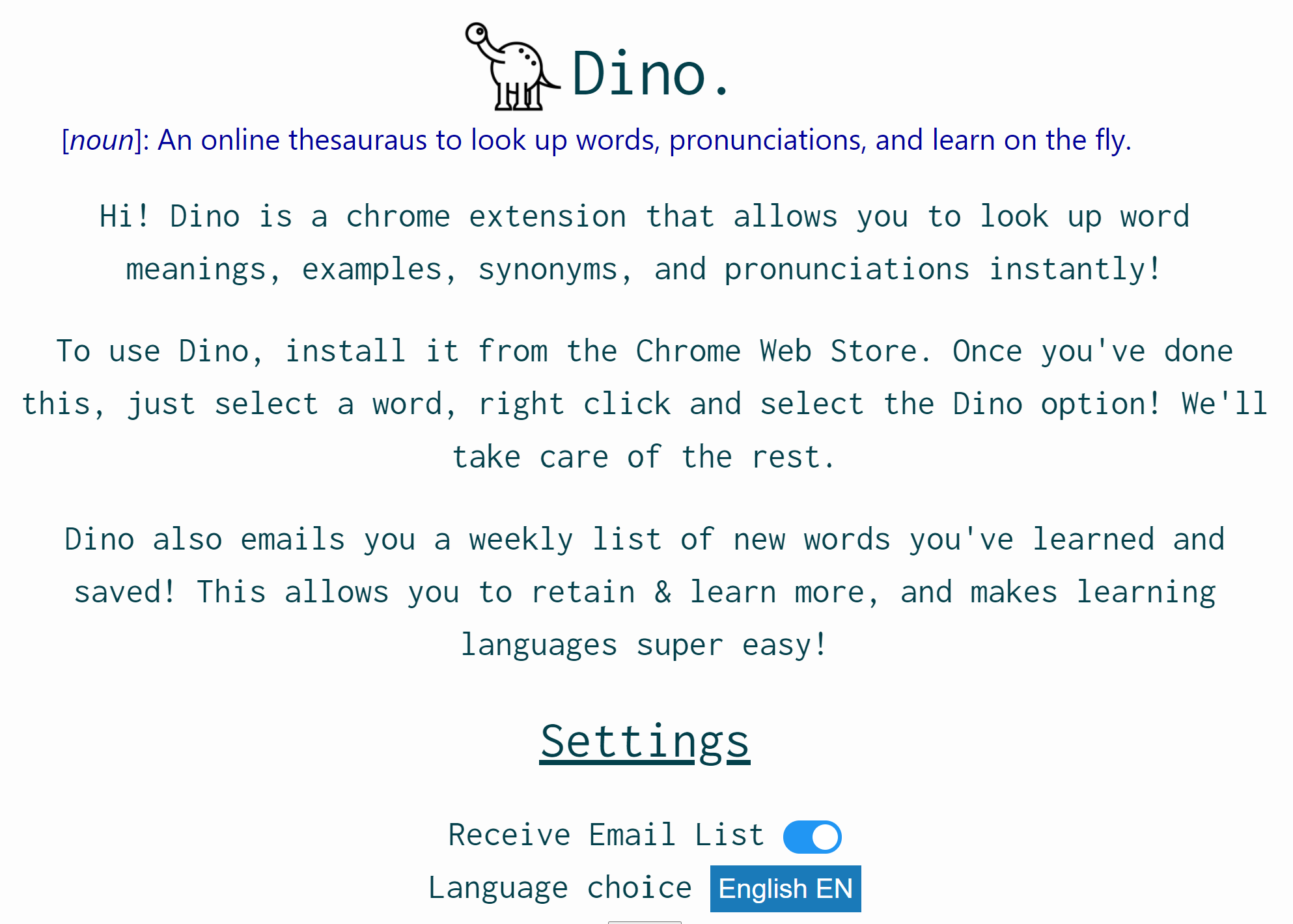
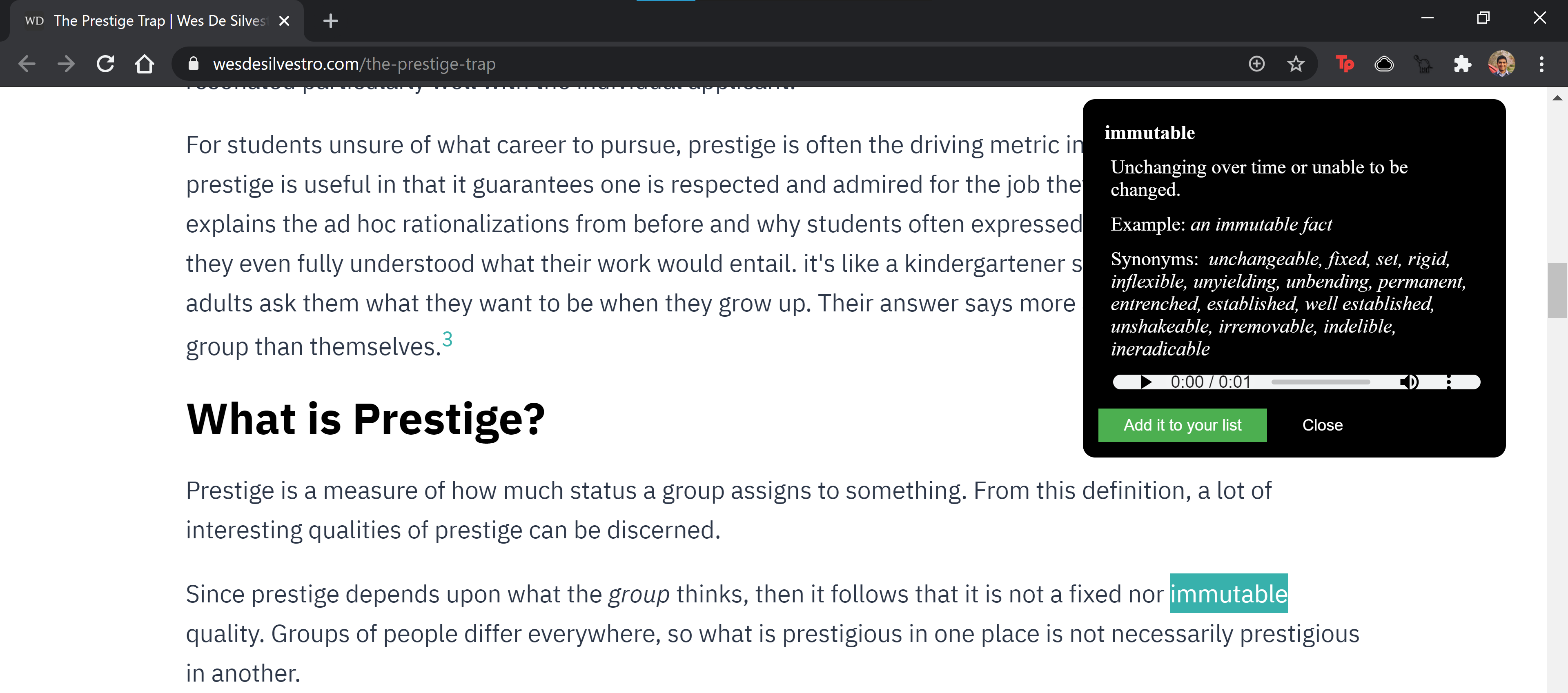
Dino is a Chrome extension, that allows users to learn words, pronunciations, and more on any piece of text they see on their browser - without changing tabs, having to press keys, or divert their focus! While many online dictionaries exist, very few allow users to search easily, without switching tabs, or allow users to store words they've learned for recollection. And easy enough to use across all age-groups!
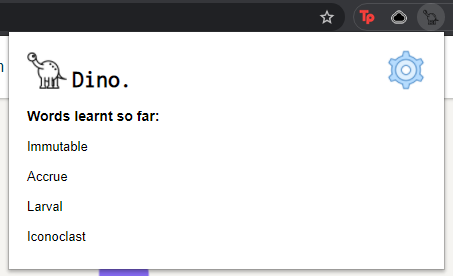
Dino does all of this - searches up definitions, synonyms, pronunciations, and even maintains a history of words you've looked up. At the end of each week, Dino will email you a list of new words you learned, and helps you retain and continuously bolster your language-learning!
How we built it
We built this using a mix of JavaScript, HTML, and CSS, and using APIs lent to us by Google's Chrome development docs. We also used 3rd party APIs that help us get definitions and info about words. We also built+hosted a custom backend service that sends emails to users, maintain their word-lists, and so on!
We also built a separate API endpoint to help us manage our emailing service using JavaScript, and deployed this on Heroku.
Our extension app can be hosted on Chromium browsers (and will soon be published in the Chrome Web Store)!
Challenges we ran into
Many of us were new to web dev (#pythonfanboys?), and thus HTML, JS, CSS were new tools to us. We were also new to the Chrome dev interface, and did not have experience developing extensions.
Thus, the first hours of the hackathon went into a lot of reading, brainstorming, etc. While developing, we also came across limitations that Chrome has w.r.t JS and API usage for security reasons. We had to weave a way across this by creating our service and hosting it separately on Heroku.
Working across 3 different time zones was also a challenge to overcome!
Accomplishments that we're proud of
We're pretty proud of the app - all of us will definitely be using it as a regular browsing and work tool. Many of our friends also found it neat, which was great motivation!
We're also pretty satisfied with the amount we've learned through this weekend. Picking up JS and understanding a bit of web dev on the go, over this weekend was really fun, and something we'll cherish.
What we learned
We've learned how to build chrome apps, working with web frameworks, collaborating, and creative brainstorming. And lots and lots of new words along the way!
What's next for Dino
We want to add a host more of useful features to our app. This includes translation services, support for additional languages, and improving accessibility for all kinds of abilities.
We also want to add more interactive and fun ways to engage with vocab. We had thought of adding flashcards and mini-quizzes that pop up when the user opens a new tab, and will definitely want to implement such features given the time.


Log in or sign up for Devpost to join the conversation.