Project Story
About the Project
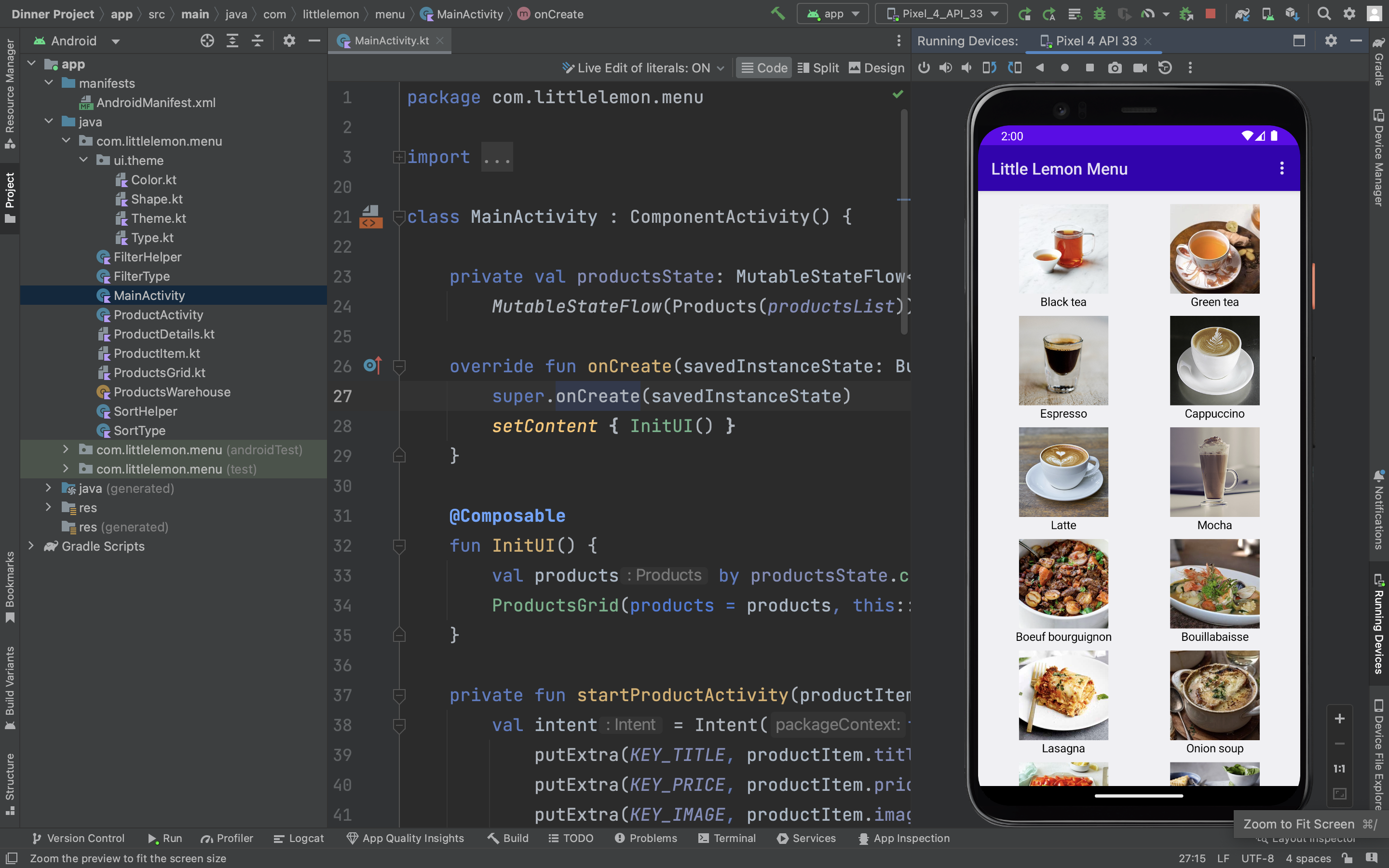
The Menu App project was inspired by the need for a user-friendly and efficient solution for displaying and navigating through a menu of products. The goal was to create an intuitive app that allows users to easily explore and order products from various categories.
What We Learned
Throughout the development of the Menu App, we gained valuable insights and learned several key lessons. Here are some of the main takeaways:
Jetpack Compose: We embraced the power of Jetpack Compose, the modern UI toolkit for Android. It allowed us to build a responsive and visually appealing user interface using a declarative programming approach.
State Management: We explored the use of state management with
MutableStateFlowin Compose. This allowed us to efficiently manage and update the state of the products, ensuring that the UI always reflected the latest data.Intent-based Navigation: We leveraged the Android
Intentsystem to facilitate navigation between activities. By passing product information through intent extras, we were able to provide a seamless transition from the grid view to the detailed product view.Sorting and Filtering: Implementing the sorting and filtering functionality presented an opportunity to understand and apply algorithms for organizing and presenting data in meaningful ways. We learned how to sort products based on different criteria and filter them by category effectively.
How We Built the Project
The Menu App was developed using Android Studio and the Kotlin programming language. We utilized the Jetpack libraries, including Jetpack Compose, to create a modern and efficient Android application.
We started by designing the UI using Compose's composable functions, allowing for a modular and reusable structure. We separated the grid view and detailed view into distinct components, making the codebase more maintainable and scalable.
Next, we integrated the sorting and filtering functionalities, implementing the necessary logic to update the products' state based on user selections. This involved working with the MutableStateFlow to trigger recomposition of the UI whenever the state changed.
To enhance the user experience, we incorporated Material Design components from the androidx.compose.material library, providing a cohesive and visually appealing interface.
Challenges Faced
While developing the Menu App, we encountered several challenges that required creative problem-solving and perseverance. Some notable challenges include:
Learning Curve: Adapting to the new paradigm of Jetpack Compose and understanding its APIs took some time and effort. We had to familiarize ourselves with the Compose documentation and seek help from the developer community to overcome hurdles.
Data Management: Managing the state of the products and ensuring consistency across different screens proved to be a challenge. We had to carefully design the data flow and update mechanisms to ensure accurate sorting and filtering.
Testing and Debugging: As Jetpack Compose is a relatively new technology, the tooling support for testing and debugging was not as mature as for traditional Android development. We had to rely on manual testing and writing custom test cases to validate the app's functionality.
Despite these challenges, we persevered and successfully built a robust and user-friendly Menu App that fulfills its purpose of simplifying product discovery and ordering.
Conclusion
The Menu App project provided us with an opportunity to explore the latest advancements in Android development and build a functional and visually appealing application. Through this journey, we gained valuable insights into modern UI development with Jetpack Compose, effective state management, and implementing sorting and filtering functionalities.
We hope that the Menu App serves as a testament to our dedication to creating high-quality software and our commitment to providing a seamless user experience.
Built With
- compose
- jetpack

Log in or sign up for Devpost to join the conversation.