DineWolfie: Devpost Submission
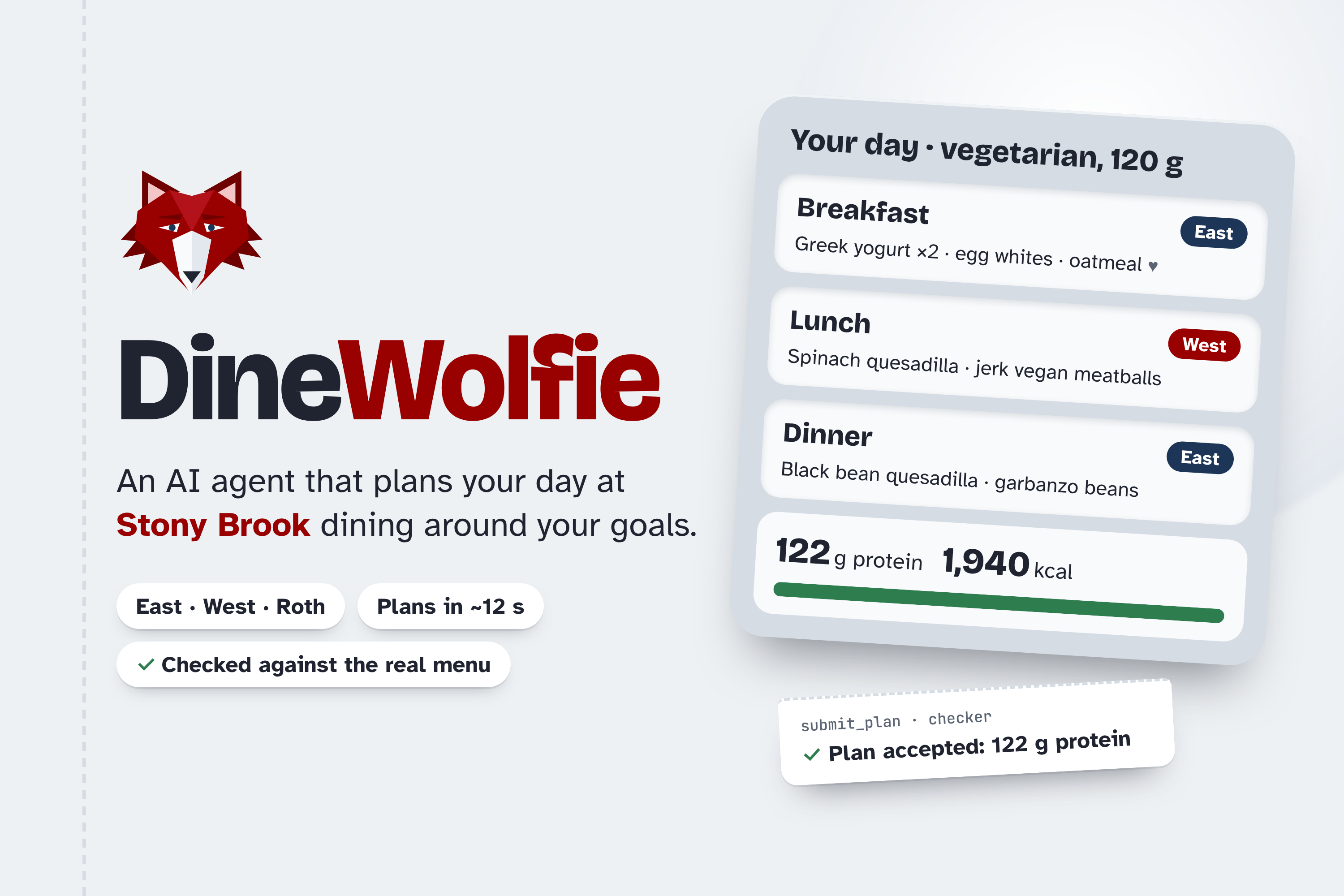
Tagline: An AI dining agent that plans your day across Stony Brook’s East and West halls, and checks every plan against the real menu and your allergies before you see it.
Inspiration
Every day at Stony Brook, we open the dining app, scroll East’s menu, scroll West’s menu, and try to add up protein in our heads, usually while walking to class. Hitting a protein goal on a vegetarian diet, or staying under a calorie budget while cutting, becomes a daily puzzle across two halls and dozens of stations. We wanted a tool that solves the whole puzzle, like a friend who knows both dining halls.
What it does
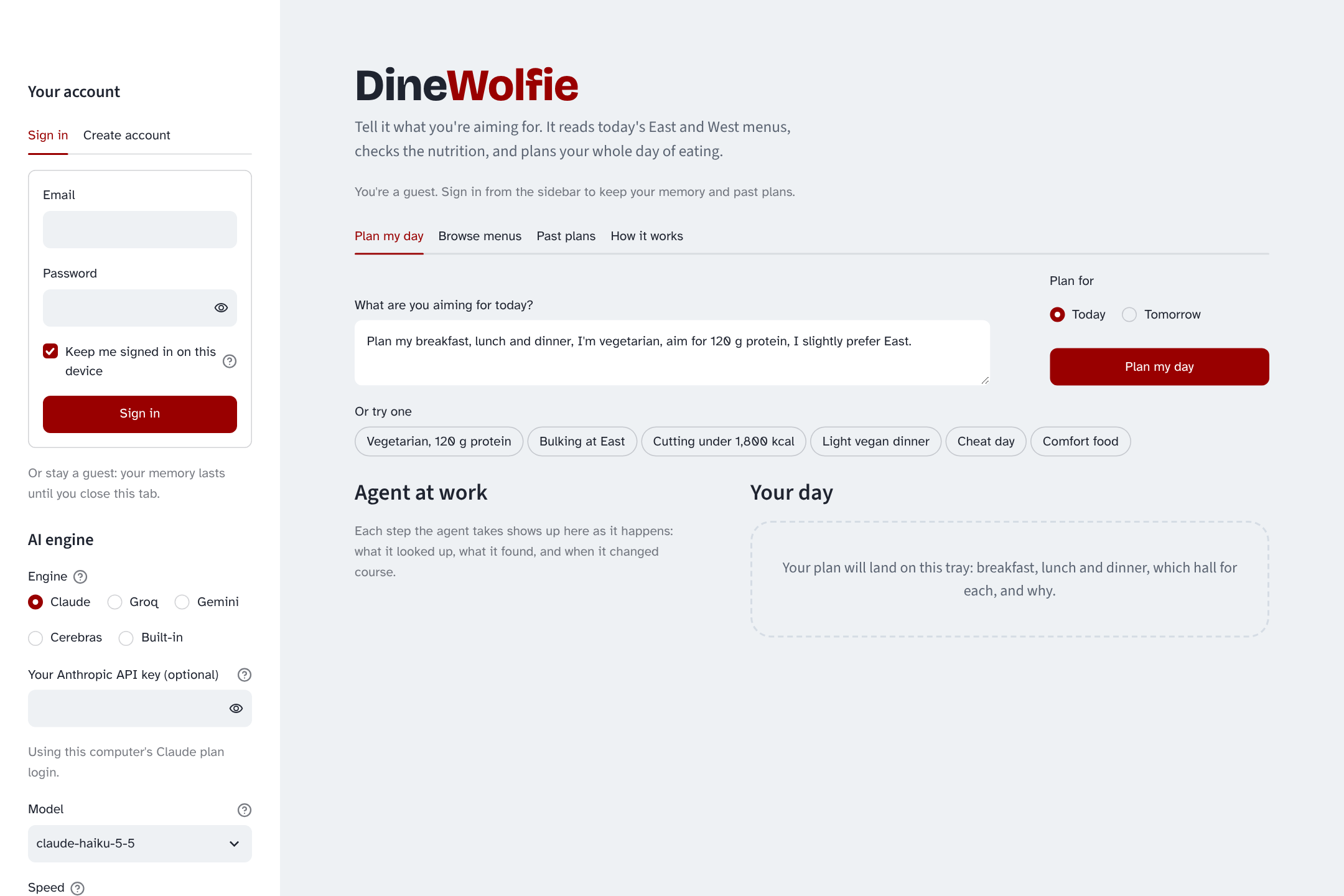
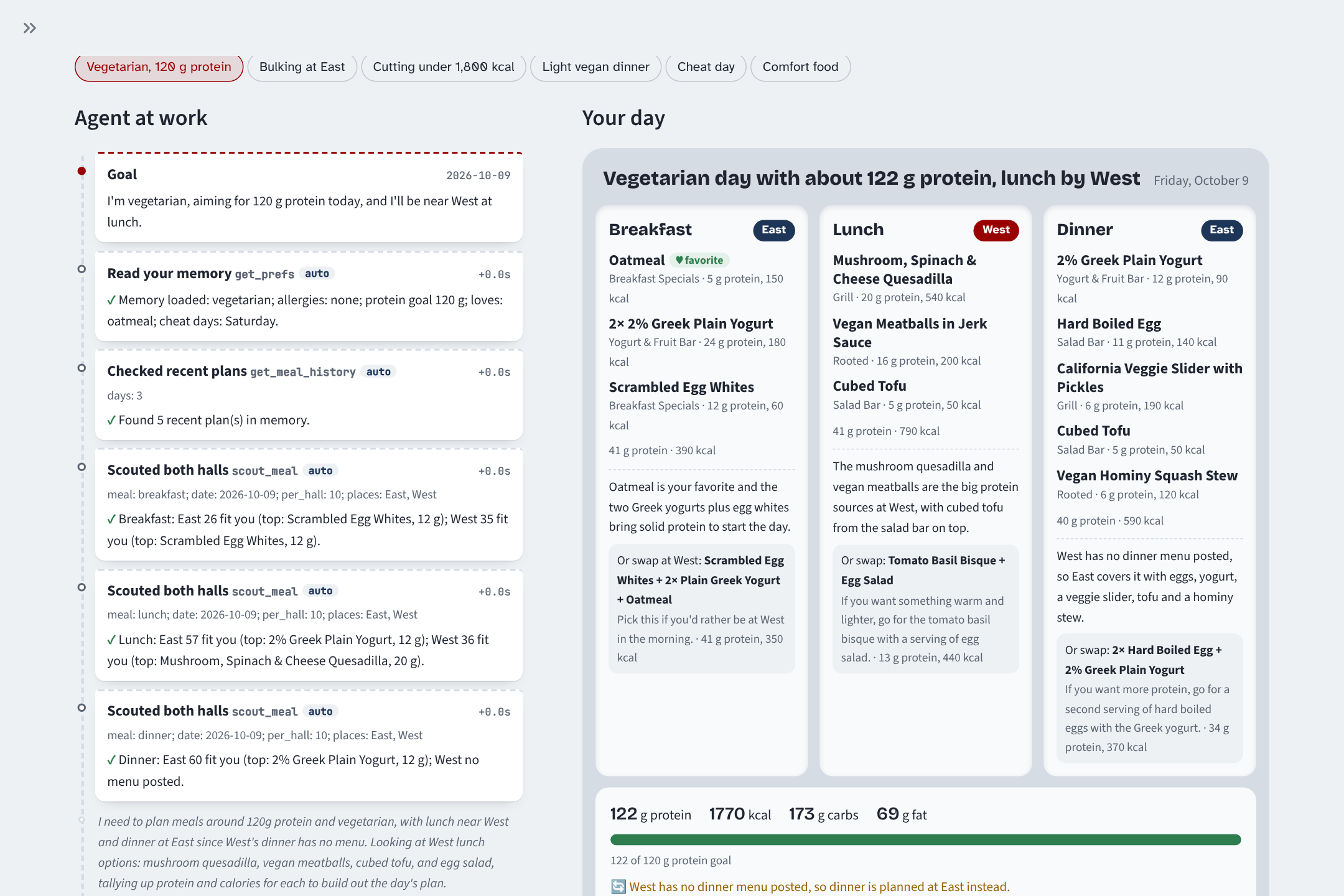
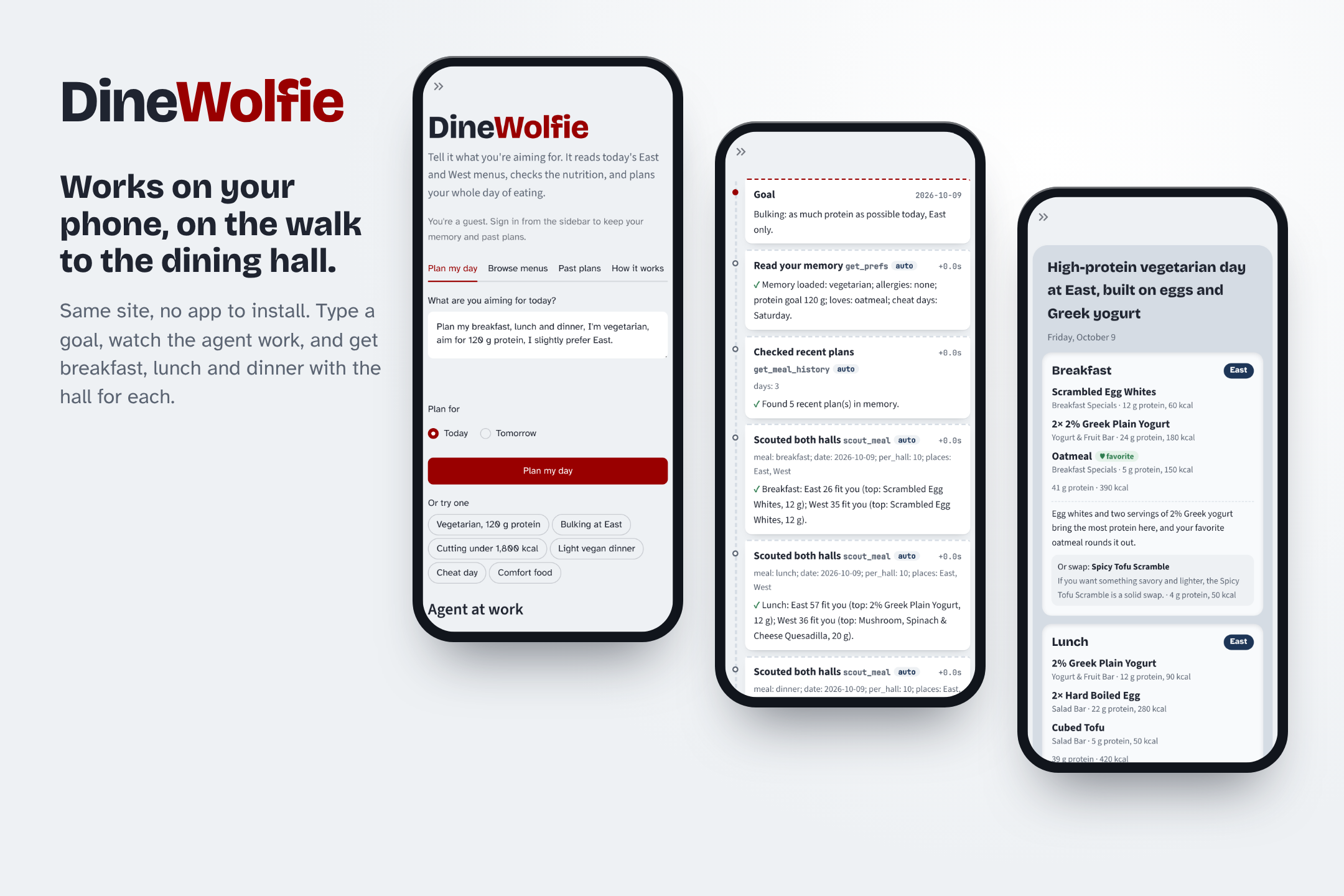
You tell DineWolfie your goal in plain words: “I’m vegetarian, aiming for 120 g protein today, and I’ll be near West at lunch.” It plans breakfast, lunch, and dinner from the real East Side and West Side Dine-In menus.
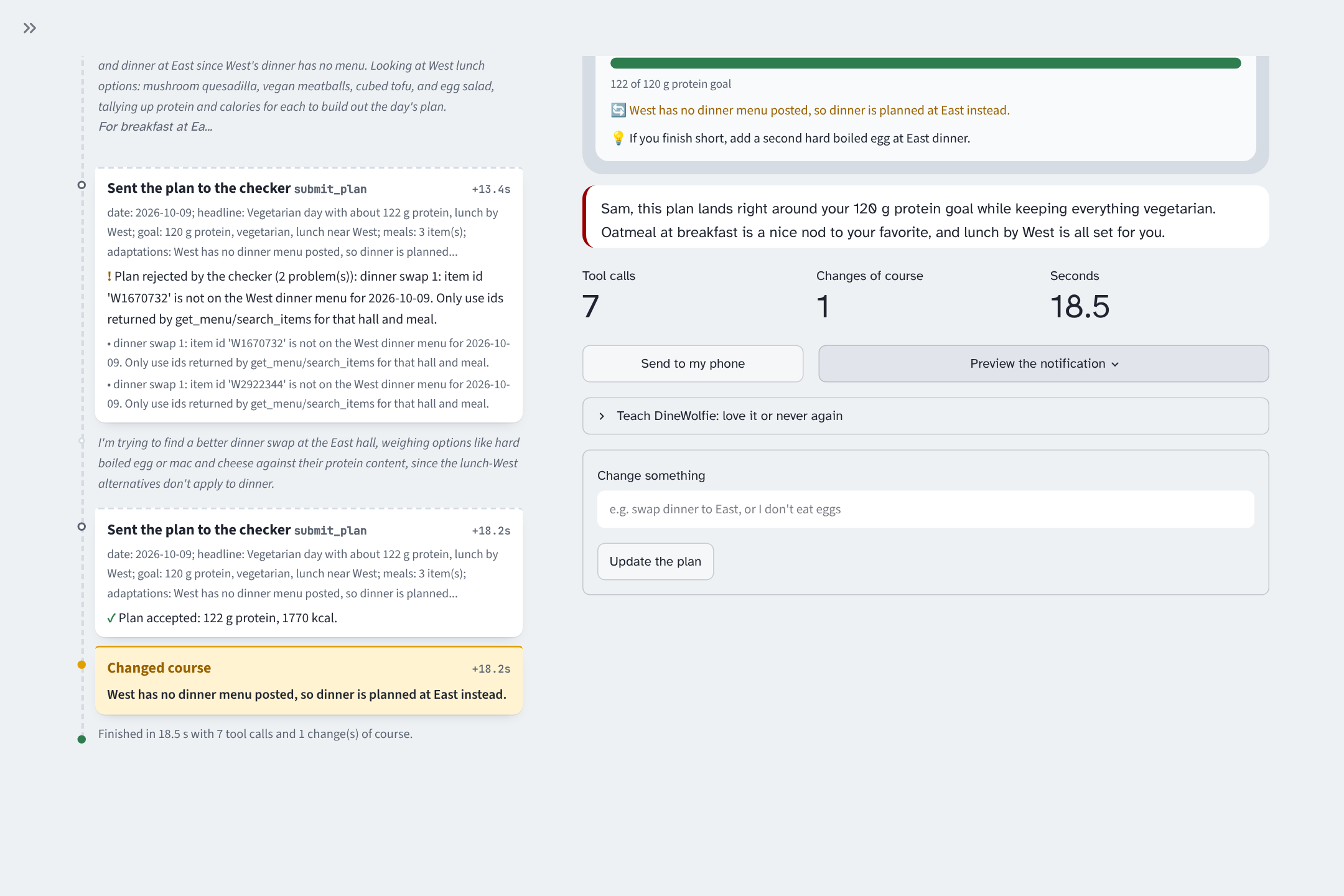
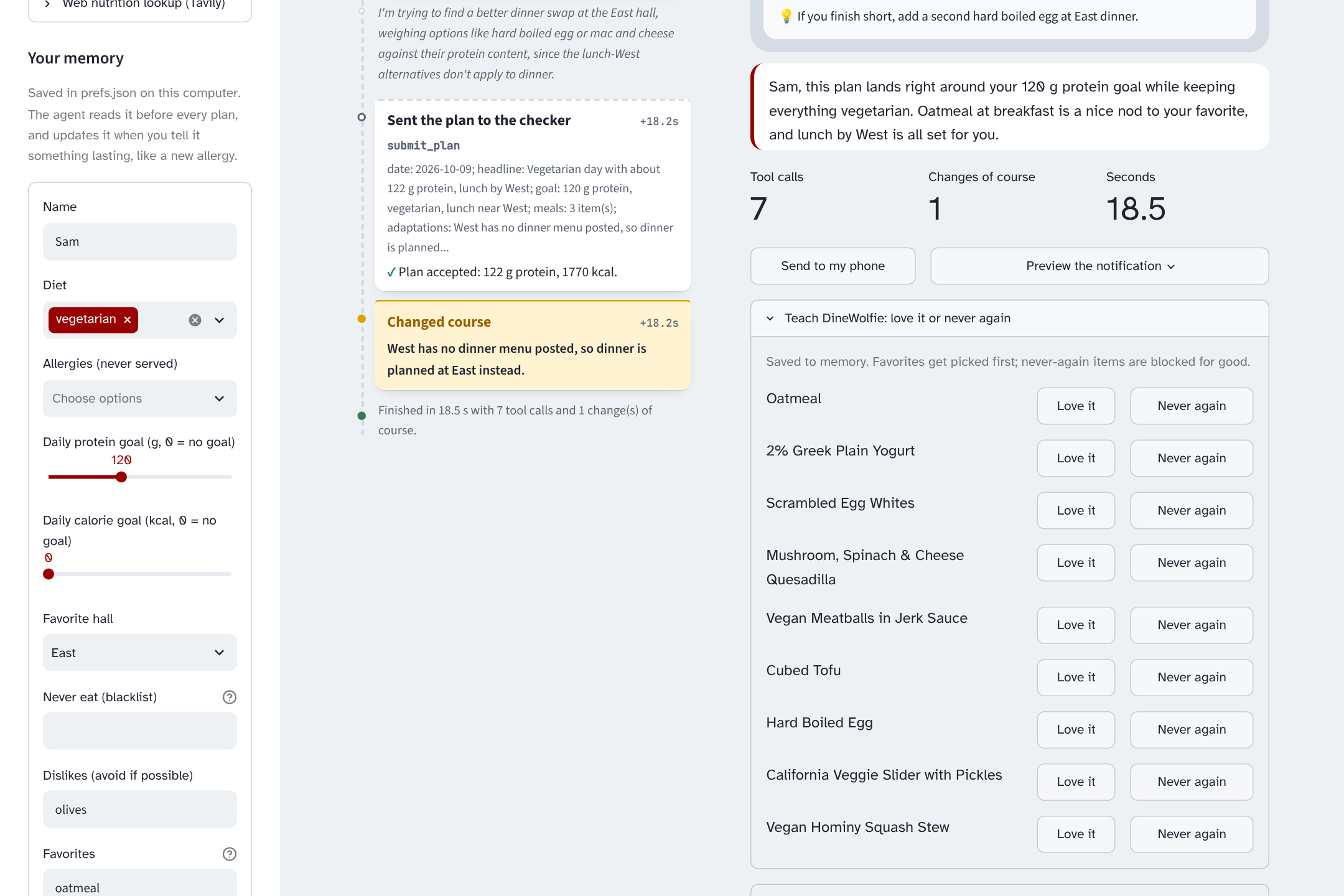
Remembers you. It stores your diet, allergies, protein and calorie goals, favorite hall, a never-eat list, favorites, treats, and cheat days. Memory updates when you say something lasting (“remember I’m allergic to soy”) or tap Love it / Never again. Adapts. If a hall hasn’t posted dinner, nothing fits your diet, or your goal is out of reach, it changes course, tells you what changed, and gives you the closest plan plus one concrete fix. Checks itself. Every plan goes through a checker that rejects any item not on that hall’s menu that day, or that breaks your allergies, diet, or never-eat list. The AI must fix the plan and resubmit. Never makes up numbers. The model decides and the code calculates. Every protein and calorie figure in a plan comes from Python, not from the AI. Your choice of AI. Pick Claude, Groq, Gemini, or Cerebras, or a built-in planner that needs no AI at all. If a model is rate-limited, DineWolfie switches models, and as a last resort it uses the built-in planner (and labels it) instead of making you wait. Accounts. Sign up with email and password and stay signed in on your device for 30 days. Your memory and past plans follow you. Works on its own. A scheduled morning run can plan your day and push it to your phone. How we built it
The agent. Claude runs through the Claude Agent SDK with 11 custom tools (menu search, hall comparison, nutrition math, memory, the plan checker, and more) plus an optional web nutrition lookup, served as an in-process MCP server. Groq, Gemini, and Cerebras run the same tools and the same checker through our own agent loop using their OpenAI-compatible APIs. The app asks each service which models it offers and picks the newest suitable one, so renamed models keep working.
Fast mode. Our first version let the model do every lookup itself: about 13 model turns and 37 seconds per plan. We moved the lookups the agent always needs (memory, recent plans, the best candidates at each hall for each meal) into code that runs before the model’s first call. The model now plans the whole day from one compact briefing, and the loop stops the moment the checker accepts the plan.
On Claude Haiku 5.5, a full-day plan usually takes 10 to 20 seconds (median about 12 s over 8 runs, range 9.9 to 27.4 s). On Groq, token usage dropped from about 40,000 to about 5,000 per plan, small enough for the free tier. A Thorough switch keeps the step-by-step mode for anyone who wants to watch every decision.
Built-in planner. A short planner in plain Python picks the most protein per calorie that fits your memory, then runs the same checker. It works as a standalone engine and as the safety net when every AI is rate-limited.
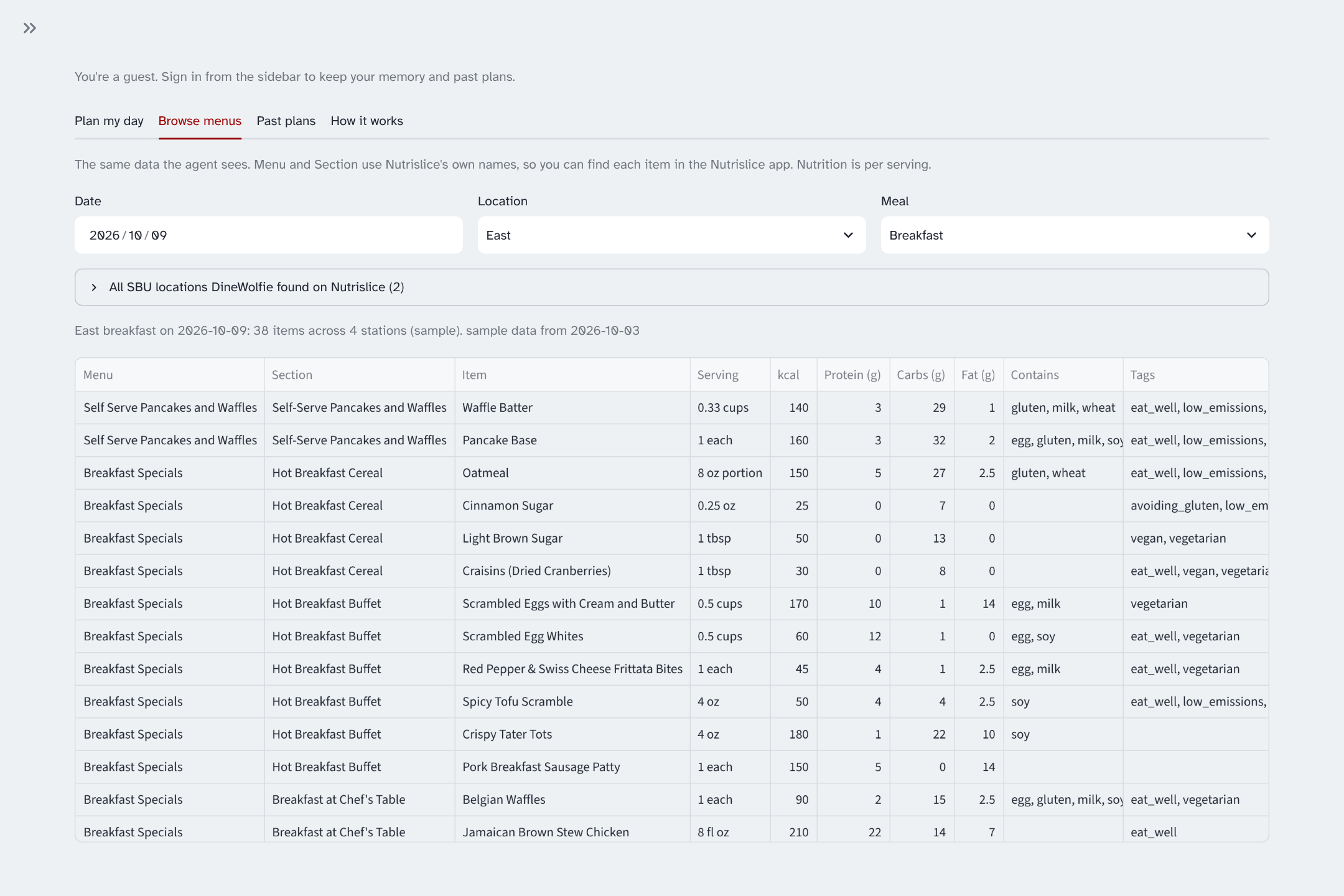
Data. We use SBU’s Nutrislice menus, parsing each item’s station, meals, nutrition, allergens, and diet tags. We discover every campus location Nutrislice lists, not just the two dining halls. Fetching is polite: cached for the day, at most one request per station, and a full stop on any refusal. SBU Campus Dining gave us permission to fetch menus automatically.
Web app. Streamlit, with a live “ticket rail” that shows each agent step as it happens and a “tray” for the finished plan. It works on phones too.
Accounts and privacy. Supabase Auth (email and password) and a Postgres table with row-level security, so each person can read and write only their own memory. We tested those rules against a real Postgres database. A GitHub Actions job pings the database every few days so the free project never goes to sleep.
Extras. ntfy for phone notifications, Tavily for web nutrition estimates (clearly labeled and never added to totals), and 115 automated tests that run offline with no AI calls.
Challenges we ran into Speed and rate limits. Every agent step re-sends the whole conversation. On Groq’s free tier (8,000 tokens per minute), a plan took 4 to 6 minutes, and on the hosted site every visitor shares that one limit. We fixed it by rethinking which steps actually need the model, rotating between models and providers, and adding a no-AI fallback so nobody is left waiting. Keeping the AI honest. Early plans sometimes picked items from the wrong hall or the wrong meal. The checker, plus making the agent fix rejected plans itself, solved that. It still catches mistakes: in one demo run it rejected two made-up swap items, and the AI fixed them in five seconds. Hosting for many people at once. Our first hosted version shared one memory file and one set of demo switches between all visitors. We gave each visitor their own, and locked the owner’s API keys to the default model so nobody can run up the bill with a bigger one. Accomplishments that we’re proud of A full-day plan in about 12 seconds, checked against the real menu and your allergies before you see it. An agent that adapts when things break and shows you how. Try the “West dinner not posted” switch. Four AI providers and a no-AI planner behind the same tools and the same checker, with automatic fallback. Real accounts with database-enforced privacy, tested against a real Postgres database. What we learned The biggest speed-up came from asking which steps need judgment and which are plain lookups, not from using a faster model. Letting code do the math and the checking makes an AI agent far more trustworthy than prompting alone. Free tiers are shared resources. Design for the limit with fallbacks and smaller requests instead of hoping not to hit it. Security rules belong in the database, not just in the app. What’s next for DineWolfie More campus locations with full menus, and checking Roth against the live data every semester. Password reset, and switching on the Google sign-in we already built. Reading goals from what you type as well as from saved memory, smarter variety across the week, and macros beyond protein and calories.
Built With
- claude
- nutrislice
- python
- streamlit

Log in or sign up for Devpost to join the conversation.