The problem with AI coding tools
Most AI coding assistants stop at suggesting the code. You paste the snippet, you run the tests, you read the failure, you paste the fix back. The model writes; you do the work. The model got good. The loop didn't.
I built Dikdik to close the loop.
Dikdik is named after the dikdik — Africa's tiny antelope. Small, fast, lives where the big animals don't. That's the idea: a coding agent that's light enough to actually live in your workflow instead of a browser tab you forget about.
What it is
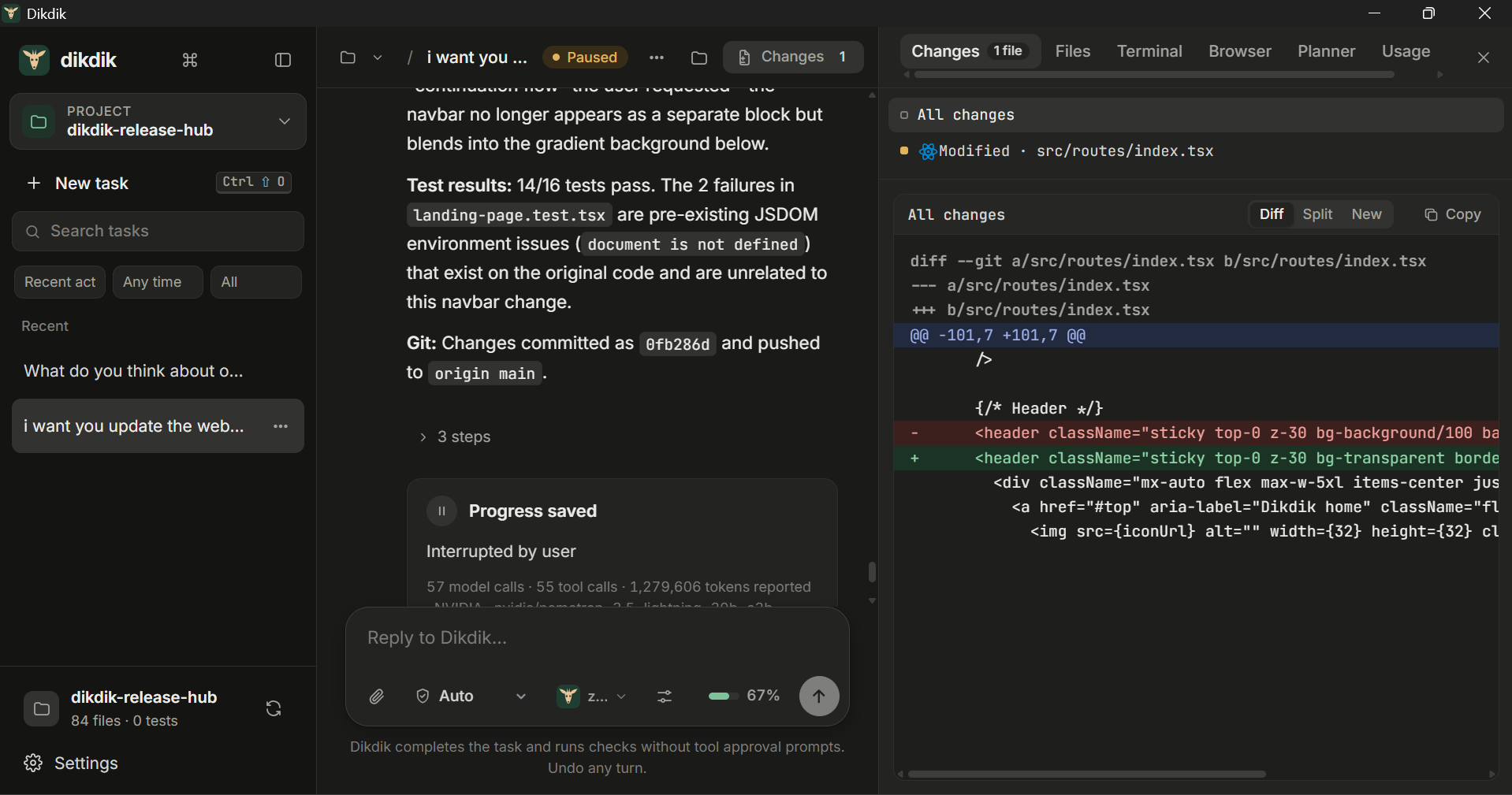
An open-source agentic coding workspace for Windows, macOS, and Linux. NVIDIA Nemotron on Nebius plans the work, Tavily pulls live public documentation with real source URLs, the agent implements the change in a real repository, runs that repository's own tests, reads the failure, fixes itself, and hands you the working diff. One tool. One turn. Real test output.
Not a prompt box. Not a recorded demo. A tool you'd actually use.
How I built it
The agent loop
The core is a real agentic loop, not a single completion call. Nemotron receives the objective and a tool budget, calls function tools to read files and search the codebase, calls Tavily for live documentation, writes the change, runs the project's checks, and either finishes with evidence or recovers from a real failure. The agent cannot claim success on syntax alone — a failed test, a missing dependency, or a rejected edit blocks completion, so "done" always means verified.
Four execution modes shape how the same agent behaves in different workflows:
| Mode | What it does | When you want it |
|---|---|---|
| Ask | Confirms every action before running it | Production code, unfamiliar projects |
| Plan | Drafts the work first and waits for your green light | Changes you want to review before they touch the tree |
| Auto | Runs authorized tools without per-action prompts | A trusted workspace where the agent should carry the task through the checks |
| Risky | Lets high-impact commands through | Sandboxes and demos where you trust the workspace |
The permission model is the feature, not a checkbox. Read-only web fetches don't ask for approval in Ask mode; commands and destructive actions still do. High-risk commands ask in both Ask and Risky. The agent is honest about what it ran.
The Nebius connection
Nemotron reaches Dikdik through Nebius Token Factory. A provider key is entered once in Settings → Models, held in the running process, and cleared when the engine closes — it isn't written to disk with the rest of the profile. Connection names, endpoints, and model profiles persist; the key doesn't. Re-enter it after a restart.
Model identifiers are provider-specific. The live model directory is loaded from the account's catalog, so the agent picks an actual Nemotron model that supports function tools — not a hardcoded ID that might not exist on your account.
Tavily for research
Tavily is wired into the agent's research tool. It runs on the user's own session key, searches are bounded, and the sources come back with their real URLs so the model cites them in the implementation. A failed Tavily response never exposes the provider body to the user; authentication is never forwarded to redirect targets; and the browser-permission deny rule also blocks Tavily. Web results are untrusted observations — the agent treats them as context, not as commands.
The stack
- Core: Python 3.13, Rust indexer (pyo3), TypeScript/Vite frontend
- Desktop host: pywebview with EdgeChromium/WebView2 on Windows
- Models: NVIDIA Nemotron (function-tool capable) on Nebius Token Factory
- Research: Tavily, on the user's own session key
- Deploy: Dokploy behind Caddy HTTPS
What inspired me
Watching a friend — a first-year CS student in Nairobi — close an AI coding tool because she couldn't justify the monthly subscription. She didn't need a smarter model. She needed a way in that didn't start with a credit card form.
I realized the hardest problem in AI tooling right now isn't capability. It's who gets to use it, and whether the tool actually does the work or just suggests it. Nebius gives us real inference at scale. The question is how to deliver that scale in a loop the user can trust — where the agent runs the tests, reads the failures, and stops when the work is actually done.
The math of honest verification
The agent's completion gate is a function of real evidence, not model prose:
$$\text{complete}(t) \;=\; \text{verified}(t) \;\land\; \neg\,\text{failed}(t) \;\land\; \text{net_change}(t) \neq \varnothing$$
A turn finishes only when the project's own checks pass, no check has failed, and the workspace has a net change. Syntax alone can't satisfy it. A claimed completion on top of a failed test gets re-verified with real evidence — the agent can't talk its way past the verifier.
The tool budget bounds how long the agent tries:
$$\text{continue}(t) \;=\; \bigl(\operatorname{calls}(t) < B\bigr) \;\land\; \neg\,\text{stuck}(t)$$
Four identical failures in a row, or an A/B pattern repeated three times, marks the agent stuck and stops the loop honestly instead of looping forever.
Challenges I faced
The updater that couldn't see its own releases. Every 0.x build ships with GitHub's --prerelease flag. Our in-app updater hit /releases/latest, which ignores prereleases and returns 404 when every release is one. Users could see the new version on the website but the app said "you're on the latest." I rebuilt the updater to read the releases list, skip drafts, and pick the newest entry with a platform installer.
Right-click broke and I didn't notice for a week. pywebview 6 gates the native WebView2 context menu on debug=True. We ship with debug=False. Copy, paste, select — gone. I wrapped the webview-ready hook to re-enable the menu without turning on devtools or F12.
The Windows cleanup race. Background shell drain threads weren't joined in close(). On Windows, after taskkill, the OS releases the killed process's working-directory handle slightly after wait() returns — so temp-directory cleanup raced it and intermittently threw PermissionError [WinError 32]. The test that exposed it passed five times locally and failed once on CI, which is how I learned not to trust a green local run.
The env var that wouldn't arrive. First deploy, the gateway refused to start with a generic error blaming all three required variables. Two were set. I spent an hour before I realized the third was singular — ...INVITATION, missing the S. I rewrote the error to name which variables are actually missing and added --check-env so the next person can diagnose it in one command.
What I learned
That the loop is the product, not the model. Anyone can call Nemotron in ten lines. The interesting work is building an agent that runs the tests, reads the failures, respects four different permission modes, and stops when the work is actually done instead of when the model says it's done.
I also learned that the small bugs — a singular env var, a missing S, an unjoined thread — are the ones that sink a deploy at 2 a.m. the night before a deadline. The --check-env diagnostic exists because I needed it myself.
What's next
- A sponsored access gateway so a funded Nebius key can serve invited users who bring no key of their own — same agent, same loop, no credential on the user's disk
- Multi-replica quota coordination
- Broader MCP server coverage for issue trackers, databases, and docs search
- Optional signed, revocable invitation tokens
But the core idea doesn't change: the agent runs the tests, reads the failures, and finishes when the work is done. That's the part worth building around.

Log in or sign up for Devpost to join the conversation.