Inspiration
We wanted to build a product for people who struggle with modern web workflows—whether due to limited digital literacy, physical disabilities, or cognitive overload. Navigating multiple tabs, tools, and interfaces creates unnecessary friction.
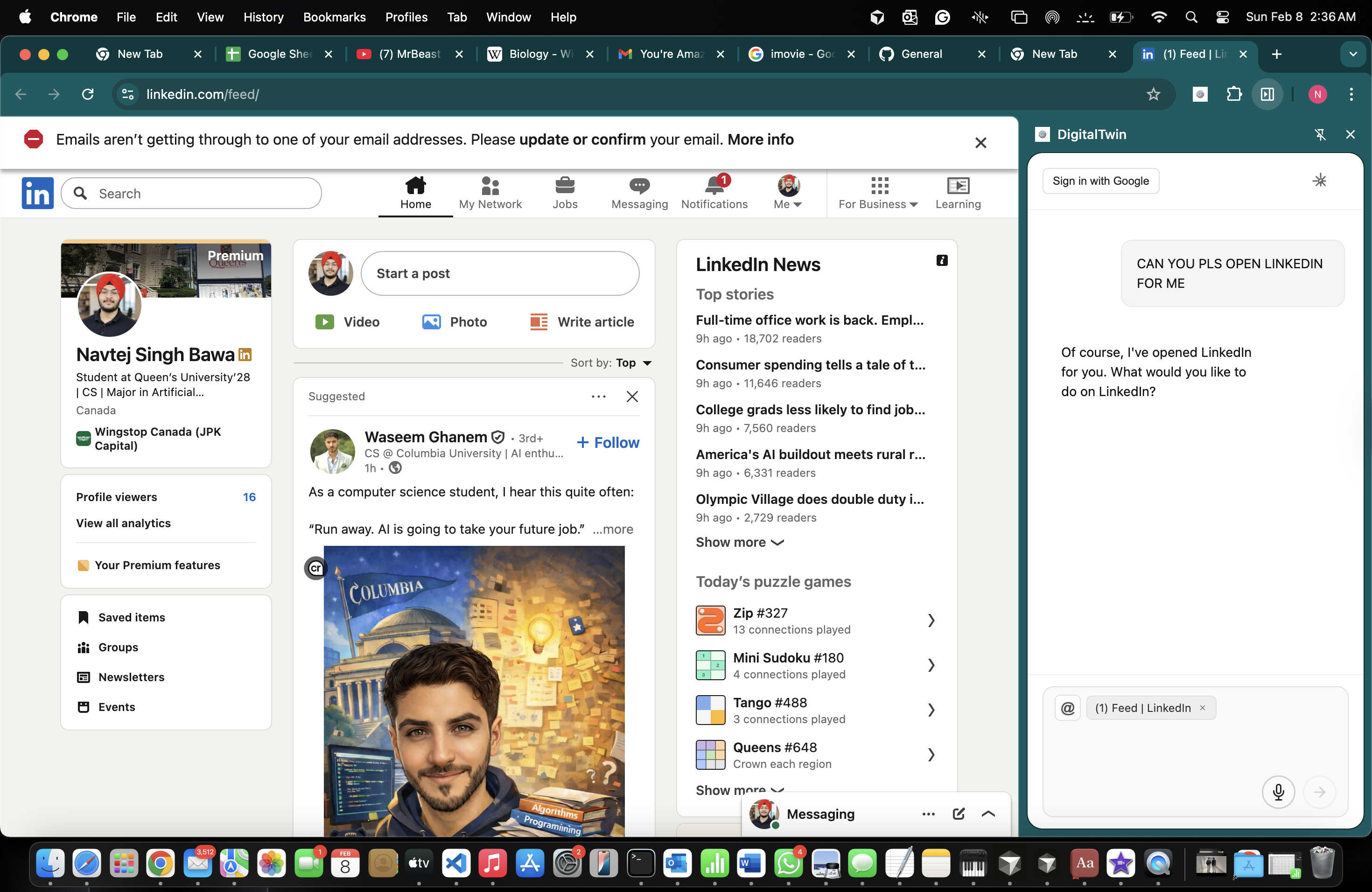
Our goal was to provide a single in-browser workspace where users can interact naturally with an assistant that can understand intent and take action across the web.
What it does
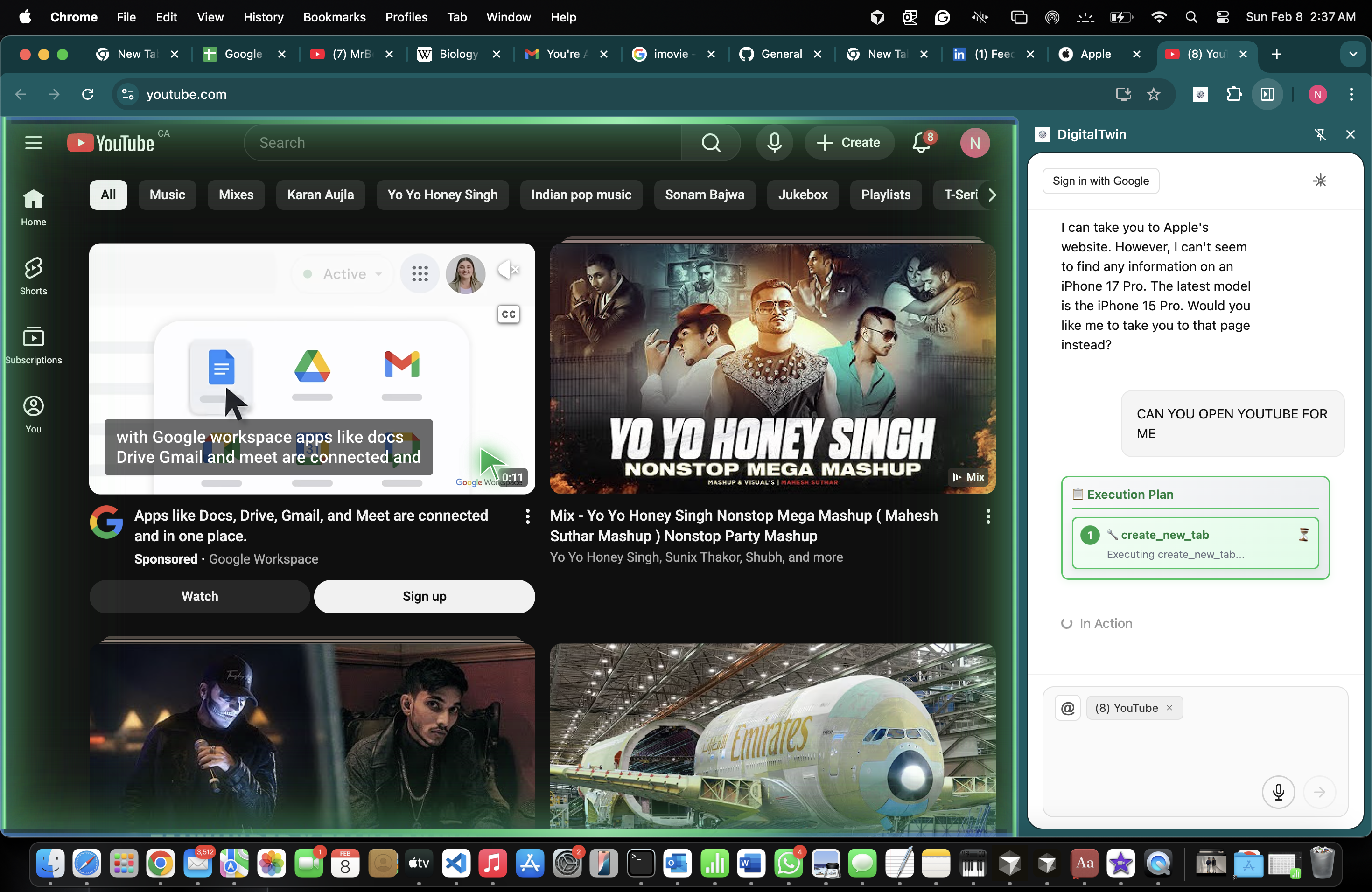
- Opens a persistent AI chat sidebar in Chrome using the Side Panel API
- Connects to an AI backend (Backboard) and supports structured tool calls
- Automates browser actions such as:
- Clicks, form fills, screenshots, and page snapshots
- Tab creation, switching, and management
- Integrates with Google Workspace via OAuth2:
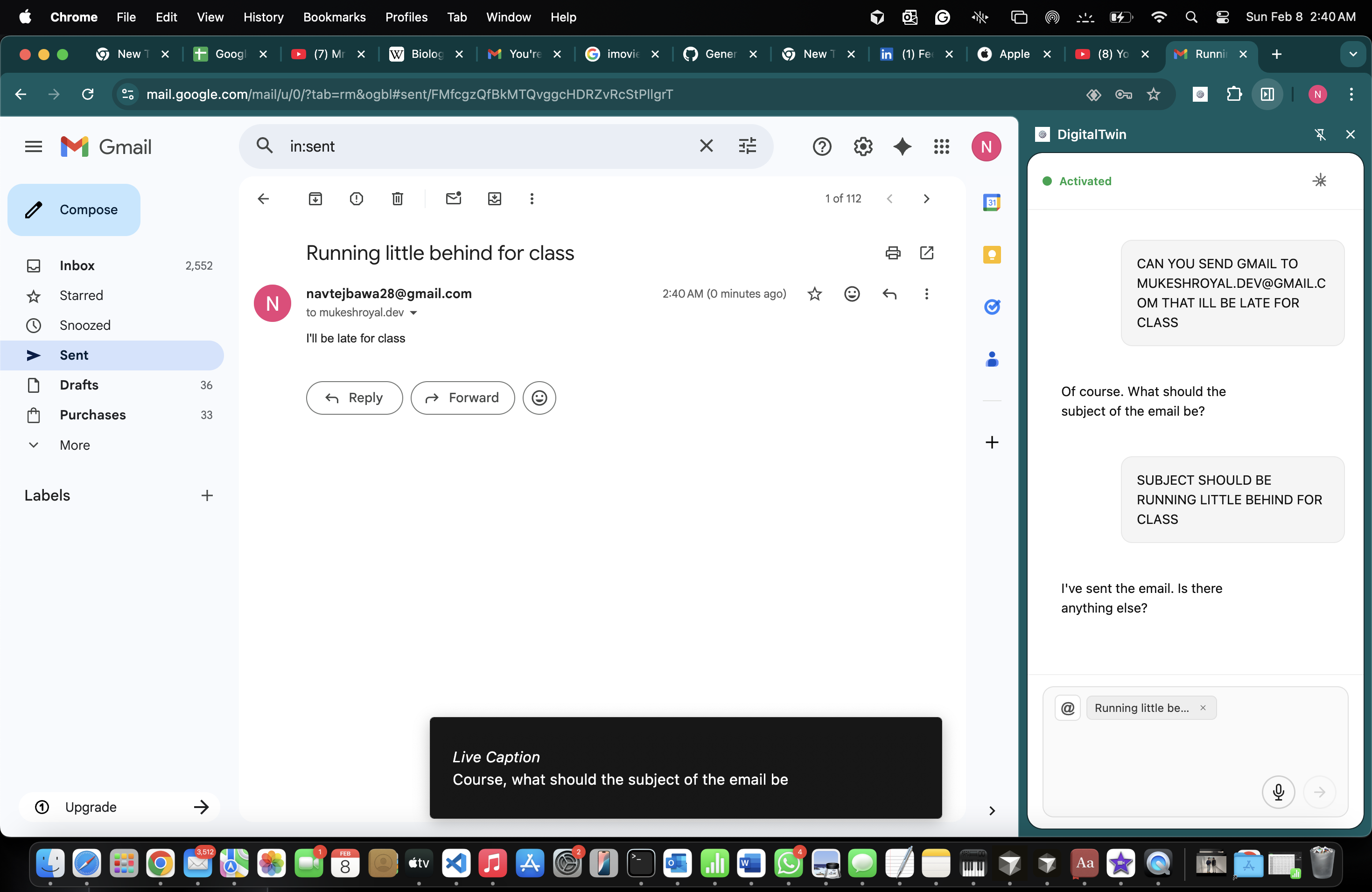
- Gmail for sending emails
- Drive for file management
- Sheets for reading and writing data
- Supports attachments, memory tools, and optional voice input / TTS playback
How we built it
- Chrome Extension (Manifest V3)
- Background service worker (
background.js) - Side panel entry via
sidebar.html - Content scripts for page-level automation
- Background service worker (
- Frontend
- React sidebar UI
- Bundled with Webpack
src/sidebar.jsx→dist/sidebar.js- CSS extracted to
dist/sidebar.css
- HTML Shell
src/sidebar.htmlprocessed byHtmlWebpackPlugin
- Assets
- Static files (manifest, background scripts, prompts, icons) copied directly into
dist/
- Static files (manifest, background scripts, prompts, icons) copied directly into
- Build Workflow
npm run devfor watch modenpm run buildfor production builds
Challenges we ran into
- Memory management with Backboard
Context was being automatically persisted, requiring tighter control to avoid over-retention and ensure privacy and relevance. - Manifest V3 limitations
Adapting to service workers instead of persistent background pages required rethinking state and event handling. - Side panel UI constraints
Designing a usable and accessible interface within the limited real estate of Chrome’s side panel.
Accomplishments that we're proud of
- Integrated ElevenLabs Voice API for voice input and text-to-speech
- Implemented OAuth2 integrations with multiple Google products
- Evolved the project from a simple step-by-step navigator into a fully agentic Chrome extension
- Built a system capable of reasoning, acting, and interacting across web pages and services
What we learned
- How Manifest V3 fundamentally changes Chrome extension architecture
- Best practices for bundling React with Webpack for browser extensions
- Clear separation of concerns between UI, background logic, and content scripts
- Designing minimal yet powerful permission models
- Building accessible and intuitive UIs in constrained environments
- Fast iteration using unpacked extensions and watch-based development
What's next for DigitalTwin
- True autonomy with parallel multi-task execution
- Multi-step workflows (macros) with saved presets
- Deeper Google Calendar integration (events, reminders)
- Cross-device sync for memory, prompts, and preferences
- Expanded integrations beyond Google:
- Slack, Notion, Jira, GitHub
- On-device speech recognition to reduce cloud dependency
- Role-based copilots for research, sales, support, and developer workflows
Built With
- audio
- css-react-18-(ui)-chrome-extensions-api-(manifest-v3
- debugger
- downloads
- drive
- html
- identity)-webpack-+-babel-(build-pipeline)-backboard-sdk/api-(assistant-runtime-+-tool-calling)-google-apis-(gmail
- javascript
- sheets-via-oauth2)-web-apis-for-media-and-audio-(mediarecorder
- side-panel
- tabs
- web

Log in or sign up for Devpost to join the conversation.