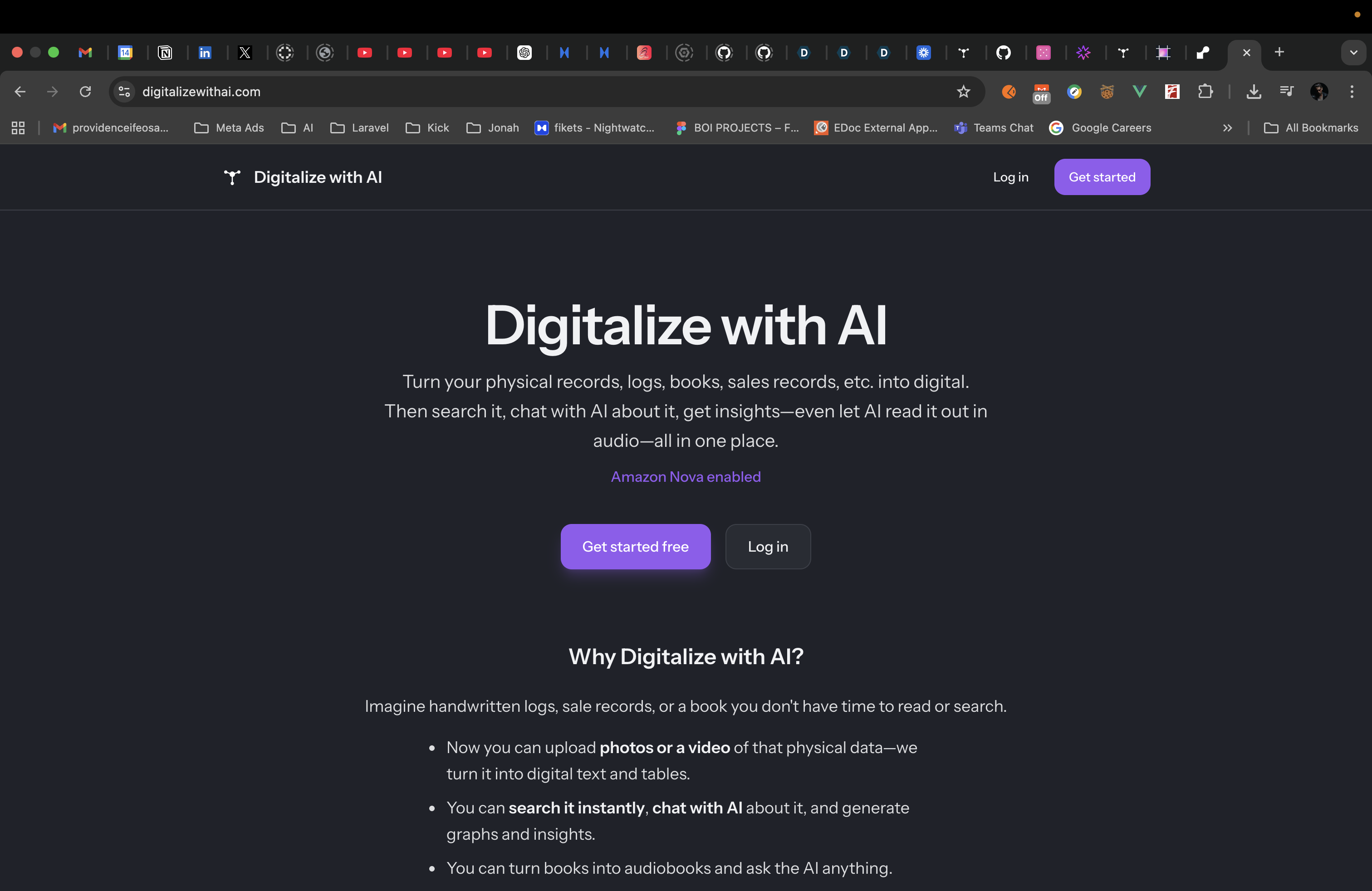
Digitalize With AI
Inspiration
Physical records are still everywhere: handwritten notes, sale records, ledgers, logs, financial documents, medical documents, printed books, stacks of paper, etc.
The problem is that once information lives on paper, it becomes hard to search, hard to analyze, and impossible to "ask". Even books can be hard to get through when you are busy.
We wanted one place where users could take real-world physical content, turn it into digital data, and actually use it. That means searching it, chatting with AI about it, generating graphs and insights from it, and even hearing it read aloud.
That is what Digitalize With AI is built for.
What it does
Digitalize With AI turns physical records, logs, books, and sale records into digital content.
Users can upload photos, multiple files, or a video of their data. We process that content with AI, convert it into digital text or tables, and then make it useful inside the app.
Once uploaded, users can:
- Search through records, tables, and logs instantly
- Chat with AI about the extracted content
- Generate graphs and insights from structured table data
- Listen to documents and tables with read-aloud support
- Use voice input to ask questions more naturally in supported browsers
Everything lives in one flow: upload -> digitalize -> search, chat, analyze, and listen.
How we built it
- Backend: We built the app with Laravel 12. Laravel handles the API layer, storage, queues, jobs, broadcasting, and the overall orchestration of the digitalization pipeline.
- Frontend: The UI is built with Vue 3, TypeScript, Tailwind CSS, and Inertia for a smooth single-page-app feel.
- AI integration: We used Laravel AI as the model integration layer and added a custom Amazon Nova provider and custom gateway so Nova could work cleanly inside the same abstraction as the other supported providers.
- Amazon Nova: Amazon Nova powers the main multimodal extraction workflow. It helps determine whether uploaded content should be treated as a document or a table, returns structured content, preserves multi-page output, and generates prompts and insights.
- Video processing with FFmpeg: For videos, we do not send raw video directly into the AI pipeline. We use FFmpeg through a
VideoFrameExtractorservice to sample image frames from the video, then process those frames as an ordered visual sequence. This improved reliability for phone-recorded ledgers, handwritten pages, and moving scans. - Queue-based processing: Uploads are processed through Laravel jobs such as
DigitalizeOrchestratorJob,DigitalizeFileJob,DigitalizeFirstFrameJob,DigitalizeBatchJob, andDigitalizeMultiFileJob. This keeps larger uploads from blocking requests and lets us process files incrementally. - Structured extraction: We created extraction agents such as
DigitalizeAgentandDigitalizeAgentNovathat return structured output for document and table use cases. We also normalize responses before storing them so the rest of the system can rely on a consistent shape. - Search: We use PostgreSQL full-text search so users can search across their extracted content after digitalization.
- Charts and insights: We use Chart.js on the frontend, and a
ChartSuggestionAgenthelps determine useful chart types from extracted table data. - Read aloud: We added browser-based read-aloud using the Speech Synthesis API, including page-by-page and table-aware reading plus voice selection.
- Real-time updates: We implemented live progress updates using Pusher + Laravel Echo. As queued jobs complete, the backend broadcasts events so users can see processing progress, failures, and completed extraction results in real time without refreshing.
Challenges we ran into
- Amazon Nova integration: Nova did not fit the exact API shape used by the default Laravel AI drivers, so we had to build a custom provider and gateway and normalize responses carefully so extraction and chat workflows remained consistent.
- Structured output: The biggest challenge was not just extracting text, but making sure the result came back in a structured format the rest of the app could use reliably for documents, tables, search, chat, and charts.
- Video processing: Video uploads are much heavier than images. We had to tune FFmpeg frame extraction, frame sampling, batching, timeouts, and retries so large uploads would still complete reliably.
- Long-running workflows: Some uploads can take a while to process, especially videos or multiple files. We had to design around queues, progress tracking, status transitions, and batch merging so the app would feel responsive instead of stuck.
- Mobile audio behavior: Browser audio can be inconsistent, especially on iOS. We had to add an audio-unlock flow so read-aloud works more reliably on mobile devices.
Accomplishments that we're proud of
- End-to-end product flow: We built a full pipeline from physical upload to searchable, chat-ready, chartable, and listenable digital content.
- Custom Nova integration: We successfully integrated Amazon Nova into Laravel AI with a custom provider and gateway instead of treating it as a one-off API call.
- Video-to-data pipeline: Using FFmpeg plus queued batch jobs, we made videos of physical records usable inside the same extraction system as images.
- Real-time UX: Users get live progress updates while uploads are processing, which makes the app feel much more transparent and usable.
- Practical AI use case: This is not just a chatbot. The system turns messy physical information into structured data people can actually work with.
What we learned
- Building on top of AI models is not just about calling an API. The product logic around normalization, structure, retries, and storage matters just as much.
- A custom provider/gateway layer was worth it because it let Amazon Nova fit naturally into the Laravel AI ecosystem and kept the rest of the app clean.
- FFmpeg was a key part of making video uploads practical. Turning video into image frames gave us much more control over extraction quality.
- Queue-based design is essential for multimodal workflows that can take time. Without that, the product would feel fragile very quickly.
- Real-time updates make a huge difference in user trust. When users can see progress as jobs run, the experience feels alive instead of opaque.
What's next for Digitalize With AI
- Turn it into a SaaS: Whether I win the Amazon Nova Hackathon or not, I plan to keep building Digitalize With AI into a SaaS product and try to create as much real-world value from it as possible.
- Smarter video extraction: Better frame selection, keyframe detection, and more context-aware handling for longer videos
- Stronger document intelligence: More AI actions for extracted content, such as deeper summaries, targeted field extraction, and better structured editing
- Collaboration: Shared workspaces, permissions, and team features for businesses and organizations with multiple users
- Exports and integrations: More ways to export data and connect digitalized content into other workflows and tools
- Deeper voice workflows: Expand the voice experience so users can interact with their extracted knowledge even more naturally
Built With
- laravel
- postgresql
- render
- vuejs

Log in or sign up for Devpost to join the conversation.