Inspiration
While online shopping, I found that I was quick to add things to my cart or impulsively spend. I would often end up regretting it later, especially if I was saving for things like a new laptop or other more expensive items. It led me to wonder how many small purchases I could've avoided to contribute to bigger, more impactful ones.
What it does
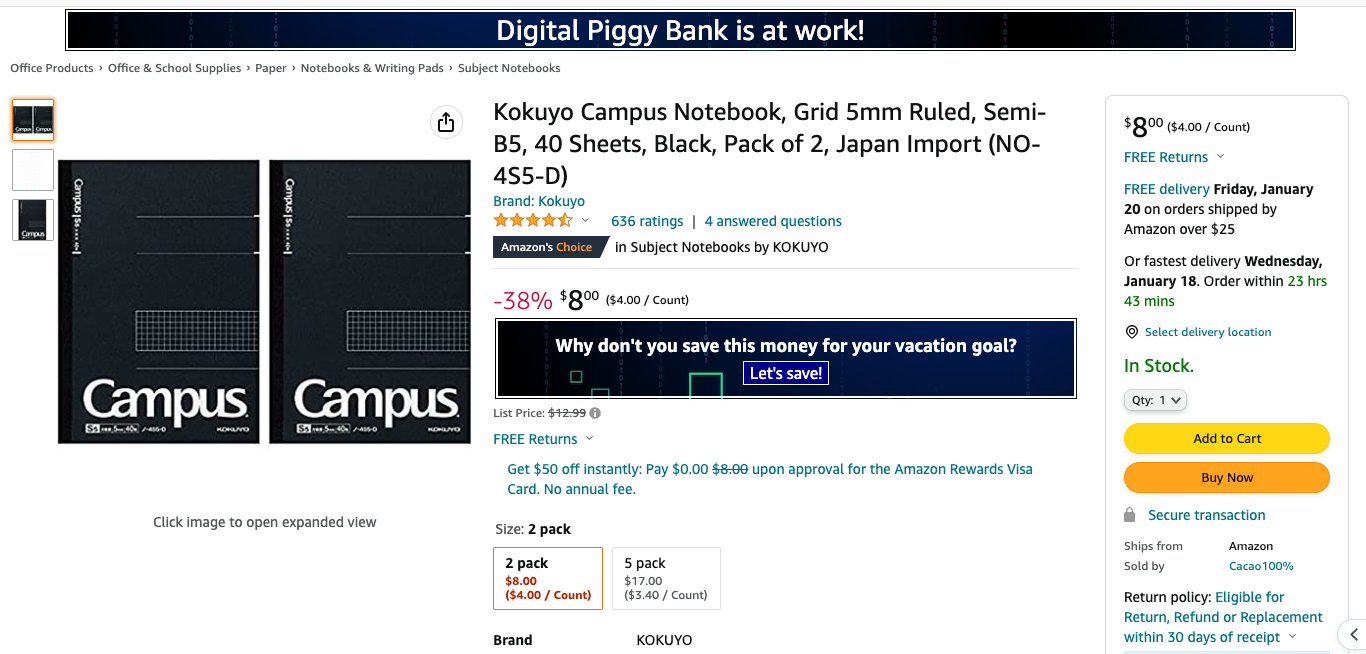
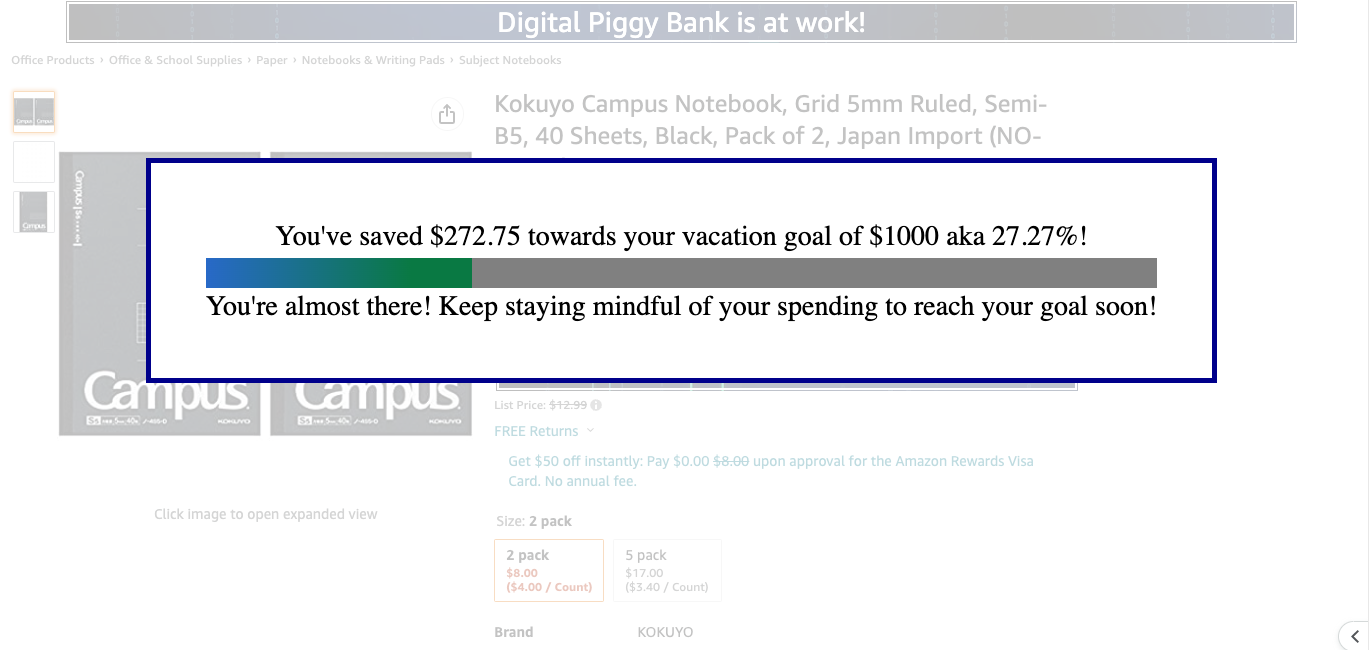
Digital Piggy Bank is a Chrome extension that appears on an online product page, prompting you to set a goal initially, and slowly forego unnecessary purchases to save towards it. It keeps track of your goal through multiple tabs, until you finally reach it and set a new goal. The extension also blocks you from buying the item and visualizes the progress you've been making.
How we built it
The extension was built with Javascript and CSS, and uses the Chrome storage API to store local data on your computer.
Challenges we ran into
A major challenge I kept running into was the storing of data. I wanted to save the user's goal name and amount of money for that goal across multiple sessions. I had a lot of trouble getting Chrome storage to work, and referencing those values again when necessary. I also needed to check values in storage or reset them, so I spent a lot of time referencing the documentation and looking at examples.
Accomplishments that we're proud of
This is the first Chrome extension I've made, so I was really proud that I was able to make a functional product that someone could start using right away! I also kept running into errors, but I adapted quickly and changed my design to work around them.
What we learned
I learned a lot about building extensions and how websites work in general.
What's next for Digital Piggy Bank
I hope to make this functional for more sites and offer a way to add custom prices to your saving total if the script isn't supported. I would also love to connect this to a database so a user can view their saving history.

Log in or sign up for Devpost to join the conversation.