-
-
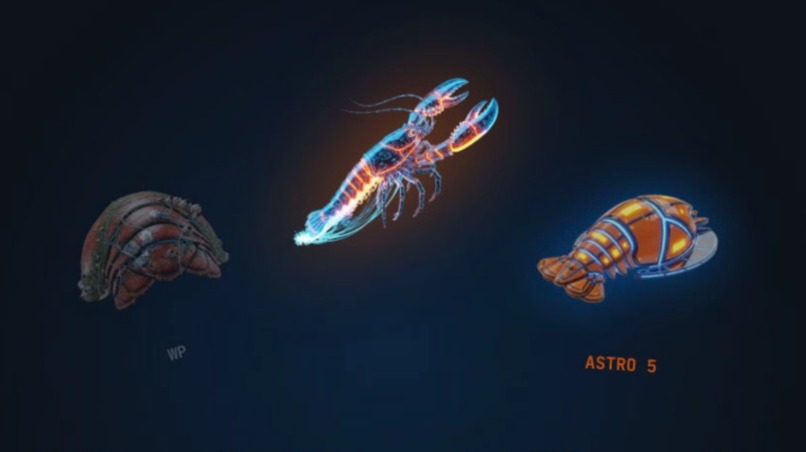
lobster shell change
The misunderstood problem
WordPress powers roughly 40% of the entire web. That number is usually framed as a success story. We think it is the single largest piece of technical debt humanity has ever accumulated.
Forty percent of the internet was authored for a world that no longer exists — a world of human editors clicking through wp-admin, of plugin stacks bolted together over a decade, of PHP rendering pages that an LLM now has to scrape, guess at, and reconstruct just to understand. The web's largest layer was built to be operated by people. The next web will be operated by, indexed by, and reasoned over by machines.
The inherited assumption everyone accepts is that WordPress is a destination. You arrive, you stay, you maintain it forever. We reject that assumption from first principles. WordPress should be a launch point, not a life sentence — the place a site is born, not where it dies.
Migrating off WordPress today is one of the most repetitive, expensive, and manual jobs in software: inspecting content types by hand, rebuilding page structures, preserving SEO, reverse-engineering plugin behavior, fixing media, and recreating design details one theme at a time. It is exactly the kind of work that should not exist anymore.
So we asked the zero-to-one question: what if moving 40% of the internet into the AI era did not require starting over — and did not require a human in the loop at all?
What it does
Digital Lobster is an AI-native migration system that takes a live WordPress site and rewrites it into a modern, machine-readable Astro site through an autonomous multi-agent pipeline.
It has two parts:
- An exporter plugin (the last WordPress plugin you ever install) that scans the source site and packages the real migration artifacts — not just content, but menus, media references, theme assets, plugin fingerprints, redirects, SEO metadata, body classes, and HTML snapshots — into a single bundle.
- A multi-agent builder that ingests that bundle and transforms it into a deployable Astro JS 5 site.
The builder runs a sequential pipeline where each agent owns one migration concern and passes structured artifacts forward:
- parse and validate the export bundle
- index the site's full context into a vector knowledge base
- generate a migration brief
- compile content schemas and real route structures
- preserve theming, layout, and design tokens
- scaffold an Astro JS 5 project
- import content into the generated collections
- run automated parity QA against the original site
In static mode it produces a downloadable, self-contained Astro site. In deployment mode it builds and ships the result to cloud hosting. The output is not a worse copy — it is the same site, rebuilt for an era where speed, structure, and machine-readability are the defaults.
This turns a messy, manual rebuild into a structured, repeatable, and ultimately autonomous migration.
The first-principles insight
Most "AI migration" attempts fail because they treat the model as the system. They paste a page into an LLM and hope.
Our core insight is the inverse: AI quality is downstream of artifact quality, and reliability is downstream of determinism.
- The exporter's job is to capture enough ground truth that the model never has to guess. Better exports produce better reasoning. An incomplete bundle forces the model to hallucinate, and hallucination is the enemy of migration.
- The pipeline draws a hard line between interpretation and decision. AI handles the ambiguous, judgment-heavy work — classification, planning, manifest review. Deterministic code owns everything that must be exact: routes, schema shape, theme structure, and deployment artifacts.
That split is what makes the system trustworthy at scale. You cannot rewrite 40% of the internet with a chatbot. You rewrite it with a disciplined pipeline that uses AI exactly where judgment beats rules, and nowhere else.
How we built it
Digital Lobster is a two-part system.
The exporter is a WordPress plugin written in PHP, built around 32 dedicated scanners. It runs inside the live WordPress environment and produces a ZIP bundle of structured artifacts — content samples, media mappings, plugin metadata, theme data, routing information, and HTML snapshots. It is privacy-first: PII, credentials, and secrets are stripped before anything leaves the server.
The builder is a Python service built with FastAPI and an HTMX-based operator UI. It orchestrates the agent pipeline, where some agents are deterministic and artifact-driven and others use a large language model to reason over ambiguous decisions.
The AI and data layer:
- Gemini powers inference and embeddings across the pipeline — agent reasoning, structured output, and the vectors used for retrieval.
- MongoDB Atlas stores run state and serves as the vector knowledge base via Atlas Vector Search, so each agent can query the full extracted site context.
- AWS S3 stores uploaded bundles, pipeline artifacts, and the final built site.
- Astro JS 5 is the migration target — static-first performance, a clean content model, and a structure that is far more legible to both browsers and machines than a PHP theme.
Architecturally it is a pipeline, not a monolith. Artifacts are inspectable between every stage, individual steps can be improved in isolation, and the whole run is traceable when a migration does not match the original closely enough. That transparency is what let us push fidelity up step by step.
The hardest problem: parity
Getting content out of WordPress is easy. Preserving how a site behaves and looks once WordPress is gone is the real moonshot.
WordPress sites depend on a fragile lattice of theme CSS, plugin-generated archive pages, body classes, media derivatives, and layout assumptions that are invisible in the content alone. We fought through:
- preserving real WordPress route structures instead of generating generic ones
- preventing synthetic archive pages from overriding actual exported pages
- keeping page-specific body classes that themes rely on for styling
- resolving theme CSS references to fonts, icons, and background assets
- handling responsive media variants and
srcset-style image references - carrying enough snapshot detail through the pipeline to reconstruct pages accurately
The deeper challenge was governance: deciding where AI leads and where deterministic logic stays in control. Loose prompts make migration software "creative" in exactly the places it must be precise. We tightened prompt guardrails so AI assists with interpretation while code remains the source of truth for routes, schema, and artifacts.
Why this is a moonshot
This is not a polished clone of an existing tool. There is no "one-button, autonomous, AI-native WordPress migrator" category to clone — we are trying to create it.
If it succeeds, the implication is civilization-scale by definition: 40% of the web becomes faster, cheaper to maintain, and structurally ready for an AI-mediated internet — without armies of developers doing the same migration by hand a million times over. The marginal cost of modernizing a website trends toward zero.
That is the zero-to-one bet. Not "migrations, but slightly better." A world where the dominant layer of the web can be rewritten on demand.
What we're proud of
Digital Lobster is more than a concept demo. It is a working end-to-end system:
- a real WordPress exporter plugin with 32 scanners
- a real multi-agent migration builder
- Gemini-powered inference and embeddings
- a MongoDB Atlas vector knowledge base for grounded retrieval
- artifact storage and static deployment through AWS S3
- multiple pipeline modes, from static output to deployment flows
- strong automated test coverage, including Hypothesis property-based tests
Most of all, we are proud that it attacks a problem everyone knows is painful but almost no one treats as a full, autonomous workflow.
What we learned
- The most important AI products do not talk the most — they fit inside a concrete workflow and make a hard task measurably, structurally easier.
- Real migration software needs both AI and determinism. AI for interpretation; deterministic code for routes, schema, and artifacts.
- Artifact quality drives AI quality. Capture the right context and the model reasons; starve it and it guesses.
- Parity is a product in itself. People do not just want their content moved. They want the new site to feel like the original — only faster and ready for what comes next.
What's next
The vision: Digital Lobster becomes the last WordPress plugin a team ever installs, and the on-ramp that moves the web's largest layer into the AI era.
- improving visual parity across more themes and plugin-heavy sites
- expanding adapter coverage for major WordPress plugin ecosystems
- strengthening automated comparison between original and generated sites
- making deployment flows smoother end to end
- evolving the builder UI into a polished operator experience
- supporting more migration targets and editing workflows beyond static export
WordPress was the launch point for 40% of the internet. Digital Lobster is how that 40% gets rewritten for the era that comes after it.

Log in or sign up for Devpost to join the conversation.