-
-
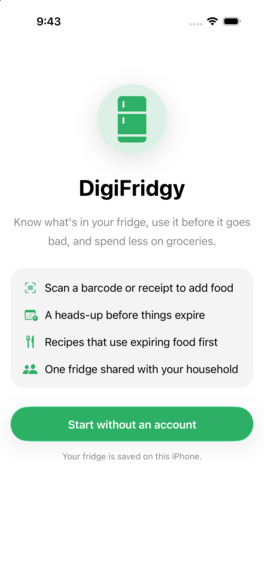
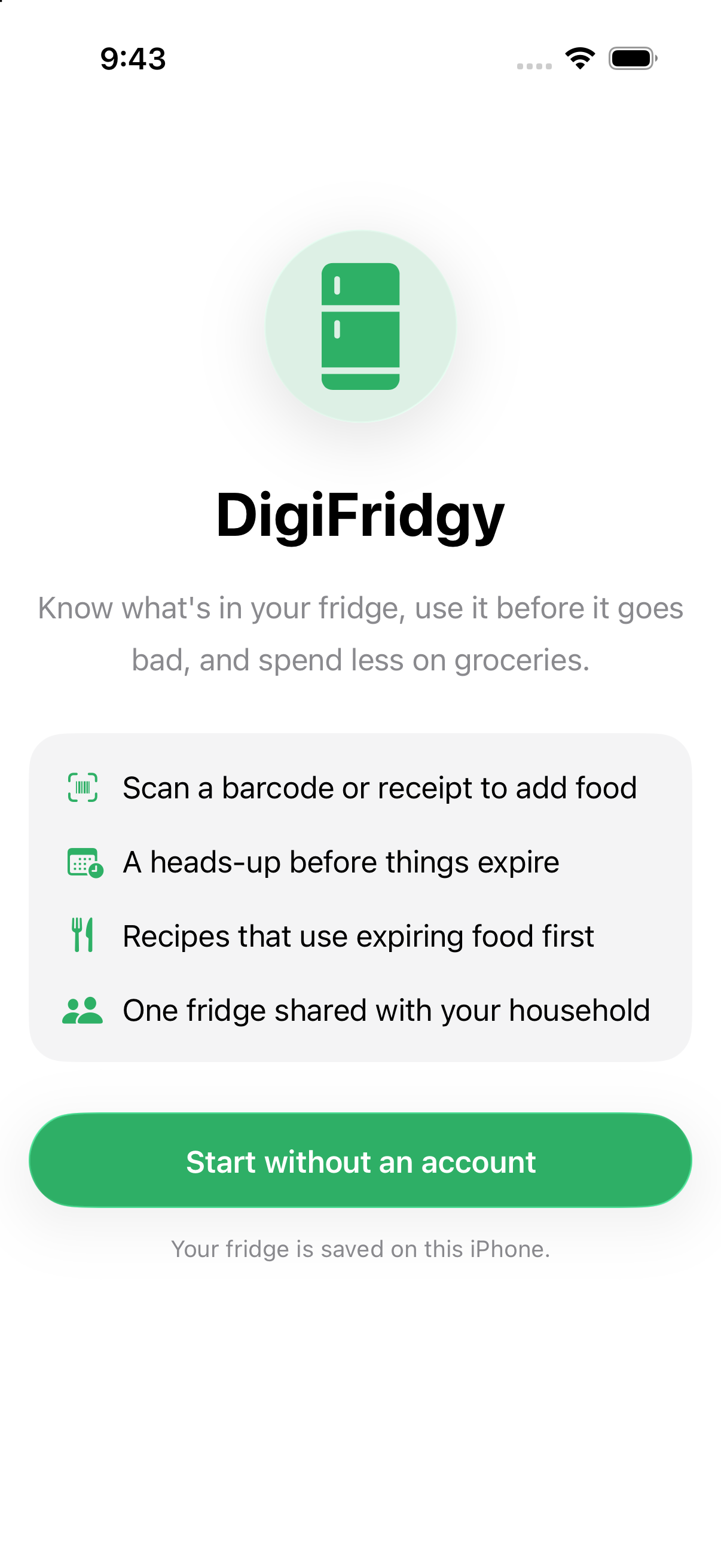
The first screen you see when you open the app for the first time
-
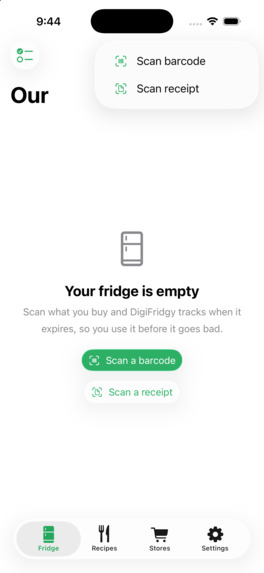
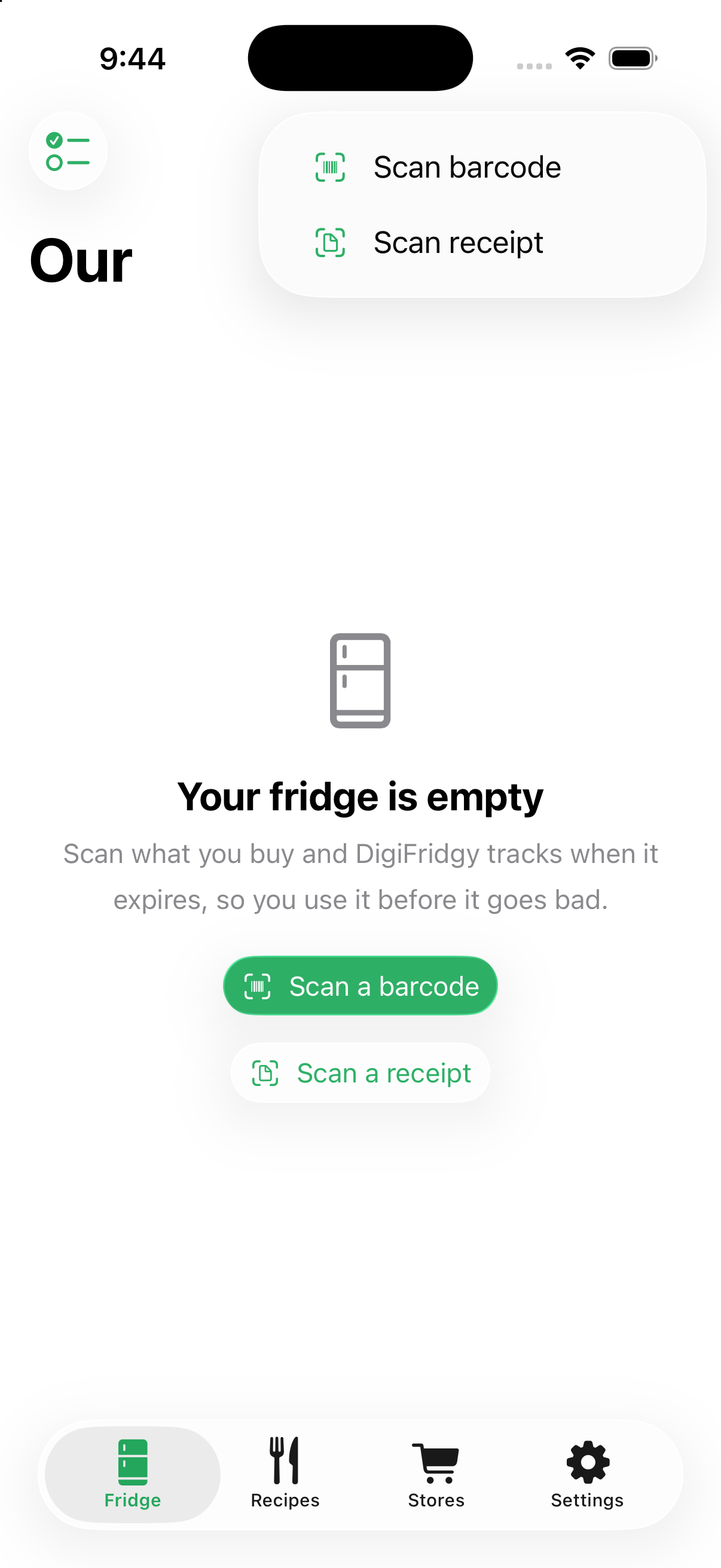
Start off by creating a fridge.
-
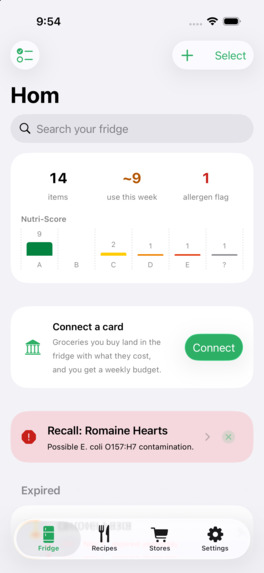
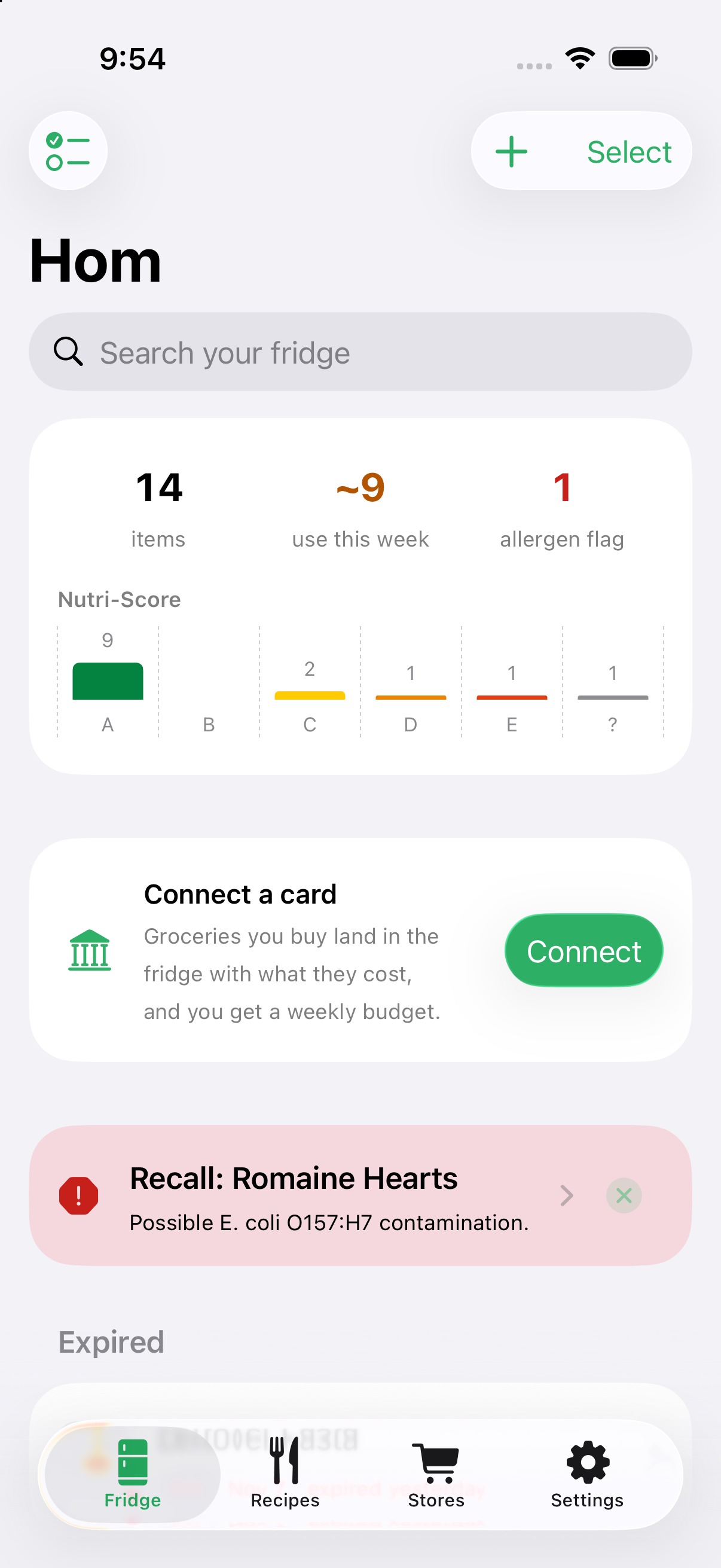
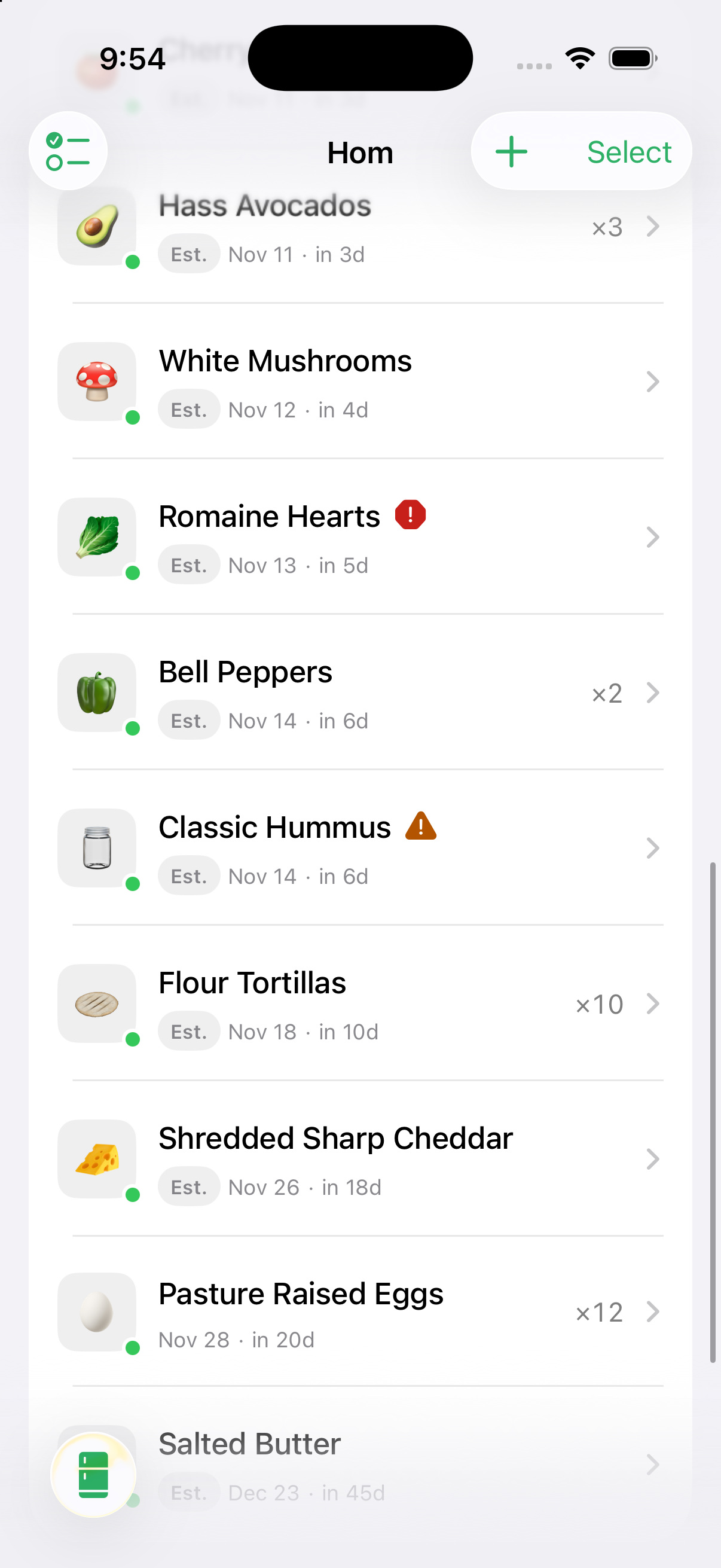
See an overview of the safety and healthiness of your fridge.
-
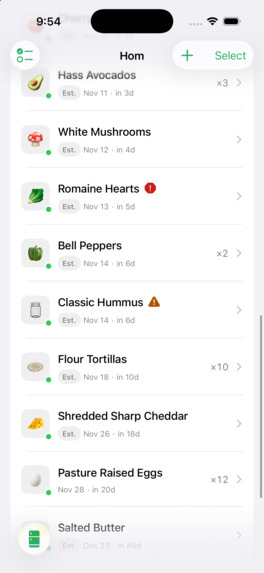
Scroll down to see more items in the fridge.
-
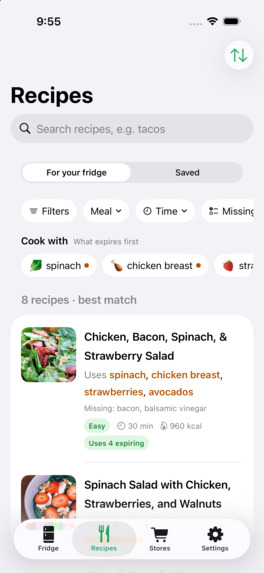
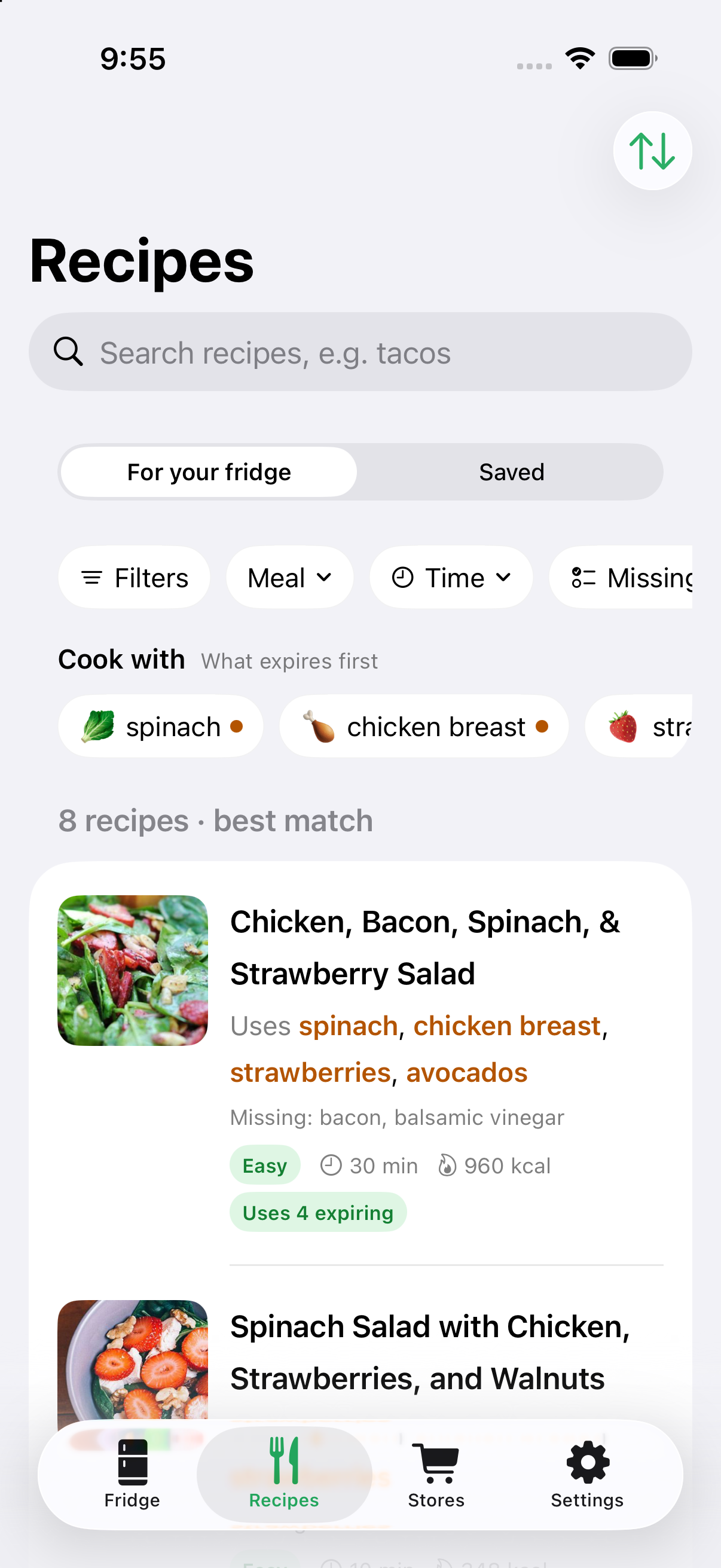
See what you can make with the items in your fridge.
-
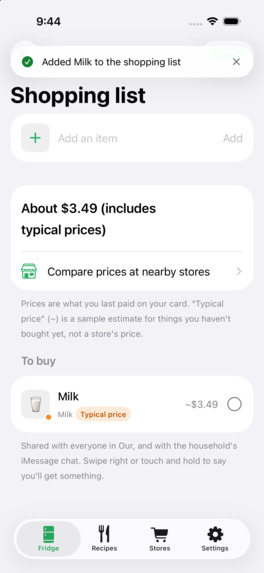
Check the price of the specific item.
-
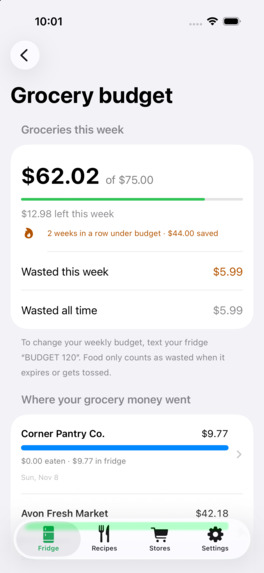
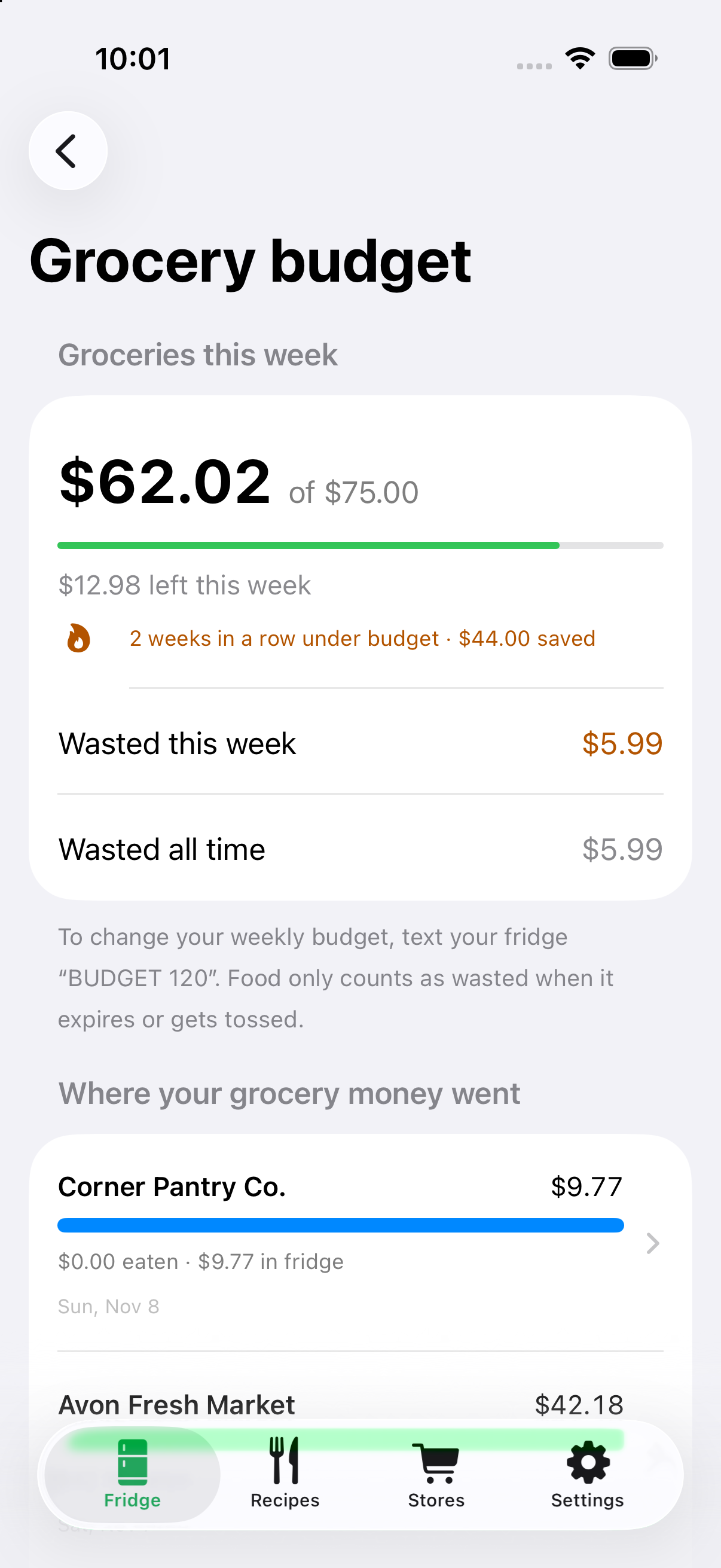
Get financial stats on your food usage | Powered by CapitalOne Nessie
-
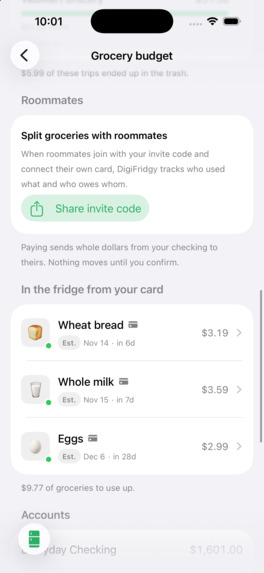
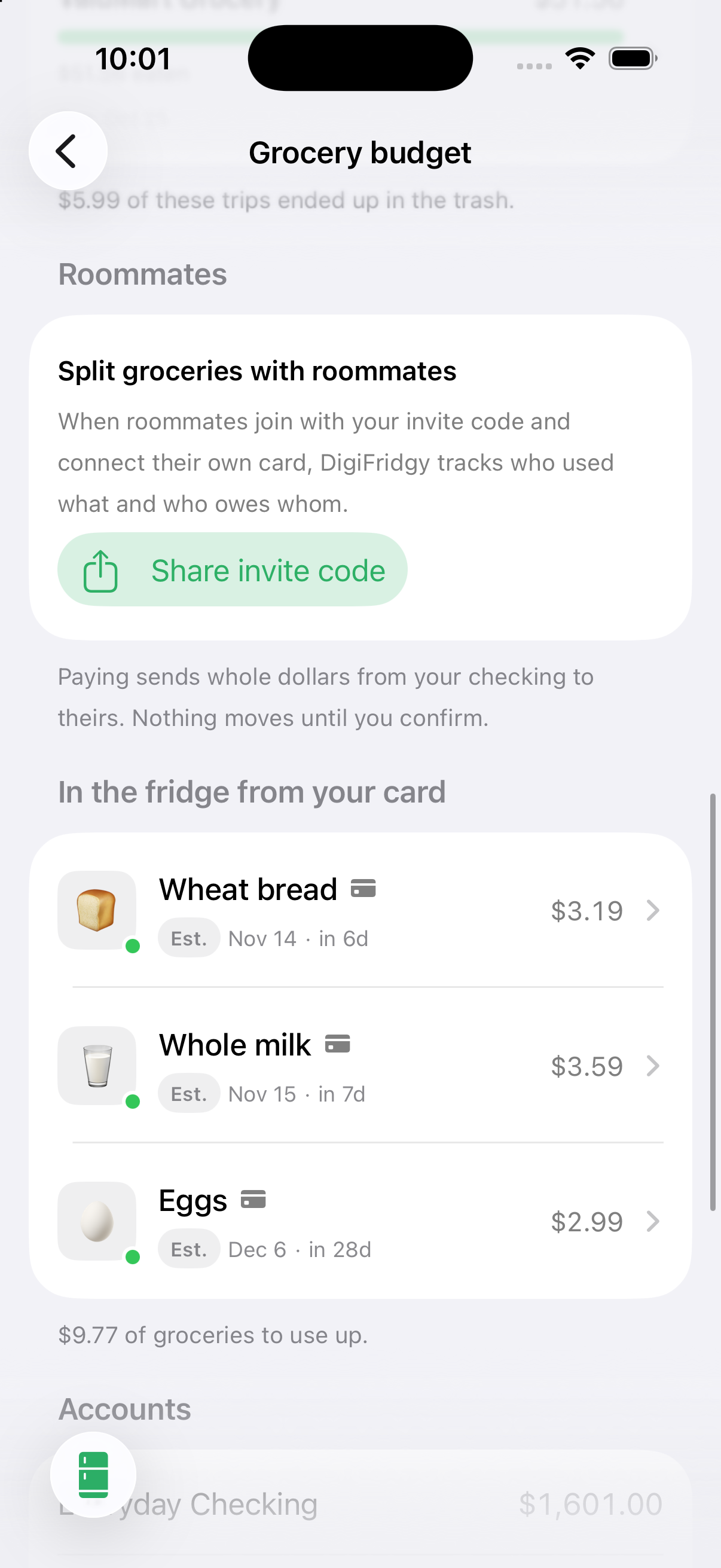
See what you purchased with your card that got automatically added to your fridge. | Powered by CapitalOne Nessie
-
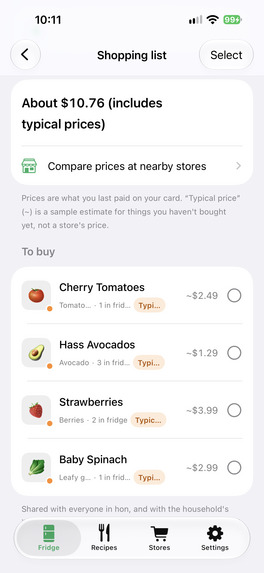
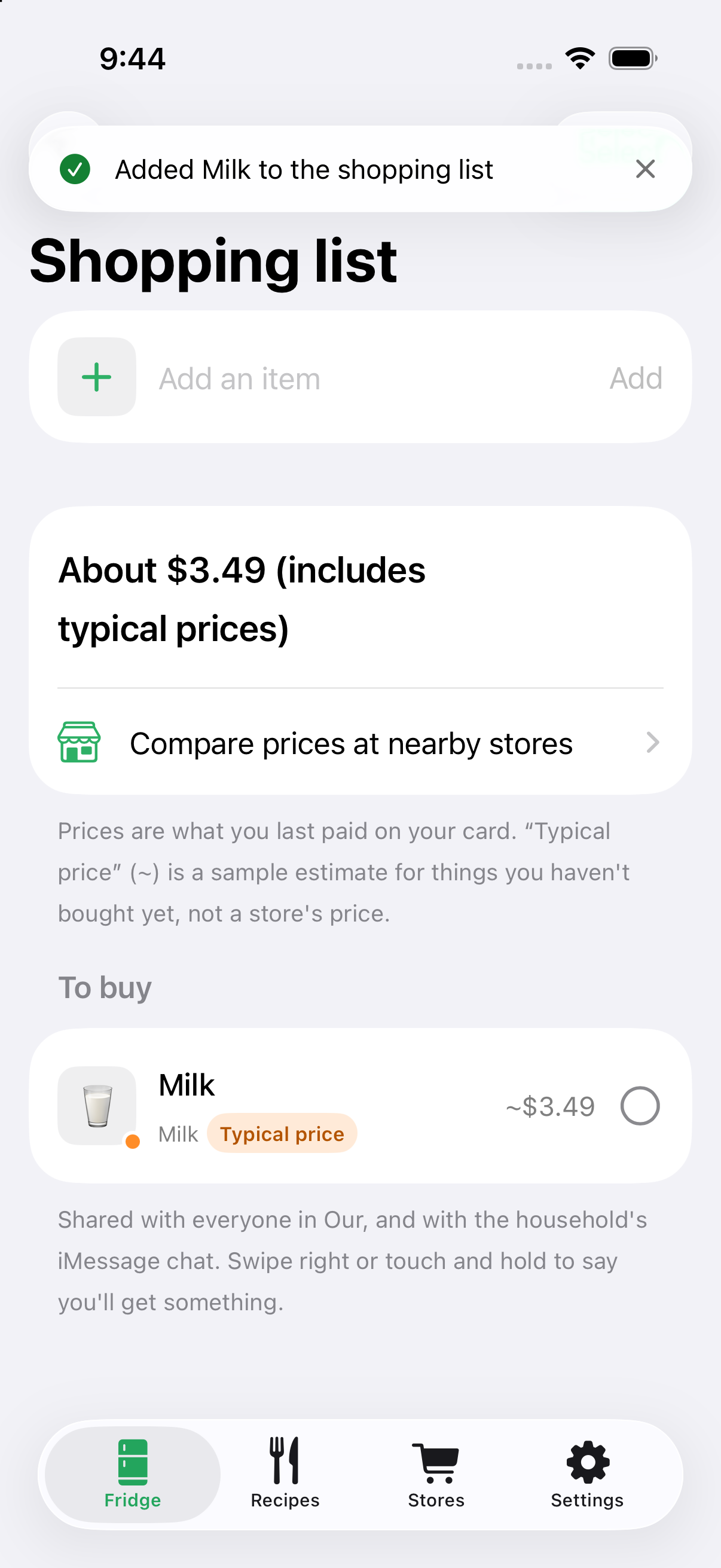
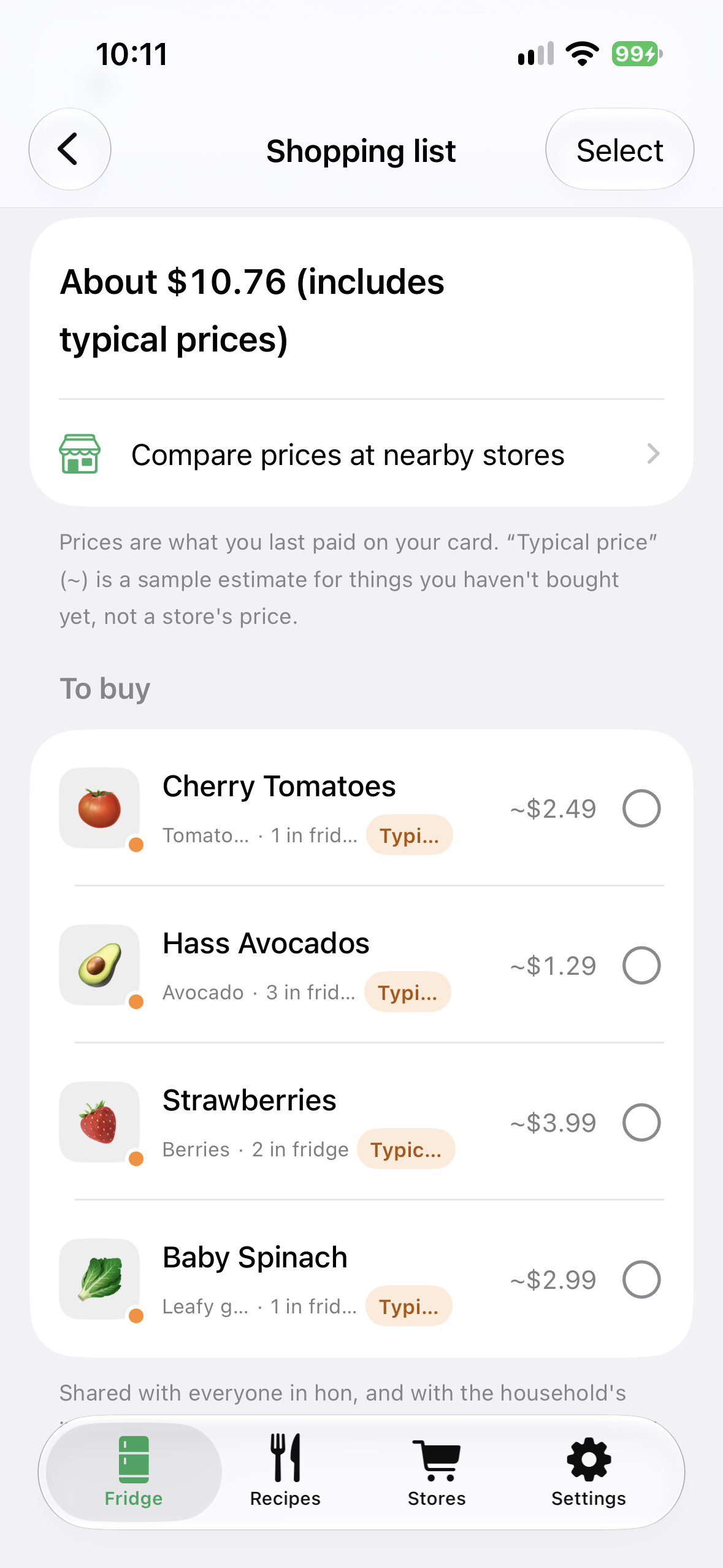
View your shopping list.
-
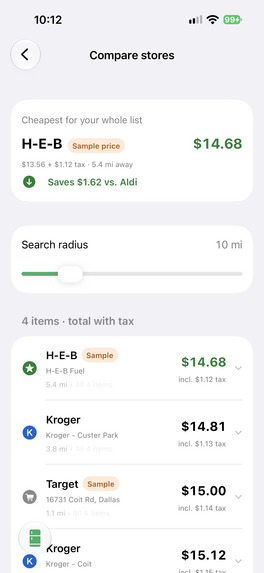
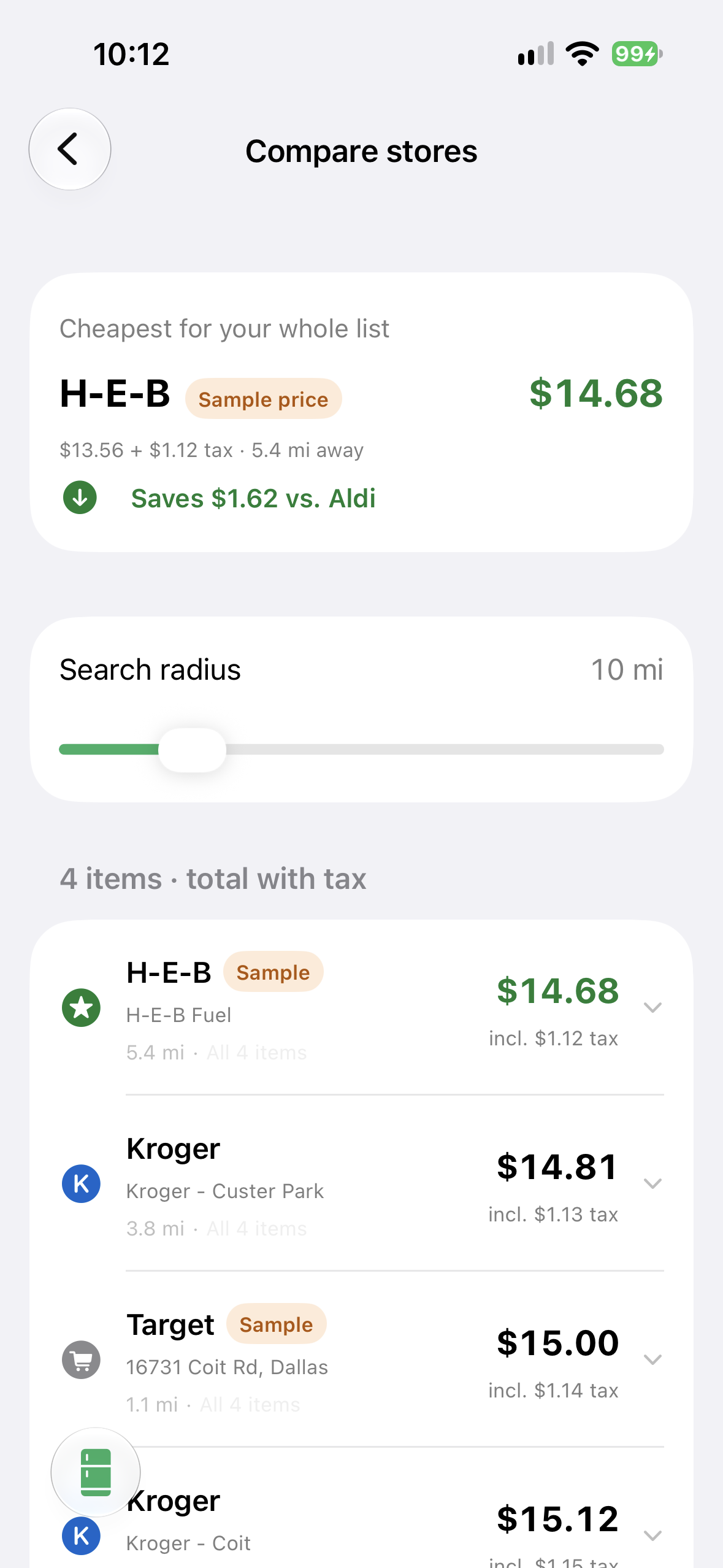
Compare the prices of an item at nearby stores. (Note: Walmart & Target temporarily unavailable due to API restrictions)
-
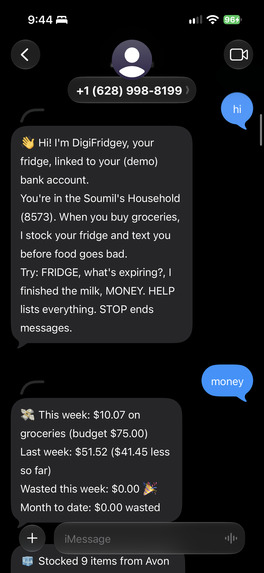
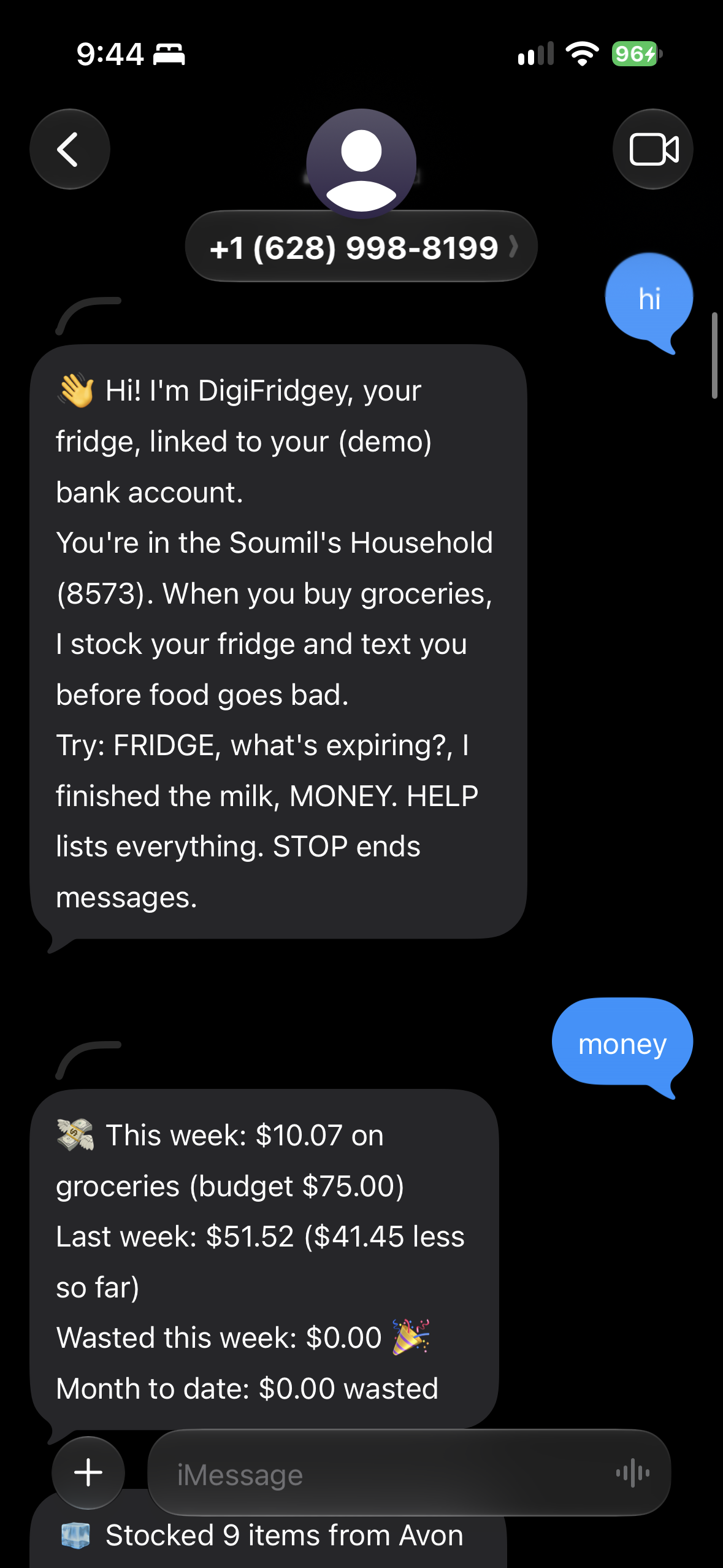
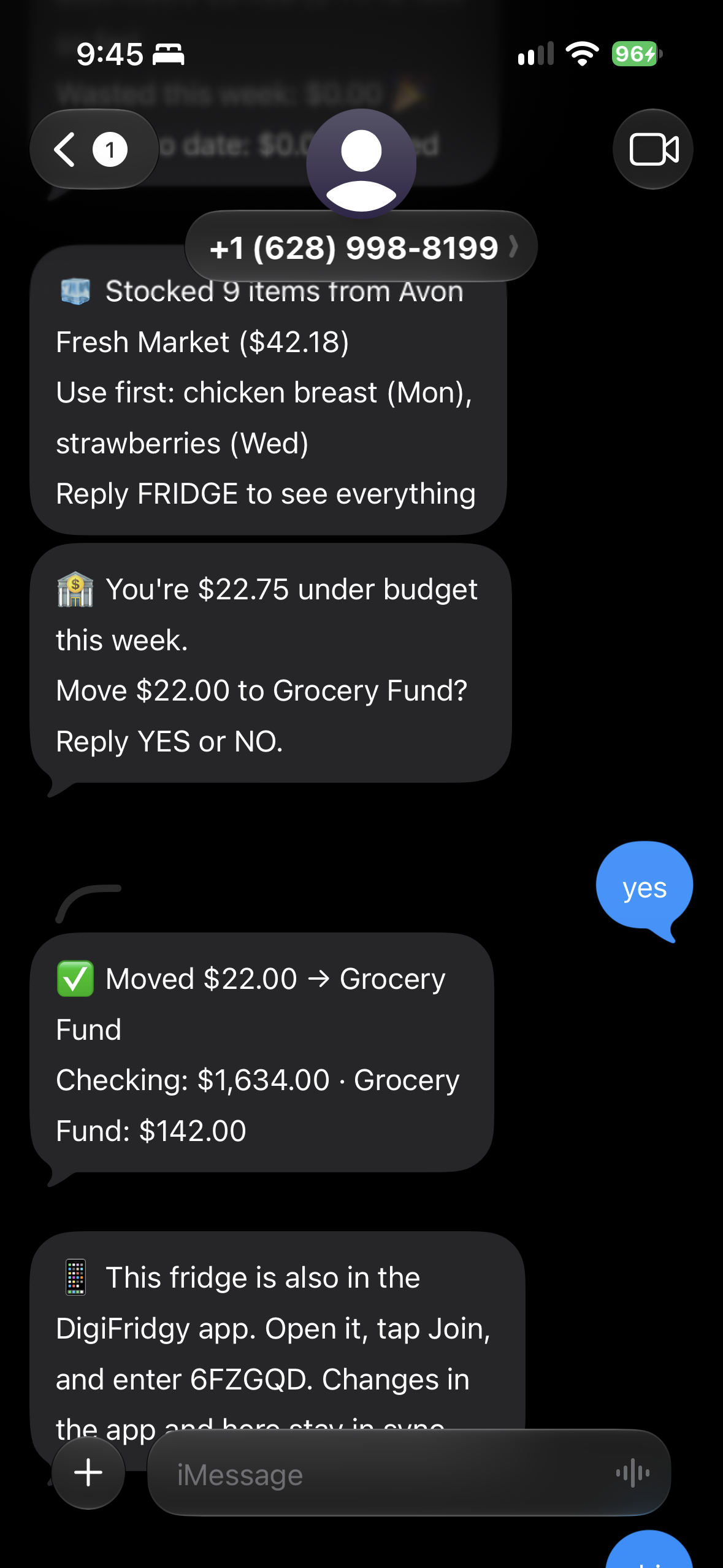
Text your fridge | Powered by Photon.
-
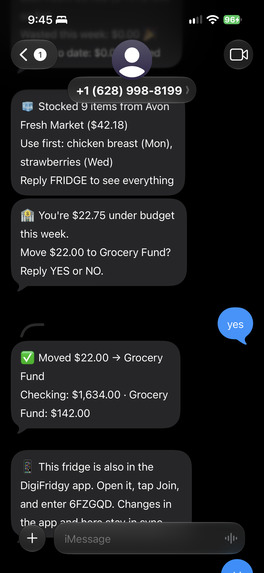
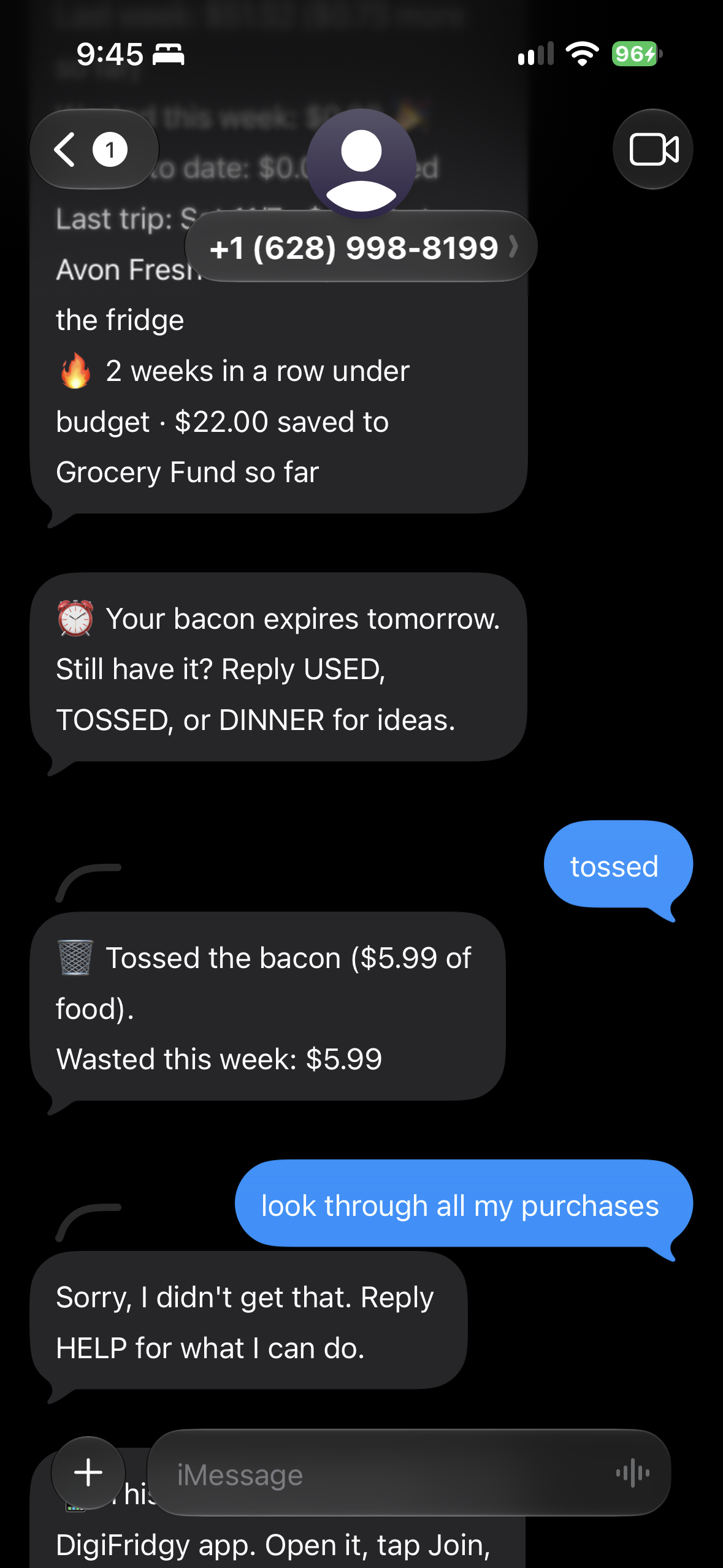
Text your fridge | Powered by Photon.
-
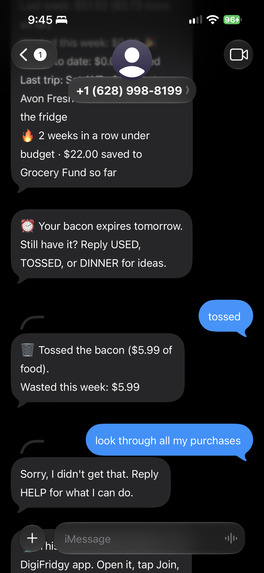
Text your fridge | Powered by Photon.
Inspiration
Iniyann volunteers at his local church to package sandwiches for the homeless in Dallas. Our team believes nobody should ever go hungry, so we wanted to find a way to reduce food wastage. According to USDA (US Drug Administration), somewhere between 30 and 40% of the food supply in the US gets thrown away, and a lot of that happens in our own kitchens. In a shared apartment it's worse: nobody knows who bought the spinach, nobody notices it's going bad until it's slime, and three people buy milk in the same week. We wanted a fridge the whole household can see on their phone that tells you what to eat first based on what it expires and keeps track of the money without anyone opening a spreadsheet. We also noticed that bank apps already know what you bought at the grocery store. So we asked: what if your card purchase stocked your fridge for you, and your fridge could just text you?
What it does
DigiFridgy lets you manage your fridge from your phone. Scan barcodes or grocery receipts to build inventory, get a heads-up before things expire, and find recipes that use expiring food first. It tracks nutrition labels and allergen warnings, compares prices at nearby stores, keeps a shared shopping list, and alerts you to FDA food recalls. DigiFridgy shares this with everyone in your household through SpacetimeDB. DigiFridgy also allows you to connect your bank account so that groceries can automatically be added into your digital fridge based on your purchases. We also integrated Photon API to allow users to text AND speak to their fridge. They can ask about their shopping list, what to eat tonight, etc.
Bullets of DigiFridgy's features:
- Scan a barcode or receipt to add food
- A heads-up before things expire
- Recipes that use expiring food first
- One fridge shared with your household
- Compare prices at nearby grocery stores
- Instant alerts for FDA food recalls
- Nutrition labels and allergen warnings
- Shopping list with quantities and prices
- Texts & calls to your phone
The app
Why: the fridge needs a place where you can see everything at once: what's in it, what expires first, what to cook, and where to buy what's missing. Scanning and browsing are easiest on a screen.
- Add food fast. Scan a barcode, or snap a grocery receipt and review the items before they're added. Abbreviated receipt names ("GV WHL MLK") are expanded on-device with Apple's Foundation Models.
- See what expires first. Every item gets an estimated expiry from its food category (based on USDA FoodKeeper fridge times), clearly marked "Est." until you enter the printed date. You get a reminder before things go bad.
- Cook what you have. Recipes are ranked by how many of your soon-to-expire ingredients they use. Search, filter by time, diet and difficulty, and add whatever's missing to the shared shopping list in one tap.
- Know what's in it. Nutrition labels, Nutri-Score, and allergen warnings for each household member, plus alerts when an item matches an FDA recall.
- Find the best price. Compare prices at nearby stores on a map, with live Kroger prices. We are working to implement Target and Walmart support as well.
- Share everything live. Roommates join with an invite code. When someone scans, uses, or tosses something, everyone's phone updates in about 50 ms thanks to Spacetime's AMAZING backend system!
The bank
Why: food trackers usually die when people get tired of logging every grocery trip by hand. Your bank already records every grocery trip, so we let the purchases and receipts to fill in what you bought. Knowing what each item cost also lets us show waste in dollars, which is more motivating than a count of items.
- Your card stocks the fridge. Connect a (synthetic) Capital One account through Nessie. When you buy groceries, the items on that purchase come up for review, like a scanned receipt, and go into the fridge with their store and price once you reply YES or pick them in the app.
- See where your money went. Every grocery trip is broken down into eaten, wasted and still in the fridge, next to a weekly budget and a savings streak.
- Save what's left. At the end of the week, DigiFridgy offers to move unspent grocery money into a Grocery Fund account.
- Split costs fairly. Roommates each connect their own card, and settle-up is based on who actually ate what, not an even split of the receipt.
- Money only moves after you say yes. Every transfer needs an explicit YES by text or a confirmed tap in the app.
iMessage and phone
Why: the moment you need your fridge is usually when you're not looking at an app: standing in a store aisle, cooking, or about to throw something out. Texting is something everyone already does, and a phone call works with your hands full. So the fridge also lives in your messages, and it reaches out first when food is about to go bad.
- Text your fridge. "What's expiring?", "do I have eggs?", "what can I make with the spinach?", "finished the milk". Roommates can coordinate too: ask "who's grabbing milk?" and whoever replies "I will" claims it.
- Get nudged. It texts you when something is about to expire, asks "still have it?" the day before, and offers to add a staple to your list when you run out.
- Approve bank actions. Budget sweeps and roommate payments arrive as a question, and you reply YES to send them.
- Call your fridge. A voice agent answers the phone, checks what you have, adds to your list, and texts you recipes.
How we built it
- iOS app: Swift 6 and SwiftUI on iOS 26, with
@Observablestate. Every service is a protocol with a live and a mock version, so the app runs fully offline for demos. Apple Vision does receipt OCR, Foundation Models cleans up receipt item names, and MapKit finds nearby stores. - Shared data: SpacetimeDB on Maincloud, with a Rust module of tables, per-user views, and reducers that check household membership on every write. A user only ever sees their own household. There's no official Swift SDK, so we wrote a small dependency-free client: HTTP for reducer calls and a WebSocket subscription for live updates, with polling and reconnect as a fallback.
- Backend: Python and FastAPI. It turns Capital One Nessie purchases into fridge items and talks to people over iMessage through Photon. A bridge syncs the backend's fridge with the app's through SpacetimeDB, both ways.
- AI: Gemini classifies messages our keyword rules don't recognize, answers open questions ("is wilted spinach still ok?") using the household's fridge as context, and writes recipes from what you have. It can't move money or change the fridge on its own; those commands have to be typed.
- Voice: An ElevenLabs conversational agent on a Photon phone number over SIP, with five tools that call our backend (fridge summary, check an item, add to list, what's expiring, recipe ideas).
- Data sources: Open Food Facts and CalorieNinjas (products and nutrition), Edamam (recipes), openFDA (recalls), Kroger and the Walmart Affiliate API (prices).
- Tests: Swift Testing for the parser, shelf-life mapping, recipe scoring and sync logic, and pytest for the backend.
Challenges we ran into
- Two fridges that had to become one. The backend tracks one row per unit (so it can count waste in dollars), while the app tracks one row per product with a count. We sync them with a three-way merge against the last agreed counts, so if someone texts "used the milk" while a roommate taps −1 in the app, both changes add up instead of one overwriting the other.
- No Swift SDK for SpacetimeDB. We read the HTTP and WebSocket protocol and wrote our own client, including subscription handling and recovery when the socket drops.
- Making money safe. Halfway through we ran a full critique of our own project and found real problems: a "YES" could answer the wrong question, a retried request could pay twice, and one endpoint trusted the client about who was paying. We fixed all of them: money only moves on the exact word YES from the person who was asked, each transfer is claimed in the database before Nessie is called, and the payer always comes from the caller's own login.
- The voice agent. ElevenLabs was failing tool calls before they ever reached us because the caller's number arrived empty in a query parameter. Moving it to a header fixed it.
- Being honest about estimates. Expiry dates and some store prices are estimates. We made sure "Est." and "Sample price" badges show up everywhere those numbers appear, including notifications and the map.
Accomplishments that we're proud of
- We were very proud of the fact that we implemented the fridge having the ability to text and call. It gives the app so much more life because users don't need to check the app every single time.
- Buying groceries with your card fills the fridge for you, and the app can show you exactly how much of that trip you actually ate.
- Roommate settle-up based on who used what, instead of splitting the receipt evenly.
- The AI helps without being trusted with anything risky: it can talk and suggest, but money and fridge changes always go through a human.
What we learned
- Real-time sync is easy until two people edit the same thing at once. Designing the merge took longer than writing the client.
- We can now write 10 page essays on pull requests
- Keep the LLM where it adds value (understanding messy texts, writing recipes) and keep plain rules for anything that touches money.
- Reviewing our own work with fresh eyes partway through was worth the time; it caught bugs we would have demoed.
What's next for DigiFridgy
- Itemized purchase data from real banks and grocery loyalty programs, so receipts aren't needed at all.
- Reading printed expiry dates straight from the package with the camera.
- Moving all third-party API keys behind our backend before any public release.
- Smarter shopping: a list that predicts what you'll run out of and picks the cheapest nearby store for the whole trip.
- Food-waste reports over time, and donation suggestions for food you won't get to.


