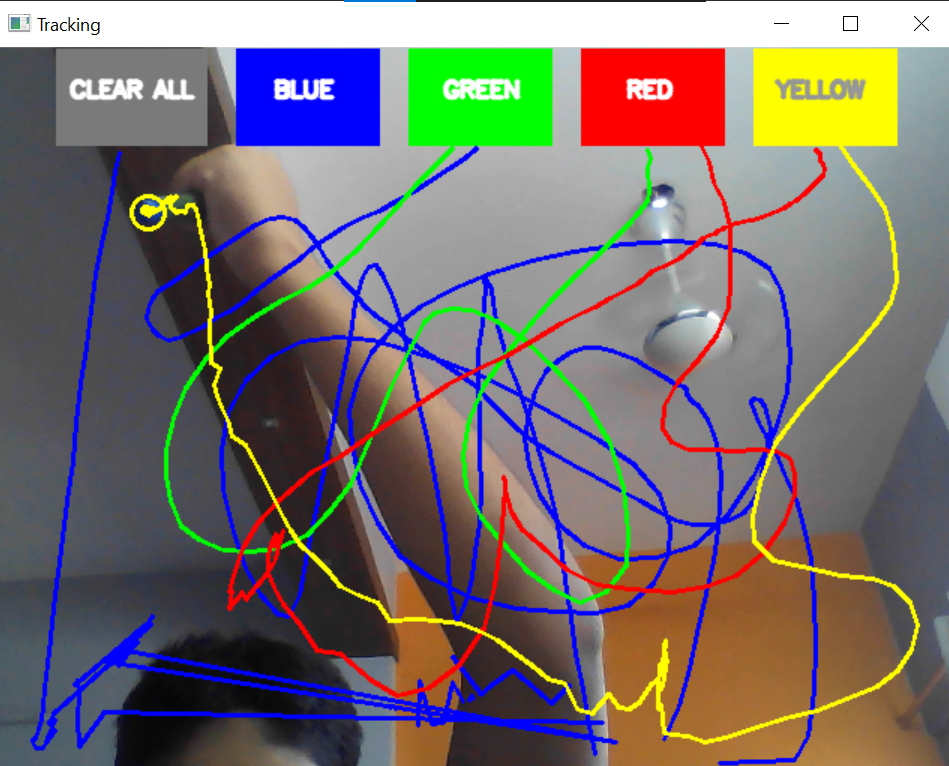
DigiDraw
Through the webcam, DigiDraw automatically recognizes a blue object, and uses it as stylus for an air canvas. Now, you can draw in AIR!!
How to run it?
Configuring it is easy! You can download the code we have provided. You will then need to head to your terminal(in case of windows, please use an IDE such as PyCharm). Now, in your terminal, you can type "ls" to see different directories. Find the one you have saved the code in and type "cd {directory name}". If there is a further set of directories, find the sub-directory and repeat the "cd" command. Once in the directory of the file, type "python canvas.py". If this command gives an error, please use "python3 canvas.py". For further questions, please contact us at https://www.techskulz.com
How to use it?
Find a blue object like a pen cap. Make sure there are no blue objects in the vicinity of your webcam. And that's it!! STOP STALLING AND START DRAWING!!!
What inspired us?
We were originally going for a scanner app that digitalizes your art or signature. It crops the borders automatically, and takes your lines and pastes it on a white background. But, 24 hours in... we realised that this was basically a cam-scanner app. So we came up with a cool, new idea - an air canvas.