-
-
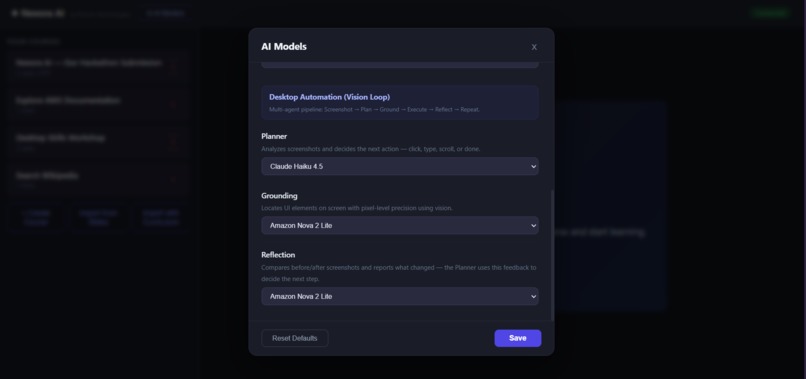
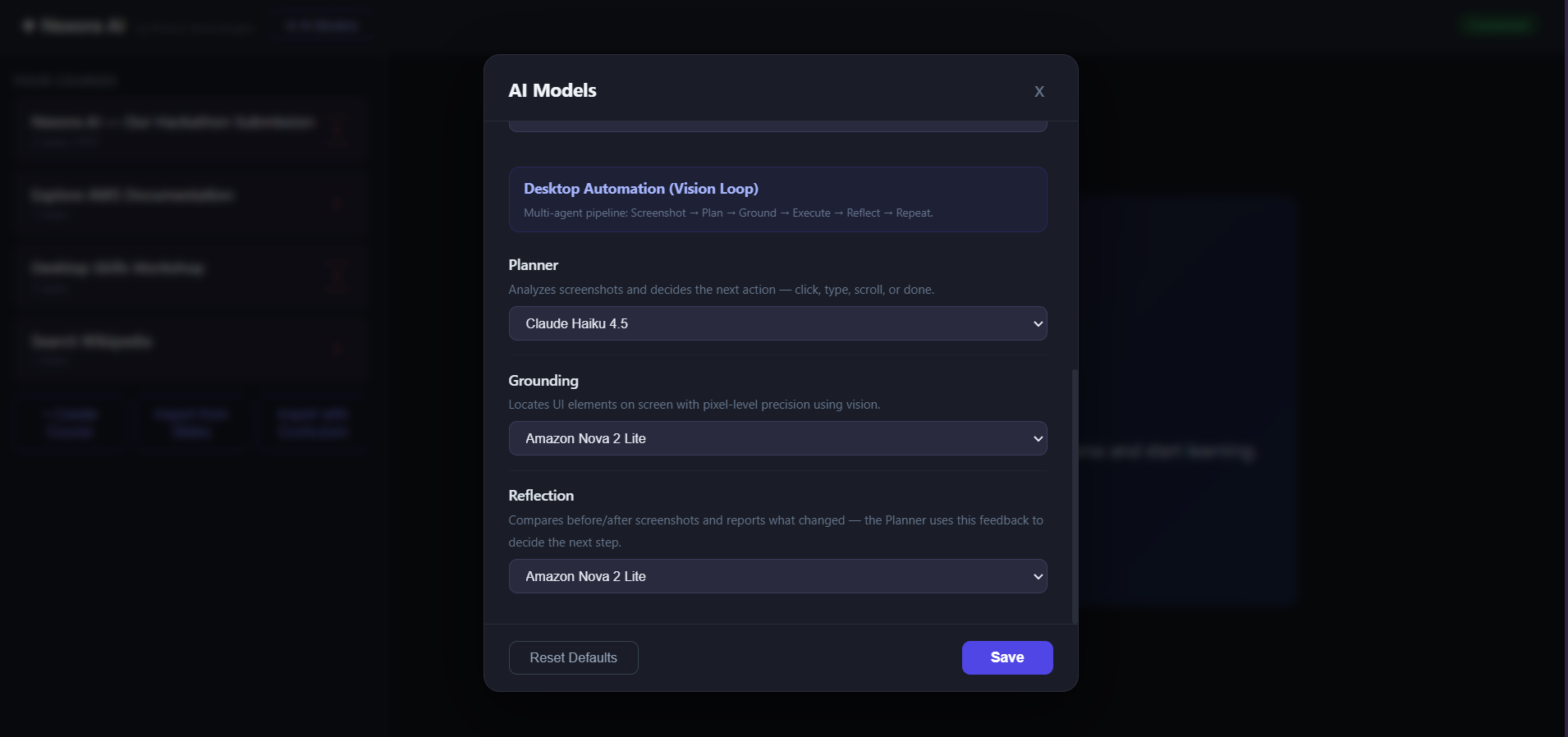
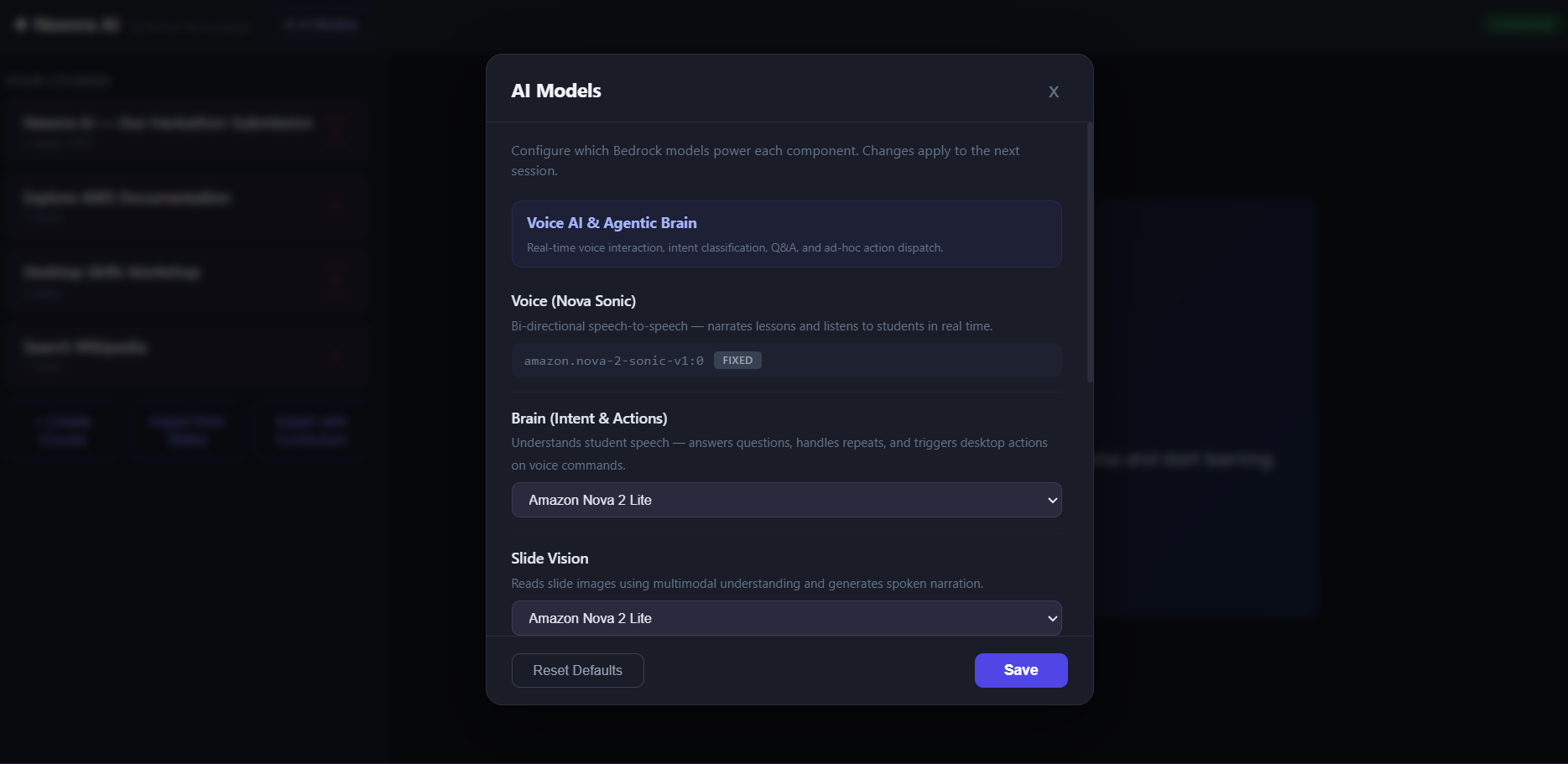
Model Selection page 1
-
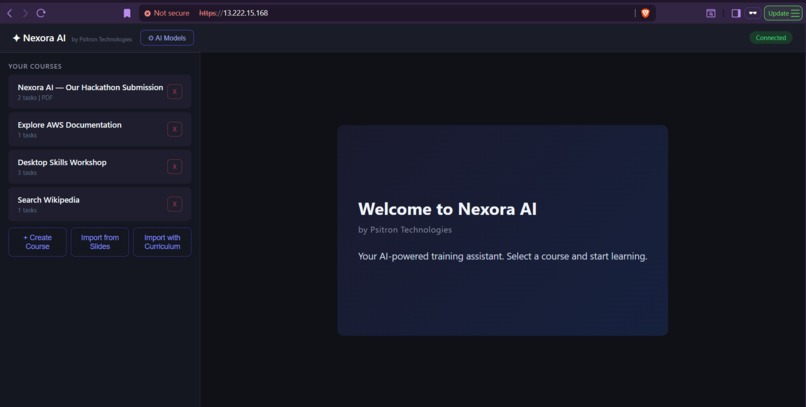
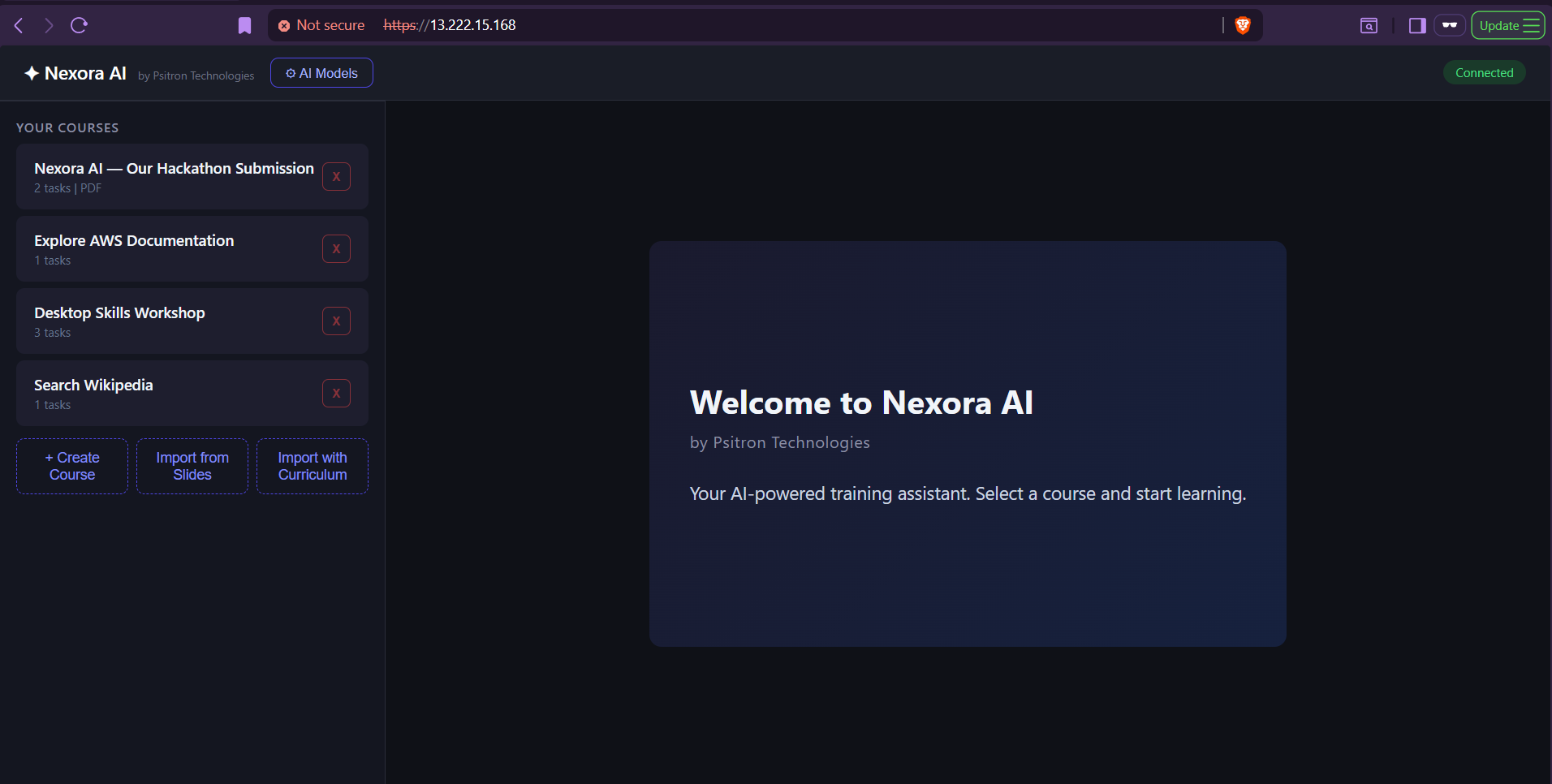
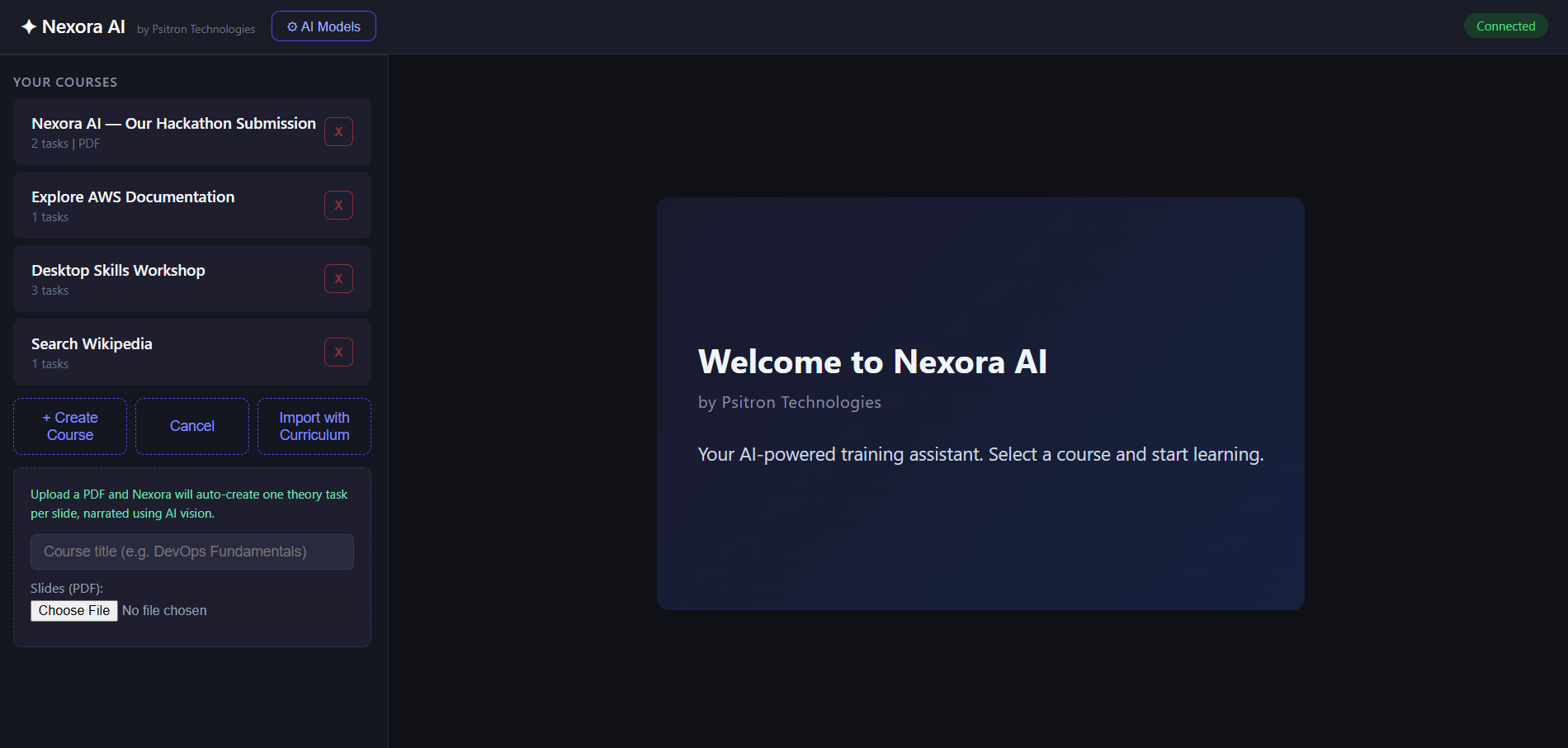
Home page
-
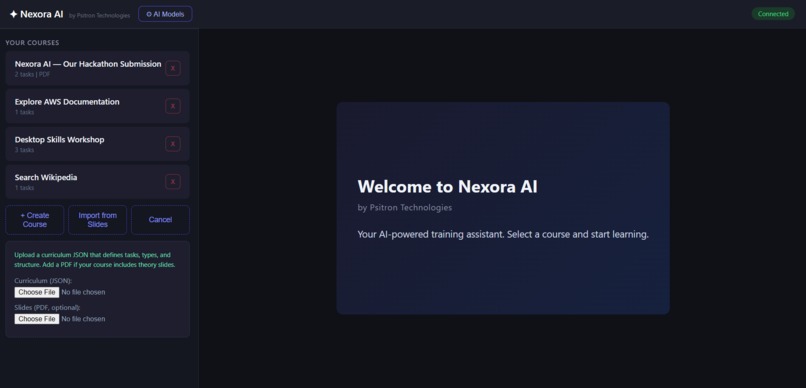
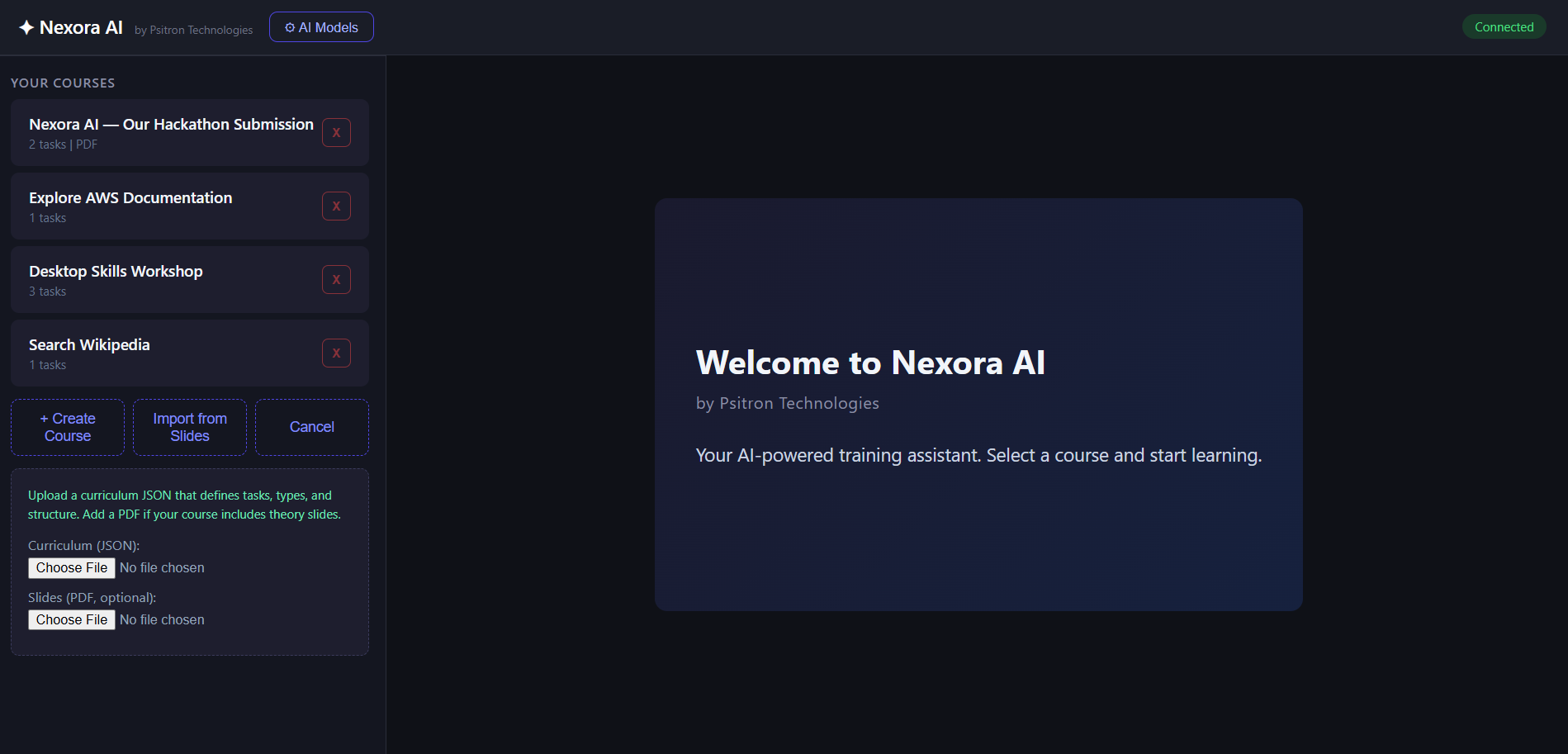
Curriculum uploader via PDF and JSON
-
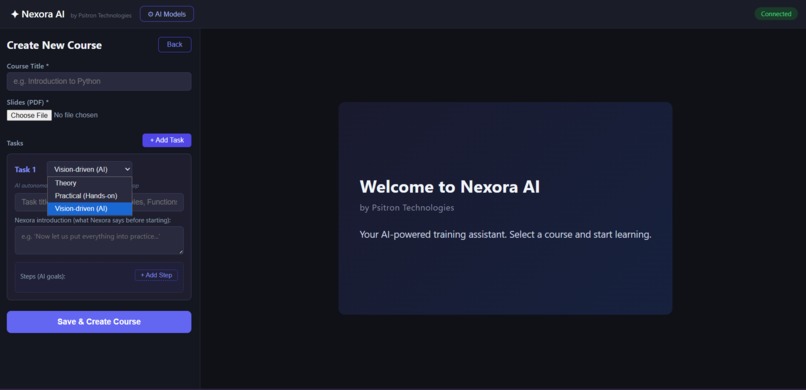
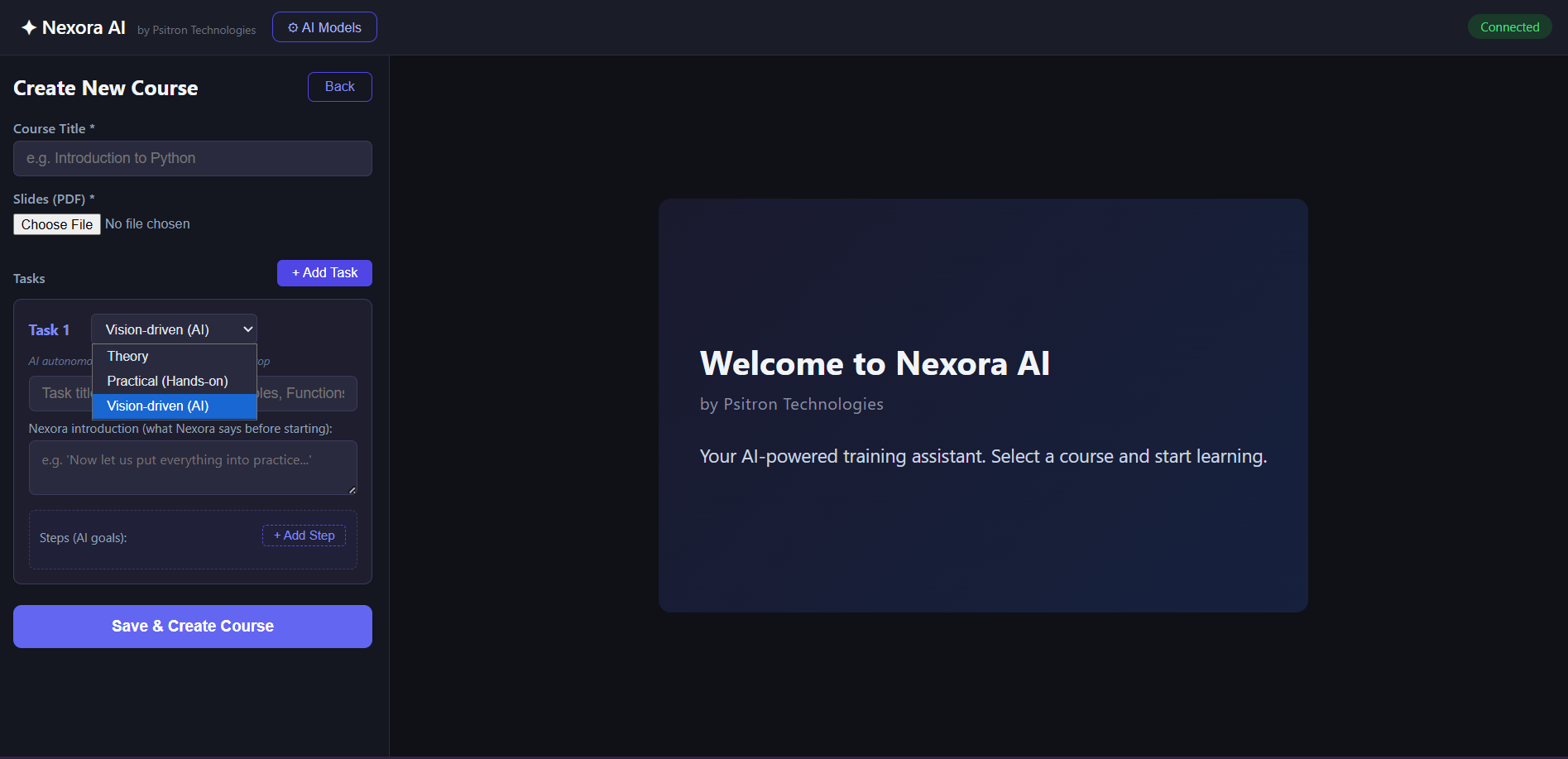
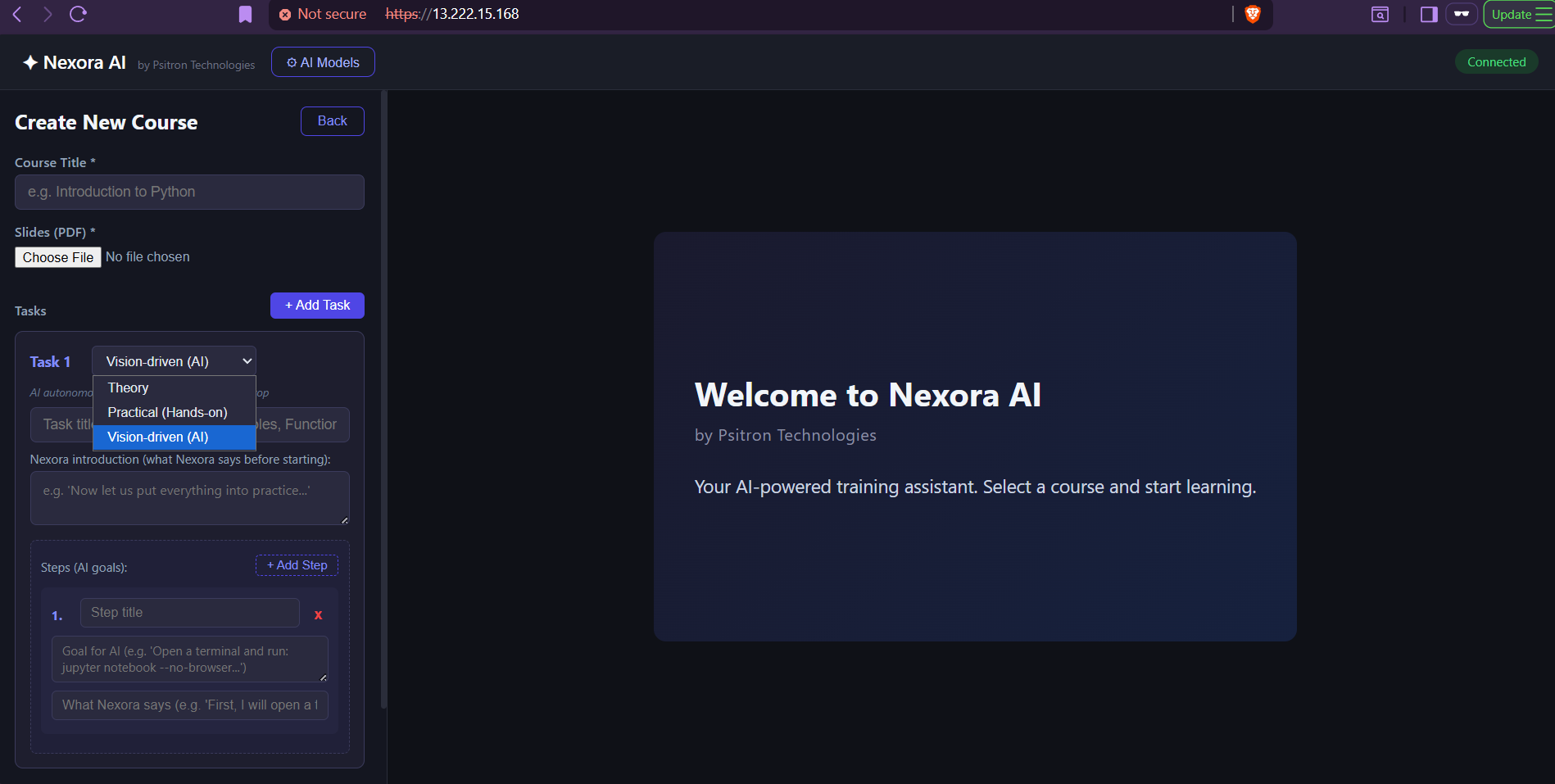
Curriculum creator page 1 recommended
-
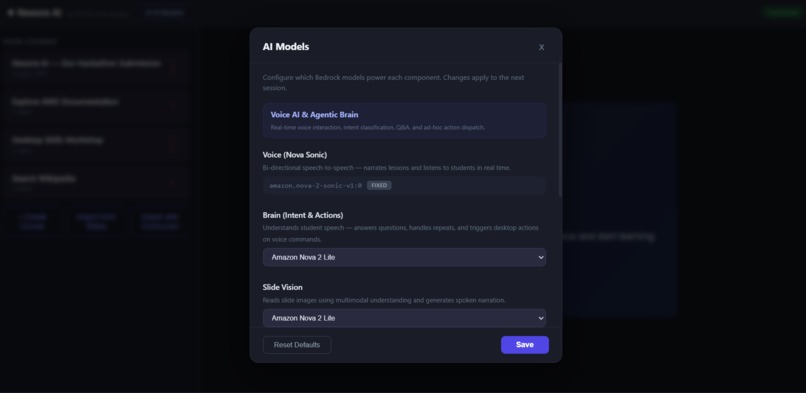
Model Selection page 2
-
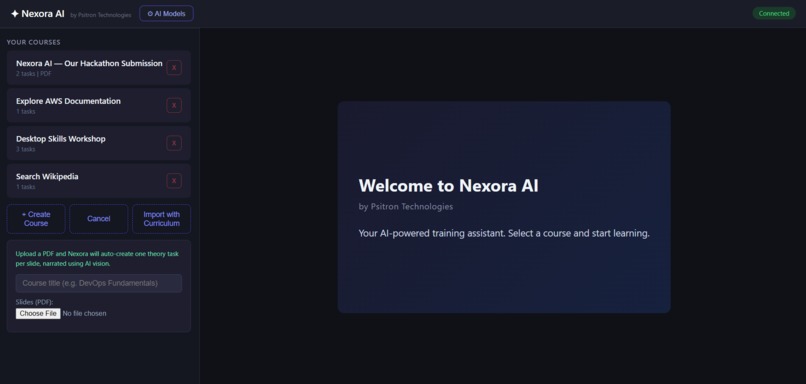
Curriculum uploader via PDF only
-
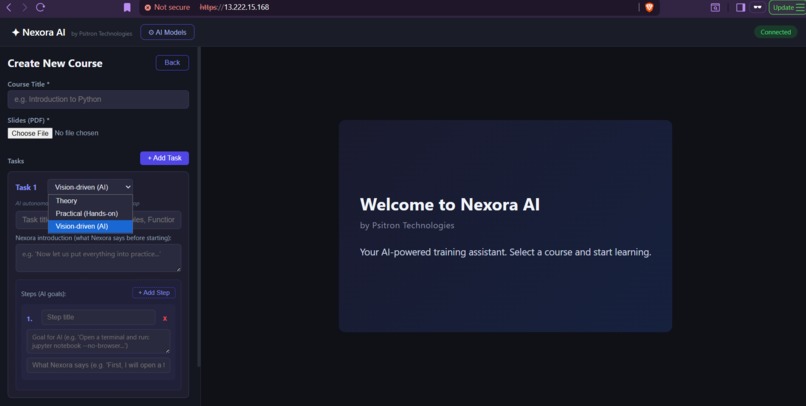
Curriculum creator page 2 recommended
-
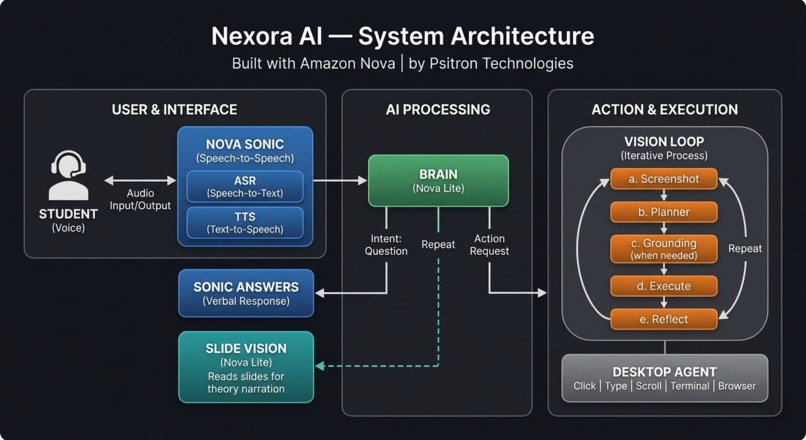
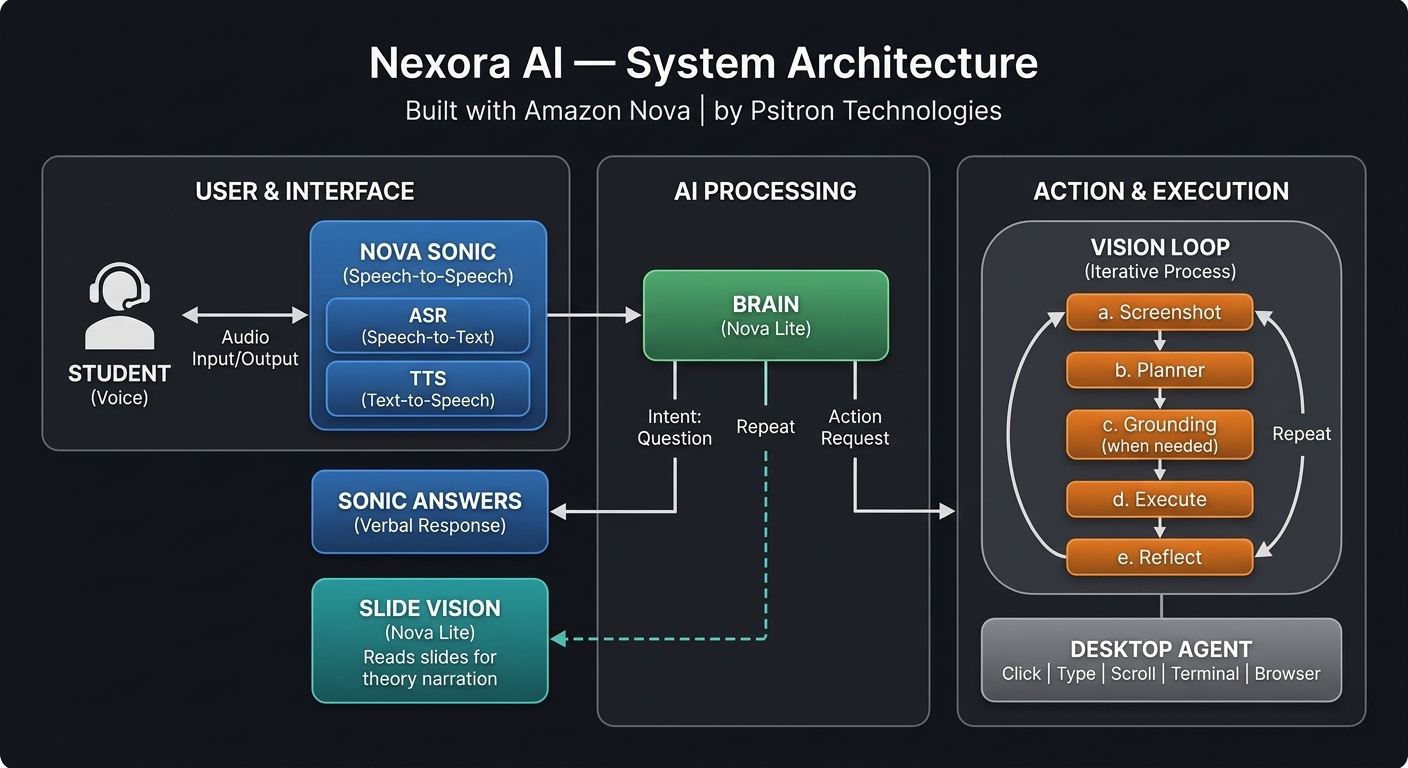
System architecture
Inspiration
Corporate and technical training is stuck in the past — pre-recorded videos, static slides, and zero interactivity. Students watch passively and forget 80% within a week. We asked: what if an AI instructor could teach like a real person — speaking naturally, demonstrating on a live computer, answering questions, and even executing commands when a student asks?
Amazon Nova’s combination of Nova 2 Sonic (real-time voice) and Nova 2 Lite (fast reasoning + multimodal vision) made this possible for the first time — a voice-first AI tutor that doesn’t just talk, but actually does.
What it does
Nexora AI is a voice-driven virtual training agent that delivers hands-on technical courses. It:
- Narrates theory slides by reading them with AI vision and speaking through Nova Sonic
- Automates a live Linux desktop — opens browsers, navigates AWS consoles, creates S3 buckets, runs terminal commands — all autonomously
- Listens and responds — students ask questions by voice, request repeats, or say “run ls on the terminal” and Nexora executes it live
- Follows a curriculum — structured courses with theory slides + hands-on vision-driven tasks
- Self-corrects — a reflection agent compares before/after screenshots to detect failures, and the planner adapts The student experience: speak to Nexora like a real instructor. It teaches, demonstrates, answers, and acts — all by voice.
How we built it
6 AI agents orchestrated through a central pipeline:
- Voice Agent (Nova 2 Sonic) — Bi-directional speech-to-speech streaming. Narrates lessons and transcribes student speech in real time.
- Brain Agent (Nova 2 Lite) — Classifies student intent into: question, repeat, continue, or action_request. For questions, generates concise answers. For action requests (“run date on terminal”), dispatches the vision loop.
- Slide Vision Agent (Nova 2 Lite) — Reads slide images using multimodal understanding and generates 1-2 sentence narration summaries.
- Planner Agent (Claude Haiku 4.5) — Analyzes desktop screenshots and decides the next action: click, type, scroll, press key, run command, or done.
- Grounding Agent (Nova 2 Lite) — When the planner targets visible text (e.g., “Create bucket” button), the grounding agent finds exact pixel coordinates using vision.
- Reflection Agent (Nova 2 Lite) — Compares before/after screenshots and reports what changed. The planner uses this feedback to self-correct or confirm goal completion.
Tech stack: Python/FastAPI backend, React frontend, XFCE desktop on Xvfb with noVNC streaming, nginx reverse proxy with SSL, all deployed on a single EC2 instance.
Vision Loop pipeline: Screenshot → Plan → Ground → Execute → Reflect → Repeat — runs autonomously until the planner confirms the goal is achieved.
Challenges we ran into
- Reflection agent premature completion — Nova 2 Lite would mark multi-step goals as “completed” after only the first step (e.g., typing a URL but not pressing Enter). We solved this by making the reflection advisory-only and letting the smarter planner decide when to stop.
- Click accuracy on web UIs — The planner’s coordinate estimates missed small web form elements by 30-50 pixels. We added a rule to prefer click_text (which uses the grounding agent’s pixel-precise vision) over click_position (estimated coordinates).
- Window focus during ad-hoc actions — When a student asked “run ls on the terminal” while Firefox was in the foreground, keystrokes went to the browser instead. The terminal was visible but not focused.
- Nova Sonic stream management — Each Sonic session requires reconnection between tasks. We built a robust reconnect system with credential refresh, playback completion detection, and mic gate control to prevent echo.
Accomplishments that we're proud of
- Ad-hoc action execution — Students can say “run the date command on the terminal” and Nexora actually does it live on the desktop. This goes beyond scripted tutorials into genuine interactive AI assistance.
- 6 AI agents working in harmony — Voice, Brain, Vision, Planner, Grounding, and Reflection all coordinate through a single orchestration loop with no dropped steps.
- Desktop reset between courses — After each tutorial, all user windows (browsers, terminals, editors) are automatically closed using wmctrl, giving the next course a clean desktop.
- One-click EC2 deployment — A single sudo bash setup_ec2.sh sets up the complete platform: virtual desktop, VNC, nginx, SSL, all Python dependencies, React build, and 6 systemd services.
- Curriculum builder — Instructors upload a PDF and curriculum JSON, and Nexora auto-generates voice narration for each slide using AI vision.
What we learned
- Lightweight models (Nova 2 Lite) excel at focused tasks (grounding, reflection) when given precise prompts, but struggle with complex multi-step reasoning — pairing them with a stronger planner creates the best results
- Prompt engineering is the most cost-effective optimization — one sentence added to the reflection prompt (“mark completed ONLY when ALL steps are done”) eliminated an entire class of bugs
- Real-time voice AI changes the UX paradigm — students interact 10x more naturally with voice than with buttons
- Desktop automation via screenshots is surprisingly capable but needs the reflection loop for reliability
What's next for Nexora AI — Voice-Driven AI Training Agent
- Multi-student sessions — Scale from 1:1 tutoring to classroom mode with multiple concurrent students
- Course marketplace — Let instructors publish and share Nexora-compatible courses
- Student progress tracking — Analytics dashboard showing completion rates, questions asked, time spent
- More desktop environments — Windows and macOS support via cloud desktops
- Custom AI personas — Let organizations brand their own AI instructor with custom voice and personality

Log in or sign up for Devpost to join the conversation.