Digital Bridge : Project Story
Inspiration
Watching a family member spend 45 minutes trying to refill a prescription online, only to give up and call a busy phone line, made the problem impossible to ignore. Over 54 million Americans aged 65+ struggle daily with complex web portals for healthcare, pharmacy, and utility services. The interfaces aren't designed for them. We asked:
What if they never had to touch the portal at all?
What We Built
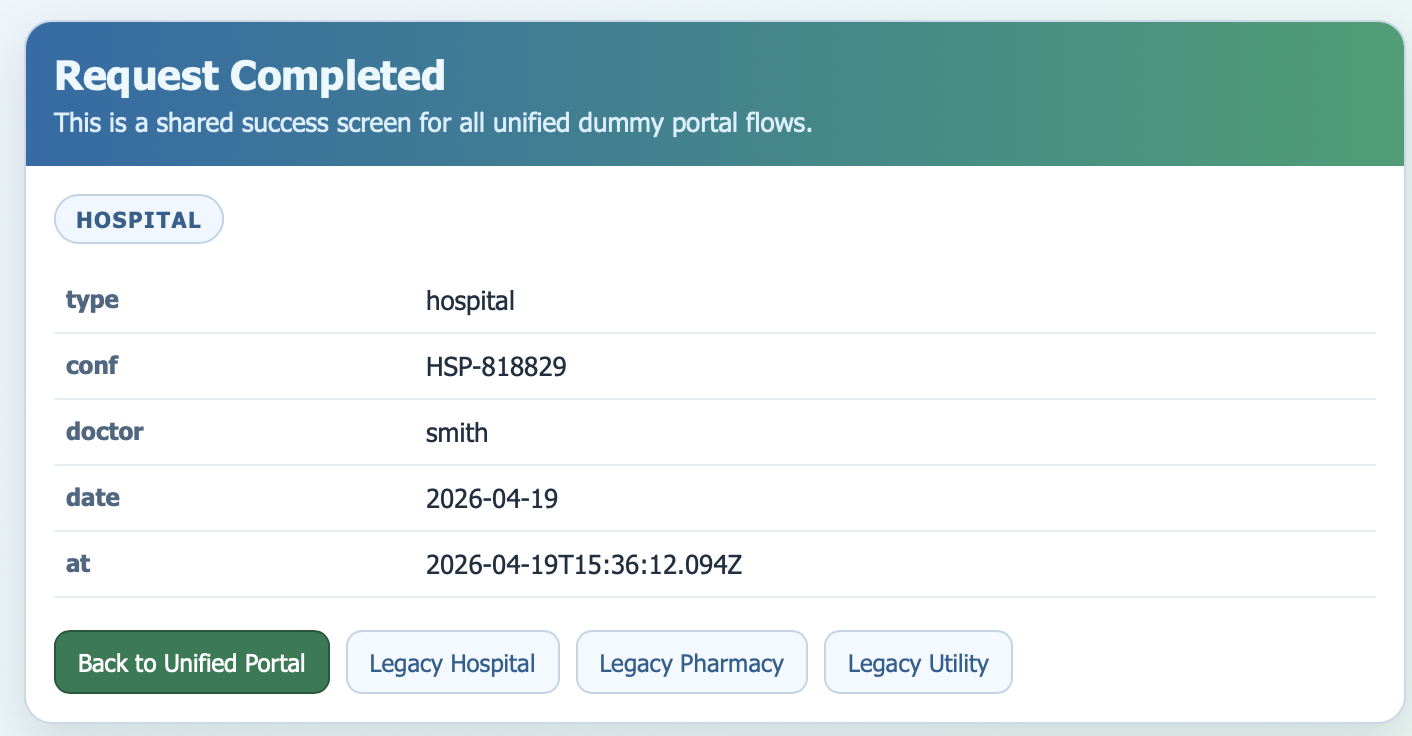
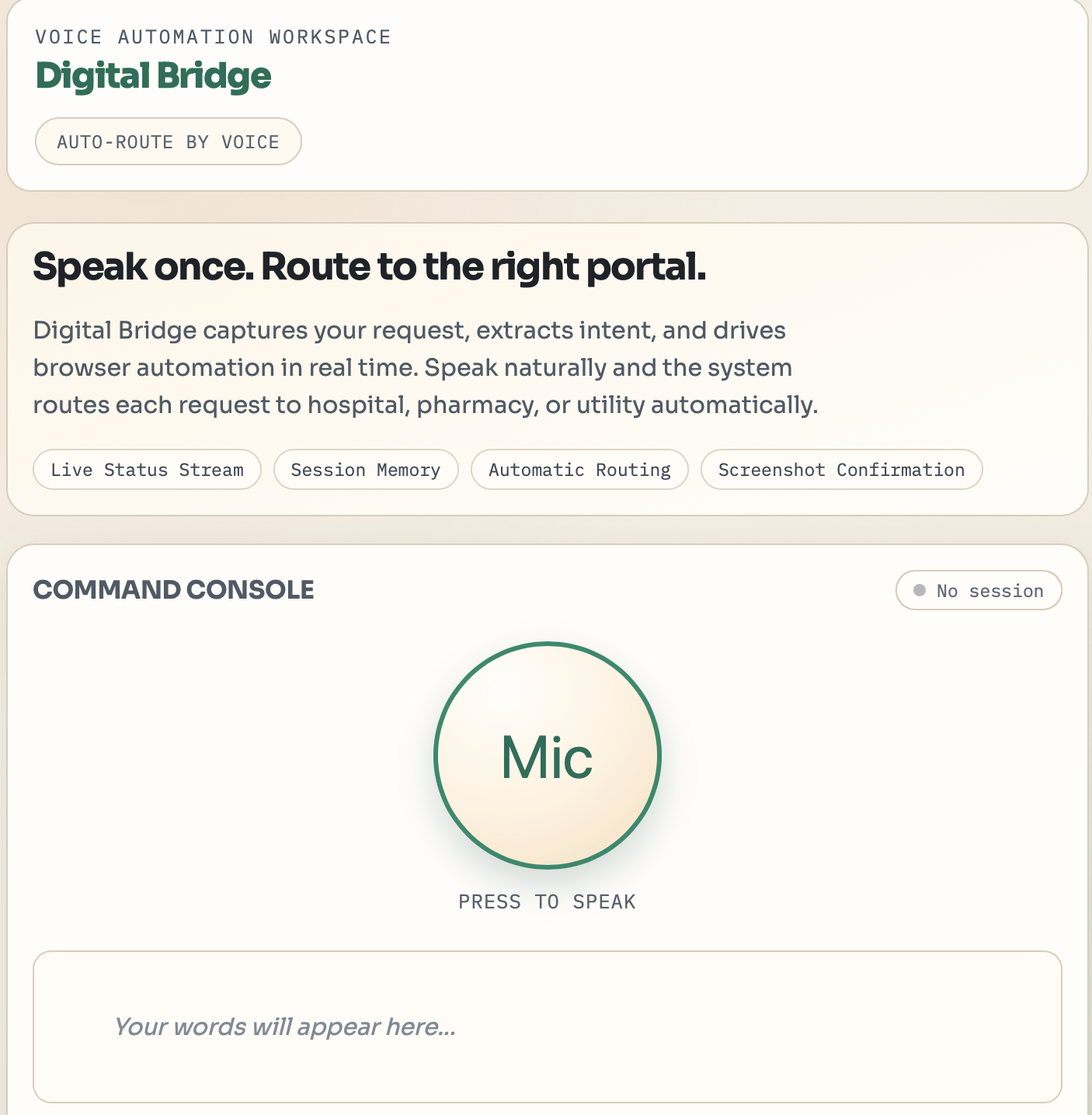
Digital Bridge is a voice-driven accessibility agent that translates natural language into real web actions. A user speaks a request, "I need to see Doctor Smith next Tuesday" , and the system handles everything: parsing intent, navigating the portal, filling forms, and submitting, returning a screenshot as proof of completion.
The automation pipeline can be modeled as a simple function:
$$f(\text{voice}) \rightarrow \text{intent JSON} \rightarrow \text{browser actions} \rightarrow \text{confirmation}$$
Where intent extraction minimizes ambiguity error $\epsilon$ through strict zero-shot prompting:
$$\epsilon = P(\text{missing field} \mid \text{transcript})$$
We drive $\epsilon$ toward zero by prompting the user for clarification rather than failing silently.
How We Built It
The stack is intentionally lean for a 24-hour sprint:
- Frontend —
index.html+app.jswith Web Speech API for on-device transcription. High-contrast, brutalist accessibility design. - Backend — FastAPI (
main.py) exposesPOST /process-voiceand streams real-time status via Server-Sent Events (SSE). - LLM Layer —
llm_parser.pysends the transcript to Gemini (primary) or Claude (fallback) with a strict JSON output prompt:{"action": "schedule", "doctor": "smith", "date": "2026-04-22"} - Automation —
automation.pyuses Playwright to spin up a Chromium instance, navigate the portal, fill fields by CSS selector, submit, and capture a Base64 screenshot of the success page. - Infrastructure — Docker Compose bundles the FastAPI backend,
Playwright/Chromium, and the dummy portal into a single
docker compose up --builddeploy, tested on AWS EC2.
Challenges
1. LLM output reliability Getting consistent, parseable JSON from a noisy voice transcript was harder than expected. We solved it with aggressive system prompting, explicit output format examples, and a fallback clarification loop — so the app never crashes, it just asks for what it needs.
2. Playwright in Docker Chromium inside a container requires specific system dependencies that aren't obvious. We lost ~2 hours to dependency hell before landing on a stable Dockerfile that installs all required libs cleanly.
3. Real-time feedback UX A headless browser automation feels like a black box to the user. We implemented SSE status streaming so every step — "Parsing intent… Navigating portal… Submitting form…" — is visible in real time. Trust through transparency.
4. Selector stability
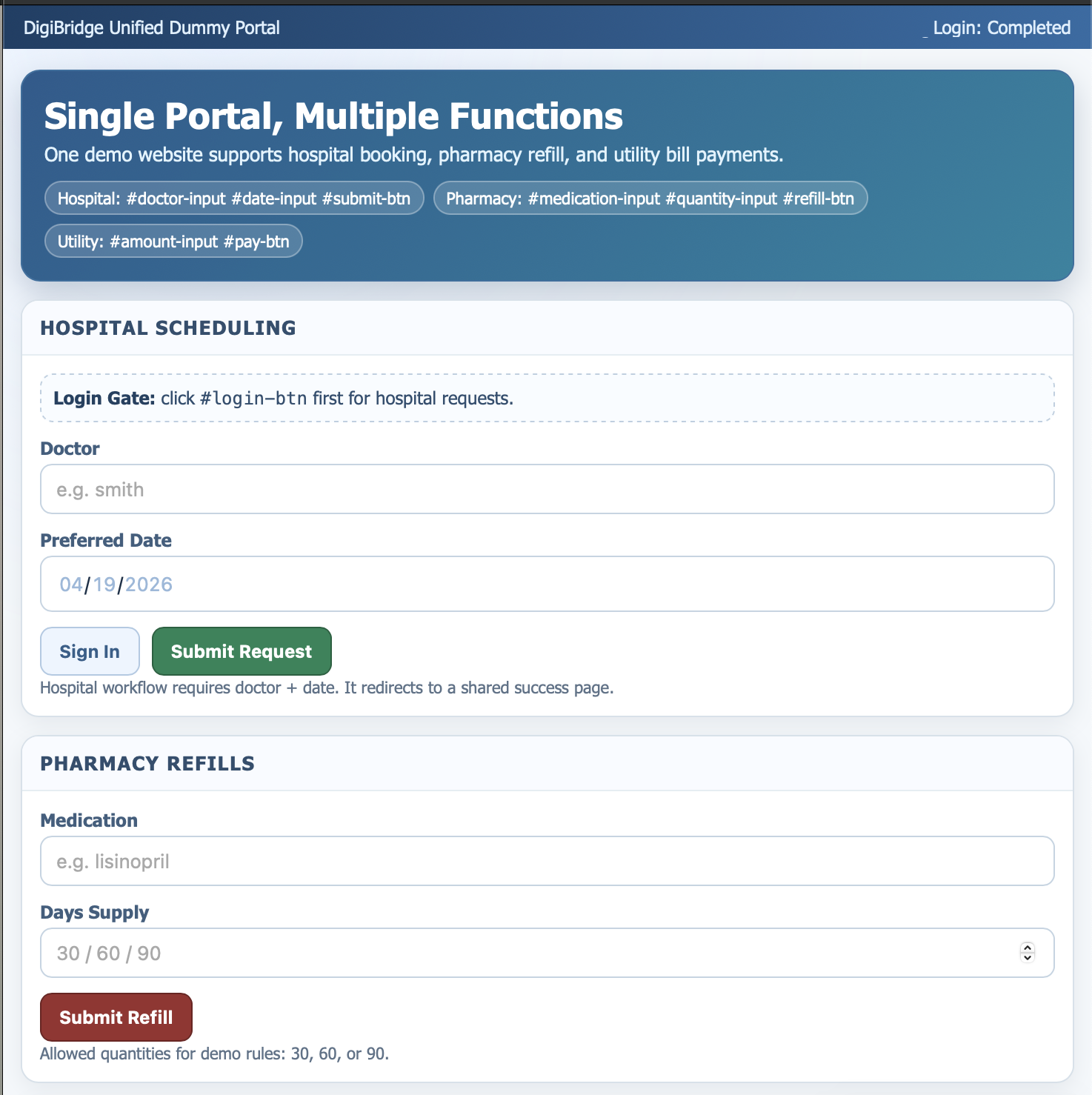
Real portals change their DOM constantly. For the hackathon we built a
dummy portal with predictable id-tagged selectors, plus a
/automation/validate/{portal} endpoint to check selector health
before any voice command runs.
What We Learned
- Zero-shot prompting with strict output schemas is surprisingly robust for intent extraction on messy speech transcripts.
- SSE is underused — it's simpler than WebSockets and perfect for one-way progress streaming.
- Accessibility-first design constraints (high contrast, large tap targets, voice-only flow) actually produce cleaner interfaces overall.
- You can ship something genuinely useful in 24 hours if you ruthlessly protect the happy path and defer edge cases.


Log in or sign up for Devpost to join the conversation.