-
-
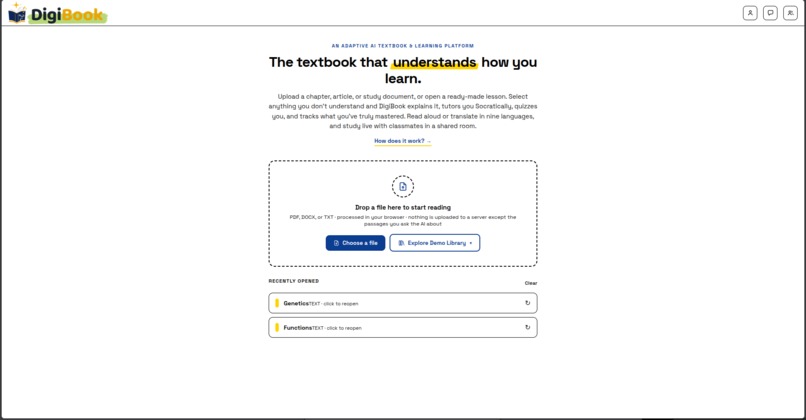
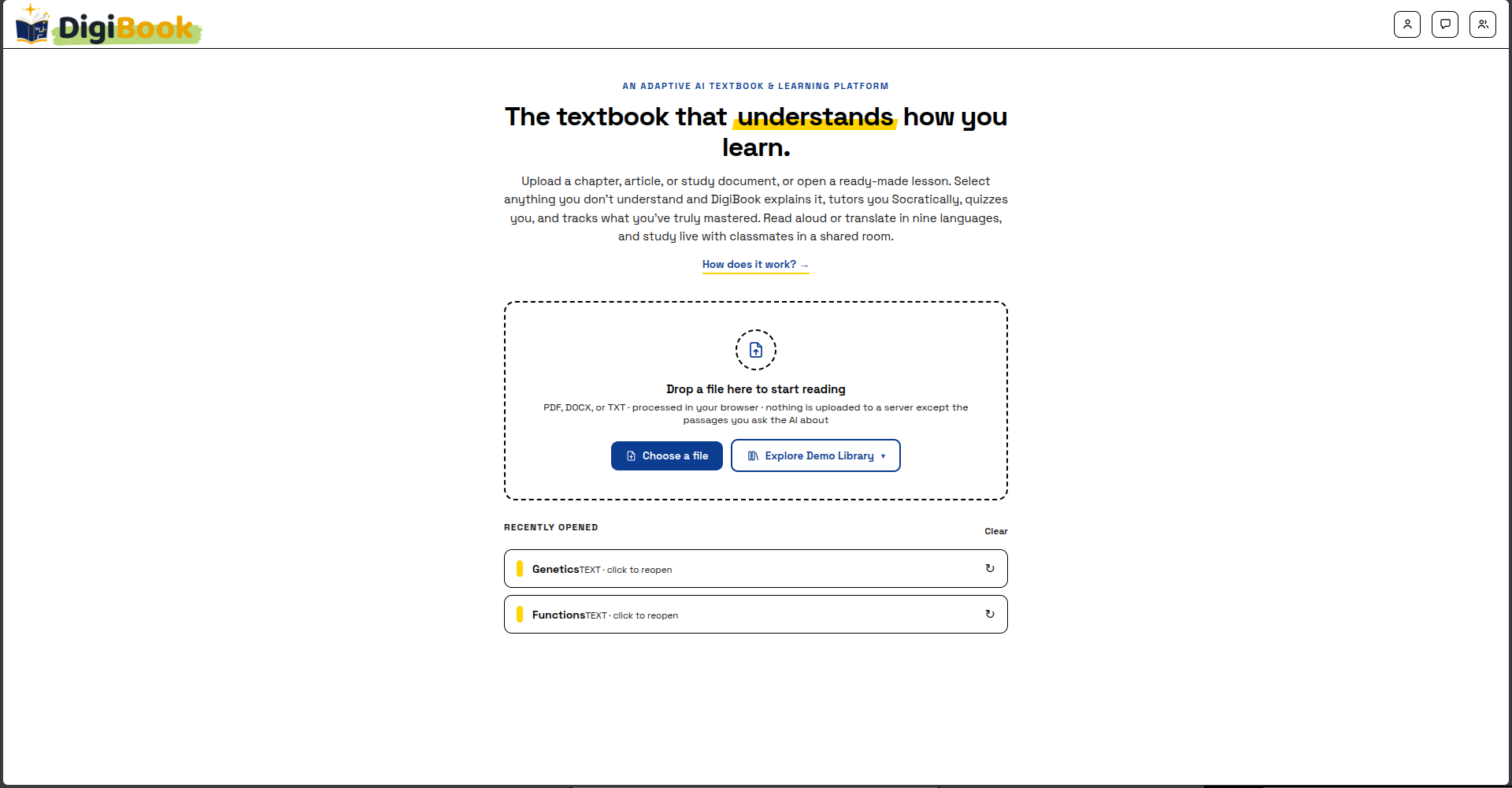
DigiBook Homepage
-
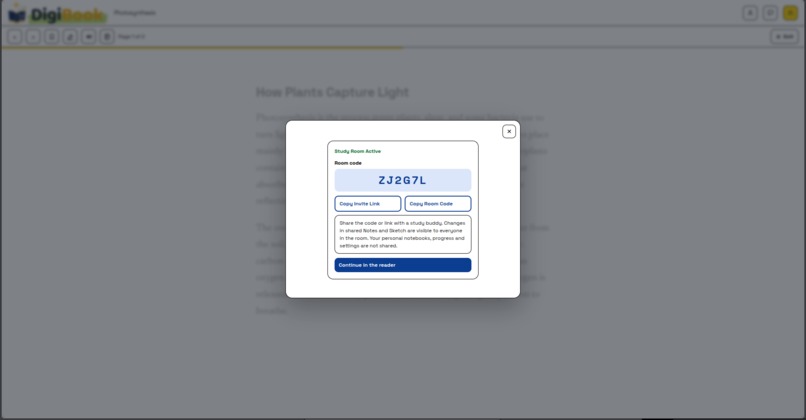
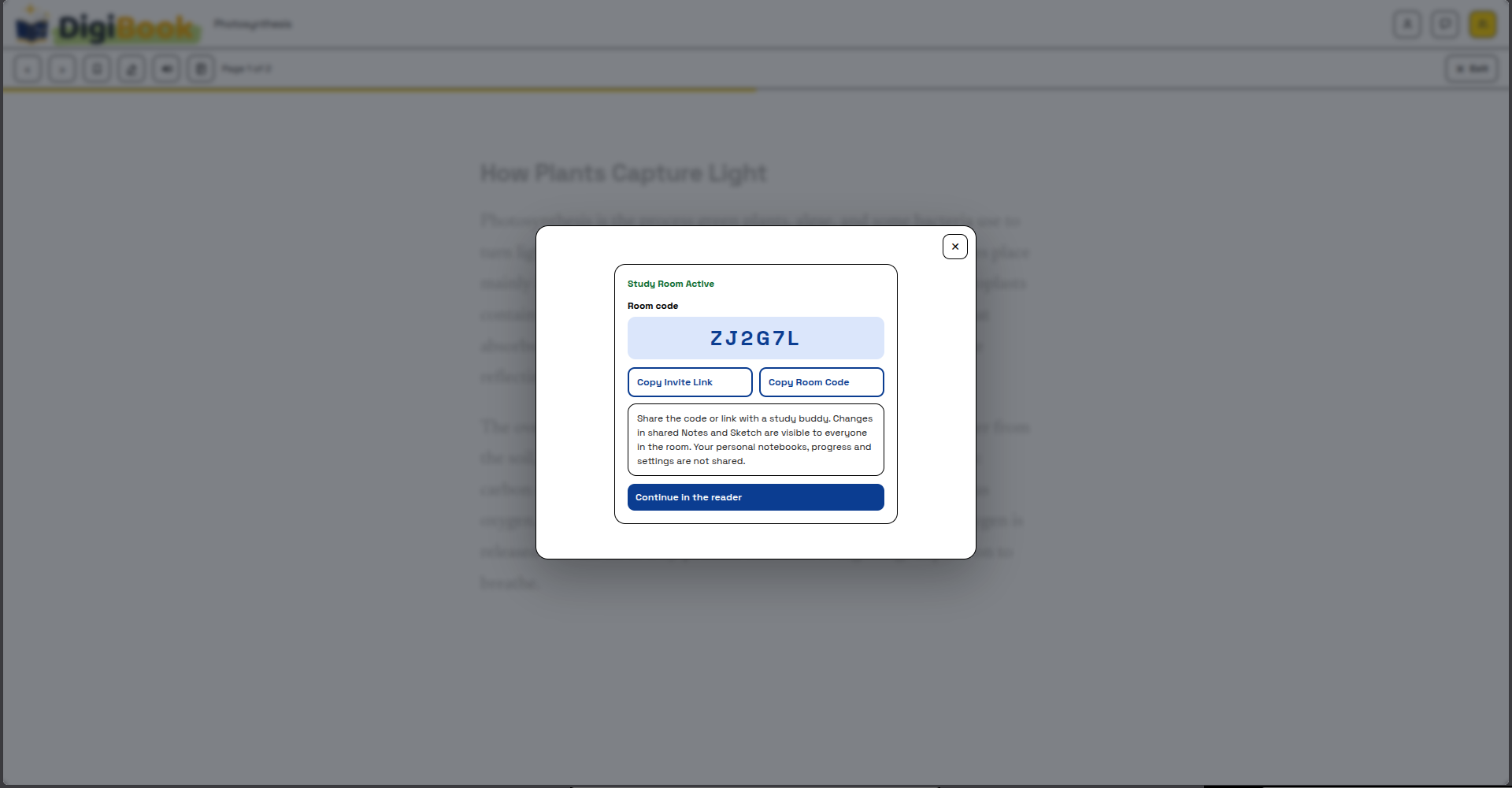
DigiBook Study Room
-
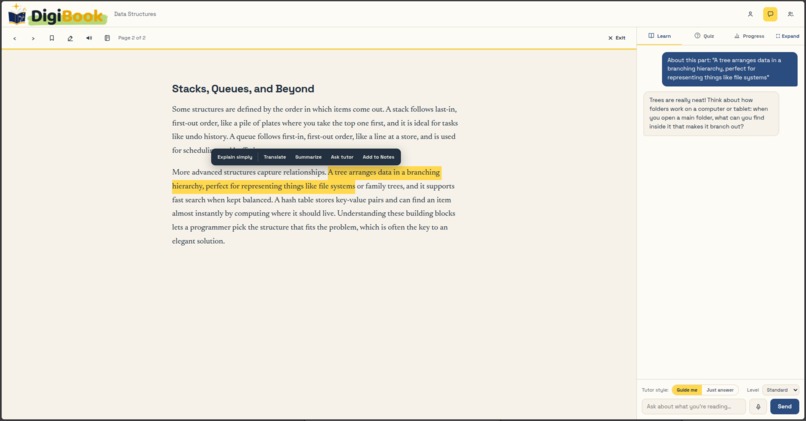
DigiBook Socratic-Style Tutor
-
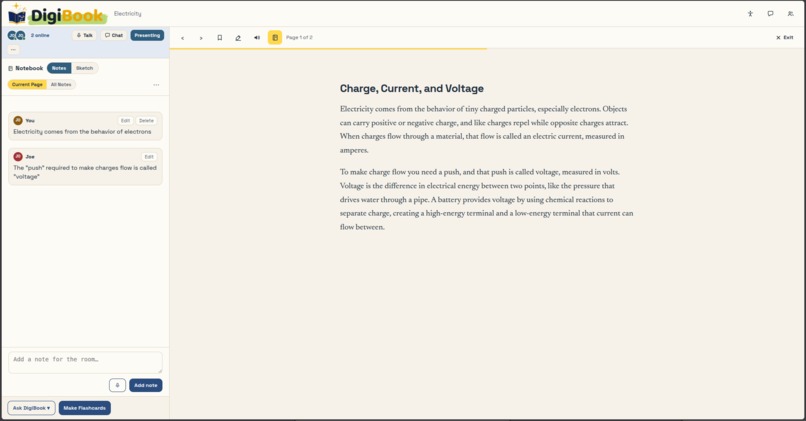
Study Room Shared Notes
-
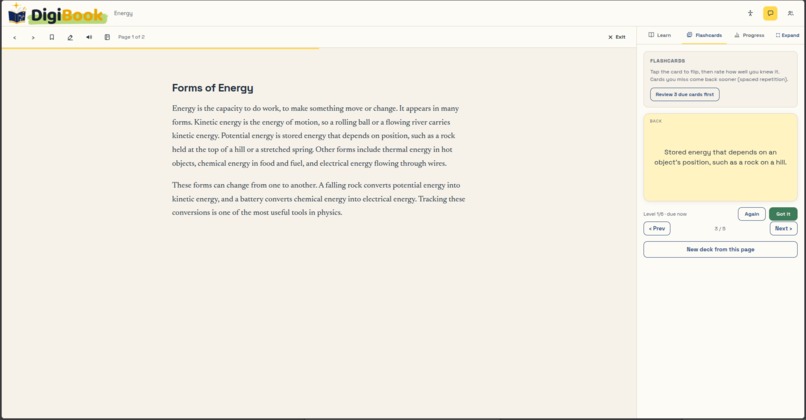
AI Flashcards
-
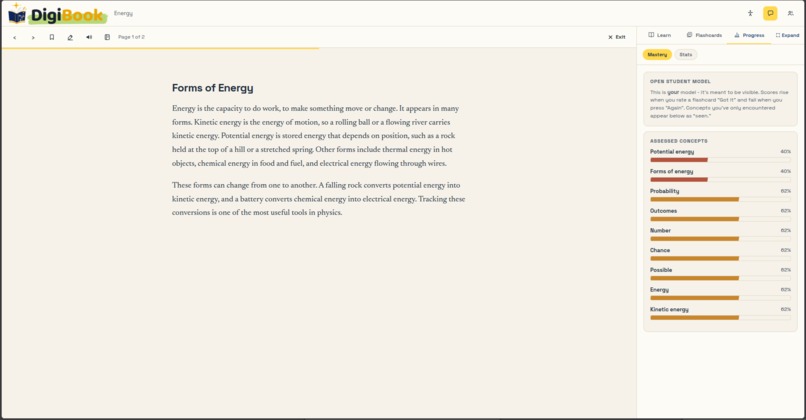
Open Student Model
Inspiration
Every study session has the same failure point. You hit a sentence you don't understand, so you open a new tab, type a question stripped of all its context, and by the time you get an answer you've lost your place and your momentum. The reading lives in one place, the explanation in another, the practice in a third, and nothing remembers what you actually learned. I wanted the explanation, the tutoring, the practice, and the progress to live inside the reading itself. I was also inspired by intelligent tutoring systems research, especially Socratic tutoring and open student modeling, and wanted to bring those ideas out of papers and into something a student would actually use on a Tuesday night.
What it does
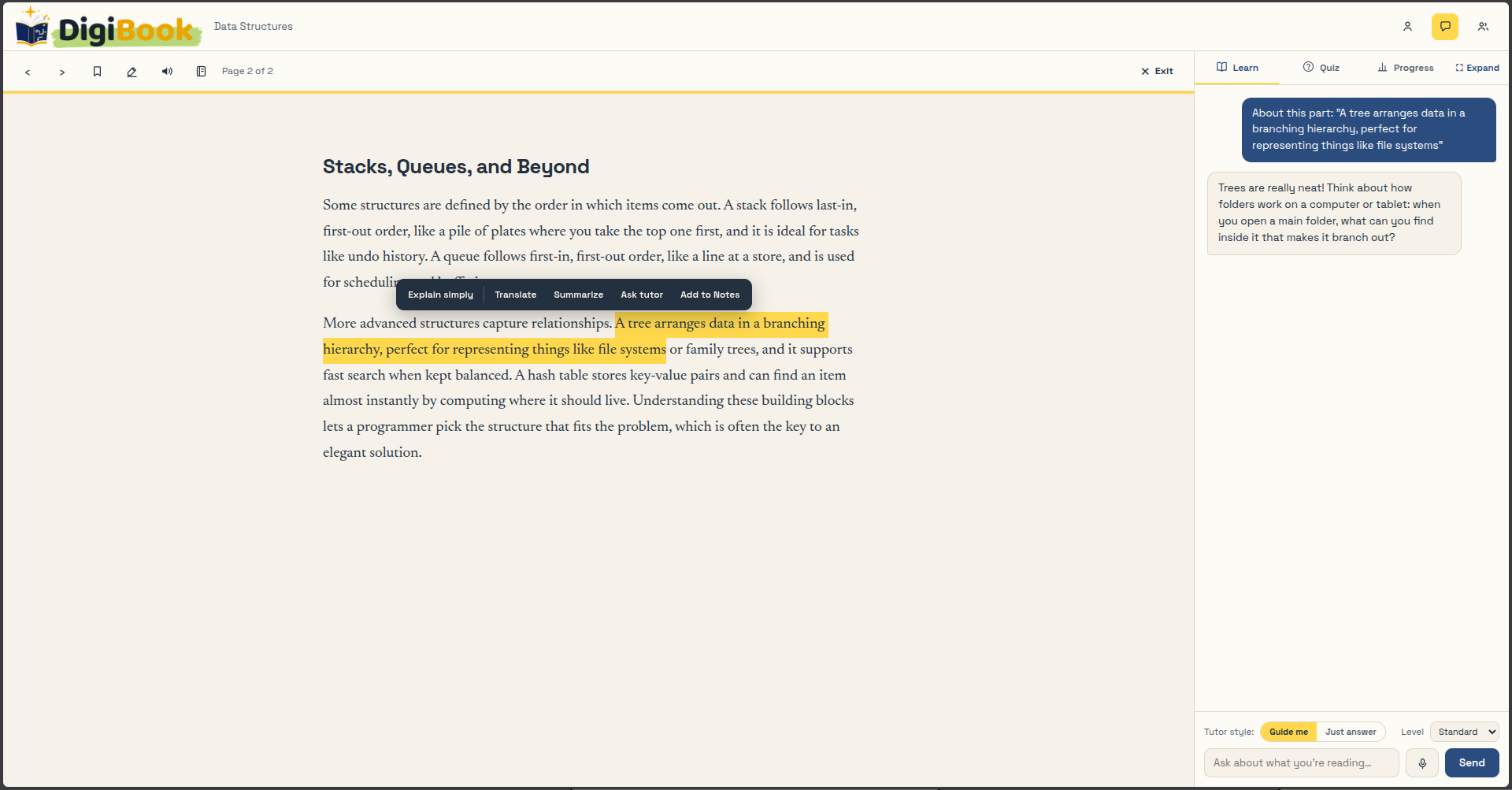
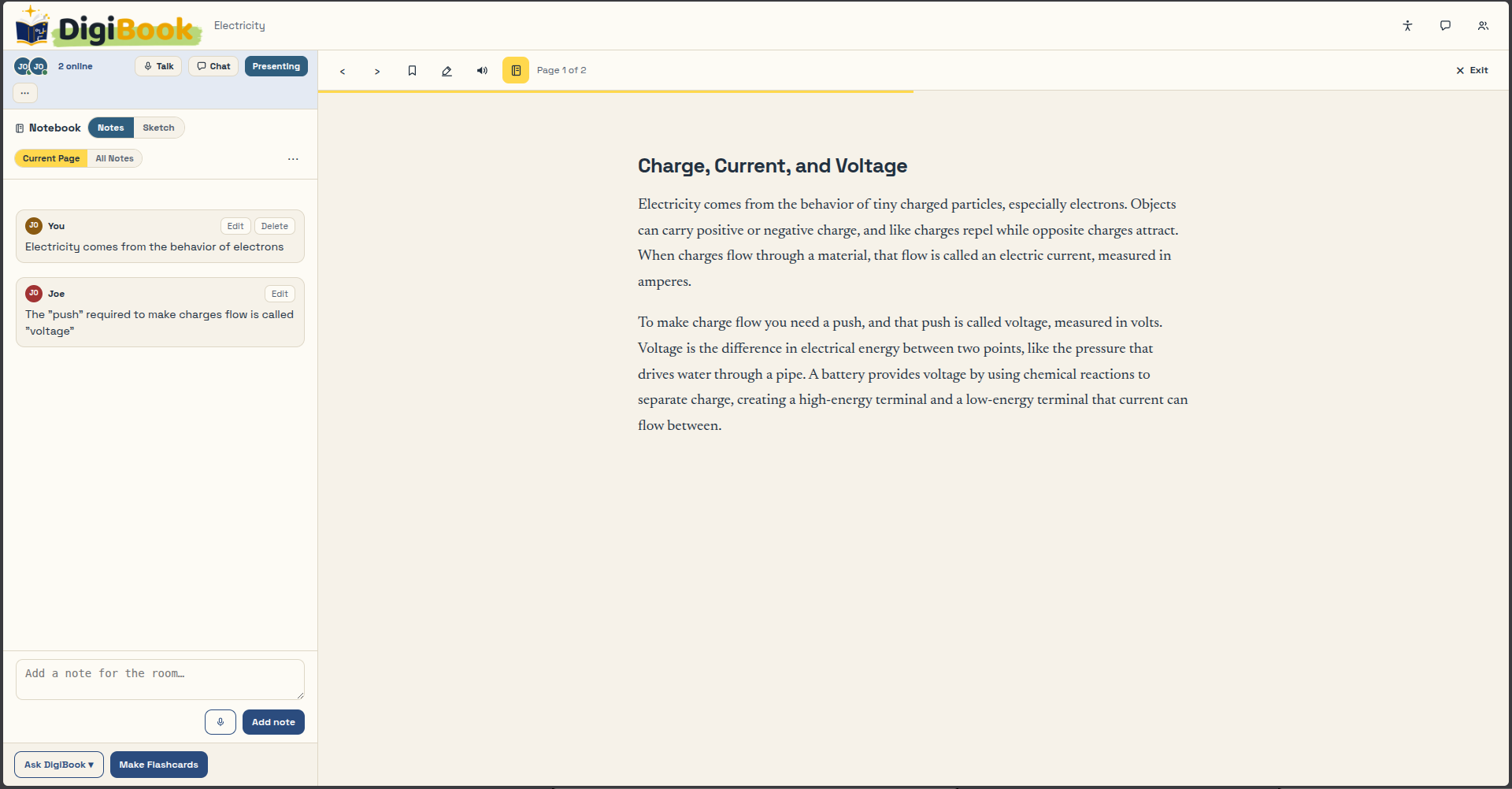
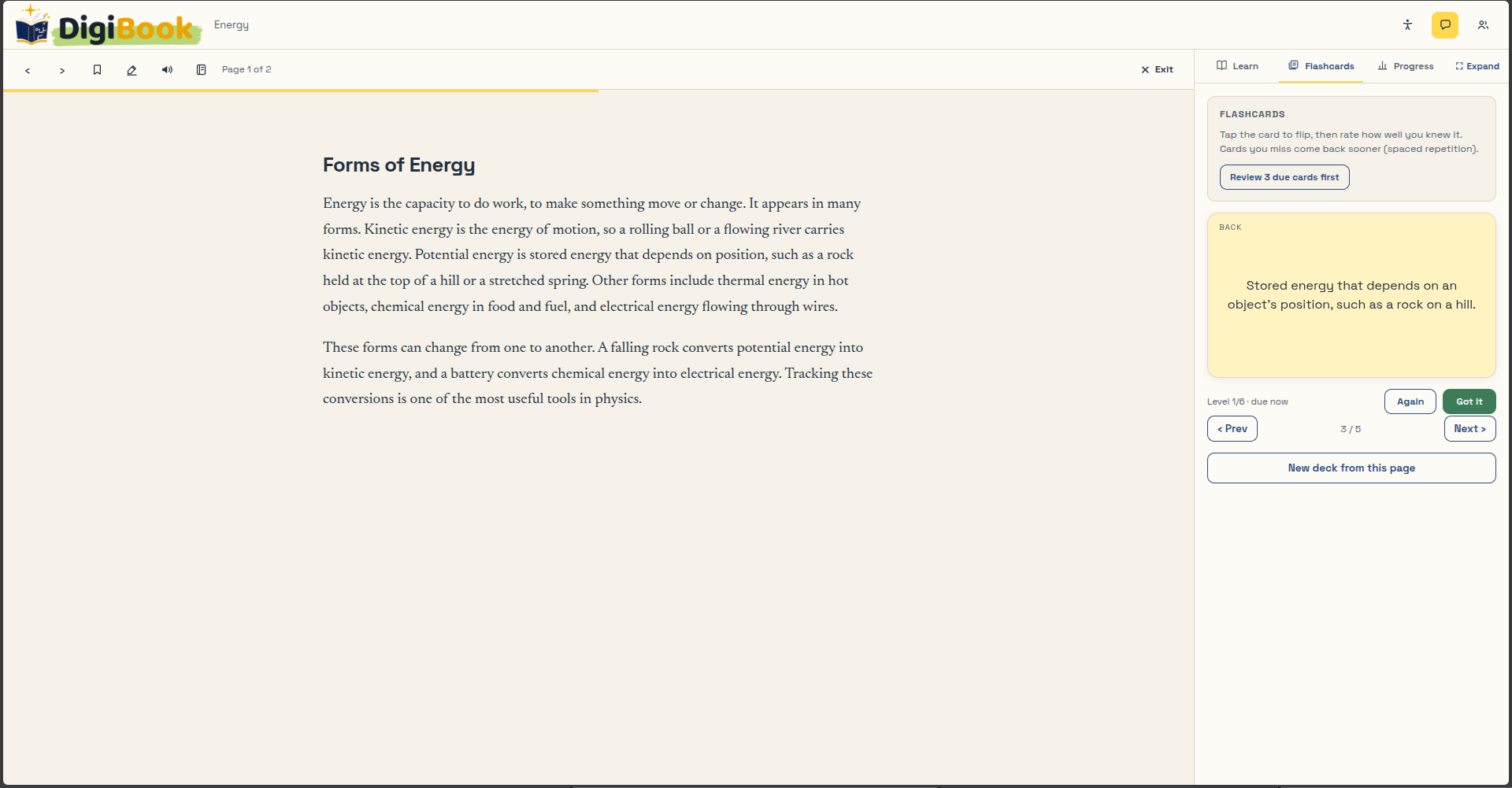
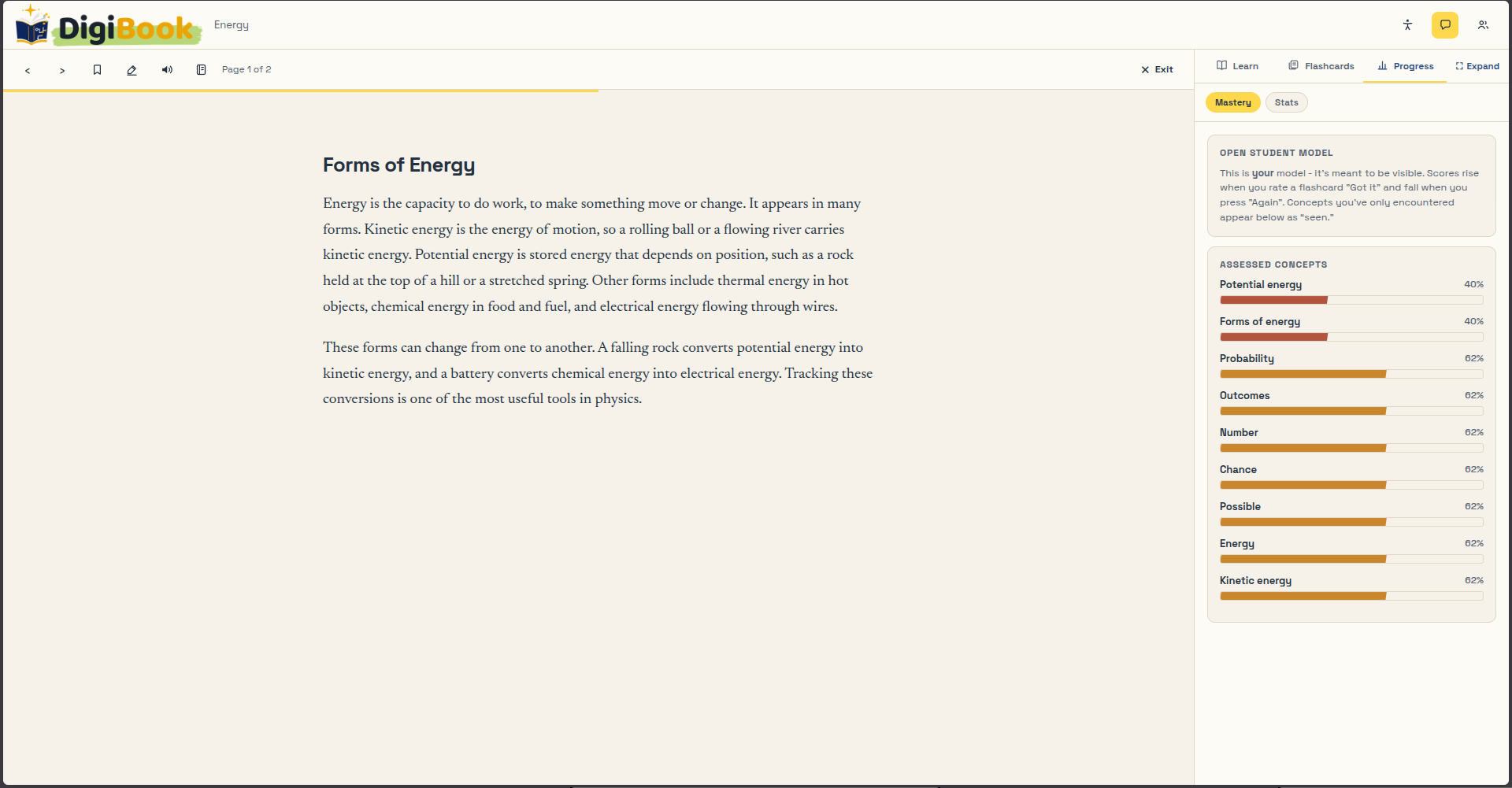
DigiBook turns any document into an active lesson. Drop in a PDF, DOCX, or TXT (or open one of 17 built-in lessons) and highlight anything you don't understand: you can Define, Explain simply, Translate, Summarize, or Ask the tutor, in any of nine languages. The tutor defaults to "Guide me" mode, where it asks you questions so you reason to the answer yourself, because being handed an answer is the weakest way to learn. Practice and progress are one system: DigiBook generates flashcards from the page or from your own notes, each card tied to the concept it tests, and rating yourself moves that concept's mastery up or down while spaced repetition decides when the card comes back. The result is an open student model, a visible mastery bar for every concept where nothing is pre-filled and every score is earned one review at a time. There's a Notebook that opens in its own left panel and stays open alongside the tutor, with typed, dictated, and sketched notes you can convert straight into flashcards. Study Rooms let two or more students share a page, notes, sketches, chat, and live voice. And accessibility is built into the core app, not bolted on: read aloud in the language the text is written in, voice commands, a dyslexia-friendly font, a reading ruler, high contrast, and full keyboard and screen reader support.
How we built it
The entire application is a single HTML file with vanilla JavaScript. No framework, no build step. The interface is three independent regions (notebook, reader, learning sidebar) that can be open in any combination. Documents are parsed completely in the browser with pdf.js and mammoth, so nothing is uploaded anywhere. The AI runs through a Netlify serverless function that hides the Gemini API key, falls through a chain of models until one answers, and validates structured responses server-side: if a model returns prose or truncated JSON when flashcards were requested, the proxy skips it and tries the next model instead of trusting it. The chain itself is configurable through an environment variable, so the app can adopt newer models without a code change. Study Rooms sync through Firebase Realtime Database with anonymous auth, and voice chat is peer-to-peer over WebRTC. Progress lives in localStorage with export and import, so there are no accounts and no per-user backend cost.
Challenges we ran into
The hardest bug was invisible: Gemini's thinking models can consume the entire output token budget and return empty text, so flashcard generation silently failed even while the tutor worked. The fix was layered: disable thinking where appropriate, give structured calls a larger budget, and have the proxy parse JSON before accepting it. Deciding what happens when the AI is unreachable was a design challenge too. I chose honest fallbacks: offline flashcards are built by a local extractive analyzer from the actual page text and always labeled as offline content, and the tutor admits it's offline and preserves your question instead of inventing an answer. Getting three independent panels (notebook, reader, tutor) to coexist without stealing each other's space took real layout work. And keeping a 4,000 line single file organized without a framework required discipline.
Accomplishments that we're proud of
The student model is open and honest. You can see exactly what the system thinks you know, and every number in it is one you earned: demo lessons start with zero mastery, and only your own flashcard ratings move the bars. Practice and assessment are the same act, which means there's no busywork quiz separate from studying. Accessibility is the same app for everyone, not a stripped-down version: every feature, including the tutor, flashcards, notebook, and Study Rooms, works by keyboard alone and with a screen reader. Read aloud speaks Hindi passages in Hindi and Arabic passages in Arabic. And the whole thing deploys as one file on free static hosting and runs on a Chromebook.
What we learned
Prompting an LLM to teach is a completely different problem from prompting it to answer; getting Socratic mode to ask instead of tell took many iterations. I learned that graceful degradation has to be designed, not patched in later: every external dependency (CDN, AI, Firebase) can fail, and the app should say so honestly instead of pretending. I learned to never trust structured output from a language model without validating it server-side. And I learned practical things: browser speech APIs, WebRTC signaling, serverless key management, and why an additive mastery model is legible to students in a way a statistically calibrated one isn't, even if it's less precise.
What's next for DigiBook
OCR support for scanned PDFs, so photographed textbook pages work. Optional accounts with sync, so progress can follow a student between devices. A calibrated knowledge tracing model behind the same open interface, and a recommendation layer that uses the concept relationships already in the lessons to suggest what to review next. Teacher dashboards built on the existing study report, so a tutor can see a whole class's concept gaps. And larger Study Rooms with presenter tools, so the same system that helps one student read alone can help a study group learn together.

Log in or sign up for Devpost to join the conversation.