-
-
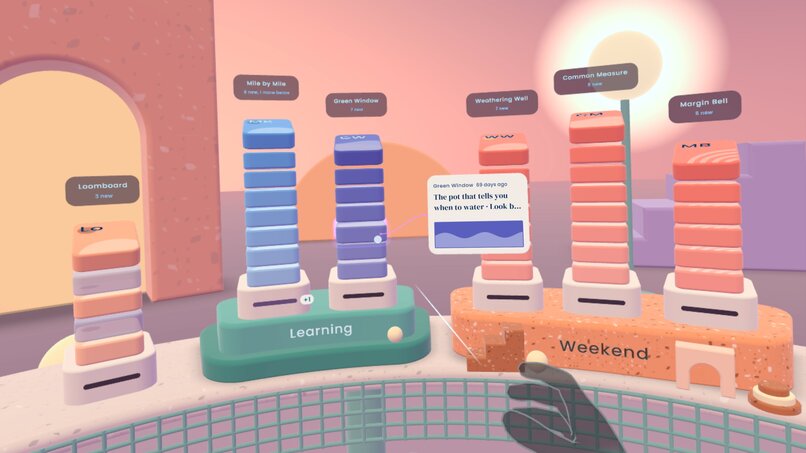
Mailroom - a calm, seated VR email inbox experience for catching up on newsletters
-
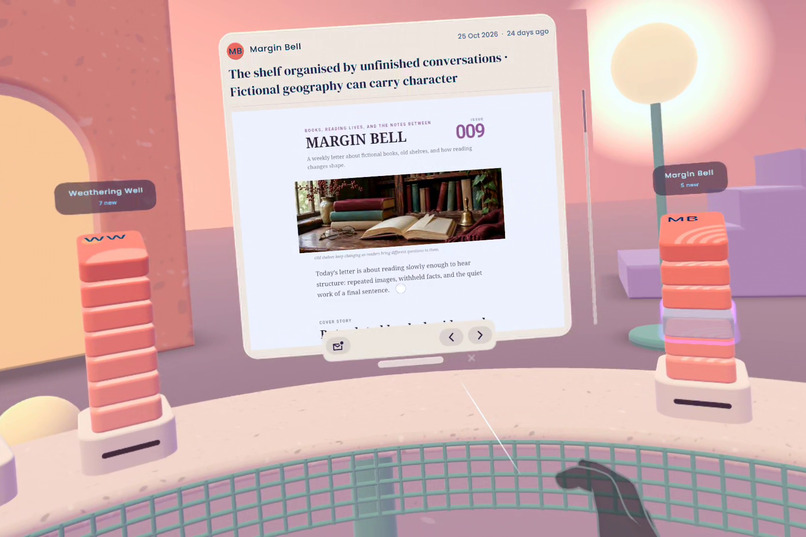
Reading an email
-

Mailroom visual identity
-
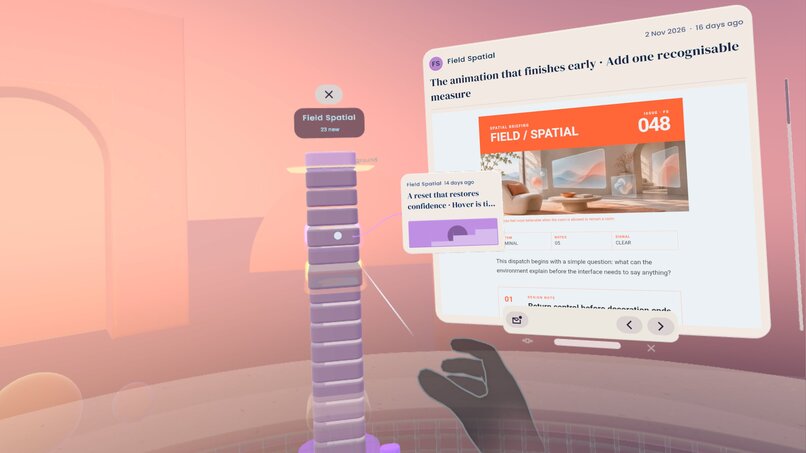
Full newsletter history
-
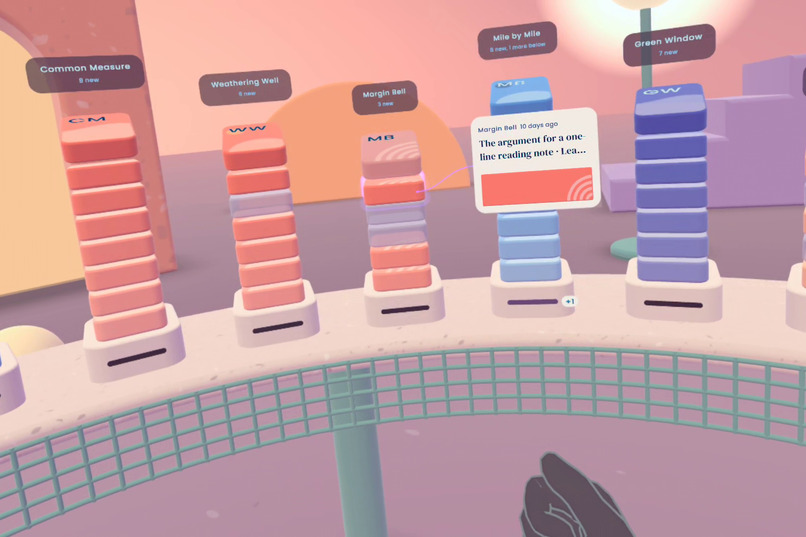
Mailroom is fully interactable with gaze and microgestures
-
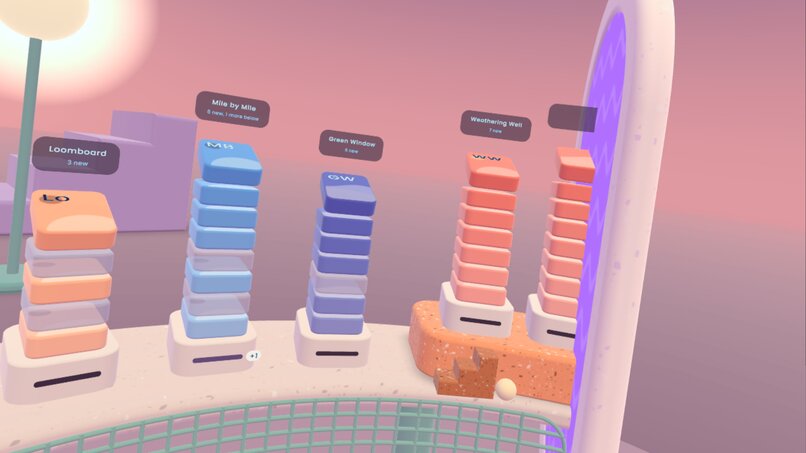
Decorations
-
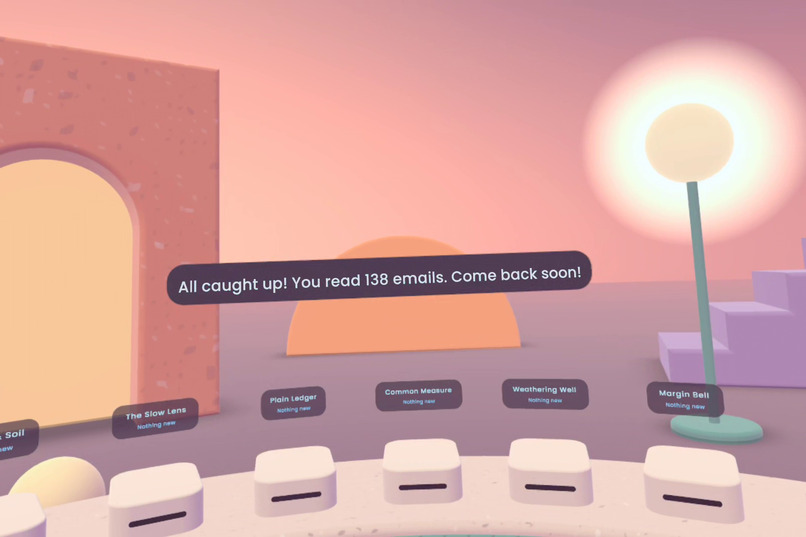
Encouraging users to use the app regularly!
-
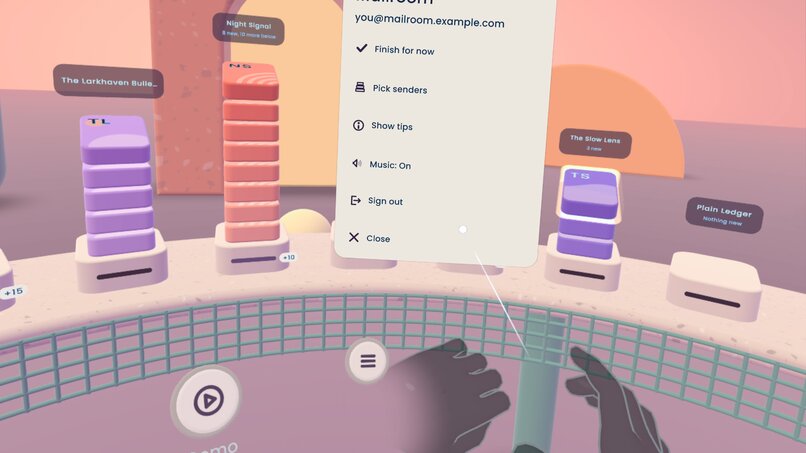
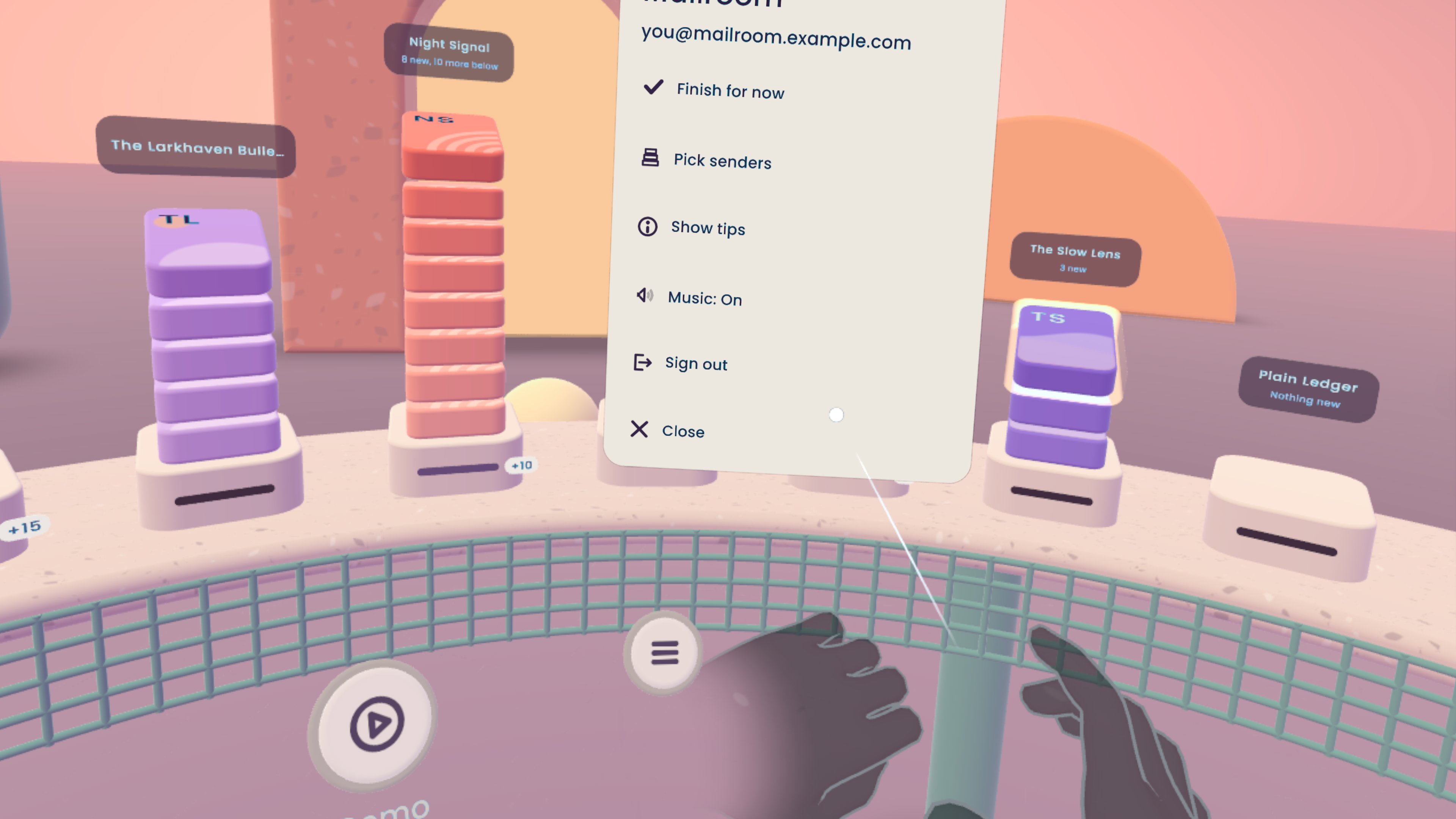
Main menu
-
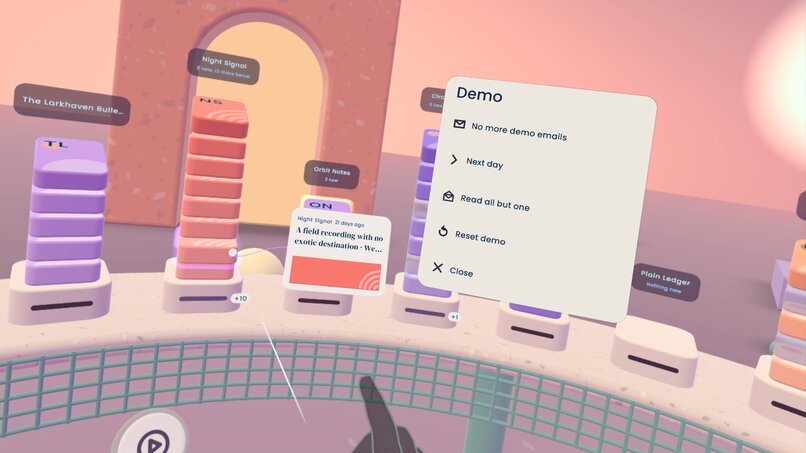
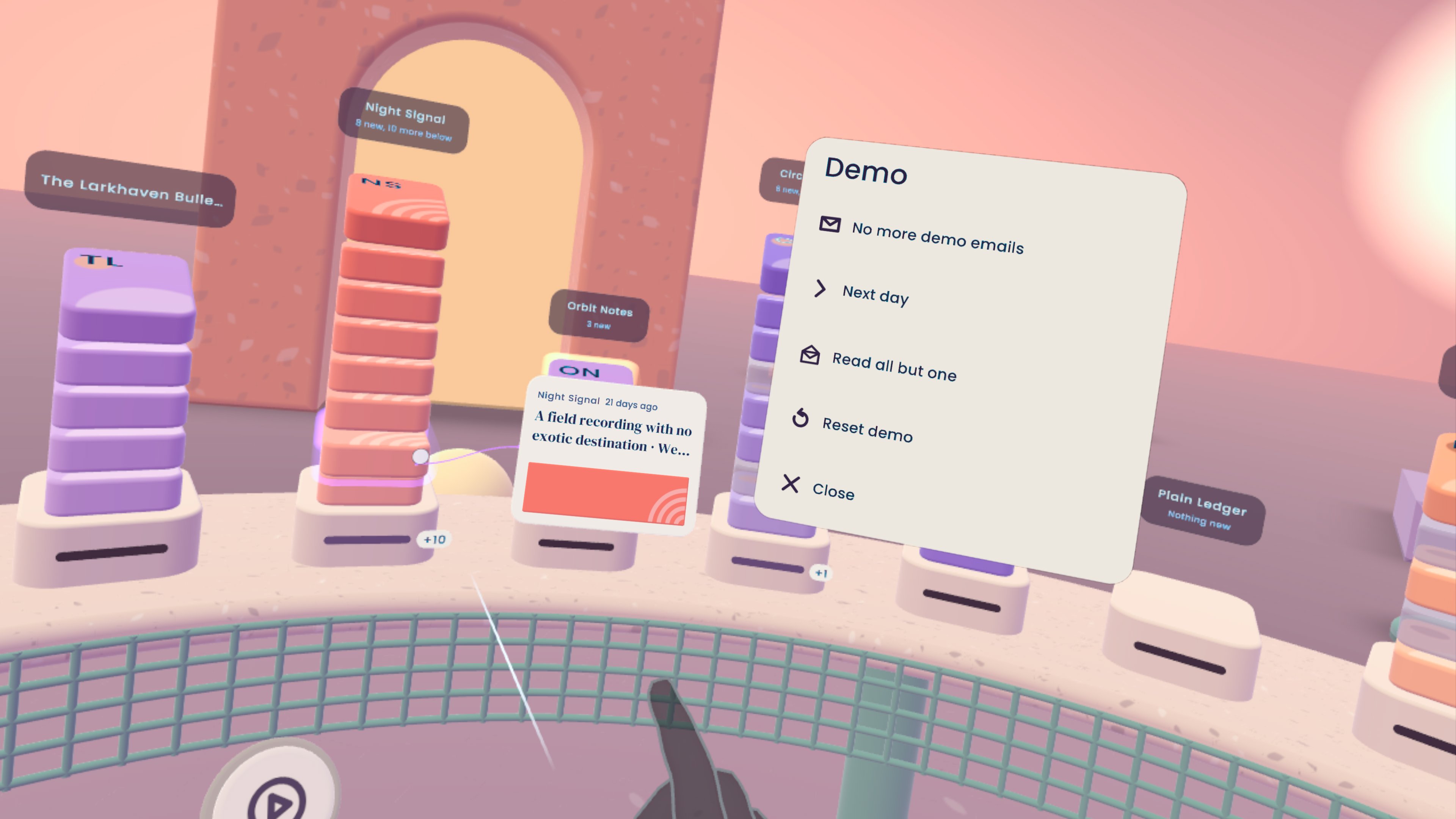
Demo mode for judging
-
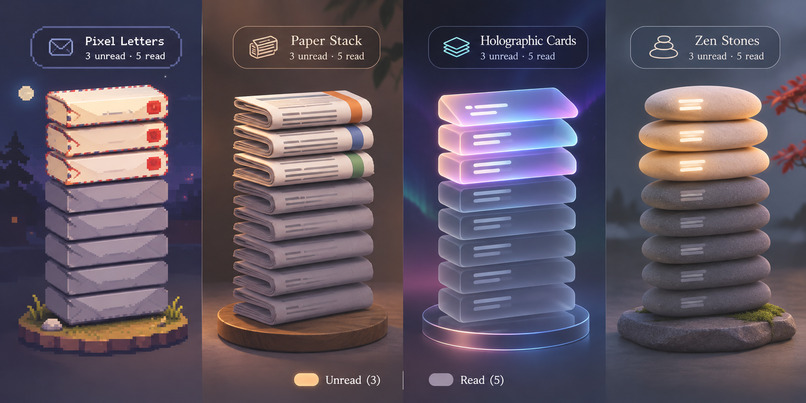
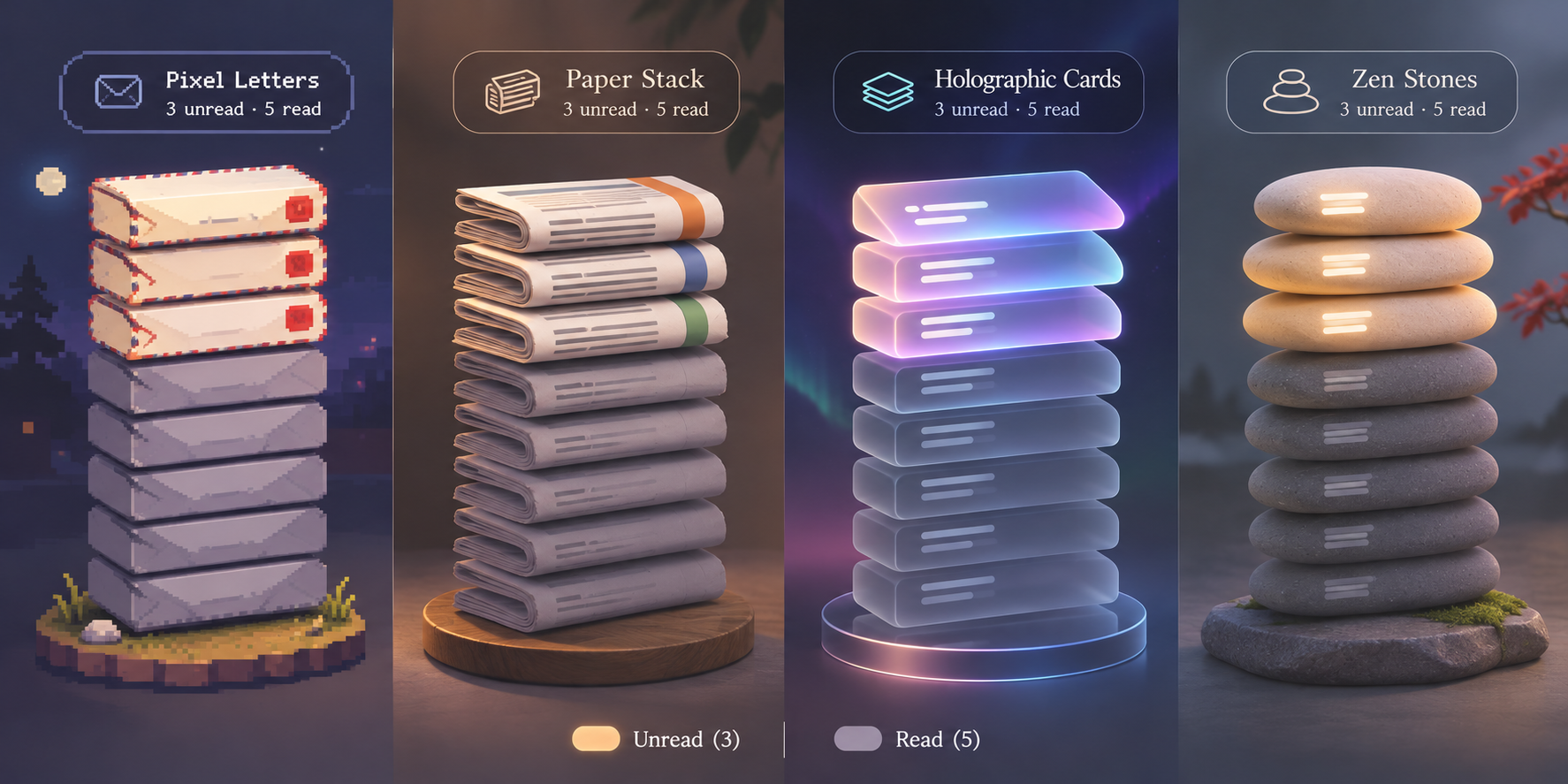
Concept art: future style variants to choose from
-
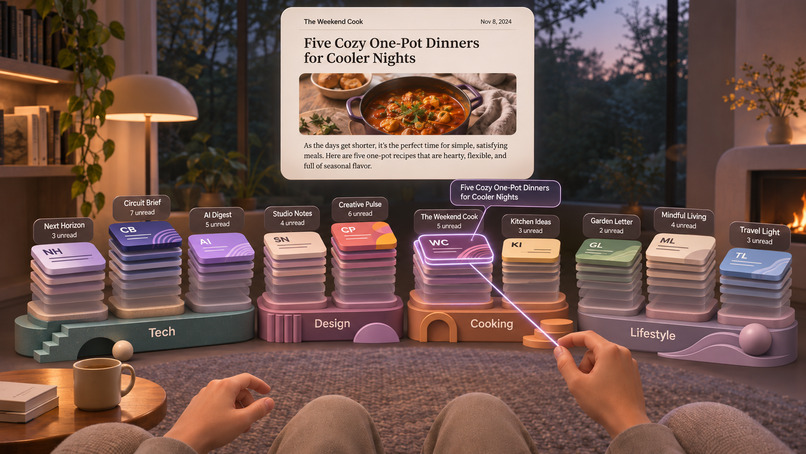
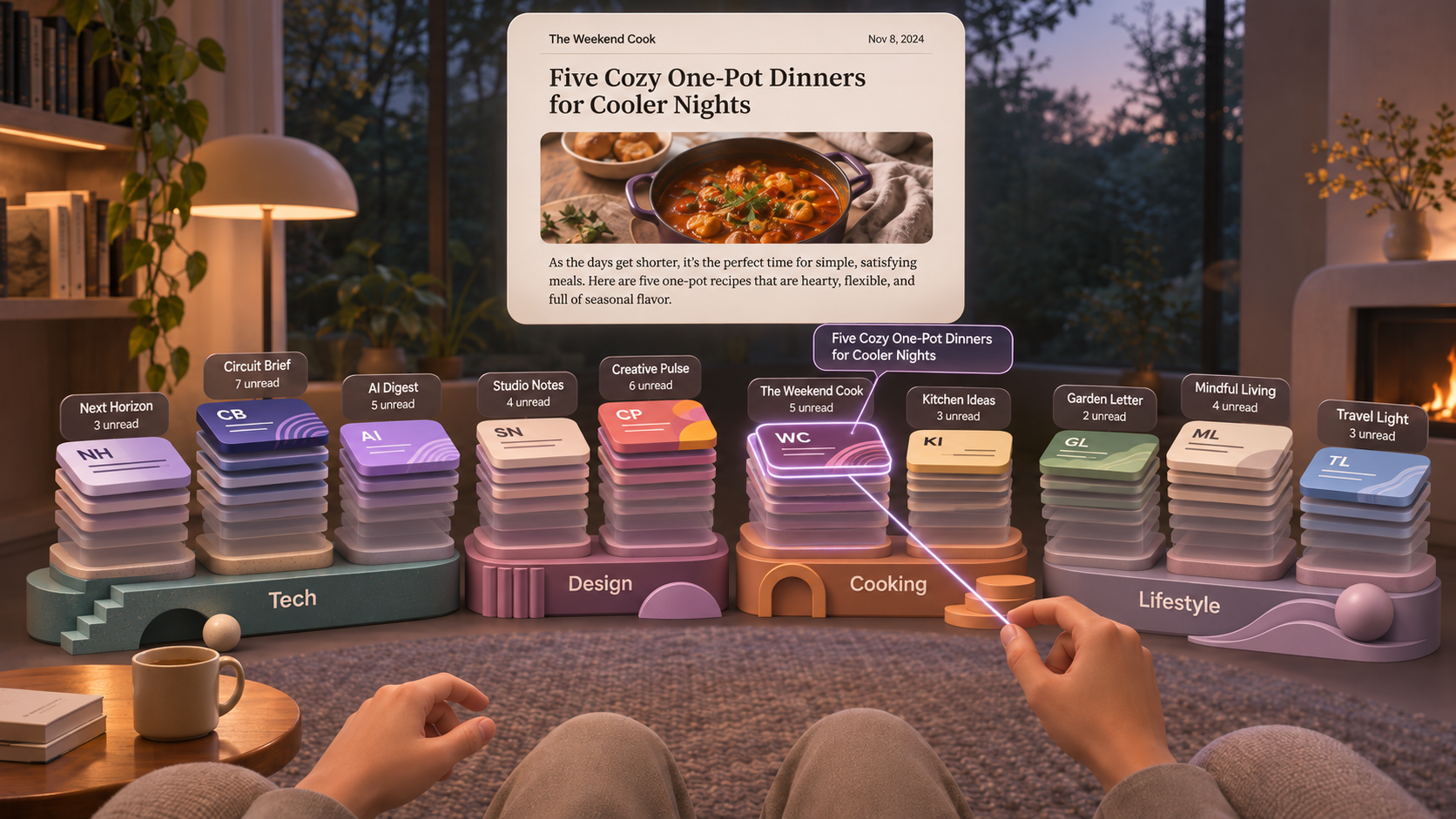
Concept art: sculptural inbox decorations (the style we chose is **post-modern**... get it?? ;) )

Inspiration
We subscribe to newsletters because we want a slower, more thoughtful way to follow ideas. Then those newsletters arrive in the same long list as work, receipts, offers and notifications. The reading we chose becomes another source of inbox pressure.
Mailroom started with a simple question: what if catching up on newsletters felt less like processing email and more like settling into an armchair with a stack of papers?
We did not want to put a conventional inbox on a large virtual screen. VR gave us a chance to rethink the activity itself: make a sender tangible, give related reading a place, and turn a backlog into something a person can understand at a glance.
What it does
Mailroom is a calm, seated VR space focused on one job: catching up on newsletters and other serial email.
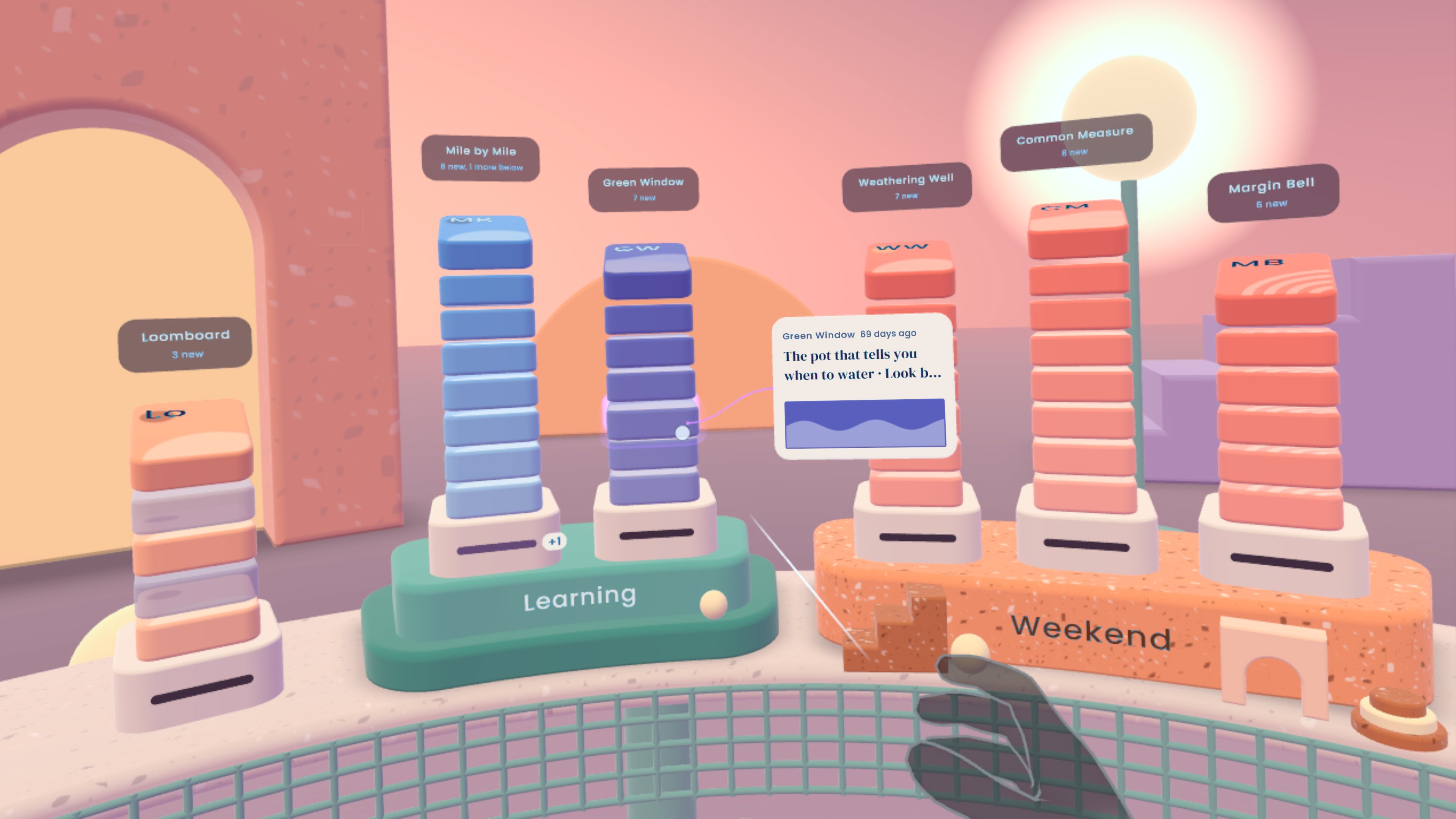
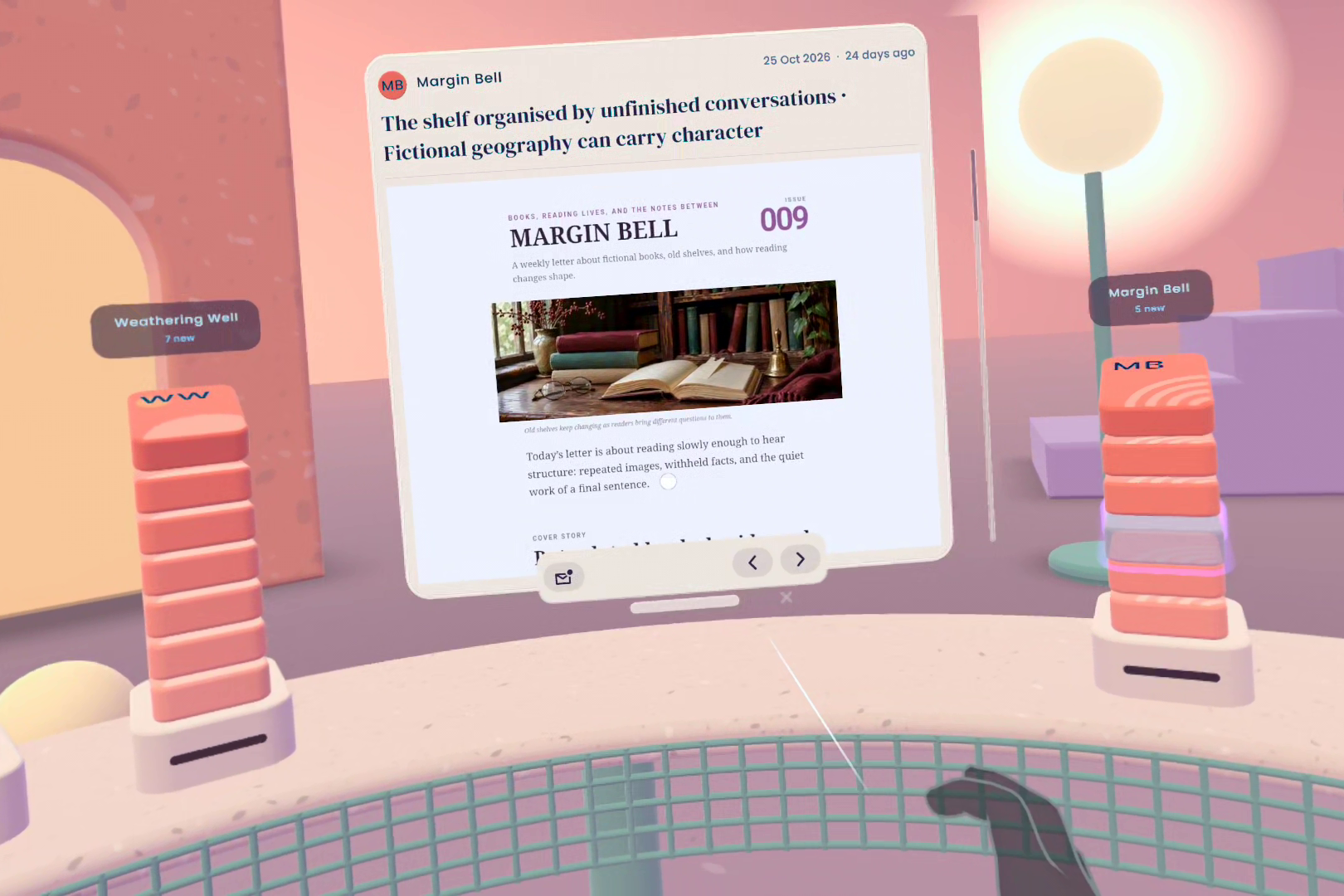
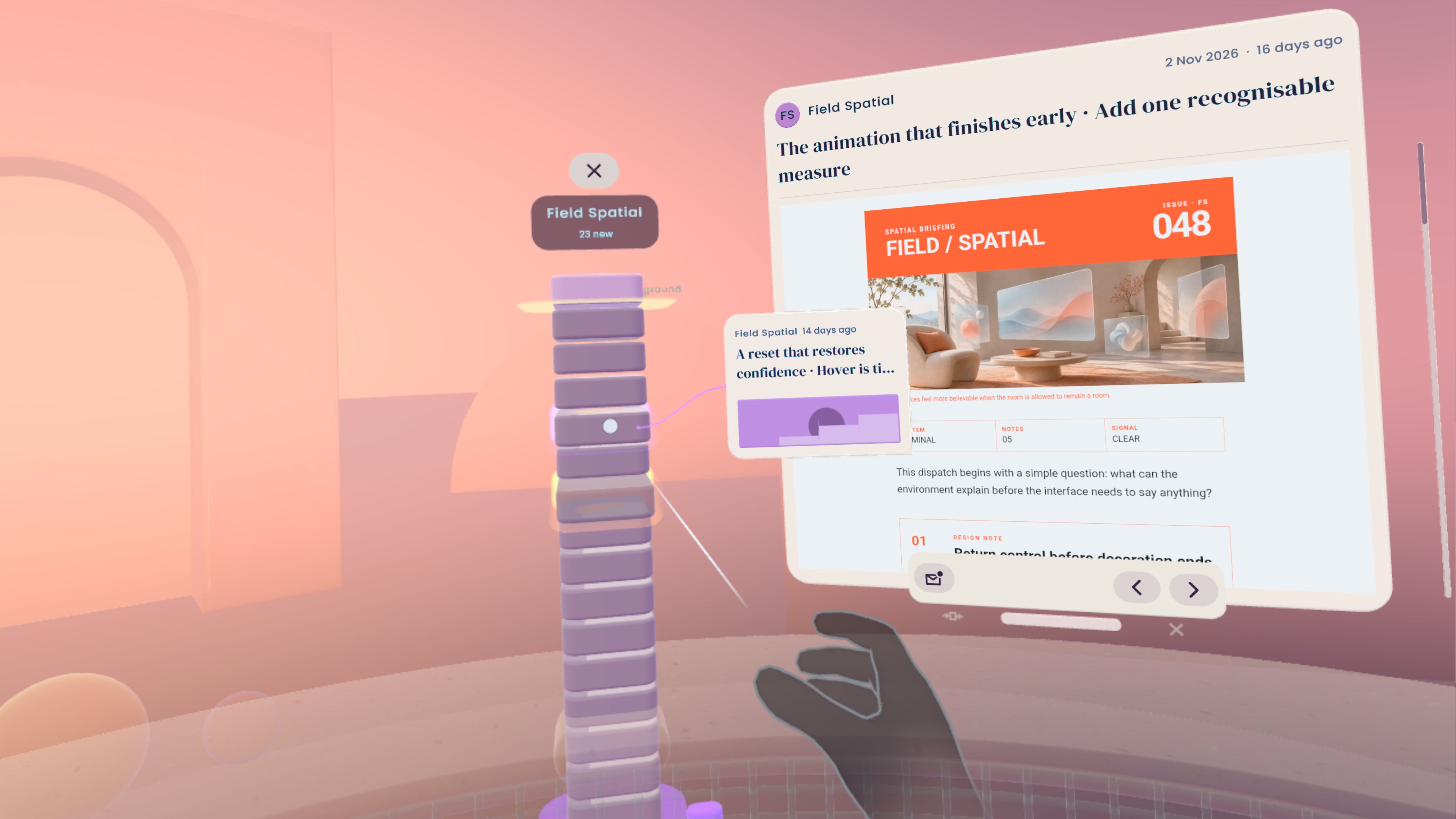
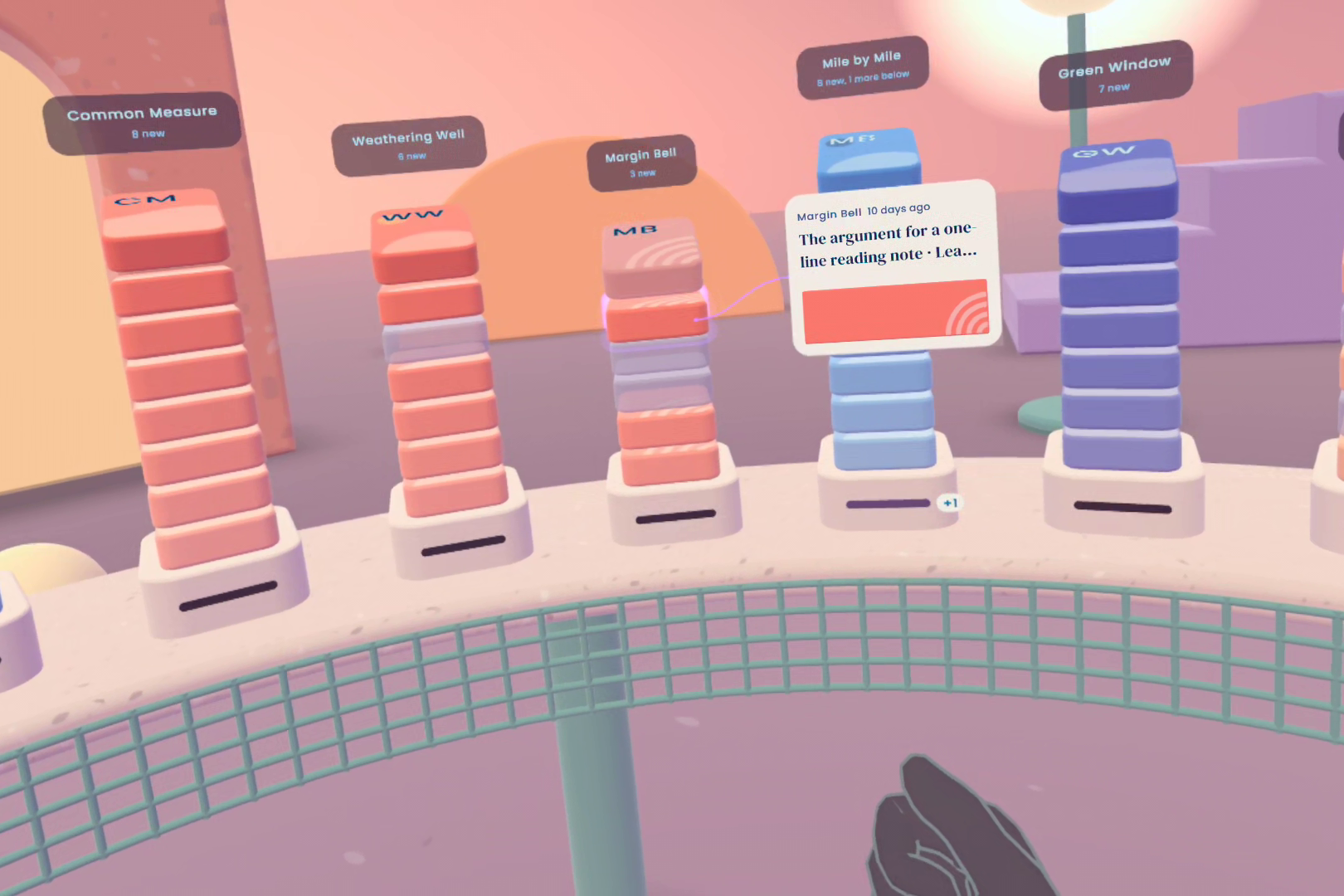
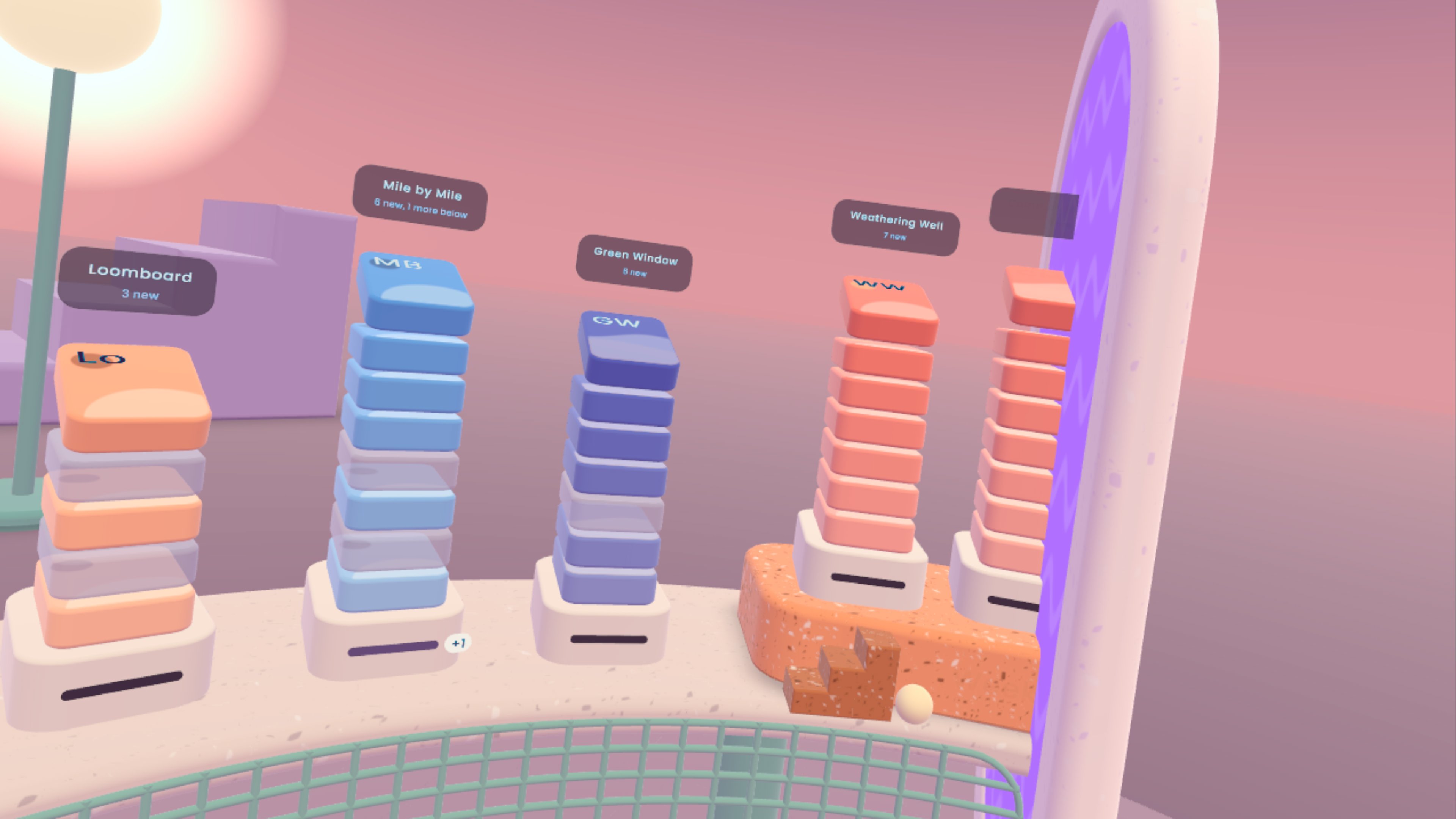
Each sender becomes a physical stack arranged on a curved counter around the reader. You choose which newsletters belong in the room, move stacks into places that make sense to you, and group related reading together. Pointing at a card reveals a preview; pinching opens the full newsletter. A stack can unfold into a tall history, so older issues remain browsable without turning the room back into a flat list.
The signature action is clearing a backlog by pulling cards down into the counter's slit. It feels decisive, but it is deliberately safe: Mailroom only marks those messages as read, offers an immediate undo, and has no ability to delete, move or send mail.
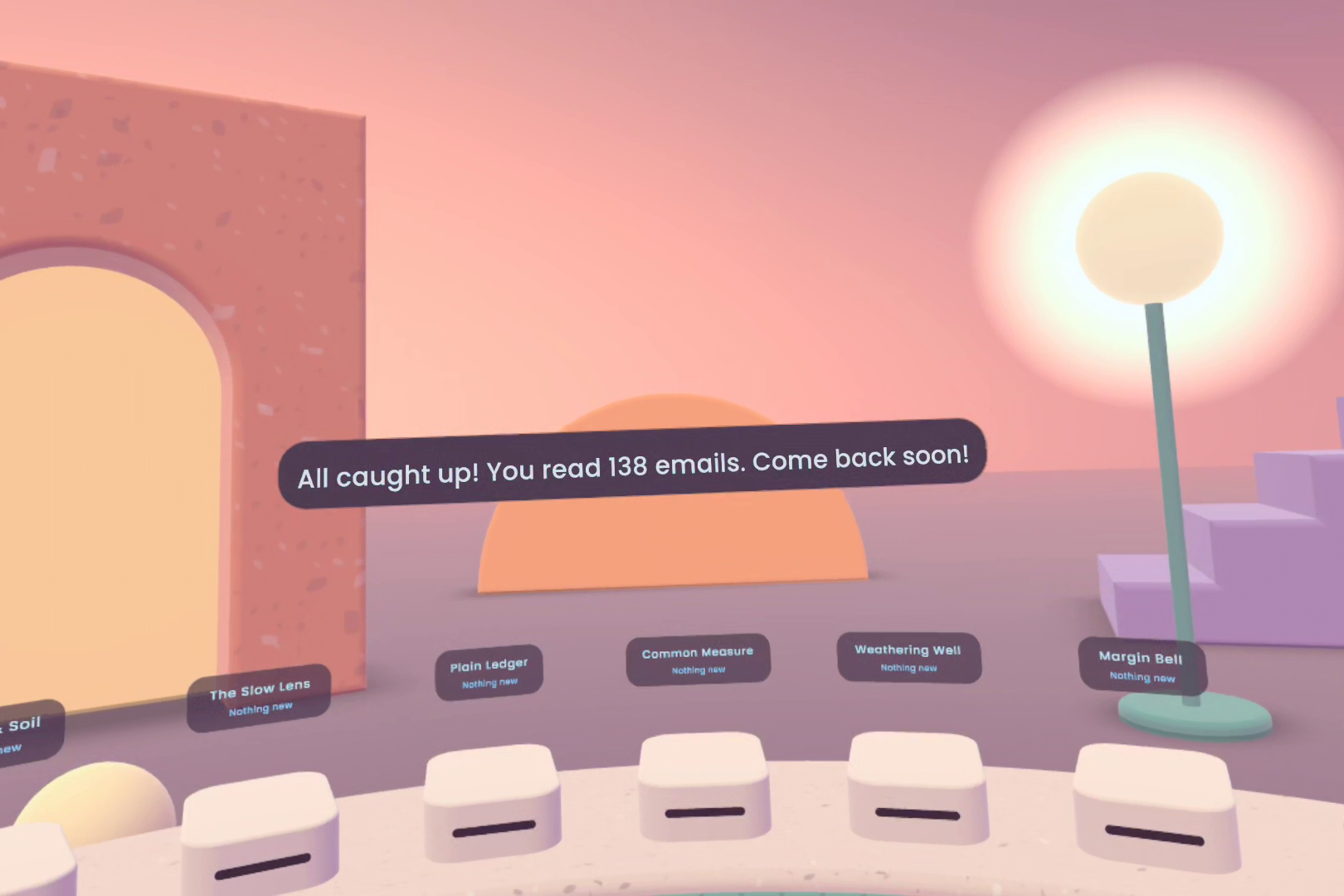
New issues return to the stack where they belong instead of taking over the room. A short visit can end with everything caught up—or simply with the sense that the unread issues can wait.
Mailroom is hands-first from start to finish. It supports familiar pointing and pinching, but it also has a more relaxed mode for reading: head direction chooses the object, while small thumb microgestures browse a stack or scroll a newsletter. Purpose-built sound gives each press, pickup, drop, arrival and cleared card the feedback that hands cannot get from a physical surface.
Judges can enter a fictional demo inbox immediately, with no account and no typing. We also built and tested a developer-only IMAP path on Quest to prove that real newsletter bodies and read state can flow through the same experience, while keeping credentials and private mail out of the competition build.
How we built it
Mailroom is built in Unity 6 for Meta Quest 3 with C#, URP, OpenXR and Meta XR SDK 207. Hand tracking and Interaction SDK components provide the core pointing, pinching, poking and UI behaviour. OVRHand microgestures power the thumb-swipe mode, with head direction used as gaze because Quest 3 does not have eye tracking.
The visual world is generated from code. Soft, rounded meshes and a custom clay material create the sculpted counter, stacks, plinths and portals at their real physical size. We use Meta compositor layers for the text-heavy panels and newsletter body so they remain sharp and stable in the headset. On-device HTML newsletters render through an Android WebView; editor previews use a rich-text fallback.
We developed the interaction design as a collection of small “stories.” Competing versions of a stack, email panel, axis, plinth or surrounding room could be placed side by side, tuned in the headset and then composed into the finished experience. This kept visual experiments fast and let us choose designs based on how they actually felt while seated, rather than how they looked on a monitor.
Mailroom's mail boundary is intentionally narrow. Newsletter detection relies on mailing-list headers rather than guessing from a topic. The shared mail API can list mail, load bodies, report arrivals, and change read state of emails. Delete, send and move operations remain unimplemented on purpose, to ensure our email app doesn't affect the user's inbox in an undesirable way.
Challenges we faced
The hardest problem was making spatial email feel native to VR instead of like desktop UI floating in a room. Small changes to distance, height, card width or the place where an email opened could determine whether reading felt effortless or made someone turn their neck. We repeatedly tested the whole journey in the headset and rebuilt the layout around seated reach, a comfortable field of view and short sessions.
Hands have no click or weight, so interactions such as pushing several messages into a slit could easily feel vague. We combined motion, intentional pauses, glow, labels, and a complete sound language to make the result understandable before the user lets go.
Rendering readable email was another challenge. The device WebView does not run over PC Link, while ordinary scene text can shimmer or lose clarity in VR. We built separate editor and device body views, added precise link hit testing, and moved important reading surfaces onto compositor layers. We also had to protect an IL2CPP Android build from code stripping and keep private email, developer addresses and access tokens out of release builds.
Performance work sometimes surfaced in unexpected places. One reflection-based UI variant lookup was harmless in the editor but took so long on-device that dragging could fall to roughly one frame per second. Caching each variant family restored responsive movement and reinforced a lesson we met throughout the project: the headset, not the editor, is the final authority.
What we learned
We learned that productive VR does not have to mean recreating a desk full of windows. It can change the emotional character of a task. Spatial memory, direct manipulation and a little ritual can make a neglected part of an inbox feel approachable again.
We also learned that relaxed input is different from merely supporting hand tracking. Pointing works well for precise choices, but it is tiring as the only mode. Combining head direction with tiny thumb movements lets the hands rest and makes browsing feel closer to turning pages than operating a laser pointer.
Finally, we learned to keep the product boundary small. Mailroom became stronger when we stopped treating it as a complete email client and focused on one polished loop: arrive, choose, browse, read, clear and leave. Safety benefited from the same discipline—the operations that could cause serious inbox mistakes are absent by design.
What is next
After the competition, we want to test the reading ritual with more people, refine comfort and accessibility, and turn the proven developer mail connection into a privacy-conscious account experience. The goal is not to add every email feature. It is to make this one calm corner of the inbox reliable enough to return to.

